
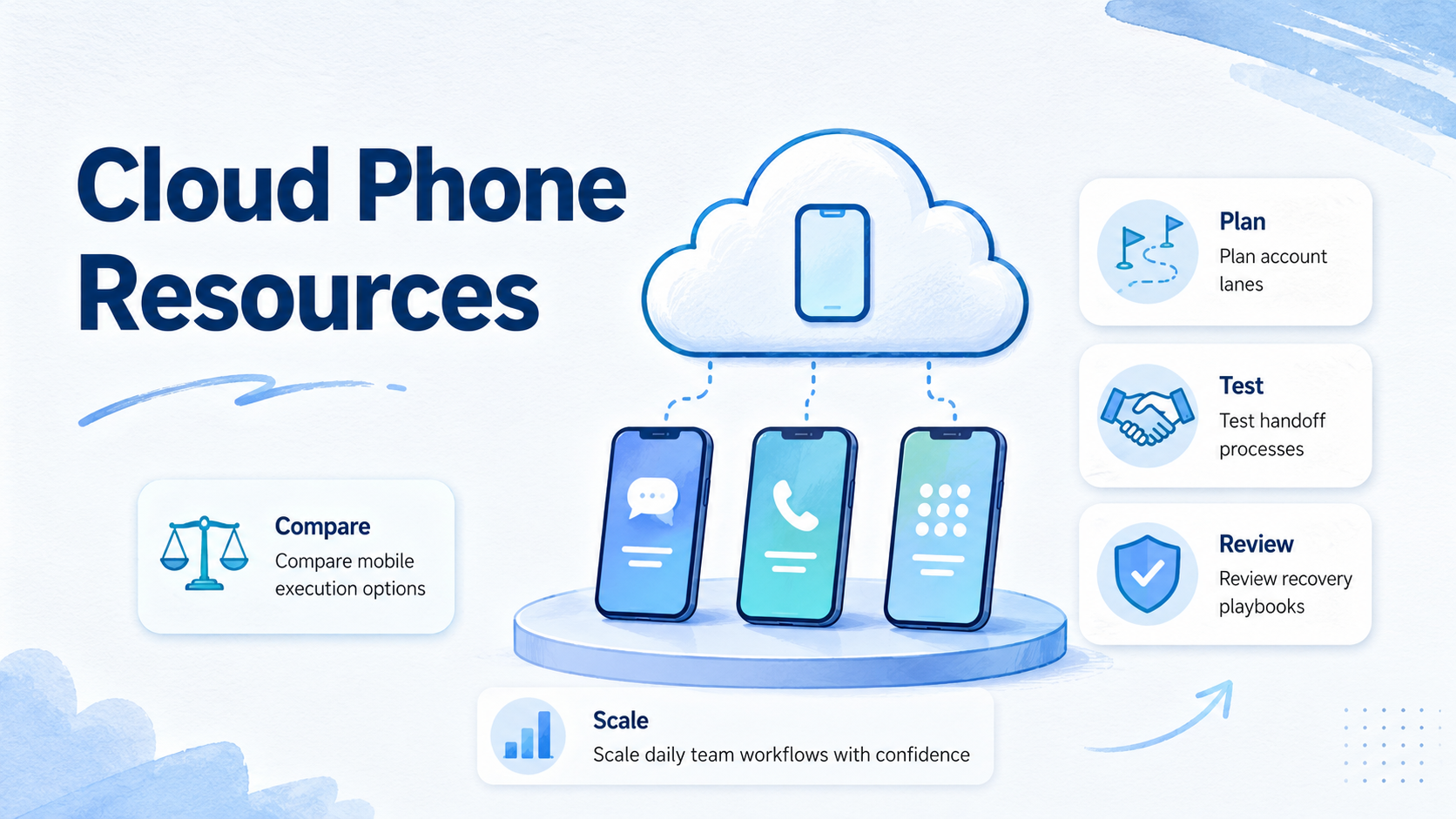
A cloud phone resource is a practical reference that helps teams compare hosted Android environments, plan mobile workflows, and decide when cloud phones fit the job. These resources turn device access into an operating model for account lanes, app work, review, and recovery.
MoiMobi is built for teams that need mobile execution environments. A team may start with cloud phones, then add phone farm capacity, device isolation, proxy network, and mobile automation as the workflow becomes repeatable.
Treat this page as a decision map. It explains which resources matter first, what to compare, how to run a small pilot, and how to avoid treating cloud phones as a raw device pool.
Key Takeaways
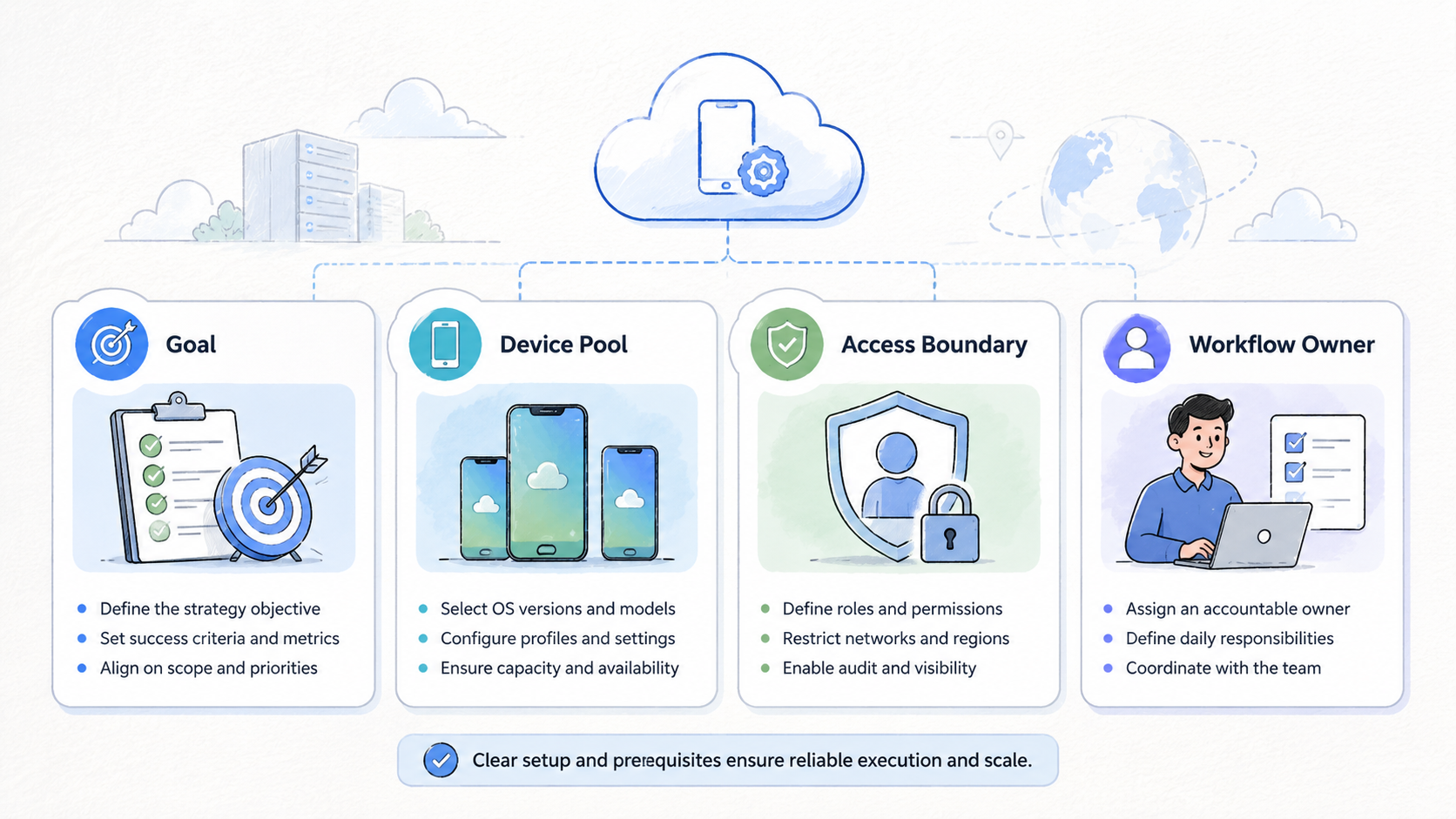
- Cloud phone resources should help teams decide, set up, measure, and recover
- A good resource map separates strategy, comparison, setup, and troubleshooting
- Cloud phones are strongest when they support repeated mobile workflows
- Teams should compare handoff, isolation, route notes, and recovery before scale
- The next step is a small pilot with visible state labels and owners
Cloud Phone Resources for Strategy
Strategy resources answer the first question: why does this workflow need a cloud phone at all? Not every mobile task needs a managed environment. Some tasks only need a short test.
Use this resource set when the task depends on remote Android access, shared app state, account separation, or team handoff. Examples include inbox review, social content checks, marketplace app monitoring, regional account operations, and Android QA.
The strategic decision is not "how many phones." It is "which work lanes need phone environments." A lane can map to one account, one account group, one client, one region, or one role.
| Strategy question | Useful answer |
|---|---|
| What work repeats | Name the workflow, not the tool |
| Who owns the work | Operator and reviewer |
| What must stay separate | Account, client, region, or app |
| What state matters | Login, files, drafts, notes, task status |
| What stops the task | Login prompt, missing asset, customer complaint |
Google's SEO Starter Guide stresses clear structure for readers. Operations need the same clarity. A team should know what each phone is for before adding more devices.
Cloud Phone Resources for Comparison
Comparison resources help teams decide between cloud phones, emulators, physical devices, and broader execution platforms. The right answer depends on workflow shape.
Apply this comparison model:
| Option | Strong fit | Weak fit |
|---|---|---|
| Cloud emulator | Developer testing and short checks | Shared business operations |
| Physical phone fleet | Local device control | Remote team handoff |
| Basic cloud phone | Remote mobile access | Complex review and recovery |
| Managed cloud phone platform | Repeated team workflows | One-off personal tests |
| Phone farm | Parallel capacity | Small workflows with 1 user |
The comparison should include hidden work. A cheaper setup may cost more if operators spend time rebuilding context, asking for screenshots, or recovering unclear phone state.
Teams comparing cloud phone vs emulator should start with handoff. A short solo app test may only need an emulator, while shared mobile state across several people usually points toward a managed cloud phone workflow.
Cloud Phone Resources for Setup
Setup resources turn a decision into a working lane. The first setup should be small, named, and measurable.
Use a 7-field setup record:
| Field | Example |
|---|---|
| Workspace ID | WA-Support-01 |
| Workflow | WhatsApp reply review |
| Account lane | Support account group A |
| Owner | Operator A |
| Reviewer | Manager B |
| State label | clean, active, paused, reset-needed |
| Stop rule | pricing question or complaint needs review |
Keep the first setup narrow. Use 3 to 5 phones for 1 workflow. That small pool is enough to test app access, handoff, recovery, review load, wrong-context events, and owner clarity without creating a hard-to-debug fleet.
The setup is ready when a second operator can understand the workspace without private explanation. When private context is still required, strengthen the record before expansion.
Cloud Phone Resources for Account Isolation
Account isolation resources explain how work stays separated. They should define which account, client, region, or task belongs inside each environment.
For multi-account management, account isolation is not cosmetic. It helps prevent mixed work context, unclear ownership, and accidental reuse of the wrong workspace.
Follow this isolation checklist:
- One workspace name per lane
- One owner and backup owner
- Clear app list
- Route note when routing matters
- State label before and after work
- Review point for sensitive actions
- Recovery owner for failed phone state
Isolation does not promise platform outcomes. It gives the team cleaner operating boundaries. Teams still need permissions, policy judgment, reviewer ownership, documented pause rules, and clear limits on who can reset or reuse a phone.
Google's helpful content guidance favors information made for real user needs. An isolation resource should follow that model by explaining what the operator does next when the workspace is clean, paused, under review, or blocked.
Cloud Phone Resources for Automation
Automation resources are useful only after the workflow is clear. A task should have a known manual path before it becomes an automated step.
Start with this readiness table:
| Check | Ready state |
|---|---|
| Task repeats | The workflow happens weekly or daily |
| Manual path exists | Operators can complete it without guessing |
| Stop rule exists | Automation knows when to pause |
| Manual takeover exists | A person owns exceptions |
| Result is visible | The task leaves a record |
Automation should reduce repeat clicking. It should not remove review. A workflow that posts, replies, checks, or collects data should still show who ran it, what happened, and what needs attention.
MoiMobi fits teams that need automation tied to mobile environments. The useful model is controlled execution: run known steps, pause on unclear state, and let a person review the result.
Resource Map by Team Type
Different teams need different resources. A social operations team, a support team, and an ecommerce team may all use cloud phones, but their decision points differ.
| Team type | Most useful resources | Main risk to manage |
|---|---|---|
| Social operations | Account lanes, app state, review, content checks | Mixed account context |
| Customer support | Inbox review, approval, message history | Sensitive replies without review |
| Ecommerce | Marketplace apps, seller checks, product records | Store or region confusion |
| QA team | App testing, state reset, repeat environments | Test state drift |
| Agency team | Client separation, role ownership, reporting | Unclear handoff across clients |
This map keeps the resource library practical. A team does not need every guide at once. It needs the guide that matches the next workflow problem.
Pilot and Measurement Resources
A pilot resource should define success before the pilot starts. "The phones worked" is not enough.
Track these fields:
| Measurement | What it shows |
|---|---|
| Setup time | How hard onboarding is |
| Handoff success | Whether another person can continue |
| Recovery time | How long failures take to clear |
| Wrong-context events | Whether accounts or assets get mixed |
| Review time | Manager workload |
| Manual takeover count | Where human judgment remains necessary |
Run the pilot for 1 or 2 weeks. Review the results before adding more phones. Fix unclear state labels, missing stop rules, weak owner fields, review gaps, and missing recovery paths first.
The best pilot outcome is a clean decision: expand, revise, or stop. Device access alone is not enough reason to continue a weak workflow.
Cloud Phone Resources for Team Governance
Governance resources define who can change the system. Without governance, the resource library grows, but no one knows which document is current.
Assign one owner to the resource map. That person does not need to write every guide, but should approve naming rules, archive stale records, and confirm that new resources match the team's real workflows.
Review this governance checklist:
| Governance item | Owner action |
|---|---|
| Resource index | Keep one list of active guides |
| Naming rule | Use the same workspace and lane format |
| Review date | Add the last update date to each resource |
| Change log | Note what changed and why |
| Archive rule | Remove stale pilots and outdated setup notes |
| Approval path | Name who can approve sensitive changes |
This governance layer matters when several teams use the same cloud phone pool. A social team, support team, and QA team may share platform access, but they should not share unclear records.
Review resources monthly during active operations. Remove unused guides, update examples that caused confusion, and add recovery cases only when they appeared in real work.
Cloud Phone Resources for Troubleshooting
Troubleshooting resources should be short. During a live workflow, operators need a next action, not a long explanation.
Use a simple failure table:
| Failure state | First action | Escalation owner |
|---|---|---|
| Login prompt | Pause the task and record account lane | Recovery owner |
| Missing asset | Stop work and request the file source | Operator |
| App timeout | Retry once later and mark paused | Backup owner |
| Customer complaint | Send to reviewer before reply | Reviewer |
| Unknown phone state | Remove from active pool | Admin |
Each row should match a real task. Do not create troubleshooting language for events the team never sees. A smaller resource is easier to follow.
The troubleshooting resource should also define what not to do. Keep unclear phones out of active use, route sensitive replies to review, and stop automation after a stop condition.
Resource Library Rollout Plan
A resource library should roll out in stages. The first version can be compact.
| Stage | Resource to create | Exit check |
|---|---|---|
| 1 | Setup record for one workflow | Another operator can continue the task |
| 2 | Comparison checklist | The team knows why cloud phone is needed |
| 3 | Isolation checklist | Account lanes and owners are visible |
| 4 | Troubleshooting guide | Failed tasks have a recovery owner |
| 5 | Monthly review log | Stale resources are removed |
The rollout should stop when a stage fails. If operators cannot use the setup record, adding comparison pages will not fix the problem. Repair the first operating record before adding more documents.
For a first month, keep the library to 5 active resources. That is enough to guide decisions without becoming a documentation project, and new resources should wait until a team asks for a missing decision rule.
Decision Review Resource
A decision review resource closes the loop after a pilot. It turns notes, failures, and operator feedback into a clear next step.
Use a 30-minute review with 4 parts:
| Review part | Question to answer |
|---|---|
| Workflow fit | Did the cloud phone lane solve the original work problem |
| Handoff quality | Could another operator continue without private context |
| Recovery quality | Did failed tasks have a clear owner and next step |
| Expansion decision | Should the team expand, revise, or stop |
The review should include one operator and one reviewer. Add the recovery owner if any phones were paused, reset, or removed from the active pool.
Write the decision in plain language. "Expand to 10 phones" is weaker than "expand WhatsApp support lane from 3 to 8 phones after adding recovery owner and reviewer fields." The second version tells the team what changed and why.
This resource also protects future comparisons. When someone asks whether a different cloud phone setup would work better, the team can compare against measured failures, not memory.
Fit and Not-Fit Boundaries
Cloud phone resources are a strong fit when a team needs repeated mobile work across people, accounts, apps, or regions. They are useful when phones need to support handoff, review, and recovery.
They are weaker when one person needs a temporary test device. In that case, a short checklist may be enough.
Strong fit
- Recurring mobile tasks
- Multiple account lanes
- Team handoff
- Review and recovery needs
Weak fit
- One short device test
- No shared app state
- No account separation
- No repeat workflow
Use the fit boundary before building a large resource library. The resource should reduce confusion, not create more reading work for operators.
Common Resource Mistakes
Common mistakes usually come from broad documents that do not change operator behavior. A resource should make the next action clearer.
| Mistake | Why it hurts | Better rule |
|---|---|---|
| Too broad | Operators cannot map the guide to a lane | Write exact steps for one workflow |
| Price-only comparison | Cleanup and recovery labor disappear from the decision | Include training, review, and failure cost |
| No failure states | Paused phones return to active use too early | Define paused, reset-needed, under review, archived |
| Automation first | Scripts run before the operating model is clear | Define task, stop rule, reviewer, and takeover owner |
| Stale resources | Old examples guide new work incorrectly | Review after each pilot and remove unused items |
The resource map should become simpler over time. Remove documents that no operator uses. Add only the decision rules that came from real work.
Frequently Asked Questions
What are cloud phone resources
Cloud phone resources are guides, comparisons, checklists, and operating records that help teams plan and run hosted Android workflows.
Who should use these resources
Operations teams, social teams, support teams, ecommerce teams, QA teams, and agencies can use them when mobile work repeats across people or accounts.
Are cloud phone resources only about setup
No. Setup is one layer. Good resources also cover strategy, comparison, handoff, measurement, review, automation, recovery, and governance.
How should teams compare cloud phone vs emulator
Compare the workflow. Emulators fit short tests, while cloud phones fit shared mobile work that needs app state, ownership, handoff, and recovery records.
What resource should be created first
Create a setup record for one recurring workflow. It should name the workspace, owner, state labels, stop rules, review point, and recovery owner.
When should automation resources be added
Add them after the manual workflow is stable. Automation should follow known steps, update a record, and pause when state is unclear.
How often should resources be reviewed
Review them after each pilot and at least monthly for active operations. Remove unused terms and update recovery cases.
Conclusion
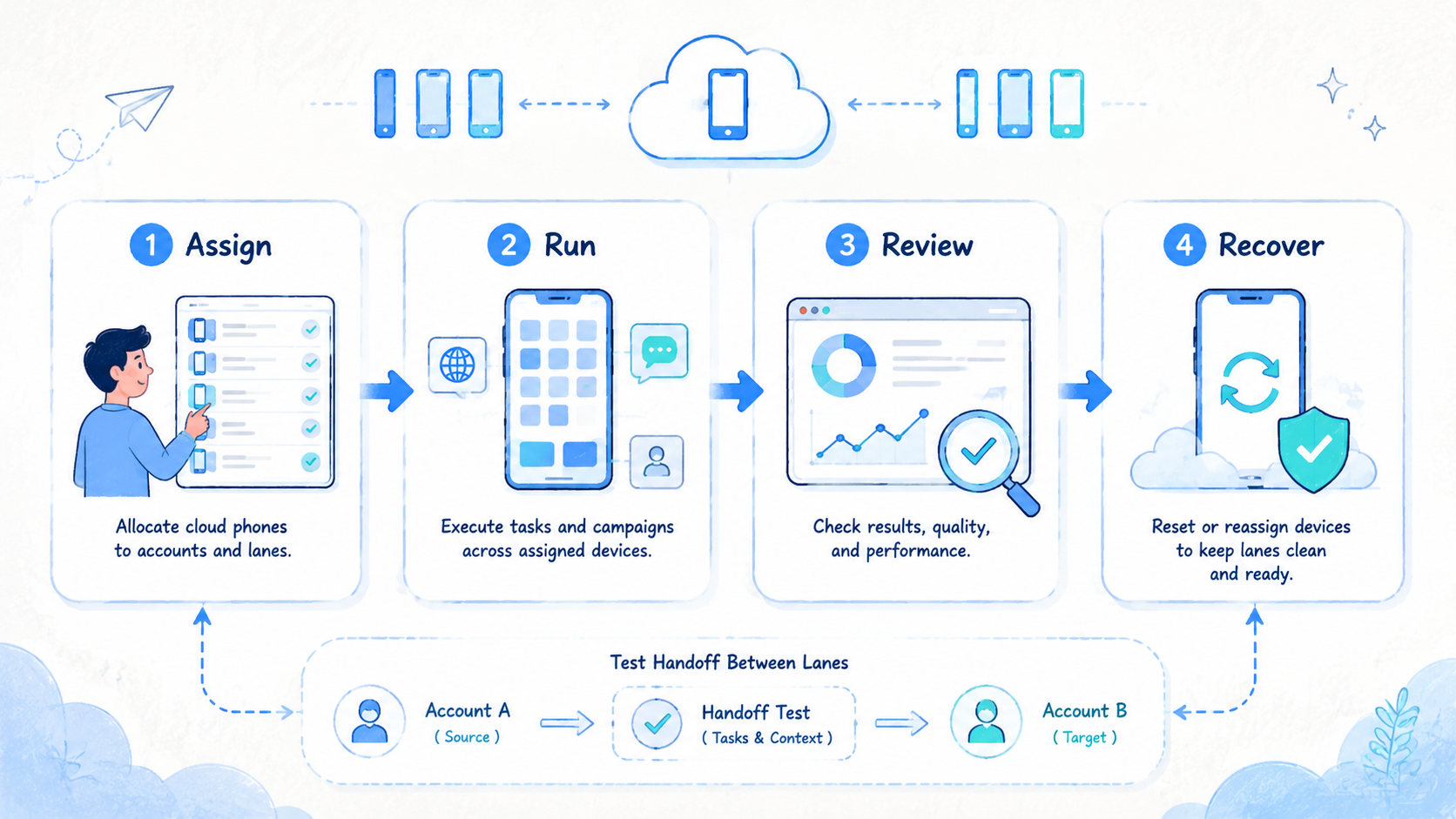
Cloud phone resources are valuable when they help a team make better operating decisions. They should explain what to compare, how to set up a lane, how to measure a pilot, and how to recover from unclear state.
Start with one workflow. Build a setup record, run a small pilot, measure handoff and recovery, then decide whether to expand. A clean resource map prevents cloud phones from becoming a loose device pool.
MoiMobi is a fit when cloud phones need to support team-scale mobile execution. Use the resource map to connect device access with account isolation, route notes, automation, review, and recovery.



