
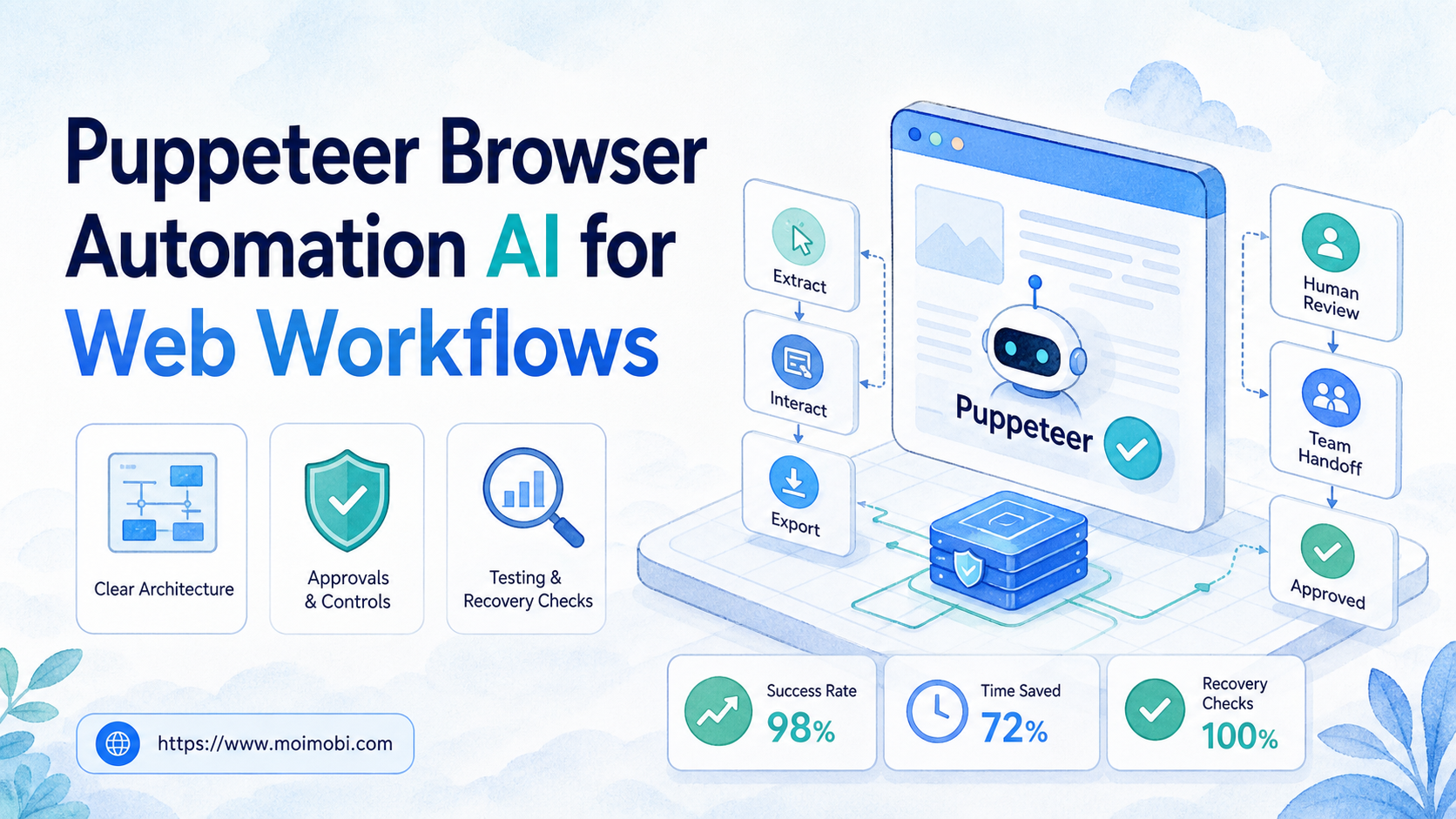
Content Type: technical
Puppeteer browser automation AI is a workflow pattern that combines browser control with an AI layer that can classify inputs, select approved next steps, and explain results. It is useful when a team needs to complete repeatable work in a real web interface but still wants clear approvals, limits, and evidence for every run.
The practical question is not whether an agent can click a browser. The question is whether the team can define the task, constrain the session, inspect the output, and recover when a page changes. Puppeteer supplies browser-control primitives; an AI layer can help interpret requests and choose from a limited workflow. The operating model must still be owned by people.
For teams already using isolated environments, browser work should sit beside the same operational controls used for separated execution environments: named owners, separated sessions, explicit inputs, and reviewable outputs. A cloud phone can serve the equivalent role for a mobile-first task. That makes automation a repeatable process rather than a collection of unattended scripts.
Key Takeaways
- Puppeteer controls Chromium through code; AI can help decide which approved action to run.
- A useful workflow has a narrow goal, stable inputs, a stop rule, and a verification record.
- Start with read-only or draft-producing tasks before allowing any consequential submission.
- Browser sessions, credentials, and output evidence need ownership from the first pilot.
- Measure completion quality and recovery time, not only the number of tasks started.
Puppeteer Browser Automation AI Architecture
This workflow model is not a single product category or a replacement for workflow design. Puppeteer is a Node.js library for controlling Chrome or Chromium. Its official documentation describes APIs for launching a browser, opening pages, interacting with elements, and generating page output such as screenshots or PDFs. That makes it a practical execution layer for a defined web task. Puppeteer documentation is the right place to verify the supported browser-control surface.
The AI part belongs above that execution layer. It can turn a plain-language request into a known task template, extract structured fields from an inbox, compare a page state with an expected state, or summarize a run for a reviewer. It should not invent permissions, change a workflow's scope, or keep retrying an unclear action.
For example, a support operations team may need to collect open cases from a web dashboard and prepare a morning handoff. An approved workflow can sign into a dedicated session, read the queue, collect selected fields, produce a draft report, and stop. An AI step can normalize labels or flag missing owners. A person still reviews the report before it affects a customer decision.
| Layer | Responsible job | Evidence to retain |
|---|---|---|
| AI decision layer | Select an approved template and structure inputs | Requested task, selected template, validation notes |
| Puppeteer execution layer | Open the session and perform bounded browser actions | Run ID, timestamps, screenshots, or page-state records |
| Human review layer | Approve sensitive output and handle exceptions | Reviewer, decision, escalation reason |
| Operations layer | Manage environments, access, retries, and reporting | Owner, session assignment, recovery record |
This separation matters because a browser can be technically reachable while the business action remains inappropriate. A workflow that extracts a report has a different approval boundary from one that changes a setting or submits a message. Treating both as generic “automation” hides the decision that actually needs control.
Why Puppeteer Browser Automation AI needs a bounded workflow
The common misunderstanding is that AI makes browser automation broadly autonomous. In a production team, the more reliable model is narrower: AI helps with interpretation, while the browser is allowed to execute only a small, tested sequence.
Web interfaces change. Labels move, permissions expire, login requirements appear, and the same page can show different data for different roles. The W3C WebDriver recommendation exists because browser automation needs a standard protocol and a clear command model; it does not remove the need to validate what the page actually did.
For test design, it helps to distinguish a browser control library from a full testing framework. Playwright's documentation illustrates the broader test-runner concerns around browser automation, including test isolation and traceable failures. That distinction helps a team decide whether its pilot is an operational task, a regression test, or both.
A bounded workflow answers five questions before it starts:
- What exact outcome is requested?
- Which account or environment is allowed to perform it?
- Which page states are acceptable?
- When must the workflow pause for review?
- What record proves the result or explains the failure?
That model is also easier to maintain. When a selector breaks, the team can update one task template rather than investigate a vague agent instruction. When a reviewer rejects an output, the rejected state becomes a useful training signal for the next workflow revision.
Where Puppeteer Browser Automation AI fits, and where it does not
The best fit is a browser-based process with stable steps, clear ownership, and a useful output that can be checked. Typical examples include collecting dashboard status, preparing a draft from approved source data, testing a known web journey, or capturing evidence after a routine check.
It is less suitable when the outcome depends on open-ended judgment, changing negotiation, unclear legal authority, or a site that does not permit the requested automation. A browser script does not make an action compliant merely because it can technically complete it. Teams should read the relevant platform terms and preserve a manual route for exceptions.
For browser and mobile teams, the next architectural decision is often whether the work belongs in a browser profile, a mobile environment, or both. An Android task execution layer is the more natural next step when the relevant task lives inside an Android app rather than a web dashboard. Avoid forcing a browser workflow onto a mobile-first process solely because a browser library is familiar.
How to evaluate Puppeteer Browser Automation AI for a web workflow
Evaluate a proposed workflow as an operational system, not a demo. The following checkpoints keep a pilot small enough to inspect.
- Define one outcome. Write the expected result in a sentence, such as “prepare a list of unresolved cases for review.” Do not begin with a broad prompt like “manage the dashboard.”
- Assign an environment. Use a named session with an explicit owner. Confirm the account has only the permissions required for the task.
- Limit the action set. List the allowed pages, inputs, and outcomes. Make a pause mandatory when a new page state appears.
- Validate before any submission. For consequential actions, produce a preview, screenshot, or structured diff for a human reviewer.
- Record the result. Save run status, key inputs, output location, and a failure reason when the task does not complete.
The checkpoint most teams skip is the recovery path. A good workflow does not retry a failed login or a changed page indefinitely. It records the failure, releases the session safely, and routes the case to an owner. That is more valuable than an inflated completion count.
When the work crosses several accounts or teams, use documented account operations coordination so owners, environments, and task scope are visible. The goal is operational clarity, not maximizing parallel actions.
Common mistakes that reduce workflow quality
Mistake: treating a successful click as a successful business task. A button may be clicked while a form still fails validation or the wrong record is selected. Add a post-action condition, such as an expected confirmation state or a saved output record.
Mistake: giving the AI unrestricted instructions. Broad instructions create untestable behavior. Use a small vocabulary of approved templates, fields, and stop conditions instead.
Mistake: sharing one browser state across unrelated work. Shared sessions make it hard to identify who performed an action and can mix data between runs. Assign a session to a task owner and cleanly hand it off.
Mistake: using production changes as the first pilot. Start where the output can be reviewed before it becomes consequential. A draft report is a better first test than a bulk edit.
Mistake: measuring only speed. Fast runs that create frequent exceptions increase total operating cost. Track rework, reviewer interventions, and time to recover from failures.
Pilot rollout, measurement, and recovery checks
Run the first pilot on one workflow, one owner group, and a short review window. Keep the workflow's inputs deliberately narrow. For example, use a fixed dashboard view and a known report schema rather than attempting every variation of a team process.
Use four simple measures during the pilot:
| Measure | What it reveals | Review question |
|---|---|---|
| Verified completion rate | Whether outcomes meet the acceptance check | Did the expected page state or report appear? |
| Review correction rate | Whether the AI interpretation is usable | How often did a reviewer change the draft? |
| Exception rate | Whether the workflow sees unexpected states | Which page or permission issue caused the stop? |
| Recovery time | Whether operations can restore service | Who resolved the issue and how long did it take? |
Review failed runs before expanding scope. A recurring selector failure may need a template update. A recurring permission failure may indicate the wrong environment assignment. A recurring judgment call means the task should retain a human review step rather than receive more retries.
Teams can use MoiMobi resources to keep related operating guidance close to the execution stack, but the pilot record itself should remain specific to the workflow. The useful artifact is a repeatable SOP with owners and evidence, not a generic claim that an agent is “working.”
Keep the pilot log intentionally small. Record the task version, environment identifier, input source, expected result, actual result, reviewer decision, and recovery owner. Those fields make it possible to compare two runs without relying on a vague memory of what the agent did. They also show whether a change improved the workflow or merely moved the failure to a different step.
Before broadening access, run one planned failure case. Remove a nonessential permission, change a harmless test field, or use a known-invalid input. The workflow should stop, preserve useful evidence, and notify the assigned owner. A pilot that cannot fail cleanly is not ready to handle routine production exceptions.
Set an expansion rule before the pilot begins. For example, require several reviewed runs with no unresolved exception before adding another task variant. When that threshold is reached, add only one new page, permission, or output type at a time. This keeps cause and effect visible. It also gives the reviewer a clear reason to pause expansion when quality falls.
Document each scope change in the same run register.
Frequently Asked Questions
Is Puppeteer browser automation AI the same as an AI browser agent?
Not exactly. Puppeteer is a browser-control library. An AI browser agent may use Puppeteer or another browser-control layer, then add planning, extraction, and review logic.
Can AI decide every browser action by itself?
It can propose or select actions within a defined workflow. Sensitive, ambiguous, or irreversible actions should remain behind an approval step.
What is a good first Puppeteer workflow?
Choose a read-only check, a draft-producing task, or a test of a web journey your team owns. The result should be easy to verify.
Do browser workflows need screenshots?
Not always, but visual or structured evidence is useful when a reviewer needs to confirm page state. The right evidence depends on the task's consequence.
How should teams handle a changed page layout?
Pause the run, record the unexpected state, and update the tested workflow. Do not keep retrying a changed page without a limit.
Is Puppeteer suitable for mobile app workflows?
Puppeteer is primarily for browser automation. If the workflow is inside an Android app, use a mobile execution approach designed for that environment.
What should be measured before expanding a pilot?
Check verified completion, reviewer corrections, exceptions, and recovery time. Those measures show whether the workflow can be operated reliably.
Conclusion
Puppeteer browser automation AI works best when AI interpretation is paired with a controlled browser workflow. Prioritize the outcome, environment, stop rules, and proof of completion before adding more actions.
Start with one read-only or draft-producing workflow. Assign an owner, define the acceptance check, and review every exception. Expand only after the team can explain both a successful run and a failed one with the same level of clarity.



