
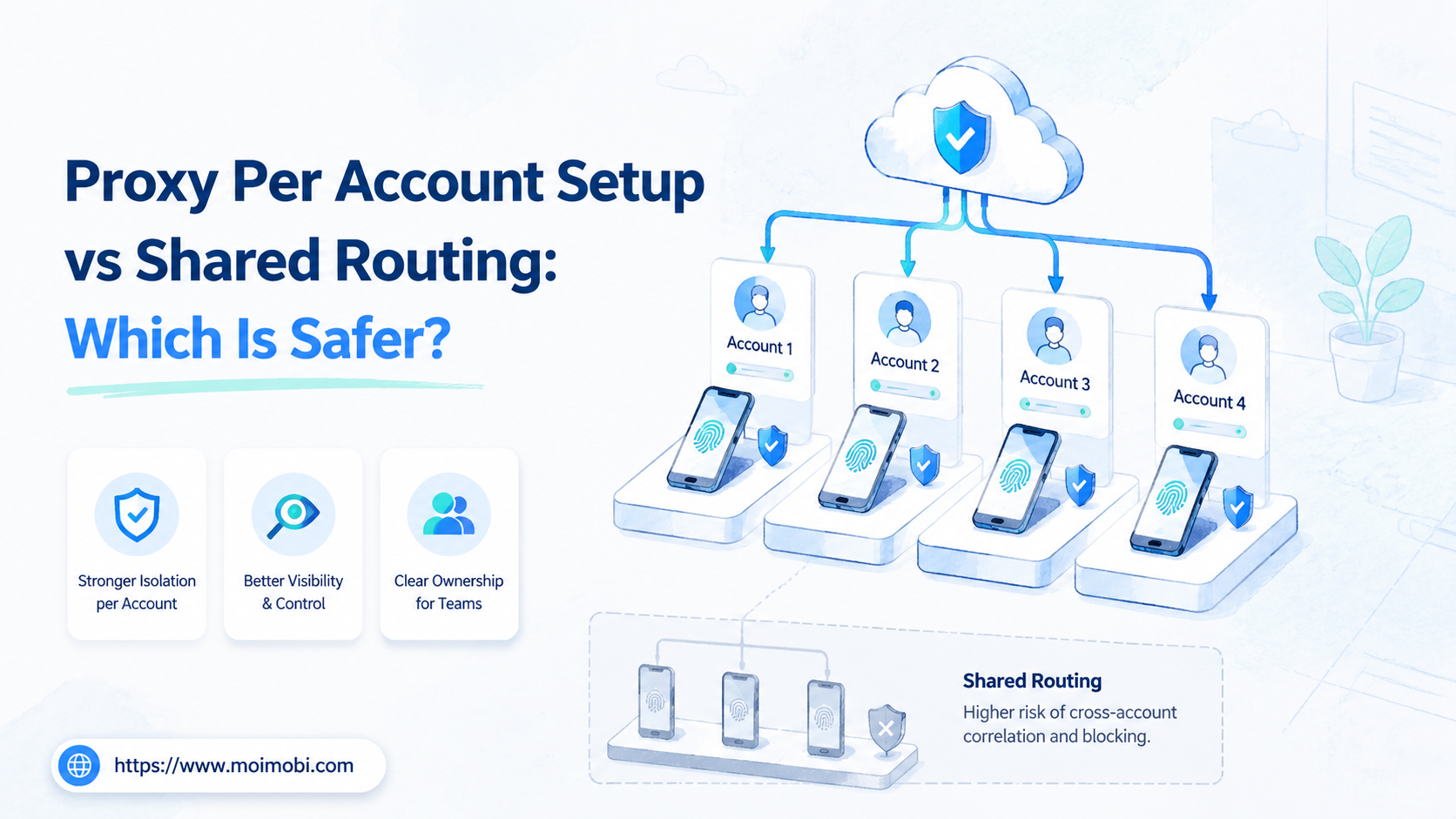
Proxy per account setup is a network-governance model that assigns a distinct approved routing configuration to each legitimate account workspace or workload. Shared routing sends several workloads through one common route. For teams that need clear ownership, auditability, and contained failures, per-account routing is usually easier to operate. This model does not guarantee platform acceptance, account safety, or compliance.
The correct choice depends on the work. Shared routing can be simpler for low-risk internal services with stable traffic. Per-account routing is more suitable when separate clients, business units, device workspaces, or regulated data paths require distinct access records and troubleshooting boundaries.
This is an infrastructure decision, not a method for bypassing policies or hiding prohibited behavior. Teams should use routing only for authorized workloads and follow each platform's terms, access rules, and local requirements.
Key Takeaways
- Per-account routing gives teams clearer ownership and smaller failure domains.
- Shared routing can reduce setup overhead but makes tracing and change control harder as teams scale.
- Route assignment should be paired with least-privilege access, logs, change approval, and a recovery owner.
- Choose the smallest model that provides the separation your actual business workflow requires.
- Test failure, rotation, rollback, and observability before applying a routing pattern broadly.
What to Compare Before Choosing a Proxy Per Account Setup
Start with accountability. Ask whether the team can identify which owner, workspace, and business task used a route at a given time. If the answer is no, a shared route may hide operational problems that only appear when an incident occurs.
Then assess the failure domain. A single shared route can create one maintenance point, but it can also make an outage, configuration mistake, or credential issue affect several unrelated workflows. A per-account model contains the operational blast radius, provided the team can maintain its configuration records.
| Decision area | Proxy per account setup | Shared routing |
|---|---|---|
| Ownership | Route can map to one workspace and owner | Several owners may share one route record |
| Failure scope | Usually limited to an assigned workload | May affect multiple workloads together |
| Audit trail | Clearer route-to-task association | Requires stronger logging and correlation |
| Configuration effort | More records and review work | Fewer initial route entries |
| Change control | Changes can be scoped to one workspace | Changes need broader impact review |
NIST's least-privilege control supports assigning the minimum access required for an approved duty. That same principle applies to routing administration: a team member should not change routes for unrelated client or account workspaces merely because the configuration is shared.
Key Differences Between Proxy Per Account Setup and Shared Routing
The difference is not just the number of route entries. It reflects how a team contains responsibility. In a per-account model, the account register can identify the route, workspace, operator, business purpose, change owner, and review date. In a shared model, those relationships must be reconstructed from logs and supporting systems.
Shared routing can work for internal testing, a small approved workload, or a single business unit with one responsible operator. It becomes harder to govern when teams add client accounts, regional workspaces, separate product lines, or different approval paths.
A per-account model has its own trade-off. It needs a reliable inventory, configuration templates, review dates, and a process for retiring unused entries. Without those controls, a team can create a large collection of stale routes that nobody owns.
Use proxy network capabilities as part of a documented operating model. The product layer should support assignment and observability; it should not be described as a way to misrepresent identity or evade platform enforcement.
Features, Workflow, and Trade-Offs
The most useful feature is not a long proxy list. A controlled assignment workflow matters more. A route request should name the account or workload, business reason, responsible owner, approved environment, reviewer, start date, and next review date.
For mobile workflows, attach the route record to the assigned cloud phone environment and task owner. For browser work, attach it to the assigned profile or workspace. This lets an operator investigate a problem without searching through unrelated configurations.
Shared routing may have lower initial overhead. However, it needs stronger change review because one edit can affect multiple users. Per-account routing has higher record-keeping overhead, but it can make a rollback more precise when one workspace fails.
CISA's Logging Made Easy explains why meaningful logs support investigation. A route model should therefore log assignment, changes, errors, owner, and rollback actions. Logging is not decorative. Those records separate a network issue from an account, application, or task issue.
Which Option Fits Different Teams
Choose shared routing when a small internal team operates one approved workload, has a single change owner, and can tolerate a shared maintenance window. Keep the configuration simple and document its impact boundary.
Choose a proxy per account setup when several legitimate account workspaces need separate business ownership, client boundaries, or recovery paths. Agencies, regional teams, and teams with controlled mobile or browser environments often need this visibility more than they need the smallest possible configuration list.
- One business unit and one change owner
- Low-impact internal traffic
- Small, stable workload set
- Clear correlation logs already exist
- Client or regional workspace separation
- Different approval and recovery owners
- Account-specific troubleshooting needs
- Browser or mobile execution environments
No routing pattern replaces authorization, platform compliance, or customer-data safeguards. Teams should not use route separation to run deceptive account networks, manufacture engagement, or work around a platform restriction.
Cost, Change Control, and Migration Planning
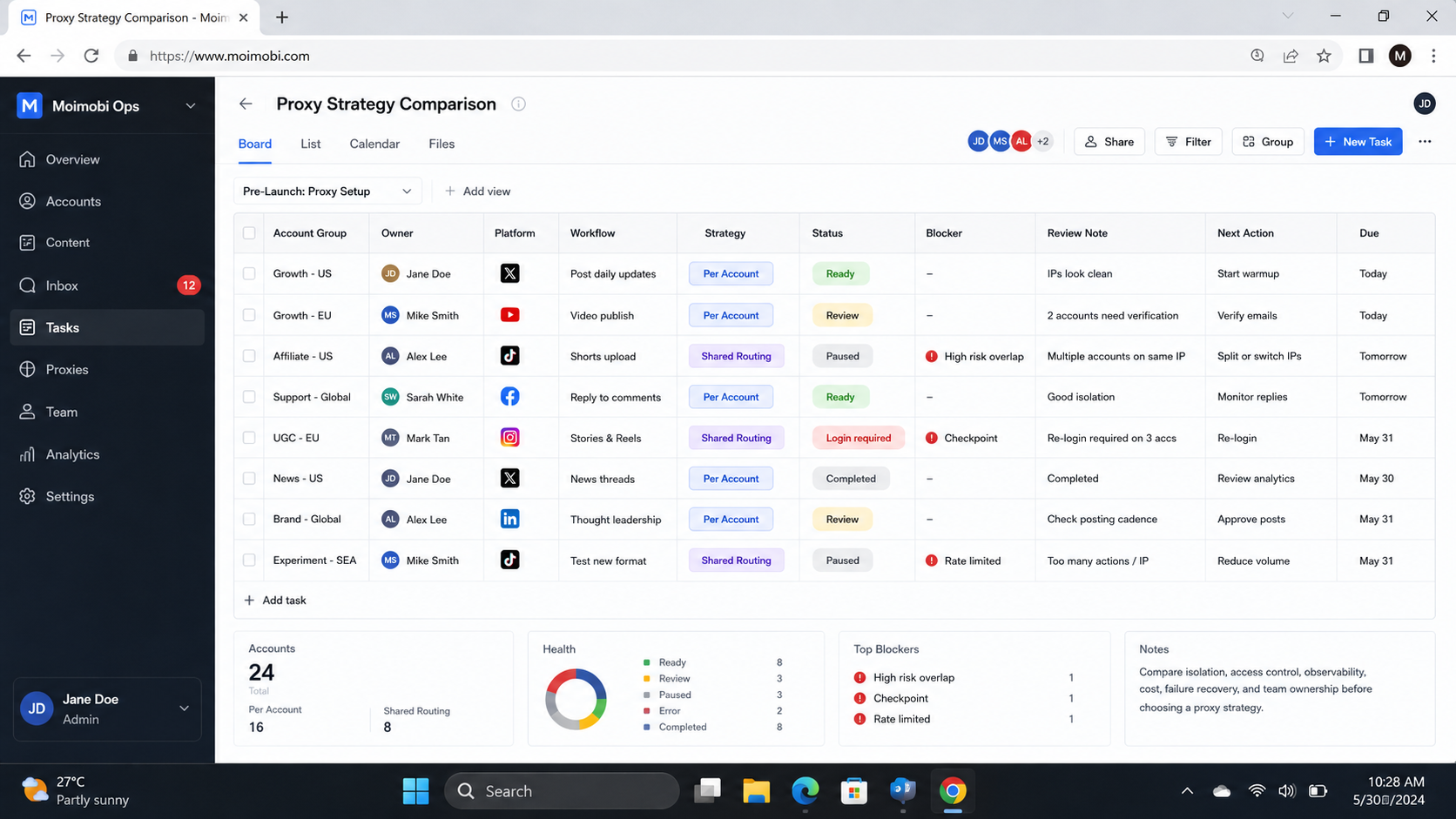
The lowest monthly route price is not the full cost of a routing model. Teams should include configuration time, access review, logging, incident response, provider changes, and the operator time needed to explain a failure. Shared routing may use fewer configuration objects. Per-account routing may reduce the time spent identifying which workload a change affected.
Build a simple cost review around three questions. First, how many approved workspaces need distinct business ownership? Second, how often do route changes or provider issues occur? Third, what does a delayed recovery cost the team in missed work, client communication, or support effort? The answers indicate whether the additional record-keeping is justified.
Migration should begin with a clean inventory. Map each existing route to an approved workload, current owner, access role, provider, and rollback contact. Mark unknown or unused routes for review instead of copying them into a new model. A migration that preserves unclear assignments only creates a larger unclear system.
Use a staged change plan:
- Inventory and classify. Separate internal traffic, client workspaces, mobile workspaces, and retired entries.
- Set the target model. Define which workloads require separate routes and which may remain shared under one owner.
- Create a change window. Assign the person who applies the change, the reviewer, and the recovery owner.
- Migrate a small group. Test normal execution, logging, route failure, and rollback before expanding.
- Retire old entries. Remove or disable obsolete assignments after the new route is confirmed.
Change control does not need to be bureaucratic. A short request with a purpose, affected workspace, owner, planned time, and rollback step is enough for many teams. What matters is that the next operator can understand why a route exists and who can change it.
Build an Audit Record That Helps Recovery
An audit record should answer operational questions, not merely collect timestamps. For each route assignment, keep the workload name, assigned workspace, business reason, approving owner, configuration change, result, and next review date. Link error records to the same identifier so investigators can distinguish a routing problem from an application, credential, or device issue.
Keep the record proportionate. There is no need to put unnecessary customer data or secrets into a general task log. Store sensitive configuration data in the approved secure system, while the operating log records the decision, owner, and evidence location.
During an incident, use a repeatable sequence. Confirm the affected workspace, pause only the necessary work, collect the error and change record, test the approved rollback, and notify the owner. After recovery, classify the cause: provider issue, expired configuration, access error, application change, or missing documentation. That classification turns a one-time outage into a specific improvement task.
Before closing the incident, verify that the affected task resumed only after the correct route and owner record were restored. Document any temporary override and its expiry so the workaround does not become an unowned permanent configuration.
Review the incident record promptly at the next operating meeting. Decide whether the root cause needs a template change, access correction, provider review, or revised monitoring rule.
For teams with several mobile workspaces, mobile automation can be connected to the same operational records. The critical point is that route changes and task execution remain attributable to the correct authorized workspace and role.
Pilot Rollout, Measurement, and Recovery Checks
Pilot one small account group before moving an entire fleet. Record the current route, owner, workspace, change history, and rollback owner. Then test an approved configuration update and a controlled failure scenario.
Use these pilot checks:
- Can the team identify the route assigned to each test workspace?
- Can a reviewer see who approved the assignment and why?
- Can a route be changed and rolled back without affecting unrelated work?
- Do logs make an outage distinguishable from an application or credential error?
- Does the team remove temporary routes when the work closes?
Pause expansion when assignment, logging, or rollback is unclear. Correct the operating record before adding more routes. A smaller system with reliable ownership is more useful than a larger system that nobody can explain.
Frequently Asked Questions
Is proxy per account setup always safer?
No. It can improve operational separation, but it also adds configuration work. Safety depends on authorized use, correct access control, maintained records, and the platform rules that apply to the workload.
Does shared routing always cost less?
It may reduce initial setup work. The total cost can rise if shared failures, unclear logs, or broad change windows create repeated recovery work.
What should be recorded for each route?
Record the business purpose, assigned workspace, owner, approver, start date, review date, change history, and rollback contact.
Can a cloud phone use a shared route?
It can, but the team should understand the shared impact boundary. A named environment and task record still help operators investigate problems responsibly.
How often should routing be reviewed?
Review it after ownership, workload, provider, or access changes. A scheduled review also helps retire unused configurations.
What should stop a routing rollout?
Stop when assignments cannot be traced, a rollback owner is missing, logs are insufficient, or a proposed use conflicts with platform rules or organizational policy.
Does routing separation prevent enforcement?
No. Routing is an infrastructure control. It does not override platform terms, account policies, or enforcement decisions.
Conclusion
Choose routing based on accountability and recovery, not on promises of account safety. Shared routing can be appropriate for a small, controlled workload. A proxy per account setup is often easier to govern when workspaces have different owners, clients, or recovery needs.
Start with an inventory, a named owner, an approved change path, and tested rollback. Expand only after the pilot proves that the team can trace a route to its legitimate business purpose and recover from a failure without spreading impact.



