
Key Takeaways
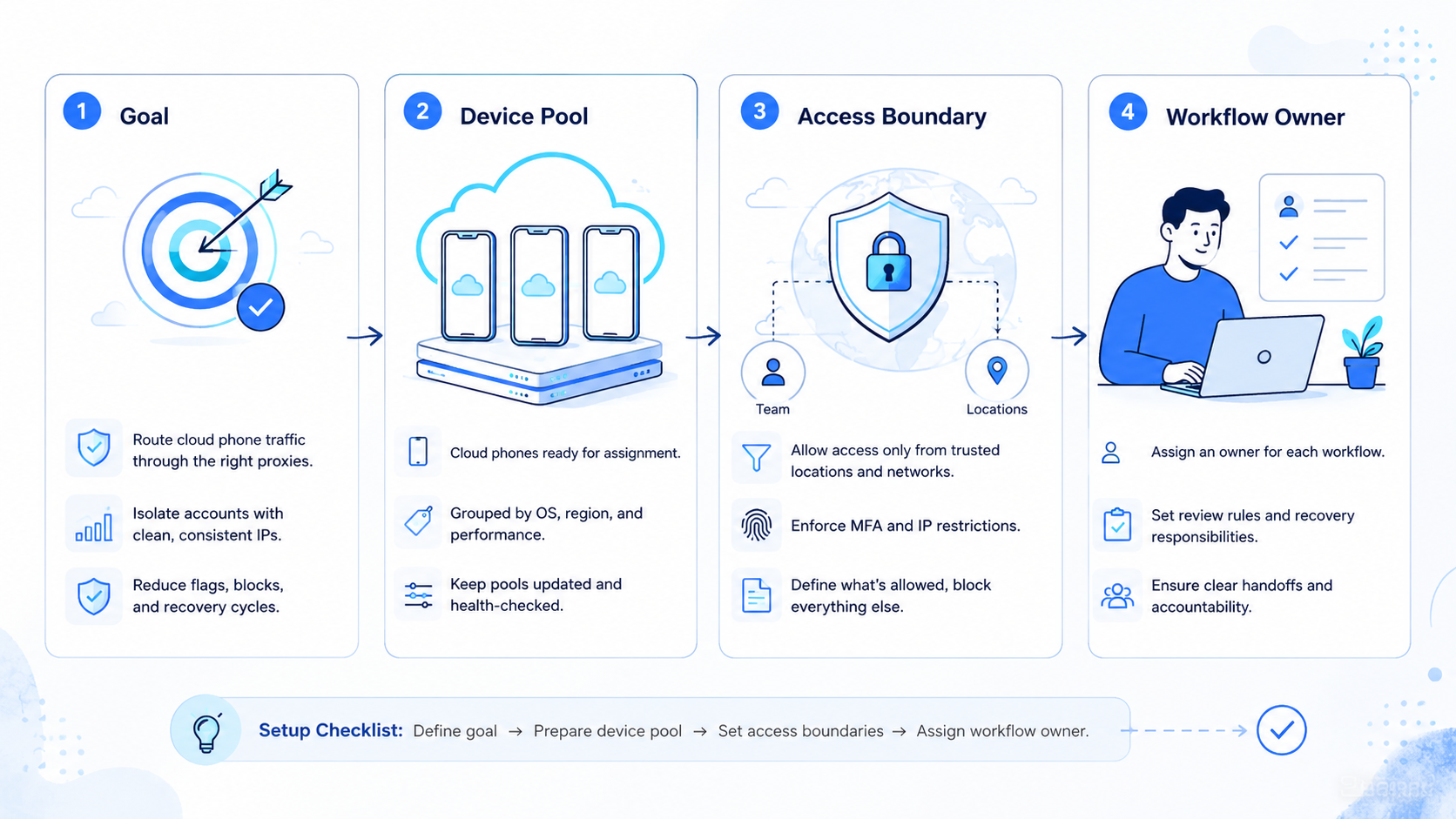
- A proxy network is a routing control layer for cloud phone work.
- Route consistency matters more than random switching.
- Teams need account lanes, device isolation, route logs, and review rules.
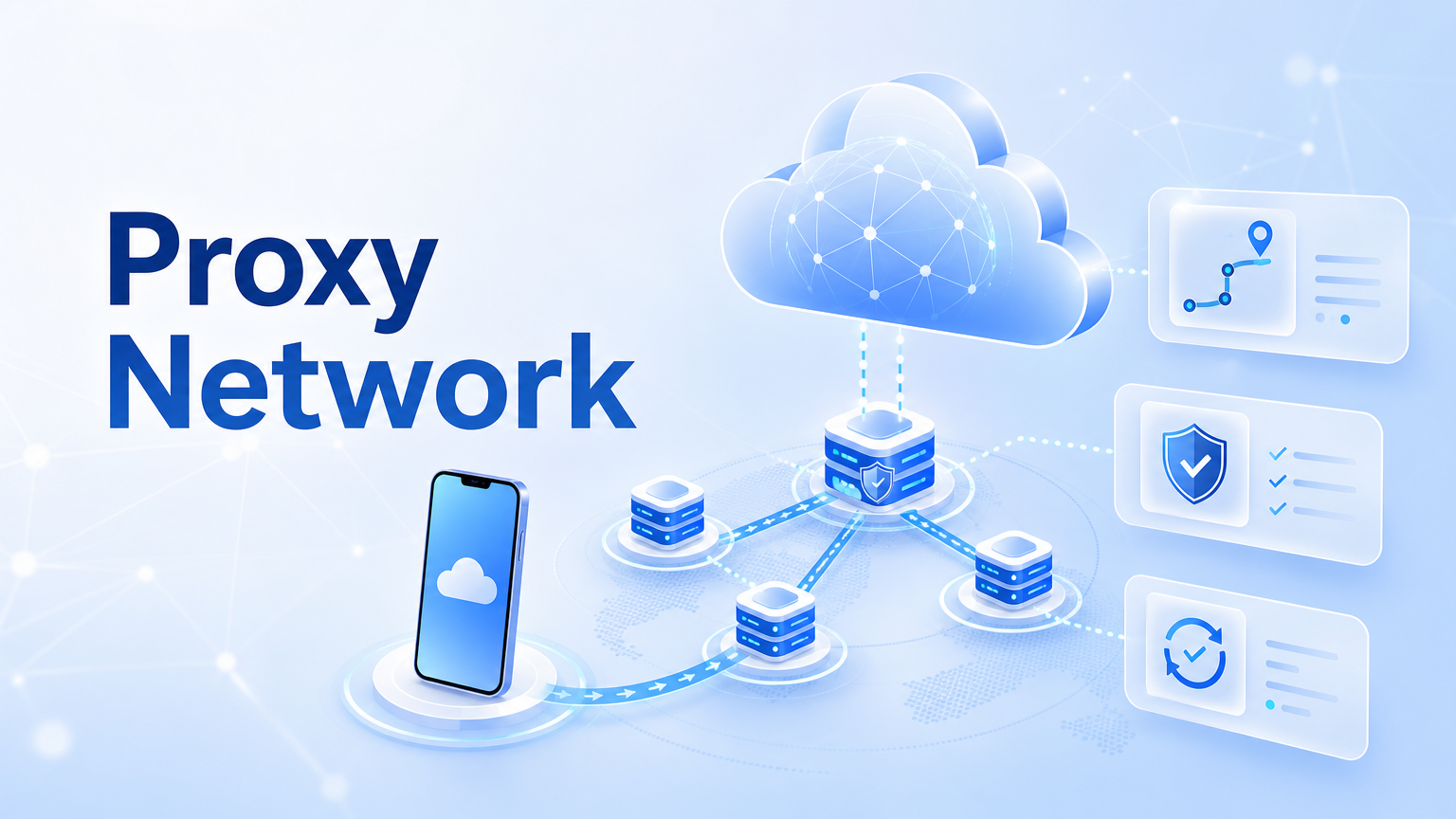
A proxy network is a routing control layer for cloud phone teams. It connects cloud phone workspaces to controlled network paths, but the goal is not simply changing an IP address. The real work is making each mobile account lane easier to assign, inspect, recover, and explain during review.
In a cloud phone workflow, routing affects how operators explain activity across devices, accounts, and tasks. A clean setup links one account lane to one device state, one route policy, and one owner, which reduces avoidable confusion when a task fails or a login expires.
Keep routes boring.
The best route policy is the one a manager can audit on a busy day without reconstructing every decision from scattered chat messages.
Moimobi treats proxy control as part of execution infrastructure, not as a standalone trick. The stronger model combines proxy network, device isolation, task logs, and human review.
The Core Idea Behind Proxy Network Control
The common mistake is treating a proxy as a quick fix for every account problem. That view is too narrow. A proxy only becomes operationally useful when the team can explain which route belonged to which account, which device used it, and what changed before a failure.
Proxy control starts with assignment. Each account lane should have a documented route, device, app session, task type, and owner; that lane becomes the unit of review when a workflow fails.
Route consistency is the second idea. Random changes may look flexible, but they weaken review because every later issue becomes harder to diagnose when nobody recorded the route change. A better policy records who changed the route, why it changed, and which workflow ran next.
Audit first.
Before adding another account group, the operator should prove that one completed run can be traced from account to device, route, task, output, and recovery note.
| Control layer | Team question | Failure signal |
|---|---|---|
| Account lane | Which account owns this route? | Operators cannot trace device activity. |
| Device state | Is the app session stable? | Logins reset or mix between accounts. |
| Route policy | Who approved route changes? | Traffic changes without a review note. |
| Task log | Which workflow ran after the change? | Failures depend on memory or screenshots. |
For AI-assisted mobile execution, routing control also supports accountability. The AI worker may prepare a task, but the system still needs a known environment. The team needs evidence before scaling the same workflow to more accounts.
Why Teams Search for Proxy Network Tools
Teams usually search for a proxy network when manual device work becomes hard to coordinate. One operator can remember a few routes. A team managing many cloud phones, social accounts, or app sessions needs visible rules.
The real problem is not only network access. It is operational drift. A campaign may begin with clean assignments, then drift as people reset devices, swap routes, reuse sessions, and move accounts between operators. Small shortcuts create review gaps.
Search demand often comes from three workflows, and each one needs a different level of evidence:
- Multi-account operations: each account needs a separated lane and a clear owner.
- Mobile app workflows: cloud phones need routing that matches device and account context.
- Team handoff: support, content, and growth teams need logs that survive shift changes.
Google’s guidance on helpful content emphasizes useful, people-first content rather than thin automation output. The same principle applies to operations: automation should support clearer work, not hide weak process, vague ownership, or missing review notes. See Google Search Central’s helpful content guidance for the general quality principle.
A proxy network should therefore be judged by control, not mystery.
Use four checks:
- Can the team see the route?
- Can it tie the route to a device?
- Can it explain changes?
- Can it pause a workflow when the environment no longer matches the plan?
Those four checks are enough for an early filter. A tool that cannot answer them may still provide connectivity, but it does not yet provide operational control.
Who Benefits Most and In What Situations
Proxy control fits teams that already run repeated mobile work. These teams may manage social publishing, customer replies, lead follow-up, or e-commerce app tasks. They need repeatability more than one-off access.
An agency is a simple example. One client account may need its own cloud phone, route, content queue, and review path. Another client needs a different lane. Without route-level records, both accounts can become hard to inspect after a failed login or missed task.
Cross-border teams have a similar need. Work may pass between operators in different shifts. A route note helps the next person understand what happened without reopening every app screen.
This setup is a strong fit when:
- the same account runs repeated tasks;
- more than one operator touches the account;
- route changes need approval;
- failed runs must be reviewed later;
- AI workers or automation tools prepare actions inside mobile apps.
It is not a strong fit when a team only needs casual browsing or one-time testing. For that work, heavy routing policy may add process without enough operational value. Start with the smallest lane model that gives useful evidence.
Fit is practical.
If a route decision will never be reviewed, logged, assigned, or connected to a repeatable task, the team may not need a full proxy control workflow yet.
How to Evaluate or Start Using Proxy Network Control
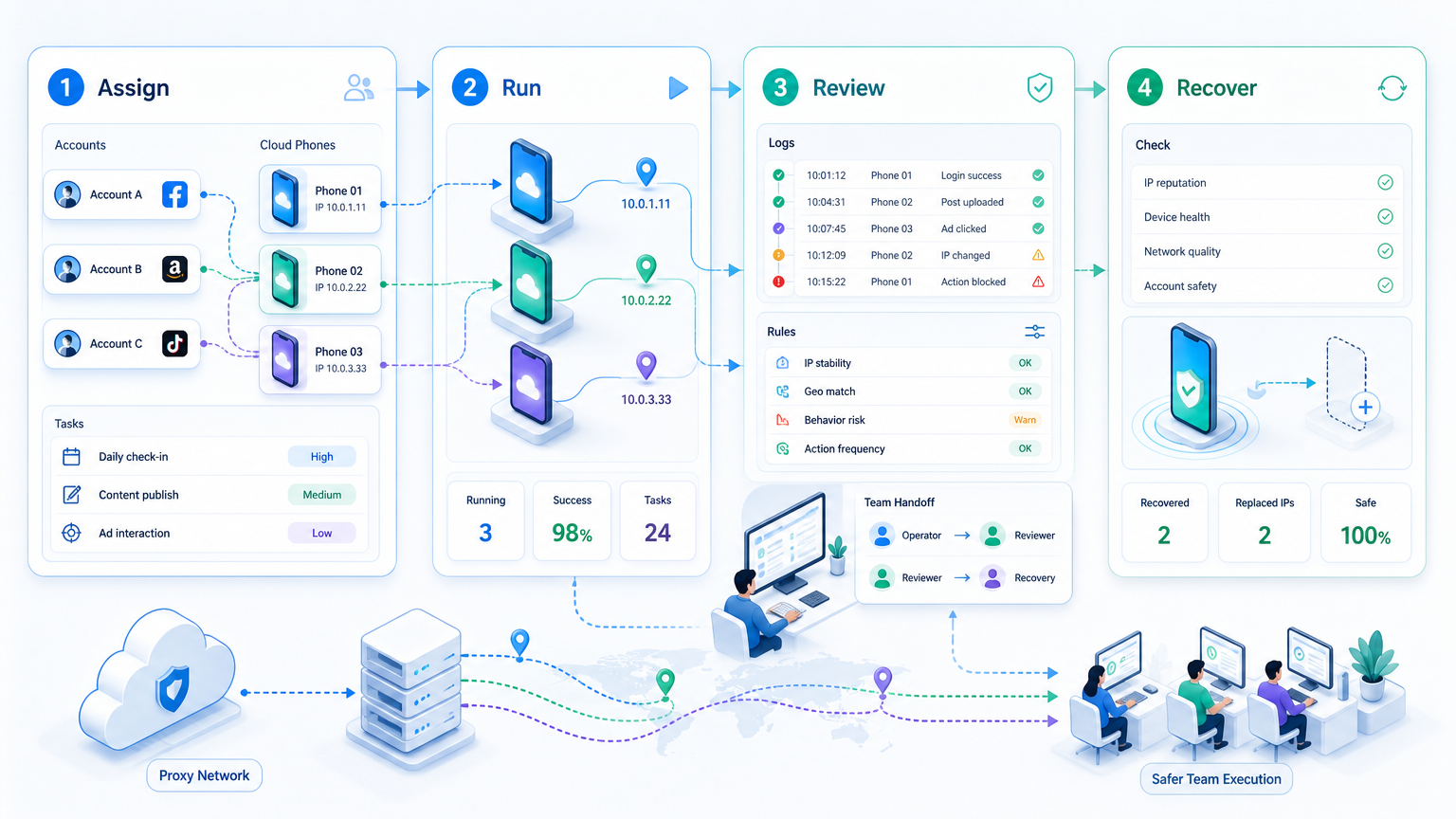
Start with a small pilot. Pick one account group, one cloud phone group, and one task type; do not begin with the largest account pool.
One lane is enough.
-
Create account lanes. Assign each account to a cloud phone, route, owner, and task category. Pass check: another operator can identify the lane without asking in chat.
-
Define route change rules. Decide when a route can change and who can approve it. Pass check: a short note shows owner, reason, date, and next task.
-
Connect device isolation. Pair route control with device isolation. A separated route is weak when app state, session history, or device context keeps mixing across account lanes.
-
Run one workflow repeatedly. Use a narrow task, such as checking messages or preparing posts. Review failed runs before more apps enter the workflow.
-
Track rescue events. A rescue event happens when a human must take over, so count the reason and not only the number. Repair follows the reason.
For teams using AI workers, add one more checkpoint. The worker should stop when the app screen, account state, route, or task result leaves the expected path. OWASP’s LLM Top 10 is useful background for reviewing tool use and control boundaries.
This stop rule matters because routing errors rarely arrive alone; they usually appear beside stale app sessions, unclear instructions, or account ownership gaps.
Mistakes That Reduce Results
The first mistake is rotating routes without a reason. A changing route may seem like activity management, but it weakens evidence. When a workflow fails, nobody knows whether the cause was the app screen, account state, device reset, route change, or operator action.
The second mistake is separating proxies from device operations. Routing, app session, and account ownership belong in the same review lane; if each layer is managed in a different place, the team cannot inspect the full chain.
The third mistake is using risky language in team SOPs. Avoid promises about bypassing rules or removing platform risk. Better wording is more accurate: proxy control helps teams manage routing consistency, logs, and operational review.
Words shape behavior.
When the SOP says "review route changes before the next run," operators know what to do without guessing the intent behind the rule.
Use this simple failure scan before the next run:
- Unexplained route change: pause the lane and record the cause.
- Repeated login issue: review device state before changing routing again.
- Wrong account opened: check workspace assignment and operator access.
- Unexpected app screen: stop automation and update the workflow rule.
- Customer-facing action: move to human review before sending.
Google’s SEO Starter Guide is about search quality, not proxy operations. Still, its emphasis on clear, useful structure is relevant when teams publish content through automated workflows, because weak routing cannot fix weak content or poor review.
Pilot Metrics and Recovery Checks
A pilot should measure control quality before volume. Output count matters, but it should not be the only signal because a team can complete more tasks while creating more hidden repair work.
Track six numbers during the first pilot:
- completed tasks;
- failed tasks;
- rescue events;
- route changes;
- session resets;
- repeated failure reasons.
Review those numbers weekly. If rescue events fall and route notes stay clear, the next account group can join. If the same failure repeats, repair the workflow before adding more devices.
Recovery needs a small playbook. When a route changes unexpectedly, pause the lane and record the owner, route, device, account, last task, and next action. When a login expires, refresh the app session before changing the route; when the app layout changes, update the workflow rule before more runs continue.
Mobile automation becomes more reliable when recovery is part of the design. The goal is controlled execution that the team can explain, not endless background activity.
Measure friction.
A pilot that produces fewer tasks but clearer rescue notes may be healthier than a larger run that leaves every failure unexplained.
Frequently Asked Questions
What is a proxy network for cloud phones?
It is a routing layer that assigns controlled network paths to cloud phone workspaces and account lanes.
Is proxy control enough for multi-account work?
No. It should be combined with device isolation, task logs, ownership, and review rules.
What is the best proxy for multi-account teams?
The best fit depends on the account workflow, region requirements, route consistency needs, and review process. Choose the option your team can document and monitor.
How do teams prevent proxy leaks on cloud phones?
They use clear route assignment, device-level checks, route change logs, and stop rules when the environment does not match the plan.
Should teams rotate routes often?
Not by default. Frequent unexplained changes make failures harder to review. Change routes only with a reason, owner, timestamp, and next-run note.
Can AI workers use proxy-controlled cloud phones?
Yes, when the platform provides task boundaries, route visibility, logs, and human review for uncertain states.
Does a proxy network remove platform risk?
No. Platforms may evaluate behavior, content, account history, and other signals. Proxy control only handles one operating layer.
Where does MoiMobi fit?
MoiMobi connects proxy control with cloud phones, account workspaces, and automation workflows for team execution.
Conclusion
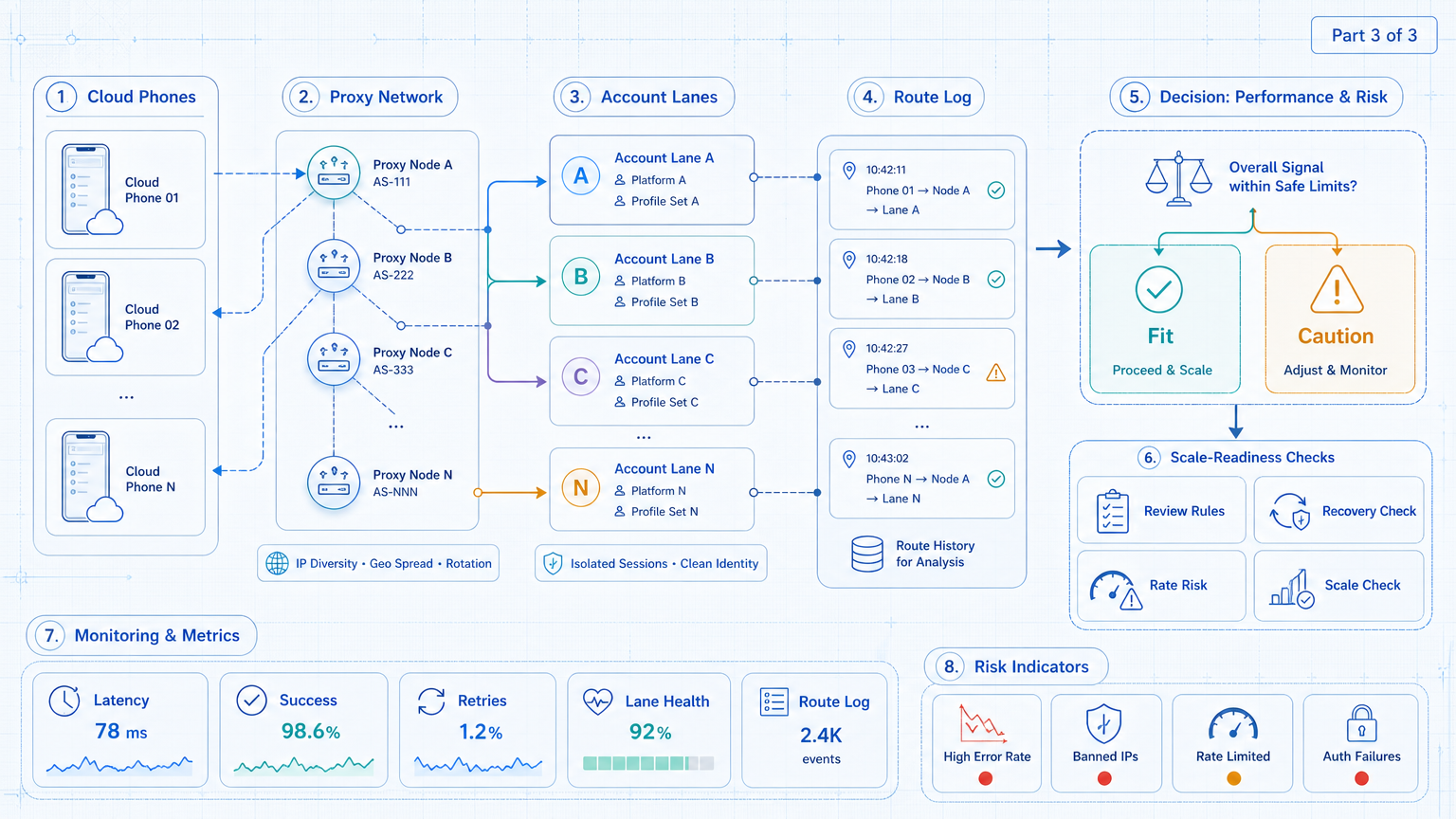
Proxy control should start with operations, not with route switching. First, define account lanes. Next, connect each lane to a cloud phone, route, owner, and task log. Then measure rescue events before adding more accounts.
The practical order is simple: isolate the device, assign the route, run a narrow workflow, review failures, and expand only after the evidence improves. A proxy network is strongest when it helps the team explain what happened and repair the next run.
Use MoiMobi when the routing question is part of a larger execution system. For multi-account teams, the route is only one layer. The full system needs cloud phones, isolated workspaces, controlled automation, and a review loop that people can trust.



