
Key Takeaways
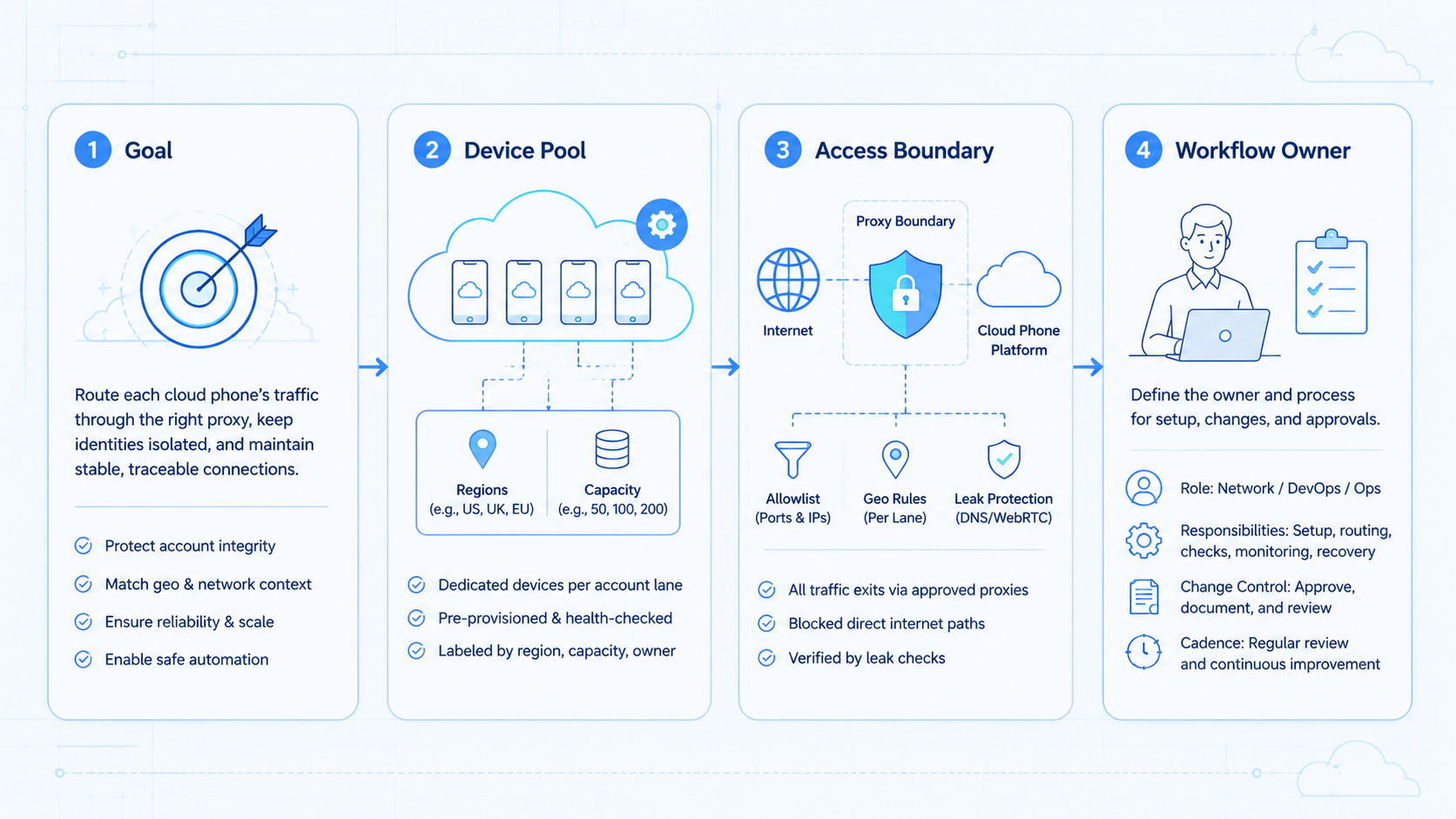
- Proxy management is the operating system for routing decisions, not just a place to paste proxy credentials.
- Cloud phone teams need account lanes, route ownership, leak checks, and recovery notes.
- The best proxy for multi-account work is the one that matches the account lane, device state, and review process.
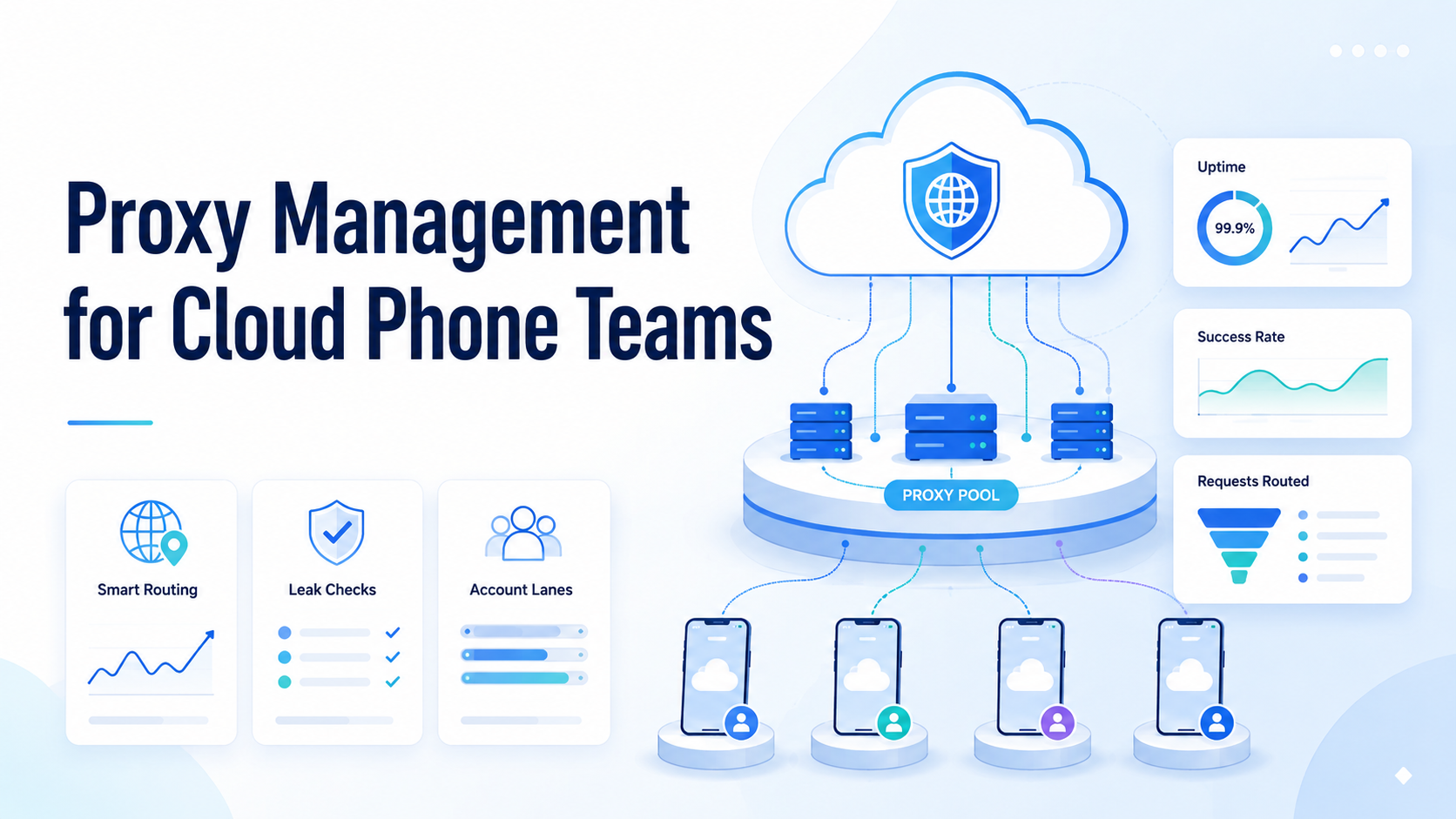
Proxy management is the process of assigning, monitoring, and reviewing network routes for cloud phone workflows. For a cloud phone team, it answers one practical question: which account should use which route, on which device, for which task, and what happens when the route changes.
A cloud phone gives the team a remote Android execution environment. A proxy route gives that environment a network path. The two pieces need to be managed together, because mobile work depends on device state, app state, account context, and team handoff.
MoiMobi treats routing as part of execution infrastructure. A useful setup connects cloud phones, account lanes, device isolation, a proxy network, and clear recovery ownership.
What Is Proxy Management for Cloud Phone Teams?
Teams sometimes reduce route work to buying proxies and rotating them. That is the common misunderstanding. For team operations, the real work is mapping routes to account lanes and keeping those routes visible.
A small team may start with one remote device per account. The team may then add more apps, more operators, or more scheduled work. At that point, a spreadsheet of proxy credentials is not enough. The team needs rules.
The workable model is lane-based:
- one account lane has one assigned cloud phone
- one phone has one expected network route
- one route has one owner
- one task log records route changes
- one recovery path handles failures
This model helps operators avoid accidental route mixing. It also gives reviewers a way to understand what changed before a workflow failed.
Google Search Central's SEO starter guide is about search quality, but it provides a useful operational reminder: systems work better when structure is clear and understandable. The same principle applies to cloud phone operations. A route plan should be easy for a teammate to read.
Why Proxy Management for Cloud Phone Teams Matters
The route is part of the account environment. If the device, app, account, and route are managed separately, the team may not know which layer caused a problem.
Consider a support team using mobile apps for replies. One operator opens the wrong phone while another tests a route.
A third teammate sees an unusual login prompt and does not know what changed. The issue is operational, not only technical.
Good proxy management reduces that confusion. Pause first. It gives the team an expected state:
- expected phone
- expected account
- expected app
- expected route
- expected task
- expected owner
When the actual state differs, the team can pause and inspect. That is better than retrying the same workflow blindly.
This matters for multi-account management, social media operations, support inboxes, marketplace apps, and other mobile workflows. The team is not trying to make every account identical.
The practical goal is keeping each account lane consistent enough to review. Clarity wins.
Key Benefits and Use Cases
The first benefit is operational clarity. A teammate can see which cloud phone belongs to which account lane and which route should be active. That reduces handoff friction when several people share responsibility for one workflow.
The second benefit is faster recovery. When an app shows an unexpected prompt, the team can check recent route changes before changing the device or workflow. That creates a cleaner troubleshooting path.
The third benefit is better task separation. Publishing, reply handling, browsing, lead collection, and marketplace checks may need different lanes. A single route policy for every task is too blunt.
| Use case | Route decision | Review signal |
|---|---|---|
| Social inbox replies | Keep account route stable during reply sessions | Unexpected login or app state change |
| Content publishing | Assign route by account lane, not by operator | Failed publish or wrong account opened |
| Lead collection | Use separate lanes for collection and follow-up | Repeated task failure in one lane |
| Marketplace checks | Keep device, account, and route notes together | Different screen state after handoff |
The best proxy for multi-account work is not a universal category. It depends on the platform, account history, team rules, region needs, and review process. Treat the route as a lane decision, not a shortcut.
How to Get Started with Proxy Management
Build a small routing model before adding more phones. A clean setup is easier to scale than a messy one.
- Create account lanes: give every account a lane name, such as
IG-support-03orWA-reply-02 - Assign one cloud phone: keep the device ID visible next to the account lane
- Attach the expected route: record the proxy label, provider, region, and owner
- Run a basic leak check: confirm that the cloud phone sees the expected route before work begins
- Lock the task boundary: define whether the lane can publish, reply, monitor, collect, or only draft
- Record route changes: include owner, time, reason, and result
- Define stop rules: pause when the wrong account opens, the route differs, or login state changes
Cloud phone proxy setup should be boring. If every operator needs to improvise, the system is not ready for parallel work.
Device isolation helps here because the team can keep device state and account context separate. The route then becomes one controlled field inside a larger execution environment.
How to Prevent Proxy Leaks on Cloud Phones
Leak prevention starts with visibility. A team cannot fix a route issue if it cannot see the expected route and the active route side by side.
Use a pre-task check:
- phone ID matches the lane
- account opened is the expected account
- route label matches the lane note
- region or route group is expected
- app state matches the last handoff
- no unresolved recovery item is open
Avoid changing routes during a live task unless the workflow has a recovery note. A route change without context creates noise for the next operator.
Also avoid letting each operator bring personal proxy credentials into shared workflows. That makes review difficult. Team routes should be visible, named, and assigned.
For software and web systems, OWASP's Top 10 for LLM Applications is useful background on tool boundaries and unsafe actions. Logs matter. The same operational mindset applies when AI workers touch cloud phones. Tool access, route changes, and sensitive actions need logs.
Common Mistakes to Avoid
The first mistake is treating proxy management as a rotation feature. Rotation may be useful in some technical contexts, but team account work often needs consistency and review. A route that changes without a record can make failures harder to understand.
The second mistake is mixing route ownership. If one person buys proxies, another assigns devices, and a third handles recovery, no one owns the final lane state. Give each route a clear owner.
The third mistake is using the same route logic for every workflow. A monitoring lane, a customer reply lane, and a publishing lane should not be reviewed the same way. They create different risks and different evidence.
Do not do this:
- put unrelated accounts on one phone lane
- change routes without a note
- let every operator edit proxy settings
- retry failed tasks before checking route history
- store proxy names separately from account lanes
The Google helpful content guidance focuses on useful content, not mobile operations. Still, its people-first logic is relevant. A workflow should help people understand what happened and what to do next.
Who It Fits and When It Is a Strong Match
Proxy management is a strong match for teams that run repeated mobile workflows across several accounts. The fit gets stronger when work needs handoff, review, or recovery.
Strong fit
- social media teams with multiple account lanes
- support teams using mobile inboxes
- agencies managing client accounts
- e-commerce teams checking marketplace apps
- AI worker teams that need visible execution logs
Weak fit
- solo users with one casual account
- teams without documented workflows
- workflows where route changes are not reviewed
- projects that need only API-based publishing
- teams looking for absolute account outcome promises
A cloud phone team should care about proxy management when more than one person touches the workflow. The moment work moves from one operator to a team, the route becomes part of the handoff.
Mobile automation also changes the fit. Automation can repeat tasks faster than humans, so route mistakes can repeat faster too. That makes route labels, stop rules, and recovery checks more important.
Proxy Management Pilot Rollout and Recovery Checks
Begin with 3 account lanes and 1 workflow type. Keep it narrow. Do not test every app, route, and team role at once. A narrow pilot makes route behavior easier to review.
Pilot setup:
CP-01: Instagram comment triageCP-02: WhatsApp reply draftsCP-03: marketplace app monitoring
Track 6 fields for 7 days:
- task completed
- route matched expected state
- route changed during task
- login or app state changed
- human takeover occurred
- recovery owner assigned
The goal is not perfect output. The goal is a visible operating model. A teammate should be able to open the lane record and explain the current account, phone, route, owner, and next action.
Recovery checks should happen before retry. When a lane fails, capture the phone ID, account lane, active route, expected route, last task, owner, and screen state. Then decide whether to retry, reassign, pause, or escalate.
Teams can use Android antidetect and routing controls as part of this review model. The important point is not any single feature.
The environment, task, and route need to stay understandable. No guessing.
Frequently Asked Questions
What is proxy management for cloud phone teams?
It assigns and reviews network routes for account lanes, cloud phones, and mobile workflows.
Is proxy management the same as proxy rotation?
No. Rotation is one possible behavior. Proxy management also covers ownership, lane mapping, logs, and recovery.
What is the best proxy for multi-account teams?
The best choice depends on the account lane, platform, region needs, task type, and review process. Avoid universal claims.
How should a team handle cloud phone proxy setup?
Create account lanes, assign one cloud phone per lane, attach an expected route, and record every route change.
How can teams prevent proxy leaks on cloud phones?
Use pre-task checks, route labels, active-route review, and stop rules when the route differs from the lane note.
Should every operator edit proxy settings?
Usually no. Limit route changes to assigned roles so recovery notes remain clean.
Can AI workers use proxy-managed cloud phones?
Yes, if the worker has narrow permissions, visible logs, and stop rules for uncertain states.
When should a team pause a workflow?
Pause when the wrong account opens, route state differs, login state changes, or repeated failures appear in one lane.
Conclusion
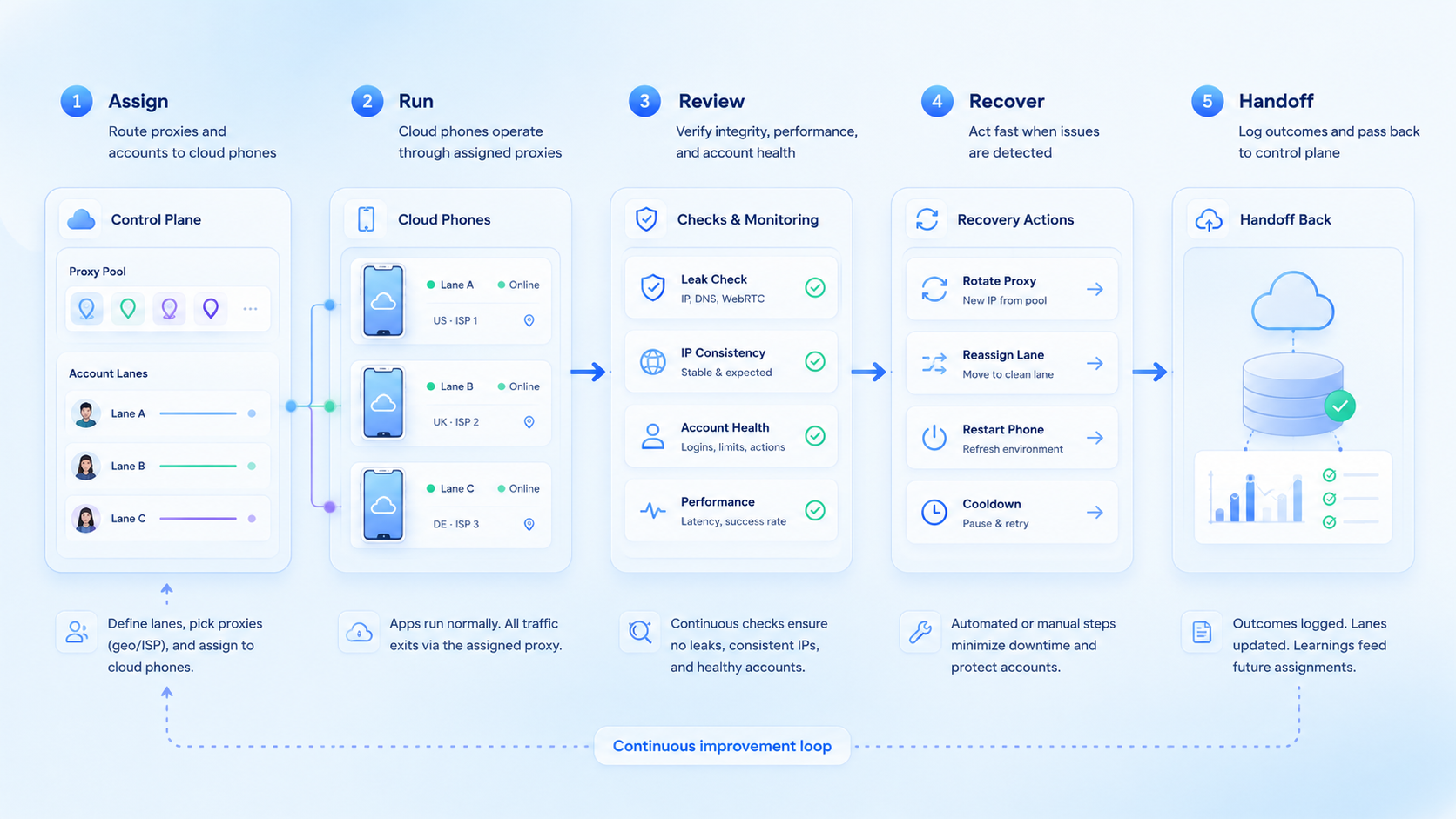
Route control works best when it is treated as part of the cloud phone operating model. Build lanes first, then routes, then task boundaries.
The priority order is simple: name each account lane, assign one phone, attach one expected route, record every change, and review failures before retry. Once that model works for 3 lanes, the team can add more phones, workflows, and AI workers with less confusion.



