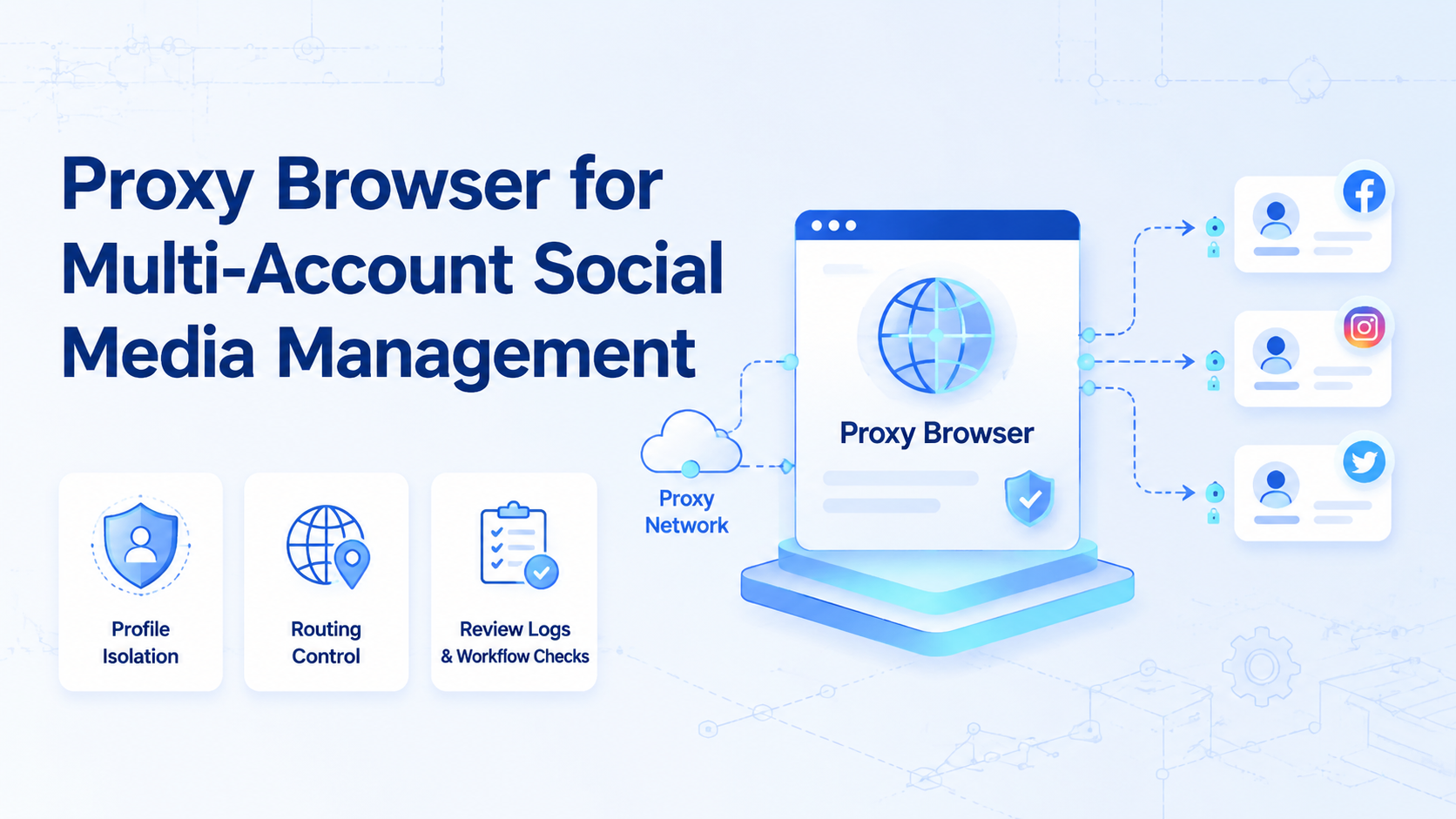
A proxy browser is a browser workspace that combines session separation with controlled network routing for account-based work. For multi-account social media management, the real value is not the proxy alone. The value is keeping accounts, operators, tasks, and review records separated enough for a team to work without constant session confusion.
Social media teams often compare profile browsers, anti-detect browsers, antidetect browsers, and account isolation browsers because they run more than one account. The selection rule is simple: choose the tool that preserves account context, supports team workflows, and gives managers enough visibility to review execution.
Browser automation standards such as W3C WebDriver describe controlled browser interaction. Playwright's browser contexts show why isolated browser sessions matter. For operations, the system should connect those ideas to account ownership, routing policy, and repeatable social workflows.
Key Takeaways
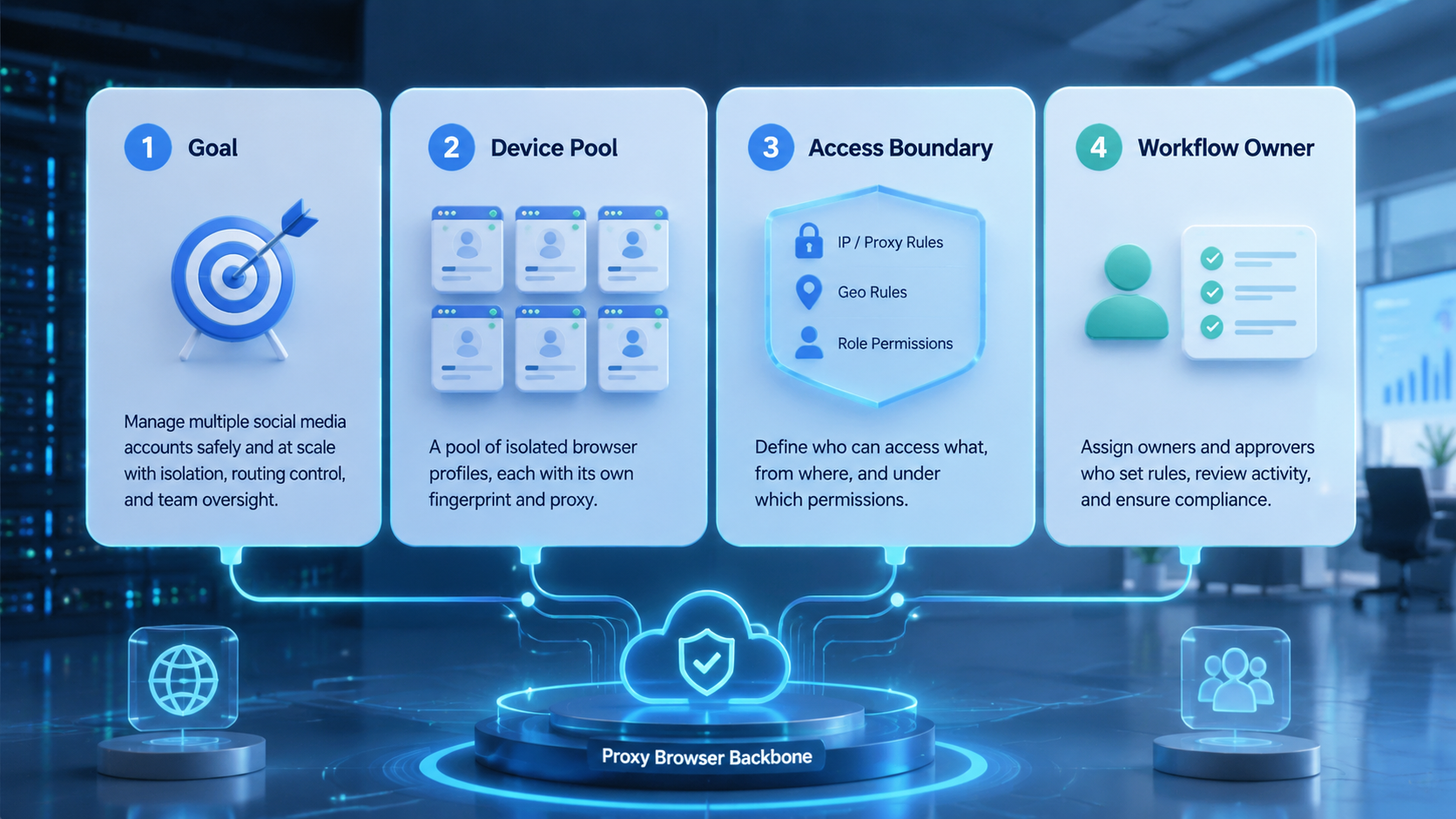
- A proxy browser should separate account sessions and routing, not only open many tabs.
- Multi-account teams need account ownership, task logs, and review checkpoints.
- Proxy quality matters, but workflow control matters just as much.
- Risky language such as "bypass" should be replaced with account isolation and environment consistency.
- A pilot should measure account mix-ups, task completion, routing errors, and reviewer effort.
What Is a Proxy Browser for Social Media Teams?
For social media teams, this kind of account workspace stores browser state, session data, proxy routing, and operating rules for each account. It helps teams avoid mixing accounts inside one shared browser.
The browser part handles cookies, tabs, profiles, and visible web actions. The proxy part controls network routing. The team layer decides which operator uses which account, which task is allowed, and when a human must approve a public action.
This matters because social media operations are not only technical. A team may manage regional accounts, creator accounts, store accounts, and support accounts. Each account should have a clear owner, login state, task queue, and review path.
Moimobi should be understood as a broader AI browser and cloud phone platform, not only a browser profile tool. A browser workspace is one execution surface. Cloud phones, mobile automation, account pools, and team workflows may also be needed when operations move into mobile apps.
Why Account-Routed Browser Workflows Matter
Multi-account work fails when account context becomes messy. Operators may open the wrong profile, use the wrong proxy, publish from the wrong account, or lose track of which account completed a task. These are operational failures, not only technical bugs.
The routed browser setup matters because it gives each account a clearer operating lane. The team can connect browser profile, proxy route, platform login, and assigned task. That makes the workflow easier to inspect.
Platform policy still matters. Meta's inauthentic behavior policy warns against deceptive identity and coordinated misuse. A serious operations team should not position proxy routing as a way to mislead platforms. The safer model is separated workspaces, clean ownership, and accountable execution.
This is also why browser automation pricing should not be compared only by profile count. A cheap tool may hold many profiles but lack team review, logs, mobile support, or recovery workflow. The real cost appears when operators repair mistakes manually.
Browser Workspace Components to Evaluate
A useful routed browser setup has more than one feature. It should connect environment facts with team process.
| Component | What to check | Why it matters |
|---|---|---|
| Profile isolation | Each account has its own saved browser workspace | Prevents shared session confusion |
| Proxy routing | Routing is saved, tested, and visible | Reduces operator guesswork |
| Task assignment | Accounts map to owners or queues | Makes responsibility clear |
| Review controls | Public actions can pause for approval | Protects brand and support quality |
| Audit record | Runs log status, errors, and output | Helps recovery after failures |
This checklist also separates a profile tool from an operations platform. A basic anti-detect browser may focus on profiles and fingerprints. A team system also needs routing discipline, task state, and handoff.
For teams comparing browser profile tools, the AdsPower alternative guide is a useful related page because it frames profile management together with cloud phone workflows.
Common Use Cases
The most reliable use cases are repetitive, account-specific, and easy to review. A routed browser workspace can support account checks, dashboard review, content preparation, report collection, comment triage, and public-page monitoring.
For example, an agency may assign one profile to each client account. The operator opens the correct profile, reviews notifications, prepares reply drafts, and updates a task log. A reviewer approves anything that changes the public account.
Another use case is campaign reporting. The workflow opens each account workspace, collects visible post URLs or metrics, and writes the results into a report. The automation reduces repeated navigation, while the human reviews the interpretation.
Teams should avoid turning this into mass engagement. Fake likes, misleading identity, or unsolicited messaging can create business and policy risk. A clean system focuses on approved workflows and observable work.
How to Set Up an Account Workspace Workflow
Start with account inventory. List each social account, owner, platform, region, login status, proxy route, and workflow type. Do not begin with automation scripts before this map exists.
Then assign one account to one browser workspace. Store the profile, proxy route, and task queue together. If a proxy changes, the team should know when and why it changed.
Use this setup path:
- Create the account map. Record account purpose, owner, platform, and region.
- Create isolated workspaces. Give each account its own browser profile.
- Attach routing rules. Save and test the proxy route before assigning work.
- Define task permissions. Separate research, drafts, replies, and publishing.
- Add review gates. Require approval for public replies, publishing, and account-setting changes.
- Track exceptions. Log login issues, proxy failures, UI changes, and skipped steps.
Moimobi's device isolation is relevant when teams need browser and mobile account separation under one operating model.
Fit and Not-Fit Guide
This setup is a strong fit when a team manages several accounts with repeated workflows. It is useful for agencies, e-commerce teams, social support teams, and cross-border growth teams.
Multiple accounts, clear account owners, repeated browser tasks, and reviewable outputs.
Publishing, outreach, public replies, account setting changes, and sensitive customer workflows.
One temporary account, no team process, unclear ownership, or tasks that change every day.
The fit becomes stronger when the browser is part of a wider multi-account management system. A profile by itself does not define who should use it, what task should run, or how failures are reviewed.
If the workflow requires app-first execution, add mobile automation or cloud phones instead of forcing every task through a web browser.
Pilot Rollout and Measurement
A pilot should start with a small account group and one workflow. Do not migrate every social account at once. The first test should prove that account separation, routing, and review rules work under normal team pressure.
Before scaling, document the operating rule for each account group. A regional brand account may need one reviewer, while a customer-support account may need another. A creator account may need content approval but not support escalation. Those differences should live in the workflow, not in one operator's memory.
Also define what happens when routing or login state changes. The team should know whether to pause the task, refresh credentials, change the assigned workspace, or send the run to a manager. This avoids the common pattern where one failed account blocks an entire queue.
Measure these signals:
- account mix-up rate;
- proxy or routing error count;
- task completion rate;
- reviewer edit rate;
- login recovery time;
- number of skipped or blocked runs.
The review should ask whether the system reduced manual confusion. If operators still need private notes to know which account belongs where, the setup is not ready to scale.
Recovery is part of the pilot. When a login expires or a route fails, the workflow should stop and record the reason. A silent failure can damage trust in the whole process.
The pilot should also test handoff. Ask a second operator to open the same account workspace, read the task record, and continue the next step without private instructions. If that person cannot understand the owner, account purpose, route status, and last error, the operating model is still too dependent on personal memory. That is the point where teams should improve naming, labels, queue status, and run notes before adding more accounts.
This check is simple, but it exposes whether the system can survive real team turnover.
It also shows whether training material is clear enough.
Frequently Asked Questions
Is a proxy browser the same as an antidetect browser?
Not exactly. An antidetect browser usually focuses on profile and fingerprint control. A routed browser setup emphasizes routing plus profile use. Team operations need both context and governance.
Is a proxy browser enough for TikTok or Instagram operations?
It may be enough for browser-based tasks. Mobile-first workflows may need cloud phone environments or app-based execution.
What should teams check before buying?
Check profile isolation, proxy testing, team permissions, task logs, recovery handling, and whether mobile workflows are supported.
Does proxy routing make accounts safe?
No tool can promise that. Routing is one part of environment consistency. Teams still need compliant behavior, clear ownership, and platform-aware workflows.
How does browser automation pricing affect the decision?
Pricing should be compared against workflow needs, not only profile count. Review controls, support, logs, and mobile execution may matter more than a low per-profile cost.
When should a team use an account isolation browser?
Use one when multiple accounts require separated sessions, clear ownership, and repeatable browser work.
What should stay manual?
Sensitive replies, public publishing decisions, account recovery, and brand judgment should keep human review.
How many profiles should a pilot include?
Start with a small set of accounts that share one workflow. Expand after the team understands routing errors and review effort.
Conclusion
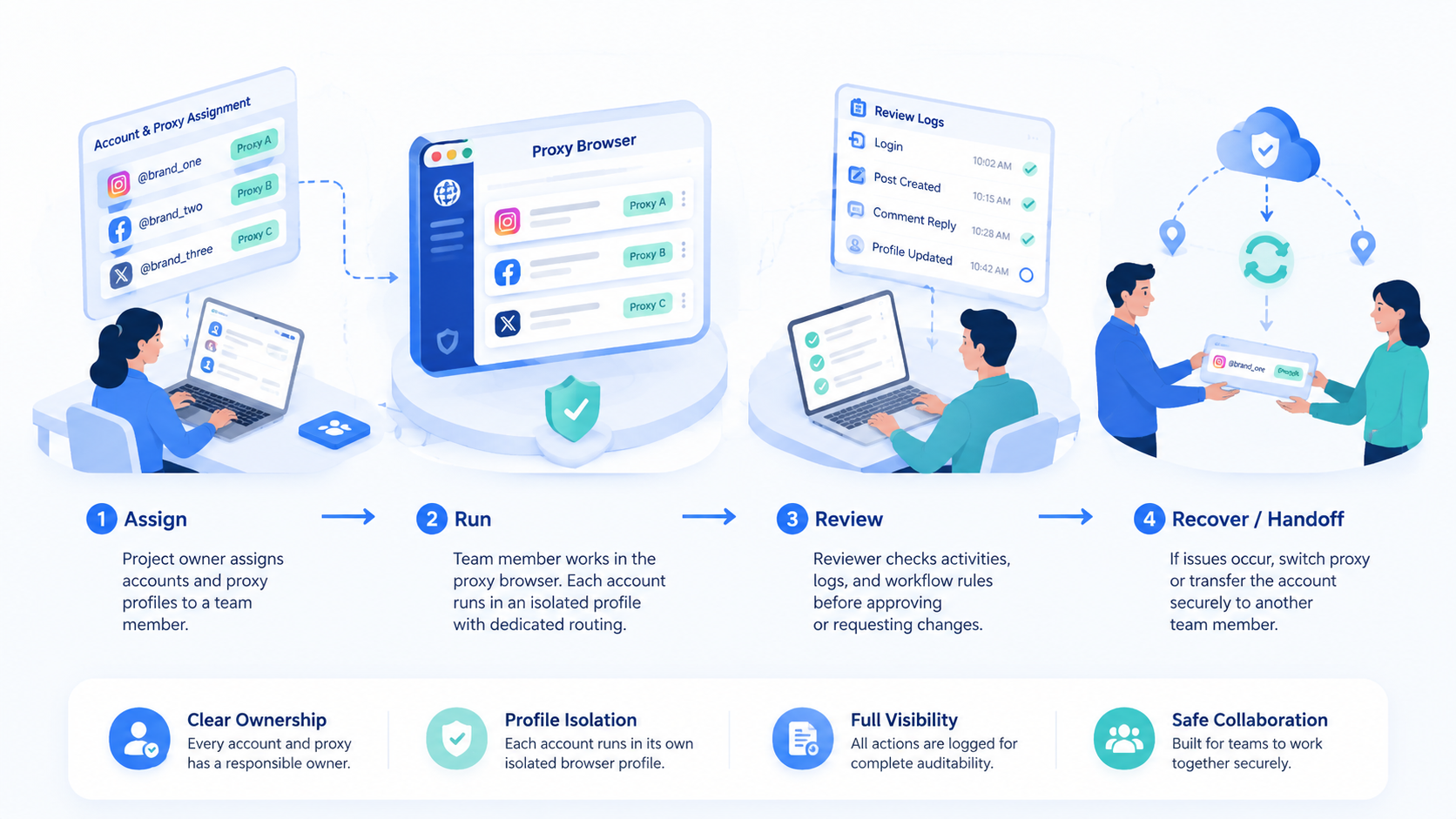
This browser-and-routing model helps multi-account social media teams keep accounts, sessions, and routes separated. It becomes more valuable when connected to task ownership, review controls, and recovery logs.
Before choosing a tool, check whether the team needs only profiles or a full execution workflow. If browser tasks, mobile app work, and account isolation all matter, evaluate proxy browsers together with social media marketing and mobile execution capacity.