
Content Type: guide
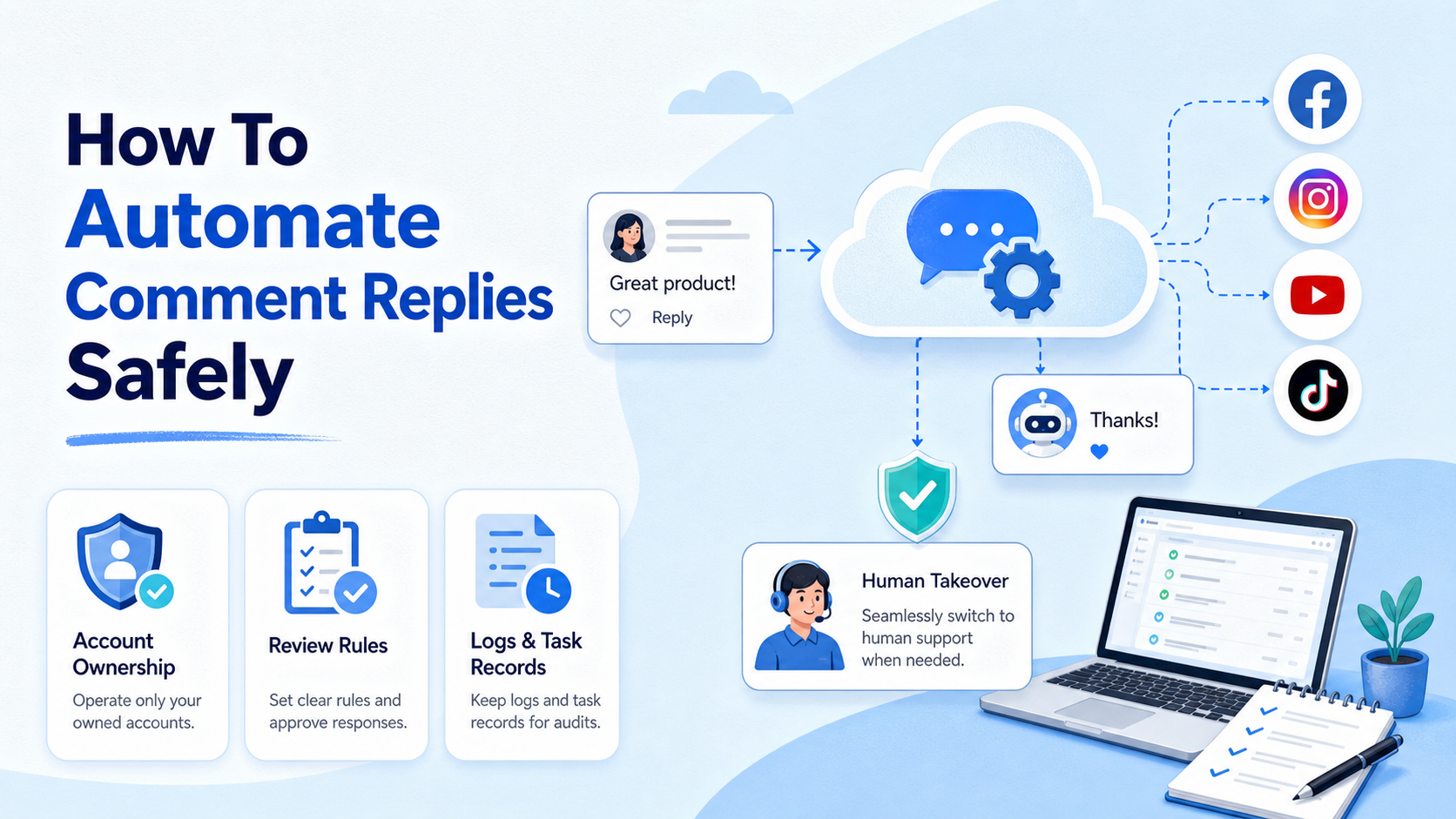
How to automate comment replies safely means turning repeatable comment handling into a controlled workflow with clear triggers, approval rules, account ownership, response logs, and human takeover. It does not mean blasting the same answer under every post or using automation to inflate engagement.
The safest operating model is simple: let automation classify, route, draft, remind, and record. Keep judgment-heavy replies, sensitive cases, angry comments, policy issues, and sales conversations under human review. This approach helps teams answer faster without turning every social account into a spam channel.
Key Takeaways

- Use automation for routing, drafting, tagging, reminders, and records before automating final replies.
- Keep one owner per account or channel so responsibility remains clear.
- Avoid repetitive comments, fake engagement tactics, and high-volume commercial contact.
- Add human review for first replies, complaints, sensitive content, and sales decisions.
- Track reply outcomes, hidden comments, escalations, and failed tasks by account.
What You Need Before You Start and how to automate comment replies safely
Comment reply automation starts with boundaries. Instagram's community guidance tells users not to post repetitive comments or repeatedly contact people commercially without consent. TikTok's community guidelines also prohibit spam, fake engagement, and automation used to operate accounts in bulk for platform manipulation. Those rules matter because comment workflows touch public account behavior, brand reputation, and platform trust systems.
The practical decision is not whether automation is allowed in every case. The better question is which parts of the workflow are safe to systemize. In a real team, the low-risk parts are usually intake, classification, suggested replies, review queues, labels, owner assignment, and status tracking.
Final public replies need more care. A short thank-you reply to a known customer is different from a sales pitch under a stranger's comment. A complaint about delivery is different from a generic product question. A comment containing personal information is different from a basic emoji reaction.
Before any tool sends a reply, define what the workflow is allowed to do. A good starting boundary is: draft first, approve second, send third, record always. Teams using mobile-first social channels can also connect reply workflows to mobile task execution controls so comment work is handled as an operational queue, not as random account activity.
| Preflight Area | Required Decision | Unsafe Shortcut |
|---|---|---|
| Account ownership | Which teammate owns each account, channel, and reply queue? | Letting everyone use the same account without logs |
| Reply permission | Which replies can be sent automatically, drafted only, or escalated? | Sending every suggested reply without review |
| Content library | Which approved reply templates are allowed by topic? | Reusing one generic comment under every post |
| Stop rules | When should a workflow pause because of complaints or failures? | Continuing after repeated negative signals |
How to Get Started with How to Automate Comment Replies Safely Across Social Channels
Start with one account, one channel, and one narrow reply category. A small pilot exposes the problems before they spread across the whole account pool. For example, begin with product availability comments on one Instagram or TikTok account before adding sales objections, complaints, or support topics.
Use these setup checkpoints before launching:
- Pass: Comment source is defined. The workflow knows whether a comment came from Instagram, TikTok, Facebook, YouTube, Discord, or another channel.
- Pass: Comment intent is tagged. Common tags include product question, support issue, pricing question, positive reaction, complaint, spam, and competitor mention.
- Pass: Reply mode is assigned. Each tag has one mode: auto-draft, human review, send with approval, or escalate only.
- Pass: Account environment is known. The team knows which account, device, browser session, or mobile workspace will be used.
- Pass: Every reply creates a record. The log includes account, comment URL, suggested reply, final reply, reviewer, timestamp, and status.
The main failure point is skipping ownership. A reply queue without an owner becomes a hidden backlog. A shared account without traceability becomes hard to troubleshoot. A workflow without stop rules can repeat mistakes before anyone notices.
For multi-account teams, comment automation should connect with account-level reply ownership. That keeps the conversation tied to the right account, role, and operator instead of treating all social comments as one inbox.
Best Practices During Setup
The best way to automate comment replies depends on the channel and the comment type. A public social reply has a different risk profile than an internal community reply or a customer support follow-up. Treat them as separate scenarios.
Scenario 1: Public product comments. Use automation to classify the comment and draft a short answer. Let a person approve the first reply if the comment asks about price, availability, medical claims, financial claims, legal topics, shipping complaints, or personal data.
Scenario 2: Repeated FAQ comments. Approved templates can work well here. The workflow should still rotate wording naturally, keep replies specific to the post, and avoid repeating the same phrase across many accounts.
Scenario 3: Negative feedback. Automation should label and route the comment, not argue publicly. A better flow is to acknowledge the issue, assign an owner, and move complex support into a controlled channel.
Scenario 4: Community platforms. Discord's developer documentation says API rate limits exist to prevent spam, abuse, and service overload, and applications should respond to rate-limit headers. That principle applies operationally even outside Discord APIs: automation should slow down, queue, or pause when limits or failures appear.
For teams that operate across social platforms, the reply system should sit beside comment-response operating workspace. The goal is not just faster replies. The goal is consistent ownership, cleaner handoff, and better campaign feedback.
A Safe Workflow for Comment Reply Automation
Use this sequence when designing the first production workflow:
- Collect comments into a queue. Store the source platform, account, post, comment text, timestamp, and comment URL.
- Classify intent. Tag each comment by topic, urgency, risk level, and language.
- Select reply mode. Choose draft-only, approve-and-send, auto-send for low-risk cases, or escalate.
- Generate a suggested reply. Use approved context, product facts, tone rules, and channel-specific limits.
- Run a policy and quality check. Block claims, insults, personal data exposure, repeated phrases, and unsupported promises.
- Route for review when needed. Assign sensitive replies to support, sales, compliance, or the account owner.
- Send from the correct environment. Use the right account workspace, mobile device, or browser session.
- Record the outcome. Save sent, skipped, edited, escalated, hidden, failed, or deleted states.
- Review weekly. Compare reply quality, response time, escalation rate, and complaint signals by account.
This sequence gives the team several control points. If classification fails, replies do not need to send. If a template becomes stale, it can be edited before it causes repeated public mistakes. If one account receives unusual comments, the team can pause that queue without stopping every channel.
Common Mistakes to Avoid

The first mistake is treating comments as a volume game. Comment sections are public, searchable, and easy to screenshot. A reply that looks efficient in a dashboard may look careless when repeated under dozens of posts.
The second mistake is using automation to simulate engagement. TikTok's rules call out fake engagement and spam behavior, including bulk automation used for platform manipulation. Teams should avoid workflows designed to inflate signals rather than answer real users.
The third mistake is removing humans too early. Automation can draft a useful response, but it cannot own the business consequence of a wrong answer. Use human takeover for refunds, complaints, regulated topics, harassment, legal claims, influencer partnerships, and high-value leads.
The fourth mistake is ignoring failed replies. A failed task is not just a technical event. It may mean an account lost permission, a template no longer fits, a platform changed behavior, or a user thread needs manual follow-up.
Good Fit
- FAQ comments with approved answers
- Comment classification and tagging
- Owner assignment and reminders
- Post-campaign reply reporting
Needs Review
- Price negotiation
- Complaints and refund requests
- Medical, financial, or legal claims
- Angry or sensitive conversations
Not a Fit
- Fake engagement schemes
- Repetitive public spam
- Comment floods across many accounts
- Bypassing platform restrictions
Verification Checklist for how to automate comment replies safely
Run the workflow in a limited pilot before scaling. The pilot should include a small number of accounts, a narrow set of comment types, and manual review for every first reply. This gives the team clean data without turning the first test into a full operational rollout.
Use this verification checklist:
- Classification accuracy: Do comments land in the right intent bucket?
- Reply relevance: Does the suggested reply answer the exact comment?
- Review speed: Can the owner approve or edit replies without backlog?
- Failure visibility: Are failed, skipped, and escalated comments visible?
- Tone consistency: Do replies match the brand voice and post context?
- Account separation: Are replies sent from the correct account environment?
- Stop rule readiness: Can the team pause one queue without pausing all work?
Measurement should focus on operating quality, not only speed. Track response time, edited-reply rate, escalation rate, hidden-comment rate, user follow-up rate, and owner workload. A workflow that sends fewer replies but reduces missed questions may be more valuable than one that maximizes volume.
For teams using device or browser environments, account separation is part of the quality check. If comment workflows require mobile app execution, keep the mobile workspace, account role, and task log connected. Moimobi is useful here because it treats execution, accounts, and review as one operational system instead of a loose set of scripts.
What to Do Next
Build the first version as a controlled reply desk. Do not start with every platform, every account, and every comment type. Pick one channel, one post category, and one approved template group.
Next, define three queues: safe drafts, needs approval, and must escalate. Safe drafts can handle simple thanks, basic availability, and known FAQ replies. Approval handles product questions, campaign replies, and first-time buyer questions. Escalation handles complaints, sensitive issues, and anything that could create brand or policy risk.
After one week, review the log. Remove templates that cause edits. Add examples for comments that confuse classification. Tighten stop rules if one account gets repeated failures. Expand only after the workflow produces cleaner records and less manual confusion.
If your team also uses TikTok account operations, pair reply workflows with a clean TikTok routing setup. Routing does not make risky behavior acceptable, but it helps teams keep account workspaces and task ownership easier to inspect.
Scale only after the review loop is boring. That means comments are classified correctly, owners rarely argue about responsibility, and the same issues are visible in weekly reports. When the workflow still creates surprise work, keep it in pilot mode and improve the rules before adding more accounts.
Frequently Asked Questions
Can you automate social media comments?
Yes, but the safer approach is to automate intake, tagging, drafting, review, and logging first. Fully automated sending should be limited to low-risk, approved cases.
What is the best way to automate comment replies?
Start with a queue-based workflow. Classify comments, draft replies, review sensitive cases, send from the right account, and record every outcome.
Should every comment get an automated reply?
No. Some comments should be ignored, hidden, escalated, or handled manually. Spam, harassment, complaints, and sensitive topics need different rules.
How many platforms should a pilot include?
One platform is usually enough for the first pilot. Add more channels after classification, review, and logging work reliably.
Do automated replies need human approval?
Many teams should keep human approval for first replies, complaints, price questions, and support issues. Low-risk FAQ replies may be easier to approve in batches.
What should the reply log include?
The log should include account, platform, post URL, comment URL, suggested reply, final reply, owner, status, timestamp, and any escalation note.
How do teams avoid repetitive replies?
Use topic-specific templates, edit suggestions before sending, rotate wording carefully, and check whether the response fits the post context.
When should a workflow pause?
Pause when failures repeat, replies get heavily edited, users complain, the account loses permissions, or platform behavior changes.
Conclusion
How to automate comment replies safely is mainly an operations design problem. The useful workflow is not a public reply machine. It is a controlled system for sorting comments, drafting answers, assigning owners, checking risk, sending from the right account, and learning from the results.
Before scaling, check three things. First, every account needs an owner. Second, every risky reply needs a review path. Third, every sent or skipped reply needs a record. If those controls are missing, improve the workflow before adding more accounts or channels.
References




