
Content Type: guide
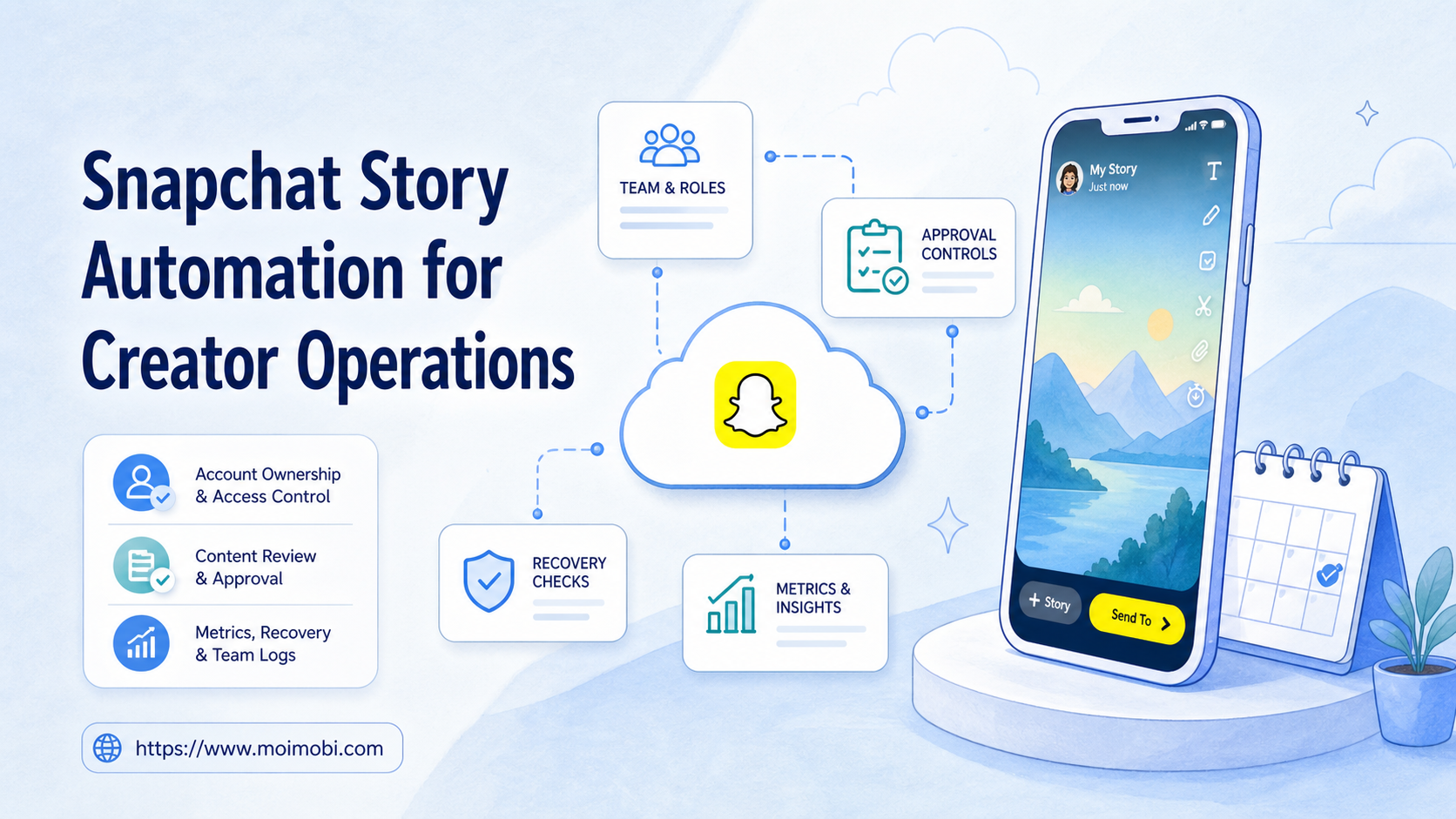
Snapchat story automation is a controlled workflow for preparing, reviewing, publishing, and tracking Story content without turning creator operations into unmanaged mass posting. It should support real creators, brands, and account teams by improving handoff, timing, quality control, and reporting.
The important word is workflow. A creator team does not only need a button that posts a Story. It needs asset preparation, account assignment, approval, device access, publishing checks, and a recovery path when the task fails. Automation should reduce repeated coordination work, not remove human judgment from content and audience decisions.
Snap's developer documentation gives a useful boundary. The Public Profile API describes content management and analytics around Public Profiles, while Snap's Marketing API documentation explains developer access and OAuth-based permissions. Those materials point toward structured account access and measurable content work, not uncontrolled automation.
Key Takeaways
- Snapchat story automation should begin with content workflow design.
- Creator teams need owners, reviewers, account environments, and logs.
- Mobile execution matters when work depends on the Snapchat app.
- Automation should prepare, route, and verify work before scaling.
- A pilot should measure publish accuracy, review time, and recovery clarity.
The Core Idea Behind Snapchat Story Automation
The operating model starts with separating creative work from execution work. A creator or brand team may write a concept, prepare a short video, choose a caption, confirm brand safety, publish the Story, and check results later. These steps often involve different people.
The workflow breaks when every person shares the same login, keeps assets in separate folders, or uses private chat messages to approve posts. A missed approval or wrong asset can create more damage than a slow manual process. Automation should make each step visible.
Use this simple model:
| Layer | What it controls | Why it matters |
|---|---|---|
| Content | Assets, caption, link, timing, campaign tag | Prevents unclear creative handoff |
| Account | Creator profile, brand profile, owner, reviewer | Prevents mixed responsibility |
| Execution | Mobile app session, device, routing, publish status | Shows where the task actually ran |
| Review | Result, screenshot, metric, issue, next step | Turns posting into a repeatable process |
This structure is useful because Stories are time-sensitive. A team needs to know what is ready now, what is waiting for approval, what was posted, and what needs follow-up.
Why Teams Search for Snapchat Story Automation
Teams search for this topic when creator output grows faster than operations. A single creator can post manually. A team managing multiple creators, regions, campaigns, and brand accounts needs clearer coordination.
The usual pressure points are practical:
- content is approved but not published on time;
- the wrong account receives the wrong asset;
- reviewers cannot see which Story was posted;
- operators need to work in the mobile app;
- campaign managers need a simple record of what happened;
- creators need help without losing control of voice and timing.
Snap's Public Profile API documentation describes Public Profiles as homes for public brand and creator content. It also describes Story, Saved Story, Spotlight, and Lens content types. For operations teams, this reinforces a basic point: content type and profile ownership should be planned before automation begins.
The term Snapchat automation software can be misleading. A useful system is not just a tool that repeats actions. It should organize the content queue, the account environment, the review path, the publishing action, and the result record. If those pieces are missing, the team may only automate confusion.
Who Benefits Most and In What Situations
The strongest fit is a creator operations team with repeated Story workflows. This may include agencies, creator managers, cross-border sellers, local brand teams, or ecommerce teams that use short-form content to support promotions and customer engagement.
Good-fit situations include:
- a creator team needs approval before posts go live;
- a brand manages several Snapchat Public Profiles;
- an agency prepares assets for different clients;
- operators publish from mobile app environments;
- managers need result records by account and campaign;
- the team wants consistent handoff without sharing credentials informally.
The weak fit is uncontrolled mass posting. If the plan is simply to push as many Stories as possible across accounts, the workflow is not mature enough. A better first step is to define account ownership, approval rules, publishing windows, and stop conditions.
For mobile-first work, the execution environment matters. A cloud phone can help teams keep app-side tasks in a persistent mobile workspace. That is different from managing only web dashboards or spreadsheets.
How to Evaluate or Start Using Snapchat Story Automation
Set guardrails before choosing tools. A creator workflow should protect brand voice, account ownership, and audience expectations. Automation should not make it easier to post the wrong asset faster.
Use this preflight checklist:
- Map accounts. List each creator or brand profile, owner, reviewer, and operator.
- Define content status. Use statuses such as draft, approved, scheduled, posted, failed, and needs review.
- Prepare assets. Store video, image, caption, link, campaign tag, and notes together.
- Set approval rules. Decide which posts need brand, legal, creator, or manager approval.
- Choose the execution path. Decide whether posting happens through mobile app work, API-supported workflow, or manual review.
- Log the outcome. Record account, device, operator, time, result, and recovery note.
Snap's Marketing API authentication documentation explains that access tokens reflect a user's permissions and that API calls are scoped to what the user can access. Even when a team uses API-supported workflows, permission scope and account ownership need to be part of the operating model.
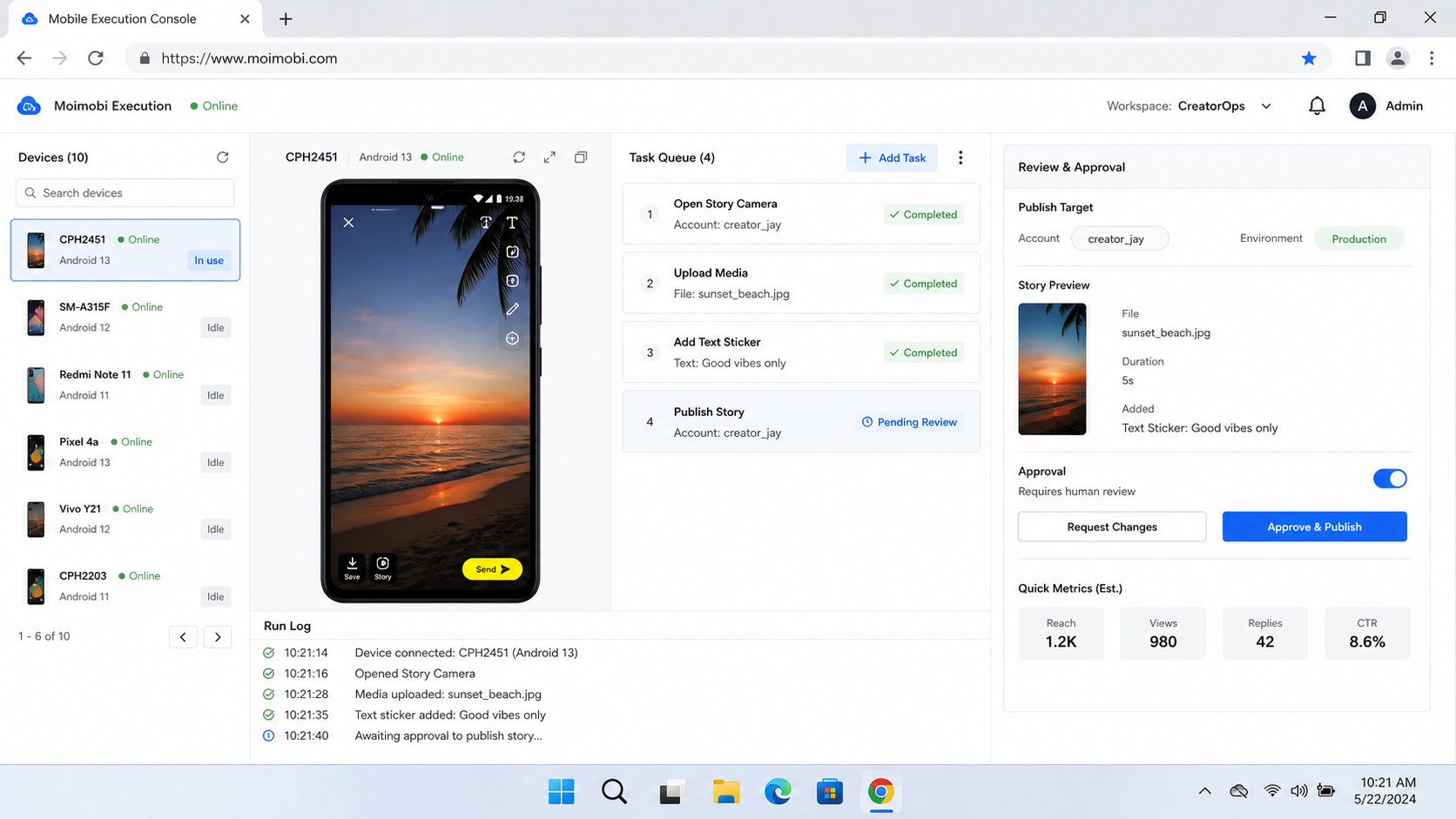
Moimobi fits the app-side execution layer around this process. Teams can connect mobile content execution controls, account workspaces, approval steps, and logs. The goal is not blind posting. It is a cleaner handoff from approved content to verified execution.
Mistakes That Reduce Results
The first mistake is treating all accounts as interchangeable. A creator profile, brand profile, and campaign account may have different owners, review rules, and audience expectations. A shared spreadsheet does not solve that by itself.
The second mistake is skipping mobile verification. A workflow may say a post is ready, but the operator still needs to confirm the correct account, asset, and Story state inside the app or supported publishing system.
The third mistake is ignoring recovery. A failed publish attempt needs a clear next action. The team should know whether to retry, reassign, wait for approval, check the asset, or move to manual posting.
The fourth mistake is linking every Snapchat task to one generic social automation queue. Snapchat Story work has different timing, creative format, and review needs from Discord, TikTok, Instagram, or marketplace operations. Keep the rules separate even when the management system is shared.
For teams running several social platforms, a broader creator social content workflow can help coordinate ownership. Still, each platform workflow should keep its own approval and recovery rules.
Account, Asset, and Review Fields to Track
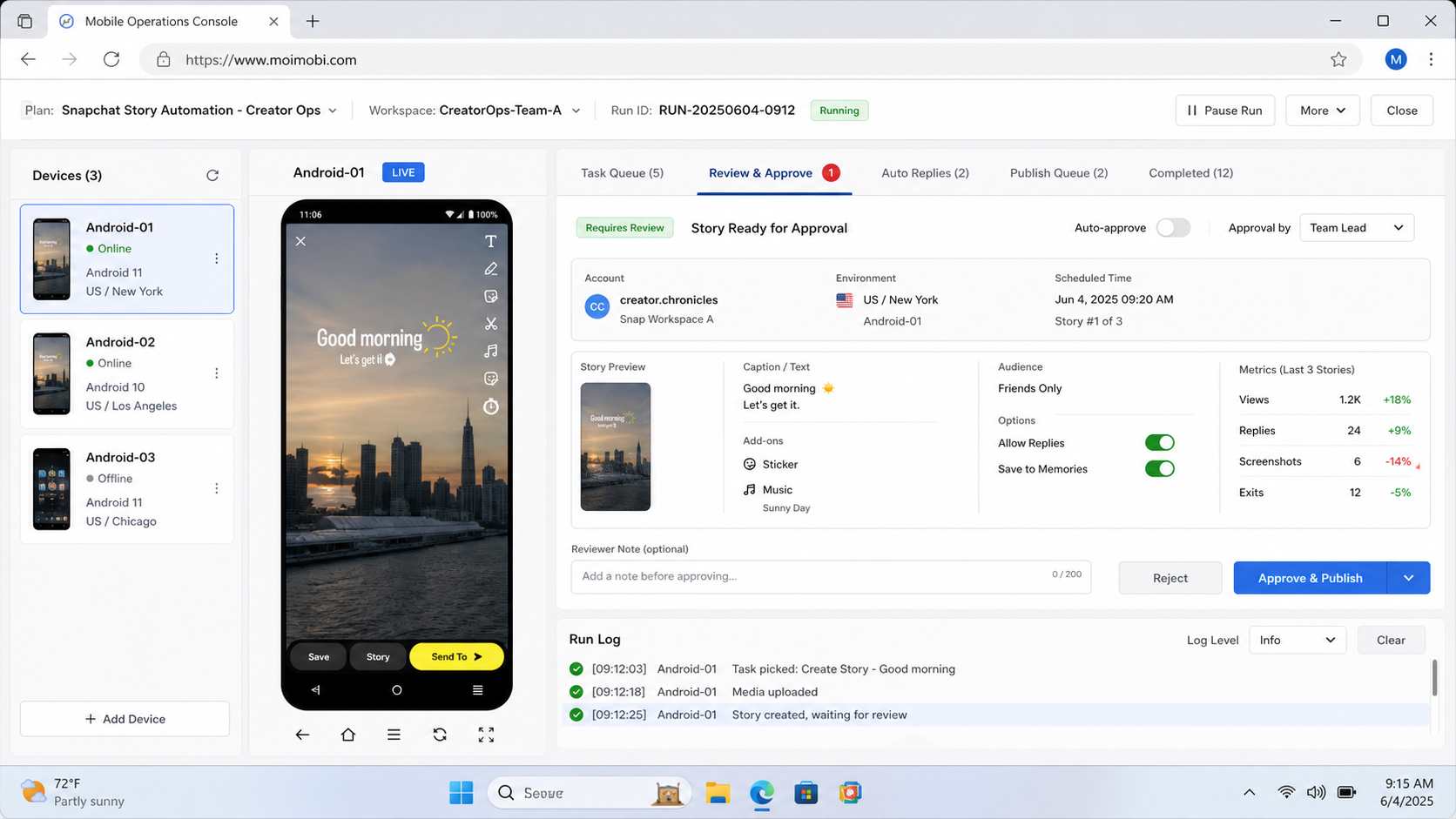
A Snapchat Story workflow becomes easier to manage when the team uses the same fields every time. The fields do not need to be complex. They only need to answer who owns the post, what should be published, where it should run, and how the result will be checked.
Use these fields in the content queue:
| Field | Example value | Why it matters |
|---|---|---|
| Account owner | Creator manager, brand lead, agency operator | Prevents unclear responsibility |
| Profile type | Creator, brand, campaign, regional profile | Keeps review rules separate |
| Asset status | Draft, approved, revised, expired | Stops old creative from being posted |
| Publish window | Morning, event time, product drop, local market time | Helps avoid missed timing |
| Execution path | Mobile app, API-supported workflow, manual post | Shows where the task should run |
| Reviewer | Brand, creator, legal, campaign manager | Makes approval visible |
| Result note | Posted, failed, paused, needs takeover | Turns execution into a record |
These fields also help when the team grows. A new operator can see the current status without asking five people in chat. A reviewer can see which asset needs approval. A manager can see which posts failed and why.
Do not hide this information inside a private message thread. Creator operations become fragile when the only source of truth is a chat history. Put the queue, status, and result in a shared workspace that account owners can review.
Snapchat Multi-Account Management Boundaries
Snapchat multi-account management should not mean treating every profile the same way. A creator profile may need faster content cycles. A business profile may need brand approval. A regional profile may need local timing. A campaign account may need a short operating window.
Separate accounts by role before adding automation:
- Creator-owned profile: keep tone, review, and personal brand boundaries clear.
- Brand profile: require stronger campaign and legal review.
- Agency-managed profile: define client approval and operator access.
- Regional profile: align timing, language, and local campaign context.
- Test profile: use it for workflow checks, not live audience experiments.
This classification gives the team a cleaner stop rule. If the account role is unclear, do not publish. If the owner is unclear, do not automate. If the asset source is unclear, send the task back to review.
Mobile execution should follow the same separation. A mobile workspace for one creator should not become the default workspace for every profile. Account-specific device assignment, routing, and logs are what make Snapchat cloud phone automation useful for operations.
Practical Example: Weekly Creator Story Queue
A weekly Story queue can start with a simple sequence. On Monday, the creator team uploads short videos and captions. On Tuesday, a reviewer approves the sequence. On Wednesday, the operator checks the account environment and publishes the first approved Story. On Friday, the manager reviews results and notes failed tasks.
The workflow is not complicated, but each step has a clear owner. The creator owns the asset. The reviewer owns the approval. The operator owns execution. The manager owns the review loop.
This structure helps teams avoid the most common failure: approved content that never gets posted, or posted content that nobody can trace later. When the queue records asset, account, owner, device, status, and outcome, the team can improve the next cycle.
For larger teams, add a weekly audit. Check which profiles posted on time, which assets expired, which tasks needed manual takeover, and which approval rule caused delay. Those notes become the next workflow improvement.
Pilot Rollout, Measurement, and Recovery Checks
A pilot should prove control before scale. Start with one account group, one content type, and one operator. Keep enough human review that every failed or unclear task can be inspected.
Measure practical fields:
- approved assets waiting to post;
- posted Stories by account;
- failed or paused tasks;
- manual takeover count;
- review time per post;
- wrong-asset or wrong-account incidents;
- follow-up tasks after posting.
These fields show whether automation improves work. If the team posts faster but spends more time investigating mistakes, the workflow is not ready. If the team can see owner, account, asset, status, and result at a glance, the pilot is moving in the right direction.
Recovery should be defined before the pilot begins. A stopped task should have a reason. A failed post should have an owner. A sensitive creative decision should return to review. A repeated error should pause the account workflow until the team understands the cause.
Snapchat multi-account management also needs scope control. Do not add every creator profile on day one. Add accounts only after the team can review what happened on the first group.
Frequently Asked Questions
What is Snapchat story automation?
It is a workflow for preparing, approving, publishing, and checking Snapchat Story content. It should include ownership and review controls.
Can Snapchat Stories be fully automated?
Some content management can be supported through official tools and APIs, but teams should keep permission, review, and recovery boundaries clear.
Is Snapchat automation software enough by itself?
Usually not. Teams also need account ownership, content status, mobile execution, approval rules, and reporting.
When does a cloud phone help?
A cloud phone helps when the workflow depends on mobile app actions, persistent account state, and team handoff around app-side tasks.
How should creator teams start?
Begin with one profile, one content type, and one approval path. Review every result before adding more accounts.
What should teams avoid?
Avoid uncontrolled mass posting, shared informal logins, unclear asset ownership, and automation without a manual stop path.
What should be logged?
Log profile, content asset, owner, reviewer, execution path, publish result, failure reason, and next action.
How does Moimobi fit this workflow?
Moimobi helps teams run account-based browser and mobile workflows with clearer execution environments, logs, and handoff controls.
Conclusion
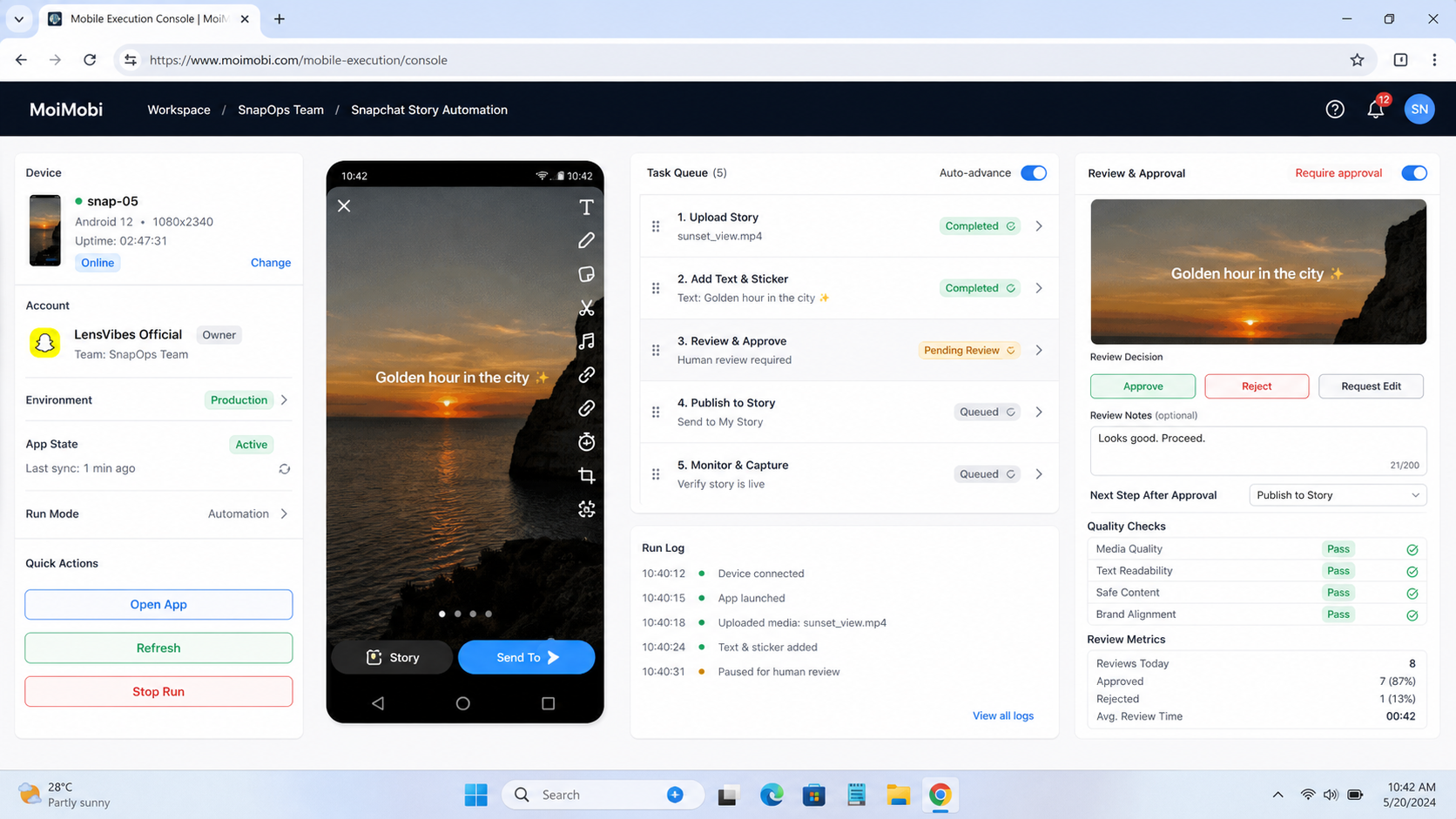
This workflow works best as an operations system, not a posting shortcut. Start with account ownership, content status, approval rules, mobile execution, result checks, and recovery paths. Those pieces make the workflow safer to repeat.
Before scaling, run one small pilot. Confirm that the team can answer five questions: which profile, which asset, who approved it, where it ran, and what happened after posting. If those answers are clear, the workflow is ready for the next account group.
References:



