
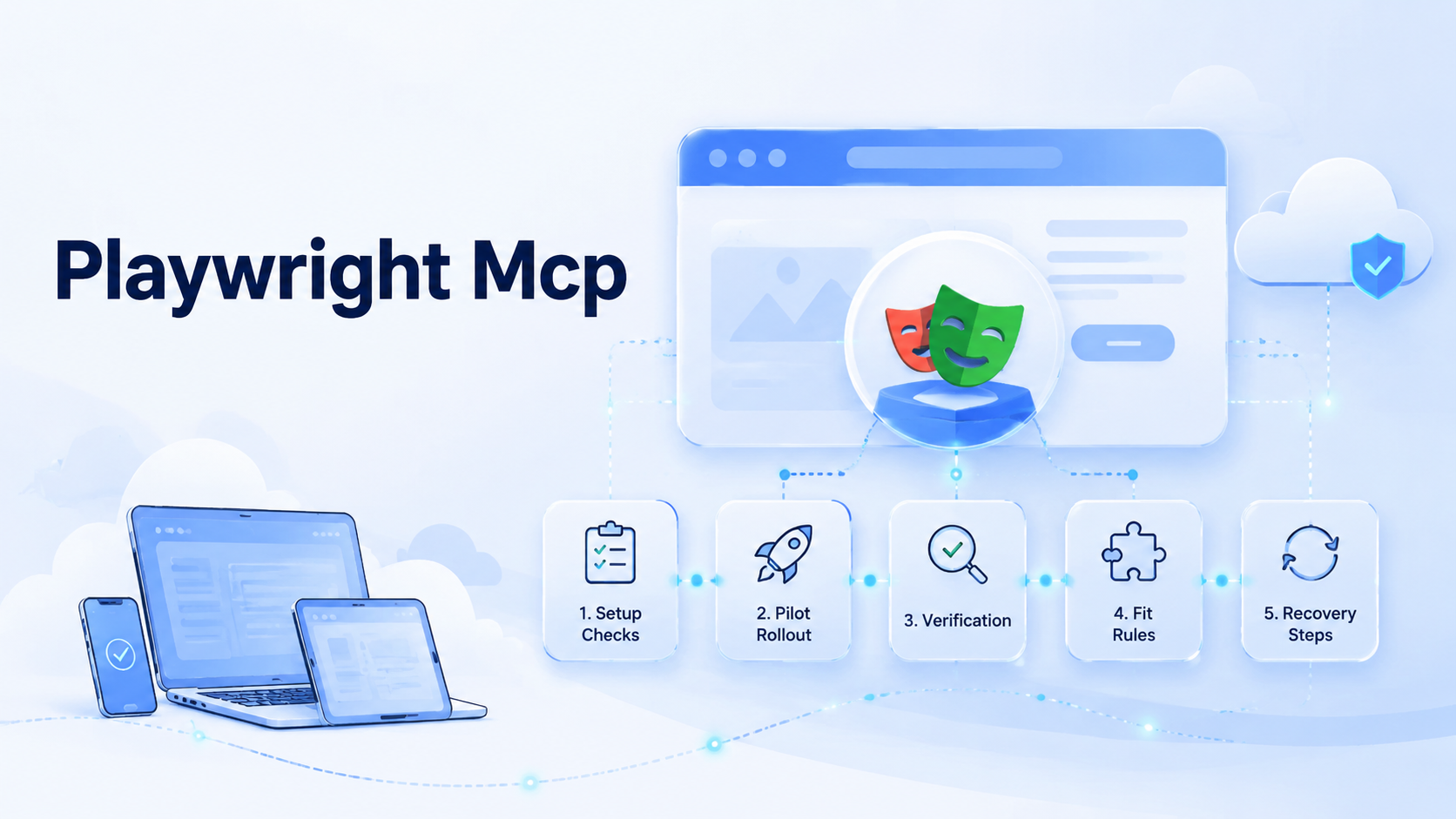
Playwright MCP lets agents use browser tools through MCP. It exposes page inspection, browser actions, and result reporting inside a controlled workflow. For browser-based SOPs, it works best when the task is narrow, observable, and easy to verify.
Keep it small.
Key Takeaways
- Playwright MCP should start from a written SOP, not from a vague automation idea.
- Good tasks have clear inputs, allowed actions, stop rules, and review evidence.
- The first pilot should be small enough for a manager to inspect every run.
- Browser automation needs logs, screenshots, and exception notes before scaling.
- Teams should separate web execution from mobile app execution when workflows differ.
Pre-Setup Requirements and Checks for Playwright MCP
Start with the job to be done. A browser SOP is a repeatable web task with defined inputs, steps, and success checks. Examples include checking a dashboard, filling a routine form, collecting status fields, or opening a ticket from a known data source.
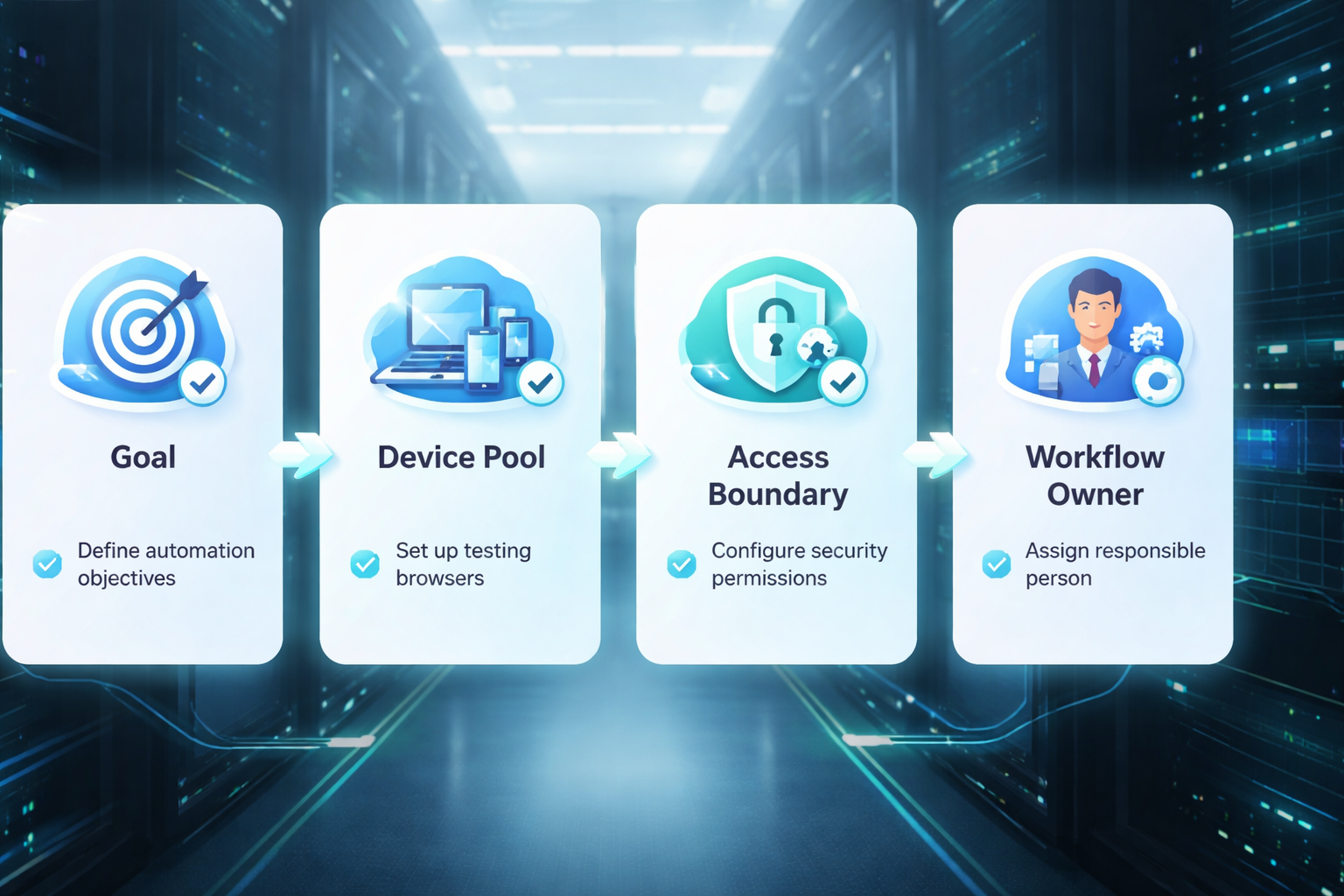
Before using Playwright MCP, confirm four things:
- The page can be reached from the chosen browser environment
- The user account has permission to complete the task
- The SOP states what the agent may click, type, read, and skip
- A human can review the result without watching the whole run
The official Playwright documentation is the right source for browser automation basics. The Model Context Protocol documentation explains the protocol layer used to connect tools to agents. Keep both ideas separate: Playwright drives the browser, while MCP exposes a tool interface. Use both sources, not guesses.
For teams building AI browser automation, the setup also needs account boundaries. A browser that can act for an agent should not become a shared, unmanaged login bucket.
Playwright MCP Runbook Fields to Define
The runbook should be short enough for a reviewer to use. Long policy pages rarely help during a live browser run.
| Field | What to write | Review use |
|---|---|---|
| Start page | Exact URL or named dashboard | Confirms the run began in the right place |
| Input record | Ticket, lead, row, task, or customer case | Prevents mixed data between runs |
| Allowed actions | Fields to read, click, type, or leave alone | Limits tool use to the SOP scope |
| Stop rule | Modal, warning, payment, login, or unknown page | Stops the agent before judgment is required |
| Evidence | Screenshot, log line, output value, and note | Lets a manager review without replaying the full task |
Keep the field names stable. When every SOP uses a different form, training gets slow and reviews become personal opinion.
The Core Workflow for How to use Playwright MCP Automation for browser-based SOPs
Treat the first run as supervised work. Do not aim for full autonomy until the team sees how the browser behaves against real pages.
Start narrow.
-
Pick one SOP. Choose a task with a clear start page, input record, and expected output.
-
Write allowed actions. List safe clicks, form fields, read-only areas, and actions that need approval before the agent moves.
-
Connect less. Expose only the browser actions required for the task.
-
Log the run. Save page state, step notes, and failure messages.
The log must let a reviewer see the path, the failed branch, and the exact point where judgment was needed.
- Review the result slowly. Compare output against the SOP, not against a vague sense of success.
Reviewers should see one input, one path, one output, and one reason for any stop before the run is marked useful.
- Tighten stop rules. Pause on unknown modals, account warnings, payment steps, or sensitive data prompts.
Small scope wins here. A short task with clean review evidence teaches more than a broad agent that clicks through ten systems.
How to Verify the Setup Is Working
Verification should be boring. A team that cannot inspect the run in a few minutes is not ready for wider use.
Use this pass/fail checklist:
| Check | Pass signal | Fail signal |
|---|---|---|
| Input | Agent reads the right record | Agent starts from stale or mixed data |
| Navigation | Run reaches the expected page | Run loops, times out, or lands on an unknown screen |
| Action | Only allowed fields change | Agent edits a field outside the SOP |
| Evidence | Logs show step, result, and issue note | Reviewer has to guess what happened |
Add one manual re-run after each change. That sounds slow, but it catches many mistakes before a team adds more accounts or operators.
Where Teams Usually Get Stuck
The first trap is hidden state. A browser may carry cookies, location, profile data, or extension settings from an earlier run. If that state is not part of the SOP, the result may not be repeatable.
State leaks.
The second trap is vague success. "Check the page" is not enough. A better instruction says which field to read, where to write the result, and when to stop.
Tool access is another weak spot. An agent with too much browsing room may follow a link that the SOP never approved. Narrow tool scope protects the workflow and makes review easier.
For account-heavy work, connect browser execution with device isolation and clean routing where needed. The goal is not more tools. The goal is fewer unknowns.
Keep the stack plain.
Example First-Day Playwright MCP Pilot
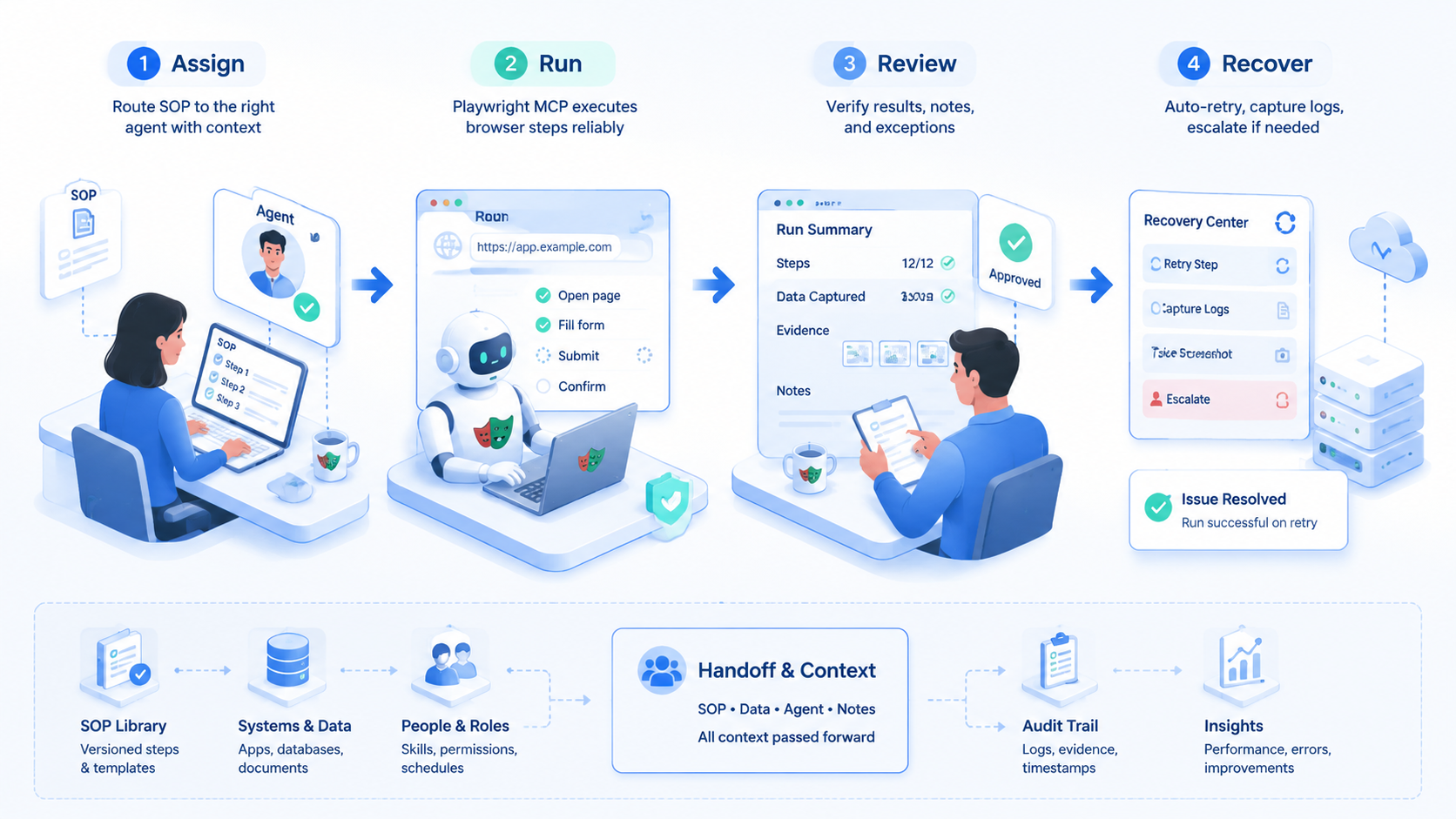
A practical first day can be simple. Pick one dashboard check that an operator already completes by hand, then ask the agent to open the dashboard, read one status field, and write the result to a review sheet.
The owner watches the first three runs. One run should pass, one should be forced to stop on a known condition, and one should use a bad input record. This gives the team proof that success, failure, and recovery all leave usable evidence.
After the run, do not add more sites yet. Fix the runbook, rename confusing fields, and remove any tool action that was not used. Pause before scale. The pilot is ready for a second day only when another operator can follow the notes without a call.
Next Steps After the First Pass
Do not scale after one clean demo. Scale after the team can explain failures.
- Add a small batch of five to ten similar records
- Compare the agent result with a human result
- Record every stop, retry, login prompt, and unclear screen
- Remove steps that were useful in the demo but weak in real work
- Assign an owner for each SOP and each browser profile
- Set a review cadence before adding more tasks
Google's helpful content guidance says useful systems should serve real people and real tasks. That principle fits automation too: measure whether the workflow helps the operator, reviewer, and customer outcome. Source: Google Search Central.
Who Playwright MCP Fits and When It Is a Strong Match
Playwright MCP fits teams that already have browser-based SOPs. It is less useful for teams still debating what the SOP should be.
Strong match
- Known web forms with repeatable fields
- Dashboards that need routine status checks
- QA flows with clear pass or fail results
- Teams that already use browser logs for review
Weak match
- Tasks that need judgment at every step
- Unclear permissions or shared passwords
- Pages that change without warning every day
- Workflows with no owner, stop rule, or review habit
For mobile-first work, browser execution may need to sit beside mobile automation. A web SOP and an app SOP can share a ticket, but they should not share the same unchecked runtime.
Pilot Rollout, Measurement, and Recovery Checks
Run the pilot like an operations test. Pick one SOP, one owner, one browser environment, and one review window.
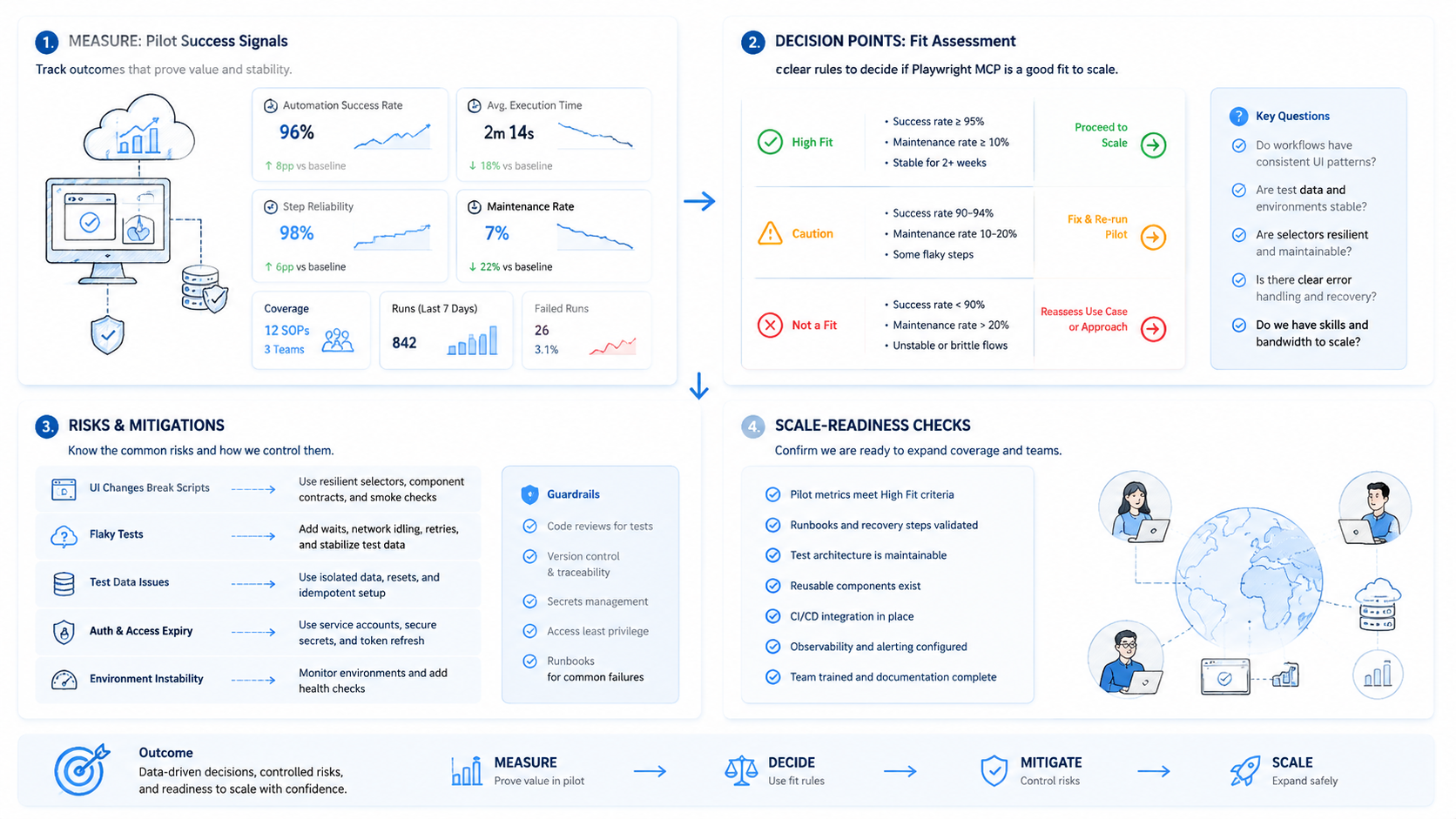
Track five simple numbers:
- Runs completed without manual rescue
- Runs stopped by a known stop rule
- Runs stopped by an unknown screen
- Review minutes per run
- Records corrected after review
Recovery matters more than a clean success chart. When a run fails, the reviewer should know the last page, the attempted action, the input record, and the next safe step.
For larger account workflows, multi-account management helps connect profiles, owners, routes, and work queues. When network path matters, document it with a proxy network rather than leaving it as an operator habit.
Frequently Asked Questions
Is Playwright MCP the same as Playwright?
No. Playwright automates browser actions. MCP exposes tool actions so an agent can use them inside a broader workflow.
Should every SOP use an agent?
No. Use an agent when the steps are repeatable, visible, and easy to review. Leave judgment-heavy steps with people.
Start with one boring task that has a clear owner and a plain pass or fail result.
What should be logged?
Log input record, page reached, action taken, output, stop reason, and reviewer note. Do not store secrets carelessly, even when the run looks simple.
Keep logs short enough for a manager to read after a busy shift.
When the note takes longer to decode than the run itself, the log format needs another pass.
Can this run in a cloud browser for AI agents?
Yes, when the browser environment has the right access, account boundary, and review path. Test permissions first.
No shared browser pools.
How do teams avoid bad clicks?
Limit tool scope, define stop rules, and require review for sensitive actions. Start with read-only tasks when possible.
Read only first.
Move to write actions only after the reviewer can predict what the agent will do next.
Where does mobile execution fit?
Use browser automation for web SOPs and mobile infrastructure for app SOPs. Mixed runtimes need clear handoff notes that say which system produced which result.
When the same ticket needs both paths, assign one owner to reconcile the web log and the app-side result.
When is the pilot ready to scale?
Scale only when failures are explainable, review time is predictable, and the SOP owner can train another operator.
Stop there.
Conclusion
Playwright MCP is best treated as a controlled execution layer for known browser SOPs. The priority order is simple: define the task, limit the tools, log the run, review the output, and only then expand.
Before adding more workflows, run one pilot with real records and a real reviewer. The automation is ready for the next narrow SOP when the team can explain each stop and repeat the fix.



