
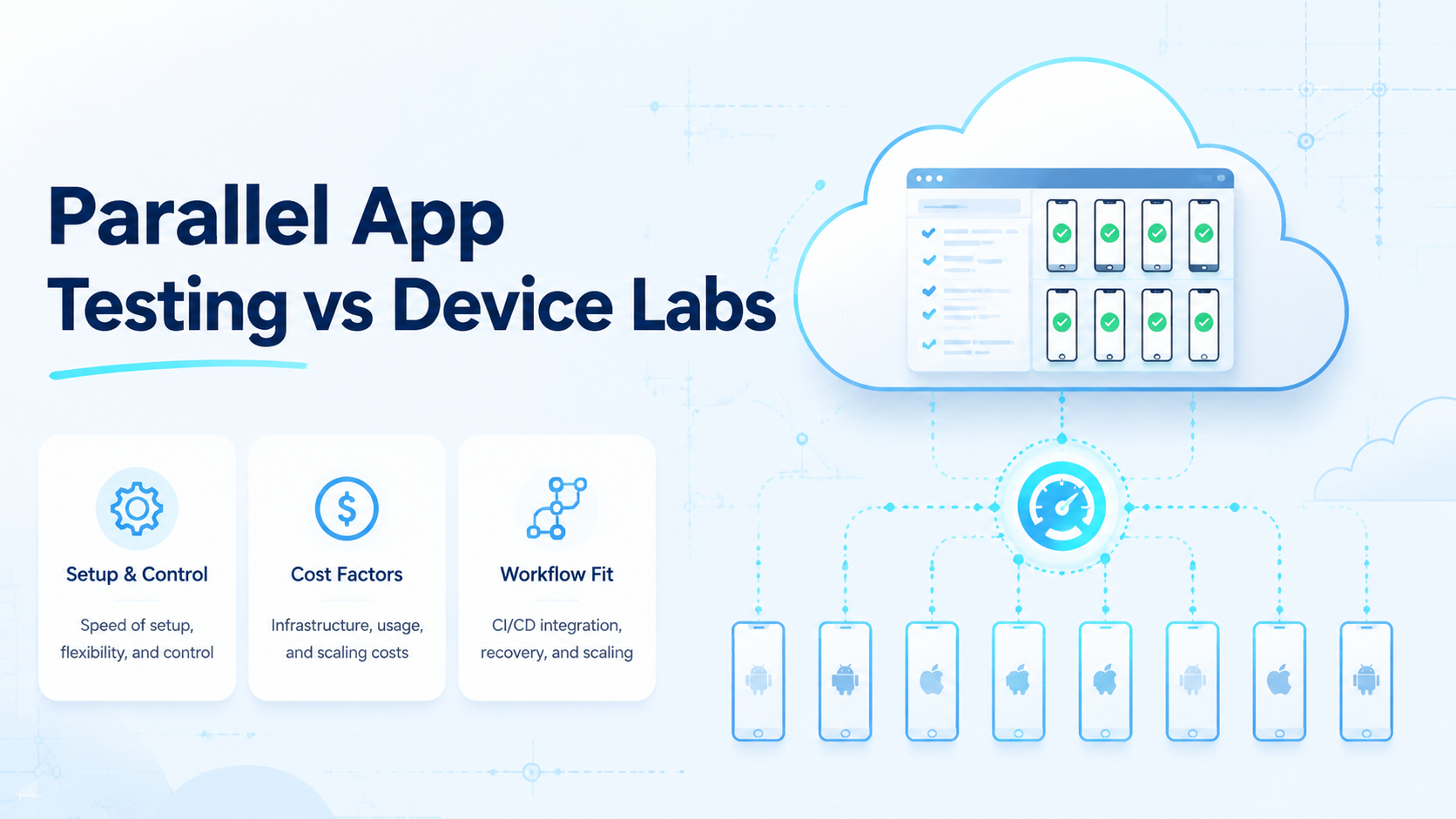
Parallel app testing means running the same or related mobile app checks across multiple device environments at the same time. Choose it when repeated QA work must move faster without losing account state or review proof. A physical lab still wins when the test depends on touch, sensors, cables, heat, camera quality, or deep local debugging.
The rule is practical: send repeat work to parallel lanes, send hands-on defects to a lab, and keep unclear failures in review until a person can explain them. That single rule prevents many teams from buying either too much lab space or too many remote slots.
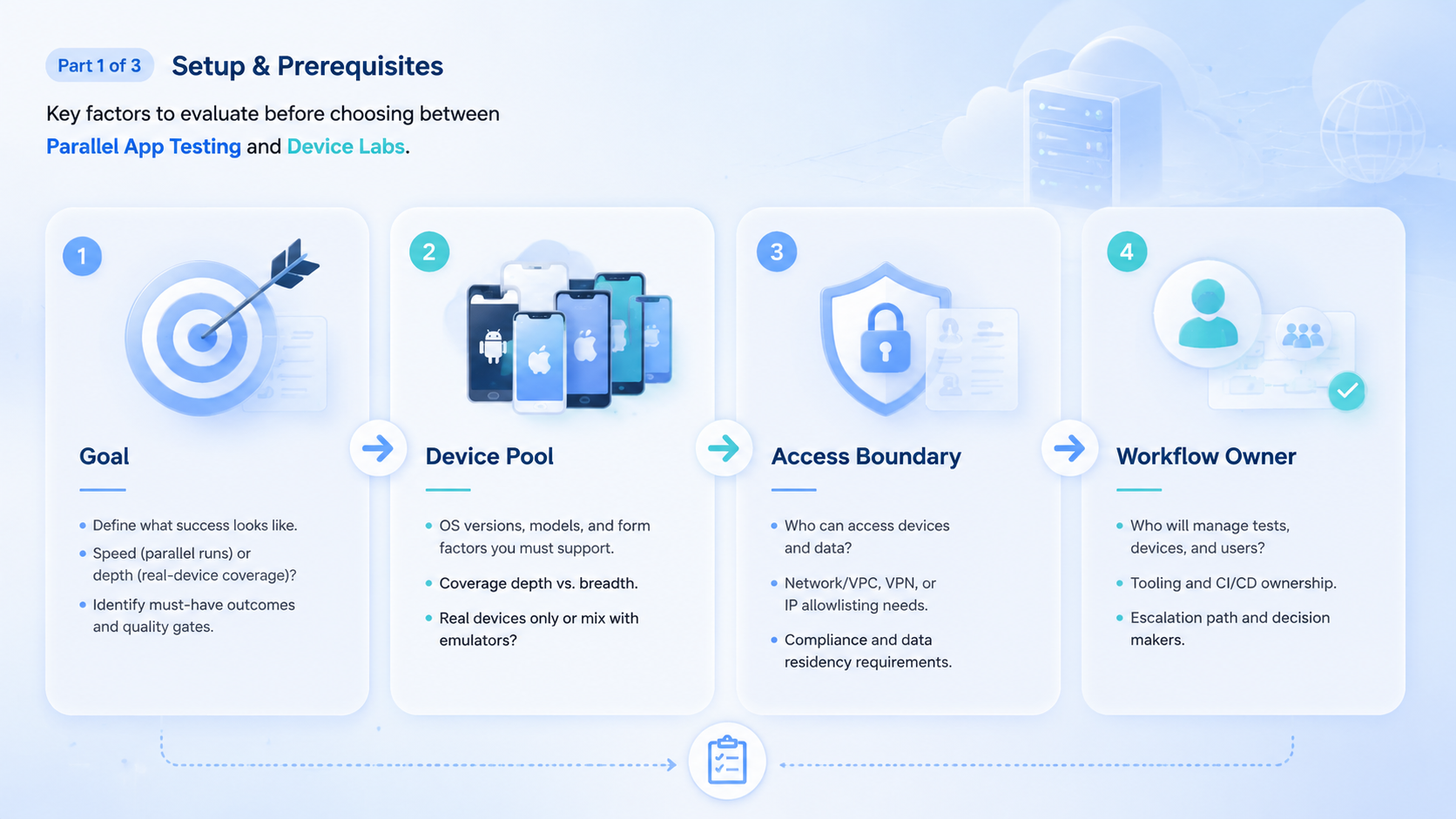
Most teams do not need a philosophical debate between virtual and physical testing. They need a clean operating model. The right setup depends on test type, device coverage, review evidence, team location, and how often the same workflow runs.
Key Takeaways
- Parallel app testing fits repeatable mobile workflows that need speed and scheduling flexibility
- Device labs fit hardware-specific checks, manual debugging, and physical-device validation
- Remote teams should compare access, ownership, evidence, recovery, and device readiness
- A hybrid model often works when routine checks and deep debugging have different needs
- The pilot should measure failure clarity, not only completed test count
What to Compare Before Choosing Parallel App Testing
Start with the test workflow, not the tool category. A team checking login, app navigation, inbox state, or repeated regression flows has a different need from a team validating camera behavior, Bluetooth, payment terminals, or physical network behavior.
The first comparison axis is repeatability. Parallel app testing is stronger when the same workflow must run many times across accounts, app versions, or environments. Lab testing is stronger when the tester needs to hold the device, inspect physical behavior, or attach debugging tools.
The second axis is access. Distributed teams may struggle to share physical devices across time zones. Remote device environments can reduce scheduling friction because testers and automation workers can access lanes without shipping hardware.
The third axis is evidence. A test run should leave enough context for review. The reviewer needs the app version, account state, device lane, start state, result, and exception reason. Without that trail, fast testing becomes hard to trust.
Use this comparison matrix:
| Decision axis | Parallel app testing | Device lab |
|---|---|---|
| Repeat regression checks | Strong fit | Useful but slower to schedule |
| Physical sensor validation | Limited fit | Strong fit |
| Remote team access | Easier to coordinate | Depends on lab access |
| Manual deep debugging | Moderate fit | Strong fit |
| Account-based app checks | Strong fit with routing | Possible with strict process |
| Evidence review | Needs structured logs | Needs lab notes and captures |
Android developer documentation on app quality is useful background because mobile quality depends on behavior, state, and repeatability. Testing setup should make those states visible.
Key Differences Between Parallel App Testing vs Device Labs
The biggest difference is operating shape. Parallel app testing treats devices as scheduled execution lanes. In a lab, devices are physical assets that testers access, manage, charge, update, and reserve.
Scenario one is repeated regression. A team needs to test the same login and checkout path across multiple accounts after each release. Parallel app testing can run those checks across multiple environments and return results for review. Lab teams can also do it, but scheduling and manual handling may slow the loop.
Scenario two is hardware-specific validation. A team needs to inspect camera quality, location behavior, device heat, battery drain, or accessory interaction. Lab work is usually the better fit because physical device behavior is the point of the test.
Scenario three is distributed operations. A team has QA, support, and product staff in different regions. Remote access matters. Parallel testing lanes can make assignment easier, while a physical lab needs booking rules and local caretaking.
Scenario four is account-heavy testing. A team must test app flows using different account groups. Parallel app testing works best when each lane has account ownership and routing rules. A lab can support this too, but shared devices need stricter reset and profile management.
This is the point where the team should pause and ask whether the test needs fast repeat lanes, physical inspection, or a handoff between both.
Google Search Central's guidance on helpful content is aimed at publishing, but the same operating logic applies to QA output. Test results should help a real decision, not only create activity.
Features, Workflow, and Trade-Offs
The useful comparison is not virtual versus physical in the abstract. Ask what the team can run today, what a reviewer can trust tomorrow, and what a support lead can recover after a failed release.
Parallel testing needs device lanes, account routing, queue rules, result capture, and a clean path for exceptions. A phone farm style setup may fit teams that need many simultaneous mobile lanes, especially when release work arrives in waves. Mobile automation matters when test steps must run the same way every time, not merely when someone needs remote access.
Physical labs need inventory, charging, labels, OS tracking, cleaning, safe storage, and booking rules. These are not minor details. When ownership is vague, a lab becomes hard to schedule and even harder to audit after a bug report.
Trade-offs usually look like this:
- Speed: parallel lanes can reduce waiting on routine checks
- Realism: physical labs are stronger for hardware-specific validation
- Access: remote teams benefit from shared online device lanes
- Debug depth: labs are better for hands-on inspection
- Governance: both models need ownership, reset rules, and evidence
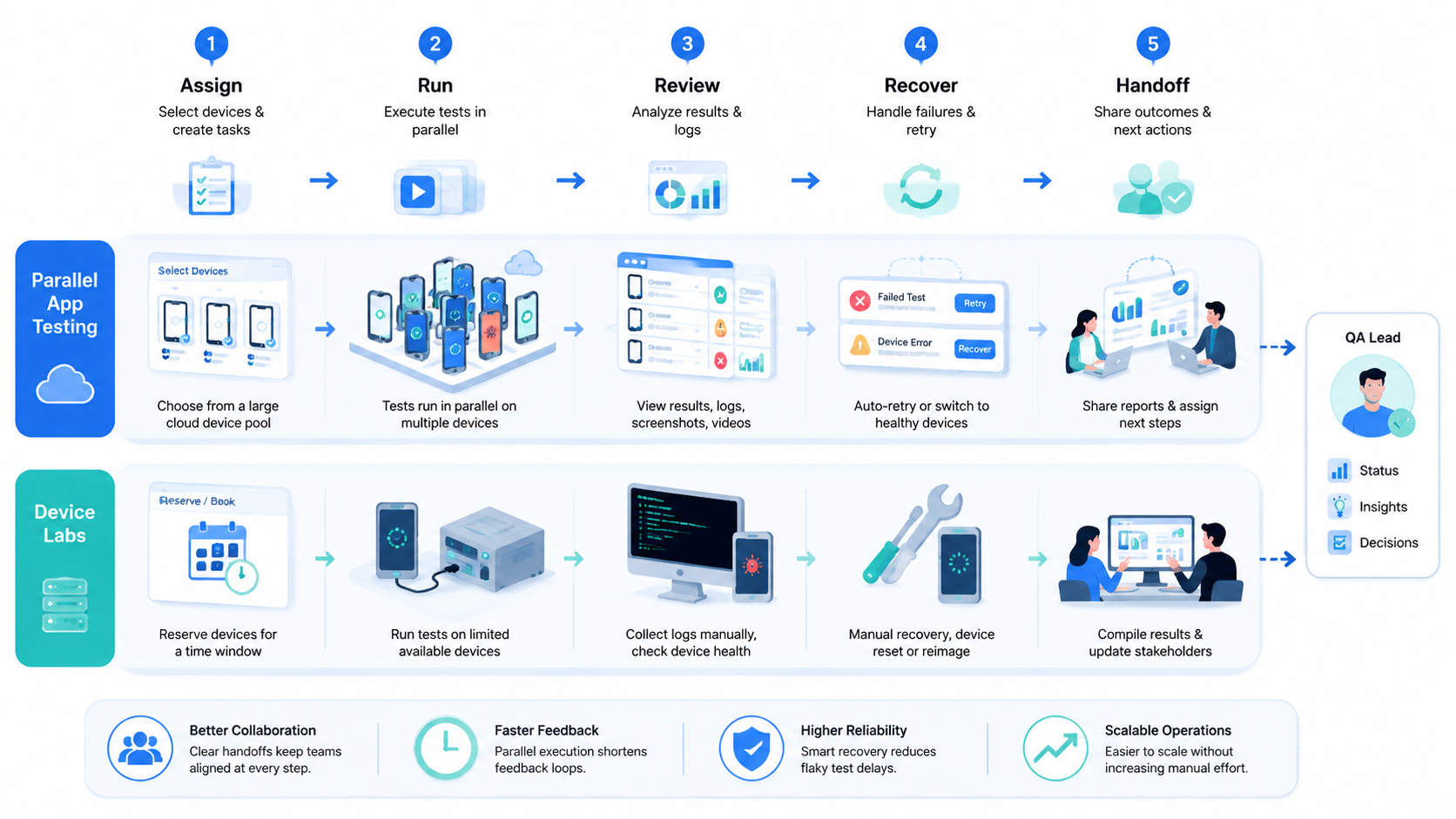
The best setup may combine both. Routine flows can run in parallel lanes. Hardware-specific issues can move to the lab. The handoff should show what failed, where it failed, and what the lab needs to reproduce.
That handoff sentence is not paperwork; it is the difference between a useful failed run and another vague report in the QA queue.
Pricing and Operational Considerations
Pricing should not be reduced to a monthly tool number. The real cost includes device readiness, staff time, scheduling delays, failed runs, manual reset work, and review overhead. A cheaper setup can become expensive if every failure requires manual reconstruction.
Parallel lanes may cut team cost when the same checks run often, because work can be queued instead of passed around in chat. The team can schedule lanes, assign accounts, and capture outputs in one run trail. It still needs owners; more lanes without owners only make more noise.
Lab costs are different. Devices must be bought, stored, updated, charged, secured, and rotated, and the team needs a booking habit that people actually follow. Without that habit, testers wait for devices or use a phone left in the wrong state.
For a remote manager, the hidden cost is usually not the device itself but the time spent finding who used it last and what state it was left in.
Do not compare only headline capacity. Compare usable capacity:
- How many lanes are ready when work starts
- How many tests fail because the environment is stale
- How long review takes after a run
- How often devices need manual reset
- How clearly account state is separated
- How quickly a failed test can be reproduced
Google Play's Policy Center is a reminder that app-related operations should respect platform rules and context. Testing infrastructure should support careful review, not careless scale.
Good review starts before scale.
Parallel App Testing Comparison Scorecard
A scorecard makes the decision less emotional. Score the work itself, not the vendor category or the number of device slots on a pricing page.
One release train may need parallel queues. A second may need physical lab time, while a third may need both with a strict handoff.
Start with the work that repeats every week. If the same login, inbox, checkout, or account-status path runs again and again, parallel lanes are easier to justify. If the work changes every time and requires a tester to inspect the device by hand, a lab may be the better first investment.
Use this scoring pattern:
| Signal | Parallel lane signal | Lab signal |
|---|---|---|
| Repeated test path | Same steps run many times | Each run needs new judgment |
| Physical hardware central | App state is enough | Hardware behavior matters |
| Remote team access | Shared online access helps | Lab booking must be managed |
| Account state | Route lanes by account group | Reset devices after each run |
| Deep debugging | Escalate failed runs | Inspect directly in the lab |
Teams should also decide what counts as evidence. A parallel lane should record app version, account group, device lane, result, and exception reason. Lab notes should record device model, OS version, tester, physical condition, and reproduction notes.
The same bug report becomes much more useful when a tester can see both the remote run trail and the physical lab follow-up.
Evidence decides whether the result can be trusted later. A fast run without evidence only moves the review burden to another person. A slower run with clear evidence may be better if the team can reproduce and fix the issue.
The strongest approach is often staged. Routine checks run in parallel lanes, unclear failures move to a lab, and the lab finding returns as a new stop rule for the next run.
Teams using remote Android lanes can evaluate the Android antidetect boundary when environment identity matters. Teams building broader operating playbooks can also keep a resources page in the review path for team guidance and documentation.
Parallel App Testing Pilot Plan for QA Teams
A pilot should answer one question: can the team get useful evidence faster without losing control? The answer requires a real workflow, not a demo queue.
Choose one repeated test path. Good candidates include login checks, account switching, notification checks, inbox review, core navigation, or app regression smoke tests. Avoid rare hardware problems in the first pilot because they will bias the test toward the lab.
Build the pilot in three lanes:
- Routine lane: repeated checks that should run in parallel
- Exception lane: failed or unclear runs that need review
- Lab lane: physical-device checks for issues that cannot be judged remotely
Each lane needs an owner. The routine lane owner checks scheduling and result capture. The exception owner reviews failures and stop reasons. The lab owner confirms whether the issue reproduces on physical hardware.
Keep the first pilot small. A few account groups and a few device lanes are enough to expose most process problems. More capacity should wait until the team can explain why runs passed, failed, or moved to the lab.
The final pilot review should include both speed and confidence. Measure routine check speed, reviewer trust, failure clarity, and lab handoff detail.
Short answer first. A pilot only worked if the next action is clearer than before.
When those answers are clear, the team can expand the parallel queue. Otherwise, adding more devices will only create more unclear results.
Do not scale fog.
Review Evidence for Parallel App Testing Decisions
Review evidence keeps the comparison honest. A fast parallel run is useful only when the result can be checked later. A lab run is useful only when the physical finding is documented well enough to reproduce.
The evidence package should be small and consistent:
- App version
- Device lane or physical model
- Account group
- Test path
- Start state
- Result state
- Exception reason
- Reviewer decision
- Next action
Simple fields are enough. Long reports are not required for every run. The goal is to let a second person understand what happened without rerunning the whole test.
Routine parallel lanes should make evidence easy to collect. Lab work should make physical evidence easy to attach. The comparison becomes clearer when both options are judged by review quality, not only by how many devices are available.
This also helps with handoff. A failed parallel run can move to a lab with the exact app version, account, step, and error. A lab finding can return to the parallel queue as a new stop rule or regression check.
Good evidence lowers rework. It also prevents a common QA mistake: treating a test result as final when the environment, account state, or device state was never recorded.
Which Option Fits Different Teams
This model fits teams with repeated app flows, distributed reviewers, account-based checks, and frequent release cycles. It is also a strong fit when the team needs to compare behavior across many similar environments without waiting for physical devices.
Lab-based testing fits teams that need tactile inspection, specialized physical behavior, exact hardware coverage, or deep debugging with local tools. It also fits teams with compliance or procurement requirements that require owned physical devices.
Choose parallel app testing when
- Regression checks repeat often
- Remote access matters
- Account routing needs structure
- Review evidence is enough for decisions
- Speed matters more than physical inspection
Choose a device lab when
- Physical hardware behavior matters
- Manual debugging is frequent
- Special sensors must be inspected
- Owned devices are required
- Tester hands-on access is essential
Hybrid teams should define the handoff. A failed parallel run should say which account, app version, environment, step, and exception moved to lab review. A lab result should say whether the issue is physical-device specific or workflow-wide.
Pilot Rollout and Recovery Checks
A pilot should compare operating evidence. Run one repeated app workflow through parallel lanes and one representative scenario through the device lab. Review both results with the same scorecard.
Use these checks:
- Setup time
- Device readiness
- Account state clarity
- Result evidence
- Failure reason
- Reproduction path
- Reviewer confidence
- Reset effort
The pilot should include expected failures. Test an expired login, a changed screen, missing network state, wrong account, and duplicate run. A useful setup stops cleanly and explains the failure.
Review cadence matters. During the pilot, every run should be reviewed. Later, routine parallel checks can be sampled, while failures and lab handoffs receive deeper review.
Scale only when the team can explain failed runs. If failures are unclear, adding devices or lanes will create more confusion. Good testing infrastructure makes the next action visible.
The next action may be another parallel run, a lab check, a product bug, or a workflow change, but it should not be a guess.
Simple Decision Rule for Parallel App Testing vs Device Labs
Use the simple rule first. Repeat work belongs in parallel lanes. Hands-on work goes to the lab. Unclear work stays in review.
This sounds basic, but it stops a lot of bad setup choices. A team does not need a lab for every smoke test, and it should not use remote lanes for every hard device bug.
Ask these plain questions:
- Can the same test run again tomorrow
- Does the test need a hand on the device
- Can the reviewer trust the result from logs
- Does the failed run need a physical check
- Can the team reset the lane fast
- Is the next step clear
Fast is good. Clear is better. A run that ends with a clear pass, fail, or lab handoff has more value than a run that only says done.
Small teams can start with one repeat path and one lab path. Large teams can add more lanes later. The order should stay the same: prove the path, record the result, then add more device slots.
The simplest plan is often the best first plan. Run the work that repeats; hold back the work that needs touch, cable, sensor, or deep local debug. Anything unclear goes to a person before it becomes a larger test pile.
Frequently Asked Questions
1. What is parallel app testing
It is the practice of running mobile app checks across multiple device environments at the same time, usually to speed repeated workflows.
2. Is a device lab more accurate
It is stronger when the bug depends on a real phone in someone's hands. Parallel lanes are stronger for repeated, scheduled, account-based checks when physical inspection is not the main goal.
3. Which option is better for remote teams
Remote teams often benefit from parallel access, but hardware-specific debugging may still require a device lab or hybrid process.
4. Can parallel testing replace a lab
Not always. It can replace some routine checks, but sensors, local debugging, and exact hardware checks may still need lab devices.
5. What should a pilot measure
Measure setup time, ready lanes, evidence quality, failure clarity, account separation, rerun speed, and reviewer trust.
6. Does mobile automation matter
Yes, when the same app steps repeat. Automation helps run and review workflows, but it still needs stop rules, owners, and evidence.
7. What is the biggest mistake
The biggest mistake is comparing only device count. Ready capacity, recovery quality, and review evidence matter more.
8. What is the first step
Pick one repeated workflow and one hardware-specific scenario. Compare both before changing the whole QA process.
Conclusion
These two options solve different parts of mobile QA. Parallel testing fits repeatable, distributed, account-aware work, while physical labs fit inspection, hardware checks, and deep manual debugging.
The best decision starts with the workflow. List the test type, device need, account state, review evidence, and recovery path before buying more capacity. Then run a small pilot; if routine checks become clearer and physical issues still have a lab path, the team has a practical model for scaling mobile QA.



