
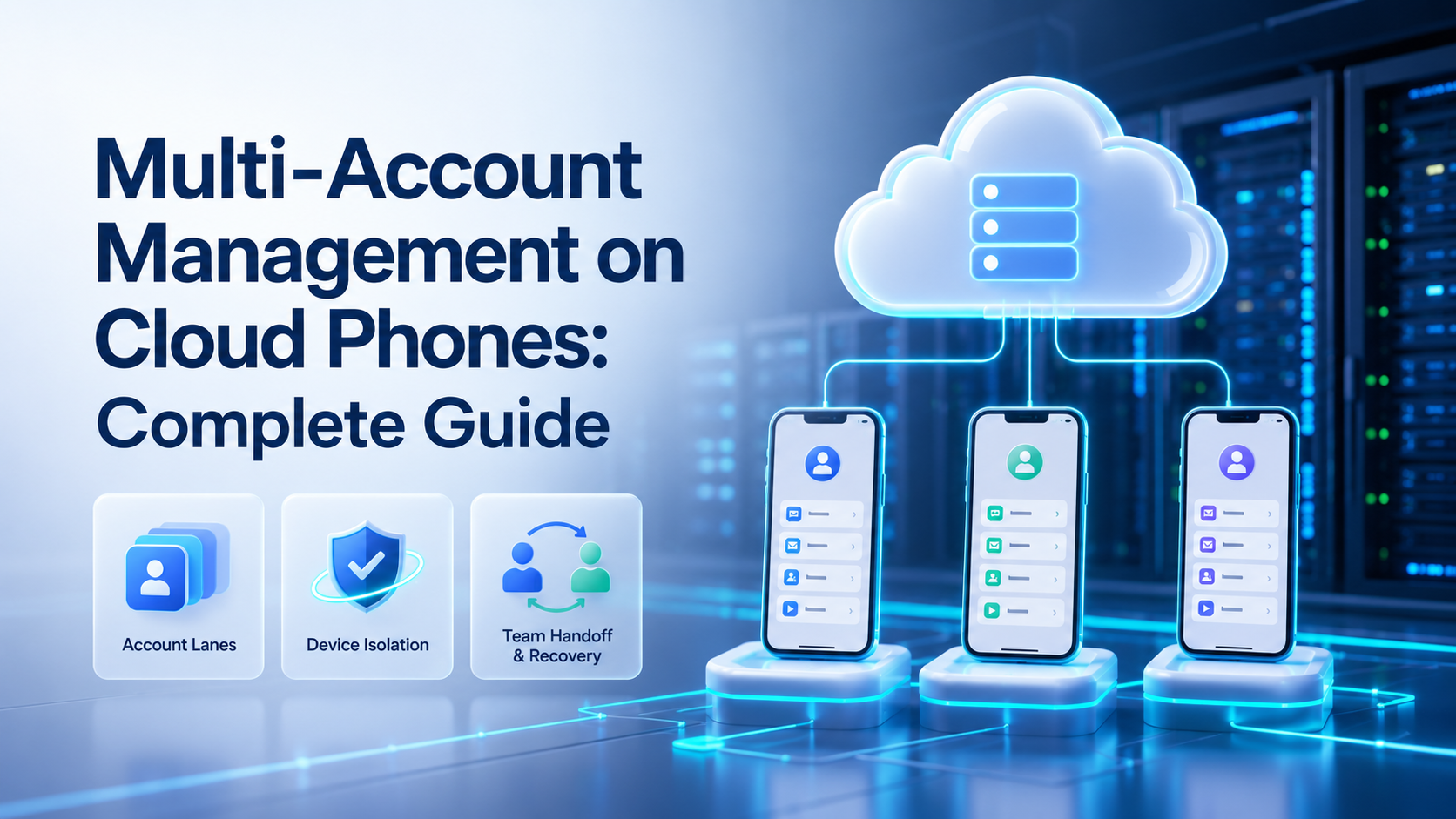
Key Takeaways
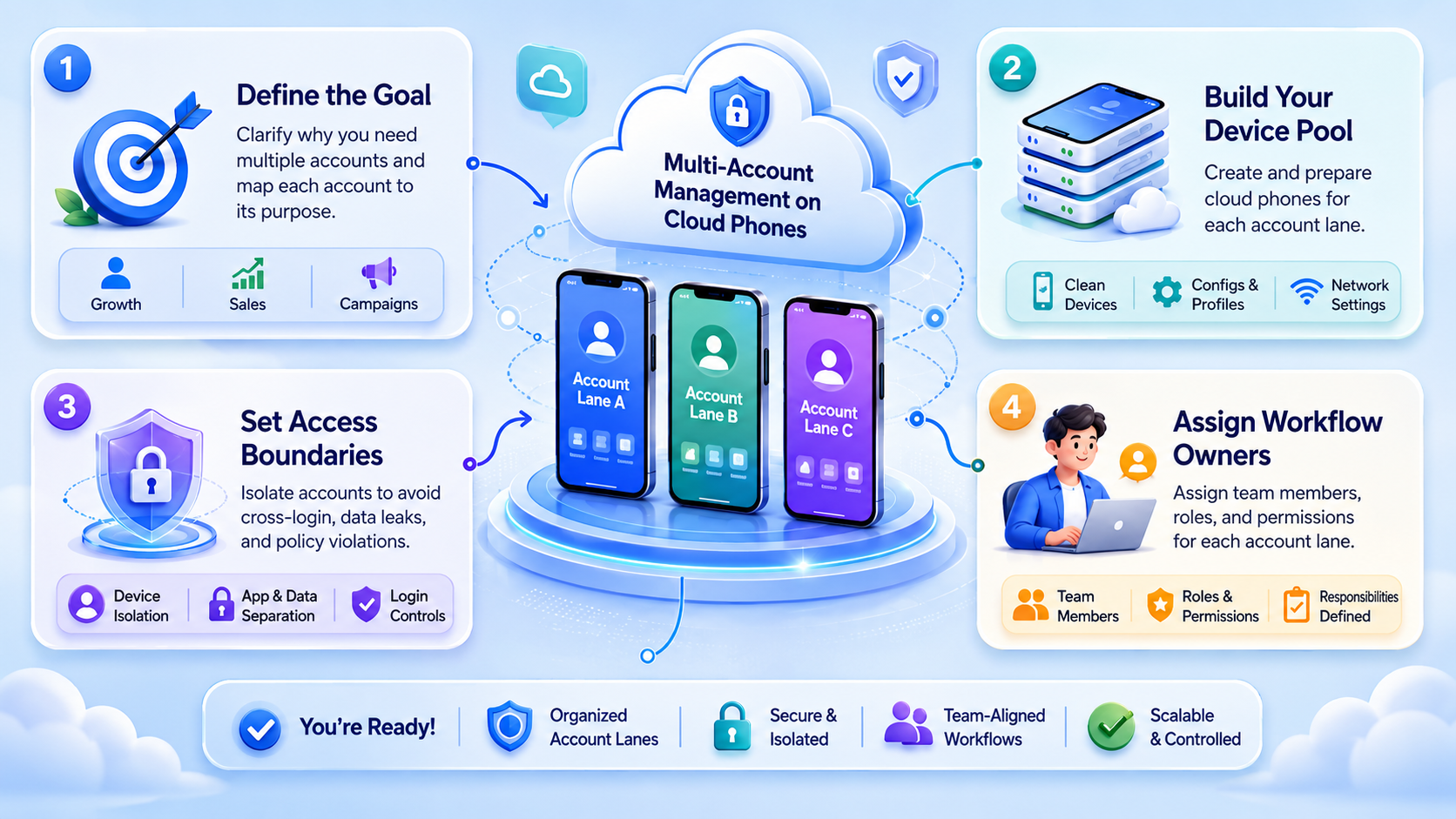
- Multi-account management on cloud phones is an operating model, not only a device count.
- Each account needs a clear lane: cloud phone, owner, task type, route, and recovery note.
- Teams should pilot one account group before scaling phones, accounts, or workflows.
Multi-account management on cloud phones is the practice of running separate account workspaces on remote mobile devices with clear ownership, routing, task logs, and recovery rules. The goal is not to hide weak operations. The goal is to keep mobile work organized enough for a team to inspect.
Cloud phones give teams remote Android environments. Multi-account operations add a second requirement: every account must have a lane the team can explain. That lane connects the account, device, app state, task queue, proxy route, and operator.
This matters when social, e-commerce, or customer engagement work moves beyond one person. A team can manage more accounts only when it can answer simple questions: which phone ran the task, which account was active, what changed, and who owns the next step?
What Is Multi-Account Management on Cloud Phones?
Multi-account management on cloud phones means assigning accounts to controlled mobile workspaces and managing those workspaces as repeatable lanes. The lane is the unit of control.
A basic lane has five fields:
- account group
- cloud phone ID
- owner
- allowed task type
- recovery note
A stronger lane adds route policy, last task result, and stop rules. That extra detail prevents the team from guessing after a failure.
| Control field | Example | Pass check |
|---|---|---|
| Account lane | IG-support-01 | The owner knows the active account group |
| Cloud phone | CP-17 | The task runs in the assigned Android workspace |
| Route policy | R-03 | The route change note is visible before execution |
| Task type | Inbox reply review | The worker does not switch to unrelated actions |
| Recovery SLA | 24 hours | A failed lane has a named repair owner |
MoiMobi cloud phones fit this model because the phone is not treated as a loose rental device. It becomes part of an account workspace.
Why Multi-Account Management on Cloud Phones Matters
The first problem is context loss. An operator may know which account was opened, but another teammate may not know which phone, route, or app state was used. That gap becomes expensive during handoff.
The second problem is uncontrolled scaling. Adding 20 phones before the first 3 lanes are stable creates more places for small mistakes. Clean scaling starts with reviewable work, not with a larger dashboard.
Use these pass checks before expansion:
- The lane owner can explain the last task result
- The app session matches the assigned account
- The route policy has not changed without a note
- The next operator knows the stop rule
- A failed task has a recovery owner
Google Search Central's helpful content guidance is written for content quality, but the operating lesson is relevant: systems should make work clearer for people. Automation that hides the real state of an account lane is not helping the team.
Key Benefits and Use Cases
The strongest benefit is separation. A team can assign one cloud phone to one account lane, then keep task history, login state, and mobile app context in that lane. The work becomes easier to review.
Common use cases include social media publishing, customer reply workflows, marketplace monitoring, community management, and lead follow-up. Each use case has a different risk profile, so the lane should define what the account is allowed to do.
Example: a support team may use 12 mobile accounts for regional inbox coverage. Account WA-support-04 can run message triage, draft replies, and escalation notes. It should not run unrelated content publishing unless a manager changes the lane rule.
This is where device isolation matters. The phone, app state, and account context need to stay separate enough for review. The team is not buying devices only. It is buying cleaner execution capacity.
How to Get Started with Multi-Account Management on Cloud Phones
Start with a small account pool. Pick one platform, one account group, one task type, and one recovery owner. Keep the pilot narrow for 7 days.
Use this rollout path:
- Name the lane: use a format such as
platform-task-number, for exampleIG-reply-01 - Assign the phone: connect one account lane to one persistent cloud phone
- Set allowed work: define whether the lane handles posting, replies, monitoring, or research
- Attach routing notes: record the route policy and the reason for any change
- Run a small workflow: complete one repeatable task before adding parallel work
- Review failures: record what stopped, who took over, and what changes before retry
Do not begin by asking which vendor is the best cloud phone for multi-account management. Begin by defining the operating model. A better device will not repair a lane with no owner, no stop rule, and no recovery log.
Google's SEO Starter Guide emphasizes clear structure for pages. The same discipline helps account operations: clear labels make review easier.
Common Mistakes to Avoid
The most common mistake is treating a cloud phone fleet as a shortcut around planning. More devices do not create good operations by themselves. They multiply whatever process already exists.
A second mistake is mixing account types inside one lane. A customer support account, a publishing account, and a research account may need different permissions, timing, and review. Put them in different lanes.
A third mistake is writing vague recovery notes. "Fixed login issue" is not enough. A better note names the account, phone ID, screen state, route change, owner, and next task.
Use this stop rule:
- wrong account opens
- app session resets
- route differs from lane note
- task reaches a payment, sensitive, or customer-facing decision
- two similar failures repeat in one day
When mobile apps are involved, keep platform and app rules in view. Google's Play Policy Center is a useful starting point for understanding that mobile ecosystems have policy boundaries. Teams should avoid building workflows that depend on ignoring provider rules.
Who It Fits and When It Is a Strong Match
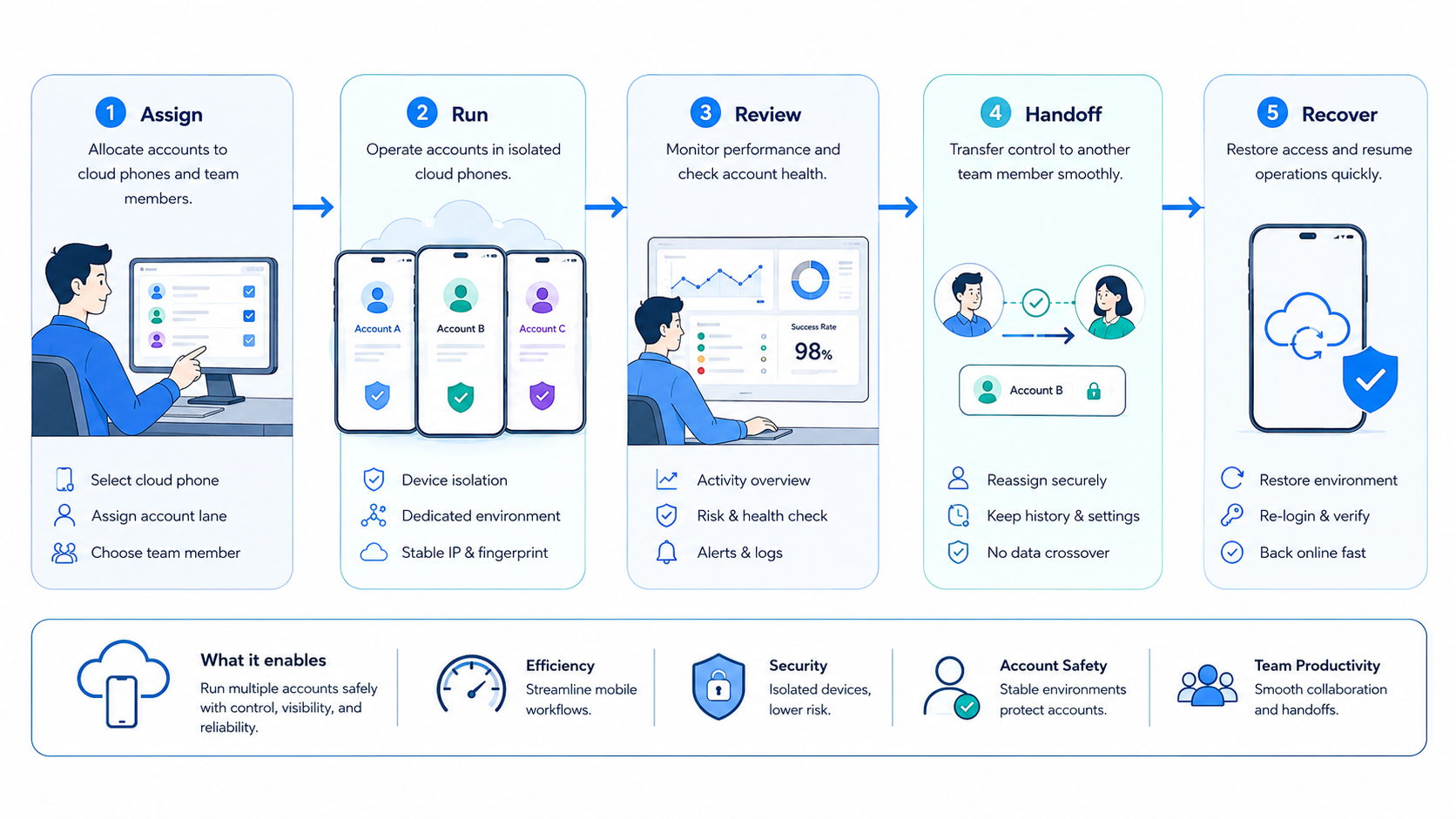
Multi-account management on cloud phones is a strong match for teams that already run repeated mobile workflows. The best fit is not a solo user trying random tasks. The best fit is an operations team that needs assignment, handoff, and review.
Good-fit teams usually have:
- 5 or more active mobile account lanes
- more than 1 operator
- repeated tasks every day
- customer, content, or marketplace workflows
- a need for visible recovery notes
Poor-fit cases look different. If a team has only one account, no repeated mobile task, or no review process, a cloud phone system may be premature. The first improvement may be a written SOP.
The phrase "multiple facebook accounts one device" appears in search behavior, but it is the wrong operating model for most teams. A safer team model is one account lane, one mobile workspace, and one visible task history. That does not promise platform outcomes. It gives the team cleaner control.
Pilot Multi-Account Management on Cloud Phones
Pilot the first lane before building the fleet. A practical 2026 pilot can use 3 lanes, 2 operators, and 1 task type for one week. The numbers are small enough to inspect.
Track these fields:
- completed tasks
- failed tasks
- route changes
- login resets
- human takeover events
- unresolved recovery notes
The target is not perfect automation. The target is explainable work. If lane TG-community-02 fails at 15:40, the team should know which phone ran it, which account was active, what screen appeared, and who owns repair.
Recovery should be boring. Pause the lane, record the state, assign one owner, and retry only after the repair is named. If the team changes account, phone, route, and workflow at the same time, the next result will not teach much.
Mobile automation should start after this tracking exists. Automation works better when the lane already has boundaries.
Safe Account Warming on Cloud Phones
Safe account warming on cloud phones should be framed as gradual operational readiness, not as a promise of platform approval. It means starting with low-complexity tasks, reviewing app state, and avoiding sudden changes that the team cannot explain.
A conservative warm-up lane might run profile checks, inbox review, draft preparation, and manual approval before publishing. The point is not volume. The point is stable behavior the team can observe.
Use a 3-stage readiness check:
- Stage 1: account login, app state, and device lane confirmed
- Stage 2: read-only or draft tasks completed without unexplained resets
- Stage 3: customer-facing or publishing tasks require approval
This model helps managers separate operational readiness from aggressive automation. It also gives new operators a simple training path.
Account Restriction Recovery on Cloud Phones
Account restriction recovery on cloud phones should begin with evidence, not panic. Capture the phone ID, account lane, app screen, last task, route note, operator, and timestamp.
Do not make several repairs at once. If the team changes the device, route, account instruction, and task schedule together, the recovery note becomes weak. One change at a time keeps the next test useful.
MoiMobi's multi-account management use case is built around this kind of operational control. The value is not only parallel execution. It is knowing what happened when a lane needs review.
Frequently Asked Questions
What is multi-account management on cloud phones?
It is the process of assigning multiple account lanes to separate cloud phone workspaces with ownership, task rules, and recovery notes.
Is one cloud phone enough for multiple accounts?
It can be enough for testing, but teams usually need clearer separation when accounts have different owners, tasks, or app states.
What is the best cloud phone for multi-account management?
The best option is the one that supports persistent workspaces, device isolation, route notes, task logs, and team review.
Can cloud phones manage social media workflows?
Yes, when the workflow is bounded. Publishing, replies, monitoring, and review should have separate lane rules.
How should teams handle account restriction recovery on cloud phones?
Start with a state capture: account, phone ID, route, app screen, last task, owner, and next repair.
Should AI workers run across every account?
No. AI workers should operate inside assigned lanes with visible stop rules and human review for uncertain states.
Does this replace social media management software?
Not always. It supports mobile execution where app context, device state, and account separation matter.
Where does MoiMobi fit?
MoiMobi connects cloud phones, device isolation, proxy routing, and workflow automation for account-based team execution.
Conclusion
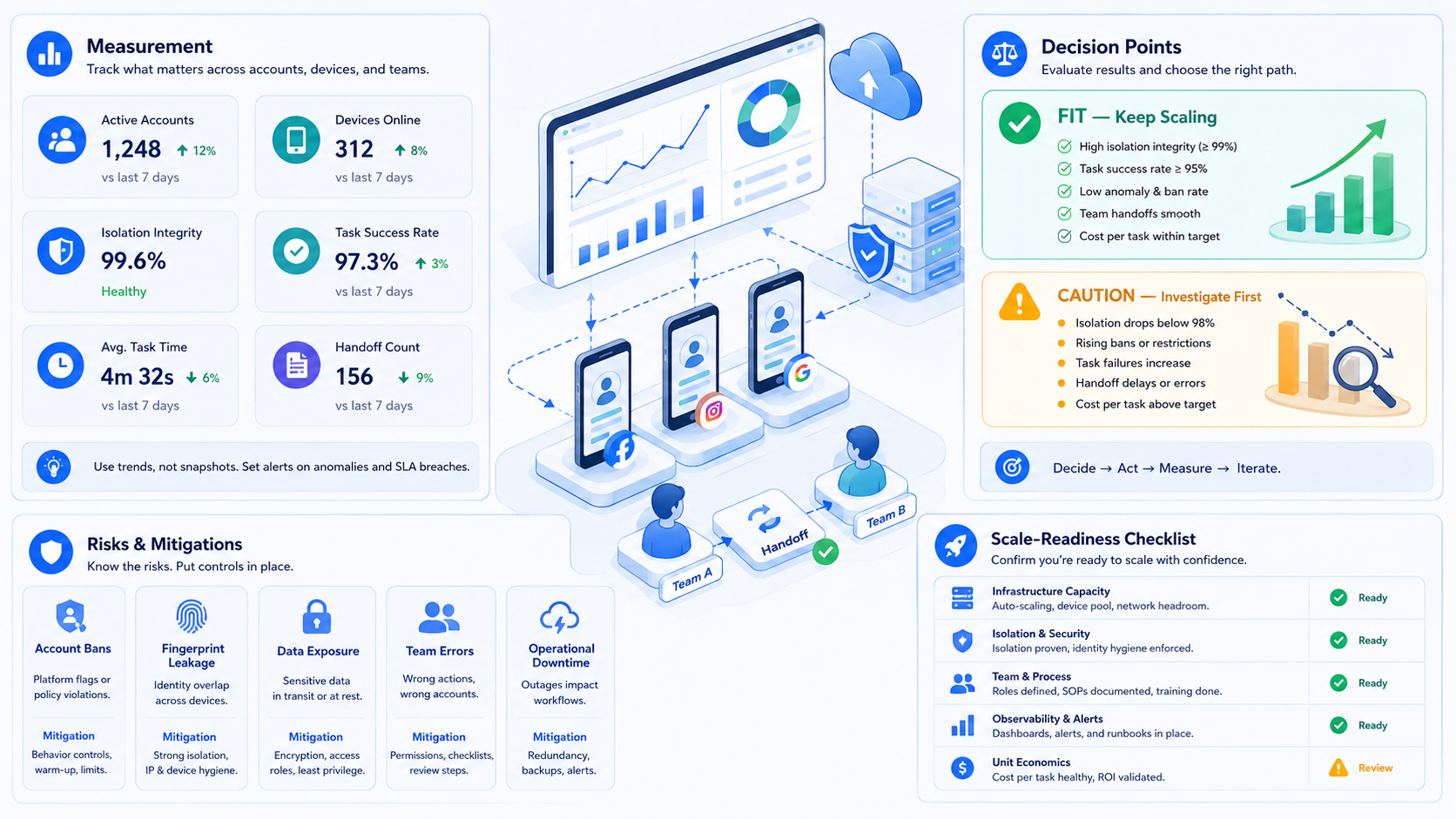
Multi-account management on cloud phones works when every account has a lane the team can inspect. The lane should name the account group, phone, route, owner, task type, last result, and recovery owner.
Start small. Build 3 clean lanes, measure failures, and write recovery notes before adding more accounts. Once the team can explain each lane without chat history, it is ready to scale mobile execution with more control.



