
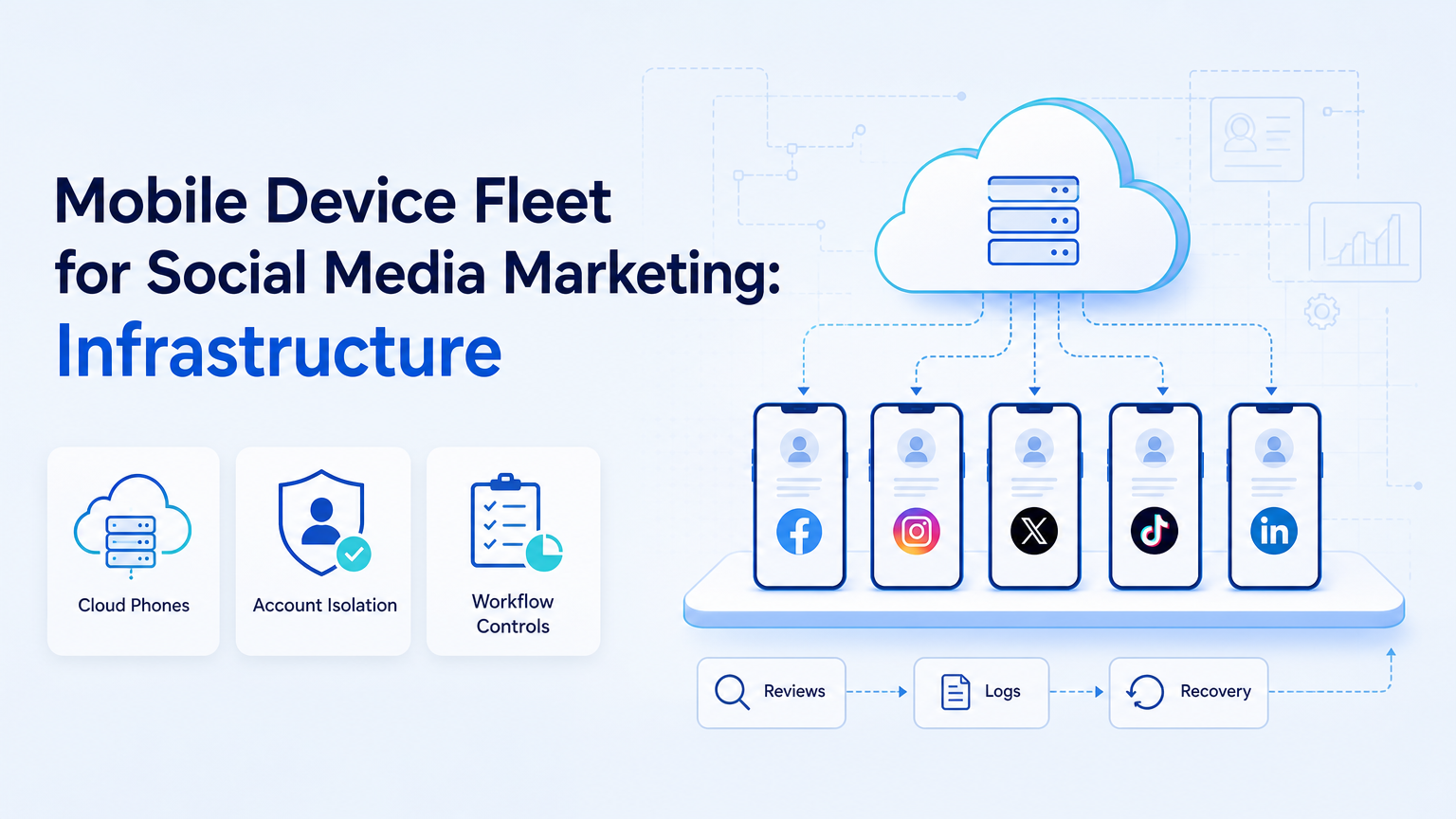
A mobile device fleet for social media marketing is a managed group of mobile environments used to run account workflows, publishing checks, inbox work, monitoring, and app-based operations. For growth teams, the fleet is not just a set of phones. The fleet is execution infrastructure.
Social media work often depends on mobile apps. Teams may plan content in web tools, but final checks, inboxes, notifications, and account behavior often happen on mobile. A device fleet gives teams parallel capacity and cleaner account separation.
Key Takeaways
- A mobile device fleet should be managed as operations infrastructure.
- Cloud phones can reduce the need to maintain physical devices.
- Each account should map to a clear mobile environment and role.
- Automation should support publishing, replies, monitoring, and reporting with review gates.
- Fleet pilots should measure reliability, recovery, and operator workload.
What a Mobile Device Fleet Includes
A mobile device fleet includes devices or cloud phones, account assignments, routing rules, access controls, logs, and recovery procedures. It may include physical phones, cloud Android environments, or a mix of both.
Device fleet thinking is common in testing and enterprise device management. AWS Device Farm describes access to real devices for app testing. Android Enterprise documents policy-based management for Android devices. These sources are not social media playbooks, but they show why device identity, management, and control matter at scale.
Moimobi applies this infrastructure logic to cloud phone and mobile execution workflows for operations teams.
Why Social Media Teams Need Fleet Structure
Social media teams often outgrow single-device workflows. One operator may manage several accounts. One agency may manage several clients. One growth team may run regional accounts across platforms.
Without structure, device work becomes fragile. Operators share devices, mix accounts, miss alerts, or forget which environment belongs to which workflow.
A fleet structure turns devices into account workspaces. Each phone or cloud phone has a role, an owner, a task scope, and a recovery path. That makes the work easier to assign and review.
Cloud Phones Versus Physical Phones
Physical phones may still be useful for certain tasks. They give teams direct local access and familiar hardware. They also require charging, storage, replacement, and hands-on maintenance.
Cloud phones are useful when teams need remote access, parallel capacity, and centralized management. Moimobi's phone farm positioning is relevant when a team wants device capacity without turning the office into a hardware shelf.
| Option | Best fit | Main tradeoff |
|---|---|---|
| Physical phones | Small teams with hands-on workflows. | Maintenance and limited remote access. |
| Cloud phones | Remote teams and multi-account operations. | Requires platform governance and routing discipline. |
| Hybrid fleet | Teams with special local and remote needs. | More complex inventory and review process. |
For teams comparing infrastructure paths, Moimobi's guide to cloud phone farm infrastructure is a useful internal next step.
Workflows a Fleet Can Support
A mobile device fleet supports workflows that are repeated, app-based, and account-specific. It should not be used as a vague growth engine.
Good first workflows include:
- final mobile checks before publishing
- social inbox monitoring
- comment and DM triage
- account status checks
- competitor observation
- content QA on mobile
- customer follow-up tasks
For TikTok-heavy operations, the fleet may connect to TikTok account workflows. For broader teams, it should connect to social media marketing operations.
Mobile Device Fleet for Social Media Marketing Governance
Governance keeps the fleet from becoming a pile of remote devices. Each environment needs a naming rule, an owner, a task scope, and a review path. The team should know which accounts are active, which devices are idle, and which workflows are waiting for approval.
Use a weekly fleet review. Remove unused environments, confirm account assignments, check failed workflows, and update recovery notes. This turns device capacity into a managed operating system instead of a hidden cost center.
Access control should be part of the same review. Operators should receive the access needed for their assigned task, not open access to every account environment. This keeps handoff cleaner when contractors, agencies, or regional teams share the same operating system.
How to Design the Fleet
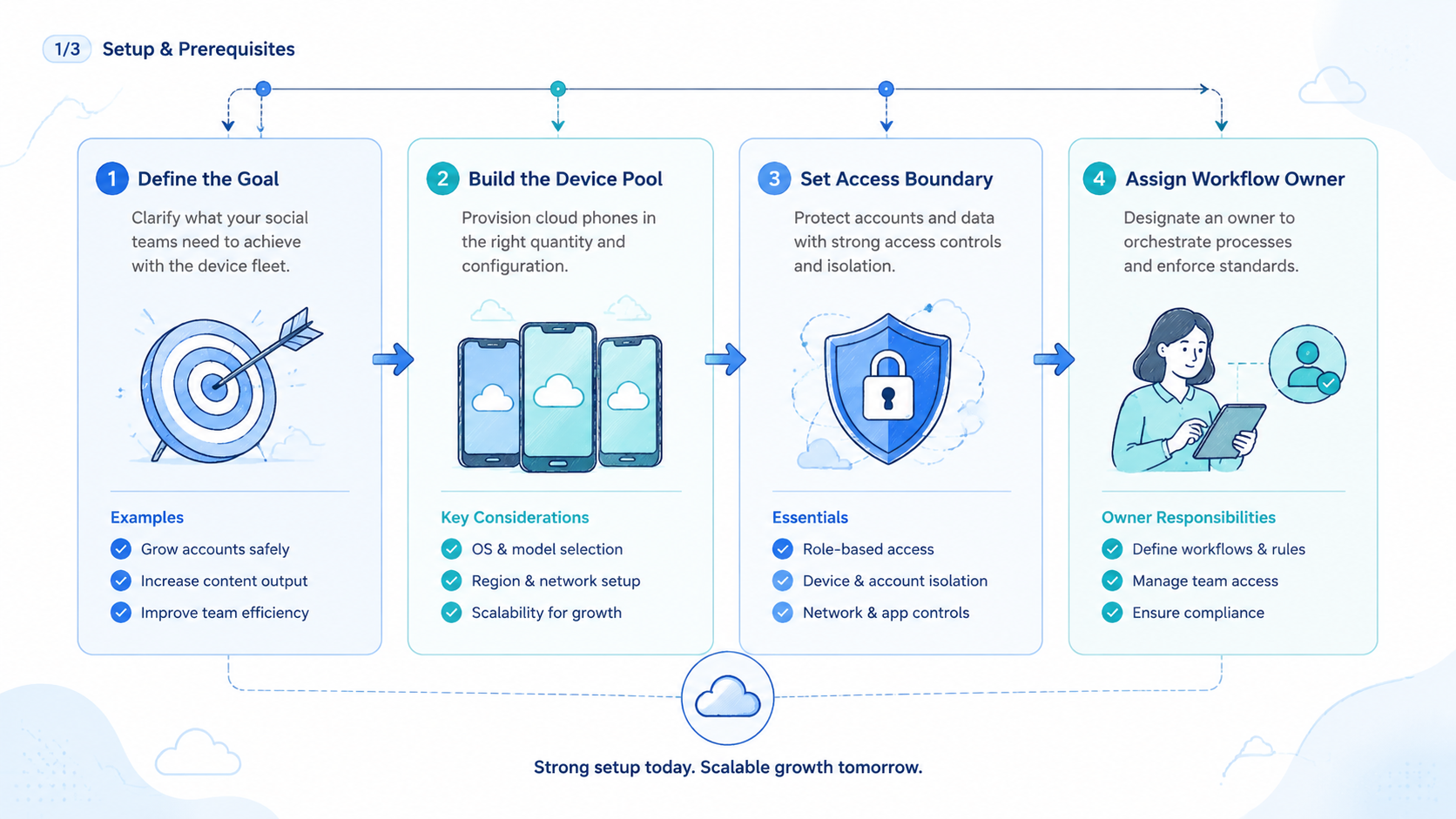
Begin with the account map. Each account should have an environment, an owner, an operator, and an allowed workflow list.
Use this structure:
- Group accounts by platform, market, or client.
- Assign one mobile environment to each account or account group.
- Define who can access each environment.
- Set review rules for publishing and replies.
- Track every task result.
- Keep a recovery procedure for stalled or failed workflows.
This design makes the fleet measurable. It also prevents device growth from turning into operational noise.
Fit and Not-Fit Boundaries
A mobile device fleet fits social media teams that run frequent mobile-first workflows. Agencies, cross-border sellers, creator teams, and customer engagement teams often match this pattern.
This is not a strong fit when a team only needs occasional manual checks. The fleet also cannot replace strategy, platform understanding, or content quality.
The strongest fit appears when mobile work blocks scale. If operators are waiting on devices, switching accounts manually, or losing review context, a fleet model can help.
A small creator team may not need this structure. A regional ecommerce team, agency, or support group usually reaches the need sooner because several people touch the same account system. The decision should follow workflow volume, not the appeal of more infrastructure.
Pilot Metrics and Recovery Checks
Use a small fleet first. A few controlled environments can teach more than a rushed rollout across every account.
Track:
- device or cloud phone ID
- assigned account
- workflow type
- operator
- task status
- review decision
- failed step
- recovery action
- next SOP update
Also measure operator workload. If the fleet adds too much coordination work, simplify the account map before adding more devices.
The recovery check should be practical. A manager should be able to answer three questions after any failed task: which environment was used, where the workflow stopped, and what the operator should do next. If those answers are missing, the fleet is not ready to scale.
Common Mistakes
One mistake is buying capacity before defining workflows. More devices do not fix unclear roles.
Another mistake is mixing accounts inside shared environments. That makes review and recovery harder.
Teams also miss mobile-specific checks. App behavior, notifications, and account status may not match what operators see in web tools.
Frequently Asked Questions
What is a mobile device fleet for social media marketing?
It is a managed group of mobile environments used to run social media account workflows at team scale.
Is a cloud phone the same as a physical phone?
No. A cloud phone is a remote Android environment. A physical phone is local hardware.
Why not use only browser tools?
Some social workflows depend on mobile apps, notifications, inboxes, or app-only checks.
How many devices should a team start with?
Use enough environments to test one account group. Expand after the review process works.
What needs human approval?
Publishing, customer replies, sensitive account changes, and unusual alerts should keep review gates.
Can a fleet support automation?
Yes, when automation is tied to clear workflows, assigned environments, and logs.
What should teams measure first?
Measure completion rate, review effort, failed steps, recovery time, and operator workload.
Conclusion
A mobile device fleet for social media marketing works best when it is treated as execution infrastructure. The fleet should map accounts to environments, roles, review gates, and recovery records.
Begin with one account group and one workflow. If the pilot reduces manual switching and improves review clarity, expand the fleet in controlled stages.



