
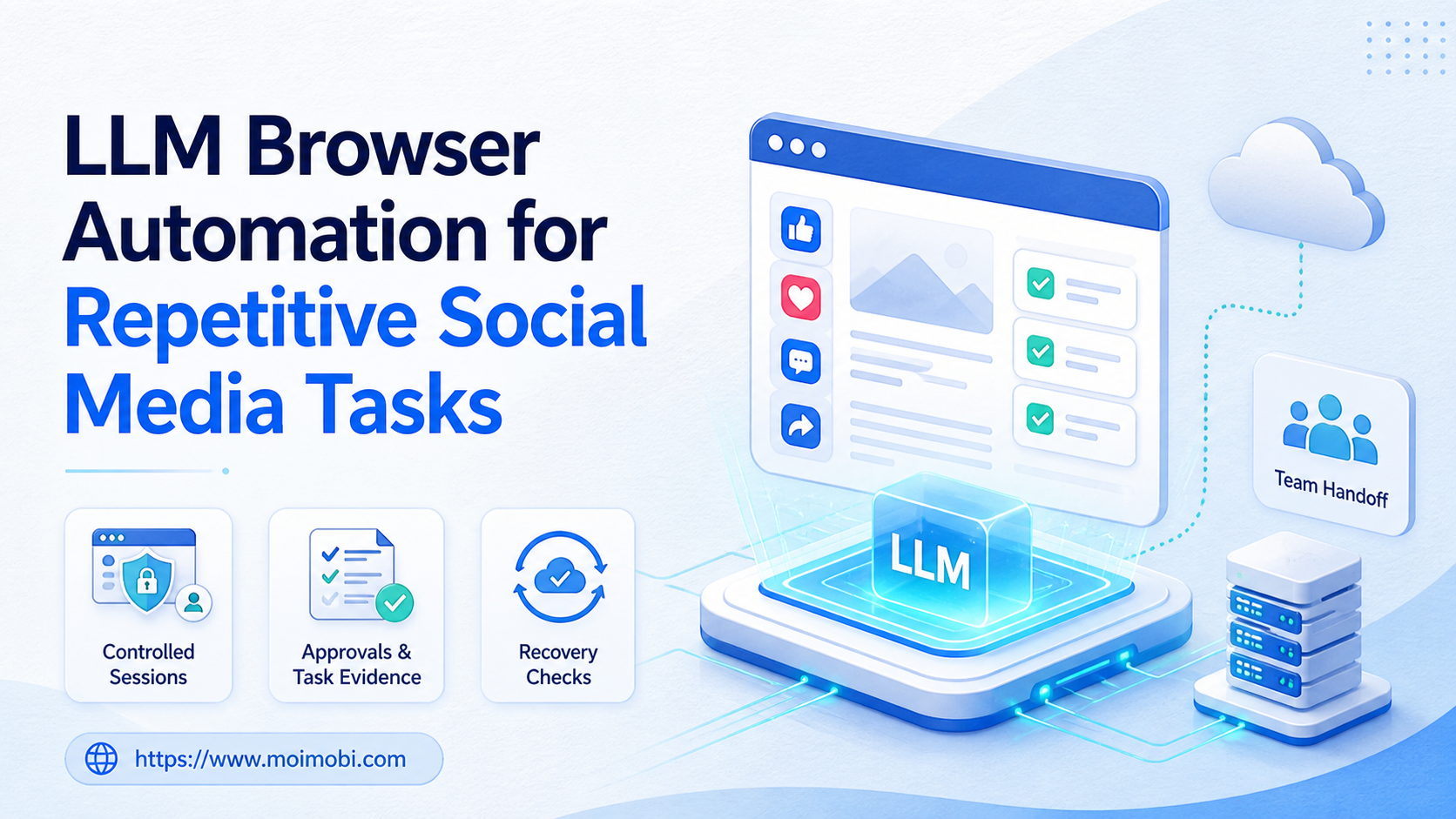
LLM browser automation is the use of a language model to interpret task instructions and guide actions in a browser session. For social media teams, the useful application is not unbounded account activity. It is repeatable work with clear inputs, assigned account contexts, human approval where needed, and evidence of what happened.
The practical unit is a task lane, not a prompt alone. A lane defines the account, browser profile, task objective, allowed action, owner, and stop conditions. This makes LLM assistance more useful for preparation, research, routing, and controlled execution than a browser session with no operating rules.
Key takeaways
- Use LLM browser automation for bounded, repeatable tasks rather than open-ended account activity.
- Bind browser work to a named account context and task owner.
- Keep external actions behind review rules when content or account state can change.
- Record task output and exceptions so a backup can continue the work.
The Core Idea Behind LLM Browser Automation
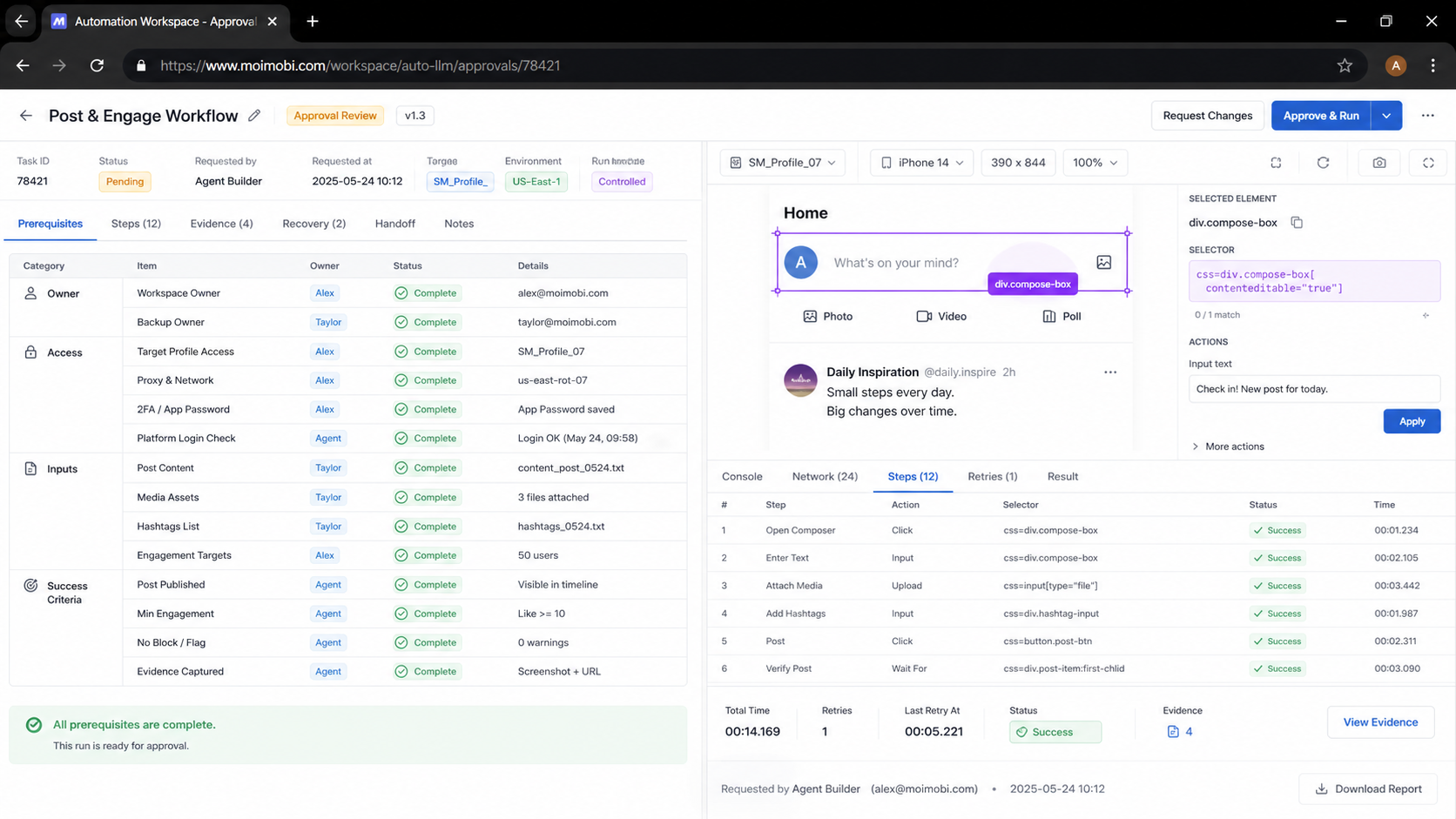
An LLM can interpret a goal such as “collect approved post references” or “prepare a reply draft from the support policy.” The browser is the execution environment where the task is inspected and completed. Neither component, by itself, provides a team workflow. The workflow needs rules about identity, permissions, scope, and recovery.
Browser automation standards such as the W3C WebDriver specification describe how automation can interact with browsers. That technical capability is only one part of an operations system. A social team also needs to decide which profile opens, what the task is allowed to change, and which result constitutes completion.
| Layer | Responsibility | Example control |
|---|---|---|
| Task definition | State the goal, input, and output | Approved brief and completion rule |
| LLM assistance | Interpret and prepare bounded actions | Draft, classify, or extract context |
| Browser environment | Open the correct web session | Assigned account profile |
| Human control | Approve exceptions or external actions | Review queue and stop rule |
| Evidence | Preserve outcome and exception state | Task result, owner, and timestamp |
This division prevents a common misunderstanding: an LLM is not automatically an account operator. It can help make browser work more understandable and repeatable, while a named owner remains responsible for the work that affects an account or customer.
LLM Browser Automation for Repetitive Social Tasks
Start with tasks that already have a stable human SOP. Useful examples include collecting competitor references into a brief, checking whether approved content inputs are present, routing inbound messages by category, preparing draft replies for review, or recording a completed task against the correct account lane.
Do not start with an instruction such as “manage the account.” That instruction hides too many decisions. A workable task says what to inspect, what input to use, what action is permitted, what evidence to save, and when to stop. This makes it easier to judge the output and reduce accidental scope expansion.
For browser-based tasks, use an account management workspace that keeps client and account ownership visible. When a task refers to a broader execution system, a browser task operating surface can connect the workflow to the site overview. Keep a separate profile or session for the individual account context rather than moving between unrelated account work in the same task record.
A Bounded Task Example
Consider a social team that collects customer questions from a defined inbox. The LLM can classify each item by topic and prepare a suggested response from an approved policy. The browser session displays the relevant account context. A human reviewer approves messages that involve pricing, complaints, payments, or unclear intent. The task record saves the category, reviewer, result, and any escalation.
The value is not that every response is automatic. The value is that routine preparation is faster while the team can still explain how a sensitive conversation was handled. The same structure works for content research: the LLM prepares a summary, the browser confirms the source context, and the owner decides what enters the publishing queue.
How to Start LLM Browser Automation Safely
Begin with one account group and one recurring task. The first goal is a reliable handoff, not the largest number of completed actions.
- Write the human SOP. Define the input, allowed action, output, owner, and stop condition.
- Choose one account context. Assign the browser profile or workspace that belongs to the task.
- Limit the LLM role. Start with extraction, classification, draft preparation, or a clearly defined navigation step.
- Add a review boundary. Require human confirmation for external posting, sensitive replies, and account changes.
- Capture the evidence. Record the task result, timestamp, owner, and exception reason.
- Test a handoff. Ask a backup operator to continue a paused task using only the shared record.
OWASP's authorization guidance recommends least privilege and explicit access control. For a browser workflow, that supports a simple team rule: grant the session and task scope needed for the assigned work, then use a separate approval path for anything outside it.
Fit Boundaries and Common Mistakes
LLM browser automation fits teams with repeatable web tasks, explicit account ownership, and a reason to preserve task evidence. It can be useful for agencies, customer engagement teams, and content operations groups that work across several logged-in web tools.
It is not a strong fit for a process that has no defined owner or completion rule. If a manager cannot explain what a normal result looks like, the LLM cannot reliably determine whether an action should continue. Document the human process before adding browser automation.
Avoid these mistakes:
- Giving a task a vague goal instead of an explicit action boundary.
- Treating browser history as a sufficient record of business intent.
- Allowing one session to float between unrelated account contexts.
- Retrying external actions without checking whether the first attempt changed state.
- Measuring only task volume while ignoring rework and handoff quality.
A client-specific browser context can help make the account boundary visible. It does not replace approval rules, customer judgment, or a response policy. The operational controls remain the reason the workflow can be safely reviewed and improved.
Browser Session Governance for LLM Tasks
Browser automation needs a session rule as well as a task rule. Before an LLM-guided task begins, the team should know which client or account context the browser session represents, who is responsible for that context, and which actions the task may perform there. This prevents a useful research or drafting action from drifting into unrelated account work.
Use a session register with a small set of fields: environment identifier, account or client lane, primary owner, backup owner, permitted task types, and last review date. The register does not need to expose sensitive credentials. Its purpose is to make assignments and recovery visible to the people who operate the workflow.
Separate browser tasks by purpose where practical. A research task may need access to public information and a source-recording rule. A publishing preparation task may need an approved content input and no external action. A customer-engagement task may need a response policy and escalation owner. The LLM prompt should contain only the task context necessary for that lane, rather than a broad instruction to act across all available sessions.
For a team using several account contexts, an isolated account operating space can make the assignment explicit before the browser opens. This is useful because a clear preflight check is easier to review than a cleanup effort after the wrong account was used.
What a Good Task Record Contains
Keep a task record readable by someone who did not create it. Include the task objective, source inputs, account lane, browser environment, expected output, approval rule, operator, and result. Add a short exception note only when the normal path did not finish. The goal is enough context for recovery, not a transcript of every browser interaction.
For instance, a research task might say: “Collect five public competitor posts matching the approved topic, save source URLs and short observations, no replies or account changes.” A draft-preparation task might say: “Prepare three reply options from the current policy; require reviewer selection before sending.” Both are bounded enough for an LLM to assist and for a reviewer to verify.
Quality Checks Before External Actions
AI assistance should make a task easier to inspect before it changes an external account state. Use a short quality gate before posting, replying, or modifying an account setting. Check the account context, approved input, intended action, policy boundary, and named approver. If one is missing, pause the task rather than asking the model to infer the missing condition.
The quality gate is also useful for reducing rework. A content draft may be well written but belong to the wrong campaign. A correct response may be inappropriate for a complaint or payment question. A browser action may complete technically while landing in the wrong account context. Looking at the whole task record catches those distinctions before an external action happens.
Use three review outcomes: approved to continue, return for revision, or pause for owner decision. Avoid a vague “reviewed” state. The next operator needs to know whether the task has permission to move forward and why. This state model makes reporting more meaningful because rework and pauses can be traced to an input, approval, environment, or policy problem.
Pilot Metrics and Team Acceptance
During a pilot, measure more than the number of browser tasks completed. Track the percentage of tasks that were ready when assigned, the time spent waiting for review, the number returned for missing context, the reasons tasks paused, and the rate at which a backup could continue the work. These measures show whether the LLM and browser step fit the actual SOP.
Review one successful task and one paused task at the end of each week. For the successful example, identify which task fields made the handoff clean. For the paused example, identify the earliest point where the checklist should have stopped the task. Make one workflow change, assign an owner, and evaluate it in the next period.
Acceptance is not a promise of perfect automation. It is evidence that the team can operate the workflow with clear state, bounded authority, and a repeatable recovery path. Once that is true for one task lane, add another use case gradually instead of giving the LLM broad browser authority all at once.
Measurement and Recovery Checks
Run a small pilot for one week. Track ready-to-complete rate, review turnaround, reopened tasks, pause reasons, and successful backup handoffs. These measures show whether the task definition and browser assignment are stable enough to expand.
Use pause reasons that lead to a decision: missing input, account access issue, ambiguous request, approval pending, environment unavailable, or policy escalation. A generic “failed” state is not enough because it does not tell the team what to fix.
NIST's log management guide describes logging as support for analysis and monitoring. Teams can apply the same principle by retaining enough task context to answer what was attempted, where it ran, who handled it, what result appeared, and why a task paused.
When a browser step fails, stop the task before opening a replacement session. Confirm the account context and prior outcome. Then resume, reroute, or close the task with a visible reason. This recovery sequence is more reliable than repeated attempts that leave the next operator guessing whether an action already occurred.
Frequently Asked Questions
What is LLM browser automation?
It combines a language model's task interpretation with a browser execution environment. The team still needs task scope, account context, and control rules.
Can it publish posts without review?
Teams should define a review policy based on the action's impact. Draft preparation and validation may be automated, while public actions often need a named approval.
Does it replace a social media manager?
No. It can reduce repetitive preparation and navigation work. Account strategy, customer judgment, and escalation ownership remain human responsibilities.
How should a team handle multiple accounts?
Use one account context per task lane, name the owner, and keep results attached to the correct account record.
What is the first metric to review?
Check ready-to-complete rate and pause reasons. They reveal whether the task is defined well enough to be repeatable.
Can one workflow use both browser and mobile environments?
Yes, when the task explicitly records which step runs in which environment. Keep the handoff and evidence in one task record.
What should stop a task immediately?
Missing approval, unclear account context, unexpected account state, a sensitive customer request, or an action outside the approved scope.
Conclusion
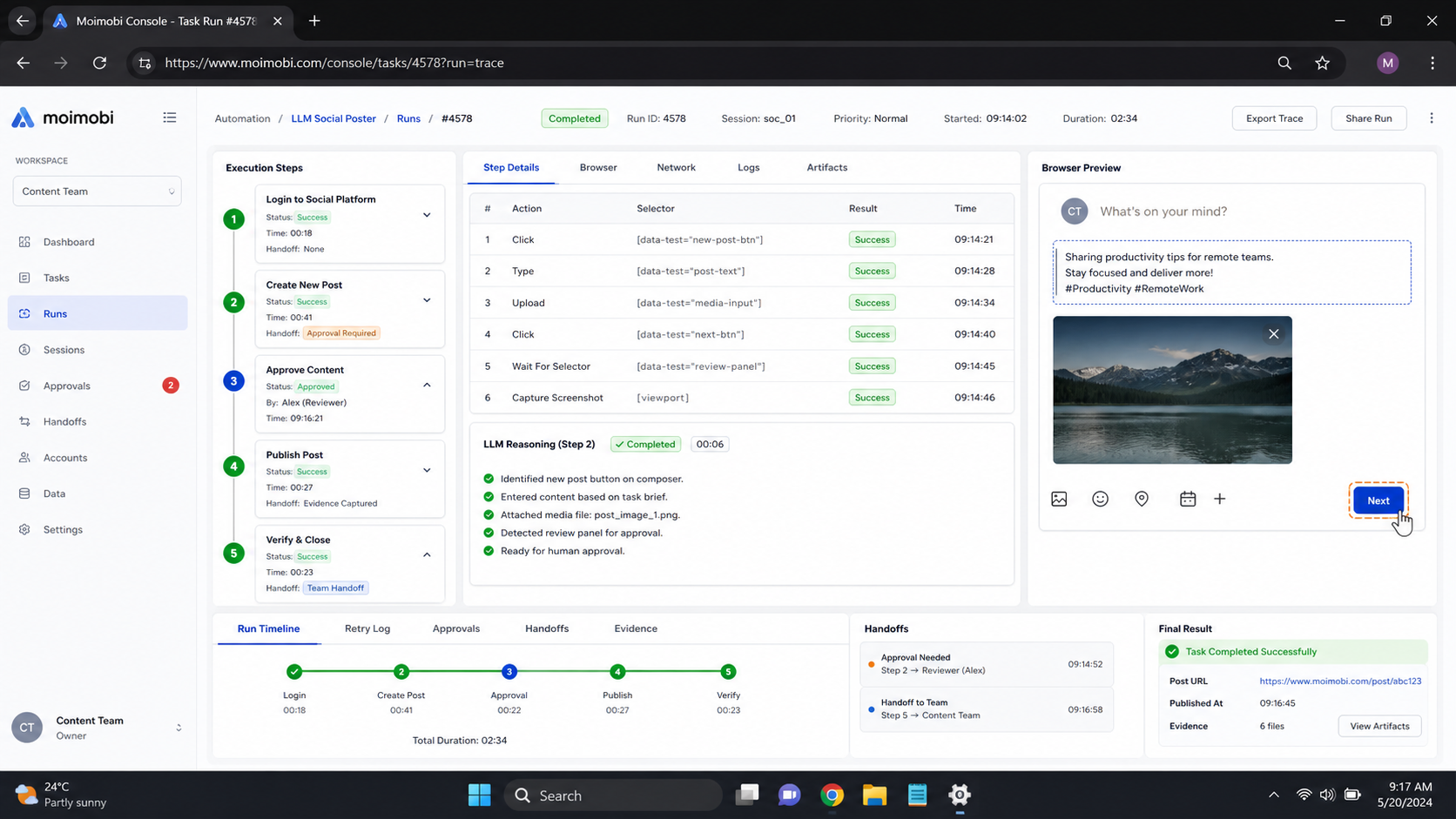
LLM browser automation is most useful when it makes a defined social workflow easier to prepare, execute, and recover. Start with a bounded task, a named account context, a review rule, and a shared result record. Expand only after a backup can understand and recover the work without private context.


