
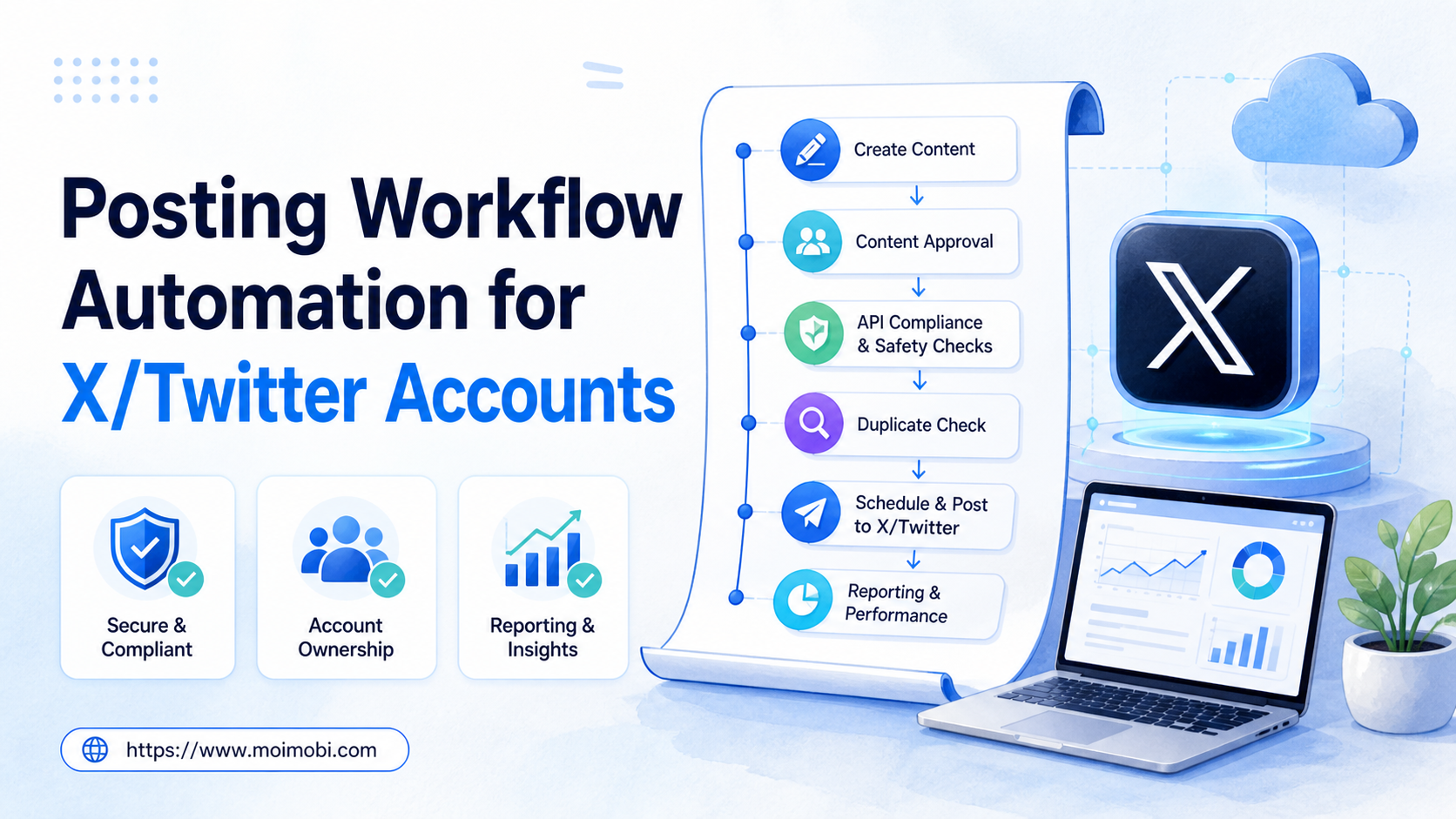
Posting workflow automation for X Twitter is a controlled process for moving approved content from planning to publication while preserving account ownership, approval evidence, and platform compliance. It should not mean browser scripting, duplicate publishing, or automated engagement aimed at unrelated users. The workflow begins with an approved content record and ends with a verifiable publication result or a visible pause.
X's current automation rules say that non-API website scripting may lead to enforcement and prohibit spammy duplicate or substantially similar posts across accounts. Teams should therefore treat automation as an API and workflow-governance problem, not as a way to create more account activity. X's official automation rules are the starting point for any implementation.
Key takeaways
- Use the official API and current X rules for any automated write action.
- Keep each post tied to a named account, approved copy, and publishing decision.
- Check for duplicate or near-duplicate content before scheduling.
- Pause when approval, account context, or platform response is unclear.
What a Compliant X Posting Workflow Contains
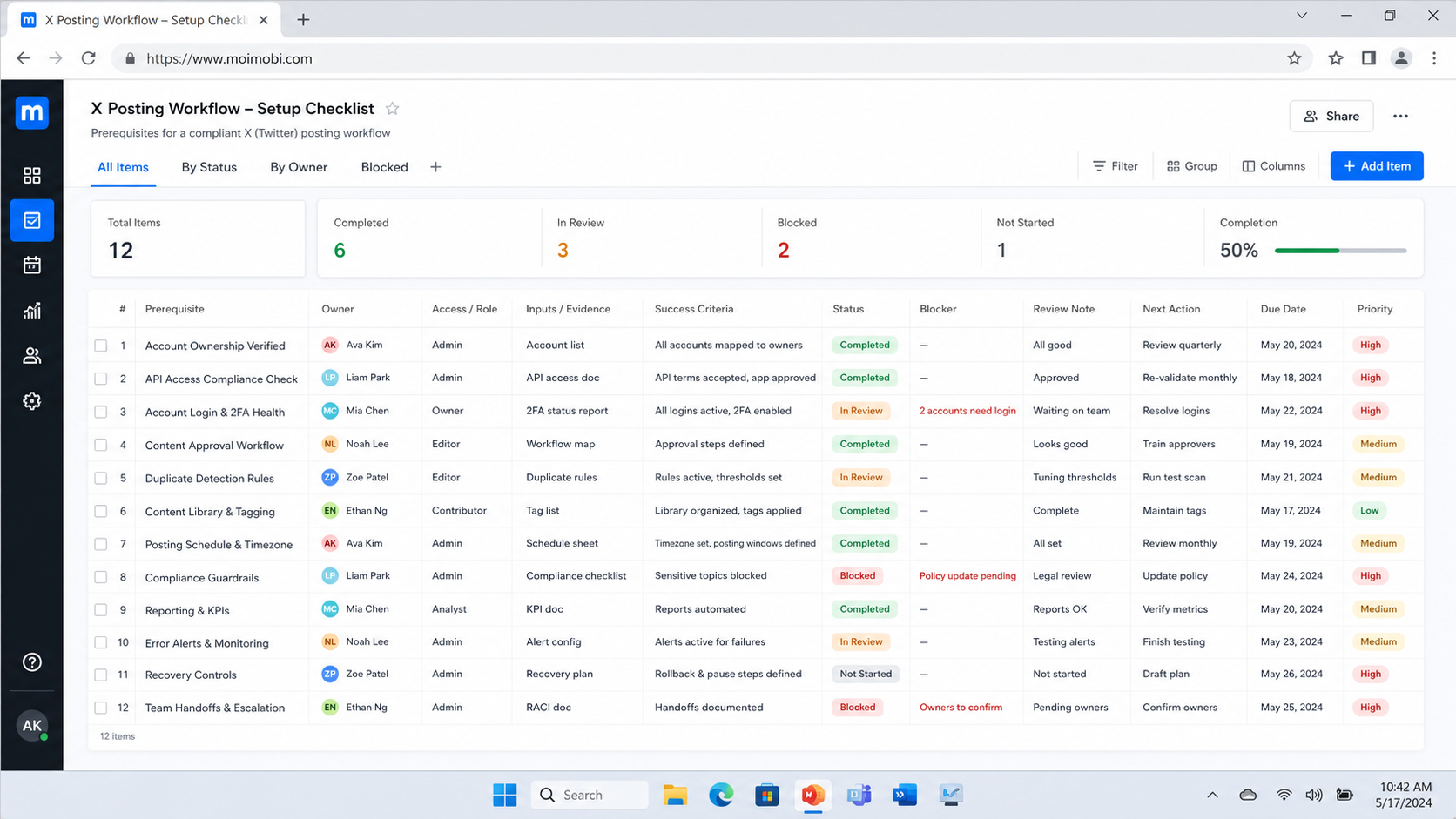
A useful workflow has five records: the content brief, the account lane, the approval state, the publication request, and the result. The brief says what the post is for and which source assets are approved. The account lane identifies the brand or owner, the responsible operator, and the account context. The approval state says whether the exact copy is ready to send. The result records the outcome, time, and any exception.
This structure helps a team avoid treating a scheduler as the whole workflow. Scheduling is one step. It does not confirm whether the content is still current, whether the account is the right destination, or whether a prior attempt already created a similar post. Those checks belong before the write action.
| Stage | Required control | Stop condition |
|---|---|---|
| Brief | Purpose, asset source, owner | Source or campaign intent is unclear |
| Draft | Platform-ready copy and destination account | Copy is not approved or conflicts with policy |
| Review | Named approval and timing decision | Approval is missing or expired |
| Publish | Official API request and result capture | Platform response is unclear or duplicate risk appears |
| Follow-up | Record, analytics window, next owner | Result cannot be tied to the account lane |
For teams that operate several client or brand accounts, keep the publication task inside an account operations workspace. This keeps content prepared for one account from entering another account's queue by accident.
X/Twitter Posting Workflow Automation: The Approval Path
Create one approval path for each content class. Routine approved announcements may need a scheduled review before publication. Campaign posts, partnership content, customer-sensitive topics, and account changes should have a stricter decision owner. The goal is not to slow every post. It is to make the decision boundary visible before an external action happens.
Use clear states: draft, ready for review, approved for a defined window, published, paused, or closed without publication. Avoid labels such as “done” before the platform result is recorded. A task can be complete only when the team knows which account received the post and what happened to the request.
X's developer guidance states that automated accounts and applications must use the official API, respect rate limits, and follow automation requirements. It also emphasizes transparency and explicit user consent for actions taken through another user's account. Review the X Developer Guidelines with the account owner before enabling write actions.
Posting Workflow Automation for X Twitter: Content Controls
Content controls make an approval meaningful after the post enters a queue. Keep the source brief, final copy, media version, destination account, publication window, and reviewer decision together. A later operator should be able to see which version was approved without comparing screenshots or relying on a chat message.
Add a relevance check before the final approval. The check asks whether the post fits the specific account, whether the destination audience is the intended one, and whether the post duplicates a current or recent message. X's search rules and restrictions warn against repeated duplicate or near-duplicate content and similar messages across accounts. That makes editorial variation and account-specific review part of the workflow, not just a copywriting preference.
Keep campaign assets versioned. If an image, link, disclosure, or call to action changes after approval, move the task back to review. Do not allow a scheduler to treat any replacement asset as equivalent to the one the owner approved. This protects the record from a common handoff failure: the post is technically sent, but the team cannot prove which version was authorized.
A Review Matrix for Common Post Types
Use a simple matrix rather than one universal approval rule. Routine educational posts may use a pre-approved format and a scheduled editorial review. A campaign announcement may need a marketing owner. Partnership or promotion content may require a brand or legal review. Customer-sensitive updates should go through the person responsible for the underlying service decision.
The matrix should name the approver, backup approver, expiry window, and pause path. An approval that was valid last week may not remain valid after a campaign, account, or source change. That is why a queue needs an explicit “approval expired” state instead of silently carrying a task forward.
Queue Monitoring and Evidence Standards
Monitor the queue for task state rather than using a single published count. The useful states are ready for review, approved, scheduled, request sent, result confirmed, paused, and closed without publication. Each state should have one owner and one next action.
Record the platform response after a write request. If the outcome is uncertain, preserve the request ID or visible response, mark the task as paused, and prevent a second operator from sending the same content. A shared social campaign execution flow can make the content-to-result handoff easier to review across campaigns.
Use a daily exception check and a weekly trend review. The daily check identifies tasks that are stuck waiting for approval, missing an asset, or lacking a confirmed result. The weekly review groups exceptions by cause: content changes after approval, duplicate-risk catch, API response issue, or unclear account owner. Each repeated cause should create one correction in the brief, checklist, or routing rule.
Do not measure a queue only by speed. A fast queue that repeatedly sends content back for correction or cannot verify results is not operating reliably. Pair throughput with rework, approval delay, and confirmed-result rate so the team can see the cost of unclear inputs.
Team Roles, Permissions, and Escalation
Assign distinct responsibilities even when one person initially performs several of them. The content owner prepares the approved material. The account owner authorizes the account use. The operator submits the permitted action through the official path. The reviewer approves changes that cross the defined boundary. The operations owner maintains the queue rules and examines recurring exceptions.
This role model makes escalations shorter. A task should say exactly what decision is needed: approve the revised copy, choose a new publication window, confirm the account destination, or close an uncertain request. Do not escalate an entire campaign history when only one decision is blocking the post.
For teams that combine web administration and mobile work, use a mobile channel operating lane only for the steps that genuinely need it. Keep the publishing decision and result record in the same shared lane so the device context does not become a separate source of truth.
Pilot Measurement and Recovery
Pilot one content type for one account group during one reporting window. Measure the number of ready tasks, approval turnaround, duplicate-check catches, confirmed results, reopened tasks, and pauses by reason. These measures show whether the workflow is ready to expand without relying on unverified activity volume.
When a result is missing, use a recovery sequence: stop, collect the available response evidence, check the account and content record, ask the account owner for a decision, then resume or close the task. This prevents uncertainty from becoming duplicate publication. The pilot is successful when a backup operator can follow this sequence from the task record alone.
Preflight Checklist Before Publication
Check these items before a post leaves the internal queue:
- Confirm the account lane, owner, and intended audience.
- Confirm the copy, media, links, and call to action match the approved brief.
- Check whether the content is identical or substantially similar to a recent post in the same operating group.
- Confirm the publishing window and whether the approval remains valid.
- Confirm the official API integration is the approved write path.
- Record a pause rather than retrying when the task or response is ambiguous.
The duplicate check is especially important for teams managing more than one account. X's rules state that duplicate or substantially similar posting across accounts can be prohibited. The content team can still reuse an idea across campaigns, but each post should be independently written, approved, and relevant to its intended audience.
How to Run the Daily Publishing Queue
- Prepare the content record. Attach the brief, current copy, asset version, destination account, and owner.
- Run a context check. Confirm the post belongs to the account lane and is not a duplicate of a recent scheduled or published item.
- Request approval. Send only the final version to the person who can approve the external action.
- Schedule or publish through the approved API path. Respect the platform's current limits and store the request result.
- Write the outcome. Save the resulting post reference, timestamp, operator, and any failure response.
- Review exceptions. Route unclear outcomes, rejected requests, or content changes back to the owner instead of repeating the action.
Do not turn a daily queue into an automatic response engine. Replies, direct messages, follows, and engagement have separate platform rules and often need a user-triggered condition. Keep publishing automation focused on approved content delivery and use a separate, policy-reviewed process for other actions.
Fit Boundaries for Agencies and Teams
This workflow fits organizations with planned content, more than one account owner, or a need to preserve publication evidence. Agencies can use it to separate client lanes. In-house teams can use it to make campaign approvals and handoffs clearer.
It is not a good fit for an account strategy based on rapidly copying the same post into many accounts. That conflicts with the platform's emphasis on non-duplicative, relevant activity. It is also not a substitute for content strategy; the workflow controls how an approved decision is executed, not what the team should say.
Where account environments need explicit separation, a controlled account execution context can keep the task assignment tied to the correct lane. It should not be used to bypass platform rules or evade enforcement. The policy boundary applies regardless of how the team organizes its work.
Pilot, Measurement, and Recovery Checks
Run a pilot with one account group and one low-risk recurring content type. Track ready-to-publish rate, approval turnaround, duplicate-check catches, result-record completion, and tasks paused for a clear reason. These measures show whether the team has a reliable process before it expands the workflow.
Use a recovery rule for uncertain outcomes. If a request returns an error or the result cannot be confirmed, stop the task, preserve the response, and ask the account owner to decide the next action. Do not send the same post again just because the queue needs to be cleared. X's help guidance notes that duplicate content can be rejected; an explicit recovery record helps prevent accidental repetition.
Review one week of results by account lane. If most pauses come from missing approvals, clarify the approval deadline. If they come from duplicate checks, improve the editorial calendar and copy review. If result records are incomplete, improve the API response capture or task form. Each repeated exception should lead to one small workflow correction.
Frequently Asked Questions
Can a team automate X posting through browser scripts?
X's official automation rules state that non-API website scripting is prohibited. Use the official API and review the current platform rules before enabling automated write actions.
Can the same post be sent to multiple X accounts?
Avoid duplicate or substantially similar cross-account posting. Write and approve content for the intended account and audience rather than treating accounts as a broadcast list.
Does every post need a human approval?
Set approval rules by content class and account risk. Routine, pre-approved content may follow a defined path; sensitive or changing content should have a named review.
What should a result record include?
Include account lane, final copy reference, approval state, request time, platform result, operator, and any exception note.
What should happen when a publish request is unclear?
Pause the task, preserve the response, and ask the account owner to determine whether it should resume or close. Do not repeat the post automatically.
Can one workflow cover replies and direct messages?
Keep them separate. They have different user-trigger and policy requirements from planned publishing.
What proves a pilot is ready to expand?
The team can show that it publishes approved content, catches duplicate risk, records outcomes, and recovers from exceptions through a shared record.
Conclusion
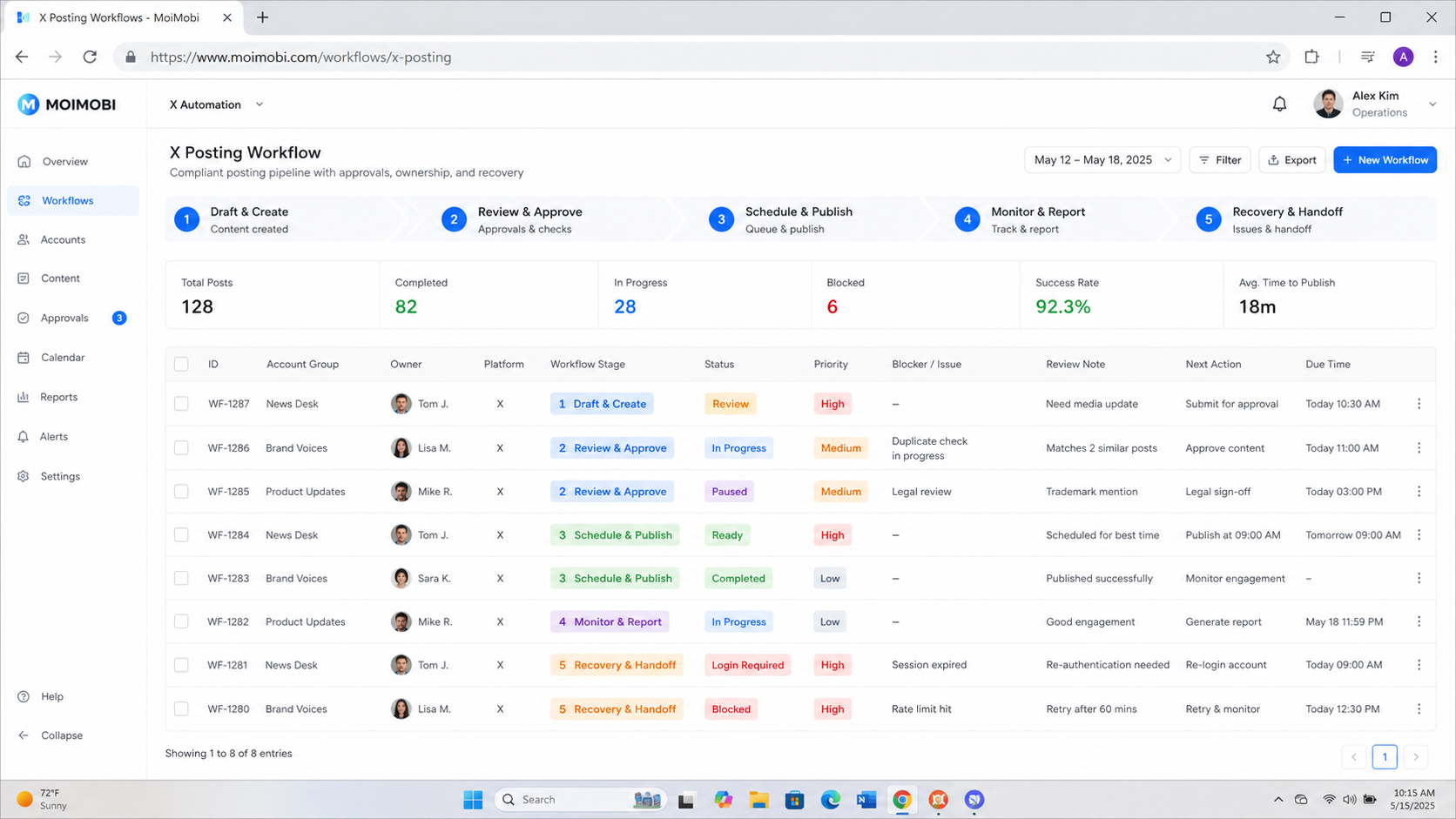
X/Twitter posting workflow automation works when it is a controlled publishing process, not a volume mechanism. Use an approved API path, keep content and account context visible, prevent duplicate publishing, and give every exception a clear owner. Start with one contained queue and expand only after the team can verify each result.


