Key Takeaways
- Instagram TikTok automation software is an operating layer for repeated social workflows, not only a posting dashboard.
- Teams should evaluate account lanes, review checkpoints, and restart rules before they compare feature lists.
- A good setup reduces queue confusion between Instagram and TikTok without forcing both platforms into one messy process.
- The safest pilot proves lane clarity and recovery quality before wider rollout.
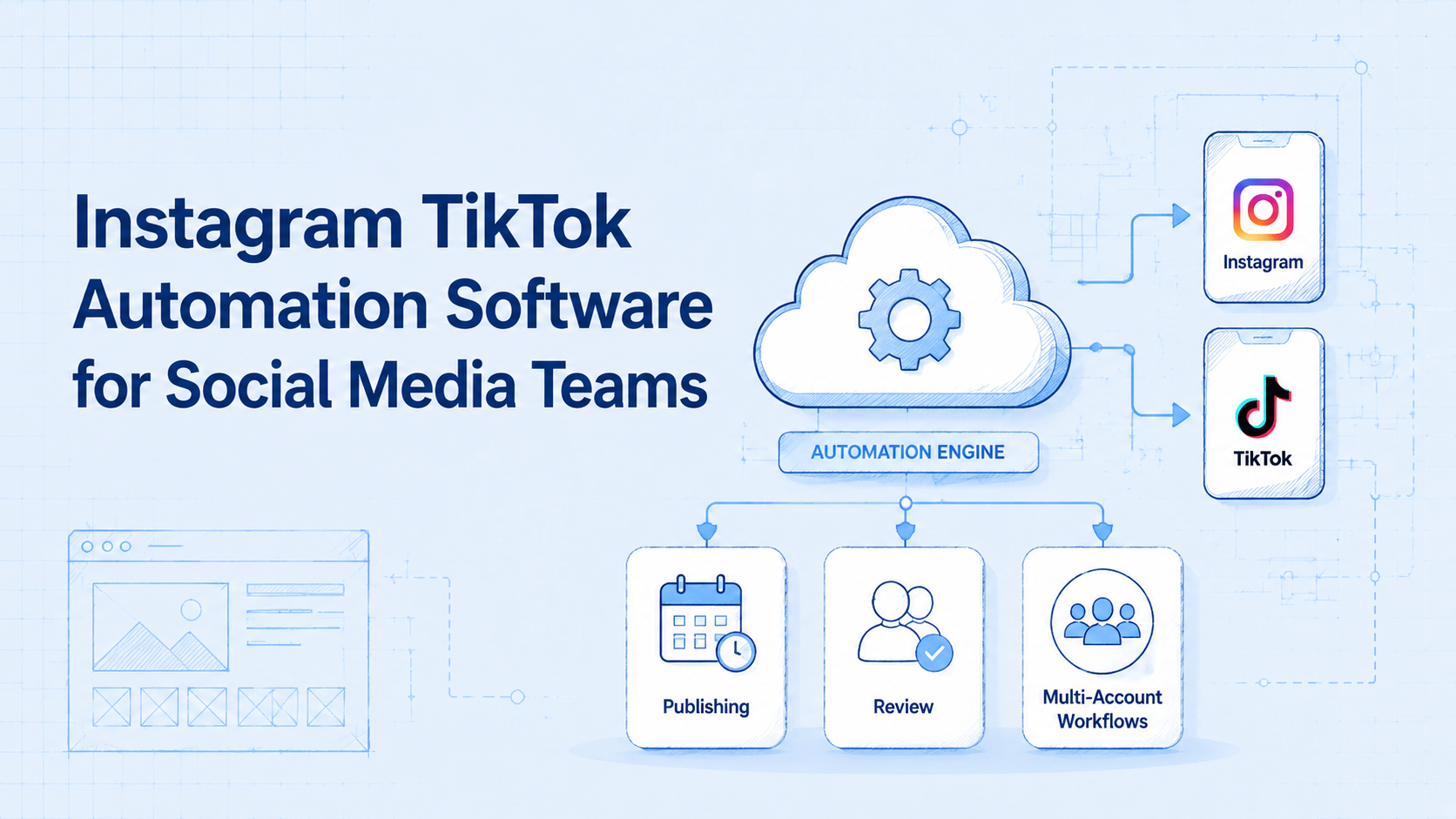
Instagram TikTok automation software is a workflow system that helps social media teams run repeated tasks across Instagram and TikTok with clearer routing, account separation, and review control. It is not just a scheduler. A workable setup also needs lane ownership, platform-specific task boundaries, and a way to resume paused work without rebuilding context.
This matters because teams rarely run one platform in isolation. The same group may publish short video assets, review captions, watch comments, and track approvals across both Instagram and TikTok in the same shift. When that work shares one unclear queue, speed drops and errors become harder to trace.
That is why many teams evaluate MoiMobi as execution infrastructure rather than just another dashboard. The useful question is not whether a tool supports both apps. The useful question is whether the team can use Instagram TikTok automation software to keep cross-platform work inspectable, stable, and easy to hand off.
Official sources from Instagram for Business, Meta Business Help Center, and TikTok Support all point toward managed publishing and account-side workflows rather than unmanaged shortcuts.1 2 3 Browser and session control guidance from W3C WebDriver and Playwright also matters when teams rely on repeatable execution surfaces.4 5
What Is Instagram TikTok Automation Software for Social Media Teams?
The common mistake is to think this category means "one tool that posts everywhere." That view is too narrow.
The practical model is a cross-platform workflow layer. It helps the team separate Instagram and TikTok tasks while still keeping one operating standard for account ownership, review, and blocked-case recovery.
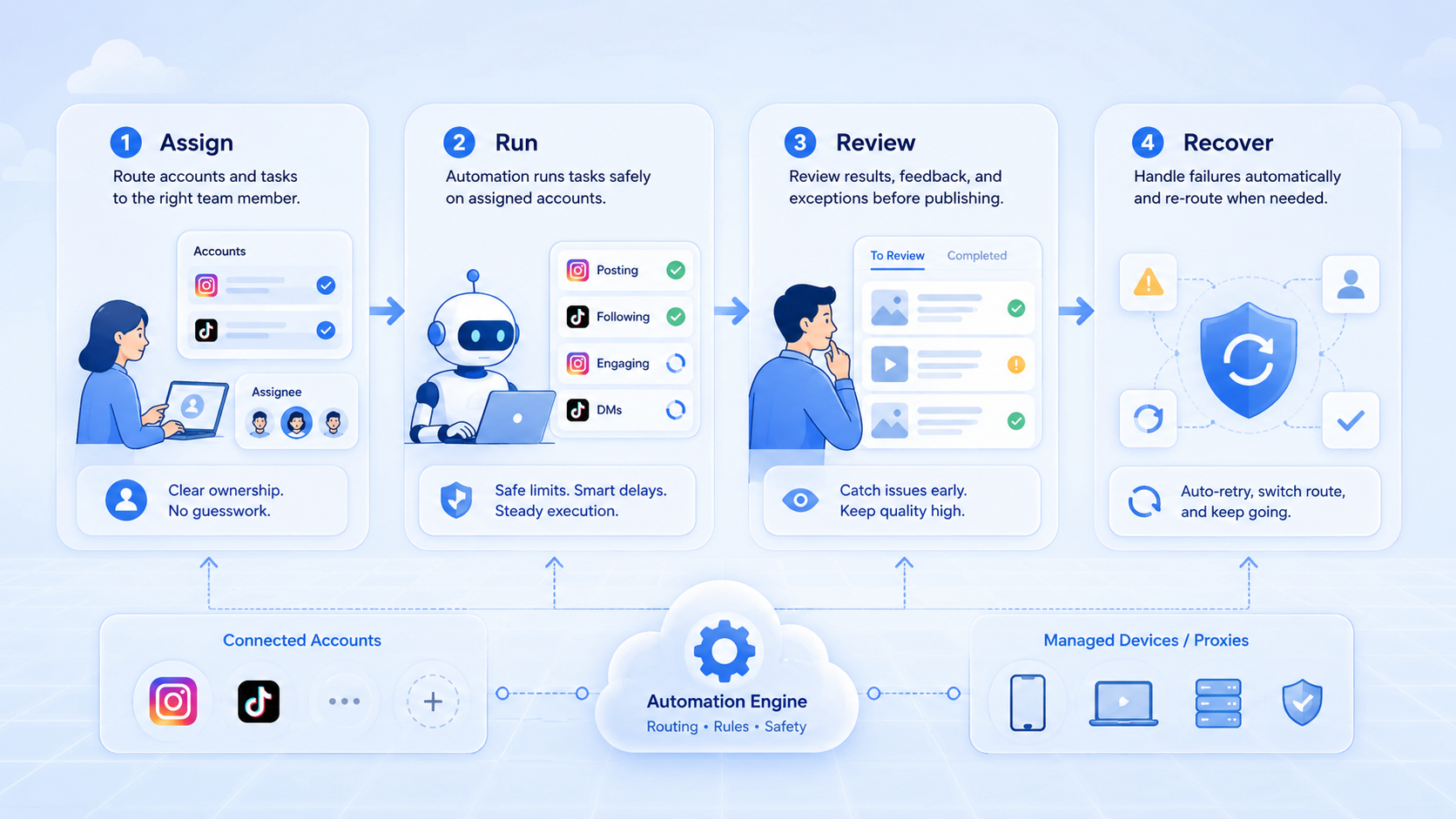
That usually means four things stay visible:
| Layer | What it covers | Why it matters |
|---|---|---|
| Platform lane | Whether the task belongs to Instagram or TikTok | Prevents mixed platform logic |
| Account lane | Which brand, client, or creator owns the task | Keeps ownership clear |
| Review lane | Who approves the next move | Protects public output |
| Recovery lane | How blocked work restarts | Reduces rescue work |
This is why the category overlaps with multi-account management, social media marketing, and device isolation.
Why Instagram TikTok Automation Software for Social Media Teams Matters
Instagram and TikTok may sit in the same strategy plan, but the operator flow is not always the same. Publishing windows, review rules, and response patterns can differ between the two.
Cross-platform software matters when the same team must carry both workloads without losing lane clarity. That usually happens in agencies, creator operations, and brand teams that publish frequently across both platforms.
A simple framework helps:
- Queue clarity: every task has one visible state.
- Platform clarity: Instagram and TikTok actions stay distinct where needed.
- Ownership clarity: a specific lane owns the next action.
- Recovery clarity: blocked work restarts without guesswork.
When one of those breaks, the tool may still look feature-rich, but the operation becomes harder to manage.
Key Benefits and Use Cases
The best benefit is not "automation everywhere." The best benefit is cleaner repeated execution across two busy platforms.
Common use cases include:
- batch publishing review for Instagram and TikTok
- creator release queues with platform-specific approval rules
- multi-account comment and inbox handling
- campaign routing across client or brand lanes
One useful example is an agency that launches the same campaign concept on both platforms but needs different review timing and response ownership. Cross-platform software helps only when it preserves those distinctions instead of flattening them.
If mobile-side execution matters, mobile automation and cloud phone become part of the next evaluation layer.
How to Get Started with Instagram TikTok Automation Software for Social Media Teams
Do not start by pushing both platforms into one giant queue. That usually creates confusion fast.
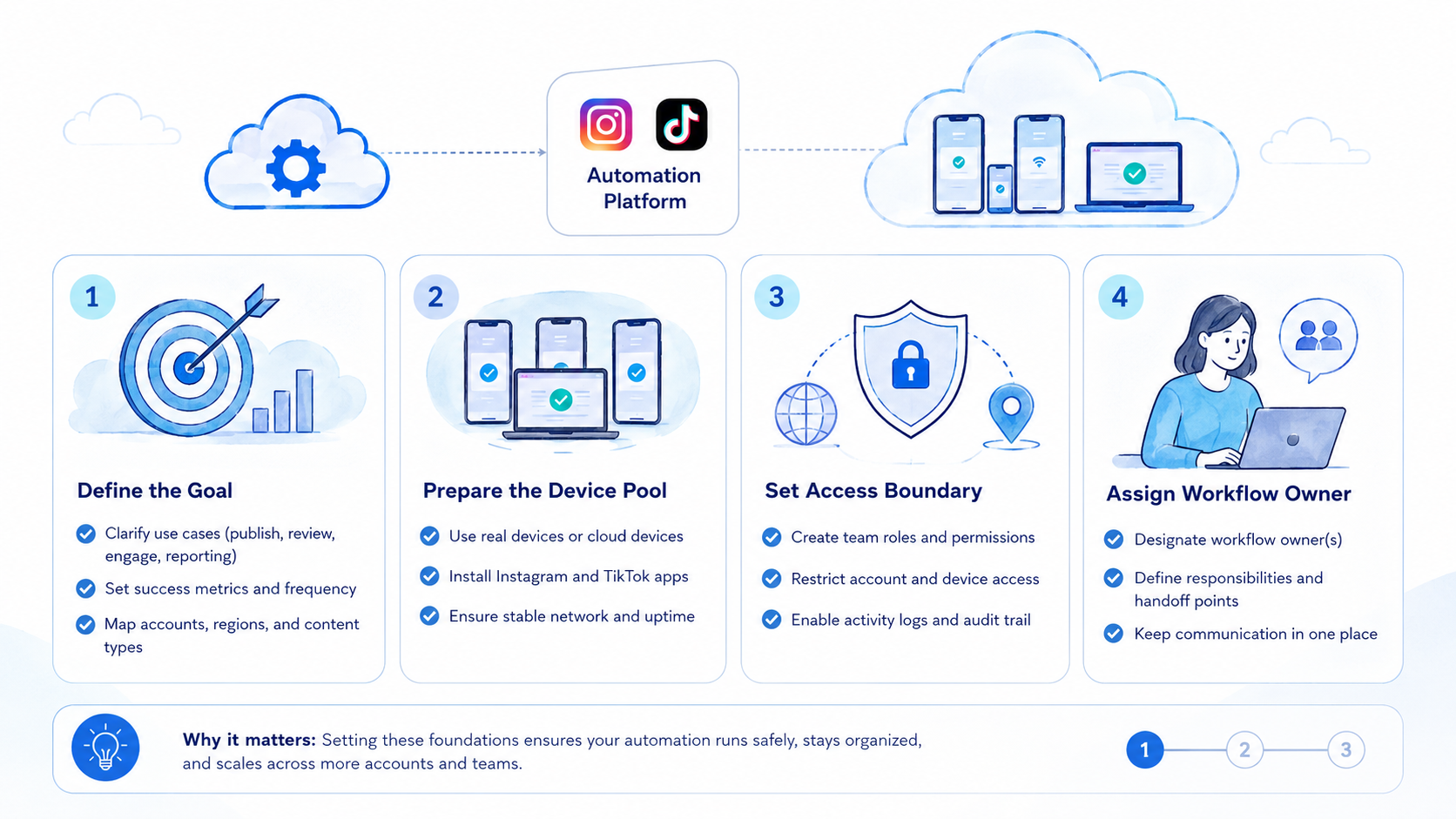
A safer rollout looks like this:
- Choose one account cluster that already runs on both Instagram and TikTok.
- Separate platform lanes first, even if the campaign theme is shared.
- Define one review checkpoint for publishing and one blocked-case owner.
- Record where Instagram and TikTok workflows should differ.
- Expand only after another operator can reopen each lane and continue cleanly.
Use a pass or fail view:
| Check | Pass | Fail |
|---|---|---|
| Platform separation | Instagram and TikTok states are visible | Tasks blur into one queue |
| Lane ownership | Each account cluster has a clear owner | Several squads touch the same task |
| Review checkpoint | The next approver is obvious | Approvals happen informally |
| Recovery path | Blocked work restarts in the same lane | Retries move into side notes |
Common Mistakes to Avoid
The first mistake is treating Instagram and TikTok as identical execution surfaces. They may share strategy, but their review and response timing can differ.
The second mistake is routing too many account clusters through one pooled queue. That reduces visibility even if the software supports many accounts.
The third mistake is using platform coverage as the main buying criterion. Coverage matters, but lane control matters more once the team is operating at scale.
What not to do
- Do not merge all cross-platform work into one generic queue.
- Do not expand account count before blocked cases are easy to inspect.
- Do not judge the software only by publishing shortcuts.
- Do not leave ownership changes undocumented.
One common failure mode appears when a team says it has "cross-platform automation" but still relies on private chat to explain whether a post is blocked on Instagram, delayed on TikTok, or waiting for client review.
Who It Fits and When It Is a Strong Match
This category is strongest for teams that already have repeated work on both platforms. It is weaker for teams that only need occasional cross-posting.
Strong match
- Agencies running many client lanes across both platforms.
- Creator teams with repeated release and moderation workflows.
- Brands with parallel campaign calendars.
- Operations leads who need clear transfer and recovery rules.
Weak match
- Single-account teams with low posting volume.
- Workflows that still depend on personal tabs and ad hoc notes.
- Teams with no stable reviewer path.
- Projects that only need occasional manual cross-posting.
Pilot Rollout, Measurement, and Recovery Checks
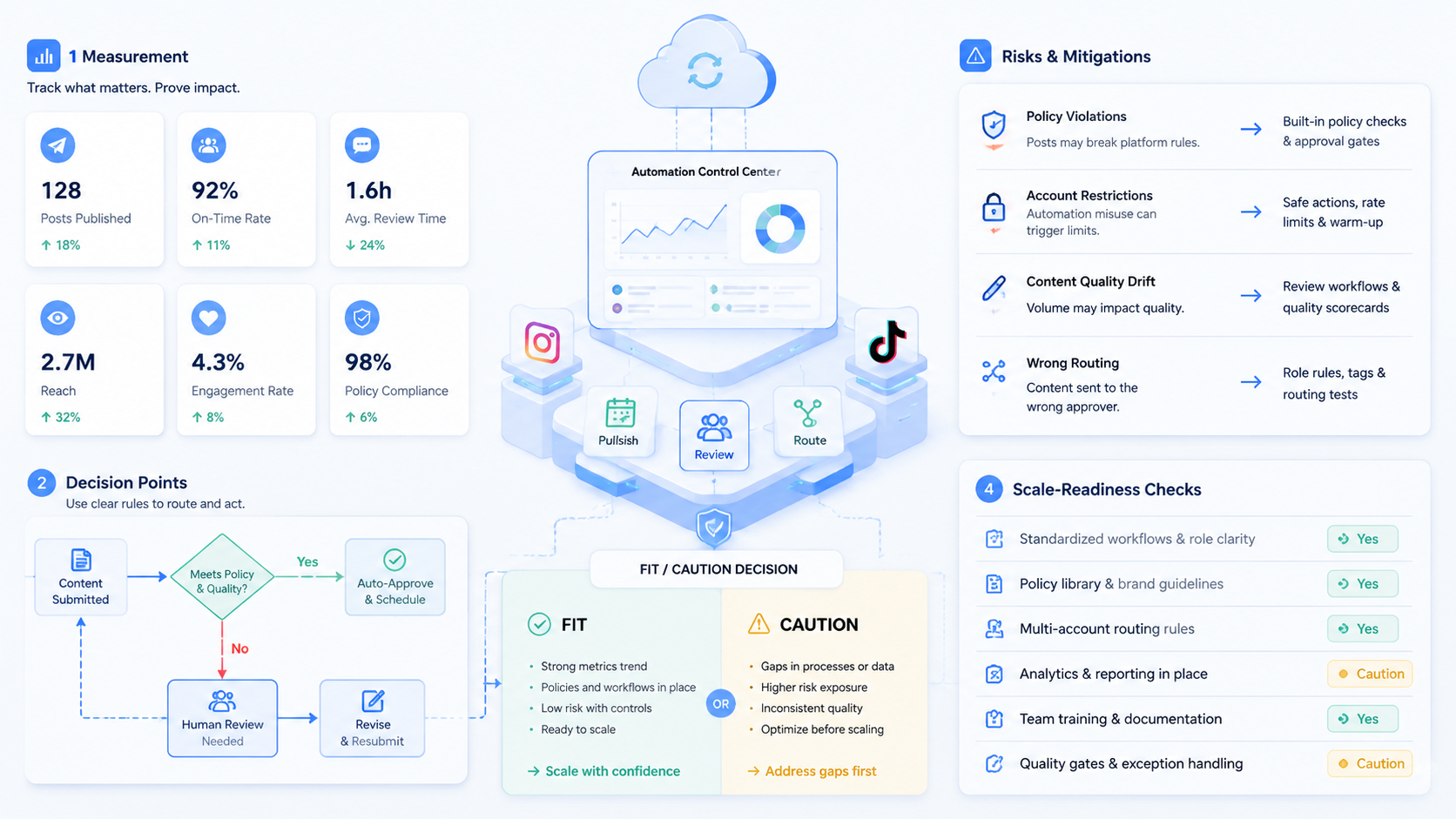
The pilot should prove that cross-platform work becomes easier to inspect, not only faster to launch.
Track the first rollout with a compact scorecard:
| Signal | Healthy sign | Failure sign |
|---|---|---|
| Queue visibility | Instagram and TikTok states are easy to read | Operators need private explanation |
| Transfer quality | A second operator can inherit the lane | Only one operator knows what happened |
| Recovery quality | Blocked items restart in the same lane | Retries happen outside the workflow |
| Scale readiness | The pattern fits the next account cluster | Complexity rises faster than clarity |
One useful review is exception clustering. If the same kind of blocked case appears on one platform but not the other, the team probably needs platform-specific workflow rules instead of one shared template.
Platform Differences Teams Should Not Ignore
Cross-platform software works better when it respects the fact that Instagram and TikTok do not always behave like one publishing surface. The content team may share assets, but the workflow still needs clear differences in approval timing, response ownership, and post-release checks.
Use a short comparison:
| Area | Why the team should separate it | What goes wrong when it stays pooled |
|---|---|---|
| Approval timing | Different posts may need different release checks | One delay blocks unrelated work |
| Comment handling | Response volume and category mix can differ | Queues become noisy fast |
| Recovery review | Blocked cases need platform-specific restart notes | Retries lose context |
That distinction helps teams avoid a common trap: buying software that supports both platforms, then still operating both platforms through one unclear internal process.
Operational Signals That Show the Software Fits
The tool is probably a better fit when the team can inspect the cross-platform queue without asking for a live explanation.
Use these checks:
- each platform lane has a visible current state
- each account cluster has one owner for the next action
- blocked tasks keep their restart note in the same lane
- a second operator can continue the workflow without private handoff
If those checks fail, the team likely needs stronger execution design before it adds more accounts or more automation rules.
Another practical test is reviewer transfer across platforms. Ask one operator to pause an Instagram lane and another operator to continue a TikTok lane from the same account cluster. If both handoffs stay clear without side explanations, the software is supporting real operations rather than only surface-level publishing.
That test also exposes whether platform notes are specific enough. When a handoff fails, the problem is often not missing automation at all. The problem is that the queue record did not explain what changed, what was approved, or what still needed review on each platform.
Frequently Asked Questions
Is this only for publishing?
No. It also matters for review, moderation, and blocked-case handling.
Should Instagram and TikTok share one queue?
Usually no. They can share an operating system, but they still need distinct lanes.
What should a team automate first?
Start with one repeated task family for one account cluster across both platforms.
Does this fit agencies?
Yes, especially when several client lanes run on both apps.
What is the first warning sign?
Nobody can explain which platform lane owns the blocked or active task.
Can this work with mobile execution?
Yes, especially when the workflow later depends on app-side completion.
What should the pilot measure?
Queue clarity, transfer quality, recovery quality, and scale readiness.
When should teams stop expansion?
Pause when exceptions spread faster than the workflow can explain them.
Conclusion
Instagram TikTok automation software is most useful when it helps a team keep two busy platforms organized under one clear operating model.
Check these points before you commit:
- separate platform lanes
- visible account ownership
- stable review checkpoints
- restart rules that survive operator change
If those hold, the software is helping the team execute better instead of simply adding another dashboard.
Sources