
Key Takeaways
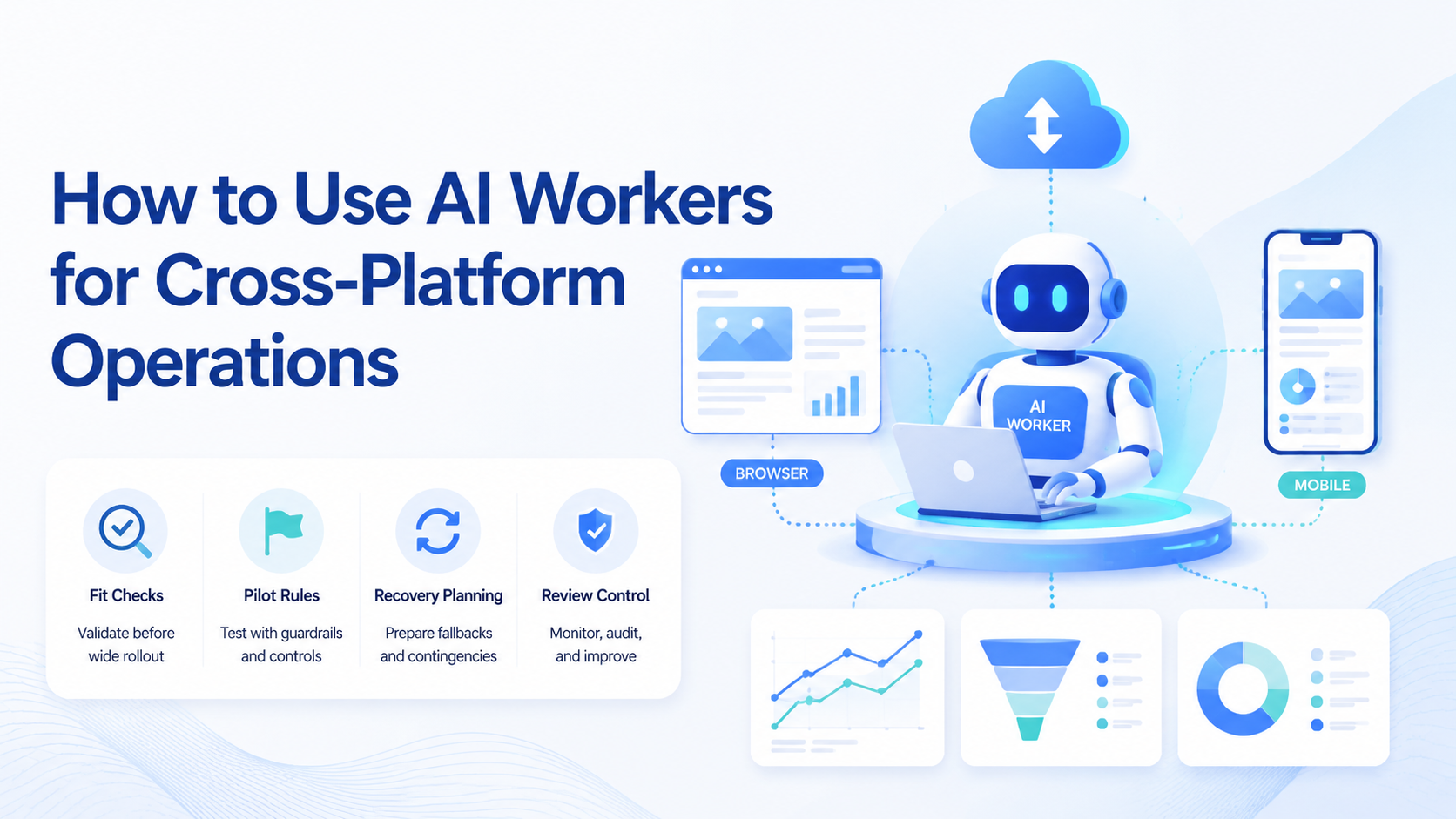
- Start with one repeatable workflow instead of a broad automation program
- Match browser tasks to browser execution and app tasks to mobile execution
- Pilot with clear pass and recovery rules before scaling volume
- Track correction rate as closely as completion rate
How to use AI workers for cross-platform operations is a setup problem inside an AI worker platform. The practical answer is to assign narrow jobs, choose the right runtime for each step, and add a review loop before scale.
Cross-platform work usually breaks when a team tries to run browser dashboards, Android apps, and multi-account routines through one generic script. The cleaner model is to treat work setups as part of the workflow.
That sounds simple. It is also easy to skip. That is why MoiMobi frames browser, device, and cloud execution as one operating system for the task, not as separate disconnected tools.
How to Use AI Workers for Cross-Platform Operations in Practice
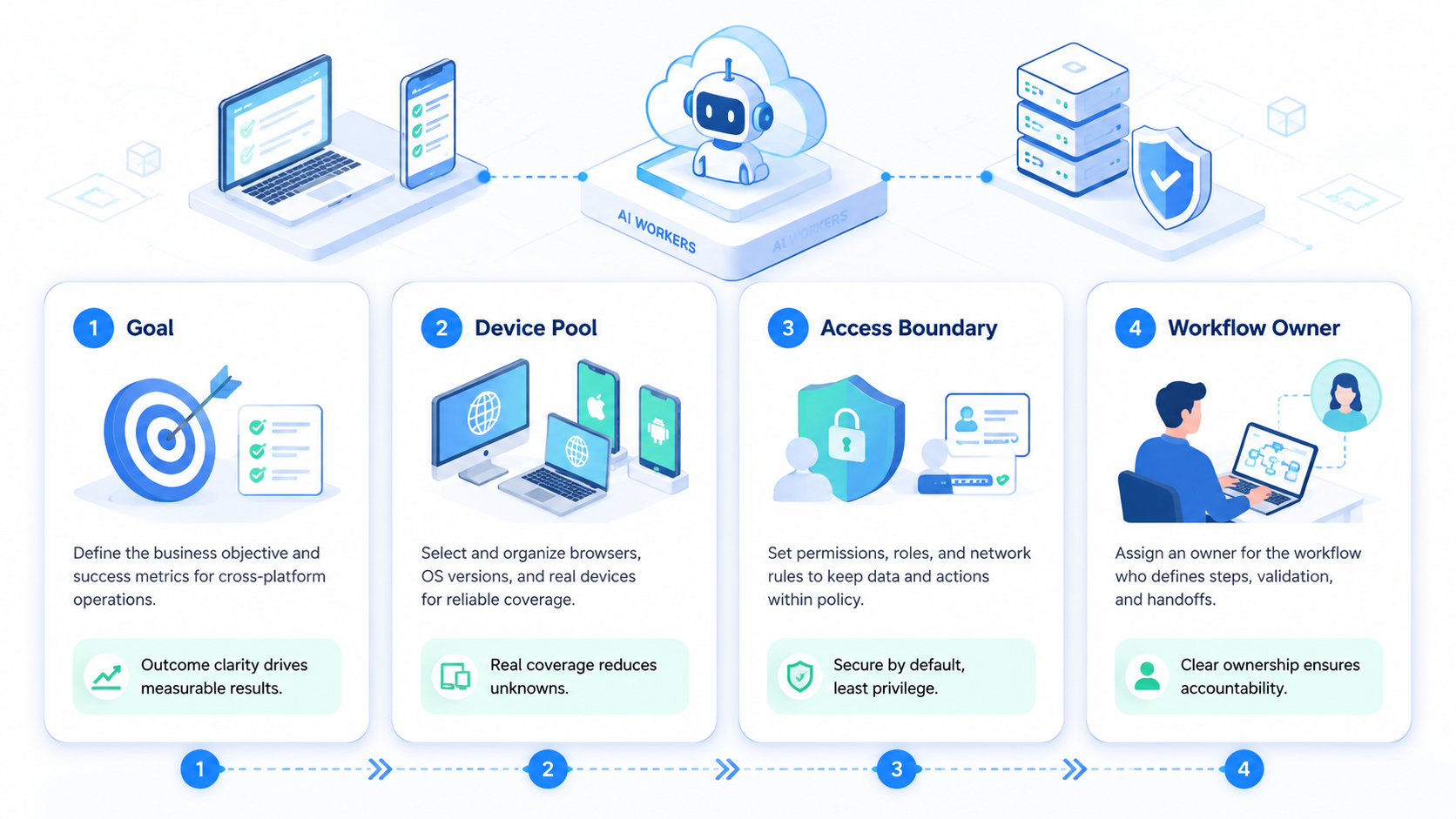
An AI worker platform needs three things before it becomes useful in production.
- A clear workflow with defined start and stop points
- A fixed account boundary for each worker
- A runtime map that says what runs in browser and what runs on device
WebDriver defines a standard way to control browsers through explicit commands and session handling.1 That is useful for web-native flows such as dashboards, forms, or browser-based research. For mobile app work, Android-specific environments are often the better fit because app states, notifications, and input paths differ from browser logic.2
Teams should also decide where mobile automation, cloud phone, or browser layers enter the workflow. If this map is missing, troubleshooting becomes guesswork. Recovery gets slow.
How to Get Started with How to Use AI Workers for Cross-Platform Operations
Use a narrow rollout path first.
- Choose one workflow. Good examples are publishing, comment triage, or monitoring.
- Break the workflow into surfaces. Mark which steps happen in a web dashboard and which happen in an Android app.
- Assign one worker per role. Keep roles specific enough to audit.
- Bind accounts and environments. Use device isolation or separate sessions where account overlap would create confusion.
- Run a small pilot. Review a limited batch before adding more accounts.
Playwright’s browser contexts show why separated execution matters for logged-in states and repeated runs.3 The same separation principle applies when device-based tasks need their own isolated environment.
Best Practices for How to Use AI Workers for Cross-Platform Operations
Good setup decisions usually come from simple checks, not feature lists.
- Use browser execution when the workflow lives in forms, dashboards, or web admin tools.
- Use device-based execution when the workflow depends on app-native behavior.
- Keep prompts short and operational. Let the environment carry the hard boundary.
- Route workers into the closest next-step product page, such as phone farm or multi-account management, when the workflow expands.
AWS Device Farm and BrowserStack both describe repeatable device automation as controlled execution, not ad hoc testing.4 5 That is the useful lesson here. Stable cross-platform work depends on environment discipline more than clever prompts. Setup quality wins first.
When AI Workers for Cross-Platform Operations Break Down
The first mistake is mixing unrelated jobs into one worker. Publishing and reply handling often need different review rules.
The second mistake is forcing mobile tasks into browser logic. That usually creates brittle workarounds instead of stable execution.
The third mistake is scaling before the team has a recovery rule. If a workflow fails mid-run, someone needs to know who owns the next action.
Use this failure checklist:
- The worker touches too many platforms with no narrow scope.
- The same account is used in several environments without control.
- No one measures correction rate after the pilot.
- The team optimizes speed before reliability.
Therefore, the better rollout path is usually slower at the start. It creates less cleanup later because the team can see where the workflow or environment still needs work.
What to Do Next for How to Use AI Workers for Cross-Platform Operations
One common misconception is that cross-platform automation starts with infrastructure size. It usually starts with workflow clarity.
Pick one workflow and score it against three questions:
- Is the task repetitive enough to standardize?
- Does the team know whether it belongs in browser or on device?
- Is there a human recovery path when the worker stops or misfires?
If one answer is weak, redesign the workflow before adding capacity.
Who Should Use AI Workers for Cross-Platform Operations
This model is a strong match for teams that already run repetitive work across more than one surface.
It fits:
- social operations teams handling posts, replies, and monitoring
- agencies managing several client accounts
- e-commerce teams moving between dashboards and mobile apps
It is not a strong fit when the task changes every day or depends on deep human judgment. In that case, workers should support operators, not replace them. Human review still leads.
Pilot Rollout for How to Use AI Workers for Cross-Platform Operations
Pilot rollout matters because the first issue is rarely prompt quality. The first issue is usually ownership or environment mismatch.
Track these signals:
| Signal | What it tells you |
|---|---|
| Completion rate | Whether the workflow can finish under real conditions |
| Correction rate | How much manual cleanup the worker still creates |
| Escalation time | How fast a human can recover a failed step |
| Account conflicts | Whether boundaries are still too loose |
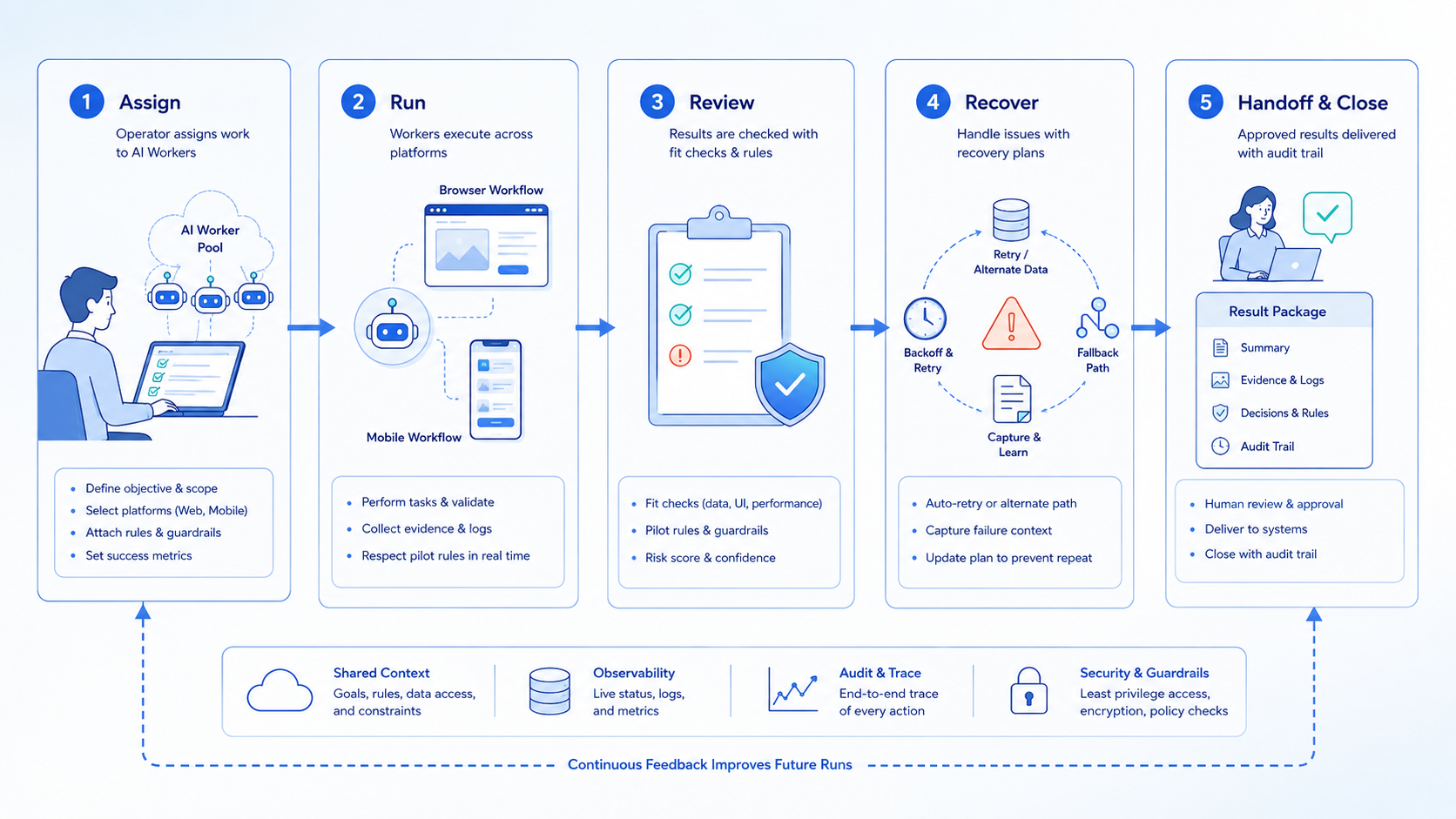
Recovery checks should be explicit. If a worker fails on device, decide whether the next step is rerun, reassignment, or manual takeover. A clear recovery path is often what separates a pilot from a production workflow.
One more check is worth adding before scale: confirm that the reporting view combines browser and mobile outcomes in one place. If the team has to inspect three systems to understand one failed run, the workflow is still too fragmented. One screen should tell the story.
That single view also improves handoff between shifts. The next operator should be able to see what ran, what paused, and what still needs approval without reopening every environment one by one.
Quick Checks Before Full Rollout of Cross-Platform Operations
Ask five short questions:
- Is the job narrow?
- Is the account clear?
- Is the right runtime chosen?
- Is the review step real?
- Is the recovery owner named?
These checks are basic on purpose. Short checks catch broad workflow errors early. They also make team handoff easier on busy days.
Use one easy sample run before full scale. Post one item. Check one app.
Log one result. Fix one failure.
Simple runs show weak spots fast.
Frequently Asked Questions
What is cross-platform work in this context?
It means one workflow spans browser pages, mobile apps, or both.
Do AI workers need separate environments?
They often do when accounts or sessions must stay distinct.
Should the first rollout include many accounts?
No. Start small enough to inspect each run closely.
What is the best first workflow?
Pick a narrow, repetitive task with a clear pass/fail outcome.
Can browser automation replace mobile execution?
Not when the task depends on app-native flows or Android-specific behavior.
What metric should teams watch first?
Correction rate is usually the fastest signal of real workflow quality.
When should a team expand capacity?
Expand only after the pilot shows stable completion and a workable recovery path.
Conclusion
Using AI workers for cross-platform operations is mostly about workflow discipline. The team needs the right role, the right account boundary, and the right runtime for each step.
Before scaling, verify that the pilot finishes cleanly, review is fast, and recovery ownership is obvious. Once those checks hold, capacity becomes much easier to add.



