
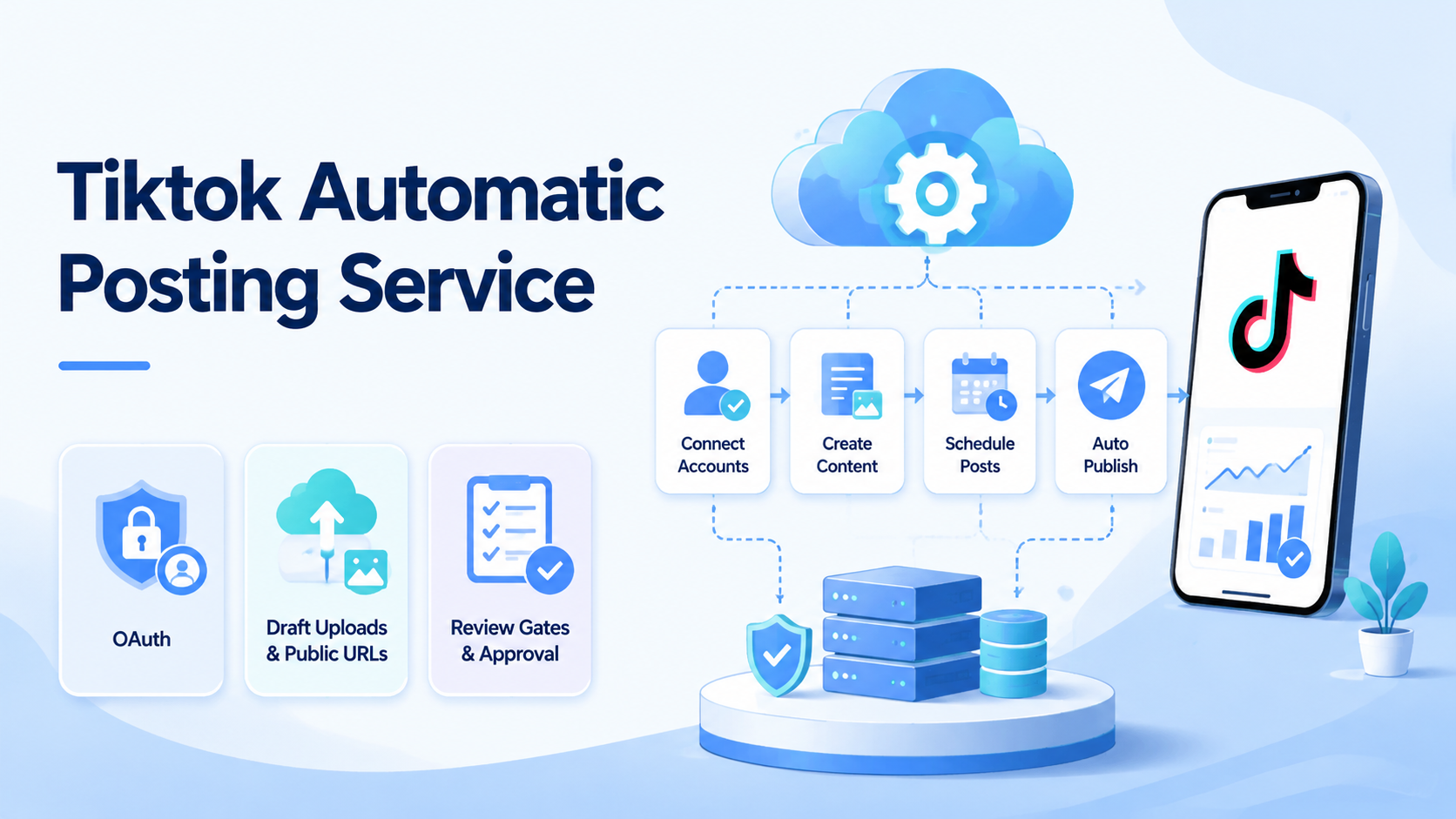
A US TikTok automatic posting service should not start as a fragile bot that clicks through the app. The safer version is a workflow that prepares content, authenticates the account, uploads media through official paths, creates drafts, and leaves final review to a human operator.
The useful idea behind the source article is simple: many posting tools are not magic. They connect OAuth, token storage, media upload, public asset URLs, platform APIs, and a friendly interface. A team that understands those pieces can design a smaller internal workflow, test the failure points, and decide later whether a full platform is worth building.
Key Takeaways
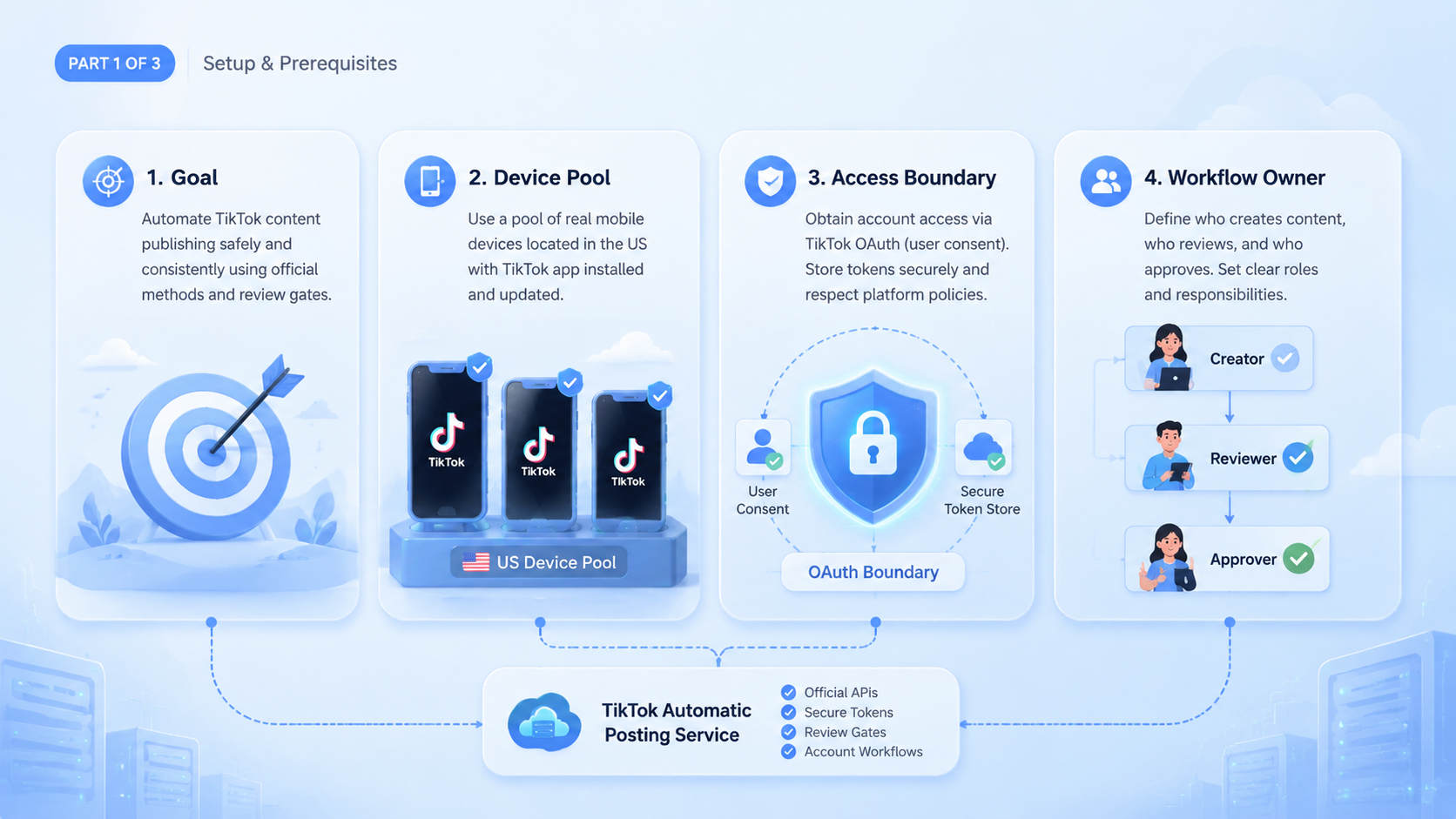
- A TikTok automatic posting service should favor official APIs over simulated app clicks
- The first safe version should upload content as drafts, not force every post live
- Video uploads and photo slideshows need different media handling
- Multi-account teams need account routing, review gates, proof, and recovery records
What a TikTok Automatic Posting Service Really Does
A TikTok automatic posting service is a controlled workflow for moving approved content into TikTok's posting flow. It goes beyond a scheduler or a script. The service acts as the operational layer between local media files, account authorization, platform upload rules, and human review.
For a solo creator, this may be a local command that sends one video to drafts. For a team, the same idea becomes more complex. The system must know which account owns the content, which operator prepared it, which file was uploaded, which API response came back, and who is allowed to approve the final post.
That is why the first design decision matters. Saving clicks may only require a simple script. Reliable content operations need account assignment, evidence, and recovery from the beginning.
For teams already using a cloud phone or remote device workspace, this distinction is important. Device access can help operators review app-side drafts, but API-based upload can prepare the draft without turning every step into screen automation.
Start a TikTok Automatic Posting Service With Draft Uploads
Start with drafts. The system prepares the content and sends it into TikTok's draft or inbox flow, where a human can check the post inside TikTok before it goes public.
This design is slower than full auto-publish on paper, but it is better for early operations. Operators can inspect the cover, caption, hashtags, media order, account, audience settings, and draft placement before anything becomes public.
Draft-first automation also creates a clear boundary. Machines handle repeatable preparation. Humans handle public judgment. That boundary is useful when multiple accounts, regions, operators, or content sources are involved.
TikTok's own user-facing support explains that posts can be saved as drafts during normal creation flows. The developer-facing Content Posting API upload guide adds another route for approved apps to move media into the posting workflow. The operational principle is the same: do not treat upload as the same thing as publishing.
OAuth and PKCE in a TikTok Automatic Posting Service
Authorization is the first technical layer, and it needs a clear trust boundary before any media upload is allowed to run. A posting workflow should not collect account passwords or depend on private browser sessions. OAuth lets the account owner grant specific access to the application.
For local tools, desktop tools, or CLI-based workflows, PKCE is a strong fit. It lets the client complete an authorization flow without exposing a static client secret in a place where it does not belong.
A simplified flow has five checkpoints.
- Generate a
code_verifierandcode_challenge - Open the TikTok authorization URL
- Receive an authorization code after user consent
- Exchange the code for an access token
- Store the token in controlled local storage or a team vault
The tricky part is often the callback URL. Some developer platforms do not accept localhost as a web redirect URL in every mode. A minimal HTTPS relay can solve that constraint by receiving the platform callback and redirecting the same query parameters back to the local callback service.
That relay should stay minimal. It does not need to process tokens, store account data, or become a hidden backend. Its only job is to satisfy the platform's redirect rules while returning control to the local tool.
Video Uploads in a TikTok Automatic Posting Service
Video is usually the easiest media type to support first. The workflow has one local file, one account authorization, one upload initialization request, and one media transfer.
In a typical official API pattern, the app initializes the posting task, receives an upload path or identifier, sends the file, and receives a publishing task identifier. That identifier is not proof that the post is live. Treat it as a handle for tracking the upload or draft operation.
For a production workflow, every upload should produce a record:
| Field | Why It Matters |
|---|---|
| Account ID | Shows which TikTok account owns the upload |
| Operator | Shows who requested the task |
| Media file | Shows which video was sent |
| File size and format | Helps explain upload failures |
| Authorization status | Separates token issues from media issues |
| Task ID | Allows follow-up status checks |
| Draft status | Shows whether review is needed |
| Reviewer | Names the human approver |
This is where a posting service becomes an operations system. Without records, a failed upload becomes private troubleshooting. With records, the team can see whether the problem came from account authorization, media format, platform limits, network transfer, or review delay.
Photo Slideshows Need Verified Public URLs
Photo slideshow workflows are more delicate. A platform may not accept local images the same way it accepts a video file. Instead, the API may require public image URLs that the platform can pull.
This adds a storage requirement. The team needs a public asset location where images are reachable, stable, and authorized for platform ingestion. TikTok's photo post API reference notes that PULL_FROM_URL requires developers to verify ownership of the URL prefix or domain.
The workflow can look like this:
- Place the images in a task folder
- Read the intended order and caption
- Upload images to a verified public asset location
- Store the returned public URLs
- Send the URLs, caption, and cover index to TikTok
- Create the slideshow draft
- Ask a reviewer to check the draft before publication
Public URLs are not a minor implementation detail. Temporary URLs can expire, unverified prefixes can fail, and wrong ordering can change the story of the slideshow.
A good workflow records the exact URLs, order, cover index, and upload result. Keep a copy of the source image set as well, so the team can rebuild the draft when the first attempt fails.
Why a TikTok Automatic Posting Service CLI Is a Good First Interface
A CLI is a practical first interface because it keeps the system explicit. It also avoids spending time on dashboards before the core workflow has proven itself.
For a beginner version, a few commands are enough:
tiktok-posting auth login
tiktok-posting video ./media/video.mp4 --account us_tiktok_01
tiktok-posting slideshow ./media/slides --caption ./caption.txt --account us_tiktok_02
tiktok-posting status publish_123
This approach has operational advantages. Commands are easy to test, and logs are easy to capture.
Agents can call the CLI through a controlled tool wrapper. Later, the same workflow can connect to a queue, content library, or review UI without rewriting the entire posting layer.
For teams using mobile automation, the CLI can also act as a clean boundary. API upload prepares the draft, while mobile-side review or app-side checks happen only when needed.
The Team Version Needs Account Routing
A personal tool can rely on memory. A team workflow cannot. Once several operators and accounts are involved, the posting service needs account routing.
Account routing answers four questions before upload begins:
- Account that should receive this content
- Region, device, or review lane that belongs to that account
- Owner of the authorization token
- Approver for the public post
Manual account choice during every upload creates avoidable mistakes. Task routing should come from account ownership and content assignment, not from whichever account is convenient.
Multi-account management matters here because the posting task is only one part of the account lifecycle. The same account may also need warmup, inbox review, analytics checks, content replies, or recovery after a failed action.
Device Review Still Has a Role
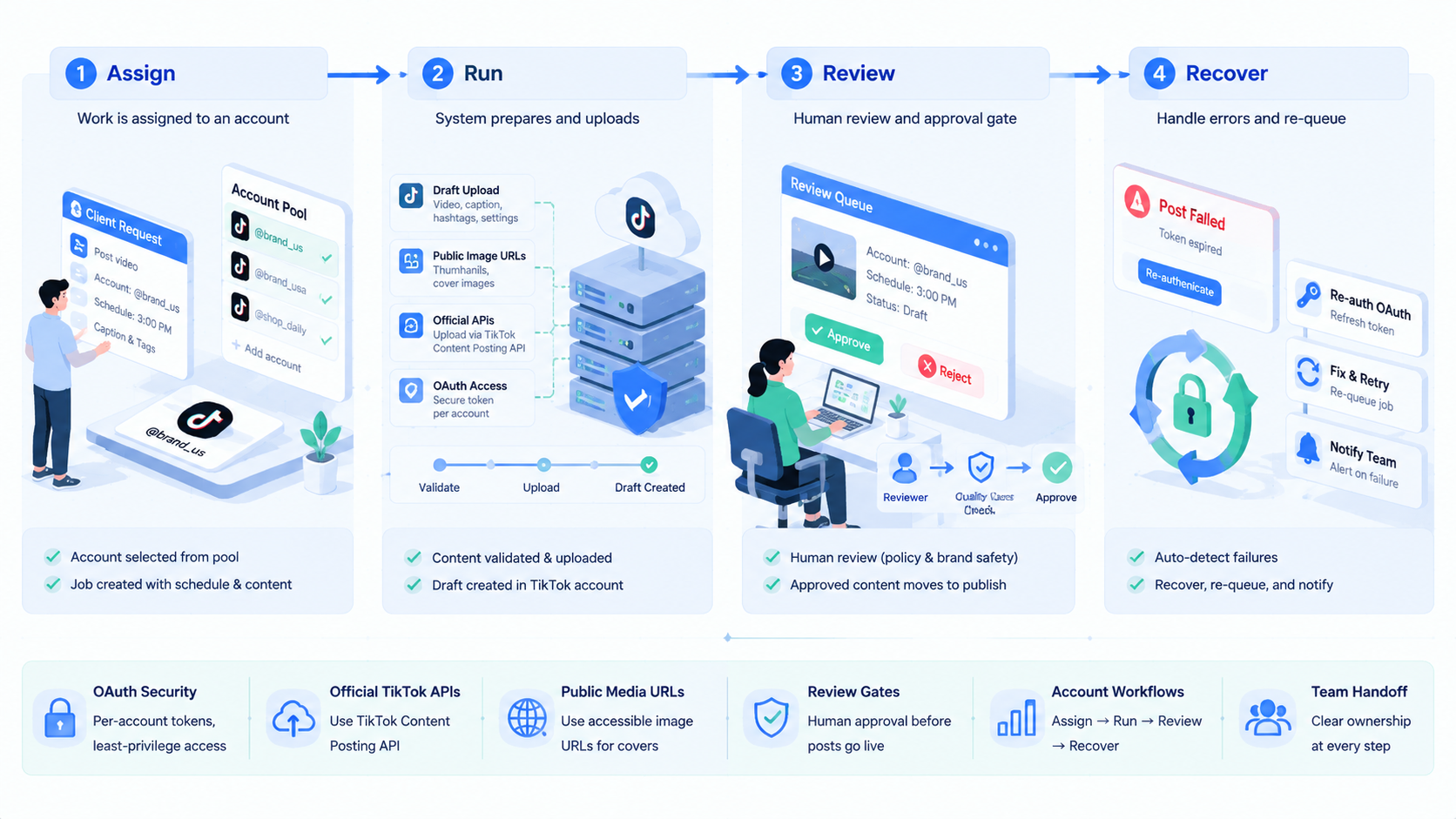
Official API upload does not remove the need for device review. It changes where device review belongs.
The upload step can be API-driven. The review step may still happen inside the TikTok app, especially when operators need to check the real mobile preview, account state, draft placement, or post settings.
That is where device isolation becomes useful. A reviewer can open the correct account environment, inspect the draft, and avoid mixing accounts or sessions.
The point is not to automate every tap. The point is to use the right layer for each job. API calls are cleaner for upload. Controlled device environments are better for final human inspection.
Review and Recovery Rules for a TikTok Automatic Posting Service
A posting service becomes safer when every failed run has an owner. The record should show whether the issue came from authorization, media validation, public asset storage, platform response, or human rejection.
Authorization failures belong to the account owner or workspace admin. Expired tokens should stop the run because repeated retries hide the real issue.
Media failures belong to the content operator. Bad dimensions, unsupported formats, missing captions, broken covers, and empty folders should be corrected before the upload request is sent.
Public URL failures belong to the asset pipeline owner. An unreachable image URL or unverified prefix should pause the task before the slideshow request reaches TikTok.
Review failures belong to the reviewer and content owner. A rejected draft is not a broken automation. The rejection shows that the content, caption, account, or timing needs another pass.
This recovery model also supports multi-account teams. Operators can see the account lane, uploaded file, returned task ID, and final human decision in one record.
Example: 10 Accounts, 3 Operators, 1 Reviewer
Consider a small US TikTok content team with 10 accounts, 3 operators, and 1 reviewer. The team prepares 20 short videos and 8 photo slideshows for the week, but public posting should happen only after review.
The task record should name the account, operator, media type, source folder, caption file, upload mode, returned task ID, reviewer, and final decision. That record lets the team separate content errors from account errors.
| Task Field | Example Value | Review Use |
|---|---|---|
| Account lane | us_tiktok_03 |
Confirms the correct account |
| Operator | content_ops_2 |
Shows who prepared the draft |
| Media type | video or slideshow |
Routes validation rules |
| Source folder | week21/product-demo-a |
Rebuilds the upload if needed |
| Caption file | caption_us_03.txt |
Checks text before posting |
| Upload mode | draft |
Prevents accidental public posting |
| Task ID | publish_abc123 |
Supports status lookup |
| Reviewer | lead_editor |
Names the approval owner |
Decision rules should stay explicit. Missing caption means return to the operator. Expired token means route to the account owner.
Broken image URL means route to the asset pipeline owner. Rejected draft means route to the content owner, not the infrastructure owner.
What to Avoid When Building This Workflow
The first mistake is using browser or app simulation for everything. Simulated clicks can break when the UI changes, login state changes, or platform risk checks appear.
The second mistake is hiding tokens in plain scripts. Token handling is sensitive, so access controls, rotation rules, and ownership records need to be part of the workflow.
The third mistake is mixing content preparation with public posting. When one command uploads media and publishes publicly, review becomes an afterthought instead of a required operating step.
The fourth mistake is ignoring media requirements. Video files, image URLs, covers, captions, and platform limits should be validated before the upload request is sent.
The fifth mistake is treating failures as one generic error. A good workflow separates authorization failure, media validation failure, asset URL failure, platform response failure, and reviewer rejection.
A Practical Architecture
A useful TikTok automatic posting service can be divided into six layers.
| Layer | Responsibility |
|---|---|
| Content library | Stores videos, images, captions, covers, and status |
| Account workspace | Maps accounts to owners, regions, devices, and tokens |
| Authorization layer | Handles OAuth, PKCE, token refresh, and access control |
| Asset publishing layer | Converts local slideshow images into verified public URLs |
| Posting task layer | Calls official APIs and tracks task IDs |
| Review layer | Records draft checks, approvals, rejections, and final outcomes |
This architecture is intentionally boring. Boring is good here. A posting service should be easy to explain when something fails.
When the team later adds an Android antidetect or remote review environment, that layer should support account safety and inspection. It should not replace the task record.
Beginner Build Order
Do not build every feature at once. A better order is:
- Support one test account
- Complete OAuth and token storage
- Upload one video as a draft
- Record task ID, account, file, status, and error details
- Add status checking
- Add photo slideshow support with verified public URLs
- Add reviewer assignment
- Add multi-account routing
- Add controlled mobile review for final inspection
This sequence keeps the first version small enough to debug. It also prevents the team from building a dashboard around a workflow that has not proven its failure modes yet.
Metrics That Matter
The wrong metric is how many posts the service can push. That number does not tell the team whether the workflow is safe.
Better metrics include:
- Draft creation success rate
- Authorization failure rate
- Media validation failure rate
- Reviewer rejection rate
- Time from upload to review
- Number of uploads with complete records
- Number of failures with a clear owner
These metrics show whether the workflow can scale without becoming a private habit owned by one operator.
Frequently Asked Questions
Is a TikTok automatic posting service allowed?
It depends on the API access, scopes, app review status, and platform rules. Build around official documentation and keep sensitive actions behind review.
Should the first version publish directly?
Usually no. Draft upload is a better first version because it keeps public action under human control and makes the review step explicit.
Why not automate the app UI?
UI automation is more fragile. Official upload flows are easier to record, inspect, and recover when something fails because the team can preserve request IDs, response codes, and task ownership.
Why do slideshows need public URLs?
Photo posting workflows often require the platform to pull images from URLs. Those URLs may need to belong to a verified domain or prefix, based on TikTok's developer documentation for URL-based photo sources.
Where should tokens be stored?
Store them in a controlled vault or local secure storage with clear account ownership. Do not bury them in plain scripts.
How does this connect with cloud phones?
API upload can prepare the draft. A cloud phone or remote Android lane can support human review in the correct account environment.
What is the best first success metric?
Measure draft success, clear failure reasons, and review completion. Public posting volume comes later.
What should be logged for each upload?
Log account ID, operator, file path, media type, task ID, API response, draft status, reviewer, and final outcome. That record is what makes the service operational instead of just convenient.
Conclusion
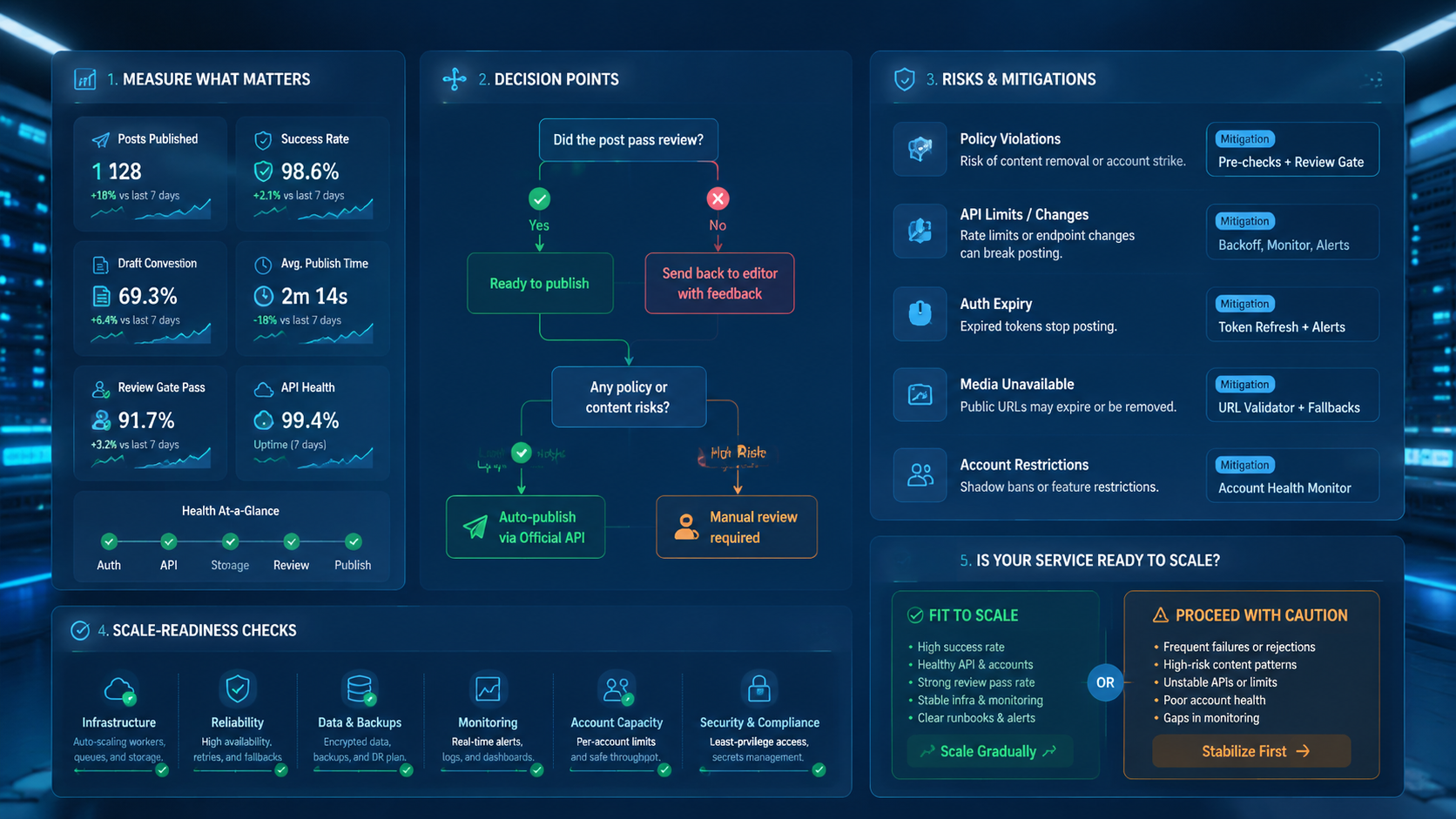
How to create a US TikTok automatic posting service for beginners is really a workflow design problem. The technical pieces are OAuth, token storage, official posting APIs, upload tasks, public image URLs, and status checks. The operational pieces are account ownership, reviewer approval, proof, and recovery.
Start with one account and video draft upload. Add photo slideshows only after public URL handling and domain verification are clear, because broken asset routing is harder to debug after multiple accounts are involved. Then connect the workflow to account routing and device review.
Do not remove every human step. Remove repetitive preparation while keeping public posting decisions visible, reviewable, and safe for multi-account operations.



