
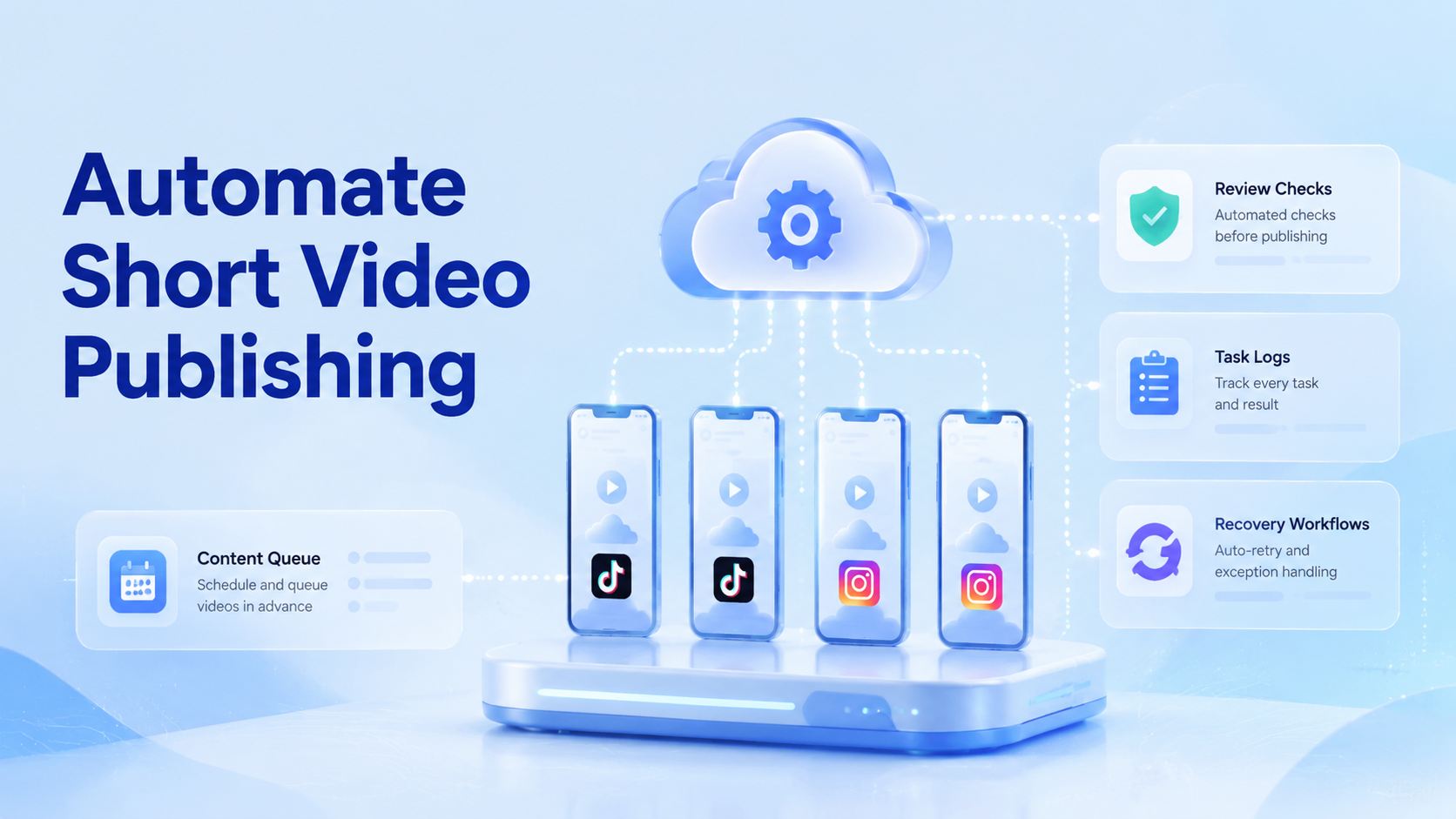
Automate short video publishing means turning video preparation, account assignment, posting, verification, and reporting into a repeatable workflow across TikTok and Instagram. It should not mean bypassing platform rules or using fragile scripts that publish without review.
For teams, the hard part is not one upload. The hard part is keeping many posts, accounts, captions, approvals, and recovery steps under control. TikTok’s Content Posting API documentation shows that direct posting depends on registered apps, approved scopes, authorized users, and content requirements. TikTok’s integrity rules also warn against spam and deceptive automation. Instagram has its own community and platform rules. A practical publishing workflow must respect those boundaries.
Moimobi approaches this as an execution problem. Teams can use AI browser and cloud phone infrastructure to run mobile workflows, separate account environments, assign tasks, and verify outcomes. The goal is not to remove human judgment. The goal is to reduce missed posts, mixed sessions, duplicated content, and unclear handoffs.
Core Operating Takeaways
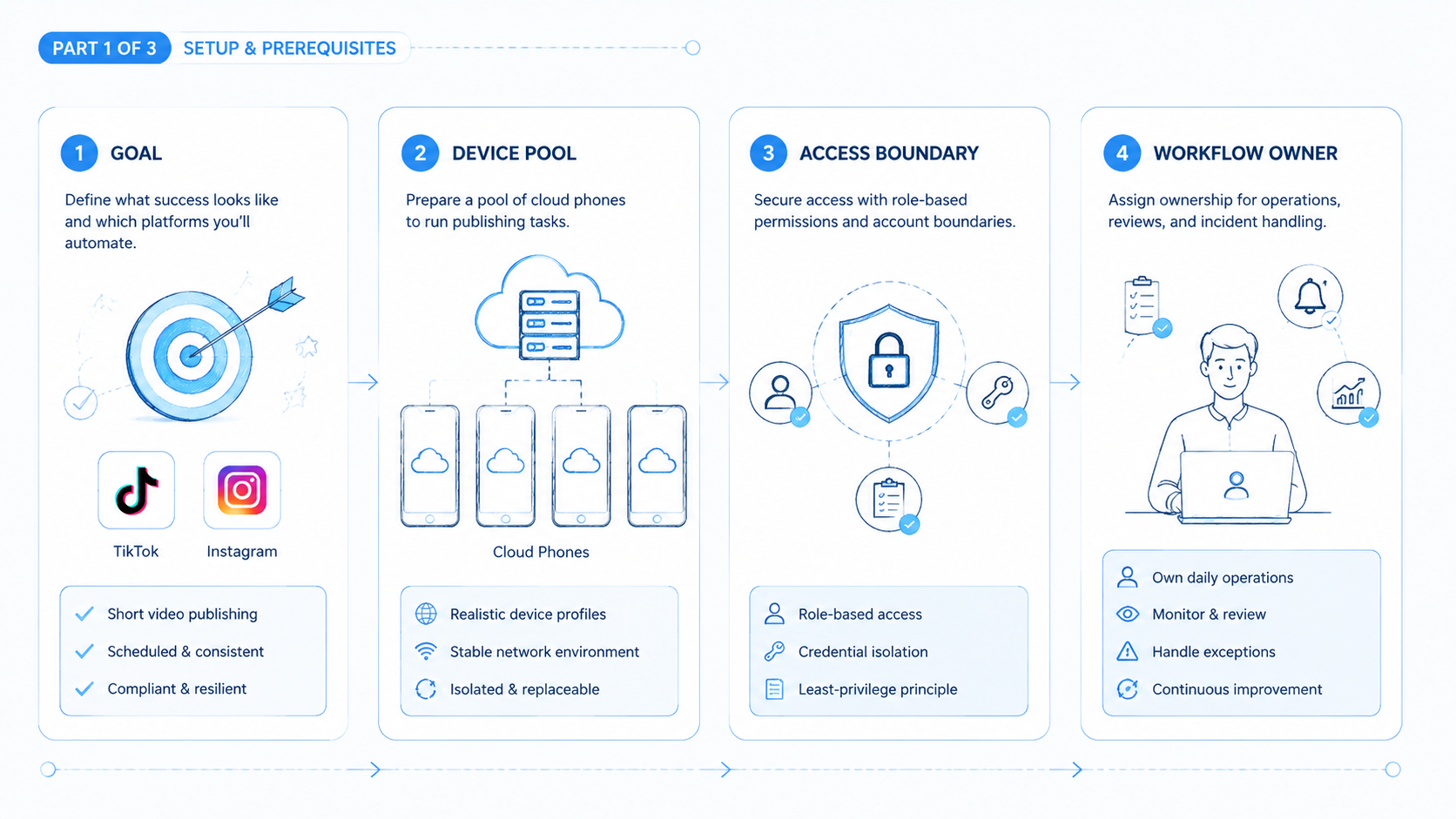
- Short video publishing automation starts with content readiness, not upload scripts.
- TikTok and Instagram workflows need approval, account assignment, and post verification.
- Cloud phones help when teams need persistent mobile execution and account separation.
- A publishing queue should include recovery rules for failed uploads, wrong captions, and delayed approvals.
- Automation works best when humans approve content and handle exceptions.
Pre-Setup Requirements and Checks and automate short video publishing
The most common misunderstanding is that publishing automation begins with an uploader. In practice, it begins with a clean content queue.
Each video should have a final file, caption, hashtags, target account, platform, posting window, approval status, and fallback owner. Without those fields, the automation layer has to guess. Guessing creates mistakes, especially when one video is adapted for TikTok, Instagram Reels, and sometimes YouTube Shorts.
Use this field list before any publishing workflow runs:
| Field | Required decision |
|---|---|
| Video file | Final asset, not a draft |
| Caption | Platform-specific text |
| Account | Exact account workspace |
| Platform | TikTok, Instagram, or both |
| Publish mode | API, mobile app, or manual review |
| Approval status | Draft, approved, paused, or published |
| Recovery owner | Person responsible when upload fails |
Teams also need execution capacity. A single desktop browser may work for a few posts. It usually becomes fragile when several accounts, multiple operators, and mobile-only app flows enter the process. Moimobi’s cloud phone layer is useful when publishing depends on persistent Android sessions and mobile app state.
The Core Workflow for How to Automate Short Video Publishing Across TikTok and Instagram
Do not send every video directly to every account. Start with a controlled workflow that makes ownership clear.
-
Prepare the asset.
Confirm the final video, thumbnail choice, caption, hashtags, and account target. -
Choose the execution route.
Use official API routes when the account, app, and scope are approved. Use mobile execution when the workflow must happen inside the app. -
Assign the account workspace.
Keep each account tied to a separated browser profile, cloud phone, or mobile environment. -
Run a pre-publish check.
Verify login state, media availability, caption, platform, and posting window. -
Publish or queue for approval.
Let automation handle repeatable steps. Keep human approval for high-value or sensitive posts. -
Verify the result.
Confirm whether the post is live, private, pending, failed, or waiting for review. -
Record the outcome.
Save the account, platform, content ID, timestamp, error message, and next action.
This is where mobile automation becomes more than a scheduler. It becomes an execution loop with checks, retries, and handoffs.
How to Verify the Setup Is Working
Verification should happen after every publishing run. A workflow that only clicks upload is not enough for a team.
Use this pass/fail checklist:
| Check | Pass condition |
|---|---|
| Asset check | The final video file was available at execution time |
| Account check | The task ran in the intended account workspace |
| Caption check | The published caption matches the approved version |
| Platform check | TikTok and Instagram tasks did not mix destinations |
| State check | The post is live, scheduled, pending, or failed with a recorded reason |
| Recovery check | A human owner can see failed tasks |
| Reporting check | The result appears in the team’s publishing log |
TikTok’s Content Posting API documentation describes direct posting as a structured developer workflow with prerequisites such as registered apps, approved scopes, authorized users, and supported media. That reinforces a broader point: publishing automation is not just clicking a button. It requires permission, state, content rules, and verifiable outcomes.
For mobile-first workflows, a device isolation layer helps keep each account’s execution context separate. This does not promise platform outcomes. It reduces operational mistakes caused by shared sessions and unclear routing.
Where Teams Usually Get Stuck
Teams often get stuck in three places: content status, account state, and recovery ownership.
Content status fails when a draft video enters the queue too early. The automation then publishes the wrong file, uses an old caption, or misses the platform-specific edit.
Account state fails when many accounts share one unmanaged environment. Operators may not know which account is logged in, which proxy is active, or which device owns the session.
Recovery ownership fails when nobody is assigned to broken tasks. A failed upload sits in the system, the team assumes it published, and the campaign loses a slot.
The fix is a stricter workflow:
- Do not publish from unapproved assets.
- Do not run tasks from mixed account environments.
- Do not let failed tasks disappear into logs.
- Do not scale before verification works.
These rules are simple, but they prevent most avoidable publishing mistakes.
Who should automate short video publishing, and who should wait
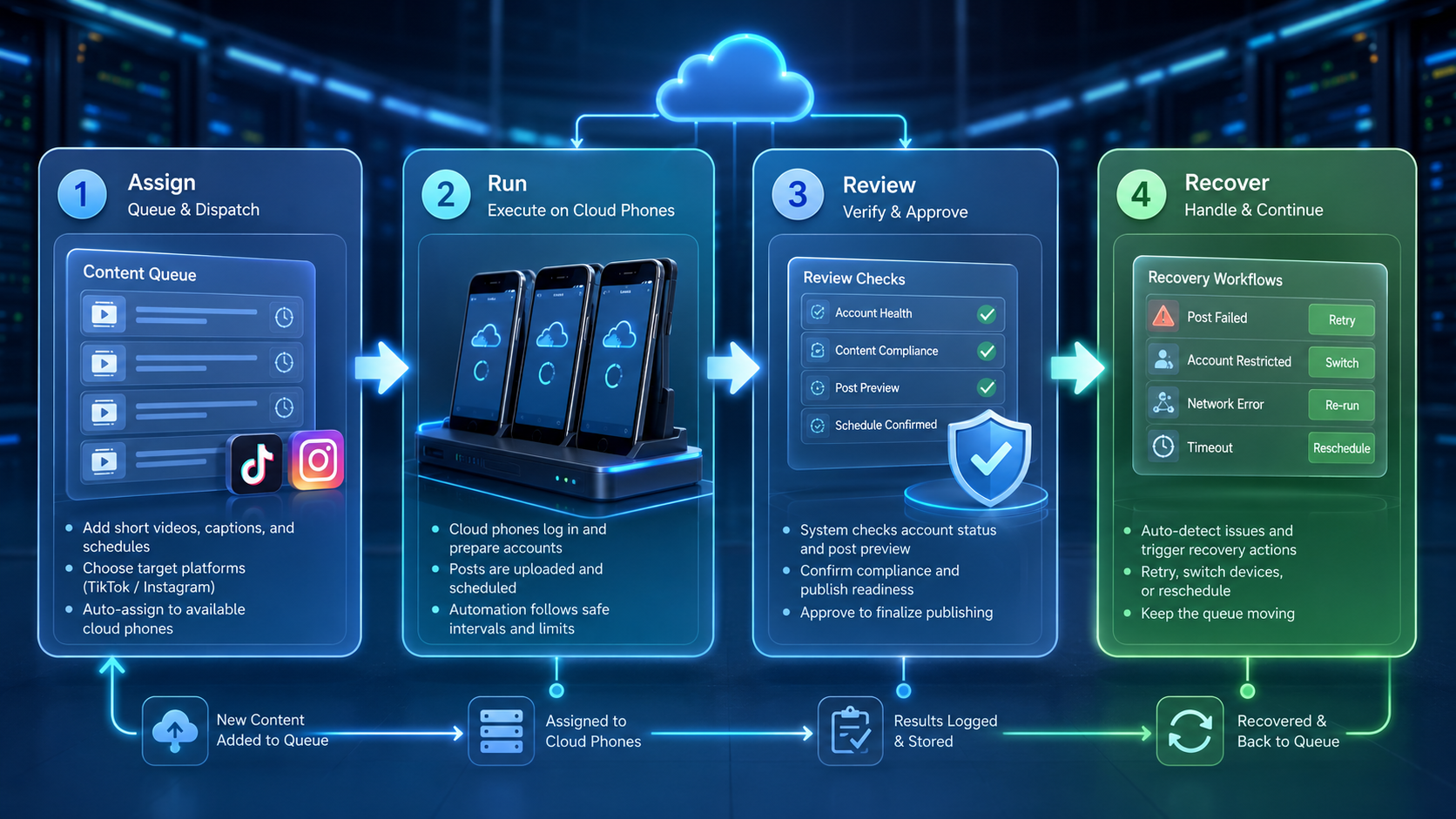
Automation fits teams that already have a repeatable publishing process. The strongest fit is a team with approved assets, multiple accounts, clear publishing windows, and a person responsible for post-publish checks.
Agencies are a good example. They may manage several client accounts, and each client needs a separate approval path. E-commerce teams also fit when product videos must reach TikTok and Instagram without mixing captions, SKUs, or regional offers.
Small teams should wait if the content process is still informal. If every post needs last-minute rewriting, manual file hunting, or founder approval, the workflow is not ready. Automation will expose those gaps faster.
Use this fit check:
| Signal | Automate now | Wait and fix first |
|---|---|---|
| Asset status | Final files are organized | Videos live in chat threads |
| Captions | Platform captions are approved | Captions change at upload time |
| Account ownership | Each account has an owner | Operators share unclear access |
| Recovery | Failed tasks have an owner | Nobody watches failed uploads |
| Reporting | Publishing results are reviewed | The team only checks manually |
If most checks fall into the right column, start with process cleanup. A clean publishing workflow is easier to automate and easier to scale.
How to automate short video publishing for team roles
Publishing automation changes by role. A creator needs speed. A brand team needs review. An agency needs account separation. An e-commerce team needs product accuracy.
Use different permissions:
| Role | Main responsibility |
|---|---|
| Content producer | Upload final assets and captions |
| Manager | Approve publishing windows and account targets |
| Operator | Run publishing workflows and handle app state |
| Support owner | Watch comments and direct messages after publishing |
| Analyst | Review posts, failures, and account activity |
Moimobi can support that structure through multi-account management. The benefit is not only parallel execution. It is cleaner handoff between people who create content and people who run account workflows.
For TikTok-specific operations, the cloud phone for TikTok page is the closest next step. It explains how mobile execution fits account workflows instead of treating TikTok as a simple upload destination.
Next Steps After the First Pass
Do not start with all accounts. Run one pilot queue first.
-
Pick five to ten videos.
Use content that has already passed internal review. -
Choose two or three accounts.
Select accounts with clear roles and stable login environments. -
Run one platform first.
Start with TikTok or Instagram. Add the second platform after verification works. -
Measure failures.
Track failed uploads, caption mismatches, login interruptions, and manual recovery time. -
Add more accounts slowly.
Scale only after the workflow can show accurate state and recovery ownership.
If the team is comparing cloud phones with emulator-style setups, the cloud phone vs emulator guide is useful. It frames the choice around persistent mobile execution, not just running an Android app somewhere.
What to measure after publishing
Publishing automation should produce operating data, not only published posts. The first measurement layer is execution quality. Track how many tasks published correctly, how many needed manual recovery, and how many failed because of account state, asset state, or platform review.
The second layer is content handoff quality. Track caption mismatches, wrong account assignments, missing thumbnails, and reused files. These issues usually point to upstream content operations, not the automation tool itself.
The third layer is response readiness. A short video post can trigger comments, direct messages, saves, and product questions. If nobody handles those responses, the publishing workflow is incomplete. For social media teams, publishing and engagement should be treated as one operating loop.
Moimobi is useful here because execution, account environment, and task records can sit closer together. A team can see whether the problem came from the content queue, the account workspace, or the publishing route.
Frequently Asked Questions
What does automate short video publishing mean?
It means automating the repeatable parts of content assignment, upload, verification, and reporting across short video platforms.
Can I use a TikTok video automation tool with n8n?
You can use workflow tools for routing and reminders. Publishing itself should follow official platform permissions or controlled mobile execution.
How much does short video publishing automation cost?
Cost depends on accounts, execution environments, operators, and review workload. Do not compare tools only by monthly price.
Who should approve automated publishing?
A manager or content owner should approve the queue. Operators can run the workflow, but approval should stay separate.
Is a GitHub auto uploader enough?
Usually not for teams. A script may upload files, but it may not handle approvals, account environments, failures, and reporting.
Should TikTok and Instagram use the same caption?
Not always. Teams should review captions per platform because audience, format, and policy context can differ.
Do cloud phones replace official APIs?
No. Cloud phones provide mobile execution environments. Official APIs remain useful when approved access and supported workflows fit the use case.
What should a failed upload record include?
Record the account, platform, file, caption, time, error message, screenshot if available, and next owner.
When is the workflow ready to scale?
Scale after the team can verify posts, recover failures, and separate account workspaces without confusion.
Conclusion
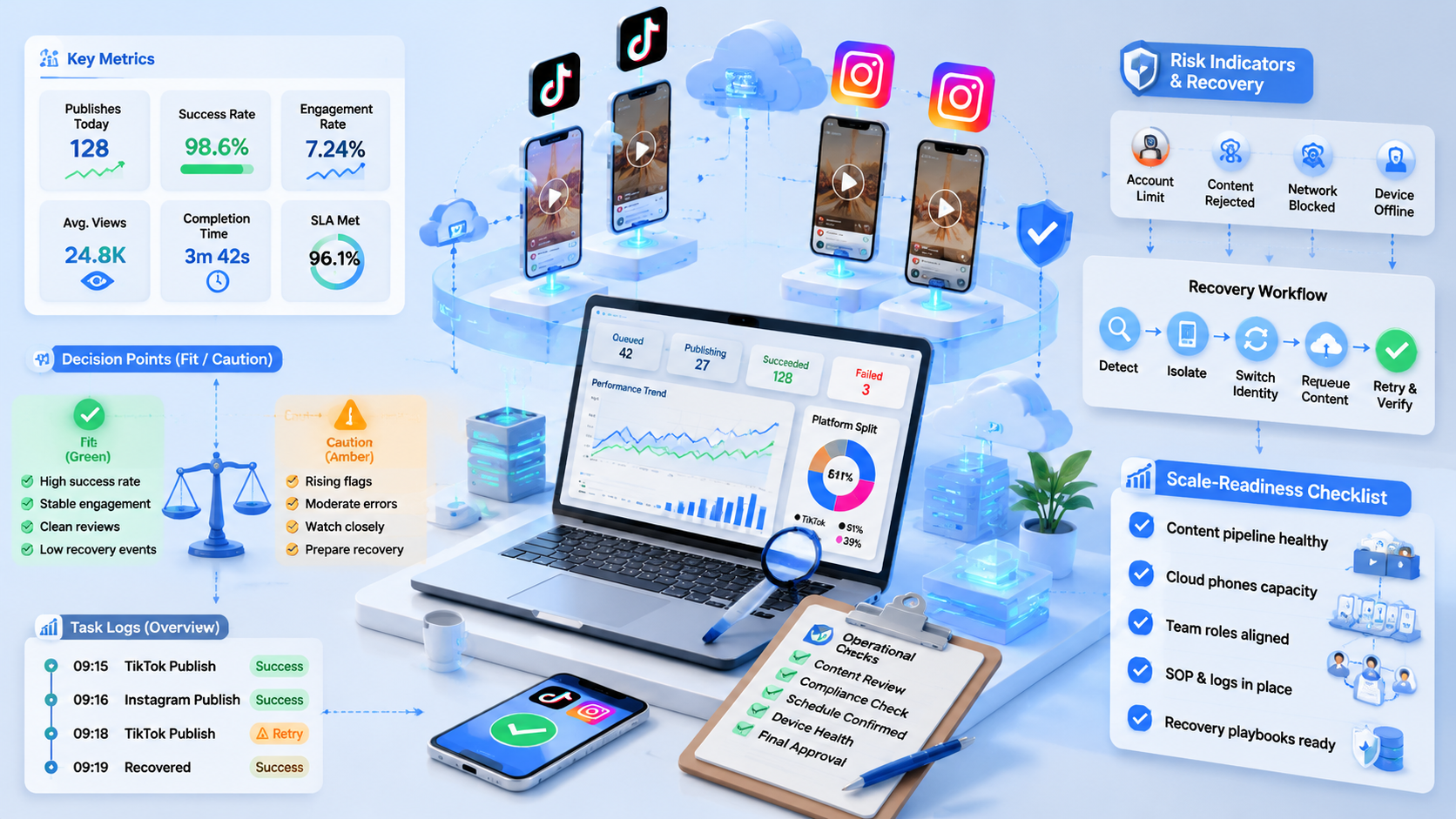
The priority order is clear: content readiness first, account workspace second, publishing route third, verification fourth, and scaling last. Skipping that order creates fragile automation.
Build a pilot queue before connecting more accounts. If the team can prove that each post reached the right account, used the right caption, and produced a traceable outcome, the workflow is ready for a larger rollout.
Sources: TikTok Content Posting API, TikTok Integrity and Authenticity Guidelines, Instagram Community Guidelines



