
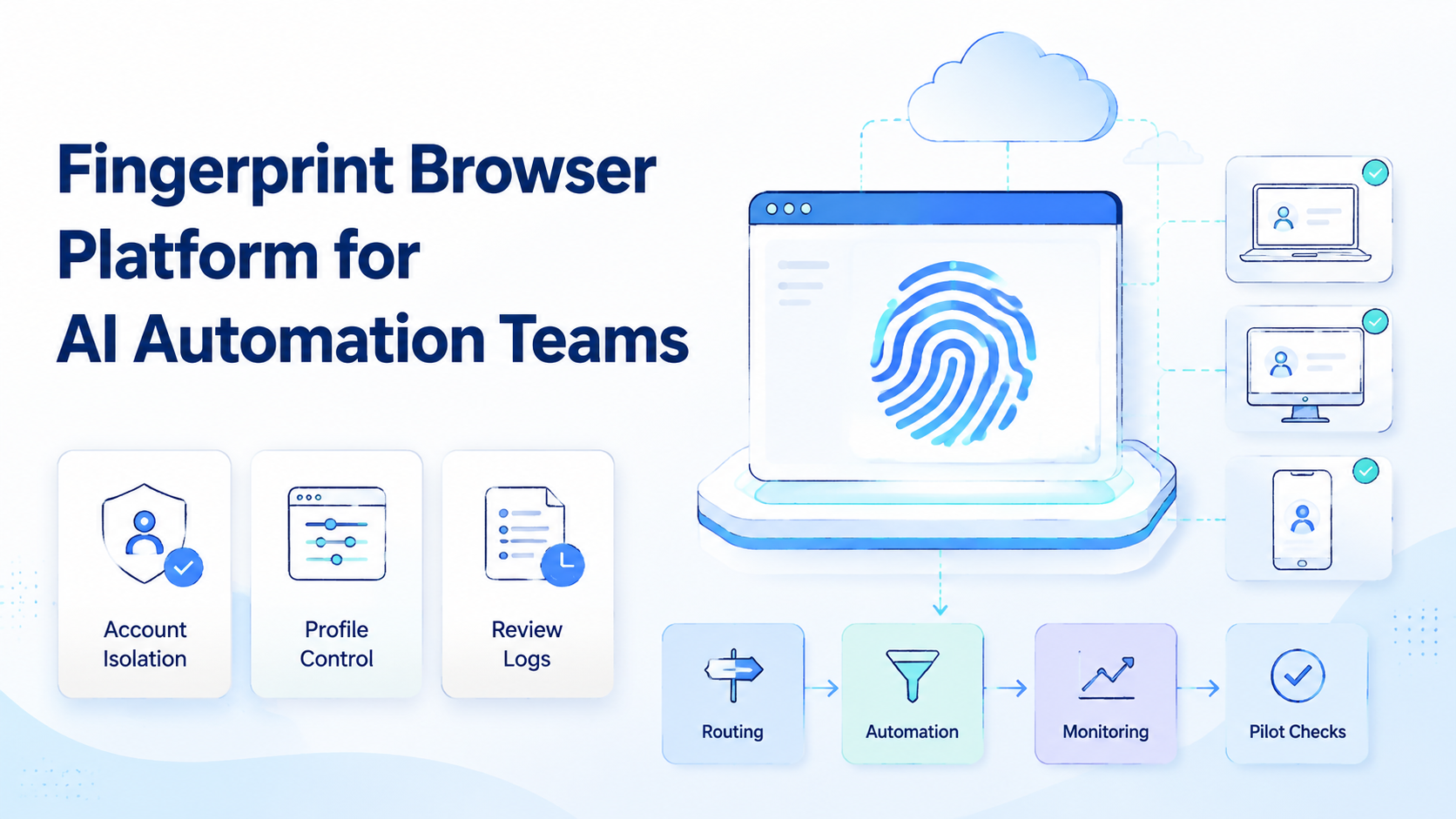
A fingerprint browser is a controlled browser workspace that separates profile settings, session data, and account context. For AI automation teams, it matters because an agent should not act through a shared browser with unclear identity, routing, or review history.
Boundaries come first.
Key Takeaways
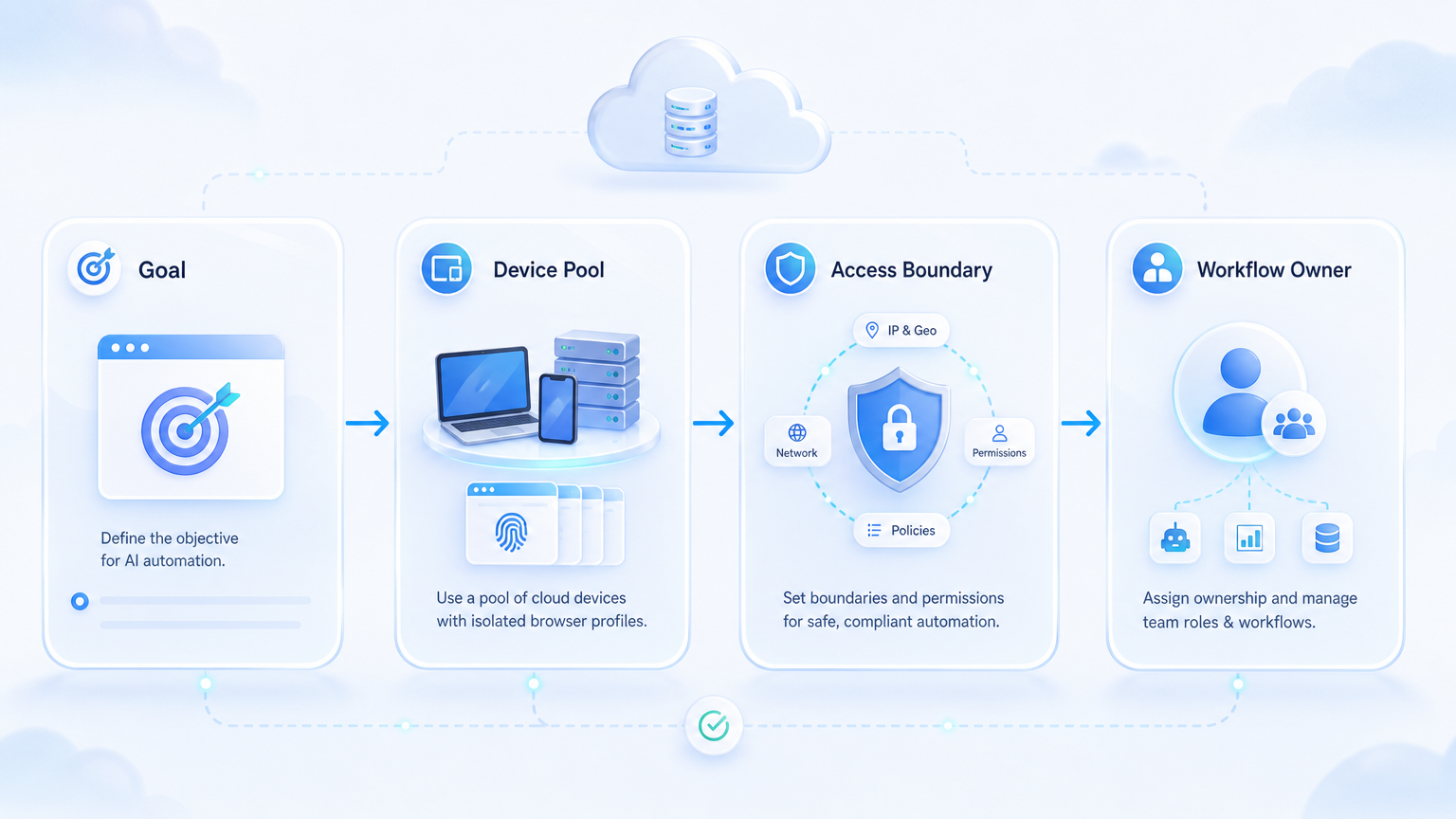
- A fingerprint browser platform should define profile ownership, allowed actions, and review evidence
- AI automation teams need separate account lanes before they scale agents
- Browser fingerprinting settings are only one part of isolation; routing, permissions, and logs also matter
- Strong use cases include dashboard checks, account handoff, QA, and structured browser tasks
- A pilot should test success, failure, stop rules, and recovery before wider rollout
What Is a Fingerprint Browser Platform for AI Automation Teams?
For AI automation teams, a fingerprint browser platform gives separate browser profiles to agents and operators working across accounts. Each profile can hold session state, browser settings, routing notes, assigned owners, and task rules.
For AI automation, the browser profile becomes the agent's work lane. The agent does not just open a page. It acts inside a named environment with limits and evidence.
That named lane matters.
This helps teams avoid a common failure. When browser tasks run from one shared environment, it becomes hard to know which account, route, or operator caused a problem. Separate profiles make the work easier to audit.
The goal is not to promise account safety. The goal is to reduce avoidable mixing and make failures easier to explain.
Why Fingerprint Browser Platforms Matter
AI agents need boundaries. Without them, a task agent can reuse the wrong login, open the wrong customer account, or continue after a screen changes.
The practical framework has four parts:
- Profile boundary: session data and browser settings stay scoped
- Account boundary: each account or work context has a clear owner
- Execution boundary: agents only get the tools needed for the task
- Review boundary: logs show input, page reached, output, and stop reason
Keep the rule visible. A profile that no one can explain is just another hidden browser. Write the owner, route, and task purpose where reviewers can see them.
For an AI browser profile, those boundaries matter more than fancy automation claims. Stop chasing broad access. A controlled lane lets a reviewer see what happened without trusting a vague success message.
Fingerprint Browser Use Cases for AI Automation
The best use cases are narrow and repeatable. A profile should support a known task, not become a general-purpose agent playground.
| Use case | What the profile controls | Review evidence |
|---|---|---|
| Dashboard checks | Account, route, and allowed pages | Status field, screenshot, and note |
| Support portals | Customer workspace and login state | Case ID, draft result, and approval |
| Marketplace operations | Seller profile and task checklist | Changed field and stop rule result |
| QA runs | Test account and environment state | Pass/fail result and failed step |
For multi account management, this structure keeps accounts, operators, and agents from blending into one unclear pool.
How to Get Started with a Fingerprint Browser Platform
Do not begin with hundreds of profiles. Start with one workflow and prove that the profile model can be reviewed.
- Map accounts to profiles: one account or one narrow work context per profile
- Add owner fields: team, operator, region, task purpose, and review cadence
- Set routing rules: document expected region and proxy network path when routing matters
- Limit agent actions: allow only the clicks, reads, and writes needed for the SOP
- Create stop rules: pause on login checks, warnings, unknown modals, or sensitive actions
- Save evidence: record input, output, issue note, and reviewer decision
Google Search Central recommends creating content for real users, not for systems alone. The same operating principle applies here: build profile workflows around real team tasks, not tool demos. Source: Google Search Central.
Common Mistakes to Avoid
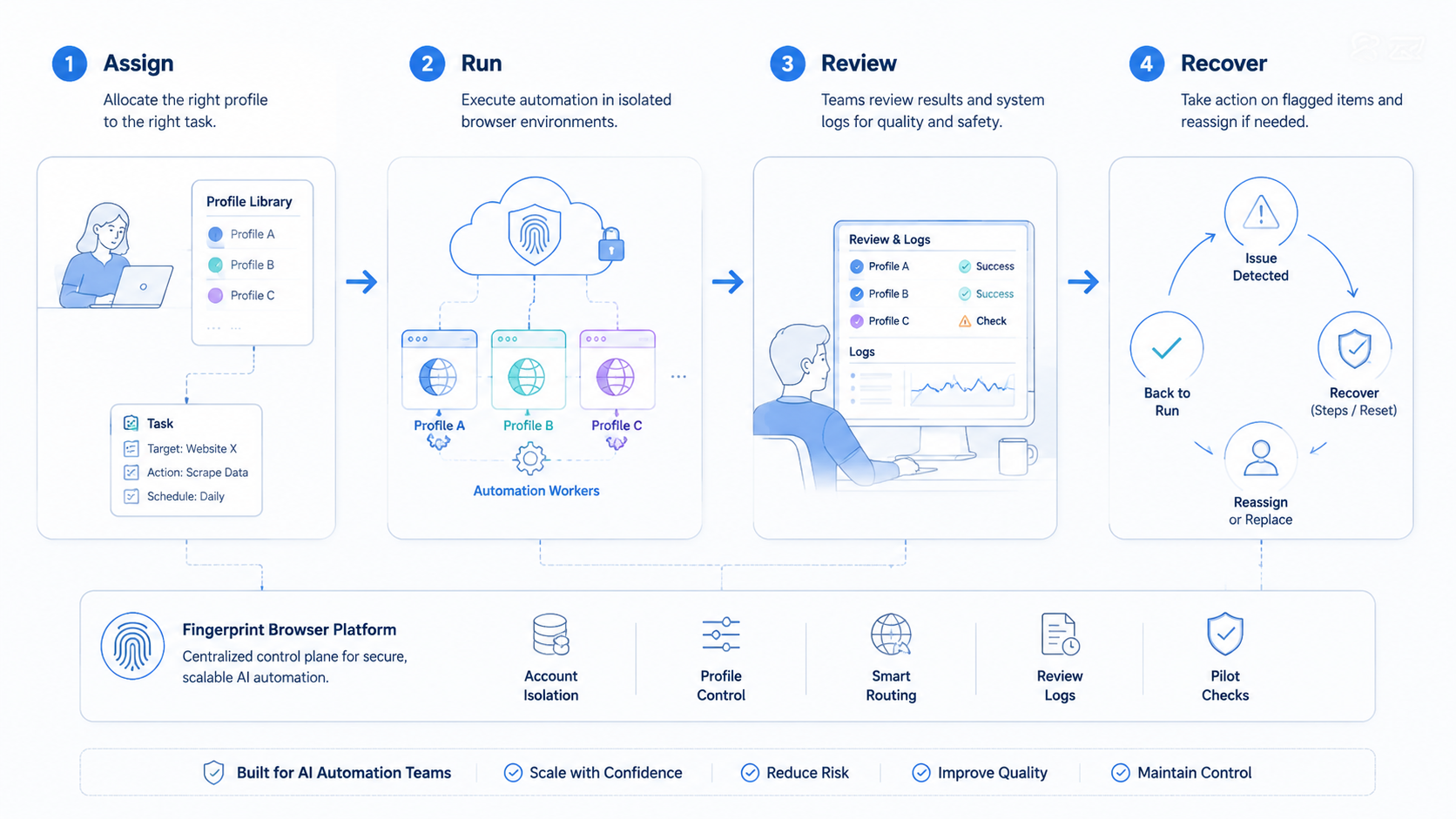
The first mistake is treating a fingerprint browser as the whole control system. Browser fingerprinting may help separate profiles, but account work also needs access rules, logs, and recovery steps.
The second mistake is letting agents browse too widely. A profile should not give an agent every account, every page, and every action. Narrow tool scope makes review easier and cuts the number of branches a reviewer must inspect after a failed run.
The third mistake is weak mobile handoff. Some AI workflows start in a browser and end inside an app. When that happens, use mobile automation or device workflows with clear handoff notes instead of mixing runtime states.
Mobile work needs its own lane.
OWASP logging guidance recommends useful records for investigation without careless exposure of secrets. Apply the same rule to profile logs. Source: OWASP Logging Cheat Sheet.
Who It Fits and When It Is a Strong Match
Fingerprint browser platforms fit teams with account-based browser work. They are weaker when the team has no SOP or no review owner.
Strong match
- Account pools with clear ownership
- Agent tasks that run in known portals
- Teams that need profile handoff between shifts
- Workflows that need [device isolation](https://www.moimobi.com/en/products/device-isolation) beside browser control
Weak match
- One-off tasks with no repeat pattern
- Shared passwords with no profile owner
- Automation that ignores platform or customer rules
- Teams that do not review failed runs
Pilot Rollout and Recovery Checks
A pilot should test failure, not only success. Pick five profiles, one SOP, and one reviewer.
Track these signals:
- Runs completed without manual rescue
- Runs stopped by known stop rules
- Unknown screens or login prompts
- Review minutes per run
- Profile handoffs completed without a call
- Account issues that needed human ownership
Recovery is the real test. When a run fails, the next operator should know which profile was used, which account was active, what page appeared, and what step is safe next.
Short Team Scenario
Picture a three-person operations team. One person reviews marketplace status, one handles support forms, and one checks campaign dashboards.
Without profile rules, all three may depend on private notes. That makes errors personal and hard to trace.
With profile lanes, each task opens from a named workspace. The reviewer sees the account, route, last run, and stop reason before approving the next step.
That is the difference between a tool and an operating lane.
The team can now train a fourth person without passing around private browser habits.
Frequently Asked Questions
Is a fingerprint browser enough for AI automation?
No. It is one layer. Teams still need task rules, routing, permissions, and review logs before agents run live work.
Should each account have its own profile?
Usually yes, or at least one narrow work context per profile. Mixed profiles make failures harder to explain.
Does this remove account risk?
No. It improves separation and traceability, but it does not remove policy, content, or operator risk.
Where does an AI browser profile fit?
It acts as the controlled workspace where an agent runs a defined browser task.
What should teams log?
Log profile, account, route, task, output, stop reason, and reviewer decision.
Can browser profiles connect with mobile workflows?
Yes, but use clear handoff notes and separate device lanes when the workflow moves into apps.
When should the team scale?
Scale after failures are explainable and another operator can continue from the profile notes.
Conclusion
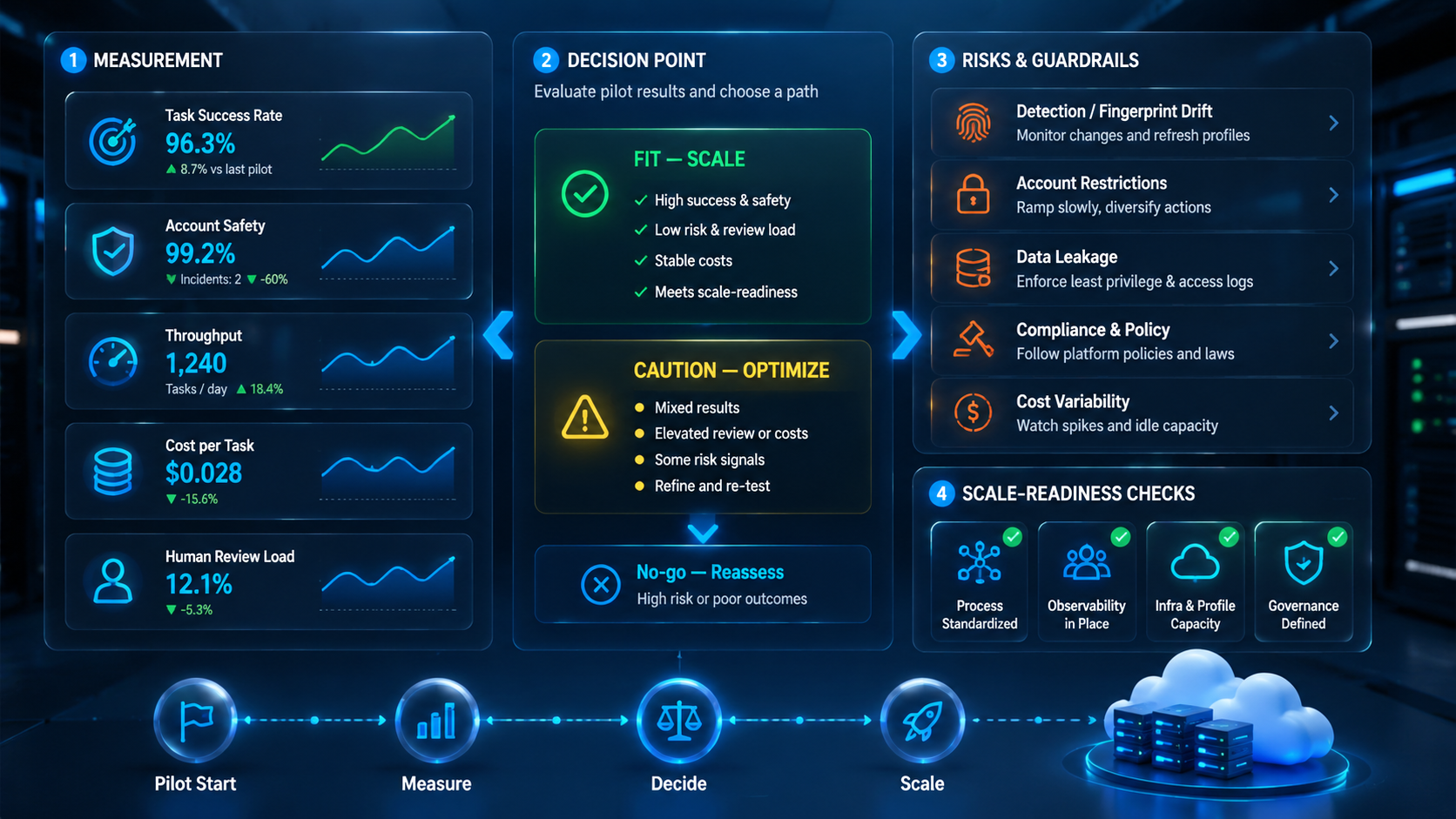
A fingerprint browser platform is useful for AI automation teams when it creates clear operating lanes. The priority order is profile ownership, task limits, account boundaries, routing notes, evidence, and recovery.
Before scaling, run one workflow with five profiles. If the team can explain each stop and hand off work without private context, the platform is ready for the next workflow.



