
Key Takeaways
- Device isolation on cloud phones means each account lane has its own mobile environment.
- Isolation is useful only when device state, route policy, ownership, and logs stay connected.
- Teams should measure rescue events before adding more accounts or workflows.
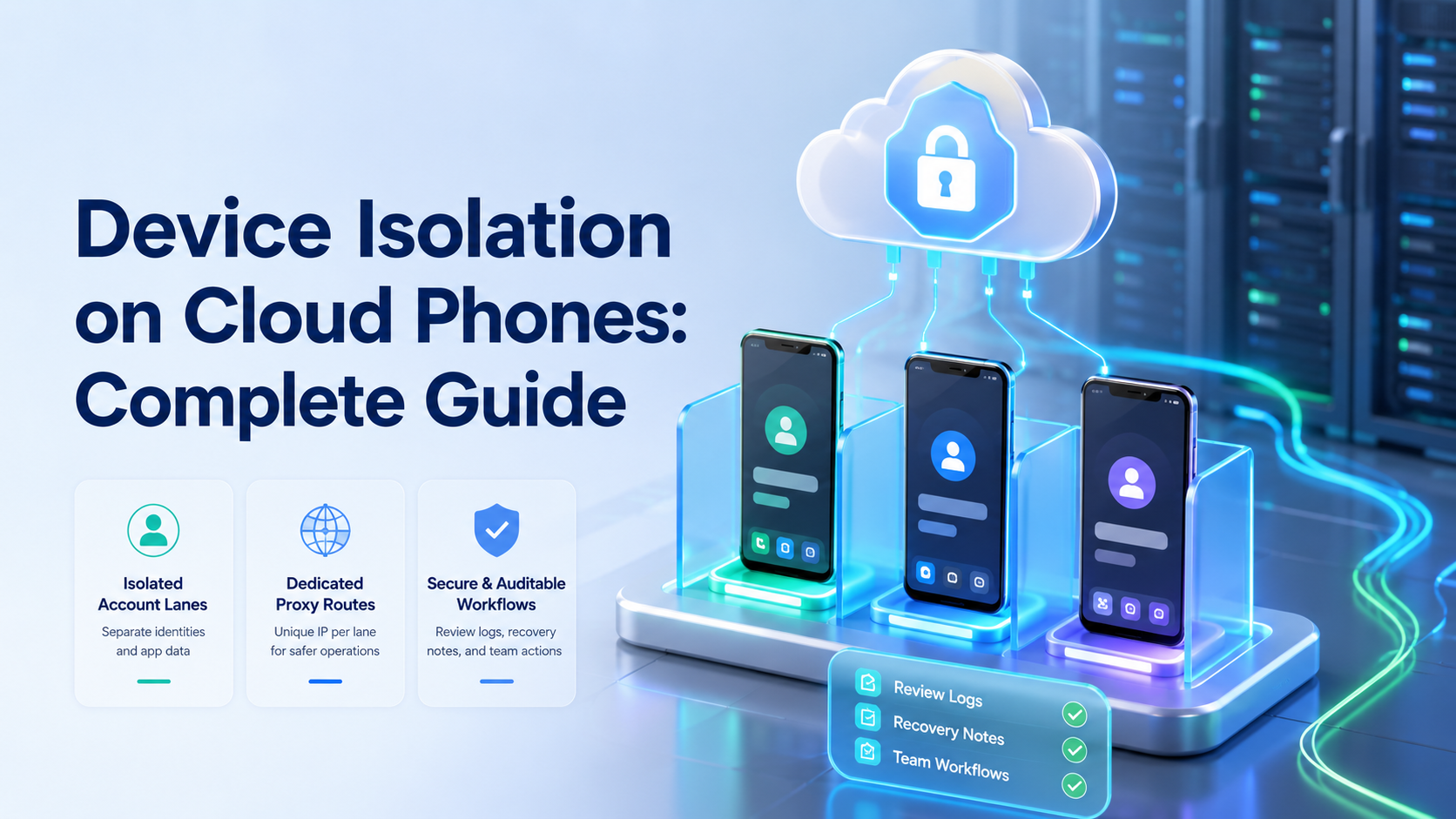
Device isolation on cloud phones is the practice of separating mobile environments so each account, app session, route, and workflow can be managed as its own lane. It does not promise a platform outcome. It gives teams a cleaner operating model for mobile work.
Check the lane.
A manager should be able to trace the workspace, account, route, last task, and next repair without opening a private chat thread.
The need appears when several people manage customer replies, social accounts, app tasks, or campaign follow-ups. Shared phones and mixed sessions make failures hard to explain. A cloud phone setup works better when every account lane can be inspected.
Keep it visible.
When the operating record stays visible, the next operator can continue the workflow without guessing what the previous person changed.
Start with the lane.
One lane should show the account, device, owner, route, task queue, and last result. An unclear lane makes automation create faster confusion.
Pause early.
A short pause at the first unclear screen usually costs less than repairing several account lanes after a rushed retry.
What Device Isolation on Cloud Phones Means
Device isolation means each account group runs in a separated Android workspace with its own app state and operating history. The workspace may include login state, installed apps, device profile, network route, task logs, and human ownership.
Name the repair.
Every repeated failure should point to one owner, one rule, and one next action before the team adds more volume.
For team operations, the goal is not secrecy. The goal is control. When a task fails, the team should know which device ran it, which account was active, which route was used, and who owns the next repair.
Review the route.
Route notes do not need to be long, but they should explain why the lane changed before another task runs.
Isolation also helps with handoff. A second operator can enter the same lane and see the task context without asking for a personal phone. That makes account work less dependent on one person.
Protect handoff.
The next operator needs a simple status note more than a long history of every click and screen transition.
Keep the first model simple: one account group, one device workspace, one task type, and one review rule. Add complexity after the team can review a failed run without guessing.
Scale with evidence.
More cloud phones help only after the team proves that one lane can complete, pause, recover, and report cleanly.
Why Isolation Matters for Multi-Account Work
Multi-account work breaks down when environments mix. An operator may reuse the wrong phone, switch a route without a note, open the wrong app session, or continue a workflow after an unexpected screen.
Keep rules plain.
Plain rules reduce training time because operators can see which actions are allowed and which actions require approval.
Device isolation reduces those avoidable conflicts. It separates app state and account history so teams can review one lane at a time. That is especially useful for agencies, cross-border teams, and support groups that pass work between shifts.
Watch repeats.
A repeated rescue reason is a signal that the workflow rule needs repair, not a reason to add another device.
The value is operational evidence. A manager can ask: which account ran, which device was used, what action happened, and what changed before the error? A team that cannot answer needs a tighter environment.
Close the loop.
The final review should connect the failed screen, account lane, route state, owner, and the next workflow update.
Google Search Central’s helpful content guidance is about publishing quality, but the principle applies to automation work too. Useful systems help people understand what happened instead of hiding weak process.
The Core Layers of Device Isolation
Device isolation is not one switch. It has several layers that must stay aligned.
| Layer | What it separates | Review question |
|---|---|---|
| Device workspace | Android environment and app state | Which device ran the task? |
| Account lane | Login, owner, and task queue | Who owns this account work? |
| Route policy | Proxy or network path | Did routing change before failure? |
| Workflow log | Actions, pauses, and results | What happened after the task started? |
| Recovery note | Failure reason and repair | What should change before retry? |
MoiMobi connects these layers through device isolation, proxy network, and account workspaces. The system is strongest when the route, device, and account lane are reviewed together.
Fit Boundaries for Teams
Device isolation fits teams that repeat account-based mobile work. It is useful when several operators touch the same account group, when workflows run across shifts, or when managers need a record of task outcomes.
Good-fit examples include:
- social media teams handling replies and publishing tasks;
- e-commerce teams checking app-based orders or messages;
- customer support groups working across mobile inboxes;
- agencies that manage client account environments;
- growth teams testing repeatable follow-up workflows.
Not every mobile task needs this model; a solo operator with one account or a one-time test can often stay simple.
Fit is about review, not size. When account work must be assigned, repeated, audited, or recovered across several people, isolation is worth evaluating because the team needs a shared record instead of memory.
How to Start with Device Isolation on Cloud Phones
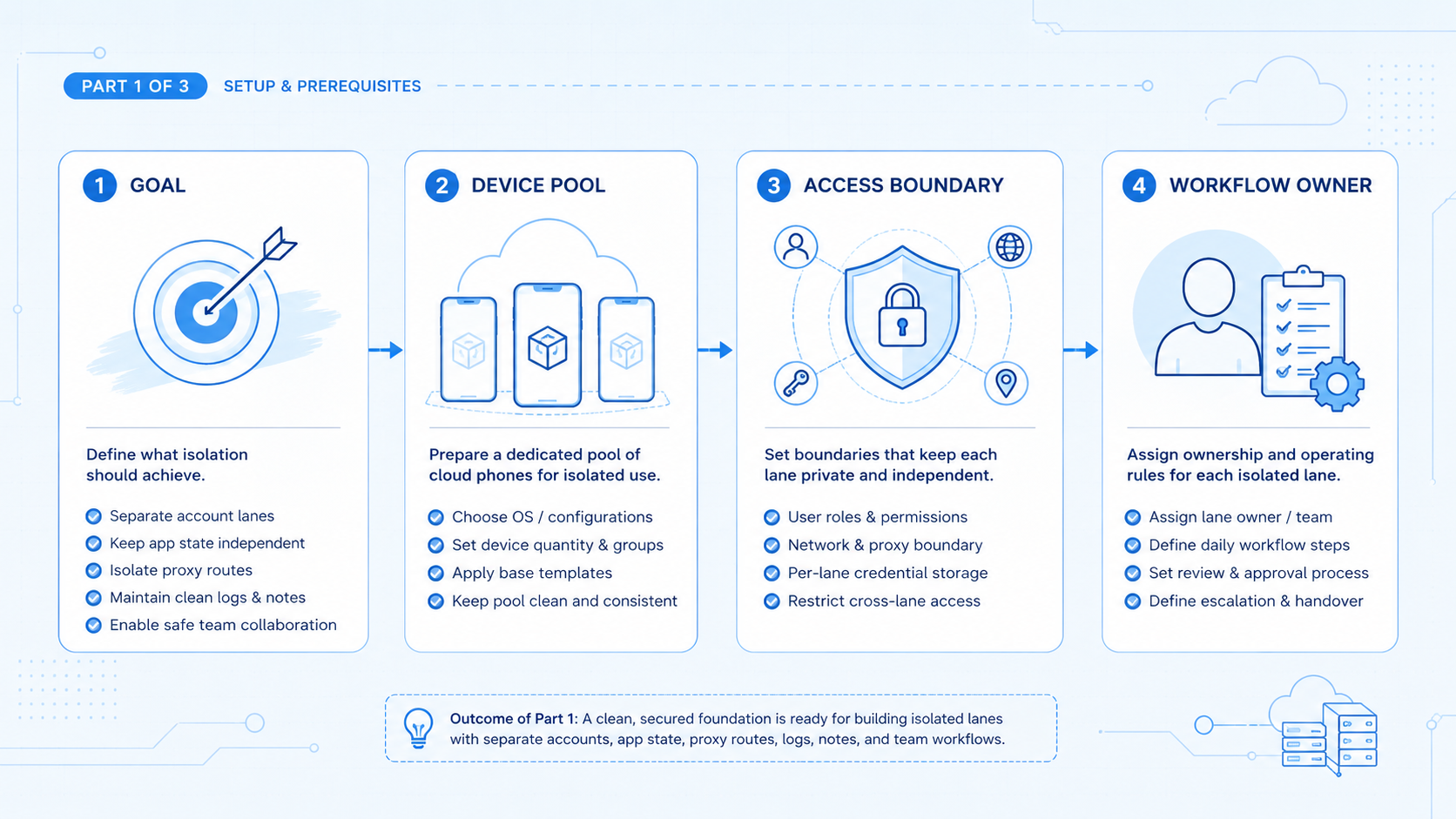
Begin with a narrow pilot. Pick one account group and one task type. Avoid launching a large account pool before the team has evidence.
Use this checklist:
- Assign the lane: record the account, device, owner, and task type.
- Lock the route policy: tie the lane to a known route and record changes.
-
Define the start state: name the app screen or inbox where work begins.
-
Add stop rules: pause when the wrong account, unexpected screen, or sensitive action appears.
- Track rescue events: count every human takeover and record the reason.
The pass check is plain. Another operator should be able to review the lane without asking the first operator what happened.
Mobile automation should be added after this foundation. Automation without clear lanes produces more work to inspect.
Daily Operating Model for Device Isolation on Cloud Phones
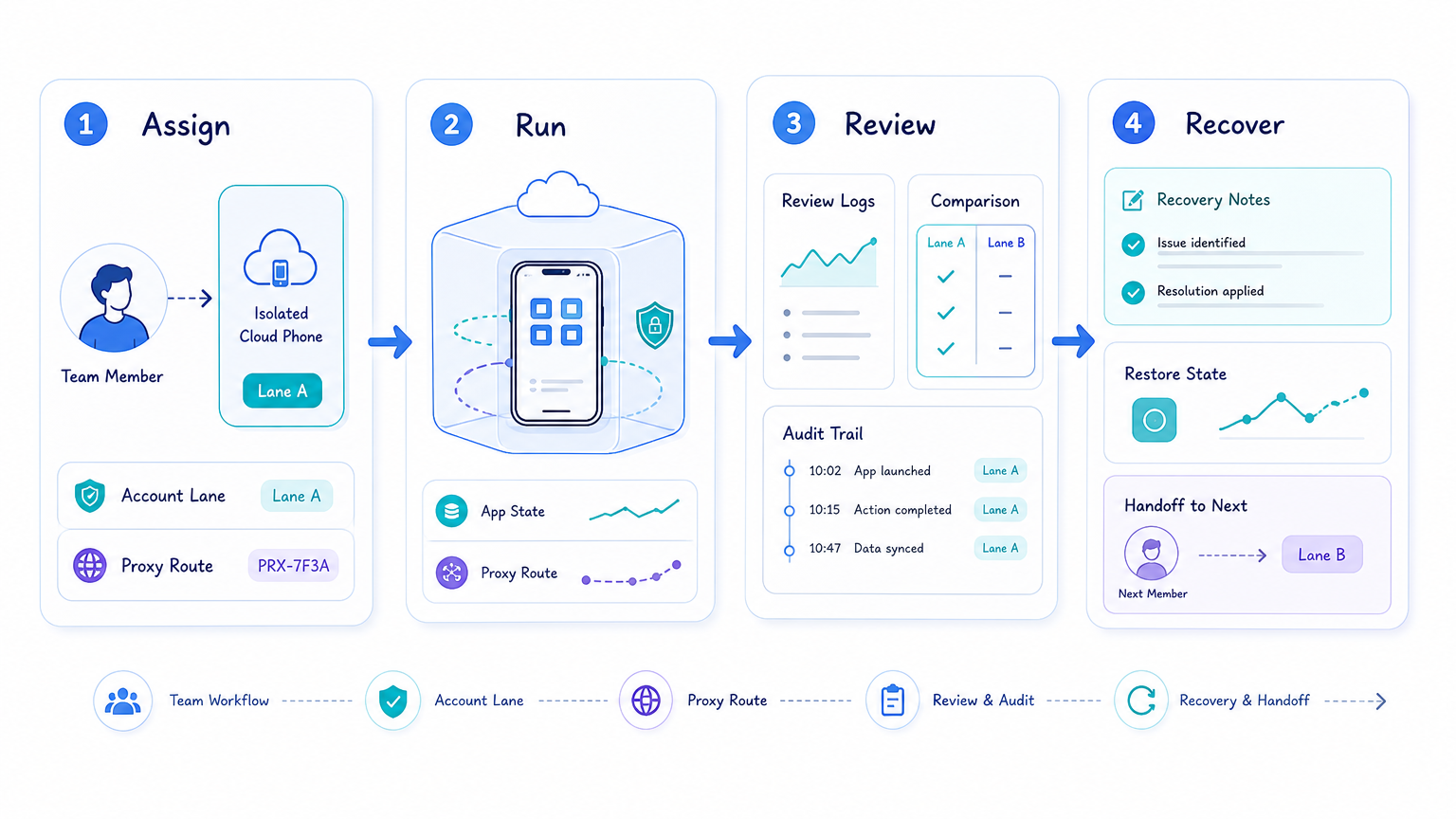
A daily operating model keeps isolation from becoming a one-time setup task. The team should check each lane before work begins. That check does not need to be heavy.
Use a short morning review:
- confirm the account lane;
- confirm the app session;
- confirm the route policy;
- confirm the task queue;
- confirm the owner for exceptions.
Then run only the approved task type. A lane created for customer replies should not silently become a publishing, profile editing, or testing lane. Mixing task types makes later review harder.
Midday review should focus on rescue events. A rescue event is any moment where a person must take over because the workflow reaches an unclear state. Count the reason.
End the day with a handoff note. The note should name open tasks, failed runs, route changes, and the next repair. Short notes are better than long reports nobody reads.
This rhythm makes device isolation visible. It also gives the next operator a clean starting point.
Governance Rules for Device Isolation on Cloud Phones
Governance does not need to be slow. It needs to be clear. A team should know who can create lanes, who can change routes, who can approve sensitive actions, and who repairs failed workflows.
Use four basic rules. The rules should be visible in the workspace so operators do not need to interpret policy from memory during a live task.
- Only assigned owners change account lanes: this prevents silent handoff drift.
- Route changes require a reason: the route note should name owner, date, and next task.
- Sensitive actions pause: customer replies, payments, deletes, and settings changes need review.
- Repeated failures block scaling: add more accounts only after the repeated issue is repaired.
The rule set should fit the team. A two-person team can keep it simple, while an agency with many client accounts may need stricter ownership and reporting.
Governance is useful when it prevents guessing. A lane change without a clear reason should become a review issue.
Handoff Notes for Isolated Cloud Phone Teams
Handoff quality decides whether isolation survives daily work. A clean device lane still fails when the next operator cannot see what happened.
Use a short handoff format:
- account lane name;
- current app state;
- last completed task;
- open customer or account issue;
- route change, if any;
- next recommended action.
The note should be short enough to read during a shift change and specific enough for a manager to review later.
One good handoff note can prevent several weak retries because it tells the next operator whether to continue, pause, repair, or escalate.
This is where isolation becomes a team habit: the device is separate, the lane is named, and the next action is visible.
Common Mistakes in Device Isolation
The first mistake is sharing environments for convenience. It may save setup time, but it weakens review because the team cannot separate device state, route history, account ownership, and operator action after a failure.
The second mistake is changing routes without notes. Device isolation and route consistency belong together, so a route change should have an owner, reason, date, and next task.
The third mistake is skipping recovery. A failed run is evidence, not just an error, and the team should record why the task stopped and what rule needs repair.
Use these stop rules:
- wrong account opens;
- login state changes;
- app layout changes;
- customer-facing reply needs judgment;
- route or network path changes unexpectedly.
OWASP’s LLM Top 10 is useful background for teams that connect AI workers to tools. The same principle applies: tool actions need boundaries, logs, and review.
Metrics and Recovery Review
Measure isolation quality before scaling volume. Completed tasks are not enough. Teams also need rescue rate, correction rate, session resets, route changes, and repeated failure reasons.
Review the data weekly. Falling rescue events and clear notes can justify the next account group. Repeated failures should trigger workflow repair before more devices are added.
A useful recovery note includes:
- account lane;
- cloud phone ID or workspace name;
- route or proxy state;
- task type;
- failure reason;
- owner of the next repair.
Keep recovery short. Long reports often hide a missing rule. The best note tells the next operator what to inspect first.
Frequently Asked Questions
What is device isolation on cloud phones?
It is the separation of mobile workspaces so each account lane has its own app state, route, owner, and task history.
Does device isolation remove all account risk?
No. Platforms may consider behavior, content, history, and other signals. Isolation only controls the operating environment.
Why does route consistency matter?
Route changes affect review. Unrecorded changes make later failures harder to diagnose.
Can AI workers use isolated cloud phones?
Yes, when the system provides clear task boundaries, logs, and human review points.
How many accounts should a team start with?
Start with one account group and one task type. Expand only after failures are understandable.
Is this the same as an emulator?
No. The decision should focus on team workflow, persistence, review, and account lane control, not only device simulation.
What should managers track?
Track completed tasks, rescue events, corrections, session resets, route changes, and repeated failure reasons.
Where does MoiMobi fit?
MoiMobi provides cloud phones, isolation, proxy routing, and workflow execution for teams managing mobile account work.
Conclusion
Device isolation on cloud phones gives teams a clearer way to run mobile account work. It separates app state, account ownership, routing, and task history into lanes that can be inspected.
The right order is simple: define the lane, assign the device, record the route, run one workflow, measure rescue events, and repair before scaling. That sequence keeps execution visible.
Use MoiMobi when cloud phones are part of a larger account workflow. The value is not only remote device access. The value is controlled mobile execution that teams can review and improve.



