
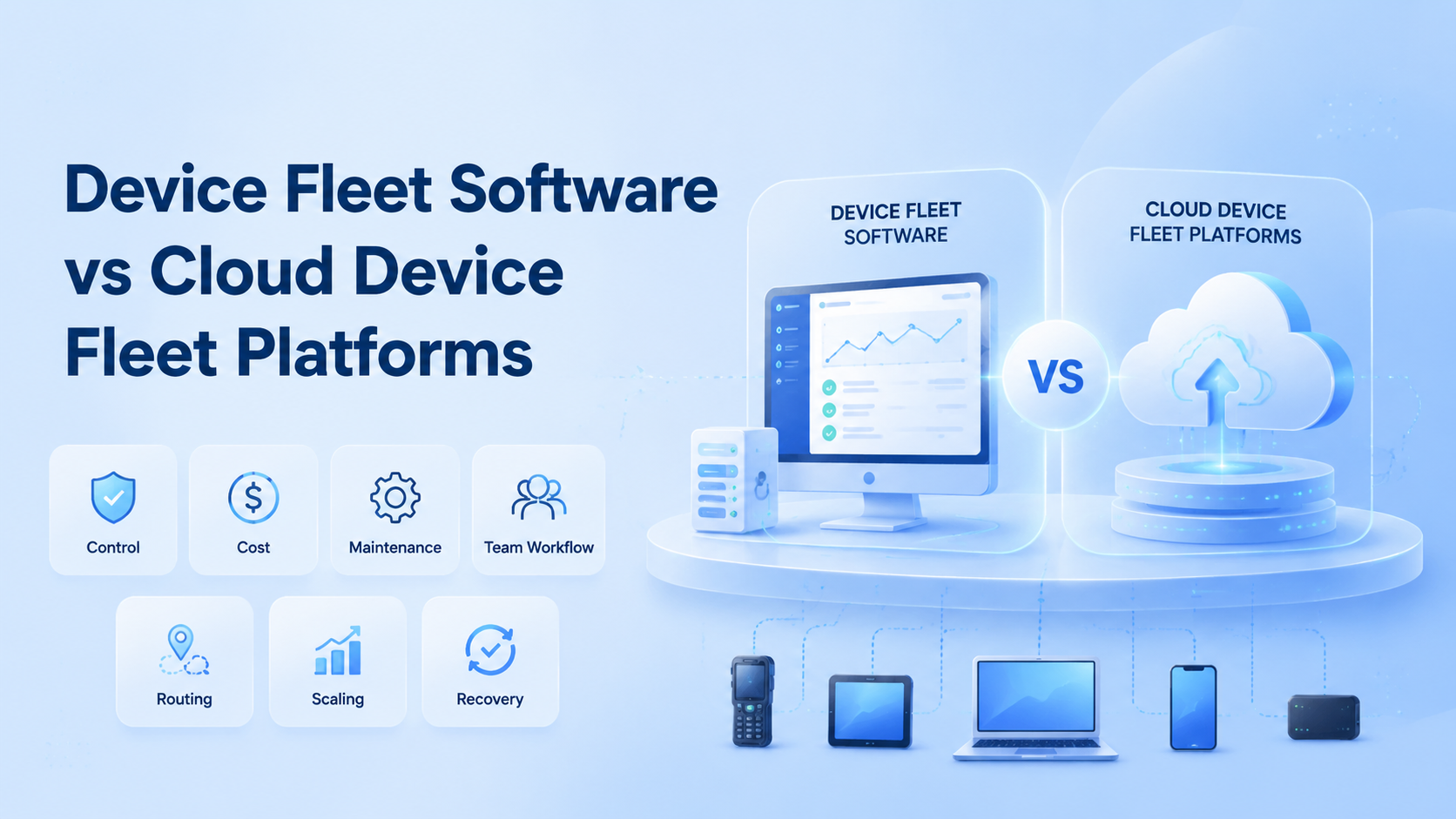
Device fleet software is a control layer for managing many devices, while a cloud device fleet platform provides remote device capacity and execution infrastructure. Choose device fleet software when you already own, secure, and maintain the hardware. Choose a cloud platform when the team needs remote capacity, cleaner handoff, and less physical maintenance.
The comparison is not only about price. It is about who owns uptime, routing, device replacement, access control, and recovery. A team running 20 local phones has different constraints from a team running 300 accounts across regions.
Key Takeaways
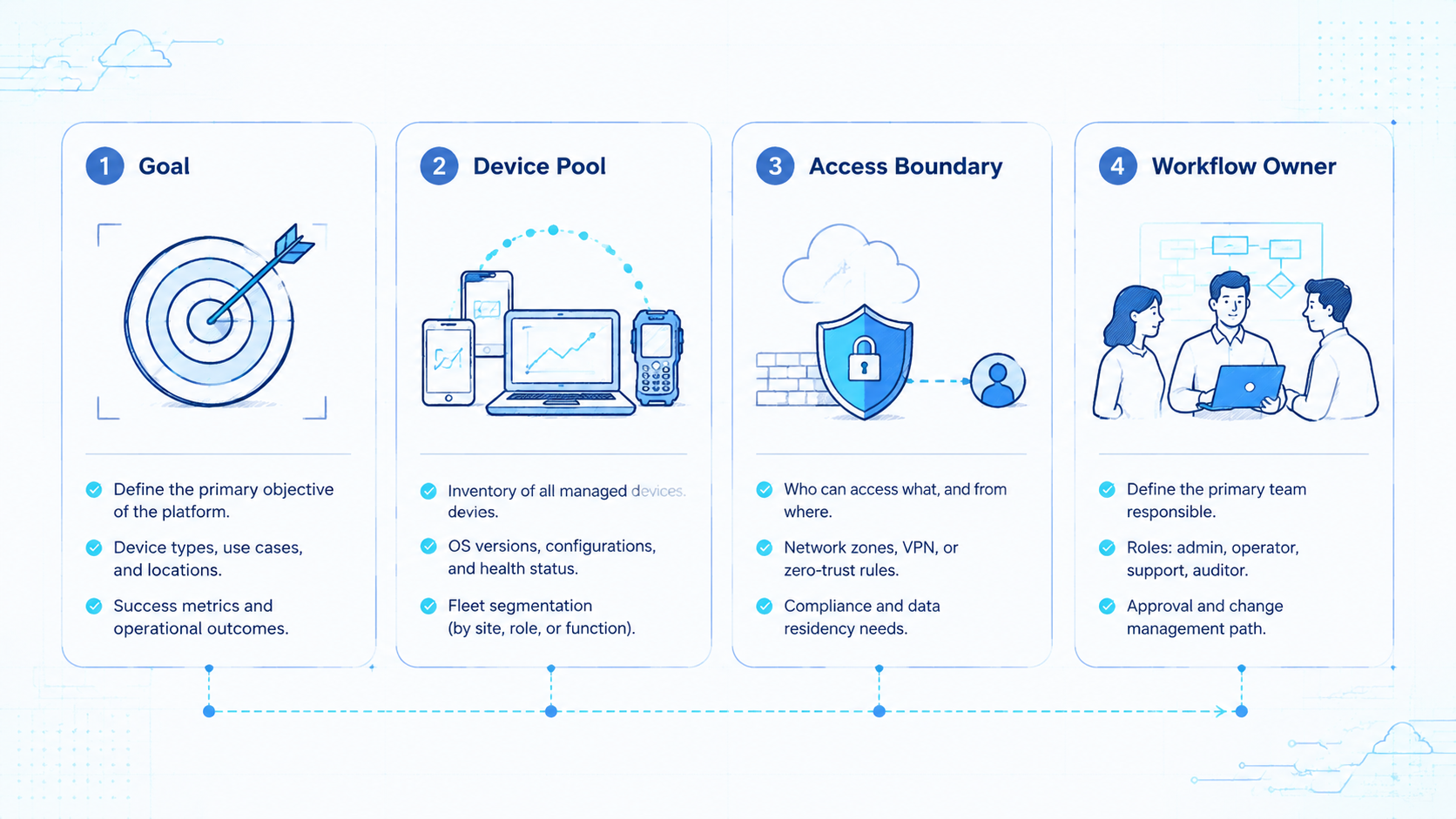
- Device fleet software fits teams that already control hardware and networks.
- Cloud device fleet platforms fit distributed teams that need elastic remote execution.
- The real comparison is maintenance burden, not only feature lists.
- A pilot should test device setup, account handoff, route consistency, recovery, and operator logs.
What to Compare Before Choosing device fleet software
Start here.
Start with ownership. If the company owns devices, office space, charging racks, SIM handling, and local network controls, device fleet software may be enough. The software coordinates assets the team already has.
Cloud platforms move more of that burden away from the office. A cloud phone environment gives teams remote access to Android capacity without asking every operator to hold physical devices. That changes staffing, support, and disaster recovery.
Compare these constraints before comparing dashboards:
- Hardware ownership: buyer, label owner, repair path, wipe rule
- Network control: route map, region rule, leak check owner
- Operator access: open rights, transfer rights, revoke rights
- Audit trail: session history, account owner, work note
- Capacity planning: time to add 20 more working environments
The best choice is usually the one that removes the bottleneck the team can least afford.
Key Differences Between Device Fleet Software vs Cloud Device Fleet Platforms
Draw the line.
The biggest difference is the line between control and infrastructure. Device fleet software manages a fleet the team already operates. A cloud device fleet platform combines remote environments, team access, device state, and execution controls.
| Decision Area | Device Fleet Software | Cloud Device Fleet Platform |
|---|---|---|
| Hardware | Team owns physical devices | Provider supplies remote capacity |
| Maintenance | Internal team handles failures | Platform handles more infrastructure work |
| Remote work | Depends on VPN or remote tooling | Built for distributed operators |
| Scaling | Limited by procurement and setup | Limited by platform capacity and plan |
| Recovery | Depends on local records | Can centralize account and task records |
| Best fit | Existing device lab | Multi-region operating team |
Neither option is automatically better. A device lab can be excellent for QA, hardware testing, or regulated internal flows. A cloud platform is stronger when parallel work, handoff, and remote access matter more than physical possession.
How device fleet software compares in daily workflow
Test the handoff with one account, one owner, one backup route, and one reviewer who was not present during setup.
The feature list can hide workflow cost. A tool may support device grouping, yet still leave charging, cable failure, screen locks, broken phones, and local Wi-Fi problems to the operations team.
A cloud platform changes the daily workflow. The manager now checks environment state, account owner, route plan, and stop notes instead of hunting for a phone on a desk.
Operators log into assigned environments, run tasks, and hand off work without moving physical devices. Pause there. The phone farm model is closer to execution infrastructure than a shelf of phones.
One realistic comparison is a 50-account social operations team. With local devices, a manager must track phones, chargers, SIMs, office access, and remote viewing. With cloud capacity, the same manager focuses more on account grouping, access rules, routing, and task results.
That does not remove process design. It moves the process from hardware handling to environment governance.
The handoff test is direct. Ask one operator to finish a task at 6 p.m., then ask another operator to resume it at 9 a.m. from a different location. If the second operator needs a private chat, a photo of a local device, or help from the office, the workflow is not yet clean.
Cloud environments also need governance. Assign owners, name device groups, and decide who can start, pause, transfer, or reset each environment. For app-specific workflows, Android antidetect and device-level controls may matter more than a generic remote screen.
Device fleet software cost and operating load
Count the work.
Low monthly software cost can be misleading. Local fleets still carry device purchase cost, replacement cost, desk space, power, office bandwidth, staff time, and lost time during hardware failures.
Cloud platforms shift costs into service capacity. That may look higher per environment, but it can reduce hidden operational work. The right comparison uses total operating cost, not software subscription alone.
Build a simple cost sheet:
- Device purchase or rental cost
- Replacement rate per quarter
- Staff time spent on setup and fixes
- Network and proxy cost
- Operator wait time when devices are down
- Recovery time after account or device issues
For a phone farm business, this matters because margins depend on repeatability. A low-cost stack that requires constant manual repair may cost more than a cleaner platform.
Use a plain floor test before buying. Can a new worker find the right device, start the task, stop the task, and leave a note without asking the office owner?
Can a manager see what happened the next day? This test is dull by design, because dull checks catch daily friction before a larger rollout turns it into support debt. If the answer is no, the cheap option may be slow in real work.
The cloud option should pass the same test. Fast access is not enough. The team still needs names, groups, roles, and stop rules.
Keep it teachable. Keep the tool simple enough that a new shift can use it after one clear handoff.
Which Option Fits Different Teams
Pick by team shape.
Device fleet software fits internal teams with stable hardware ownership. It is also sensible for QA labs that need direct device inspection, local debugging, or specific model coverage.
Cloud platforms fit teams that run repeatable account work across operators. Agencies, social teams, marketplace operators, and mobile workflow teams usually care more about remote access, account separation, and consistent handoff.
Use this quick fit block:
- Choose device fleet software if devices stay in one office, hardware variety matters, and the team has an IT owner.
- Choose cloud platforms if operators work remotely, capacity changes often, and managers need centralized access.
- Use both when QA needs physical devices but production work needs remote execution.
The split can be healthy. A company may test releases on local devices while running repeatable account operations through cloud capacity.
Compare Risk, Security, and Account Recovery
Use plain controls that a support lead can check during a normal workday without reading a long technical report.
Security is not only a platform checkbox. The useful question is whether a tired shift lead can still see the owner, device, task, and last change.
It is a workflow discipline. This is where small labels, fixed names, and simple review fields matter more than another dashboard view. Teams need clear roles, logs, credentials, recovery contacts, and review routines. Keep that line clear.
External frameworks help set the operating mindset. The NIST Cybersecurity Framework groups work into identify, protect, detect, respond, and recover. Those categories map well to device fleet planning.
Identify the device or environment, protect access, detect unusual activity, respond to failures, and recover cleanly.
For content and growth teams, Google Search Central also matters as a policy reminder. Useful content and user value should stay ahead of automation volume. Infrastructure should support quality work, not create careless output.
On the technical side, the OWASP Logging Cheat Sheet gives a practical reminder: useful logs need actor, action, target, time, and outcome. A fleet without those fields is hard to audit.
Add one more check for account separation. If two clients, two regions, or two campaign groups should not share state, the team needs environment boundaries. A device isolation layer can make that boundary easier to review.
Pilot Rollout and Measurement Plan
Run it small enough to repeat, but large enough to expose real handoff, route, and recovery problems.
Run a pilot before moving the whole team. Test both options against the same operating scenario.
Use 15 accounts, 5 operators, 3 device groups, and 2 normal workdays. Ask each option to complete the same setup, login, task, handoff, and recovery sequence.
Track these signals:
| Pilot Metric | Why It Matters | Passing Signal |
|---|---|---|
| Setup time | Shows deployment burden | Operator can start without IT rescue |
| Session handoff | Shows team usability | Next operator sees the right state |
| Route consistency | Shows network discipline | Region and proxy remain documented |
| Failure recovery | Shows real support cost | Team restores access with logged steps |
| Manager review | Shows audit readiness | Owner can inspect actions and outcomes |
Stop the rollout if the team cannot explain why a device, account, route, or operator changed. Confusion at small scale becomes expensive at larger scale.
Keep one short decision record after the pilot. List the winning option, the losing option, the main blocker, the support owner, and the next review date.
Store it beside the operating runbook, not in a private chat. File it. A future manager should see the same facts without reopening the original buying debate or searching old messages. The next manager should understand the decision without asking the original buyer.
Run one desk test as well. Put a new team member in front of the tool. Give them a task card with the account name, the device group, and the goal. Do not help for the first 10 minutes.
Watch the gaps in silence. Check three signs:
- Right screen found without help
- Safe device identified without guessing
- Clear stop note left for the next user
These plain checks expose weak setup faster than a long sales call.
Additionally, ask the team lead to close the loop. The lead should see the task, the device, the user, the time, and the final state. If those facts are easy to find, the system is ready for a wider test.
Frequently Asked Questions
Is device fleet software the same as MDM?
Not always. MDM focuses on policy and device administration. The buying team should check whether the tool is meant for IT control, daily account work, or both. Device fleet tools may also support operations, grouping, remote access, and task workflows.
Is a cloud device platform just an emulator?
No. A serious platform should provide remote device environments, team access, routing options, and operational controls. It should not be framed as only an emulator replacement.
Which option is cheaper?
It depends on total cost. Add it up. Use real bills and time logs, not only plan pages or a vendor quote. Include hardware, staff time, network setup, failures, operator waiting, and replacement work.
Can a local device fleet scale faster?
Only if devices, network, staff, and space are already available. Otherwise procurement and setup slow expansion.
Does a cloud platform remove all account risk?
No. It can improve consistency, but account quality, workflow discipline, platform rules, and operator behavior still matter.
Should agencies use device fleet software?
Agencies with an office-based hardware team may use it well. Distributed agencies usually need stronger remote handoff and centralized access.
What should a team test first?
Test setup, account assignment, proxy or network routing, session handoff, failure recovery, and manager review.
Can both approaches work together?
Yes. Local devices can support QA or special hardware needs. Cloud environments can support routine remote execution.
Conclusion
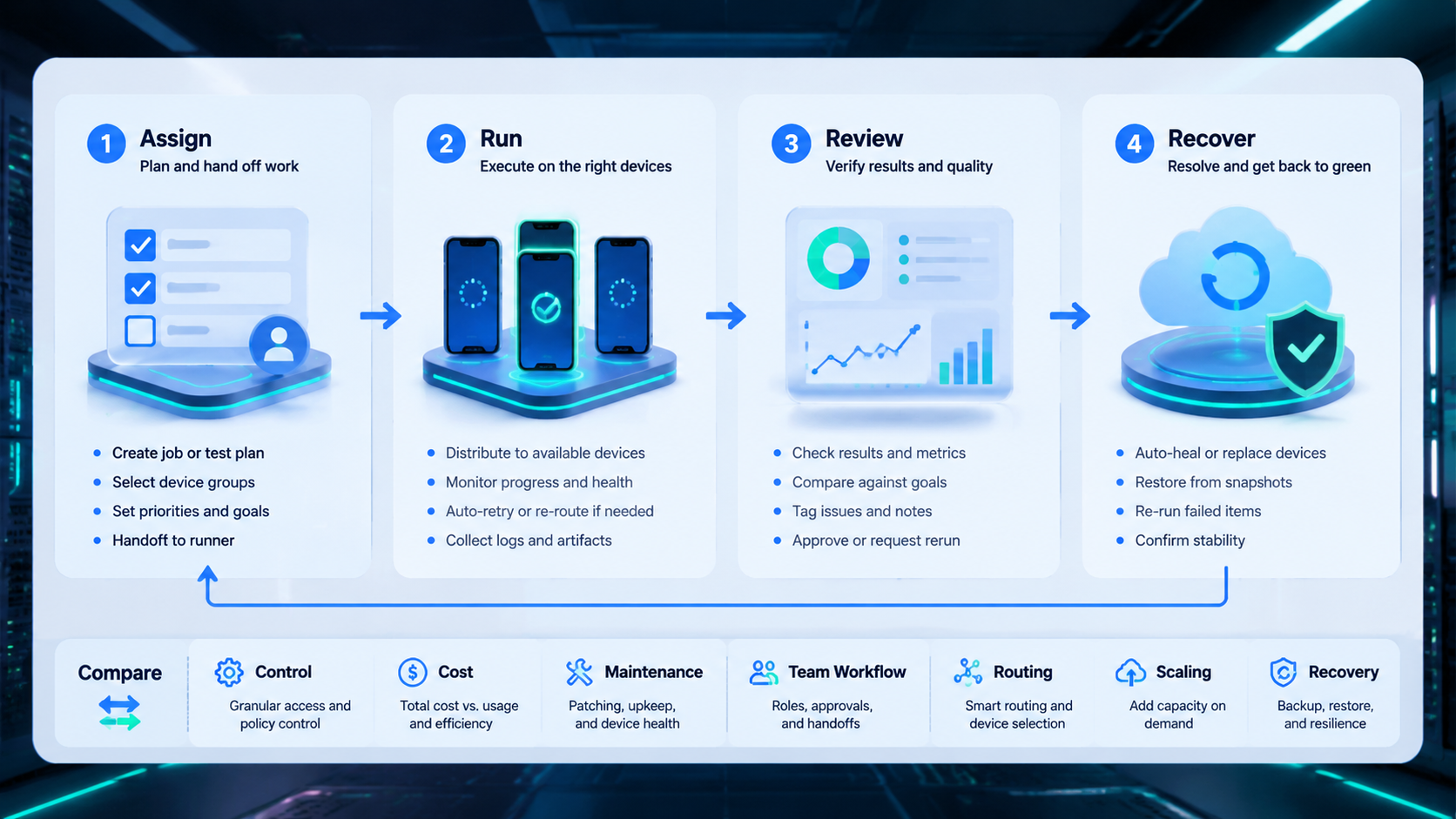
The practical verdict is clear. Choose device fleet software when the team already owns the physical fleet and can manage maintenance. Choose a cloud device fleet platform when remote execution, handoff, scaling, and centralized review are the harder problems.
Before committing, run a controlled pilot. Compare the same workflow across setup time, operator handoff, route consistency, recovery speed, and review quality. The option that makes routine work cleaner is usually the better operating choice.



