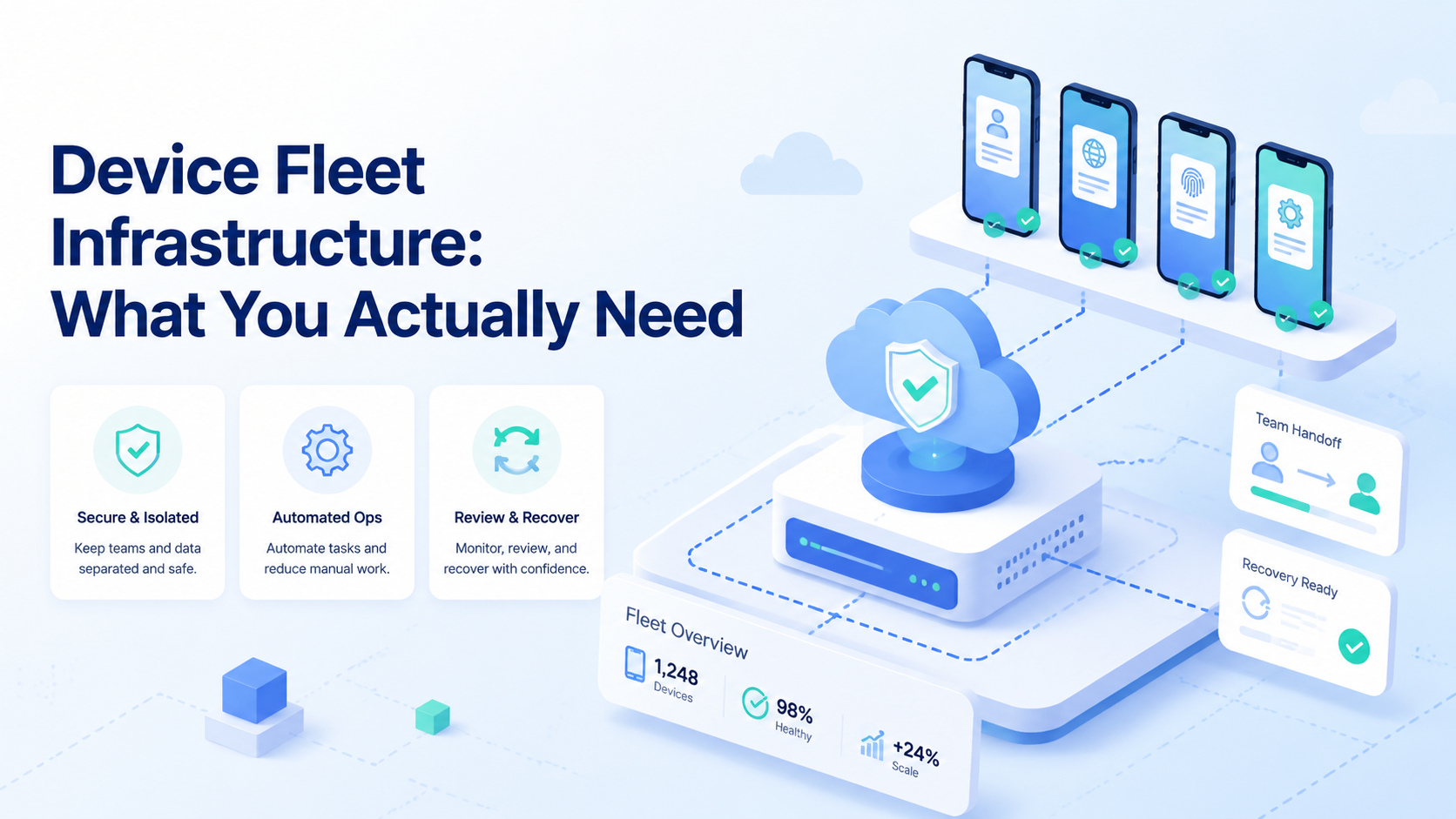
Device fleet infrastructure is the operating layer that lets a team manage many mobile environments with clear ownership, routing, isolation, automation, review, and recovery. It is not just a shelf of phones, a script folder, or a basic remote access tool.
The real question is simple. Can the team run repeated mobile work without losing track of accounts, devices, regions, proxies, media, approvals, and failure states? If the answer is no, the fleet is only hardware capacity. It is not yet infrastructure.
For a small team, the first version can be modest. You need enough devices, a naming model, account assignment, safe access rules, and proof collection. As work grows, you need stronger controls: device isolation, queue management, parallel execution, monitoring, and a review loop.
This guide explains what matters before a team buys more devices or builds a larger phone farm. Daily work changes first.
Key Takeaways
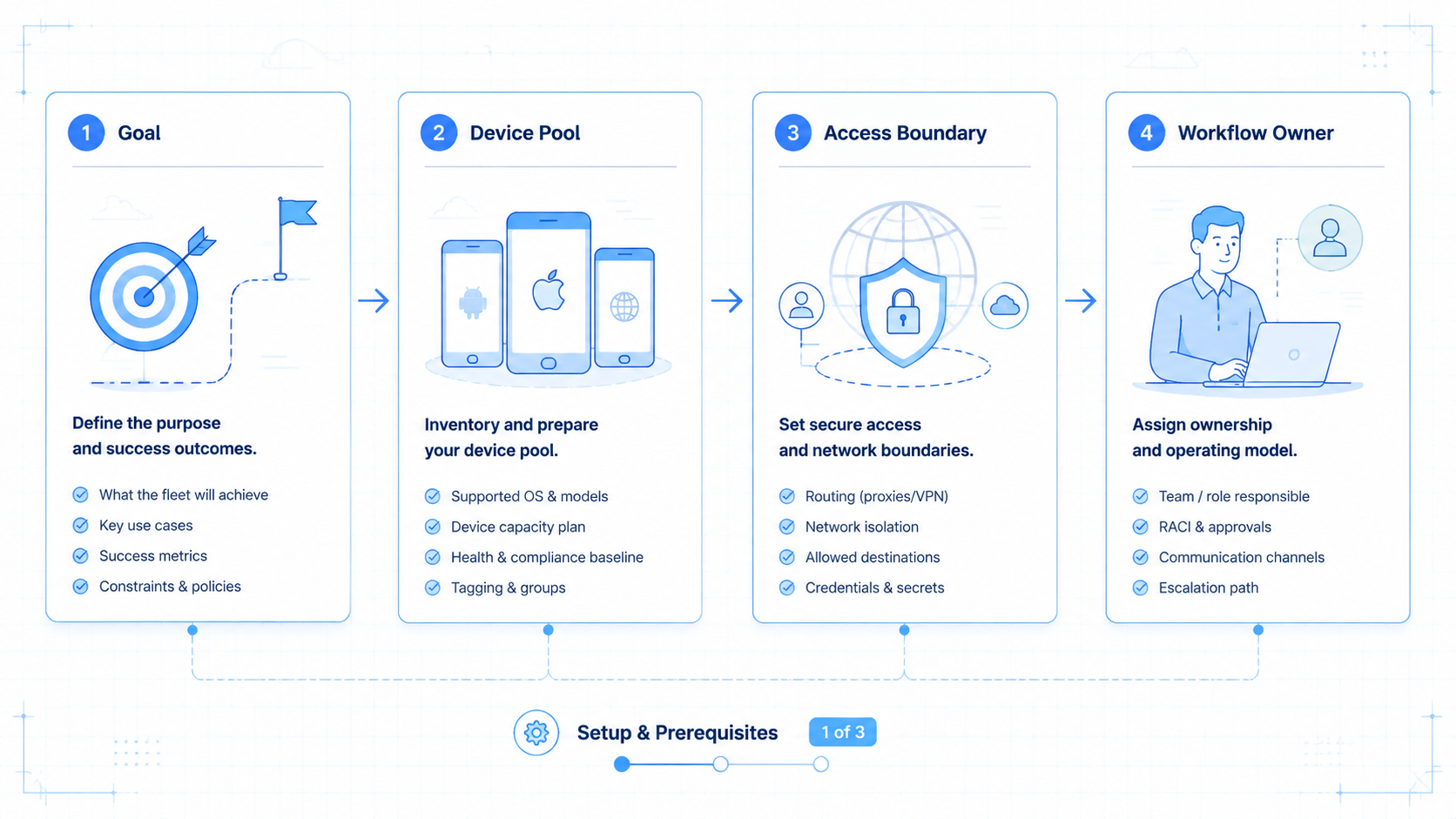
- Device fleet infrastructure starts with ownership, account routing, and repeatable device state
- A phone farm without review, recovery, and evidence becomes difficult to operate
- The best starting point is a small pilot with named accounts and named devices
- Teams should separate device capacity from workflow control
- Scaling should wait until the team can explain each device, task, failure, and retry
What Is Device Fleet Infrastructure?
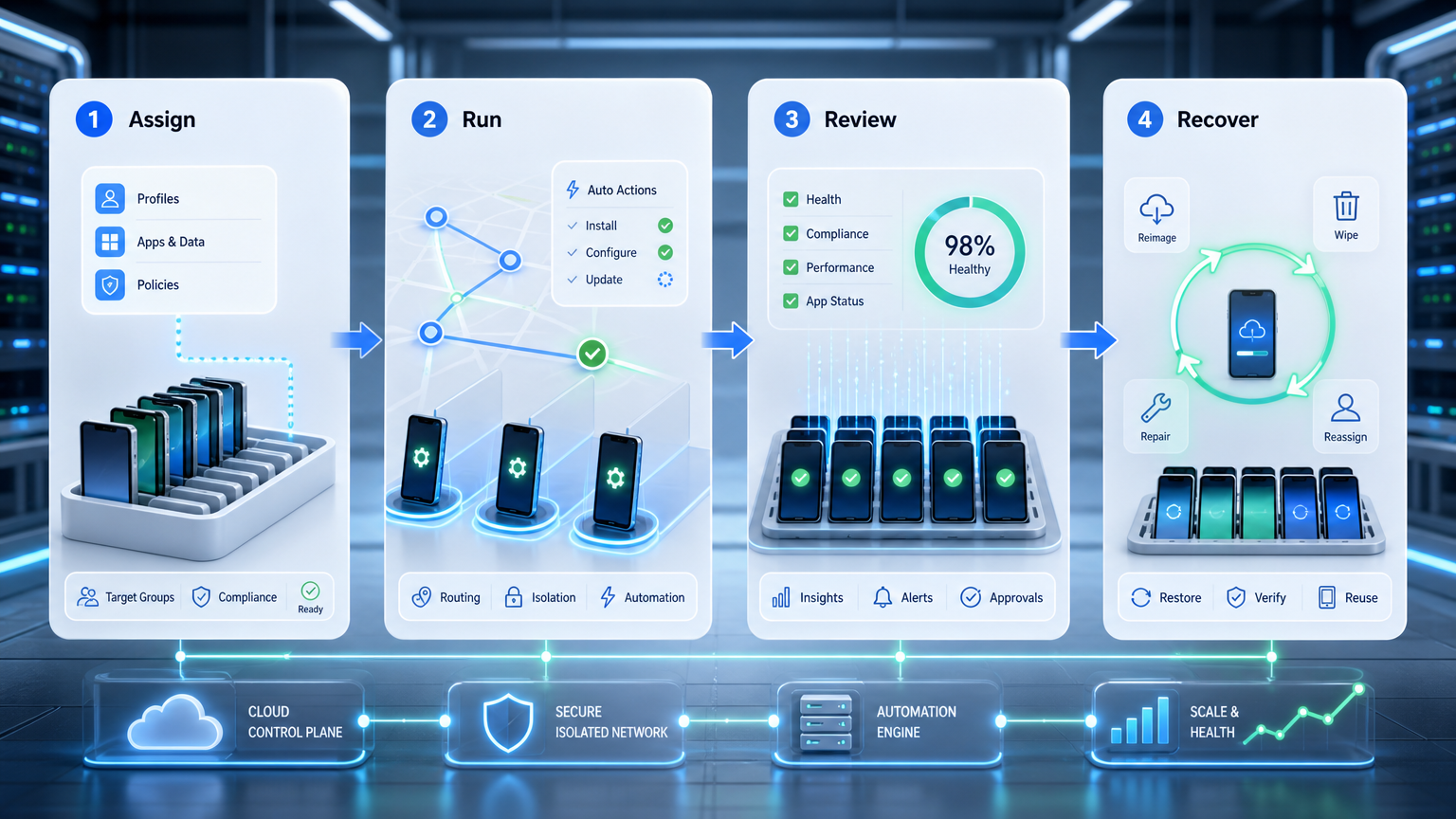
Device fleet infrastructure is the system that keeps mobile devices usable for team operations. It covers the physical or cloud device layer, but it also covers access, identity separation, workflow assignment, logs, screenshots, and human review.
A basic fleet has 5 building blocks.
| Layer | What It Controls | Why It Matters |
|---|---|---|
| Device capacity | Phones, cloud phones, or mixed lanes | Determines how many mobile tasks can run |
| Account routing | Which account uses which device | Prevents confused ownership and wrong actions |
| Environment state | Region, app version, proxy, media, login state | Keeps repeated work understandable |
| Execution workflow | Manual steps, automation, queues, and retries | Turns devices into an operating system |
| Review and recovery | Evidence, approval, pause rules, fallback | Makes failed runs useful instead of invisible |
Most teams notice the device layer first because it is visible. They buy devices, rent remote phones, or test a cloud phone lane. That is reasonable. Still, device capacity solves only one part of the problem.
The harder layer is operational memory. A team needs to know which account used a device, what app state existed before the task, which asset was used, what proof was captured, and whether the run is safe to repeat.
Android's enterprise materials describe device management as a real management domain, not just remote screen access. The Android Enterprise ecosystem and the Android Management API are useful reference points when teams think about policy, enrollment, and managed devices.
For commercial teams, the practical lesson is narrower. Do not evaluate a device fleet only by device count. Evaluate whether every run can be assigned, audited, paused, and recovered.
Why Device Fleet Infrastructure Matters
Device fleet infrastructure matters because mobile work becomes messy faster than browser work. A browser profile can be renamed, exported, or closed. A mobile task may depend on phone state, app version, login status, notification timing, camera roll, media storage, and network route.
Without a fleet model, operators start making local exceptions, so one person keeps a private note about a phone while another stores assets in a different folder.
A third person retries a failed task without telling the reviewer. The team may still finish work, but the process becomes harder to inspect.
The failure pattern usually starts small.
- An account is assigned to the wrong device
- A phone runs with an old app version
- A proxy or region does not match the account plan
- A media file is reused without review
- A failed task is retried from the wrong screen
- A reviewer cannot find the before-and-after evidence
Each issue may look minor alone. Together, they make a fleet unreliable. The team loses confidence because nobody can explain the final state quickly.
A better model treats device fleet infrastructure as shared execution infrastructure. The device, account route, workflow, proof, and reviewer form one operating chain.
This is where a phone farm or a cloud phone farm becomes useful only if it connects to management rules. More phones increase capacity. They do not automatically create clean ownership.
Key Benefits and Use Cases
The main benefit is not raw scale. The workable benefit is controlled repetition. A team can run similar mobile tasks across accounts while keeping device identity, account ownership, and evidence visible.
Common use cases include app-based account checks, mobile content preparation, marketplace listing review, social app QA, mobile campaign setup, and repeated screenshots for operators or reviewers. Each use case needs a different level of automation.
The myth is that a large fleet equals a strong operation. The reality is that a smaller fleet with clear routing can outperform a larger unmanaged fleet for many workflows.
Use this fit grid before expanding capacity.
- Repeated mobile tasks across several accounts
- Workflows that need screenshots or review proof
- Teams with separate operators and approvers
- Accounts that need consistent device assignment
- One-time experiments with no future reuse
- Solo tasks that do not need handoff
- Work that can be handled in a normal browser
- Projects with no owner for device cleanup
A phone farm business may care about higher utilization. An internal operations team may care more about fewer mistakes. The same infrastructure can serve both goals, but the success metric should be different.
For team operations, measure proof coverage, retry rate, task completion time, duplicate actions, and manual rescue count. They show progress.
How to Get Started with Device Fleet Infrastructure
Do not start by adding every possible automation feature. Start by making the current device work visible, assigned, recoverable, and easy for another operator to inspect after a failed run.
Step 1: Name every device or cloud lane
Use a stable naming rule. Include device type, region, owner group, and number. A name such as mobile-us-ops-012 is easier to audit than a casual nickname.
Step 2: Assign accounts before tasks run
Each account should have a default device lane, owner, and fallback rule. This avoids ad hoc switching when a task becomes urgent.
Step 3: Record environment state
Track app version, device region, proxy route, login state, media folder, and last safe screen. A simple spreadsheet can work for the first pilot, but the fields must be consistent.
Step 4: Define what automation is allowed to do
Some steps can be automated safely. Other steps should pause for review, especially public actions, account changes, or media publication. Mobile automation should follow the workflow boundary, not replace it, especially before scripts touch accounts, media, approvals, or repeated public actions.
Step 5: Capture proof before and after work
Screenshots, logs, task notes, and reviewer decisions create the evidence trail. Android's quality guidance is a useful reminder that mobile work should be tested against real behavior, not assumed from a script alone.
Step 6: Add recovery rules
A task should know when to pause. Login challenges, unexpected app screens, missing media, route mismatch, or repeated retry loops should stop the run and ask for review.
Step 7: Review the pilot weekly
Run a small group first, because 10 devices or fewer can reveal most process gaps before the team adds more moving parts. Track failures closely.
The goal is not a perfect first week. The goal is to find the fields and rules the team forgot.
Common Mistakes to Avoid
The first mistake is treating hardware as the whole system. More devices can increase throughput, but they also increase cleanup, ownership, and monitoring work.
The second mistake is mixing account ownership without a written route, because the team loses the ability to explain what happened later. Device isolation matters because separation is easier to maintain when lanes are explicit.
The third mistake is letting scripts become quiet production tools. A one-off script may be fine for research, but weekly use means it now needs ownership, proof, recovery, and review.
The fourth mistake is skipping network and route records. A device fleet often depends on consistent routing. A proxy network should be documented with the device lane and account plan.
The fifth mistake is overloading one reviewer when several task types, account groups, and recovery cases all need decisions at the same time. Review is a control point, not a bottleneck by design. If all tasks wait for one person, the fleet may look slow even when devices are available.
Use a stop rule. Do not add devices when the team cannot answer these questions:
- Account assigned to this device
- Last task that ran
- Proof captured for review
- Failure state that is safe to retry
- Person allowed to approve the next public action
- Scripts still marked as experiments
A fleet that cannot answer these questions is not ready for higher volume.
Scale Readiness Check for Device Fleet Infrastructure
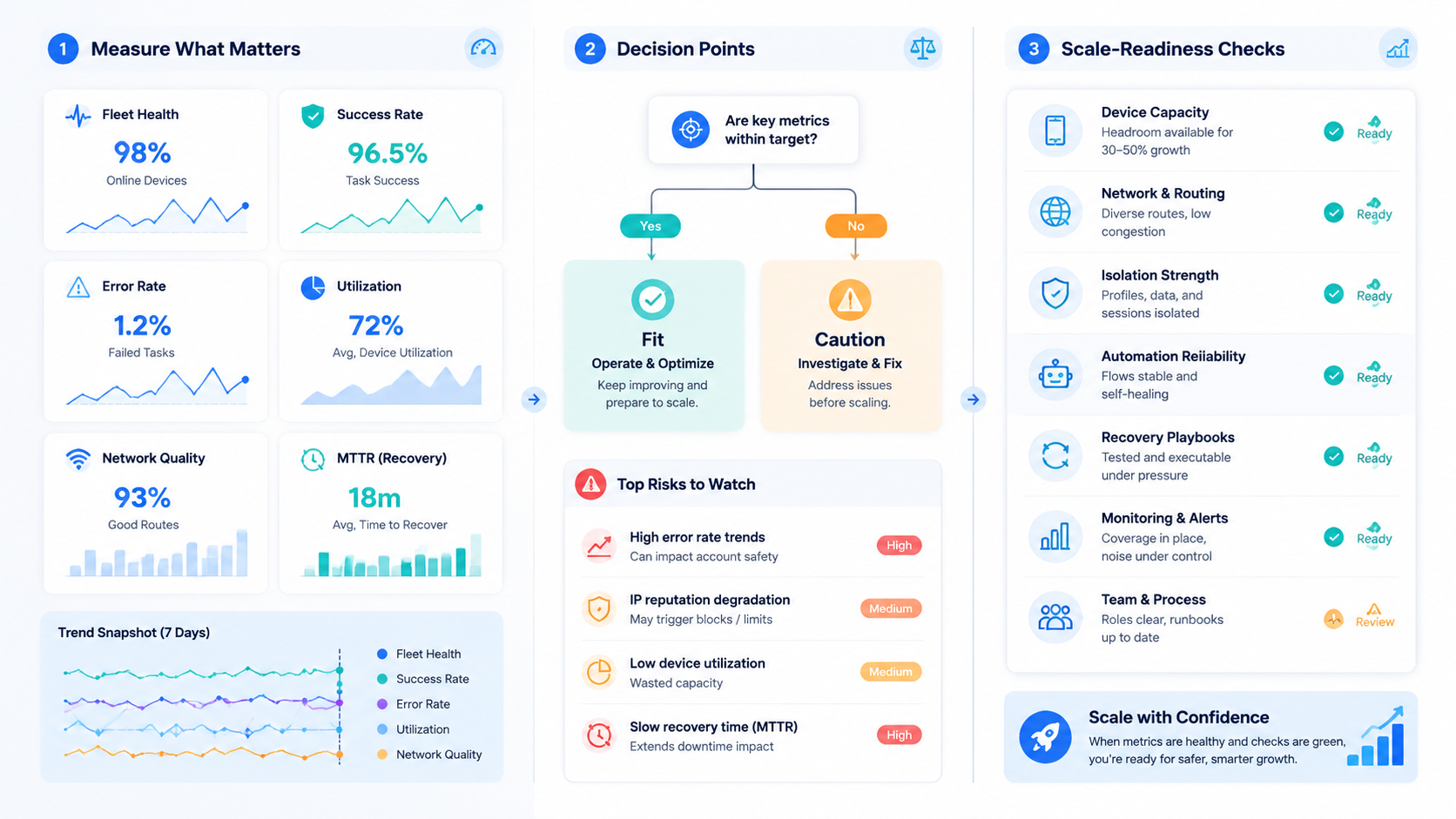
Scale should be earned by clean runs, not by a calendar date. Before adding more devices, review the last 20 completed tasks and the last 10 failed tasks. The sample does not need to be large, but it should include real work from real operators.
Use a pass/fail view:
| Check | Pass | Fail |
|---|---|---|
| Device owner | Every device has a named team | Ownership is guessed from chat history |
| Account match | The account route is visible before work starts | Operators pick a device during the task |
| Proof | Screenshots or logs show the before and after state | Reviewers ask for missing context |
| Retry rule | The task stops at a known safe point | The same action repeats without review |
| Cleanup | Media, sessions, and notes return to a known state | Old files or sessions remain on the device |
This review keeps growth practical. A team may add 5 more devices after the pass column is mostly clear. If the fail column still shows repeated gaps, the next investment should be process cleanup.
The best scale signal is boring handoff. A new operator should understand the device lane, account route, task status, and reviewer decision without asking the person who ran the previous shift.
Roles should be visible too. One person may own device health, another may own account assignment, and a reviewer may own final approval. The split does not need to be formal at first, but it must be written down.
Clear roles reduce stalled work. When a task pauses, the operator knows who can fix the route, who can approve the action, and who can clean the device after the run.
Minimum Fields for Device Fleet Infrastructure
A fleet record does not need to be complex at the start. It needs to be clear enough that another operator can open the record and understand the device, account, task, and last safe state.
Start with a small field set. Add more fields only when the team has a real reason, such as a repeated failure or a review gap.
| Field | Simple Example | Use in Daily Work |
|---|---|---|
| Device lane | mobile-us-ops-012 | Shows where the task should run |
| Account owner | ops-team-a | Names who controls the account |
| Work type | listing check | Keeps tasks grouped by repeat pattern |
| App state | logged in, app 5.8 | Helps explain layout changes |
| Route note | us-east proxy group | Keeps network choices visible |
| Media folder | campaign-a-approved | Blocks random asset use |
| Reviewer | sam-review | Creates a clear approval path |
| Last safe state | search screen captured | Shows where a retry may resume |
These fields are simple on purpose. They make the fleet easier to discuss during a handoff. They also give the team a way to spot weak spots before adding more devices.
Field quality matters more than field count. A record with 8 accurate fields is better than a dashboard with 40 stale fields. If operators stop updating a field, remove it or make it part of the task flow.
The same idea applies to a phone farm infrastructure plan. Start with the fields that support real work: device, account, route, proof, reviewer, and recovery. Extra reports can come later.
Pilot Metrics for Device Fleet Infrastructure
Device fleet infrastructure should be judged by operating signals, not only uptime. Uptime says a device is reachable. It does not prove the workflow is controlled.
Track these metrics during the first 30 days.
| Metric | Good Signal | Bad Signal |
|---|---|---|
| Assignment coverage | Every task names account and device | Operators choose devices manually |
| Proof coverage | Before and after evidence exists | Reviewer asks what happened |
| Retry count | Failures stop at known checkpoints | Scripts repeat unknown actions |
| Manual rescue | Rescue cases decline weekly | Operators keep fixing the same issue |
| Route clarity | Region and proxy are visible | Route is guessed from memory |
| Cleanup time | Devices return to known state | Old media and sessions remain |
Review the table once a week. A small fleet with improving metrics is healthier than a large fleet with unclear failures.
This review loop also helps decide when to use multi-account management controls. When several operators share the same mobile system, task assignment and account routing become part of the infrastructure.
Frequently Asked Questions
What is device fleet infrastructure?
It is the operating system around a group of mobile devices, connecting each lane to an account owner, state record, task queue, proof trail, and reviewer. It includes devices, account routing, access rules, environment state, automation, evidence, review, and recovery.
Is a phone farm the same thing?
No. A phone farm provides device capacity for mobile work, but it does not by itself define ownership, task routing, proof, or recovery. Device fleet infrastructure adds the management layer that makes the capacity usable for team workflows.
How many devices should a team start with?
Start with enough devices to test the repeated workflow and expose the handoff problems that appear between operators. A small pilot is better than a large unmanaged fleet. The team should learn the assignment, proof, and recovery rules first.
What should be tracked for each device?
Track device ID, owner group, account route, app version, region, proxy route, media folder, last safe state, task queue, and reviewer.
When does automation become necessary?
Automation becomes useful when the same mobile steps repeat across accounts and the team can define a safe stopping point. It should start with narrow tasks and pause before sensitive or public actions.
What is the biggest operational risk?
The biggest risk is invisible reuse, where a device, script, or account route becomes production infrastructure without ownership, evidence, or recovery rules. This usually starts as a small shortcut.
How does this connect to cloud phones?
Cloud phones provide remote mobile lanes for teams that need app state, account routing, and review to stay visible across shifts. The fleet infrastructure defines how those lanes are assigned, monitored, reviewed, and recovered.
What should be fixed before scaling?
Fix naming, account assignment, proof capture, route records, and retry rules first. More devices should come after the team can audit the current workflow.
Conclusion
Device fleet infrastructure is the difference between having mobile devices and running mobile work as a controlled team system. The device layer matters, but it is only one part of the operating model.
Build the first version around clarity:
- Name the devices
- Assign accounts
- Record state
- Capture proof
- Decide what automation can do
- Pause risky steps for review
- Measure failures for 30 days before increasing capacity
The next step is practical. List the mobile workflows your team repeats each week, then choose one workflow for a pilot.
For that workflow, write down the device lane, account route, app state, proxy route, media folder, reviewer, proof requirement, and recovery rule. If the team can run that pilot cleanly, the fleet is ready for more volume. If not, improve the process before adding more devices.