
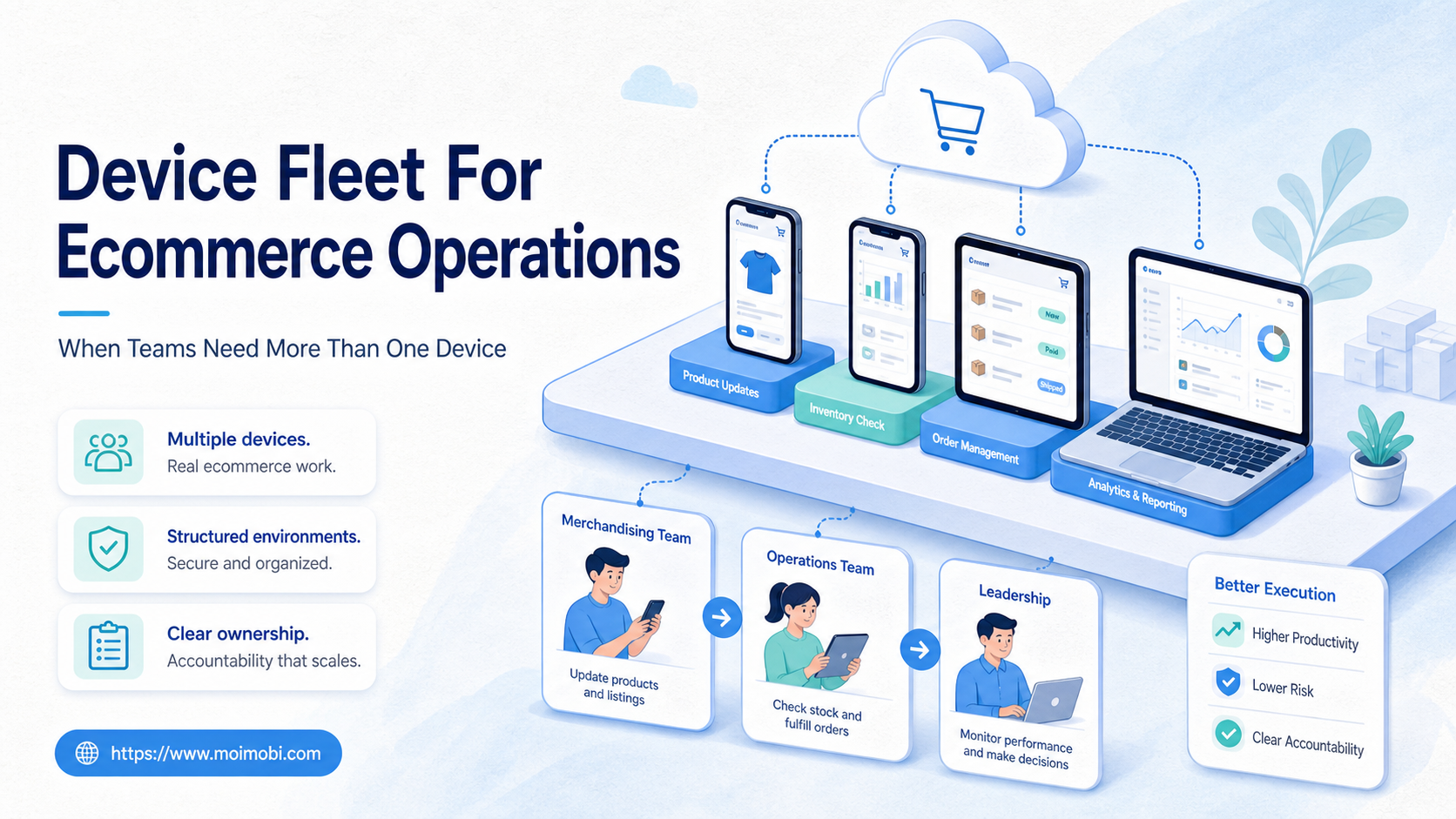
A device fleet for ecommerce operations is a managed set of phones, cloud phones, browser profiles, or Android environments used to run repeated store, marketplace, social commerce, and customer engagement tasks.
One device can be enough when one person handles one store. It becomes fragile when several people manage multiple shops, apps, accounts, regions, or customer channels. At that point, the decision is not "more devices for more volume." The real decision is whether each account, role, and workflow has a clean place to run.
For ecommerce teams, a fleet should create operational clarity. It should show which account belongs to which environment, who can touch it, what tasks run there, and what happened after each task. That is where cloud phones, device isolation, and multi-account workflows become infrastructure, not just extra screens.
Key Takeaways
- A device fleet is useful when ecommerce work spans multiple accounts, apps, regions, or operators.
- The main risk is not device count. It is mixed sessions, unclear ownership, and missing task history.
- Cloud phones can help when mobile app workflows need persistent Android environments.
- Browser profiles still matter for admin dashboards, product listings, and web-based operations.
- A small pilot should measure completion rate, handoff clarity, abnormal account events, and recovery time.
What Is Device Fleet for Ecommerce Operations: When Teams Need More Than One Device?
In ecommerce, a device fleet is the execution layer behind repeated account work. It may include physical phones, cloud phone environments, remote Android devices, browser profiles, or a mix of them.
The fleet exists because ecommerce operations rarely stay inside one dashboard. A team may update product listings in a web admin, respond to buyers in a mobile app, check marketplace alerts, publish short videos, and monitor competitor pages. Each task may require a different logged-in account and a different environment.
The practical model is simple:
- Account: the store, marketplace profile, social channel, or support identity.
- Environment: the browser profile, cloud phone, or Android device where the account runs.
- Operator: the person or AI-assisted workflow responsible for the task.
- Record: the task result, failure, screenshot, note, or handoff status.
This is why a device fleet should not be treated as a pile of phones. It is an operating system for account-based work.
Why Device Fleet for Ecommerce Operations Matters
Device fleets matter because ecommerce work has become more distributed. A product launch may involve Shopify admin work, marketplace updates, social posting, chat replies, review monitoring, and mobile app checks. A single shared device makes this hard to audit.
Team permissions are part of the same problem. Shopify, for example, documents that permissions control what users can view and manage across store, organization, POS, and partner roles. That shows a basic operating principle: roles and access should be explicit, not shared casually through one login or one device. See Shopify's official guidance on roles and permissions.
Device fleets also help teams separate mobile and browser work. A marketplace admin task may fit a browser workspace. A TikTok Shop or WhatsApp support task may require a mobile app session. MoiMobi positions this as an AI execution platform problem because the execution environment matters as much as the task instruction.
The goal is not to automate every action. The goal is to make repeated work traceable, recoverable, and easier to assign.
Key Benefits and Use Cases
The common myth is that a device fleet is only for very large sellers. The workable view is narrower: a fleet becomes useful when the number of account-environment combinations exceeds what one person can remember safely.
| Use case | Why one device breaks down | Better fleet pattern |
|---|---|---|
| Multi-store operations | Teams mix sessions and forget which account is active. | One account group per isolated environment. |
| Social commerce | Mobile apps, DMs, comments, and creator accounts overlap. | Cloud phones for mobile tasks plus browser profiles for admin work. |
| Customer support | Several operators reply from the same shared device. | Role-based assignment with task records and handoff notes. |
| Cross-border ecommerce | Region, routing, language, and account ownership become unclear. | Separated environments with documented routing and responsibility. |
Real-device infrastructure is also a recognized pattern in mobile quality work. AWS describes Device Farm as a service for testing and interacting with apps on real physical phones and tablets hosted by AWS. That is a testing context, not ecommerce operations, but it supports the broader point that real or remote devices are used when mobile behavior matters. See the AWS documentation on Device Farm.
Operating Model for Device Fleet for Ecommerce Operations
The operating model should define how work enters the fleet, how it is assigned, and how it leaves with proof. Without that model, device count becomes a vanity metric.
Use four lanes.
Account lane. Every store, marketplace account, social commerce account, and support account needs an owner. The owner is not always the person doing the work. It is the person accountable for access, review, and recovery.
Environment lane. Each account group needs a defined home. A web admin account may belong in a browser profile. A mobile-first account may belong in a cloud phone. A high-touch support identity may need both, with clear rules for which task happens where.
Task lane. Each repeated task needs a short contract. The contract should name the app or dashboard, the expected action, the evidence to collect, the approval rule, and the stop condition.
Review lane. Every failed or sensitive task needs a review path. Do not let operators decide alone whether to retry, switch devices, change routing, or pause an account. Write the decision tree before the fleet grows.
This model keeps the fleet useful when the team expands. New devices should enter an existing operating pattern. They should not create a new informal workflow every time a team adds an account.
How to Get Started with Device Fleet for Ecommerce Operations
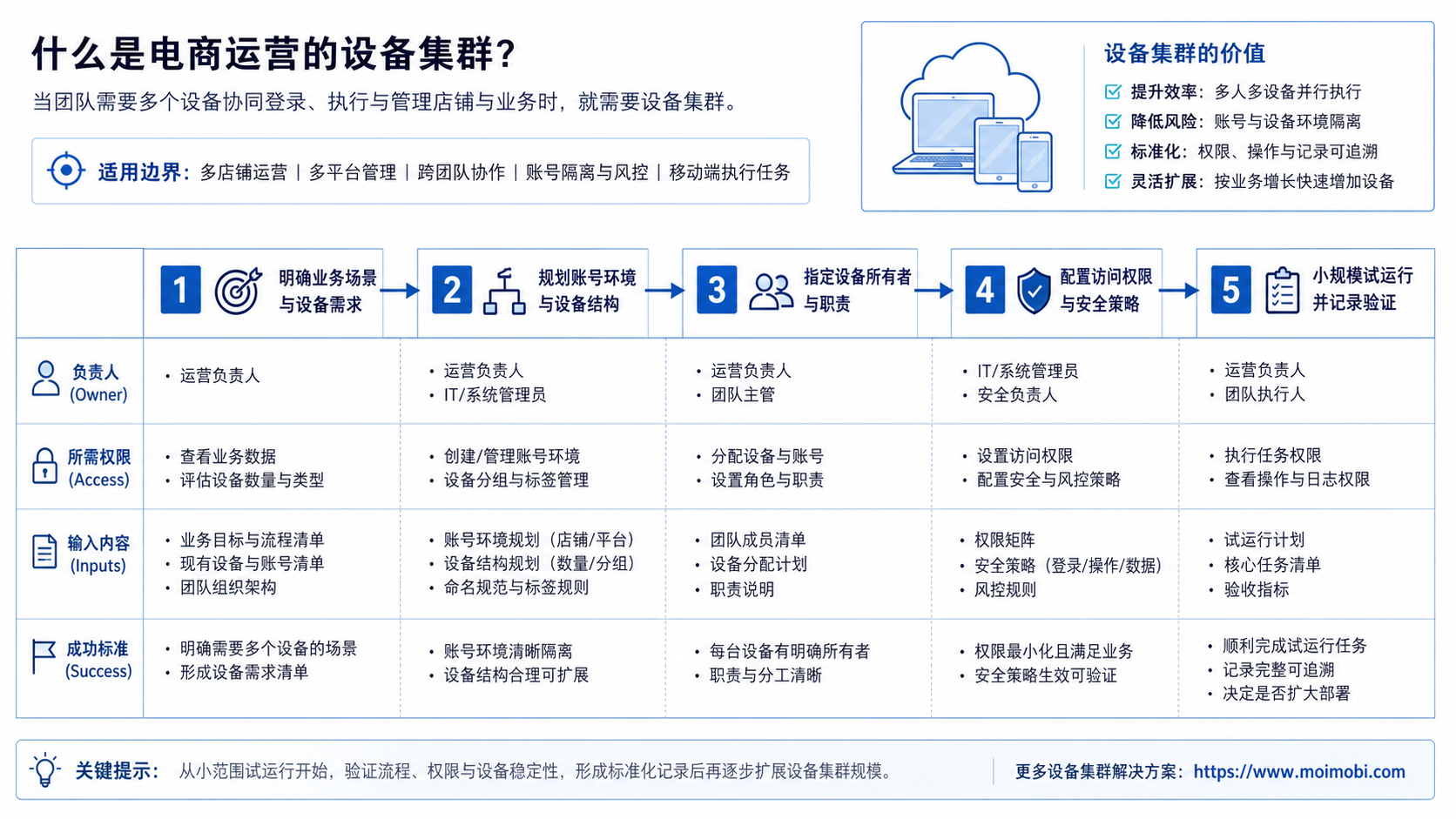
Start with a preflight checklist before buying more devices. A fleet without ownership rules only spreads confusion across more screens.
Preflight checklist
- Accounts: list every store, marketplace account, social account, and support identity.
- Environments: decide whether each account needs a browser profile, cloud phone, physical phone, or both.
- Permissions: define who can publish, reply, edit products, export data, or approve workflows.
- Routing: document proxy, region, language, and device assumptions where they matter.
- Task records: decide what each workflow must log after completion or failure.
- Recovery owner: assign who handles login issues, app errors, failed uploads, or abnormal account behavior.
Then build a small workflow sequence.
- Pick one operational lane, such as mobile customer replies or product listing checks.
- Assign three to five accounts to dedicated environments.
- Define the task fields: account, app, operator, status, result, evidence, and next action.
- Run the workflow manually for one week before adding automation.
- Add mobile automation only after the manual SOP is clear.
- Review failures before expanding the fleet.
Cloud phones are a strong fit when mobile execution must stay persistent. A cloud phone for ecommerce operations can keep an Android app environment available without tying work to one local handset.
Common Mistakes to Avoid
The first mistake is counting devices before mapping work. Ten devices do not help if every operator still shares passwords, skips records, or moves between accounts without a handoff note.
The second mistake is using one environment for unrelated accounts. For multi-account operations, device isolation is valuable because it gives each account group a cleaner workspace and a clearer audit trail.
Another mistake is treating testing infrastructure as an operations system. Firebase Test Lab, for example, is described as cloud-based app testing infrastructure for testing apps across devices and configurations. That is useful context for mobile device diversity, but ecommerce teams still need account assignment, workflow logs, and operator controls. See Firebase's official Test Lab documentation.
Finally, do not automate a weak SOP. Automation should repeat a workflow that already has ownership, stopping rules, and recovery checks.
Who It Fits and When It Is a Strong Match
A device fleet fits teams that have enough repeated mobile or account-based work to justify structure. It is a strong match for cross-border sellers, social commerce teams, marketplace operators, agencies, and support teams managing multiple identities.
It is not a strong match when the team only needs one temporary test device. It may also be too early when account ownership, permissions, and content workflows are still undefined.
Use this fit grid:
- Multiple stores or social commerce accounts
- Mobile app workflows that repeat every day
- Several operators need clean handoff
- Tasks require logs, screenshots, or review notes
- One store, one user, one dashboard
- No documented workflow yet
- No owner for failures or account issues
- The team only wants more screens, not more control
When the fit is real, pair the fleet with multi-account management. Device count alone will not solve assignment, permissions, and reporting.
Pilot Rollout, Measurement, and Recovery Checks
Run the first pilot with a narrow scope. Choose one channel, one account group, and one workflow. A good pilot might cover five TikTok Shop accounts, three support accounts, or one marketplace plus two social channels.
Track four numbers:
- Completion rate: how many planned tasks finished without manual rescue.
- Handoff time: how long it took another operator to understand task status.
- Recovery time: how long it took to fix login, upload, app, or routing issues.
- Exception rate: how often accounts needed review, pause, or reassignment.
Android Enterprise documentation explains that managed Android devices can use device policies depending on enrollment mode. That is a device-management context, but it reinforces a key fleet principle: policies and management modes matter when devices are operated at scale. See the Android Open Source Project overview of device management.
After the pilot, review what failed. If failures are mostly unclear ownership, fix the workflow. If failures are app availability or environment consistency, improve the device layer. If failures are routing or region assumptions, review proxy and network setup before adding more accounts.
Frequently Asked Questions
1. What is a device fleet for ecommerce operations?
It is a managed set of devices or execution environments used to run repeated ecommerce tasks across accounts, apps, stores, and operators.
2. Do ecommerce teams need physical phones or cloud phones?
It depends on the workflow. Physical phones may fit local manual work. Cloud phones are better when teams need persistent remote mobile environments and shared operational access.
3. Is a device fleet the same as a phone farm?
Not exactly. A phone farm usually describes many devices. A device fleet should also include ownership, permissions, task records, and recovery rules.
4. When should a team move beyond one device?
Move beyond one device when shared sessions, unclear ownership, app switching, or account handoff starts slowing the team down.
5. Can automation run across a device fleet?
Yes, but only after the SOP is clear. Automation should follow defined tasks, owners, stopping rules, and review points.
6. How many devices should the first pilot use?
Start small. Three to five environments are enough to test account assignment, workflow records, and recovery checks.
7. What should be tracked after each task?
Track account, environment, operator, action, result, error, evidence, and next step. Without records, the fleet becomes hard to manage.
8. How does MoiMobi fit into this workflow?
MoiMobi helps teams connect cloud phones, isolated environments, routing control, and workflow execution into one operational system.
Conclusion
A device fleet for ecommerce operations is worth building when the work has outgrown one shared device. Start with account ownership, environment mapping, permissions, task records, and recovery rules.
The next priority is not buying the largest fleet. Build a small pilot, measure completion and recovery, then expand only where the workflow proves it needs dedicated execution capacity.



