
Key Takeaways
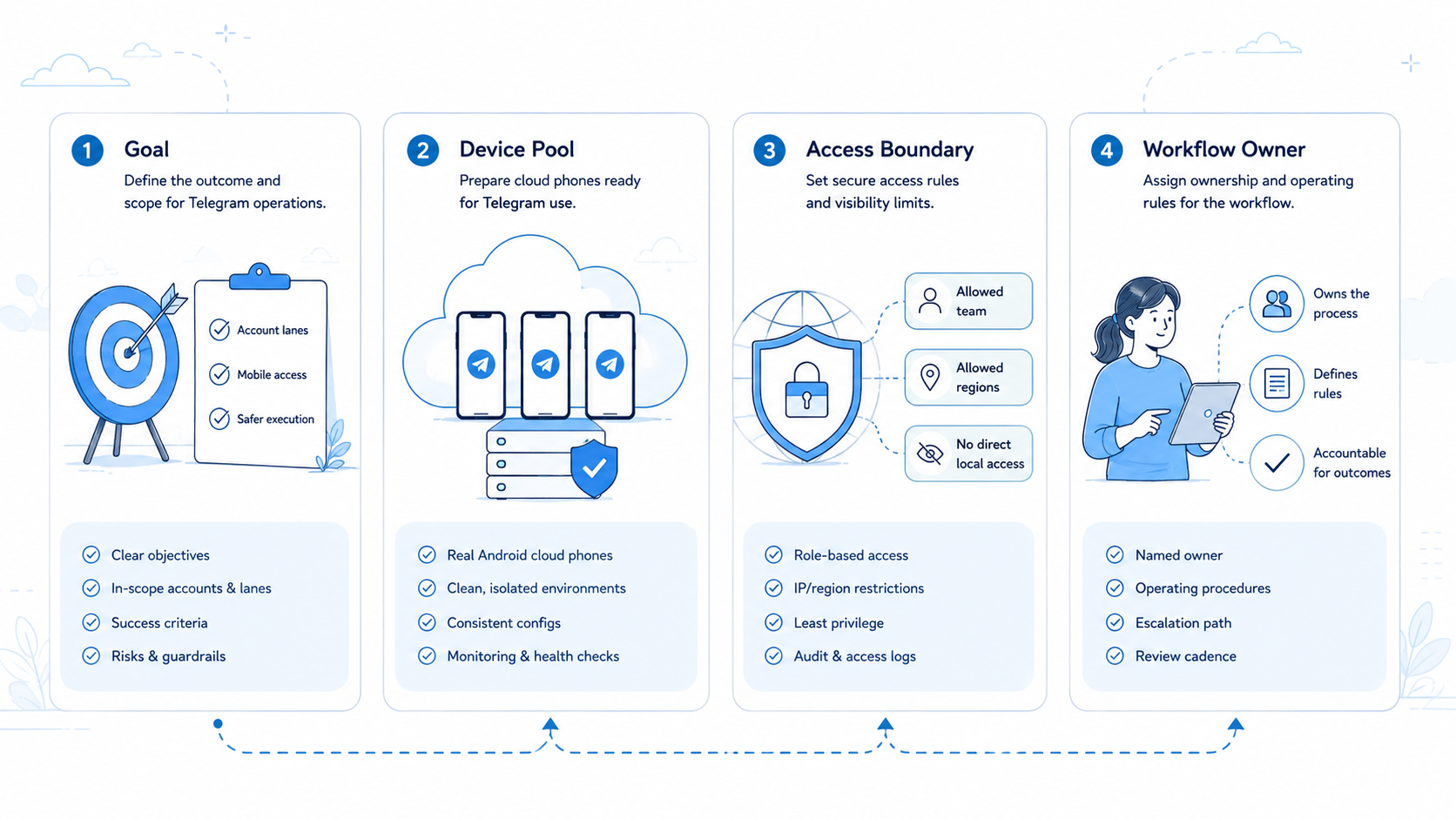
- Remote Android workspaces help teams run Telegram account work without passing phones around.
- The useful model is not more devices; it is clearer account ownership, review, and handoff.
- A Telegram workflow should define allowed tasks, stop rules, recovery fields, and escalation owners before scale.
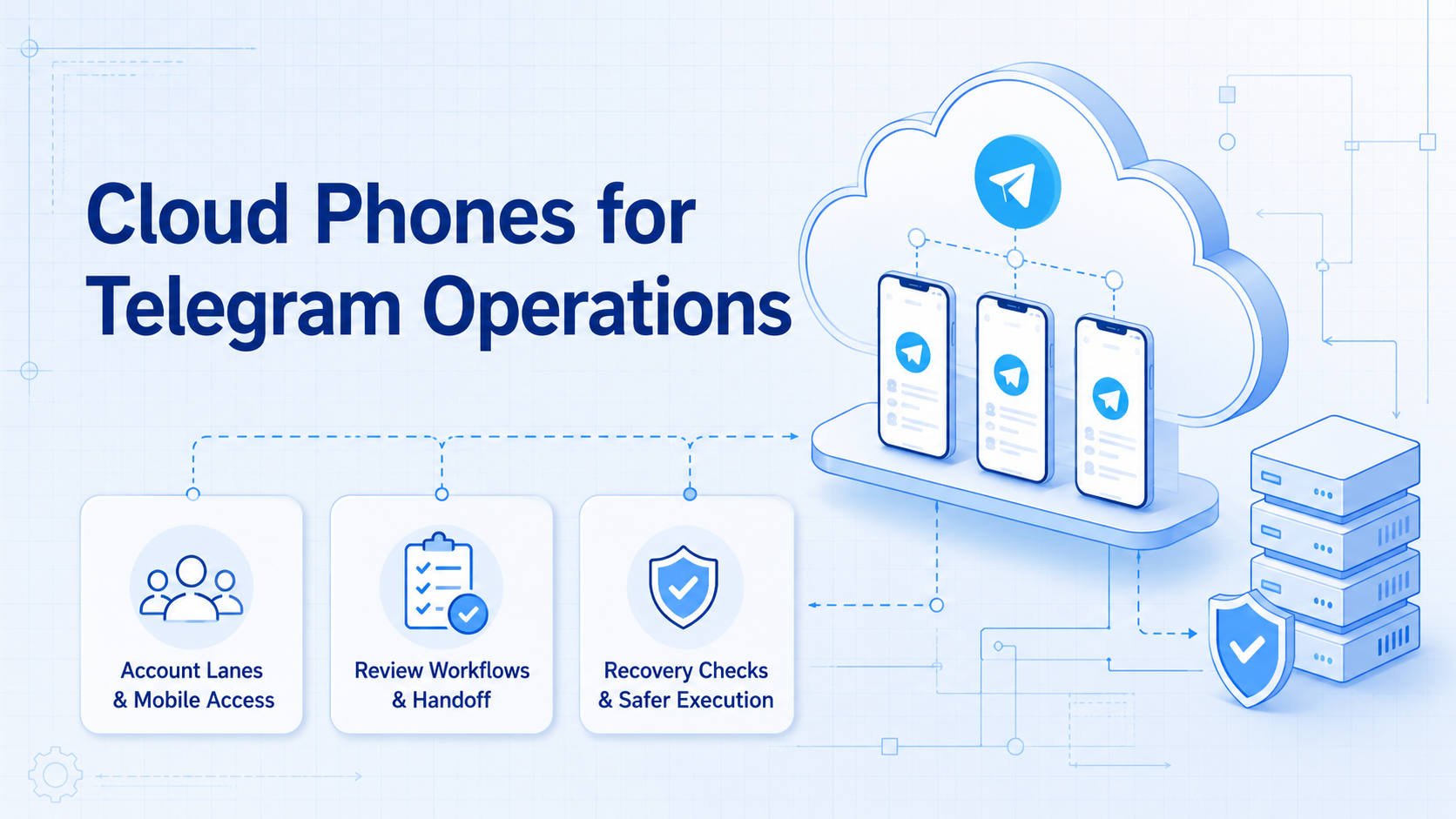
For Telegram teams, cloud phones for Telegram operations are remote Android devices used to run account workflows with controlled access, separated sessions, and reviewable task history. They are useful when a team needs mobile app execution without passing physical phones between operators.
The practical value is operational control. A Telegram account can have its own device lane, owner, workflow, and stop rule. That makes publishing, community checks, customer replies, and group monitoring easier to hand off.
This is not a shortcut for careless automation. It is an infrastructure model for teams that need Telegram work to stay organized across accounts, people, and mobile environments.
Core Idea for Telegram Mobile Workflows
The remote device acts as a mobile work area. In a Telegram workflow, the device lane becomes the place where the account lives, work is performed, and the next action is recorded. The account is no longer tied to one employee's physical phone.
That matters when the same Telegram operation touches content, community messages, customer support, and lead follow-up. One operator may prepare a message. Another may review the context. A manager may need to inspect the last screen before deciding whether the task should continue.
The decision is simple: if Telegram work depends on account state, conversation history, and mobile app access, the team needs a controlled workspace. The cloud phone gives that workspace a persistent device identity, while the workflow gives it a business role.
Telegram's own FAQ explains the product around chats, groups, channels, and accounts. Those surfaces create different operations for teams. A channel post is not the same as a customer message, and a group moderation task is not the same as campaign research.
That distinction should show up in the device model. A channel publishing lane needs approval rules. A support lane needs escalation rules. A monitoring lane needs source notes and limits.
Why Teams Search for Telegram Mobile Workflows
Teams usually search for this topic when Telegram has moved from a side channel into daily operations. The old model is informal: one person keeps the phone, another person asks for screenshots, and no one knows whether the last reply was handled.
The better model is lane-based work.
- Account lane: account, device, owner.
- Task lane: the team limits the environment to 3 to 5 approved actions, each with a clear finish state.
- Review lane: human check before sensitive actions.
- Recovery lane: a failed task leaves the last screen, blocker, next owner, and reason another operator can trust.
This framework prevents a common problem: shared access without shared responsibility. When a Telegram account is used for customer engagement, partner updates, creator communication, or community work, every action should have an owner.
Google Search Central's guidance on helpful content is written for web content, not Telegram operations. The principle still travels well. Automation should make the experience clearer for real users, not add noisy activity for its own sake.
For Telegram teams, that means every workflow should answer one operational question: who is this task helping, and what should happen next?
Fit Check: Cloud Phones for Telegram Operations
The strongest fit is a team with repeated Telegram work and multiple operators. Agencies, cross-border sellers, support teams, community managers, and growth teams often match that pattern.
The weak fit is different. A solo founder with one Telegram account and a few messages per week may not need a dedicated cloud phone workflow. A team with unclear ownership will also struggle, because more devices do not fix unclear process.
Use this fit check before creating a fleet:
| Fit Signal | What It Means | Next Step |
|---|---|---|
| One account has daily Telegram tasks | Work is frequent enough to standardize | Create one device lane |
| More than one person needs access | Physical-phone handoff is slowing work | Add operator and reviewer roles |
| Replies affect customers or deals | Mistakes can create follow-up cost | Define stop rules |
| The team only wants bulk posting | Review may be too weak | Start with a smaller pilot |
| Ownership is unclear | Device scale will add confusion | Assign account owners first |
MoiMobi's multi-account management layer fits the first three signals. The goal is not to make every Telegram task autonomous. The goal is to keep each account lane separated, reviewable, and usable by the right team member.
Small teams can start with one lane. Larger teams may separate channels, groups, support conversations, and campaign monitoring into different lanes.
Here is a simple lane map:
| Lane Label | Telegram Role | Allowed Work | Review Trigger |
|---|---|---|---|
tg-channel-01 |
Channel publishing prep | Draft post, attach approved asset, save note | Before public posting |
tg-support-02 |
Customer reply triage | Tag question type, draft safe reply, mark owner | Complaint or payment question |
tg-monitor-03 |
Community monitoring | Collect 5 public links and 1 weekly note | Unclear source or private data |
The labels are not decorative. They help a manager see which device, task, and owner belong together before the work starts.
Evaluate Cloud Phones for Telegram Operations
Avoid starting with all accounts. That is the easiest way to make the system hard to audit.
Start with one account and one workflow. Pick a Telegram task that repeats every day or every week, but does not create high risk if it pauses. Good first tasks include content preparation, message classification, group activity checks, or campaign note collection.
Use this rollout path:
- Name the lane first:
tg-support-02. - Tie 1 remote device to that lane during the pilot, and do not move unrelated accounts into it.
- List allowed work.
- Use examples such as draft preparation, inbox triage, monitoring, or approved posting prep.
- Stop on complaints, payment requests, private data, account changes, or unclear consent.
- Write the next owner.
- Repeat 5 to 10 runs before copying the workflow to another Telegram account.
The first mobile automation workflow should be boring by design. It should show whether the team can keep context clean, not whether it can generate the highest action count in a dashboard.
When the pilot works, copy the rule set before adding accounts. Copying only the device setup leaves the real process behind.
Common Mistakes That Reduce Results
One mistake is treating a cloud phone like a rented screen. Remote access helps, but operations still need labels, ownership, and recovery notes. Without those pieces, the device becomes another place where context disappears.
Another mistake is mixing unrelated Telegram roles. A channel publishing account, a customer support account, and a community monitoring account should not share the same vague workflow. They need different stop rules because the business impact is different.
Review failures create cleanup work for the operator, reviewer, and manager. Telegram conversations may include customer questions, payment issues, complaints, or private information. A workflow should pause before a public response, account setting change, or high-context reply.
Volume is a weak success metric by itself, especially when the team cannot explain what happened after the run. More prepared replies or checked groups do not automatically mean better operations. A better scorecard asks whether tasks were completed with the right account, the right context, and the right owner.
Google's SEO Starter Guide stresses clarity and usefulness for web pages. Telegram teams can borrow that habit: a task should be easy for the next person to understand without opening a separate chat thread.
If the next operator cannot tell what happened, the workflow is not ready to scale.
Pilot Rollout for Cloud Phones for Telegram Operations
A Telegram cloud phone pilot should prove control before capacity. One clean lane is more valuable than ten unclear devices.
Keep the pilot plain: short names, one account owner, and one reviewer for public or customer-facing work.
Write the next step in simple words before the next person opens the device.
Small checks matter here. A clean note like draft ready, needs support review is better than a long chat thread. A plain stop reason like refund question is better than a vague warning.
Track these fields during the first week:
- cloud phone ID, such as
cp-104 - Telegram account name
- account owner
- operator
- workflow name
- allowed task
- task result
- review status
- stop reason
- next owner
- last screen or message reference
The note can stay short. Use six checks: account opener, action taken, next step, current owner, right account, and clear stop reason.
Those six checks are enough for a first pass. They keep the work plain and make the next handoff less vague.
Plain notes help. Use one line per run. A good note says: cp-104 opened tg-support-02, tagged refund question, stopped for Sarah review.
Bad notes create more work. Do not write "handled" or "done" when the next person still needs context. Use names, task state, and the next step.
Simple words are better here. Do not write a rich report. A useful note is something another person can trust at the start of their shift.
Add a short confidence label after each run. Use clear, uncertain, or wrong lane. This tells the team whether the issue came from the device, the instructions, the account, or the operator.
Use a simple scorecard:
| Status | Meaning | Action |
|---|---|---|
| Green | Account, task, and next step are clear | Continue the lane for 3 more runs |
| Yellow | Result is useful, but review is needed | Send to reviewer before action |
| Red | Sensitive context or wrong lane appeared | Stop and repair the workflow |
The recovery note should include the last screen, the last action, the blocker, and the person who owns the fix. This turns a failed run into a repairable work item.
The device isolation layer becomes more important after the pilot. Each additional account should inherit the lane naming, review rules, and recovery fields from the working model.
Copy rules first.
Emulator or Mobile Execution Workspace
An emulator can be enough for development, testing, or light app checks. Telegram operations are different because the team is organizing real mobile account activity around devices, operators, and review rules.
Ignore the label at first. Shared remote access, persistent mobile context, and account-specific handoff point toward a cloud phone model when Telegram becomes daily team work.
Use these cloud phone vs emulator questions:
- Does the account need persistent mobile app state?
- Does one operator prepare work?
- Is a 1-line review note required after each run, not just a screenshot or chat message?
- Do channels and groups have different owners?
- Can the workflow pause before a sensitive action reaches customers, partners, or public channels in a live Telegram space?
Mostly no means the setup can stay simple. Mostly yes means the lane should be designed before the device pool grows from 1 account to 5 accounts.
Frequently Asked Questions
What are Telegram cloud phone workspaces?
They are remote Android workspaces used to run Telegram account tasks with clearer access, review, and handoff. The lane gives the account a place to work and a record of what happened.
Are they only for Telegram channels?
No. Teams may use them for channels, groups, inbox review, support workflows, community checks, and campaign notes.
Should every Telegram account have its own cloud phone?
Not always. Use one account per lane when ownership, context, or review matters. After the pilot is stable, nearby low-risk tasks can be grouped carefully.
Can AI workers use Telegram cloud phone lanes?
Yes, but the task should have clear permissions, stop rules, and human review for sensitive actions that affect customers or account settings.
What should a team automate first?
Start small. Good first tasks include draft creation, message classification, monitoring notes, and review queues.
What should not be automated first?
Avoid starting with payment issues, account settings, angry customer replies, or unclear consent.
How does MoiMobi fit into this workflow?
MoiMobi provides cloud phone, mobile execution, and account-isolation infrastructure for teams running repeatable mobile workflows across messaging and social apps. It fits best when Telegram work needs separated lanes, controlled access, and reviewable handoff between operators.
Is this the same as a Telegram bot?
No. A bot uses Telegram's bot model. The device lane is a mobile execution workspace for account-based operations, especially when a team needs app access, human review, and recovery notes.
Conclusion
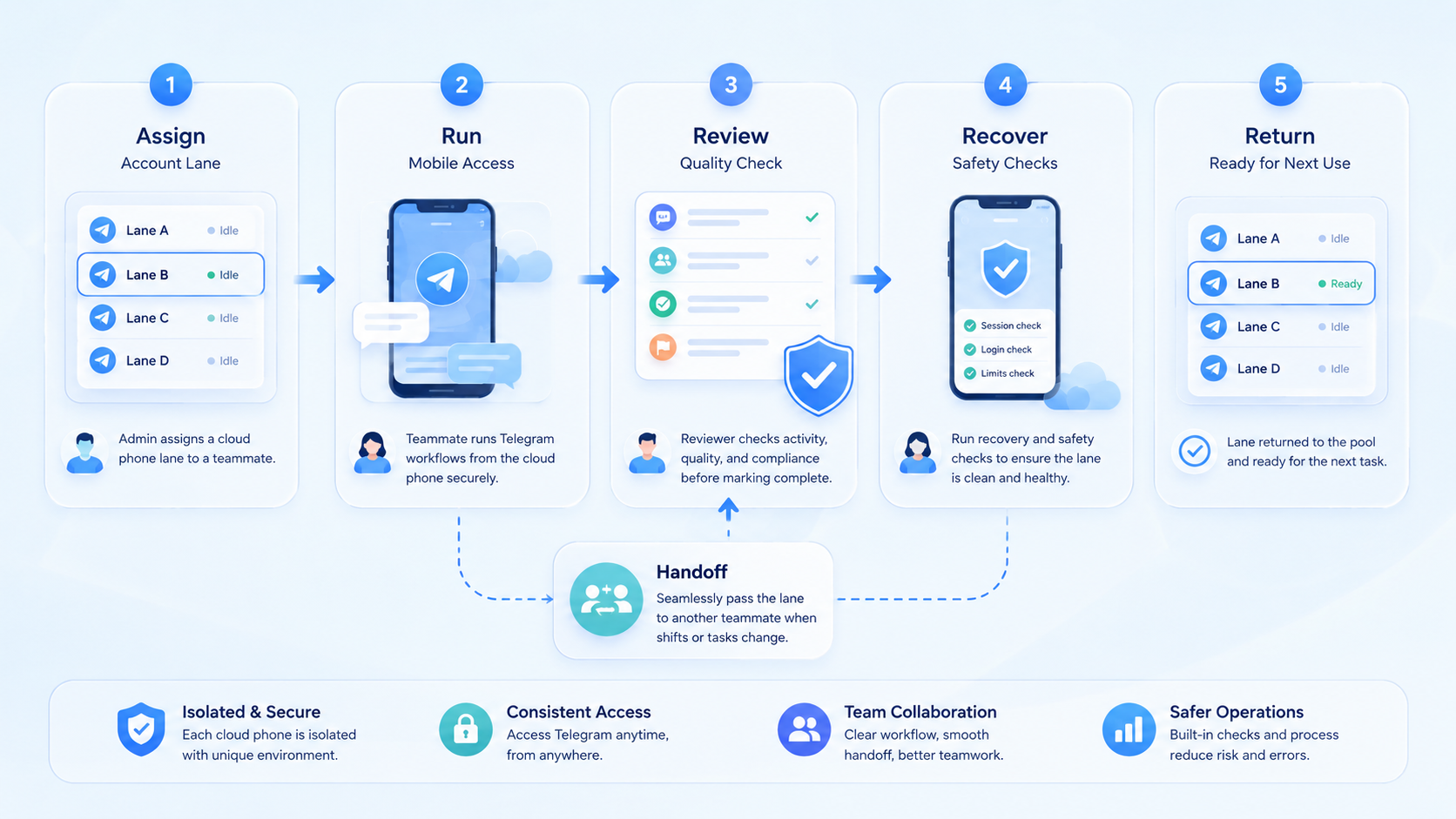
This model works best when the team treats each device as an account lane, not just a remote screen. The priority order is clear: assign ownership, define allowed work, set stop rules, track recovery notes, then scale with proof.
Pick one Telegram workflow. Run it several times, review the failures, and fix the lane before adding more devices. Expansion is reasonable only when the account, task, owner, and next step stay clear.



