
Key Takeaways
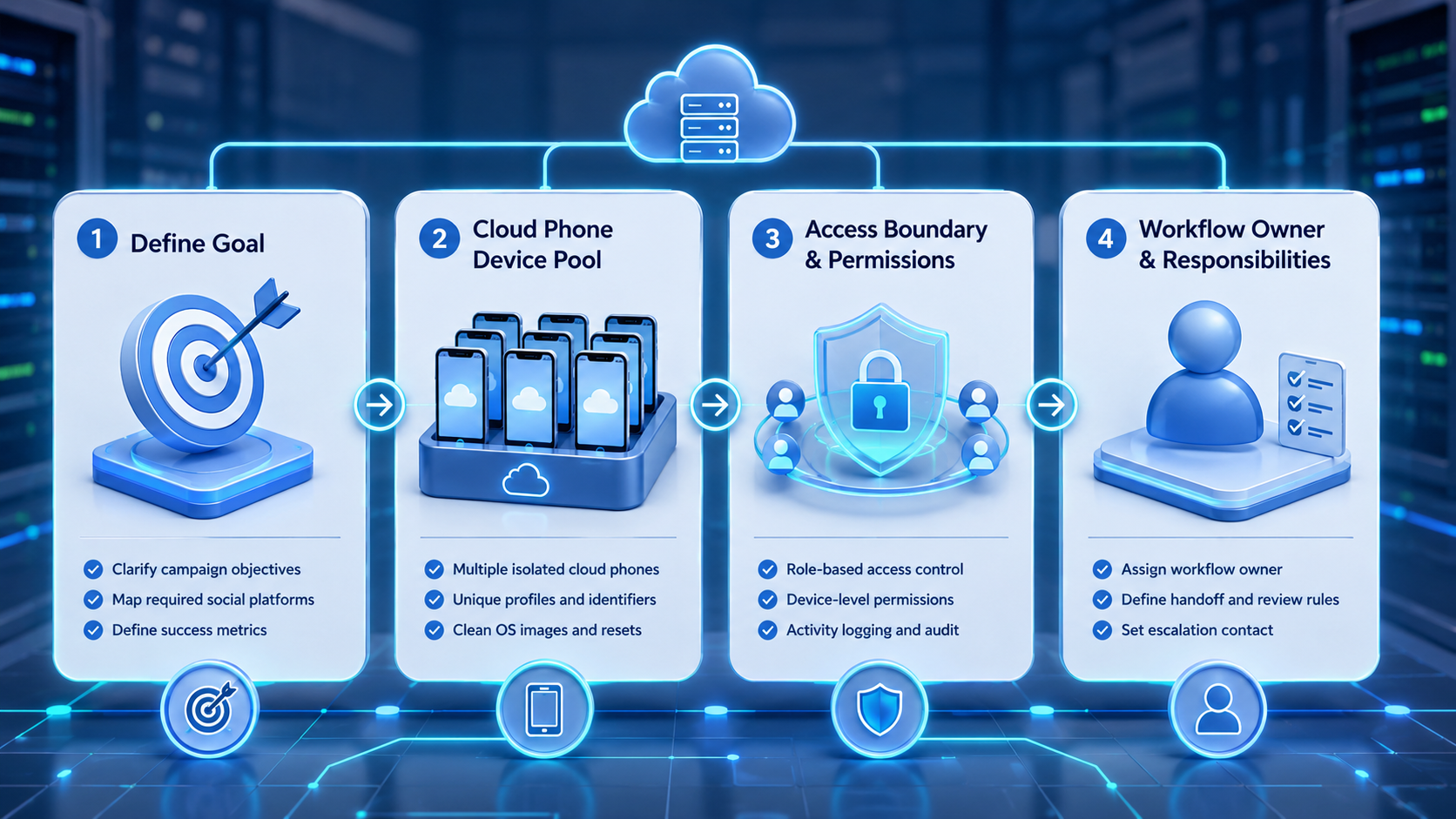
- Cloud phones for social media marketing work best as team workspaces, not basic device rentals
- The strongest fit is mobile-first social work with account ownership, handoff, and review steps
- Teams should pilot one repeatable workflow before moving a full account group
- Measurement should include recovery notes and escalation events, not only post volume
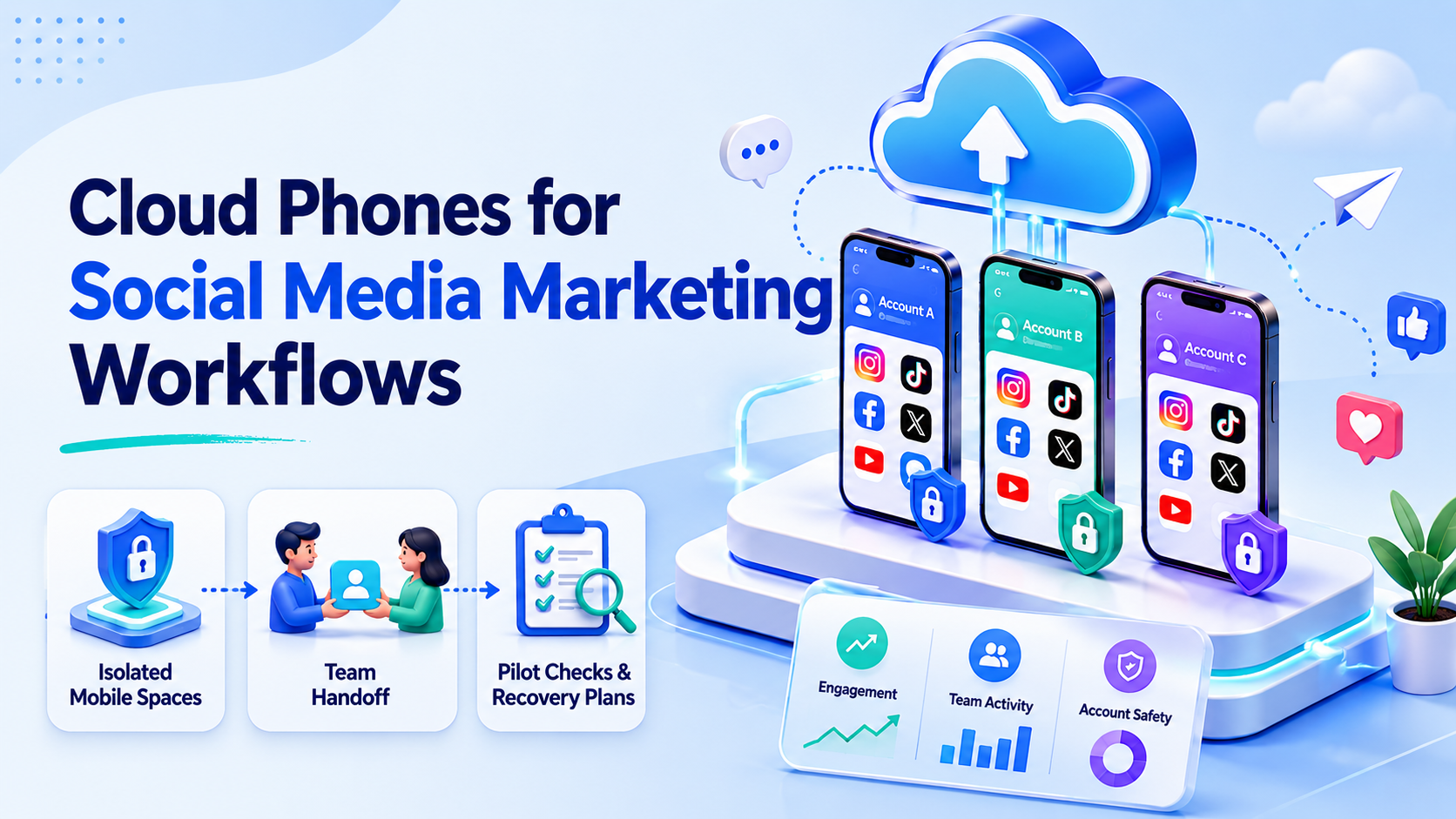
Cloud phones for social media marketing are remote mobile spaces that teams use to run app-based account work without passing physical phones around. They fit workflows where marketers need separate mobile sessions, repeatable work, and cleaner handoff between operators.
The goal is not to replace strategy, content quality, or platform rules. A cloud phone gives the team a controlled place to publish, review, reply, monitor, and recover work across accounts.
The Core Idea Behind Cloud Phones for Social Media Marketing Workflows
The common mistake is treating a cloud phone as only a cheaper phone. A stronger model treats it as part of the work system.
AWS describes Device Farm remote access as a way to interact with hosted devices from a browser session (AWS Device Farm). That shows the basic pattern behind remote device work: access, inspect, and operate a device without holding it locally.
This matters.
For social teams, the model becomes useful when work depends on real mobile app flows, not only browser dashboards.
In Moimobi, a cloud phone can sit beside mobile automation, account assignment, and review steps. That turns scattered mobile work into a flow the team can track.
The work question is simple: can another teammate understand what happened yesterday and continue today without guessing? If the answer is no, the team needs better task notes before it needs more devices.
Why Teams Search for This Topic
Teams usually search for this topic when social media work stops fitting into one person’s phone. They may have separate brand accounts, regional pages, client profiles, creator accounts, or support inboxes.
The decision is about daily work. A growth lead may need one person to prepare drafts, another to approve comments, and a manager to review activity.
Meta’s Business Help material separates business access and task permissions (Meta Business Help). The same rule applies here: team work should be controlled by role, not by shared personal access.
Cloud phones do not solve weak content or poor account rules. They help when the team already knows what work must happen and needs a cleaner mobile space to do it.
Who Benefits Most From Cloud Phones for Social Media Marketing
Cloud phones fit teams that run repeated mobile workflows across several accounts or markets. Agencies, cross-border sellers, customer engagement teams, and creator operations teams often feel this pressure first.
They are a better fit when the workflow includes app-only steps, inbox checks, live content review, mobile publishing, or account-specific actions. Browser-only social scheduling tools may still be enough for basic calendar work.
| Fit signal | Good fit | Weak fit |
|---|---|---|
| Account structure | Separate mobile workspaces are needed for different accounts | One or two accounts can be handled with normal access rules |
| Team handoff | Operators hand off tasks across shifts or regions | One person owns the full workflow |
| Workflow type | Work includes replies, publishing checks, or app-specific screens | The team only needs simple scheduled posts |
| Process fit | SOPs, approvals, and recovery notes already exist | The process depends on one-off tests |
For wider work planning, connect this setup to multi-account management, not only device access. Account owners, approval rules, and recovery notes matter as much as the remote screen.
How to Choose Cloud Phones for Social Media Marketing Workflows
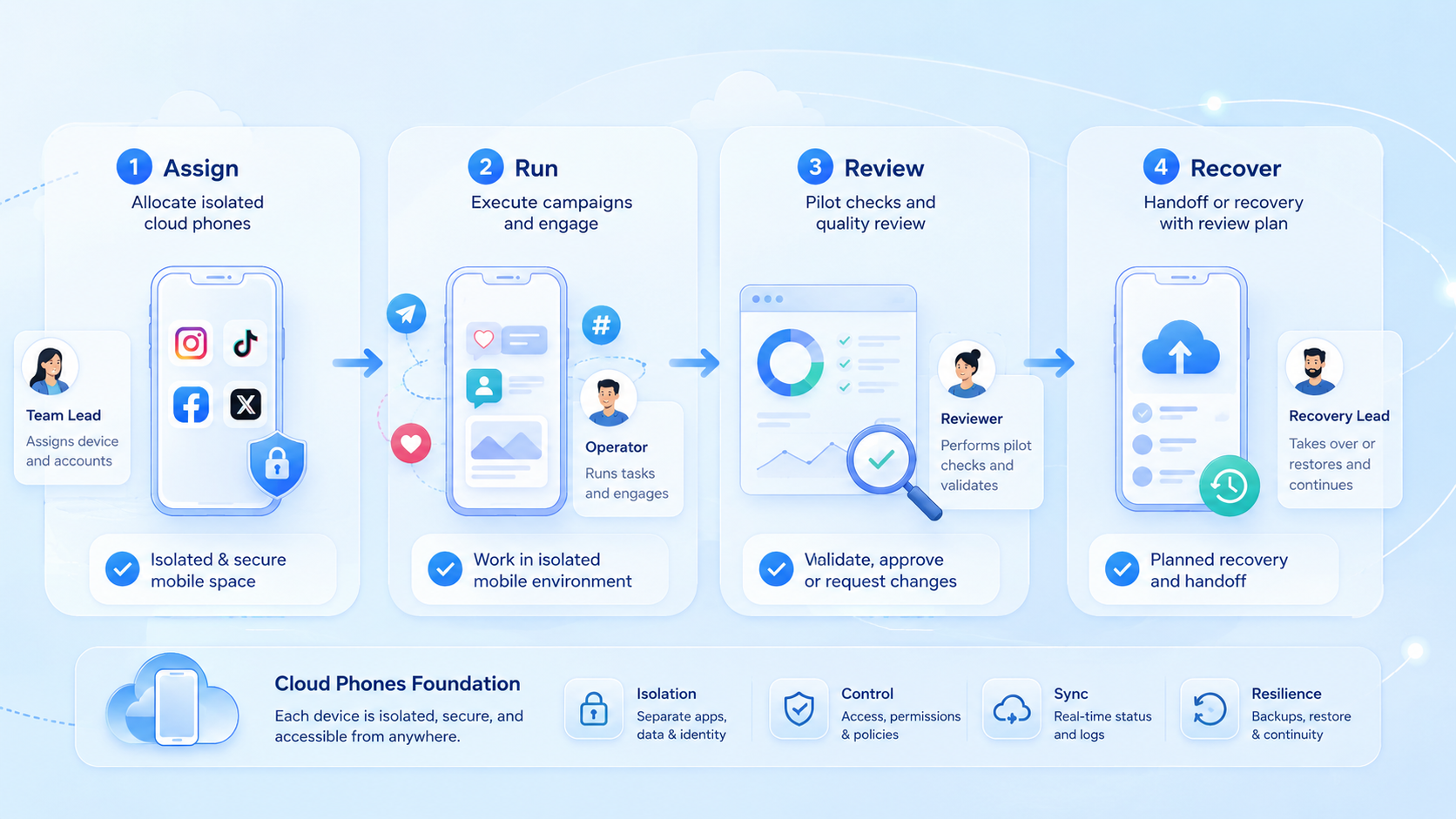
Do not start by moving every account at once. Start with one measurable workflow that already happens every week.
- Use a 7-day pilot
- Start with 3 accounts or fewer
- Assign 2 operators and 1 reviewer
- Review any failed task within 24 hours
- Pick one platform and one account group
- Define who can publish, reply, pause, and escalate
- Assign each account to a named mobile space
- Track done tasks, failed steps, reply time, and recovery notes
- Review the pilot before adding more accounts
BrowserStack’s App Automate docs frame mobile app work around device choice, sessions, and APIs (BrowserStack). The reminder is simple: mobile workflows need repeatable session control, not only a remote screen.
Keep the pilot small.
A practical pilot should also define what will stay manual. Sensitive replies, disputed comments, payment questions, and platform warnings should move to review. This keeps the workflow useful without turning every mobile action into a blind auto step.
Pause there.
Mistakes That Reduce Results
One mistake is mixing strategy, publishing, and customer replies inside the same account workspace. The team loses context when everyone uses the same device, browser, or login path.
Another mistake is using automation before the manual workflow is stable. Appium explains its model as a client-server system for driving apps through commands (Appium). That is powerful, but it works best when the desired task path is already known.
Social workflows also need a stop rule. If replies become sensitive, an account shows unusual prompts, or a campaign changes direction, the operator should pause and escalate. Speed should not remove human review.
Pilot Rollout, Measurement, and Recovery Checks
The pilot should not be judged only by post count. A better check asks whether the workflow became easier to assign, watch, and recover.
Use a small scorecard:
| Check | What to measure |
|---|---|
| Account ownership | Each account has one assigned environment and one responsible operator |
| Task quality | Posts, replies, and follow-ups match the approved SOP |
| Recovery speed | Operators can identify failed steps and resume without guessing |
| Review control | Managers can see what happened before scaling the workflow |
For teams that combine mobile app work with web dashboards, Moimobi’s broader execution system helps keep browser and mobile tasks in one model.
Frequently Asked Questions
Are cloud phones for social media marketing the same as schedulers?
No. Schedulers manage calendars and posts. Cloud phones provide remote mobile spaces for app-based work.
Should every social media team use cloud phones?
No. Small teams with one or two accounts may only need a scheduler and clear access rules.
Can cloud phones replace human approval?
They should not. Sensitive replies, campaign changes, and account prompts still need human review.
What should a team pilot first?
Start with one repeatable workflow, such as post review, inbox triage, or competitor monitoring.
How many accounts should be added at launch?
Use a small group first. Do not rush. Scale only after ownership, recovery, and review steps are working.
Do cloud phones remove platform risk?
No. They support separated execution, but teams still need compliant behavior and account-specific policies.
What should growth teams track?
Track done tasks, reply time, failed steps, account prompts, and manual reviews. Keep the log plain enough for a manager to read.
Conclusion
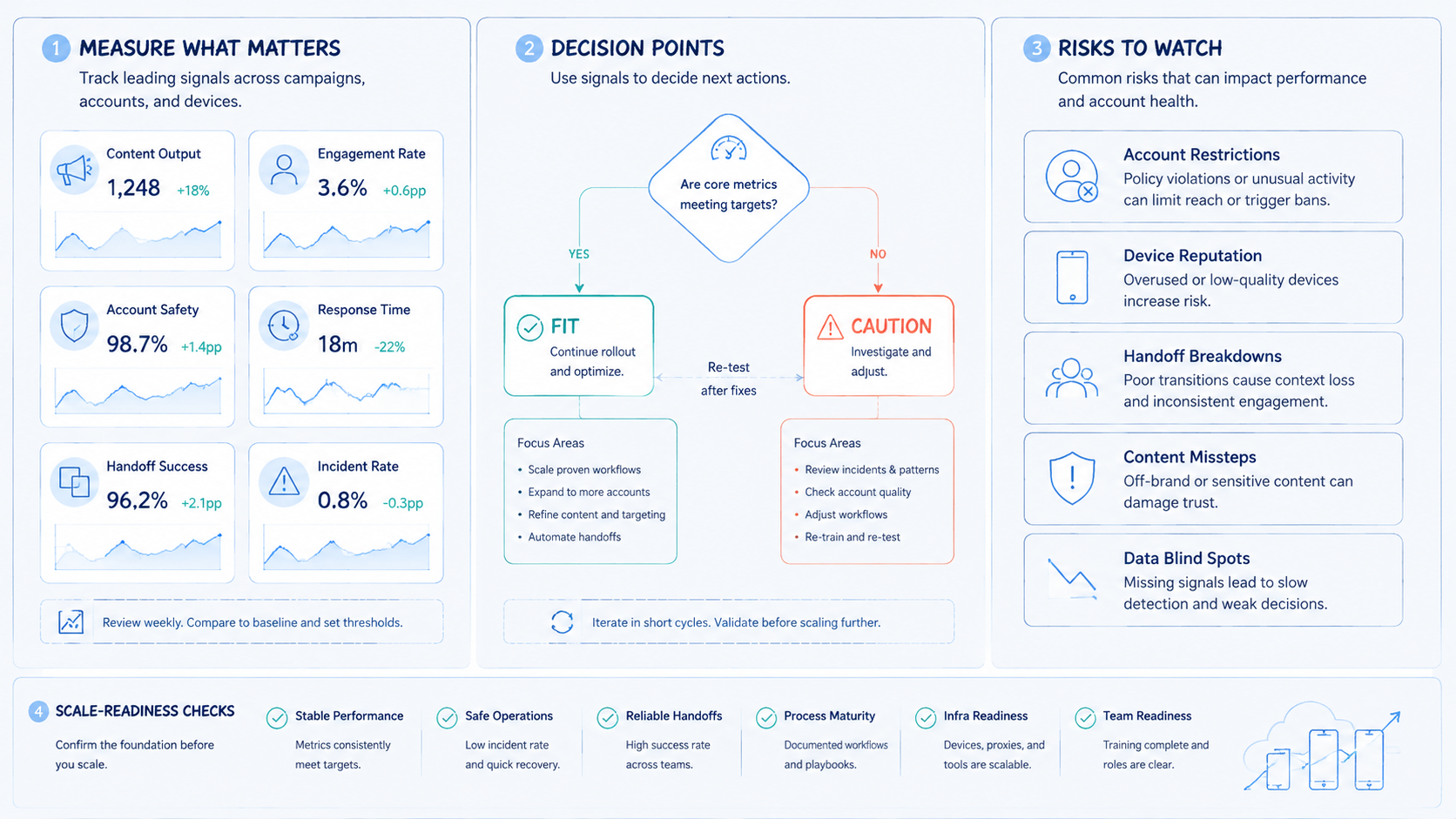
Cloud phones for social media marketing workflows are most useful when a team needs controlled mobile work, not just more devices. The best starting point is a narrow pilot with account ownership, task rules, and recovery checks.
Before expanding, confirm three things: the workflow is repeatable, each account has a clear environment, and managers can review failed or sensitive steps. That makes the stack easier to scale without turning daily social work into unmanaged device sharing.



