
Key Takeaways
- Organize workers by job first, not by prompt library
- Keep account ownership explicit and reviewable
- Match the runtime to the task: browser, cloud phone, or Android device
- Measure rework and escalation before scaling concurrency
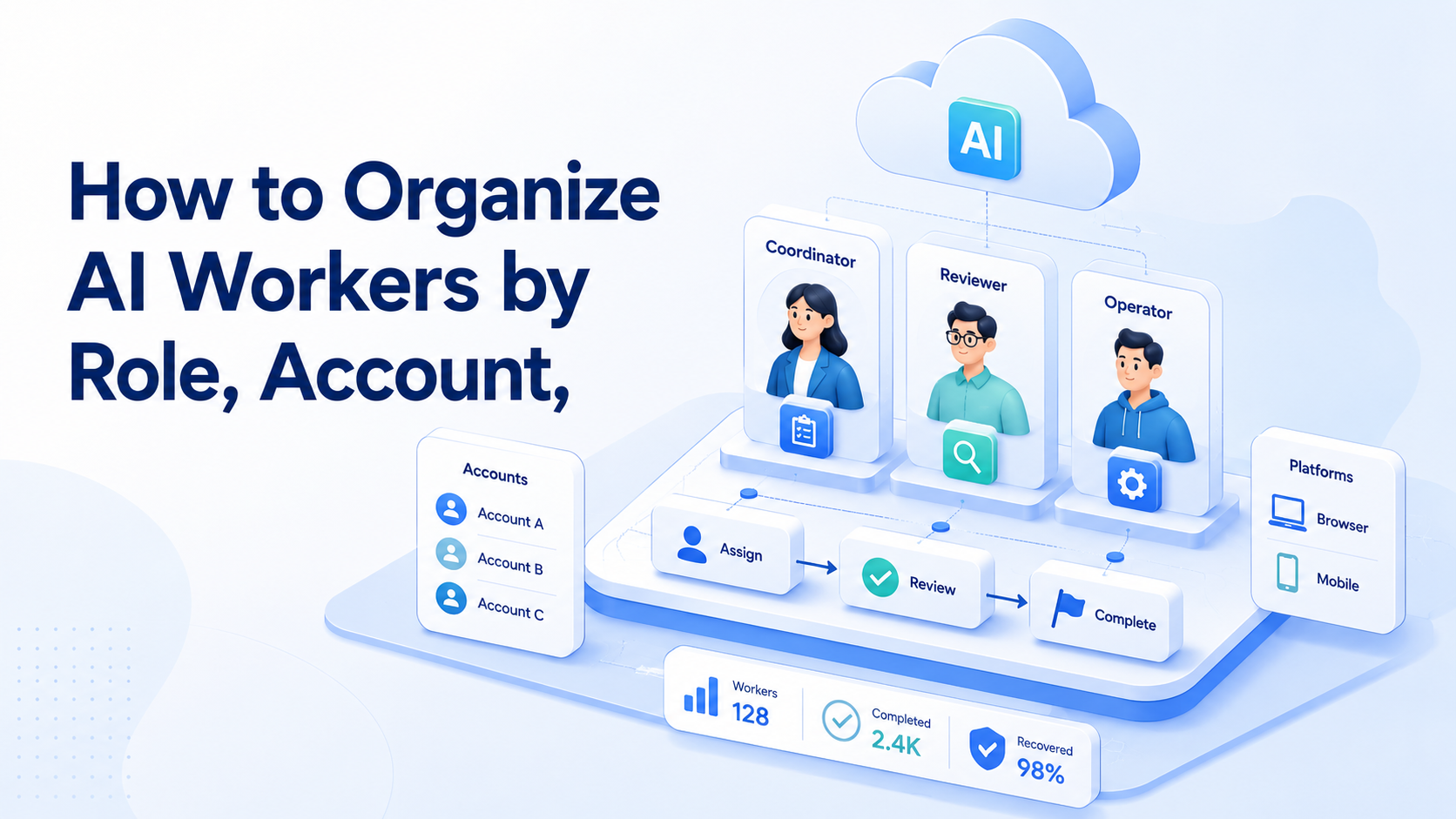
How to organize AI workers by role, account, and platform is a workflow design problem inside an AI worker platform. The workable model is simple. Give one worker one role, place it in the right browser or mobile setup, and define the account it may touch.
This matters when a team runs publishing, replies, monitoring, or lead collection across several channels. Without a clear structure, workers overlap, sessions mix, and review becomes slow. That drag adds up fast. A platform such as MoiMobi is useful because it connects the worker layer to the execution layer instead of stopping at content generation.
How to Organize AI Workers by Role, Account, and Platform in Practice
An AI worker platform works better when the setup model is clear before work begins. Start with three inputs:
- A role list: publishing, customer reply, monitoring, research, or reporting
- An account map: which accounts exist, who owns them, and which channel they belong to
- An execution map: which tasks run in browser workflows and which require mobile automation or a cloud phone
Official browser automation tools already separate execution contexts for reliability. Playwright recommends isolated browser contexts for independent sessions, which matters when different workers use different logged-in states.1 The same logic applies on Android. Managed devices and work profiles keep boundaries cleaner for business workflows.3
If the team skips this setup, the worker design usually drifts into one shared queue with unclear ownership. That looks efficient at first. It gets expensive later because review, rollback, and root-cause checks become harder.
How to Get Started with How to Organize AI Workers by Role, Account, and Platform
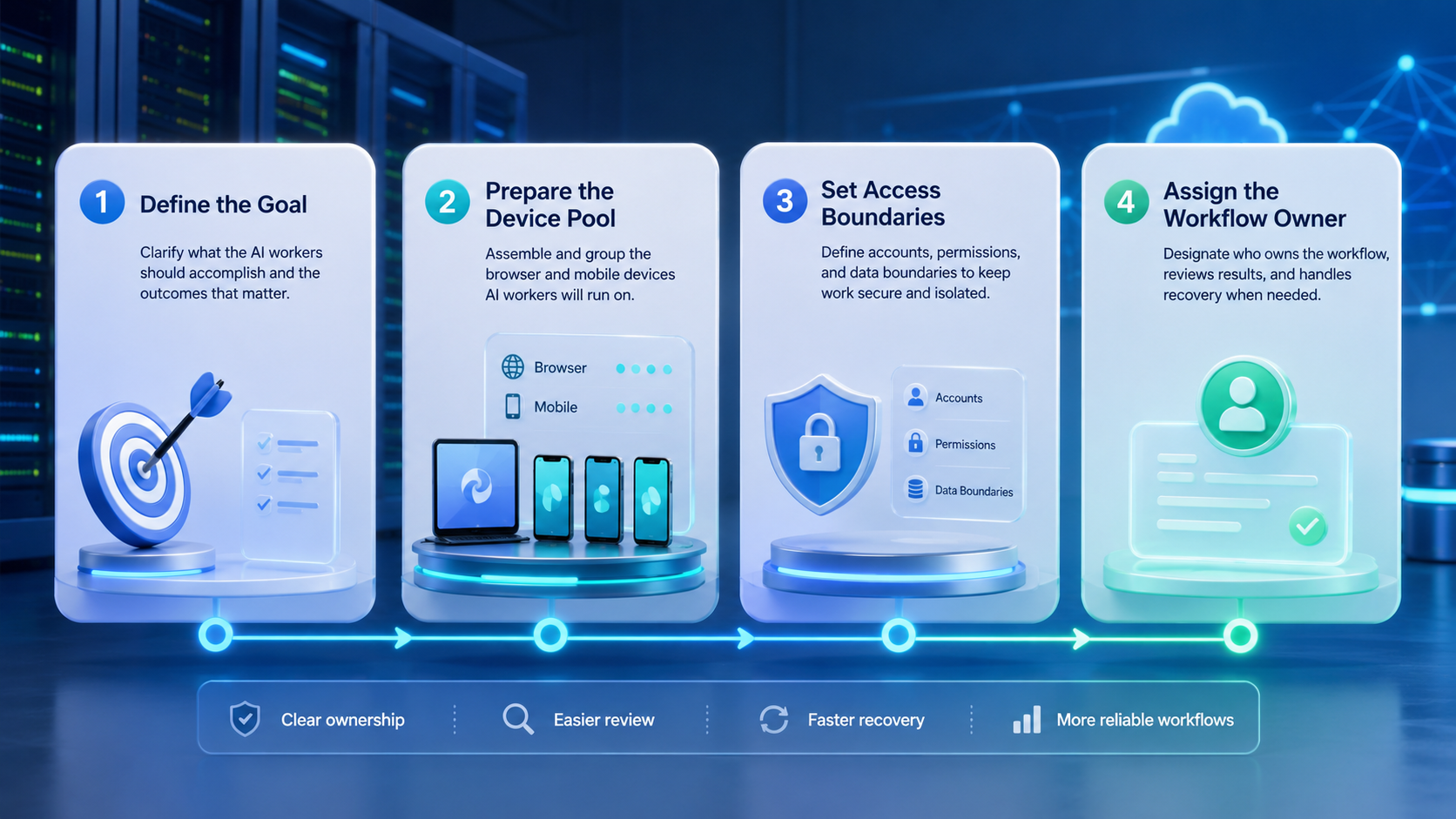
Use this sequence when the team is setting up a first production workflow:
- Define the role. Pick one narrow job such as post publishing or inbox replies.
- Bind the account. Assign the worker to one account or one small account pool with clear limits.
- Choose the platform. Use browser execution for web dashboards and a mobile setup for app-native work.
- Write the pass rule. Decide what counts as completion, review, and failure.
- Pilot in a small batch. Run 10 to 20 tasks before scaling concurrency.
The highest-risk step is the setup choice. WebDriver and Playwright both assume clear session handling and clear control paths.2 If a task depends on app state, notifications, or mobile-only flows, it usually needs a device layer instead of a browser tab. That split should be explicit.
Best Practices During Setup
Good teams compare setup choices by workflow pressure, not by tool labels.
- Role-led setup fits teams with repeatable SOPs. One worker publishes. Another replies. A third monitors.
- Account-led setup fits multi-account management work where each account needs isolated sessions and clean audit trails.
- Platform-led setup fits mixed operations. Browser workers handle dashboards, while mobile workers run app-native actions.
AWS Device Farm and BrowserStack both frame device execution around repeatable automation and session control, which is a useful benchmark for production thinking.4 5 The main lesson is simple. Do not force every task into one runtime. Stable teams let the task decide the runtime.
Another strong practice is to keep worker instructions short and environment rules strict. Prompts can evolve fast. Account and device boundaries should change more slowly. Those rules are the backbone.
Common Mistakes When You Organize AI Workers by Role, Account, and Platform
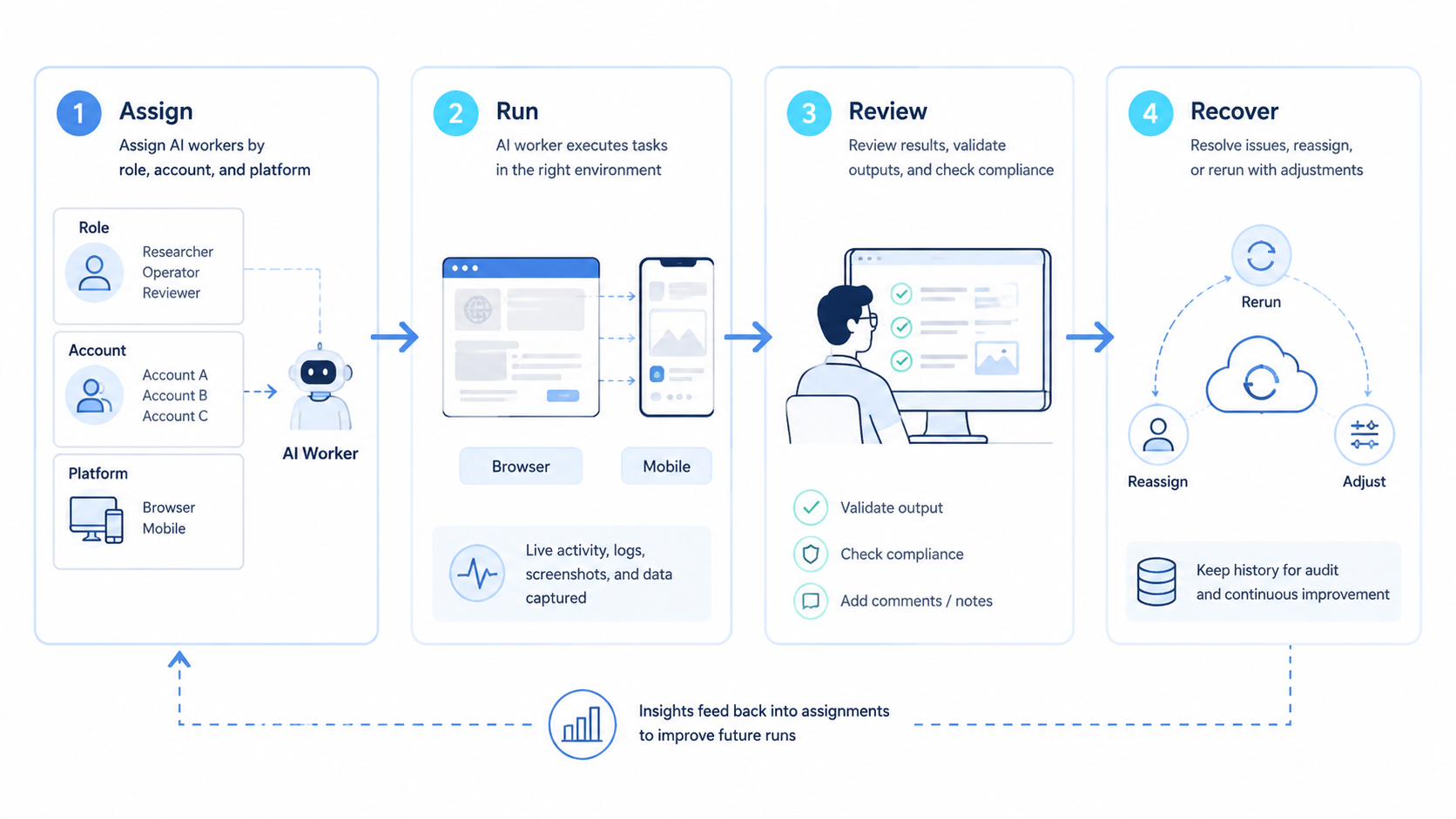
The common mistake is treating an AI worker platform like a shared assistant queue. That model sounds flexible, but it weakens ownership.
Avoid these failure patterns:
- One worker touching many unrelated accounts
- One account being handled by several workers without a clear handoff rule
- Browser tasks and mobile tasks mixed into one generic job definition
- Review happening only after large-scale execution
Session isolation is not a cosmetic concern. Playwright explicitly treats separate contexts as a way to prevent state bleed between test or task runs.1 For operations teams, the same principle supports cleaner device isolation and simpler debugging.
Another mistake is assigning roles by department names alone. “Marketing worker” is too broad. “Instagram reply worker for priority inboxes” is specific enough to monitor.
However, a narrow role should still leave room for simple escalation. When the worker hits an edge case, the next owner should be obvious in one glance.
What to Do Next
Do not start by automating every channel. Start by checking where one worker design can remove repeated manual steps with low ambiguity.
Use this short framework:
Clear SOPs, repeatable account tasks, and known review rules.
High-judgment tasks, unclear ownership, or constantly changing policies.
One worker is expected to publish, reply, monitor, and report across every platform.
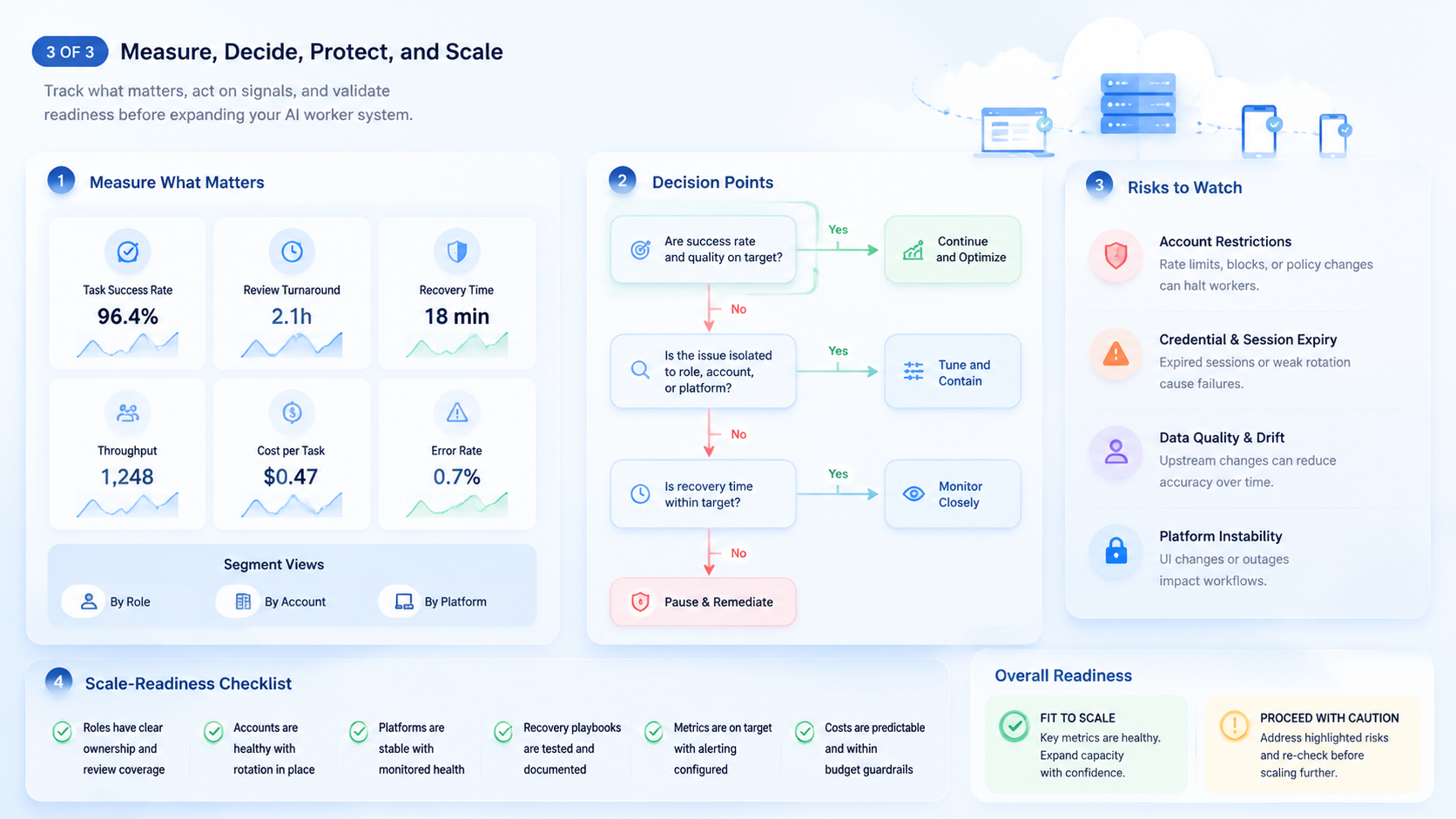
Then run a pilot review loop. Track task completion, correction rate, and time to escalation. If a worker needs repeated manual rescue, narrow the role or change the environment before adding more accounts. Fix scope first.
It also helps to keep one simple review record for each worker lane. Record the account, the environment, the finished step, and the reason for any human takeover. That small log makes weekly cleanup faster. It also shows where the role design is still too broad.
A small team can start with a spreadsheet or internal queue. The format matters less than consistency. Every run should leave the same fields behind, so review does not depend on memory.
How to Organize AI Workers by Role, Account, and Platform Review Checklist
Use a plain review list before you scale:
- One role name for each worker
- One clear account owner
- One main tool or device type
- One stop rule
- One human review path
- One log for each run
Keep the list simple. Short names help. Short rules help too. If the team cannot explain the lane in one breath, the lane is still too wide.
One easy test is to say the lane out loud. "This worker checks one inbox." "This worker posts one kind of update." "This worker watches one dashboard." Short lines are a good sign. If the line sounds long, the lane is too broad.
Frequently Asked Questions
What is an AI worker platform in practice?
It is the system that connects task logic, account rules, and execution environments so workers can complete real browser or mobile actions.
Should one AI worker manage multiple accounts?
Only when the accounts follow the same workflow and review standard. Otherwise, accountability becomes weak.
When should a team use browser execution instead of mobile execution?
Use browser execution for web dashboards and form-based tasks. Use mobile execution when the workflow depends on app-native states or Android interactions.
Does every worker need a separate environment?
Not always, but separate environments help when accounts, sessions, or routing rules must stay independent.
What metric matters first in a pilot?
Start with completion quality and rework rate. Speed matters less if correction costs are high.
Is this model only for large teams?
No. Small teams often benefit first because role confusion costs them more.
What is the first role worth testing?
Choose a narrow, repeatable role such as scheduled publishing, inbox triage, or competitor monitoring.
Conclusion
The practical way to organize AI workers is to define the role, bind the account, and match the environment. That gives the team a structure it can review and scale.
Before rollout, check three items: is the role narrow, is account ownership clear, and is the execution layer correct for the task. If one answer is weak, fix the design before adding more workers or more accounts.



