
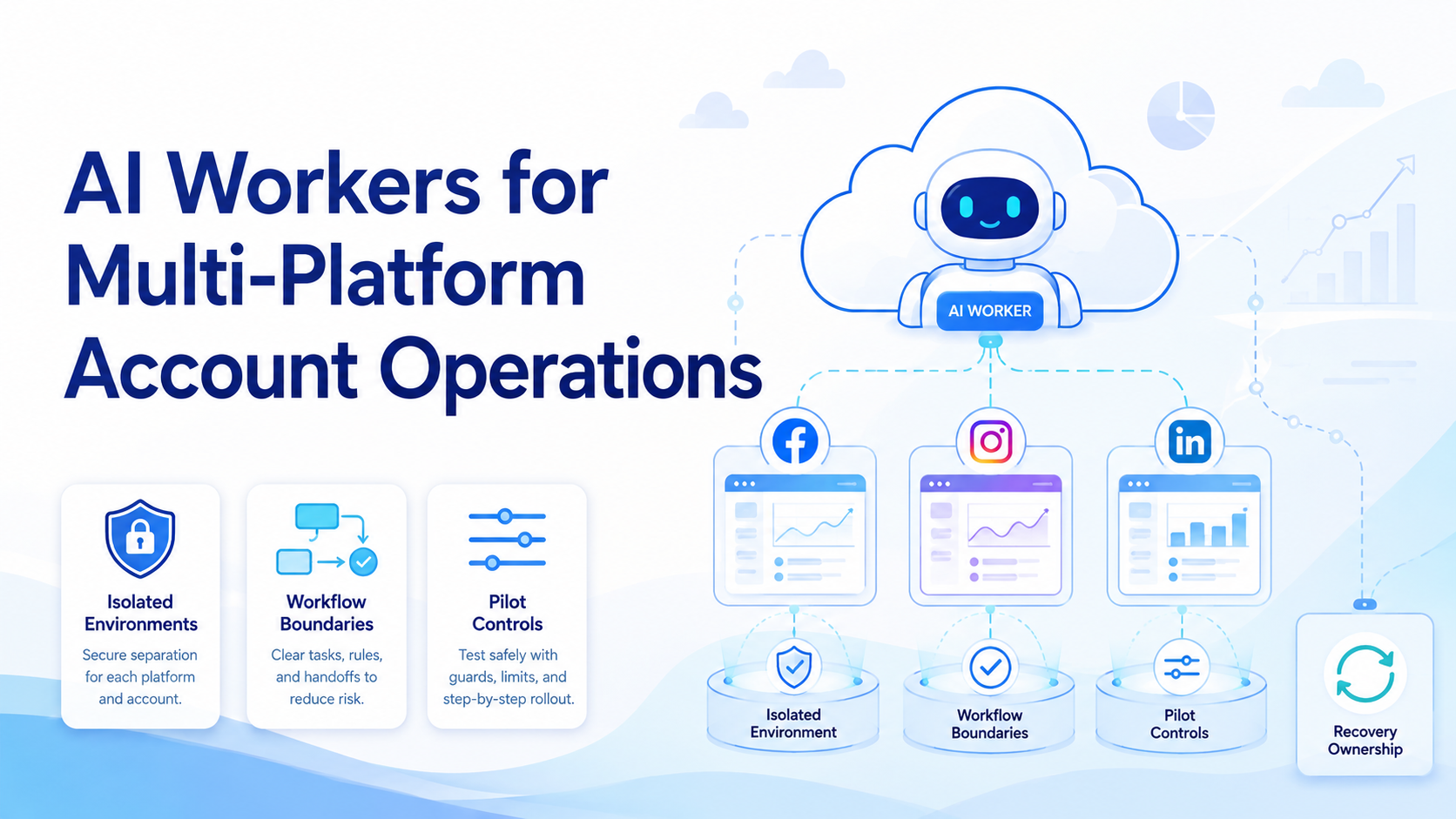
Key Takeaways
- AI workers for multi-platform account operations need clear ownership and isolated environments
- Browser and mobile tasks should be routed by workflow type, not forced into one queue
- Strong operations rely on review loops, recovery rules, and explicit account boundaries
- The best first pilot is small enough to inspect run by run
AI Workers for Multi-Platform Account Operations are structured workers that handle repeated account tasks across browser and mobile environments under clear rules. The useful model is not one giant automation agent. It is a system of narrow workers with defined account scope, runtime choice, and review ownership.
Teams search this topic when account work starts spreading across web dashboards, mobile apps, and several related platforms. At that point, speed alone is not enough. The workflow also needs cleaner boundaries.
That is why MoiMobi should be evaluated as execution infrastructure for account operations. The team needs a way to keep accounts separate, route tasks into the right runtime, and recover quickly when something fails.
The Core Idea Behind AI Workers for Multi-Platform Account Operations
The core idea is operational separation. Each worker should have:
- one main account scope
- one runtime rule
- one review path
Browser automation standards are built around session control for a reason. WebDriver defines browser work through explicit sessions and commands.1 Playwright also recommends separate browser contexts when different logged-in states must stay independent.2
Multi-platform account work usually extends beyond browser dashboards. It often includes app-native actions, notifications, or Android-only interaction paths. Android Enterprise positions managed Android environments as controlled business workspaces, which supports the same boundary logic.3
For this reason, device isolation and runtime routing are not optional extras. They are part of the operating model.
Why Teams Search for This Topic
Teams usually do not search this category because they want more tools. They search it because account operations are already getting messy.
A common example is a team that publishes through web dashboards, checks replies in mobile apps, and monitors account state across several platforms. When that work stays manual or loosely scripted, the same problems show up again:
- mixed sessions
- duplicated effort
- slow handoff between operators
- poor visibility into failed runs
An AI worker platform becomes useful when the team wants a repeatable structure around those account flows, not just isolated scripts.
Who Benefits Most and In What Situations
This model is a strong fit when account operations are repeated, reviewable, and tied to known environments.
Typical strong-fit teams include:
- social operations teams handling many accounts
- agencies running client account workflows
- support teams with repeated reply and follow-up patterns
- e-commerce teams moving between web tools and mobile account actions
It is a weaker fit when every account step needs custom judgment or live strategic interpretation. In those cases, workers should reduce routine load rather than replace operator decisions.
Use this fit boundary:
Repeat account steps, clear ownership, and a known browser/mobile split.
The workflow exists, but review rules or runtime choice are still vague.
Each run needs custom strategic judgment and no stable SOP exists.
How to Evaluate or Start Using AI Workers for Multi-Platform Account Operations
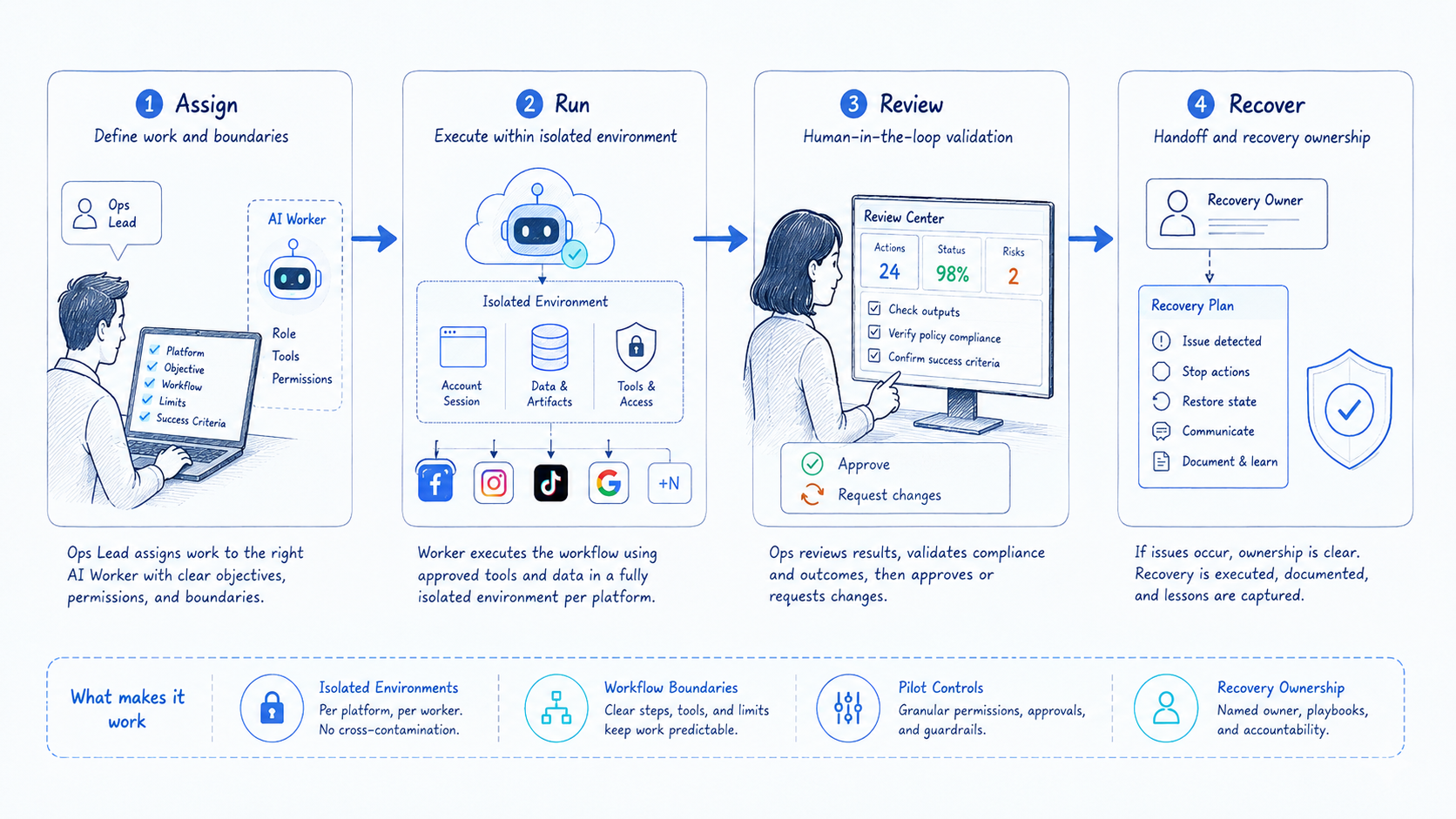
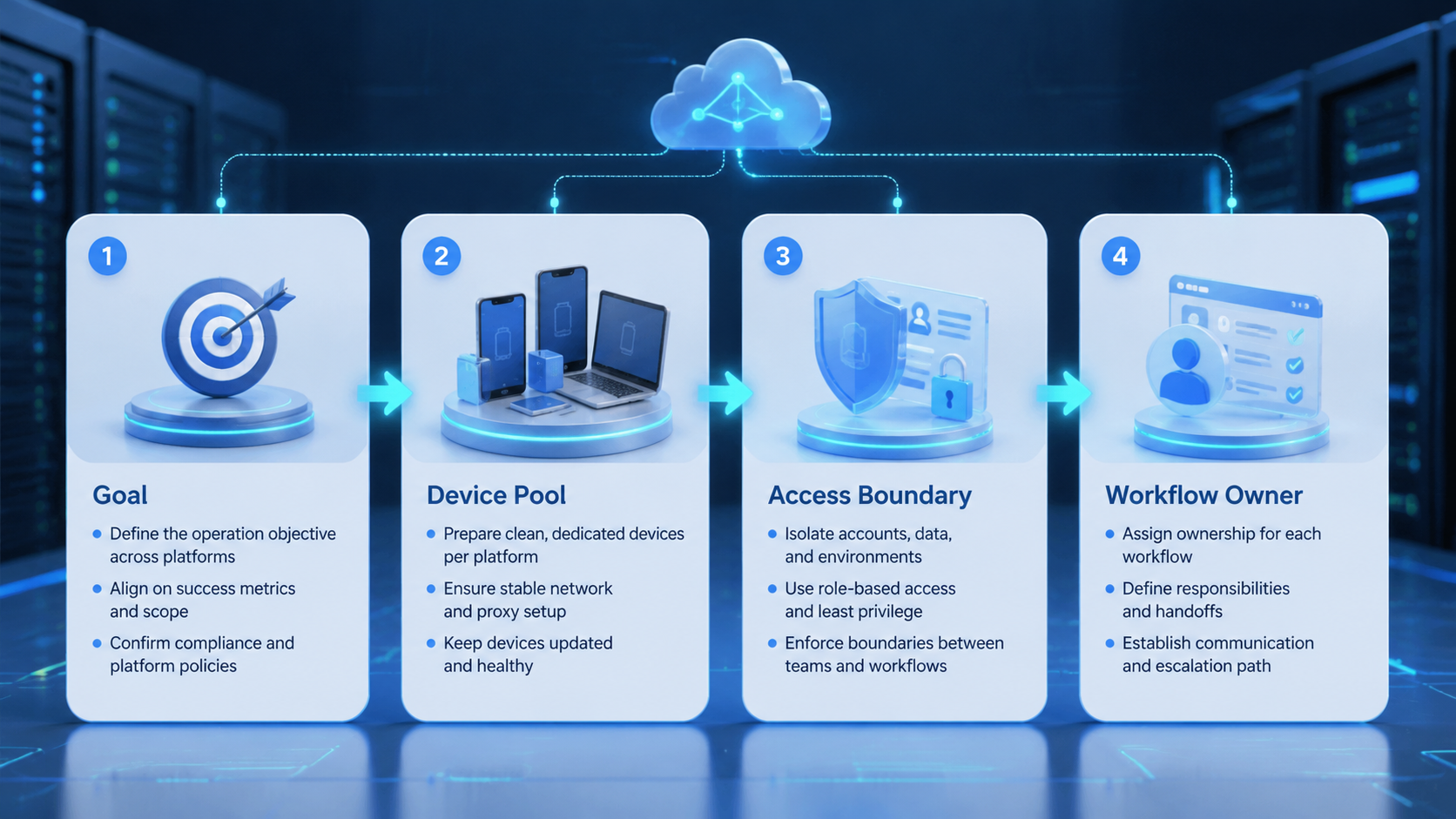
Start with setup checkpoints, not broad rollout.
- Choose one account lane. Pick one repeatable lane such as publishing, inbox triage, or monitoring.
- Map the runtime split. Decide what belongs in browser and what belongs in mobile execution.
- Limit account scope. One worker should not touch unrelated accounts at the start.
- Set the stop rule. Every failed step needs a named next owner.
- Inspect pilot results. Review a small batch before adding more accounts.
This is where cloud phone, mobile automation, and browser execution should work together instead of competing. The right runtime comes from the account workflow, not from a default preference.
Mistakes That Reduce Results
The biggest mistake is treating all accounts as one queue. That weakens accountability fast.
Another weak pattern is packing several unrelated jobs into one worker. Posting, replying, and monitoring may touch the same account, but they often need different review rules.
Environment choice is another failure point. Browser tasks and app-native tasks behave differently. AWS Device Farm and BrowserStack both describe device execution as controlled repeatable work, not as an afterthought.4 5
Avoid these patterns:
- several workers acting on the same account without clear handoff
- browser and mobile tasks mixed in one generic role
- no runtime rule for account-sensitive steps
- no review checkpoint before scaling
Pilot Rollout for AI Workers for Multi-Platform Account Operations
The first pilot should be small enough to inspect line by line.
Track these signals:
| Signal | What it shows |
|---|---|
| Completion rate | Whether the workflow can finish under real conditions |
| Correction rate | Whether the worker still creates manual rework |
| Escalation time | How quickly an operator can recover a failed run |
| Account conflicts | Whether boundaries are still too loose |
Recovery planning should be explicit. If a worker fails during a mobile step, the next action should already be defined as rerun, reassignment, or human takeover.
This is also where social media marketing and broader account operations begin to diverge. Some teams can run light browser-only workflows. Others need stronger multi-runtime control from the start.
Frequently Asked Questions
Are AI workers for account operations the same as chat agents?
No. Chat agents generate responses. Account-operation workers also need execution environments and review rules.
Does every account need its own worker?
Not always. Some lanes can share a worker if the workflow and review standard stay identical.
When should a team use mobile execution?
Use it when the account workflow depends on Android apps, device state, or app-native steps.
What should a first pilot measure?
Track correction rate, escalation time, and account conflicts before you optimize for speed.
Is this only for social media teams?
No. The same structure can support support, e-commerce, and other account-based workflows.
What is the safest first use case?
Choose a narrow, repetitive account task with a clear stop rule and review path.
Can one system manage browser and mobile account work together?
Yes, if the team keeps runtime routing and account ownership explicit.
Conclusion
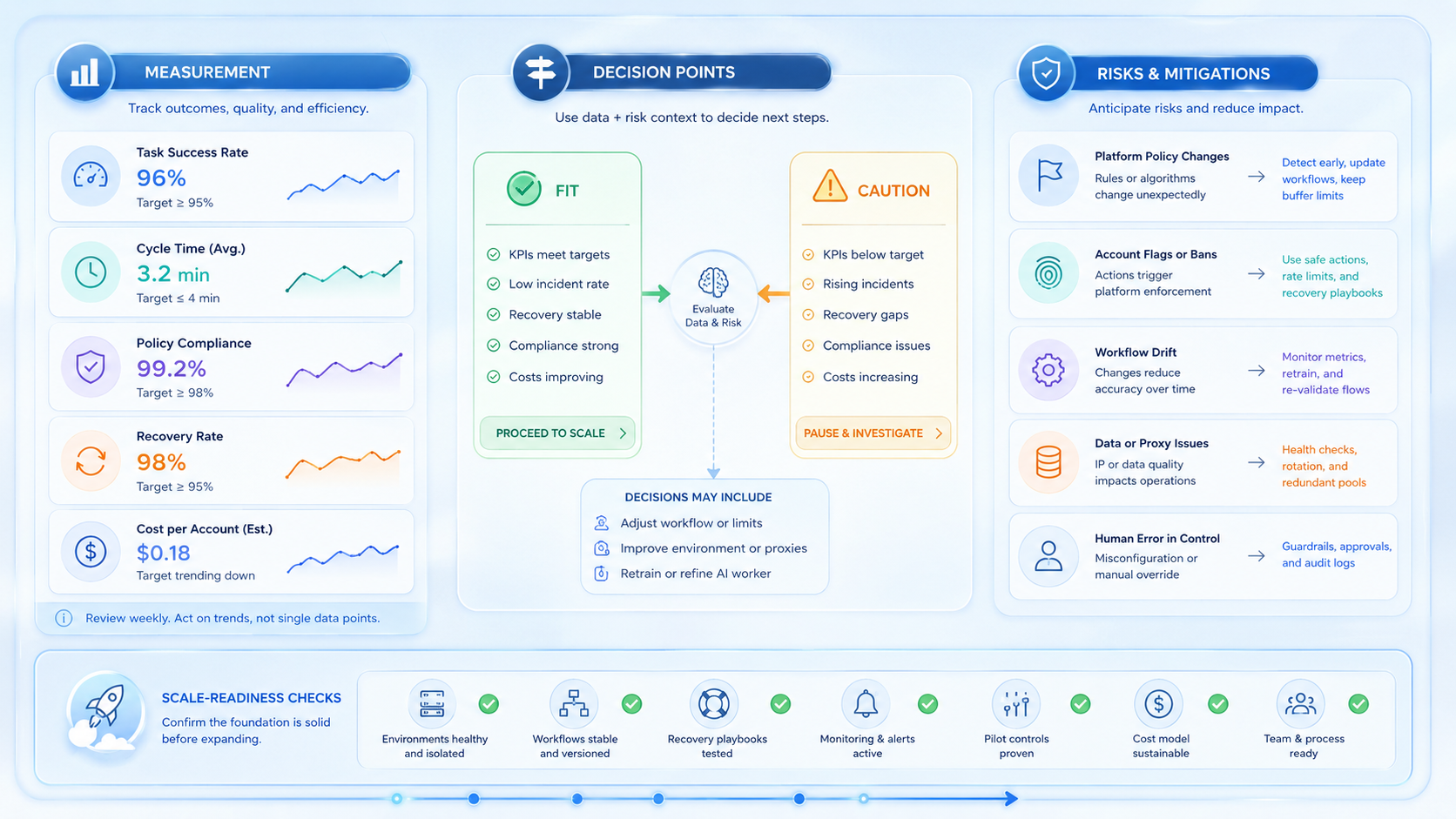
AI workers for multi-platform account operations work best when the platform enforces separation, not when it tries to hide complexity. Strong account operations depend on clear scope, the right runtime, and a visible recovery path.
Before scale, test one narrow lane and inspect every run. If account ownership is clear and correction cost stays manageable, the workflow is ready for wider rollout. The same review habit also makes future expansion safer.
That extra discipline usually pays off before the team adds more accounts.



