
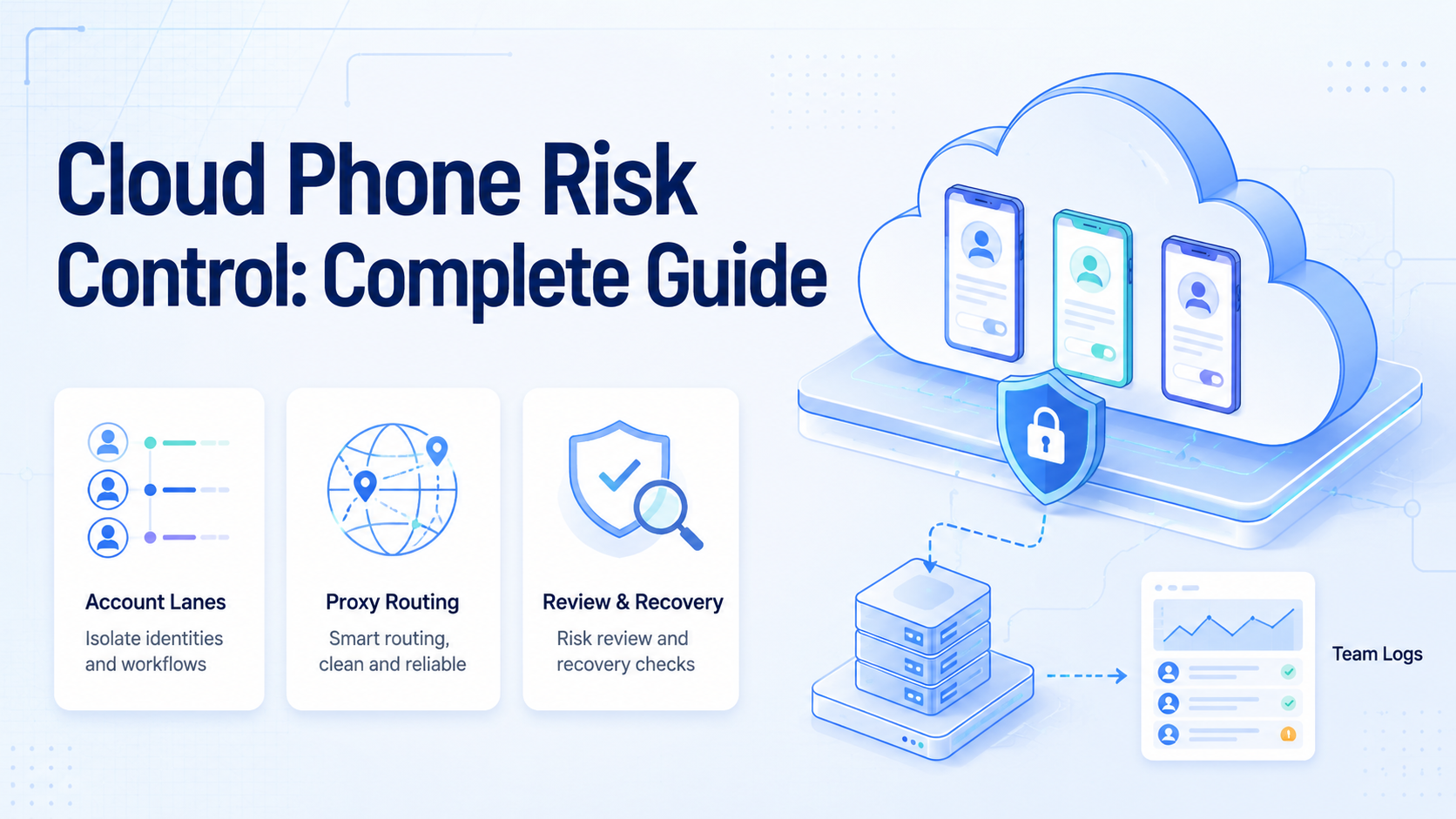
Key Takeaways
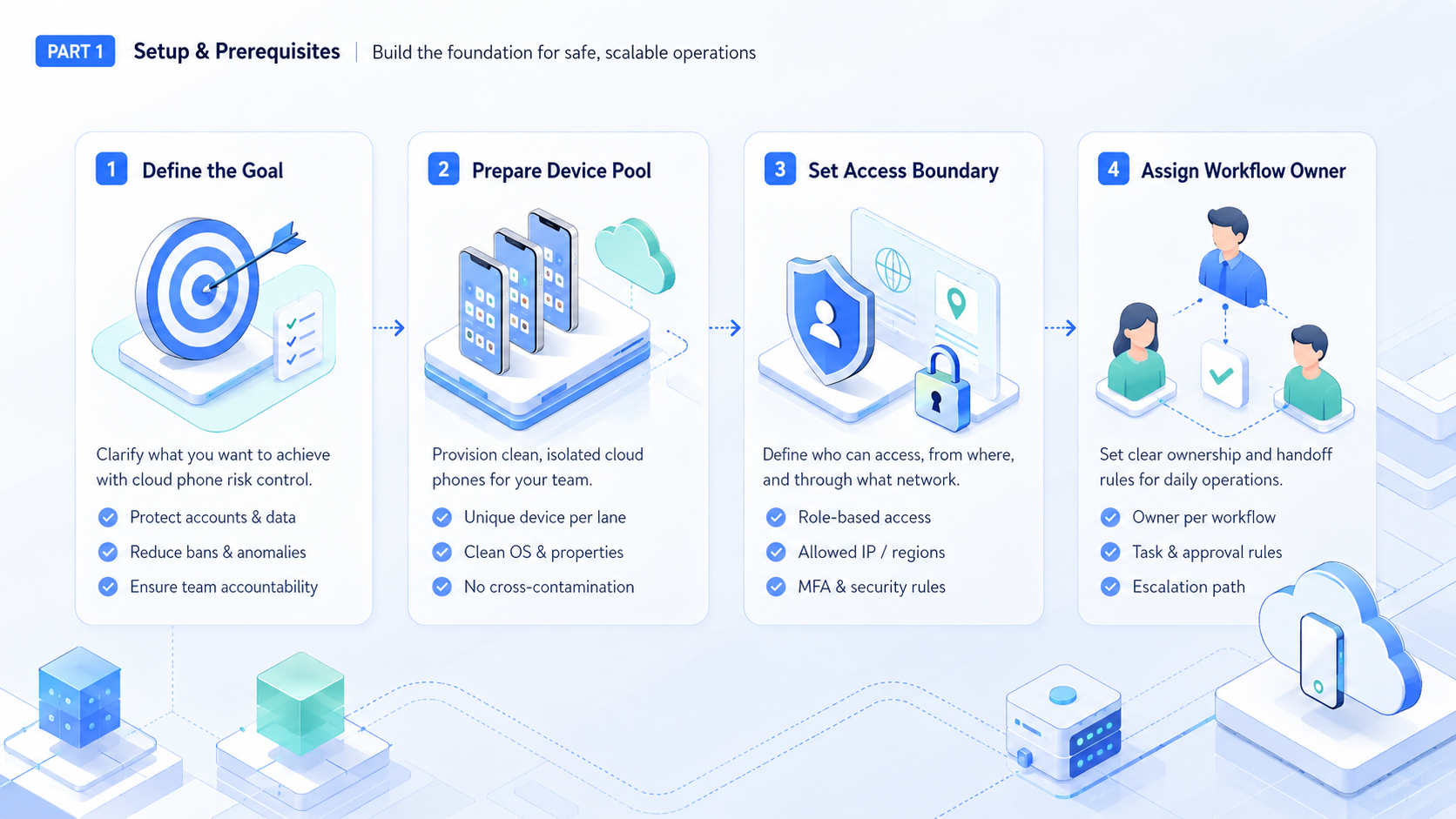
- Cloud phone risk control is an operating model
- Separate account lanes make review and repair easier
- Teams should measure rescue events before scaling
Mobile risk control for cloud phones is the practice of managing mobile execution environments so each account, device, route, and workflow stays separated and reviewable. It does not promise zero platform risk. It gives teams a clearer operating model for mobile account work.
The topic matters because mobile operations often involve many accounts, apps, devices, and team members.
Start controlled.
A launch owner checks account, device, route, task, and result before another batch enters the queue.
Without control, teams mix sessions, routes, app states, and manual actions. That makes failures harder to explain and harder to prevent.
Fix the lane first.
A cloud phone can help only when it is part of a broader system. The system should include device isolation, account ownership, proxy routing, workflow rules, approval points, and recovery logs.
One record should show the device, account, route, task, owner, and result before another mobile run starts.
Key Takeaways
- Cloud phone risk control is about separation, observability, and recovery across the full mobile operating lane.
Map handoffs.
One recovery note should name the workspace, owner, route, action, and final status for later repair.
- No cloud phone setup can remove every account or platform issue, so teams should avoid absolute claims.
- Each account should have its own lane.
- Review gates matter most when an action reaches customers, public feeds, payment flows, or account settings.
- Teams should measure failed runs and repeated causes before they add more devices, accounts, or operators.
What Cloud Phone Risk Control Actually Means
Risk control is not a single switch.
Keep scope tight.
The first account group earns trust by finishing a small queue before more accounts join.
It is a set of operating rules that keep mobile execution consistent. The goal is simple but strict: reduce avoidable confusion from mixed sessions, shared device state, unclear routing, or unreviewed actions before those issues spread across the account pool.
For team operations, the basic unit is an account lane. That is the control point. One lane may include a cloud phone, app login, network route, task history, and human owner. The lane gives the team a place to inspect what happened without searching through every device and chat thread.
Watch rescue.
A rescue event tells the team which screen, account state, route, or review rule needs repair.
This approach is different from treating devices as anonymous capacity. More devices do not automatically make operations safer. More uncontrolled devices can create more places for mistakes.
The Core Layers of Cloud Phone Risk Control
Teams should review risk control across several layers:
| Layer | Control question | Failure signal |
|---|---|---|
| Account lane | Does each account have a clear workspace? | Operators cannot tell which device or route was used. |
| Device state | Is app state kept stable and separate? | Sessions expire, reset, or mix between accounts. |
| Network route | Is routing assigned and documented? | Traffic changes without review or owner approval. |
| Workflow rule | Does the task have stop conditions? | Workers continue after an unexpected screen appears. |
| Review log | Can the team inspect what happened? | Failures depend on memory or screenshots alone. |
Moimobi connects these layers through device isolation, proxy network, mobile automation, and account workspaces. The value is strongest when those controls are used together.
Name the lane.
Every account group needs a visible owner so failed runs do not disappear into chat history.
Account Lanes and Device Isolation
Account lanes make mobile operations easier to reason about. Each account should have a known device environment, route, login state, task owner, and review history. That structure helps teams avoid accidental mixing.
Device isolation supports that model. It separates device state and workflow context so a team can assign work without guessing what happened before.
Save evidence.
Source screens, route notes, and task logs help the next operator continue without guessing.
For agencies or cross-border teams, this matters because several operators may touch the same account group.
The safest wording is also the most accurate: isolation reduces avoidable operational conflicts. It does not promise platform outcomes. Apps and platforms can evaluate many signals, policies, and behaviors that no tool fully controls.
Proxy Routing and Environment Consistency
Routing should be planned before a workflow scales.
Delay scale.
Expansion should follow completion data, low correction rates, and clear exception handling across several runs.
A route should match the account lane and stay consistent unless a team member changes it intentionally. Random changes create review problems.
A clean routing policy should track:
- which route belongs to which account lane;
- who approved route changes;
- when a device or app session was reset;
- which workflow ran after the change;
- whether failures increased after the change.
This is where a managed cloud phone platform is different from loose device access. The platform should help operators see the relationship between route, device, account, and task.
Protect review.
Public actions stay safer when drafts, replies, and setting changes pause before the final step.
Workflow Rules and Human Review
Risk control improves when tasks have clear boundaries. A mobile worker should know the start screen, expected action, success state, and stop condition.
Sensitive tasks need approval. Public posts, customer replies, purchases, deletes, account setting changes, and payment-related actions should not be treated as routine background work. Teams can let workers prepare those actions, then pause for review.
Use batches.
Small batches reveal login issues, missing fields, and unclear stop rules before volume hides the cause.
This is also important for AI-assisted workflows. The NIST AI Risk Management Framework is useful for thinking about monitoring and accountability. The OWASP LLM Top 10 helps teams review tool use and data exposure. Google’s helpful content guidance is relevant when mobile workflows support publishing.
Common Mistakes in Cloud Phone Risk Control
The first mistake is believing device access is enough.
Check ownership.
A single operator should decide when the workflow is ready for another account or task type.
A cloud phone without account ownership, routing rules, task logs, and review becomes another unmanaged device, even if the device itself is hosted in the cloud.
The second mistake is mixing accounts for convenience. Shared environments reduce setup time. They also make investigation harder because one failure can involve device state, route history, operator action, and an app session that nobody can reconstruct cleanly.
The third mistake is using risky language and risky workflow design.
Keep records.
Logs connect the device, account, route, task, and result into one trail that managers can inspect.
Teams should not build around promises to avoid account bans or bypass platform rules. A better operating goal is controlled execution, clear review, and documented recovery.
Finally, teams often ignore failed runs. A failure is useful evidence. It tells the team which screen, route, instruction, or account state needs a better rule.
Pause exceptions.
Unexpected screens need a stop rule so mobile automation does not continue with weak context.
A Practical Cloud Phone Risk Control Checklist
Use a short checklist before expanding account volume:
- Assign one account lane per account or account group.
- Document the cloud phone, route, owner, and app state.
Limit access.
Permission boundaries keep the worker focused on the task instead of the whole account workspace.
Define which actions require human approval.
4. Save task logs, failure reasons, and recovery notes.
5. Review repeated failures before adding more devices.
Review samples.
A manager can inspect ten finished tasks and decide which rule deserves the next improvement pass.
- Keep route changes intentional and recorded.
- Separate test accounts from production account work.
This checklist keeps the process operational.
Mark failures.
Repeated errors should point to one repair owner rather than a vague note about device quality.
It also gives managers a way to compare teams, accounts, and workflows without relying on anecdotal reports.
Team Roles for Cloud Phone Risk Control
Risk control needs clear roles. A small team can use three roles without creating a heavy process, as long as each role has authority to pause work when evidence is unclear.
The account owner decides which account can run, which app session is current, and which tasks are allowed. Name this person visibly.
Confirm context.
The reviewer should see the app, account, route, proposed action, and final state together.
The workflow owner writes the task rule. They define the start screen, allowed actions, stop conditions, and review gate. If the app changes, this person updates the workflow before more runs continue.
The reviewer checks evidence. They look at the task result, source screen, account lane, route note, and recovery status.
Avoid drift.
Saved workflows need periodic review because app screens, routes, and team rules change over time.
When the result is unclear, the reviewer pauses the lane and asks for repair before the same workflow reaches another account.
These roles can belong to one person in a small team. The point is not headcount. The point is visible ownership that survives shift changes, handoffs, and rushed campaign days.
Recovery Playbook for Mobile Teams
Recovery starts when the workflow reaches an unexpected state.
Keep humans close.
Human takeover matters most when a task reaches a customer, public feed, payment, or account setting.
That state may be a login screen, changed app layout, missing field, wrong account, slow network, or unclear customer message.
Use a short playbook:
| Event | First response | Owner |
|---|---|---|
| Login expired | Pause the lane and refresh credentials | Account owner |
| App screen changed | Stop the workflow and update the task rule | Workflow owner |
| Route changed | Record the change and compare recent failures | Operations lead |
| Wrong account opened | Stop work and inspect the workspace assignment | Account owner |
| Reply needs judgment | Move the item to review instead of sending | Reviewer |
The playbook should stay simple. If a failure needs a long debate, the workflow is not ready for more accounts.
When to Expand Account Volume
Expansion should follow evidence. Add more accounts only after the team can explain recent failures, recover quickly, and review work without reopening every device.
A practical expansion rule is simple. Run one account group for a fixed period, then compare completed tasks, rescue events, corrections, and repeated failure causes in the same review. If rescue events keep falling and review notes stay clear, add the next account group.
Do not expand only because idle devices are available. Idle capacity is not the same as operational readiness. A cloud phone fleet becomes useful when each lane has a known owner, route, state, and recovery path.
Scale slowly.
Clean logs matter more than raw volume.
Metrics to Track
Good risk control is measurable. Track completion rate, rescue rate, correction rate, session resets, route changes, and repeated failure reasons. These metrics show whether the environment is becoming more stable.
A weekly review is enough for many teams. Look for patterns, not excuses. If the same app screen keeps failing, improve the workflow before the next batch. If route changes correlate with more failures, slow down and review the policy with the account owner.
Do not measure only output volume. A team can complete more tasks while creating more review work, more unclear handoffs, and more account-lane repairs. Stable execution should reduce confusion, not only increase activity.
Frequently Asked Questions
What is cloud phone risk control?
It is the operating model for keeping mobile account work separated, logged, reviewed, and recoverable inside cloud phone environments.
The team should be able to explain which device, route, owner, and workflow produced each task result.
Does risk control remove all account risk?
No. It reduces avoidable operational conflicts. Platforms can evaluate many factors outside the tool’s control, including behavior, policy signals, content quality, account history, and user reports.
Use careful wording.
Why does device isolation matter?
It keeps device state, sessions, and workflow history separate. That makes account work easier to review when a login expires, an app screen changes, or a customer-facing action needs approval.
When an issue appears, the team can inspect one lane instead of guessing across many devices.
How should teams use proxies?
Assign routes intentionally, document changes, and keep routing tied to account lanes. Avoid random route changes that nobody can explain during review, because unexplained changes make every later failure harder to diagnose.
Route notes should include the owner, reason, date, and next review point.
Can AI workers use cloud phones?
Yes, when the platform provides controlled Android environments, task boundaries, logs, and human review points that stop the worker before it acts with weak context.
The worker should stop when the app screen, account state, or task result leaves the known path.
What actions should require review?
Public posts, customer replies, purchases, deletes, account setting changes, and payment-related steps should use approval gates.
Review first.
What is the best first metric?
Start with rescue rate. It shows how often a person must take over because the workflow reached an unclear state.
Pair that number with the reason for rescue, or the metric will not lead to a useful repair.
Conclusion
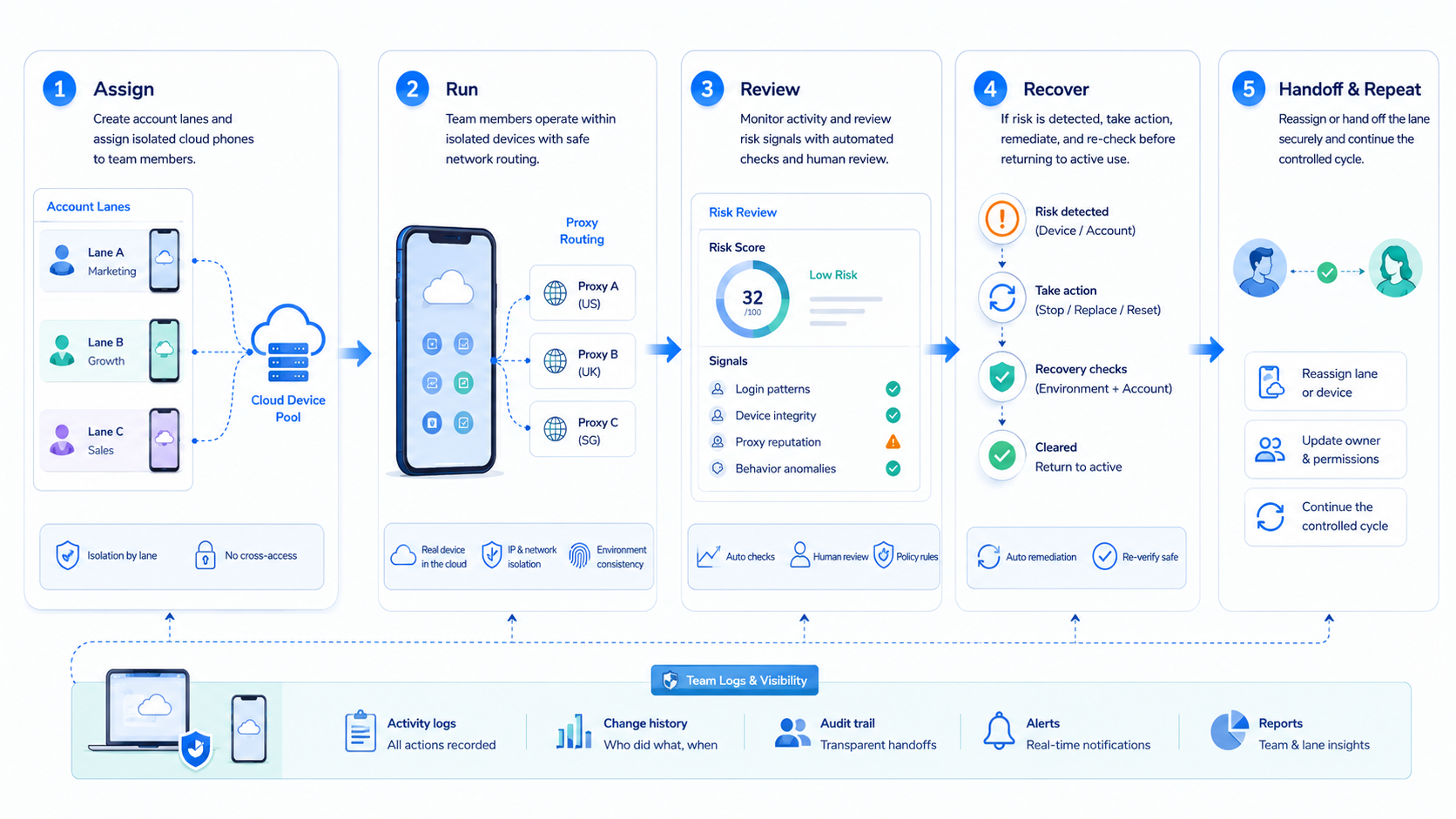
Cloud phone risk control is not about making risky promises. It is about building disciplined mobile execution. Each account needs a lane, each lane needs a device and route policy, and each workflow needs a review path.
Start with separation and logs. Then measure completion, rescue, corrections, and repeated failures. A cloud phone system becomes more useful when the team can explain what happened and recover without guesswork.



