
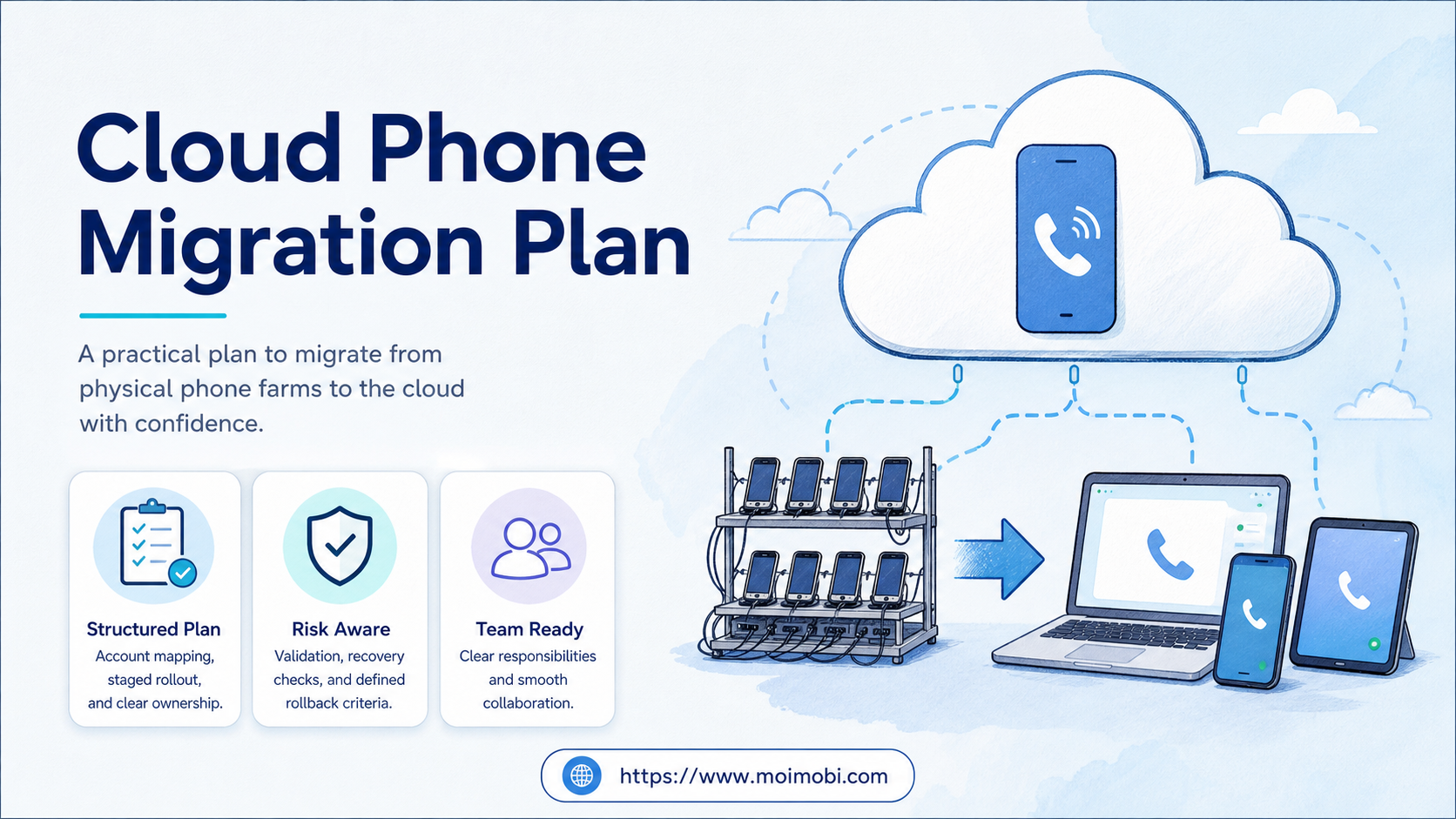
A cloud phone migration plan is a staged method for moving mobile workflows from physical phone farms into managed cloud environments. It maps accounts, tasks, owners, evidence, and recovery before the team changes the execution layer.
Migration is not a device swap. A physical phone farm may contain undocumented account assignments, charging routines, local network rules, app state, and operator habits. A cloud environment changes those assumptions. The team needs to preserve the workflow outcome while making the new environment observable.
A cloud phone can become one execution layer in the new model. The migration still needs a boundary check: some tasks depend on physical hardware or iOS behavior, while others fit a remote Android or browser workflow. Move only the work that the target environment can support and review.
Key Takeaways
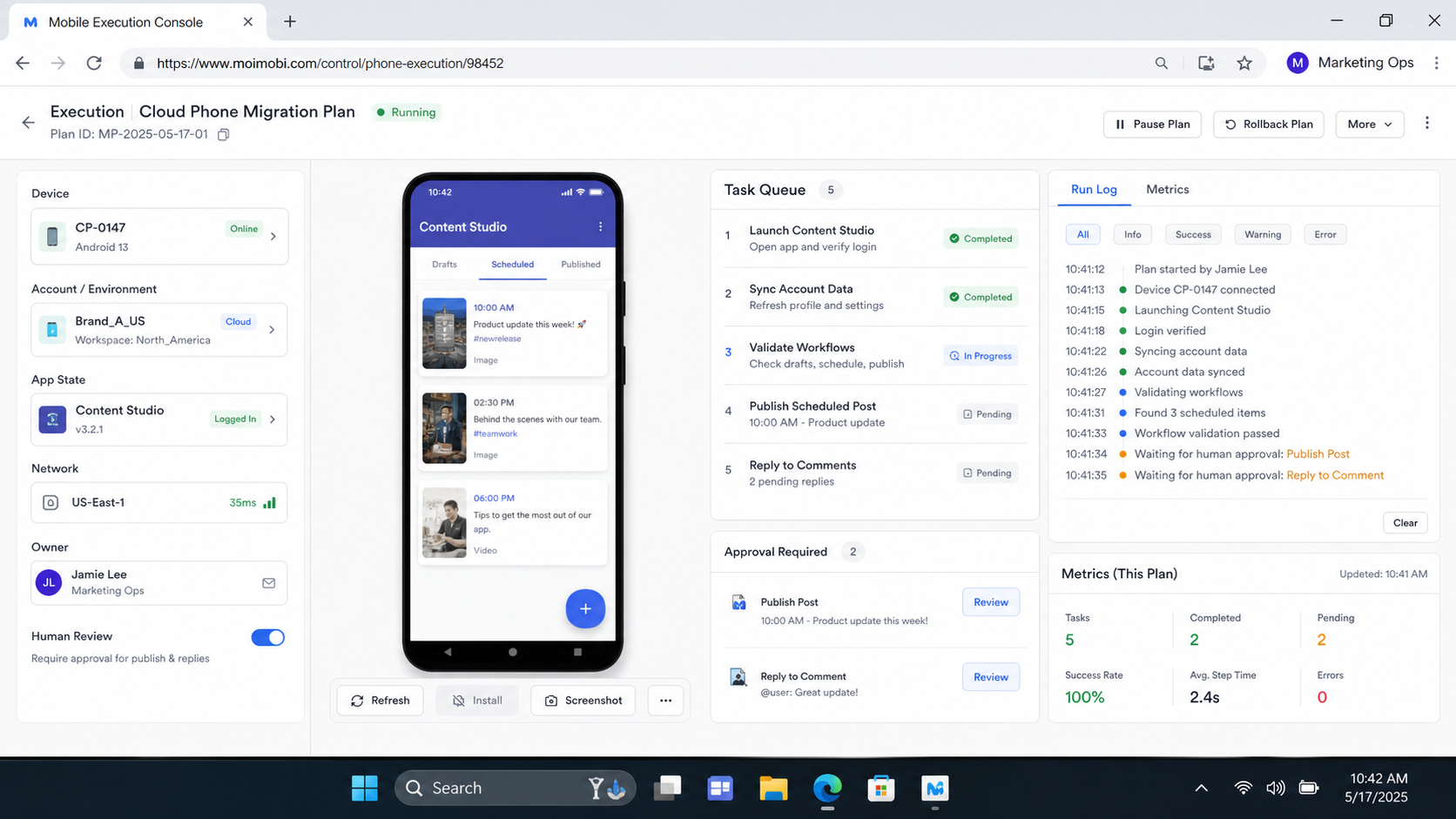
- Inventory workflows and account assignments before moving devices.
- Migrate one account cohort and one task class first.
- Validate access, app state, routing, evidence, handoff, and recovery.
- Keep a rollback path for each migration wave.
- Measure ready task lanes and recovery time, not only login success.
What the Cloud Phone Migration Plan Must Preserve
The target environment does not need to copy every physical setup detail. It does need to preserve the business controls that make the workflow usable. Start with four questions: Who owns the account? What task is being run? What evidence proves the review step? What happens when the target environment fails?
| Migration object | Physical-farm reality to record | Cloud target decision |
|---|---|---|
| Account lane | Device, account, client, operator, and platform relationship | Keep the same ownership boundary or redesign it explicitly |
| Task workflow | Steps, approvals, app state, and handoff habits | Rebuild the steps in a repeatable task sequence |
| Environment | Model, OS, network, storage, and local access | Select a supported cloud, browser, or physical lane |
| Evidence | Screenshots, logs, notes, and completion checks | Define what the new environment records |
| Recovery | Reset, replacement, charging, and manual intervention | Define pause, reassignment, and rollback actions |
The mapping stage should identify what is known and what is only assumed. A device name that appears in a spreadsheet may not prove current account ownership. A successful login may not prove that the workflow can complete after migration.
Apple Business documentation treats device assignment as an explicit assign, reassign, or unassign operation. That is a useful control principle for migration: close the old assignment, record the change, and verify the new environment before work resumes. See Apple Business device assignment guidance.
Why Teams Leave Physical Phone Farms
Physical fleets can become difficult to operate when the team grows across locations, clients, shifts, or task types. Charging, replacement, local access, manual resets, and unclear ownership consume time outside the mobile workflow itself. These issues do not prove that cloud execution is the right answer, but they justify a structured comparison.
The migration decision should be based on work, not hardware frustration. A task may fit a cloud environment when it needs repeatable app execution, remote access, account assignment, operator handoff, and centralized task records. A task may remain on physical hardware when it depends on device-specific sensors, local peripherals, iOS-only behavior, or a client requirement that the cloud target cannot reproduce.
Remote testing documentation shows why environment artifacts matter. AWS Device Farm describes remote access sessions with screenshots, video, logs, and device interaction. Its service is designed for device testing, not agency account operations, but the migration lesson is useful: a remote session should produce evidence that can be reviewed beside the task state. See AWS Device Farm remote access.
Do not frame the change as “physical phones versus cloud phones” in every case. A mixed model may be more practical. The agency can keep a small physical lane for hardware-dependent work, move repeatable Android tasks to cloud phones, and keep web administration in isolated browser workspaces. A phone farm transition guide can help the team separate inventory planning from the workflow decision.
Cloud Phone Migration Plan: Account and Workflow Mapping
Before the first migration wave, create an account map. Include the client, platform, account lane, current device, current operator, task type, evidence requirement, and target environment. Mark rows that need human confirmation.
The map should distinguish:
- accounts that can move together;
- accounts that require separate environments;
- tasks that need an app rather than a browser;
- tasks that require a human approval checkpoint;
- tasks that need source screenshots or logs;
- tasks with a tested rollback path.
The workflow map is equally important. For each task, record the start state, action sequence, expected result, exception state, reviewer, and next owner. A physical operator may solve a blocked screen by touching the device and remembering context. The cloud workflow needs that context in a task record.
Use device-isolated migration workspaces when account separation is part of the target design. The link is not a claim that every physical lane can be reproduced identically. It is a reminder to make environment boundaries part of the migration decision.
A Staged Migration Workflow
1. Freeze the source map
Take a read-only snapshot of the current device, account, task, and owner relationships. Resolve obvious conflicts before moving anything. Do not use migration as a way to hide unknown assignments.
2. Select a pilot cohort
Choose one client or account group with a repeatable task. Avoid mixing an app-only task, a browser task, and a review-heavy task in the first wave. A narrow cohort makes failures easier to classify.
3. Prepare the target environment
Create the target lane, assign the account, install or open the required app, configure the approved routing, and check access roles. Record the target environment ID and owner before the first task.
4. Run a shadow validation
Compare the source workflow with the target workflow without changing the full production lane. Check starting state, task action, result, evidence, approval, and handoff. A successful connection is only one validation point.
5. Move a limited work window
Run the pilot for a defined window. Record queued, running, waiting, failed, blocked, and completed states. Keep a source fallback available until the target workflow passes review.
6. Review the migration evidence
Compare task results, review delay, exceptions, and operator effort. Check whether the target environment created enough evidence for a second operator to understand the run.
7. Expand or roll back
Expand only when the pilot meets its success criteria. If a stop condition occurs, pause the target lane, preserve evidence, route pending work through the fallback, and document the decision. A rollback is a controlled workflow, not a sign that the team failed.
What the Target Environment Should Record
Migration creates new state that should not live only in chat. Keep the target environment, account lane, task attempt, operator, reviewer, evidence reference, and recovery action together.
For Android targets, Android Management API documentation separates device resources from policies, applications, enrollment tokens, and device operations. That separation is a useful reference when a migration system defines environment state, policy state, and task state. See the Android Management API reference.
The migration record should also separate task completion from evidence completion. A task may finish on the target environment while its screenshot, approval, or handoff note remains open. Add an evidence state such as captured, reviewed, redacted, or not required. That field helps the team decide whether the lane can be released to the next task.
Cloud Phone Migration Plan Acceptance Checklist
Before closing a migration wave, verify the target lane with a second operator. The second operator should be able to identify the environment, account, task, reviewer, and rollback path without private context from the original setup.
- The target environment ID is linked to the correct account and client.
- The required app or browser surface opens at the expected starting state.
- The task owner and reviewer are visible.
- The routing and access assumptions are recorded.
- The expected result has a reviewable record.
- Any screenshot or log reference has the correct retention category.
- A blocked task can be paused without losing its history.
- Pending work can return to the source lane or another approved target.
- The wave has a written decision: expand, adjust, hold, or roll back.
Run this checklist for each cohort, not only for the first migration. A later wave may use a different task class, client permission model, or evidence requirement. Reusing the same form is useful; assuming the same result is not.
Common Migration Mistakes
Moving accounts before mapping ownership
The team may create a technically working environment with the wrong client or account lane. Confirm ownership before access and task testing.
Treating the target as a visual copy
A cloud environment may show a similar app screen while the workflow has different permissions, routing, timing, or evidence behavior. Validate task state, not only appearance.
Moving every account in one wave
A large migration makes it harder to separate setup errors from workflow errors. Use cohorts and keep each wave identifiable.
Removing the physical fallback too early
Fallback capacity has value during review and recovery. Retire a source lane only after the target has passed its defined checks.
Leaving exceptions undocumented
A migration needs a reason for each pause, retry, reassignment, and rollback. Otherwise the next wave repeats the same uncertainty.
Measuring only login success
Login proves access at one point. It does not prove task completion, review, evidence, or handoff. Include those states in the acceptance record.
Fit Boundaries and Team Roles
This migration approach fits teams with repeatable mobile workflows, multiple operators, clear account ownership, and a reason to centralize execution. It is less suitable when the workflow depends on hardware that the target cannot reproduce or when no one owns migration review.
Define roles before the first wave:
| Role | Migration responsibility |
|---|---|
| Account owner | Confirms client, account, and allowed task lane |
| Operations lead | Owns mapping, pilot window, and expansion decision |
| Operator | Runs the task and records visible exceptions |
| Reviewer | Confirms result, evidence, and handoff |
| Recovery owner | Handles blocked environment, reassignment, or rollback |
One person may hold several roles in a small team. The responsibilities still need to be visible.
Pilot Metrics and Rollback Checks
Use a pilot with one cohort and one task class. Record the source baseline and target results. The aim is not to create a universal benchmark. It is to decide whether this migration wave is controlled enough to expand.
| Metric | What to inspect | Expansion signal |
|---|---|---|
| Assignment accuracy | Correct client, account, and environment | No unresolved ownership mismatch |
| Task completion | Expected result and task state agree | Result can be reviewed by another operator |
| Review delay | Time between execution and decision | Reviewer queue remains manageable |
| Evidence completeness | Required screenshot, log, or note exists | Handoff does not require private context |
| Recovery time | Time from block to a recorded next state | Fallback or reassignment path works |
| Rollback readiness | Source lane and target lane are distinguishable | Pending work can be routed safely |
Stop the wave when ownership is unclear, the target cannot perform a required step, evidence is missing for a sensitive action, or repeated failures have no assigned diagnosis. Resume only after the team records the cause and the next check.
Frequently Asked Questions
What is a cloud phone migration plan?
It is a staged map for moving accounts and workflows from physical phones into cloud execution while preserving ownership, evidence, review, and recovery.
Should every physical phone be replaced?
No. Keep physical lanes for hardware-dependent work when the target cannot reproduce the required behavior. Move only supported workflows.
How long should a migration pilot run?
Run it long enough to include normal work, a review decision, a handoff, and at least one recovery case. The correct window depends on the task cycle.
What should be migrated first?
Choose a repeatable, well-owned task with clear success criteria. Avoid the most sensitive or least understood workflow as the first wave.
Is a browser profile part of the migration?
It can be. Web-only steps may move to a browser workspace, while app-only steps need a mobile environment. Map them separately.
When should the fallback be retired?
Retire it after the target lane passes assignment, execution, review, evidence, handoff, and recovery checks for the relevant workflow.
What if the target cloud environment is not equivalent?
Keep the workflow on the source environment or redesign the task. Do not describe an unverified environment as equivalent.
How does a team know the migration worked?
Another operator can run or review the task, the account mapping is clear, evidence is available, exceptions have owners, and the rollback path is documented.
Conclusion
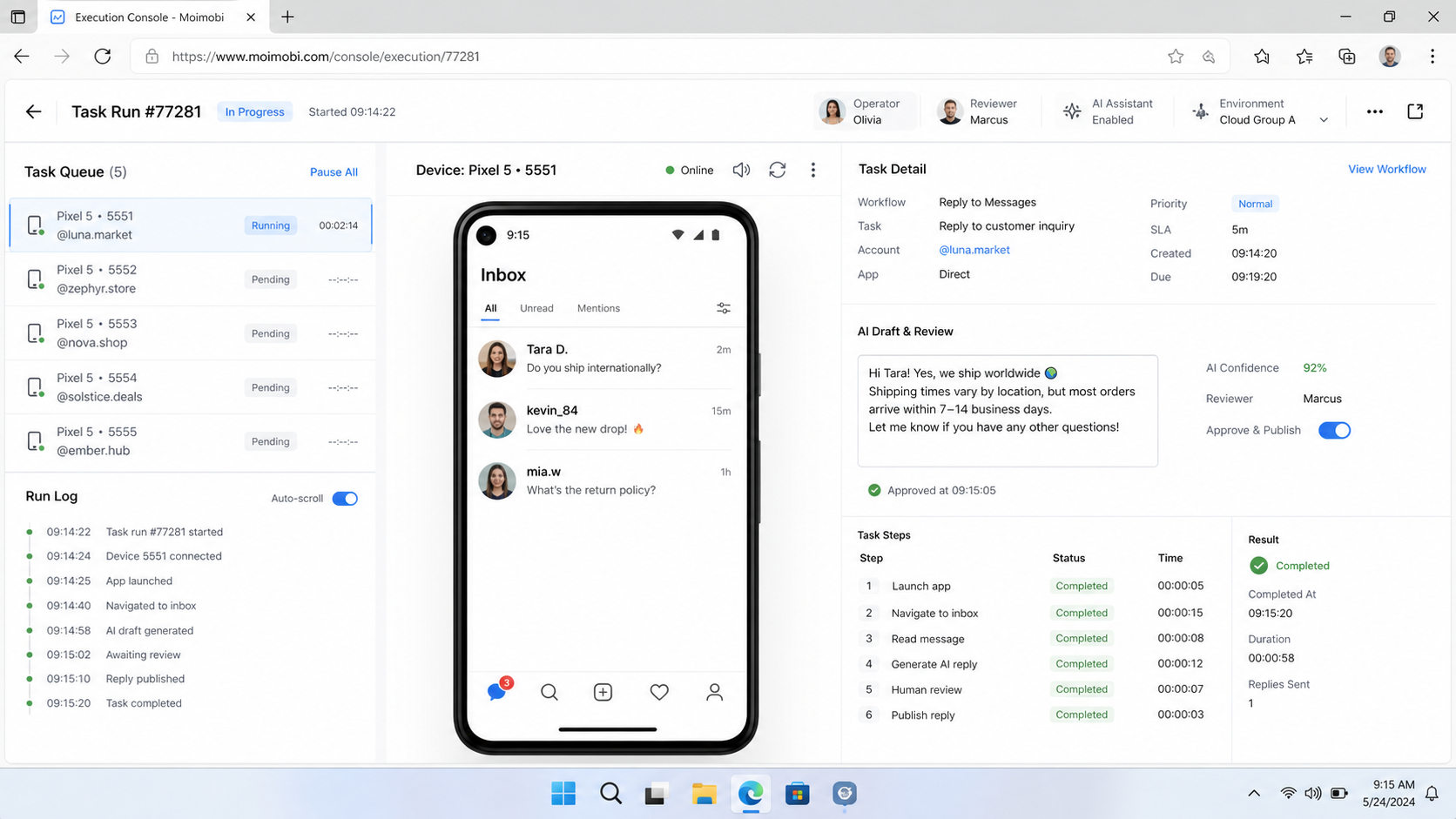
A cloud phone migration plan should preserve operating control, not the physical shape of an old phone farm. Map account ownership, task steps, evidence, roles, and recovery first. Then move a narrow cohort, validate the target environment, and expand only after the review loop works.
The next step is a pilot map with one account group, one task class, one reviewer, and one rollback path. That small record will show whether the team needs more cloud capacity, a mixed physical and cloud model, or a different workflow boundary.



