
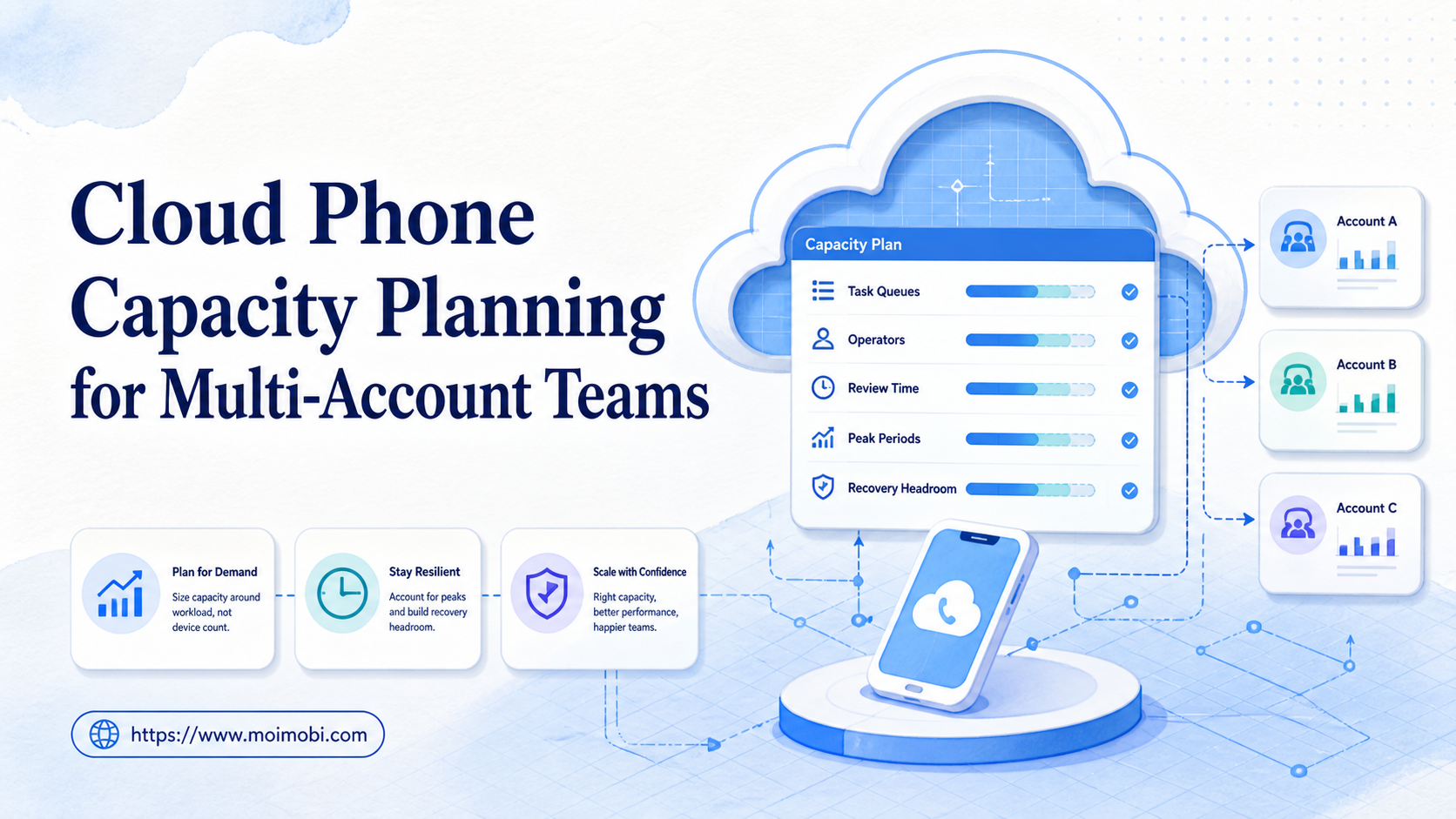
Cloud phone capacity planning is the process of matching account work, device environments, task queues, operators, review time, and recovery headroom. It helps a multi-account team decide how much execution capacity it actually needs before adding more environments.
Device count is only one input. A cloud phone may be online but reserved for another account, waiting for review, stuck in an app, or unavailable because its owner is offline. A useful plan measures ready task lanes and the work that each lane can support.
A cloud phone can provide one execution environment for mobile workflows. The planning question is how it fits with browser workspaces, account isolation, operators, approvals, and handoffs. The answer should come from observed queue and recovery behavior, not a promise about a fixed concurrency number.
Key Takeaways
- Plan for ready environments, not raw device inventory.
- Separate account ownership, task execution, review, and recovery capacity.
- Model normal load and peak load as different operating states.
- Keep headroom for failed sessions, approvals, reassignments, and maintenance.
- Pilot one account group before expanding the full device plan.
What Is Cloud Phone Capacity Planning for Multi-Account Teams?
Cloud phone capacity planning gives a team a repeatable way to decide whether its current mobile execution environments can absorb the next work window. The unit of planning is usually a ready task lane: an environment with a known account, available access, a valid workflow, an assigned owner, and enough review support to close the task.
That unit is more useful than “one device equals one account.” A single account may have several task types. A single task may pause for approval. Several accounts may compete for the same operator or review queue. Capacity is therefore a relationship between environments and workflow demand.
| Planning dimension | What to record | Why it changes the plan |
|---|---|---|
| Account demand | Account group, platform, task type, and work window | Different tasks consume different execution time |
| Environment supply | Ready, reserved, blocked, and maintenance states | Inventory is not the same as available capacity |
| Task queue | Queued, running, waiting, failed, and completed work | Backlog shows pressure before a failure appears |
| Human capacity | Operators, reviewers, and escalation owners | Human decisions can become the bottleneck |
| Recovery headroom | Replacement lanes and time for diagnosis | A plan without recovery fails under disruption |
| Evidence needs | Screenshots, logs, approvals, or handoff records | Review work adds time beyond the device action |
The plan should also state what the environment does not cover. An Android cloud phone is not an automatic replacement for a physical iOS device. A browser profile is not an app environment. Clear boundaries prevent a capacity plan from overstating what a lane can execute.
Why Cloud Phone Capacity Planning Matters for Multi-Account Operations
Multi-account teams often notice capacity problems as queue symptoms. Tasks wait longer, operators switch environments more often, reviews arrive in batches, and failed tasks are retried without a clear owner. Adding devices may reduce one symptom while leaving the real bottleneck untouched.
The first bottleneck may be execution. Accounts wait because too few environments are ready for the required app or workflow. The second may be review. Environments finish work, but approvals and exceptions remain open. The third may be ownership. Tasks are technically possible, but no operator is assigned to start, verify, or hand off them.
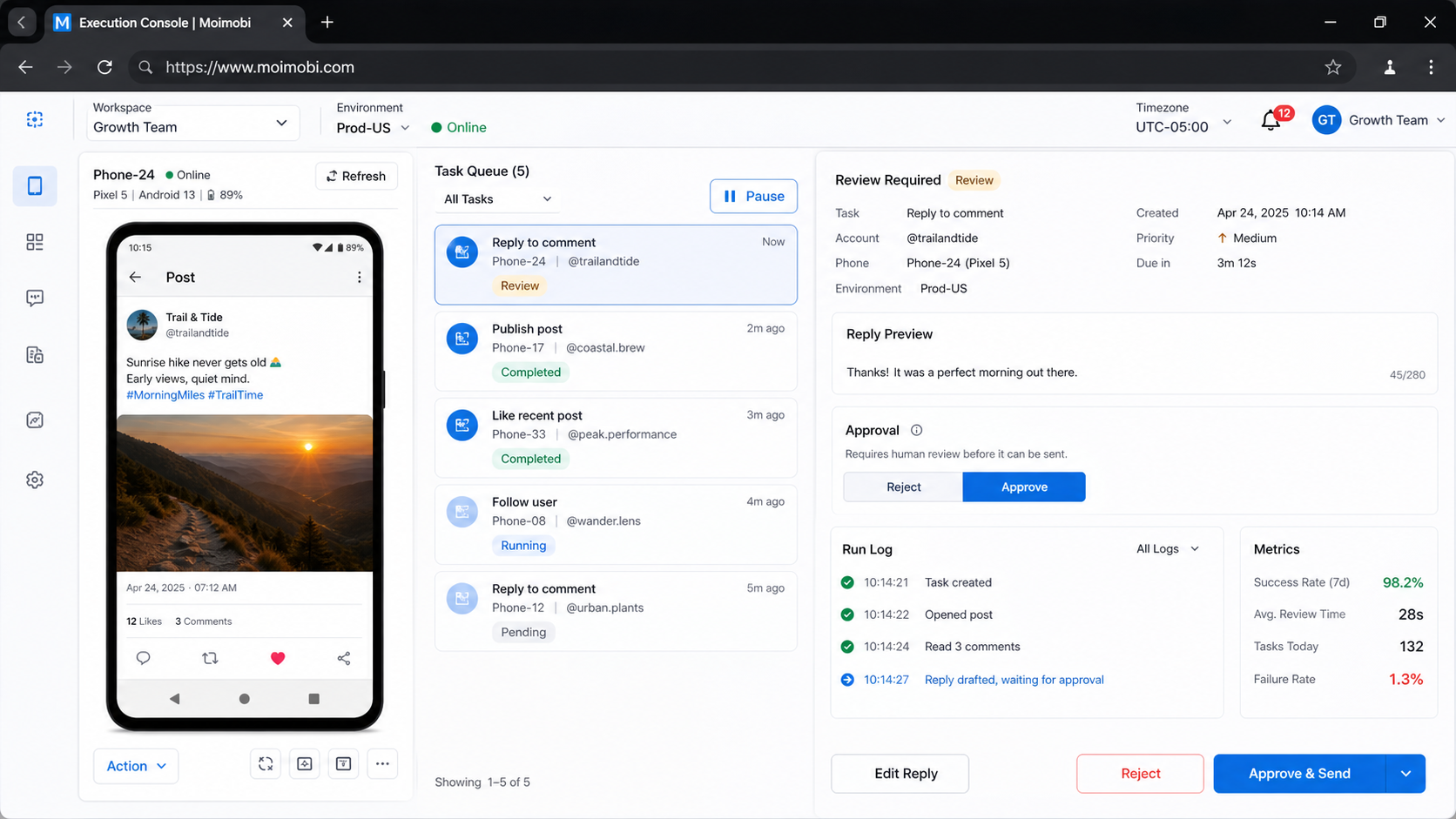
Cloud phone capacity planning makes those bottlenecks visible. A simple status board can show ready environments, active tasks, blocked environments, review backlog, and the next recovery action. The goal is not to keep every environment busy. It is to keep important work predictable and recoverable.
AWS Device Farm documents remote access sessions with separate screenshots, video, and logs. The service is designed for device testing, so it is not a direct model for agency account operations. Its artifact separation is still a useful planning reference: visual evidence, session activity, and business task state should not be collapsed into one capacity signal. See AWS Device Farm remote access.
For teams operating across web and mobile surfaces, use environment boundaries deliberately. A TikTok operations workspace may be relevant for a TikTok-specific task lane, while browser-based account administration may belong in a separate environment. The plan should show those differences instead of grouping every platform under one generic mobile count.
A Capacity Model That Teams Can Actually Use
Start with a simple model. Estimate demand by account group and task type. Estimate supply by ready environments and available work windows. Then subtract work that cannot run without an operator, reviewer, or recovery action.
One useful internal expression is:
Usable capacity = ready execution lanes × available work window × workflow fit, reduced by review and recovery constraints
This is a planning model, not a vendor capacity promise. It helps the team ask better questions. If capacity looks low, determine whether the cause is too few environments, too much review, poor workflow fit, or slow recovery.
Demand inputs
- number of account groups;
- task types for each account group;
- expected work windows;
- tasks that need human approval;
- tasks that need screenshots or logs;
- expected retries and exception review;
- handoff requirements between shifts.
Supply inputs
- environments ready for the task;
- environments reserved for a specific client;
- environments in maintenance or recovery;
- operators available for the work window;
- reviewers available for approval tasks;
- replacement or fallback lanes.
The planning result should be a range with assumptions. Avoid presenting a single number as capacity when the team has not measured task duration, approval delay, and recovery time.
Cloud Phone Capacity Planning Checklist
Use this preflight before adding environments or promising a new client workflow.
Account and task mapping
- Group accounts by platform, client, task type, and review requirement.
- Separate content publishing, customer replies, research, monitoring, and internal testing.
- Mark tasks that cannot share an environment or account lane.
- Identify the owner for each task group.
Environment readiness
- Count ready environments separately from total environments.
- Mark reserved, blocked, paused, and maintenance states.
- Confirm the app, account lane, routing, and permission state.
- Record the last successful readiness check.
Team readiness
- Assign operators to work windows.
- Assign reviewers for approvals and exceptions.
- Define the escalation owner for blocked environments.
- Check whether a handoff can happen without private chat context.
Recovery readiness
- Define what happens when an environment becomes unavailable.
- Keep a replacement or reassignment path for important tasks.
- Record the evidence needed before a reset or retry.
- Define the stop condition for repeated failures.
If any item is unknown, classify the lane as needs review. Do not count it as ready capacity until the missing field has an owner.
How to Start Cloud Phone Capacity Planning
1. Choose one account cohort
Start with a group that shares a platform and task pattern. A small cohort reveals queue behavior more clearly than a mixed fleet with unrelated workflows.
2. Define the ready state
Write the exact conditions for ready: correct environment, correct account lane, required app open, routing confirmed, task owner assigned, and review path available. A ready state should be observable by another operator.
3. Record work and wait states
Track queued, running, waiting for approval, failed, blocked, and completed tasks. Record why a task waits. A queue with a clear reason is easier to plan than a queue with one generic pending state.
4. Measure the review loop
Record how long work waits for a human decision. If review is slower than execution, adding more cloud phones may increase backlog instead of improving throughput.
5. Test a recovery case
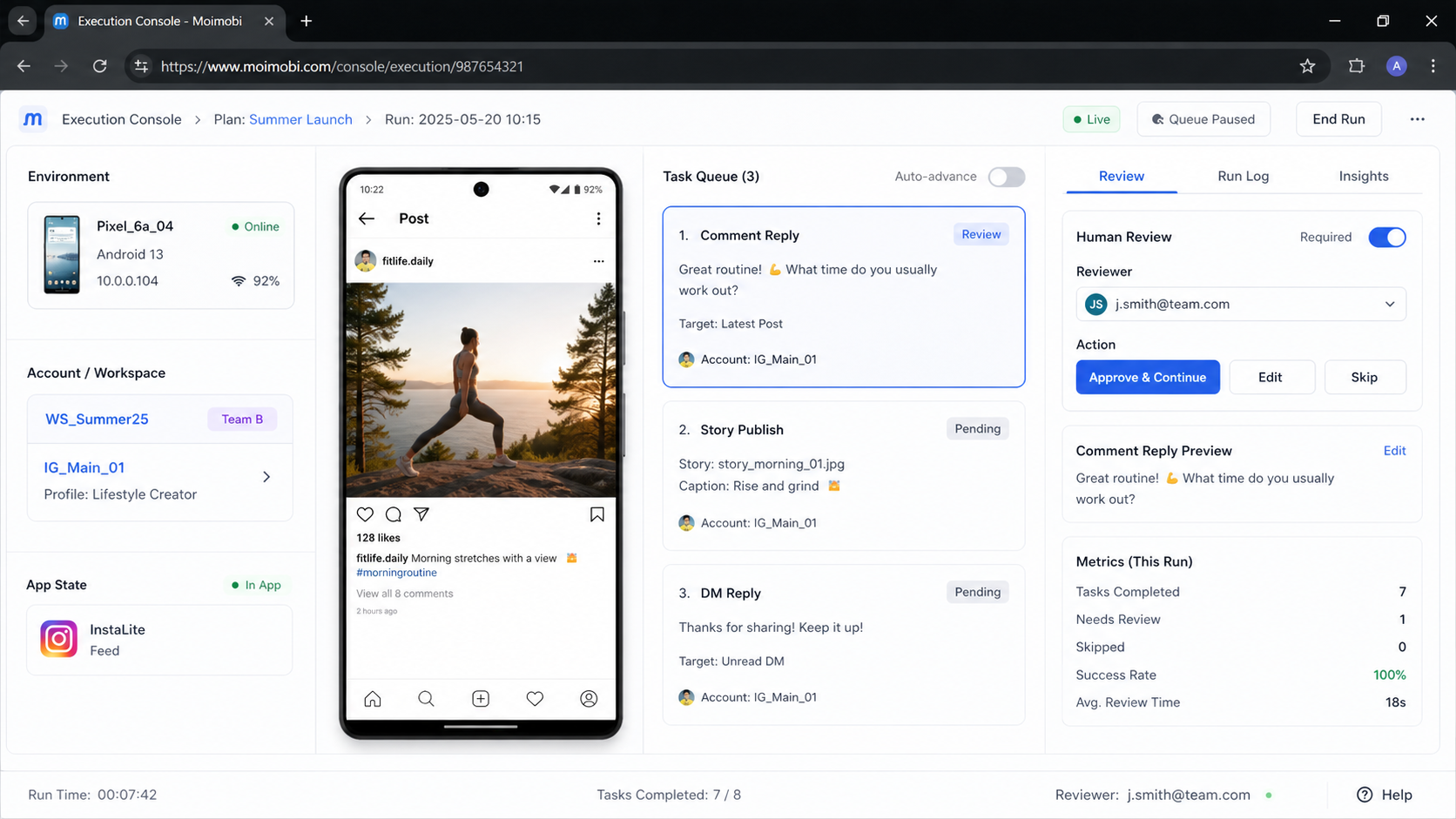
Pause one environment or simulate a failed task using the approved procedure. Check reassignment, evidence, escalation, and handoff. A plan is not ready for expansion until the team knows how a blocked lane returns to service.
AWS also describes artifacts such as screenshots and logs as retrievable outputs of a run. That supports a practical distinction for capacity reviews: the time spent creating evidence and reviewing it belongs in the workflow model, even when the device action itself is short. See AWS Device Farm artifacts.
6. Expand by evidence
Add environments only when the cohort shows a repeatable demand pattern. Keep a note of the assumption that triggered expansion and review it after the next work window.
Capacity, Isolation, and Multi-Account Boundaries
Account isolation affects usable capacity. If an environment must stay dedicated to one account group, it may be less flexible than a shared test lane. That trade-off can be appropriate when ownership, review, or session separation matters.
Android Management API documentation separates device resources from policies, applications, enrollment tokens, and device operations. For a multi-account team, that separation is a useful reminder to track environment identity, policy state, and task state as different planning fields. See the Android Management API reference.
The plan should record the environment relationship explicitly:
| Relationship | Appropriate planning question |
|---|---|
| One environment, one account lane | Is the dedicated lane used enough to justify its cost and attention? |
| Several environments, one account group | Can tasks be distributed without losing ownership or evidence? |
| One environment, several approved task types | Can the workflow clear state before the next task? |
| Browser and mobile split | Which steps belong to the browser and which require the app? |
| Primary and recovery lanes | How does a task move when the primary environment fails? |
For teams considering browser alternatives, an isolated browser profile comparison can help separate browser capacity from mobile capacity. The link does not mean the two environments are interchangeable. It helps the team decide which work should stay on the web.
Common Capacity Planning Mistakes
Counting every environment as ready
Inventory includes blocked, reserved, paused, and maintenance states. Count only lanes that meet the current task’s ready definition.
Using peak demand as normal demand
Peak work may need temporary headroom, but designing every hour for peak load can leave the system expensive and underused. Measure normal and peak windows separately.
Ignoring operator and reviewer limits
Execution may be automated, but approvals, exceptions, and client questions still consume human time. Add those queues to the plan.
Mixing unrelated task classes
Content work, customer replies, monitoring, and testing may need different environments and review rules. One total number hides the differences.
Repeating failed tasks without a stop rule
A retry may be useful after a known transient issue. Repeated retries without diagnosis consume capacity and make the queue harder to interpret.
Adding capacity before fixing assignment
If operators cannot tell which account owns an environment, more environments can increase confusion. Fix naming, ownership, and handoff first.
Pilot Measurement and Recovery Review
Use a limited pilot with one account cohort and one or two task classes. Capture the opening state, record work windows, and log every blocked or reviewed task. The pilot should include at least one recovery event.
Track these measures:
| Measure | Interpretation | Decision it supports |
|---|---|---|
| Ready-lane ratio | How much inventory is usable for the selected task | Whether readiness or inventory is the constraint |
| Queue age by state | Where work waits | Whether execution or review needs attention |
| Assignment changes | How often work moves between environments | Whether the lane model is clear |
| Review delay | Time between execution and human decision | Whether reviewer capacity is limiting output |
| Repeat failure category | Whether the same cause returns | Whether a workflow or environment needs change |
| Recovery completion | Whether blocked work gets a recorded next state | Whether the handoff process is usable |
After the pilot, choose one action: keep the plan, add a targeted lane, change the workflow, or stop the expansion. Write the decision with its evidence so the next planning cycle starts from facts rather than memory.
Frequently Asked Questions
What does cloud phone capacity planning measure?
It measures the relationship between account demand, ready environments, task queues, operators, reviewers, and recovery capacity.
Is one cloud phone enough for one account?
Not always. The answer depends on task overlap, work windows, review needs, and whether the environment must remain dedicated.
Should teams plan for peak or average demand?
Plan normal and peak demand separately. Keep enough headroom for known peaks, but do not treat a peak window as the only operating state.
Can a browser replace a cloud phone in the capacity plan?
Only for browser-compatible steps. App-only work still needs a mobile environment, and the two lanes should be measured separately.
How can a team tell whether it needs more devices?
First compare queue age, ready-lane ratio, review delay, and recovery time. Add devices only when execution capacity is the limiting factor.
What should happen when a lane fails?
Pause or classify the lane, preserve the required evidence, assign an owner, and move the task through the approved recovery path.
Should account environments be shared?
Sharing can fit approved workflows, but the plan must define state cleanup, ownership, and evidence boundaries. Dedicated lanes may be clearer for sensitive or client-specific work.
How often should capacity be reviewed?
Review after a pilot, after a material workflow change, and on a regular operating cadence. The cadence should follow the rate of demand and environment change.
Conclusion
Cloud phone capacity planning turns a vague device-count question into an operating model. It connects account demand to ready environments, queues, people, evidence, and recovery. That view helps a team add the right capacity instead of adding inventory that cannot be used cleanly.
Start with one account cohort. Define ready, measure queue and review delay, test one recovery path, and document the next decision. Once those signals are reliable, the team can expand mobile execution with clearer ownership and fewer surprises.



