
Key Takeaways
- A cloud phone emulator is useful when teams need remote mobile access for app-based work.
- TikTok and Instagram workflows need account routing, review notes, and recovery checks before automation.
- The first pilot should prove the workflow on a small device group before any wider rollout.
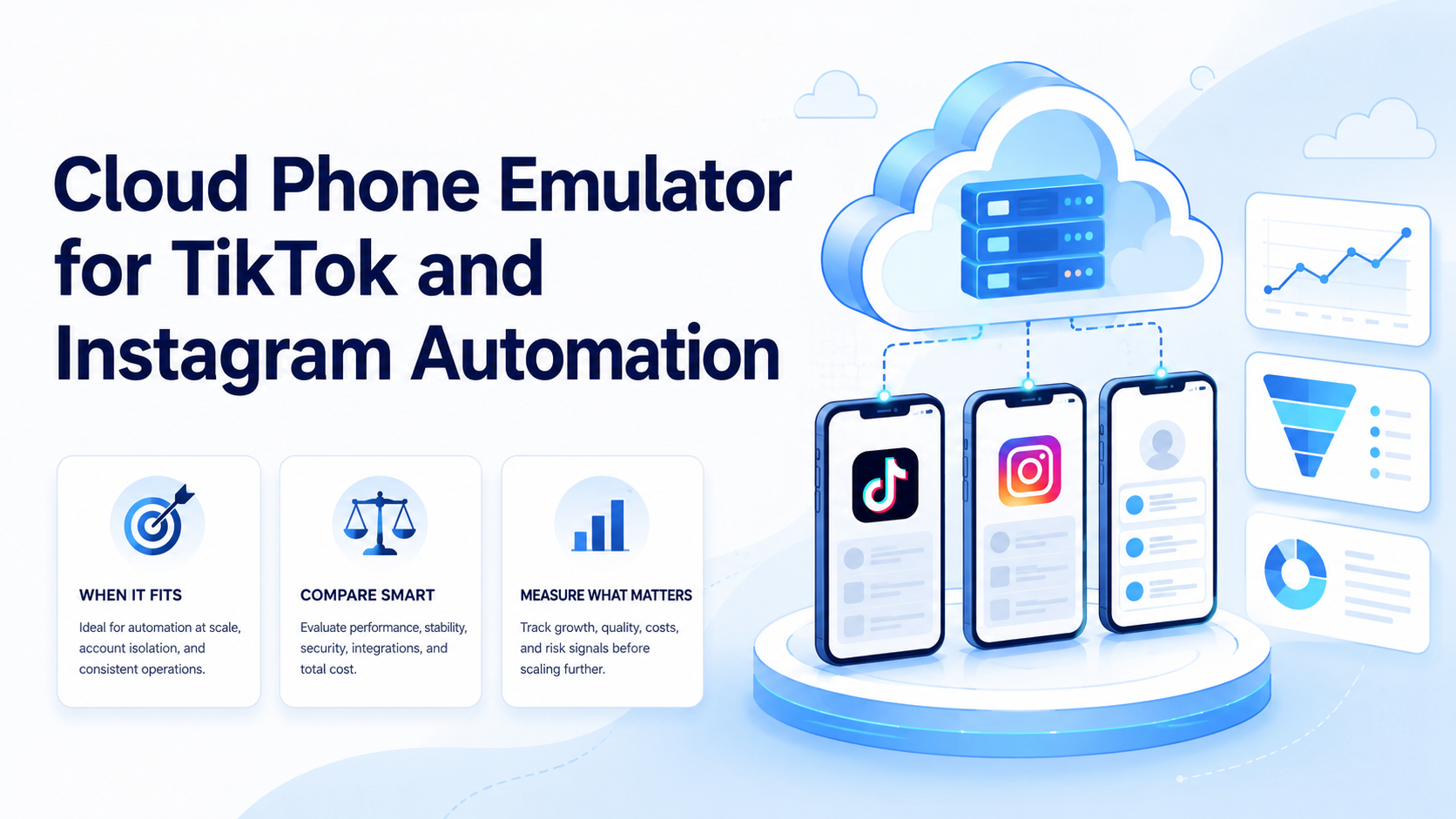
A cloud phone emulator is a remote Android-style environment that teams use to run mobile app tasks from a computer. That distinction matters. For TikTok and Instagram work, the real value is not the screen itself. The value is a controlled mobile workspace with account assignment, task notes, review proof, and a clear handoff path.
Teams should treat this setup as execution infrastructure. Keep the scope narrow. It can support publishing checks, inbox review, content handoff, and monitoring workflows. It should not be framed as a shortcut around platform rules.
What Is a Cloud Phone Emulator?
This term usually means a hosted Android environment that users access over the internet. Some providers position it as an emulator, while others position it as a cloud phone or remote Android device. The labels vary, so the workflow test matters more than the name.
Google's Android Emulator documentation describes an emulator as a developer tool for testing Android apps. Operations teams often need a different question: can the environment keep app state, map work to an account, and give reviewers enough proof?
Use this basic distinction:
| Option | Best fit |
|---|---|
| Local emulator | App testing and developer preview |
| Cloud emulator | Remote app testing or light app access |
| Cloud phone | Persistent team workflows and account workspaces |
Why a Cloud Phone Emulator Matters for TikTok and Instagram
The mistake is starting with automation before the team has a clean mobile process. TikTok and Instagram work often crosses content, comments, inboxes, account review, and manager approval. Those tasks break when one device, one login, or one operator handles too many roles. Roles blur.
A hosted mobile workspace helps when the team needs a mobile surface for repeated checks. One staff member may prepare content while another reviews comments. A manager may need a task record before the account moves to the next step.
For social teams, multi-account management is usually the larger problem. The mobile device is only one part of that system. Treat it that way.
Key Benefits and Use Cases
The strongest use cases involve repeated app work, not one-off browsing. Avoid vague tasks. A good setup gives each account or account group a clearer workspace. That makes review easier when several people touch the same social process.
Common use cases include:
- checking TikTok or Instagram app views before posting
- reviewing comments, replies, and inbox items
- handing content tasks from creator to reviewer
- collecting screen proof for task records
- monitoring account-specific app alerts
- separating client, brand, or region workspaces
MoiMobi's cloud phone layer is designed for this kind of mobile execution. The goal is controlled work, not vague automation volume.
How to Get Started with a Cloud Phone Emulator
Start small. A broad rollout will hide basic routing problems.
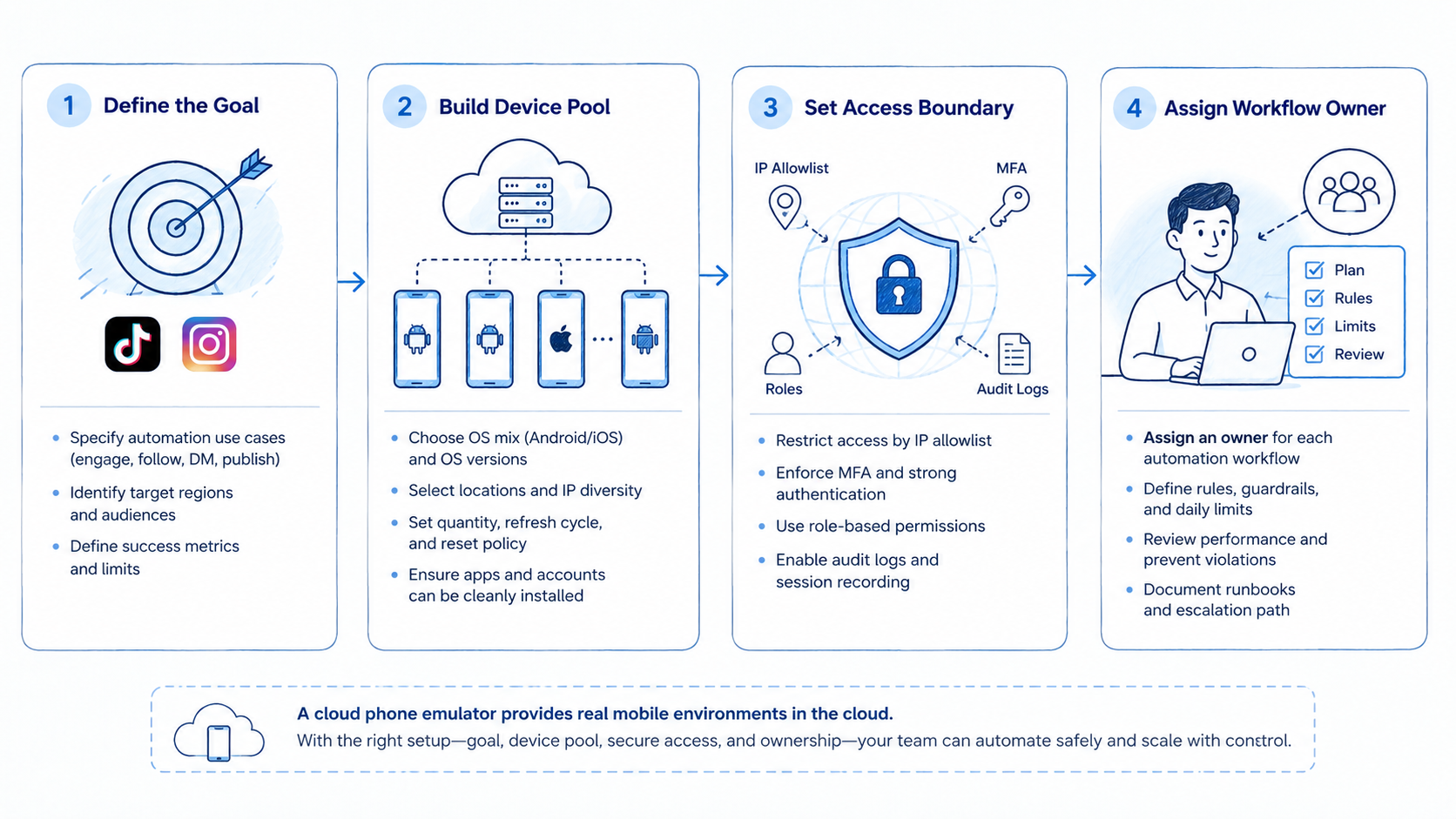
- Pick one TikTok or Instagram workflow, such as comment review or pre-publish checks.
- Assign 3 to 5 cloud devices to one account group.
- Map every account to a device, owner, and reviewer.
- Write the manual steps before adding any automation.
- Capture task status, screen proof, and failure reasons.
- Review results before adding more accounts.
Use mobile automation only after the manual task path is stable. Automation should repeat a known workflow, not invent the operating model. Prove the route first.
Common Mistakes to Avoid
Do not use one shared mobile workspace for unrelated accounts. That shortcut makes review harder and weakens account ownership inside the team.
Avoid claims that a tool can remove all platform risk. Rules still apply. TikTok, Instagram, and app stores set their own policies and may change how apps behave. The Google Play policy center is one reminder that app ecosystems have operating rules.
Another common mistake is skipping recovery design. If a login prompt, app update, or review step blocks the task, the team needs a fallback owner and a clear blocked-state label. Without that loop, failures stay hidden.
Who It Fits and When It Is a Strong Match
This setup fits social teams that need mobile app access, repeated account checks, and shared review. Agencies, cross-border sellers, creator teams, and customer engagement teams may all need this kind of workspace.
It is a weak fit when a normal social scheduler already handles the task. For calendar posting and analytics, a scheduling tool may be simpler. When the work needs mobile app state, account routing, and review proof, a cloud phone emulator becomes more relevant.
| Strong match | Weak match |
|---|---|
| App state must stay saved | One web dashboard handles the work |
| Multiple people review tasks | One person owns the full process |
| Accounts need separate routes | A shared login is enough |
| Failures need screen proof | API logs already answer the question |
Pilot Rollout, Measurement, and Recovery Checks
A pilot should test control, not scale. The first run should show whether the team can repeat the workflow with clear owners and clean evidence.
Track a few simple fields:
- device assigned to each account
- task type and status
- reviewer decision
- blocked step and reason
- time to recover
- screen proof attached to the task
After one cycle, review the failed tasks first. Pause device growth when the team cannot explain why a step failed. Fix routing, labels, and recovery notes first.
Frequently Asked Questions
Is a cloud phone emulator the same as a cloud phone?
Not always. Providers use the terms differently. Test whether the environment keeps app state, account assignment, and review records. Labels are secondary.
Can it support TikTok automation?
It can support TikTok workflows such as checks, review, and task handoff. Keep approvals visible. Teams still need to follow platform rules and approval steps.
Can it support Instagram automation?
Yes, when the workflow needs mobile app access, comment review, inbox checks, or account-specific task records.
Is it better than a browser profile?
Use a browser profile for web tasks. Use a mobile environment when the work depends on app state or mobile-only screens. That is the line.
How many devices should a team test first?
Start small. Use 3 to 5 devices. That is enough to test account routing, review, and recovery.
What should managers measure?
Measure completed tasks, failed steps, reviewer notes, recovery time, and account-to-device mapping.
What should teams avoid?
Avoid shared account workspaces, unclear ownership, and automation before the manual workflow is stable.
Conclusion
Choose priorities in this order: workflow first, account routing second, device setup third, automation last. The setup is only useful when the team can explain who owns the account, what task ran, what proof exists, and how failures get repaired.
Before scaling TikTok or Instagram work, run one small pilot. A larger mobile execution system makes sense only after the team can repeat the task, review the result, and recover from blocked steps.



