
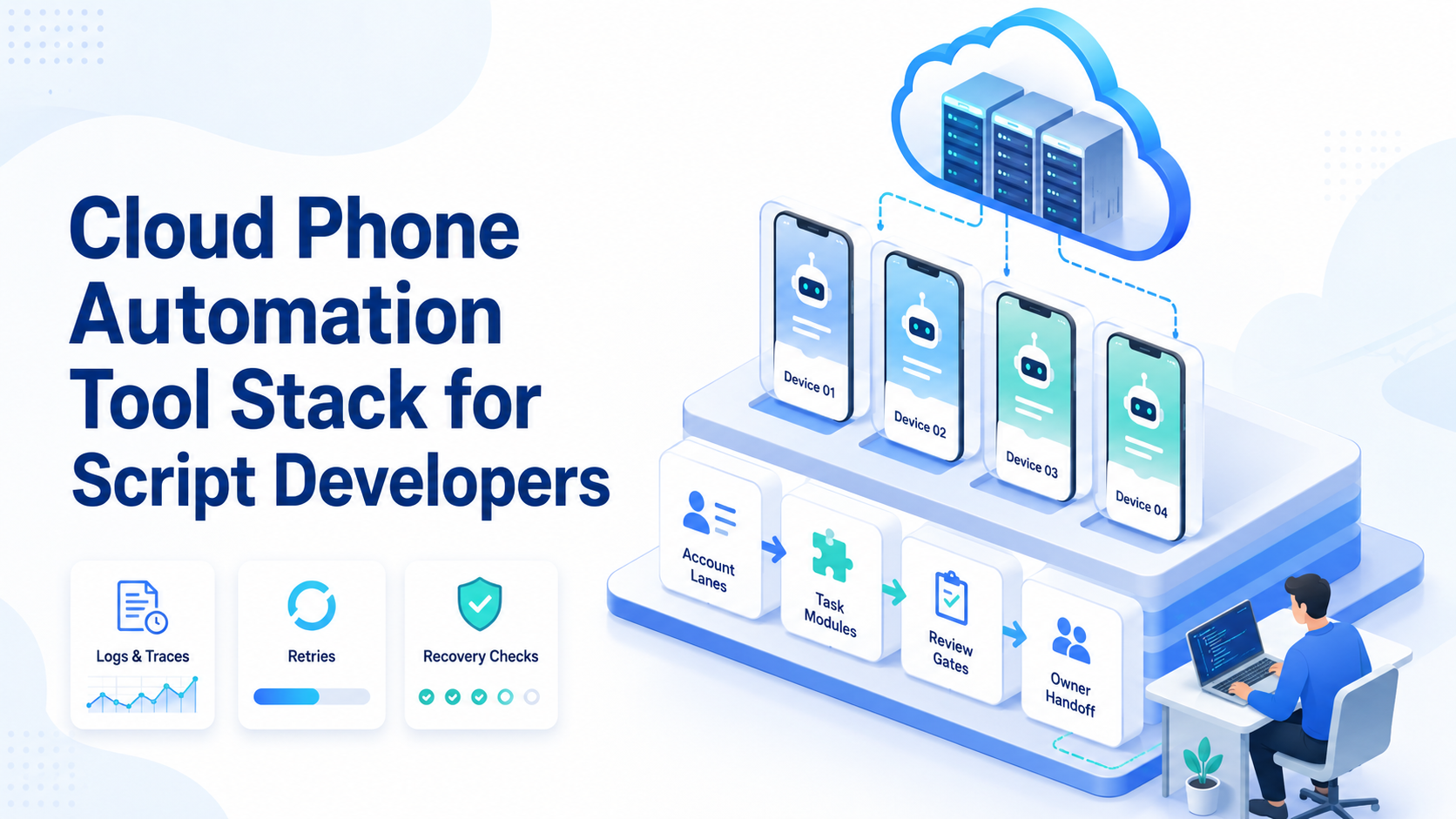
Key Takeaways
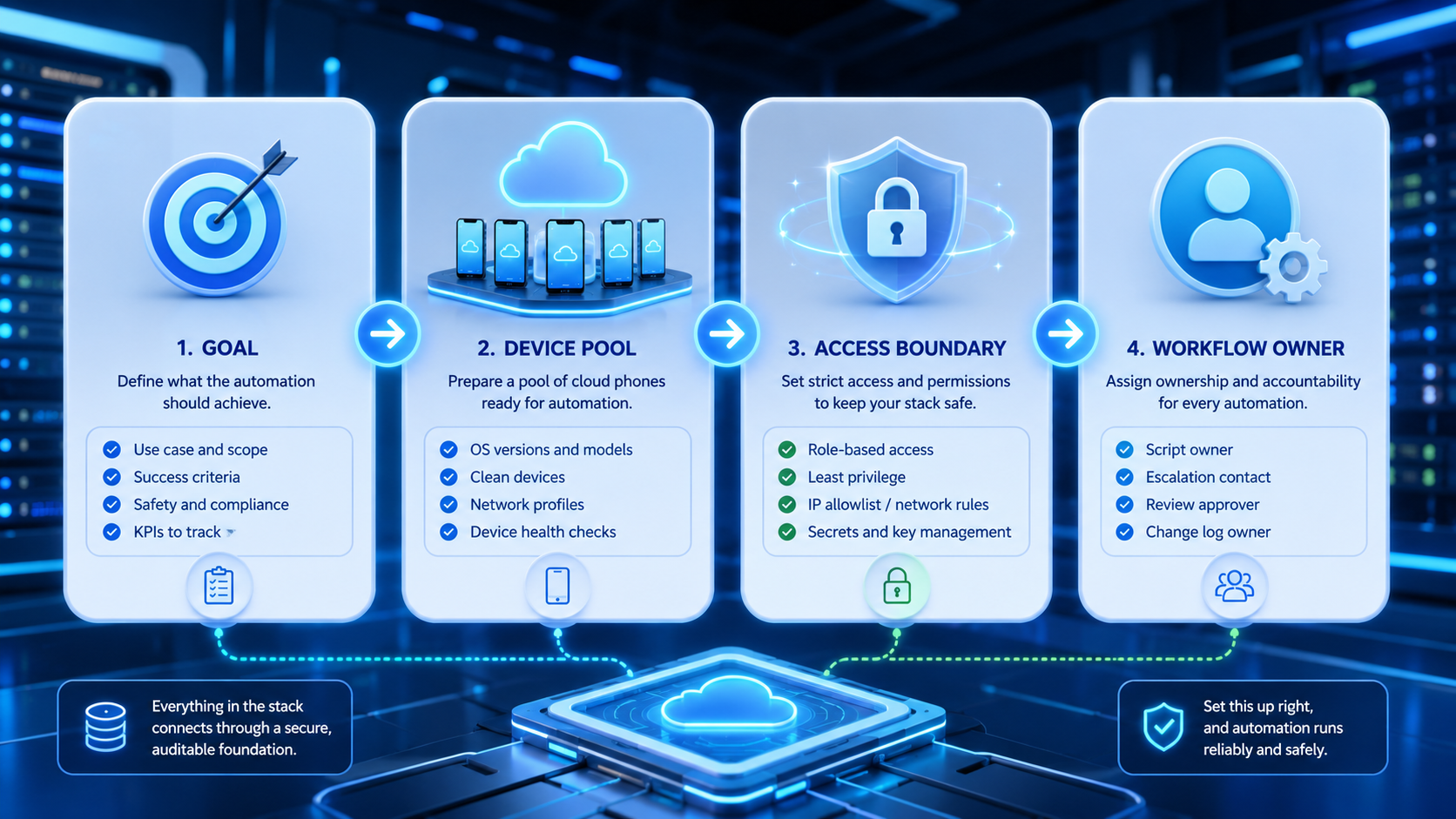
- A cloud phone automation tool stack needs device access, task routing, logs, and recovery rules.
- Scripts should run inside account lanes, not one shared mobile state.
- Developers should separate content logic, device control, review gates, and retry logic.
- The first pilot should measure completion, stop reasons, and manual repair time.
A cloud phone automation tool stack is a set of scripts, device environments, APIs, logs, and review rules used to run mobile tasks on remote Android phones.
For script developers, the job is not just to send taps to a screen. The real work is building a stack that can choose the right account, run the right task, pause on unclear states, and leave enough data for a human to debug.
The Core Idea Behind a Cloud Phone Automation Tool Stack
The wrong model is "one script controls one phone forever." That can work for a small test, but it breaks down when accounts, tasks, and team owners multiply.
A better model splits the stack into layers: device access handles the remote Android environment, task logic chooses the action, account routing picks the workspace, and logs explain what happened.
Review gates stop risky actions before they reach customers or public platforms.
MoiMobi treats the cloud phone as one execution layer inside a broader operations system. A script may control a phone, but the team still needs account ownership, workflow rules, and recovery notes.
Why Developers Search for This Stack
Developers usually search for this topic after a simple script becomes hard to operate. One device works. Ten devices create state drift, queue problems, unclear errors, and manual cleanup.
The tool stack helps answer basic operating questions:
- Account owner for the task
- Cloud phone target for the run
- Input payload used by the script
- Final state: finished, paused, or failed
- Human owner allowed to restart
- Stop rule for repeated errors
Android's official documentation explains core developer tools such as Android Debug Bridge. Frameworks such as Appium show how mobile automation can interact with apps. A team still needs its own execution policy around those tools.
Main Layers in a Cloud Phone Automation Tool Stack
A practical stack should have clear boundaries. Each layer should be easy to test alone.
| Layer | What It Does | Failure to Watch |
|---|---|---|
| Device layer | Provides remote Android phones | Device offline or wrong state |
| Account layer | Maps account to workspace | Wrong login or mixed session |
| Script layer | Runs task steps | Selector or screen mismatch |
| Queue layer | Sends task input | Duplicate or stale job |
| Review layer | Holds risky actions | Missing approval |
| Log layer | Records result and error | No trace after failure |
This separation matters for mobile automation. When the mobile state changes, developers need to know whether the bug came from the device, account, app screen, queue, or script.
Who Benefits Most from This Setup
Script developers benefit when they support real operations, not one-off demos. The stack is useful for teams that run social posting, message triage, account checks, app workflows, or recurring mobile QA.
It helps. One account can map to one cloud phone, one task queue, and one owner. That makes failure review much easier than a shared pool with unclear state.
For social workflows, a stack can support social media automation while keeping public actions under review. For account-heavy teams, multi-account management helps keep the operational map clear.
How to Evaluate a Cloud Phone Automation Tool
Begin with the workflow, not the vendor list. A useful cloud phone automation tool should help the team run, pause, inspect, and repair tasks.
Use this checkpoint list:
- Device control: script reaches the right Android phone
- Account mapping: team can see which account owns the run
- Task queue: jobs can wait, retry, or stop without being lost
- Logs: a human can read what happened after a failed run
- Review gates: public or customer-facing actions pause for approval
- Recovery path: team can restart from a known state
- Access control: operators and developers have different permissions
If a tool only gives remote screens, developers may still need to build the queue, logs, and recovery layer themselves.
Example Cloud Phone Automation Tool Stack for a Posting Script
A concrete posting script might start with a job payload from the content team. The payload includes account_id, device_id, platform, caption, media_url, scheduled_window, and review_status.
The queue does not send the job to any free phone. It checks the account map first. If account_id=ig_042, the worker must use the assigned cloud phone, the assigned app session, and the latest approved media file.
One safe path looks like this:
| Step | Script Action | Stop Rule |
|---|---|---|
| 1 | Open the app and confirm account name | Stop if the account is different |
| 2 | Load the approved media file | Stop if the file is missing |
| 3 | Paste the caption from the job payload | Stop if text length or language is wrong |
| 4 | Wait for human approval when required | Stop if review status is not approved |
| 5 | Publish and capture result state | Stop if the app shows a warning |
This is where a cloud phone automation tool becomes more than remote control. The script is small, but the stack knows the account, phone, job, owner, and stop reason. That makes support work faster when a run fails.
Script Design Rules for Mobile Workflows
Keep scripts small. A script that logs in, finds content, posts, replies, scrapes data, and changes settings is hard to repair. Split it into clear jobs with one output.
Use named states instead of vague sleeps. A script should wait for a screen, button, field, or app state that it can verify. Blind time delays hide app changes until the run fails later.
Record structured fields for every run:
run_id
account_id
device_id
task_type
input_hash
status
error_code
review_required
started_at
finished_at
Those fields turn a failed run into a repair task. Without them, developers lose time replaying logs and guessing which account changed.
Common Mistakes That Reduce Results
The first mistake is treating device control as the whole product. Device access alone is weak. The stack also needs queues, logs, approval, account state, and a clear owner for each run.
The second mistake is mixing accounts in one mobile workspace. State gets blurry. Device isolation is useful when each account needs its own environment and run history.
Another problem is unlimited retry logic. A script that retries a bad state too many times can waste capacity and hide the real fault. Use a stop rule: if the same error appears twice on the same account, pause the lane.
Pilot Rollout, Measurement, and Recovery Checks
No fleet first. Start tiny.
Measure six things: jobs queued, jobs started, jobs completed, jobs stopped, repeated error codes, and manual repair minutes. The repair number matters because a "mostly working" script can still cost too much to maintain.
Use a pass/fail review at the end of the first week:
| Check | Pass | Fail |
|---|---|---|
| Account map | Every run has an owner | Runs are anonymous |
| Device state | Phone state is visible | Operators guess |
| Logs | Error code is readable | Only screenshots exist |
| Review | Risky actions pause | Script posts blindly |
| Recovery | Restart path is known | Team reruns everything |
Google's SEO Starter Guide and helpful content guidance are not automation manuals. They are still useful reminders for content and social workflows: output should be clear, useful, and made for real users.
Build or Buy Decision
Build when your team needs custom task logic, private data flows, or deep integration with internal systems. Buy or use a managed platform when device operations, account lanes, access control, and image or media handling would distract from the product work.
A hybrid model is common. Developers keep task logic in scripts, while the platform manages cloud phones, workspaces, logs, and team controls. MoiMobi's Android antidetect and proxy network layers may matter when the workflow requires isolated Android environments and clean routing.
Frequently Asked Questions
What is a cloud phone automation tool?
It is software that helps scripts run tasks on remote Android phone environments with logs, queues, and control rules.
Is ADB enough for cloud phone automation?
ADB can be part of the stack, but teams also need account mapping, task queues, review gates, and recovery logs.
When should developers use Appium?
Use Appium when the workflow needs app-level mobile automation and the team can maintain selectors, states, and test logic.
What should be logged first?
Log run_id, account_id, device_id, task_type, status, and error_code before adding richer metrics.
Can this support social media automation?
Yes, when the workflow has approved content, account lanes, review rules, and stop conditions for failed runs.
Pilot size?
Use a small group at first. The goal is to learn failure patterns before scaling the fleet.
What is the biggest developer mistake?
The biggest mistake is hiding state. If the team cannot explain a failed run, the stack is not ready to scale.
Conclusion
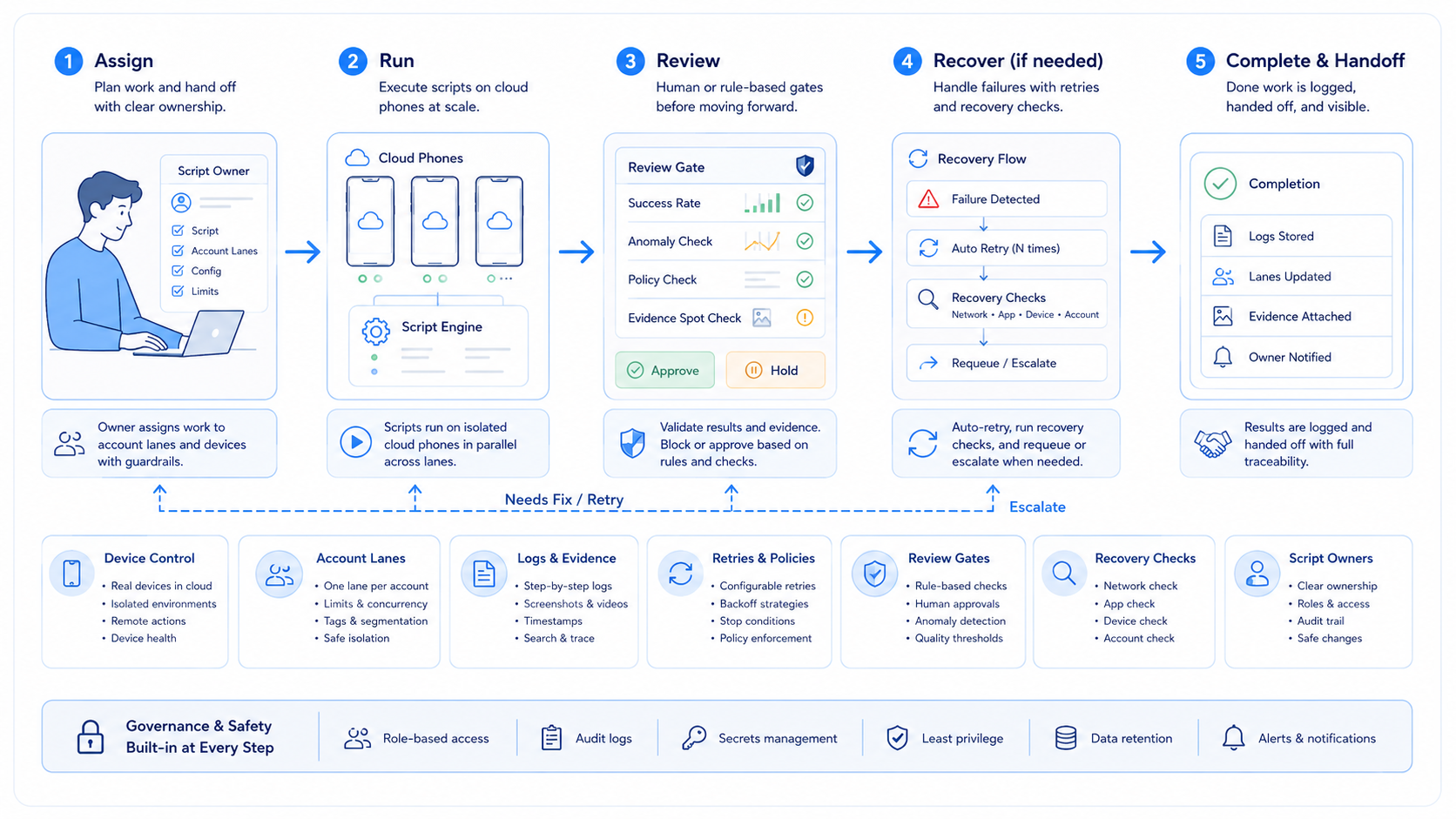
A cloud phone automation tool stack should be judged by execution clarity, not by raw device count. Device control matters, but account mapping, logs, queues, review gates, and recovery checks decide whether scripts can support daily work.
Start with one task and a small account group. If the team can trace every run, repair failures quickly, and keep risky actions under review, the stack is ready for the next layer.



