

In the high-stakes world of digital marketing, lead generation, and social media automation, keeping your accounts alive is a daily battle. Social media platforms—equipped with massive data centers and advanced AI—are constantly scanning for bot networks, emulators, and users running multiple accounts. To survive, you need more than just a proxy; you need complete stealth.
In this comprehensive guide, we will pull back the curtain on how apps fingerprint your devices, why traditional emulators fail instantly, and how premium Android antidetect cloud phones intercept and spoof data to protect your digital assets.
1. The Cat-and-Mouse Game: How Apps Fingerprint Your Device
Before you can successfully hide, you must understand what the platforms are looking for. When you launch a modern application like TikTok, WhatsApp, or Instagram, the app does not just ask for your username. It instantly executes dozens of silent background checks, querying the Android operating system to build a unique "Device Fingerprint."
This fingerprint is constructed using three primary layers of data:
A. The Hardware & Identifier Layer
This is the most critical layer. The app will query the system for permanent, unique serial numbers encoded into the device:
- IMEI (International Mobile Equipment Identity): The unique number identifying the phone on a cellular network.
- Android ID (SSAID): A 64-bit number generated when the user first sets up the device.
- MAC Address: The unique identifier of the Wi-Fi/Bluetooth network interface.
- Build.prop Data: Information revealing the phone's brand (e.g., Samsung), model (e.g., Galaxy S23), and OS version.
B. The Environmental & Sensor Layer
This is where standard PC emulators fail. Real phones live in the physical world; virtual machines do not. Apps will check:
- Battery Status: Is the battery level changing? Is it plugged in 100% of the time? (A constant 100% battery is a massive red flag for emulators).
- Sensors: Is the gyroscope registering microscopic hand shakes? Is the accelerometer detecting movement?
- Screen Resolution & DPI: Does the resolution match standard mobile display ratios, or does it look like a resized desktop window?
C. The Network Layer
Finally, the app looks at your connection. Are you using a commercial datacenter IP, or a real mobile 5G connection? Are there WebRTC or DNS leaks exposing your true location, despite using a VPN?
2. What Is Cloud Phone Anti-Detection?
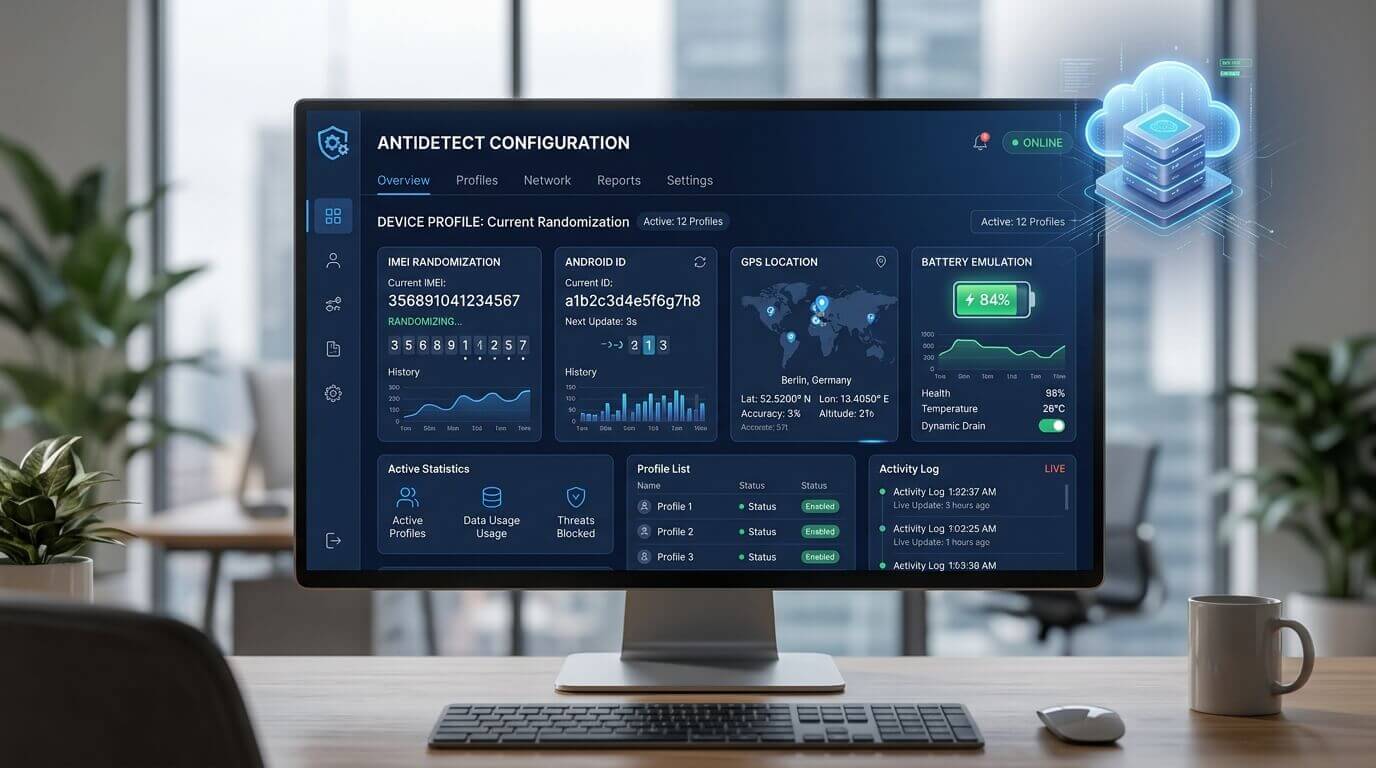
A standard cloud phone simply runs Android on a remote server. An anti-detect cloud phone goes several steps further. It modifies the core Android operating system (the kernel) to intercept the app's scanning queries and feed back perfectly crafted, fake information.
Instead of the app seeing that it is running on an ARM cloud server, the antidetect layer intercepts the query and responds: "I am a Xiaomi Redmi Note 12, my IMEI is 867530..., my battery is at 64% and discharging, and my gyroscope shows I am being held in a hand."
This technique is known as Device Spoofing or device isolation, ensuring that if you run 50 cloud phones, the social platform sees 50 distinct, unrelated, and highly trusted physical smartphones.
3. Cloud Phone vs. Anti-Detect Browser: Which Do You Need?
You may have heard of Anti-Detect web browsers like Multilogin, AdsPower, or Dolphin Anty. While excellent for desktop tasks, they are fundamentally different from anti-detect cloud phones. If you are operating on mobile-first platforms (like TikTok, Instagram, or Telegram), you need a cloud phone.
Here is a cloud phone vs multi-account browser comparison:
4. How to Configure an Unbannable Cloud Phone Profile
Buying an anti-detect cloud phone is only half the battle. You must configure it correctly to maintain its camouflage. Follow this standard operating procedure (SOP) to ensure maximum account safety:
Step 1: Generate a Clean Hardware Profile
Upon spinning up a new cloud phone instance, use the platform's control panel to randomize the device parameters. Generate a new IMEI, Android ID, Wi-Fi MAC, and Bluetooth MAC. Select a popular consumer phone model (e.g., Google Pixel 7 or Samsung Galaxy S22) to blend into the crowd.
Step 2: Bind a High-Quality Mobile Proxy
Never run a cloud phone on the default data center IP provided by the host. You must use a dedicated proxy network. For social media, 4G/5G Mobile Proxies are the gold standard. Bind the proxy directly at the cloud phone's system level (not via a third-party VPN app) to prevent DNS or WebRTC leaks.
Step 3: Align Environment Variables
Your hardware and your network must tell the same story. If your Mobile Proxy is located in Los Angeles, California, you must manually set the cloud phone's:
- Timezone: Pacific Standard Time (PST).
- Language: English (US).
- GPS Spoofing: Drop a pin in the Los Angeles area.
If an app detects a California IP but a Tokyo timezone, it will trigger an immediate anti-fraud flag.
Step 4: Establish Organic History (Warm-Up)
Do not instantly log in and start spamming links. Open the browser, search a few random things on Google. Download the app directly from the Play Store. Log in, scroll the feed, watch a few videos to completion, and let the system register natural "human" behavior. Over the next 72 hours, slowly ramp up your activity.
5. Frequently Asked Questions (FAQ)
Can an app detect if my cloud phone is rooted?
Yes, many high-security apps (like banking apps or strict social platforms) use safety checks like Google's SafetyNet to detect root access. Premium anti-detect cloud phones allow you to hide root access or toggle it off completely, ensuring you pass these security checks.
Should I change the IMEI every day?
No. This is a fatal mistake. A real human does not change their phone's hardware ID every 24 hours. Once you assign an IMEI and Android ID to a specific account, leave it permanently. Changing it will force the platform to flag the account for suspicious login activity.
Why is my cloud phone battery always at 50%?
If your cloud provider does not have advanced sensor spoofing, the battery API will return a static number. High-end antidetect cloud phones solve this by running a background script that fakes battery drain (e.g., dropping from 100% to 20% over a few hours) and simulating a charging state when it hits low power.
Does Anti-Detection guarantee I won't get banned?
No tool provides a 100% guarantee. Anti-detection solves bans caused by hardware and network association. However, if your account engages in massive spam, abusive behavior, or violates platform content policies, you will still be banned based on behavioral analysis.
Conclusion: The Ultimate Digital Camouflage
As social media algorithms become more aggressive, the era of relying on cheap PC emulators or crossing your fingers is over. Protecting your business requires enterprise-grade infrastructure.
By utilizing cloud phone anti-detection, you create an unbreakable barrier between your digital assets. Proper device spoofing, combined with isolated proxy networks, ensures that your accounts are judged solely on their content, completely hidden from algorithmic association bans. For modern marketing teams, mastering antidetect technology is no longer optional—it is the foundation of digital survival.



