
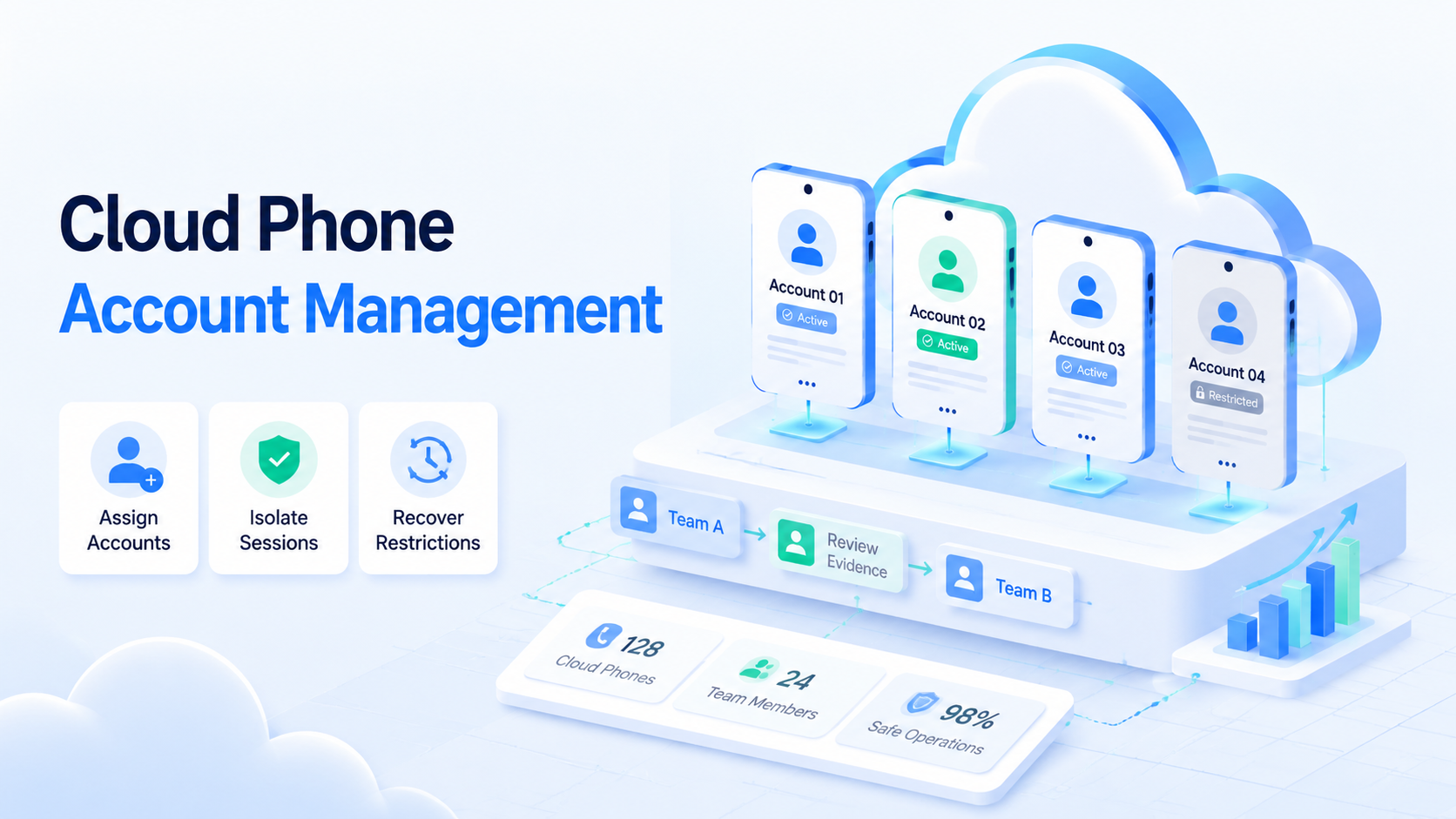
Cloud phone account management is a process for controlling mobile account ownership, device environments, task evidence, and recovery. A cloud phone gives the team the mobile lane, but the process gives that lane control. The harder work is keeping every account tied to one owner, one environment, one task path, and one review record.
Teams with many accounts usually fail for plain reasons. A device is shared without a clear owner. A login route changes without a note.
The problem grows when reviewers cannot see which phone handled which task, which media folder was used, or which operator approved the last action.
A restriction may appear later, but the team has no clean history of the last action.
Good cloud phone account management reduces that confusion. The system should show who owns the account, which cloud phone runs it, what network route it uses, what task is allowed, and what evidence proves the last action. That record helps operators move faster because they no longer need to ask where each account lives.
Key Takeaways
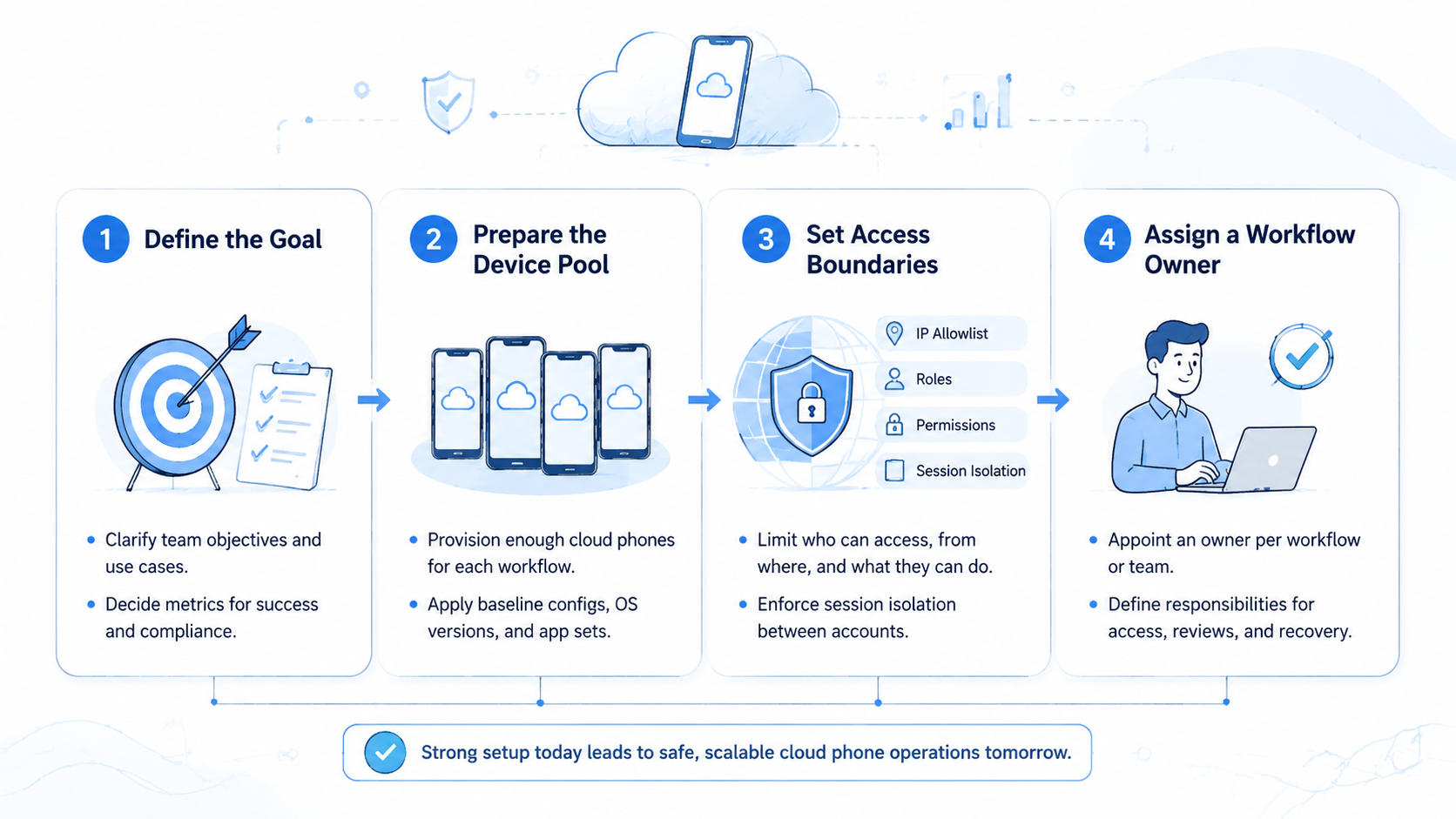
- Cloud phone account management starts with account ownership, route control, and session isolation
- Teams should separate browser research, mobile app execution, media handling, review, and recovery
- A small pilot should measure proof coverage, restriction events, duplicate actions, and reviewer time before scale
What Cloud Phone Account Management Covers
Cloud phone account management covers the daily rules for using mobile accounts through remote Android environments. The work includes assignment, login handling, task routing, app state, media use, evidence capture, reviewer access, and recovery notes. Each account is only as stable as the process around it.
The first layer is ownership. Every account needs a clear owner and a fallback person. A shared account without an owner becomes hard to protect because no one knows who can pause work, approve changes, or handle a restriction.
The second layer is environment control. A cloud phone product gives the team a persistent mobile lane. That lane still needs rules. Device ID, app version, region, proxy label, storage folder, and profile notes should stay visible to operators.
The third layer is proof. Screenshots, task logs, media IDs, reviewer notes, and recovery states make work auditable. Without proof, the team only has opinions about what happened.
Why Cloud Phone Account Management Needs Separate Mobile Lanes
Multiple accounts create more failure paths than a single account. One account may need a different region. Another may need a different content folder.
A third account may be recovering from a restriction, and that state should change what tasks the team allows. If all accounts move through the same loose workflow, operators start making hidden decisions.
Separate lanes reduce those hidden decisions. A lane can define which phone, network route, app, media folder, and reviewer belong to the account. A lane also lets the team pause one account without freezing the whole operation.
That separation is different from simple login storage. Login storage remembers access. Account management controls work.
The difference becomes clear when a manager asks why an action happened, who approved it, and which screen proves the result.
Ask for proof.
A manager should be able to answer that question from one record, not from private messages, old screenshots, and memory.
One screen.
That single record becomes the team's source of truth during reviews, restrictions, shift changes, and campaign handoffs.
Make it visible.
For teams running many mobile accounts, multi-account management should be designed before daily production begins.
Design first.
Clean route assignment is easier before the team has to untangle account history after a restriction.
Cloud Phone Account Management Assignment Rules for Team Use
Start with a small assignment model. Each account needs one owner, one reviewer, one phone lane, and one allowed task group. That model sounds strict, but it prevents the most common account mixups.
Use an account sheet or internal table with these fields:
| Field | Why It Matters | Review Signal |
|---|---|---|
| Account owner | Shows who can pause or approve work | Blank owner means stop |
| Cloud phone ID | Connects account to mobile environment | Mismatch means investigate |
| Region label | Keeps routing consistent | Region change needs a note |
| App and version | Helps explain behavior differences | Version drift needs review |
| Media folder | Controls what can be uploaded | Unknown source means stop |
| Reviewer | Creates a human gate | No reviewer means no public action |
| Recovery state | Shows whether the account is normal or paused | Paused accounts need owner action |
Keep the table short. Teams often add too many columns and stop using them. The useful test is simple: can a new operator understand the account state in 30 seconds?
Use a second scan block for daily operation. It keeps the team from turning every exception into a long chat thread.
| Daily Check | Pass Signal | Stop Signal |
|---|---|---|
| Owner check | Account has one named owner | Owner field is blank |
| Phone check | Phone ID matches the account table | Operator opens a different phone |
| Region check | Region label matches the account plan | Network route changes without note |
| Media check | File comes from approved folder | File source is unknown |
| App check | App screen matches expected state | App layout changed before action |
| Review check | Reviewer can see proof and proposed action | Review note is missing |
| Recovery check | Last safe checkpoint is visible | Retry would repeat a public action |
| Closeout check | Final state matches evidence | Status says closed but proof is missing |
This table is not paperwork. Treat it as a fast operating screen. A team can turn it into fields inside a dashboard, a task form, or a weekly review sheet.
Cloud Phone Account Management for Safe Account Warming
Safe account warming on cloud phones should be treated as a measured onboarding phase, not a magic anti-risk trick. A new account needs controlled activity, clear notes, and patient review.
No system can promise immunity from platform rules or restrictions, so the practical goal is controlled evidence rather than false certainty.
A practical warming workflow starts with observation. The operator checks app access, profile state, notification behavior, and basic session stability. Then the team adds low-risk actions that match the account role. The goal is to learn whether the account, environment, and workflow behave as expected.
Avoid sudden task jumps. A quiet account should not move from setup to high-volume posting or messaging in one step. Increase activity in stages and record the result.
Official platform policies still matter. Teams should read the relevant app rules instead of treating cloud phones as a shortcut. Google Play's policy center and Android's app quality guidance are useful references when mobile workflows touch app behavior, testing, or distribution.
Mobile Automation and Human Review
Mobile work becomes safer when automation and review are separated. The automation lane can open apps, capture screenshots, move approved media, check visible state, and prepare actions. The reviewer decides whether the action should continue.
This matters for public posts, customer messages, profile edits, marketplace changes, and any workflow that affects account reputation. A worker can gather proof quickly. A person should still judge whether the next step is allowed.
The handoff is simple when the screen shows the planned action, the account route, and the mobile proof in one place.
That split keeps mobile execution useful without letting speed replace judgment.
Reviewers can move quickly when proof, route, and proposed action sit together.
Moimobi's mobile automation can support repeatable app tasks, but the workflow should define stop points. A login challenge, policy warning, app layout change, or unknown media source should pause the task.
Review should stay close to the action. The reviewer needs the task brief, account route, before screen, after screen, proposed change, and fallback note.
When those items are scattered across tools, review becomes slow and unreliable, especially during account recovery or urgent campaign work.
Restriction Recovery on Cloud Phones
Account restriction recovery on cloud phones starts with evidence. The team should not guess the cause before it reviews the last route, last task, last media file, last app screen, and last human approval. Guessing often creates a second mistake.
Stop there.
Recovery decisions should slow down at the exact moment the team feels pressure to rush, because rushed retries create the hardest cleanup work.
Use a recovery state list that everyone understands. Normal means the account can run approved tasks. Watch means the account can run only low-risk checks. Paused means no public action.
Keep the labels visible beside the account, because hidden recovery notes are easy to ignore during daily production.
Simple labels help when several operators are watching the same account pool.
Review means a manager must inspect the last run. Closed means the account is no longer in active production.
The labels should be short enough for daily use but strict enough to block public actions when the status is unclear.
Recovery also needs a retry rule. Some steps can repeat safely, such as taking a screenshot or reopening a dashboard. Public actions should not repeat without approval. Posts, messages, uploads, and profile edits need stricter handling because duplicate actions can create visible damage.
Keep recovery notes short and direct. The note should include what happened, when it happened, which lane was used, what proof exists, and who decided the next state.
Recovery work should also separate action types. Some actions are safe to repeat. Others need a person.
This distinction is small, but it stops many duplicate public actions.
Write the repeat rule before the first incident, not after the team has to explain why the same action appeared twice.
| Action Type | Repeat Automatically? | Human Review Needed? |
|---|---|---|
| Screenshot capture | Yes, if the account is normal | No |
| App reopen | Yes, if the route is unchanged | No |
| Profile edit | No | Yes |
| Public post | No | Yes |
| Message send | No | Yes |
| Media upload | No, unless staged only | Yes |
| Region route change | No | Yes |
| Account recovery step | No | Yes |
This prevents a failed task from becoming two visible actions. Retry rules should be boring and explicit.
Fit and Not-Fit Boundaries
Cloud phone account management fits teams that run recurring mobile work across many accounts.
Strong fit appears in social media operations, marketplace checks, app-based QA, regional content review, account health checks, and mobile-first campaign workflows.
Fit is practical, not theoretical.
It also fits teams that need a shared record instead of private device notes, especially when managers review work across shifts.
That shared record turns mobile operations into a process the business can inspect.
Use it when accountability matters more than raw task volume.
Poor fit appears when the strategy is unclear, actions are high risk, or the team cannot define account ownership. A tool will not fix a process where no one knows who owns an account or who approves public actions.
The no-fit answer is useful because it stops teams from buying more infrastructure before fixing ownership.
Infrastructure helps only after the team can describe who owns the account, who reviews the task, and what proof closes the work.
It may also be unnecessary for simple browser-only work. If the task never touches mobile apps, push alerts, app uploads, or phone-specific display, a browser workflow may be enough.
Use the mobile lane when mobile proof changes the decision. Otherwise, keep the task in the simpler browser or admin workflow.
That boundary stops mobile infrastructure from becoming the default answer for every workflow.
For stronger separation, teams can combine mobile lanes with device isolation. Isolation does not remove the need for review. It gives the review process cleaner boundaries.
Pilot Plan for the First 30 Days
Do not start with every account. A better pilot uses 10 to 20 accounts, 2 reviewers, 1 account owner, and 3 workflow types.
Pick workflows that happen often and are easy to verify with screenshots, because vague pilot tasks make the results hard to compare.
Measure five signals during the pilot. Proof coverage shows whether screenshots and route notes are complete. First-pass approval shows whether reviewers trust the output.
Read proof coverage beside approval rate, recovery time, duplicate actions, and fallback rate so the team sees quality and speed together.
Recovery time shows whether paused tasks are easy to handle. Duplicate action count shows whether retry rules are safe. Manual fallback rate shows whether the process still depends on private knowledge.
Use one review meeting to compare all five signals together, because a fast workflow with poor proof is not ready for more accounts.
Use a weekly review. Look at normal runs, failed runs, rejected runs, and recovered runs.
Update the account table and stop rules after real evidence, not after opinions, so each week improves the operating model.
Scale only when the first lane is stable. Add a small account batch next. Add one new workflow type after that.
Do not change both at once, because large jumps make it hard to know what caused new problems.
Change one variable.
Slow expansion gives the team cleaner evidence and fewer false explanations.
When a problem appears after a small change, the owner can trace it without blaming every phone, route, or operator at once.
The pilot should also define what success looks like before it starts. Use clear targets, even if they are internal targets.
| Pilot Metric | Healthy Direction | Why It Matters |
|---|---|---|
| Proof coverage | Rising toward 90 percent or higher | Reviewers need screenshots and route notes |
| First-pass approval | Rising toward 80 percent or higher | Output is clear enough for review |
| Duplicate action count | Staying at zero | Retry rules are safe |
| Manual fallback rate | Falling week by week | Operators are not relying on private knowledge |
| Recovery time | Getting shorter | Paused accounts are easier to handle |
| Unknown media events | Staying at zero | Asset control is working |
Do not hide poor numbers. A low approval rate is useful because it shows where the workflow is unclear. A missing screenshot is useful because it shows where the task form needs a required field.
Choosing the Best Cloud Phone for Multi-Account Management
The best cloud phone for multi-account management is the one that fits your operating rules. Look for persistent device identity, clear account assignment, access control, evidence capture, stable app operation, network route visibility, and simple reviewer handoff.
Price matters, but process fit matters more. A cheap setup becomes expensive if operators lose account history or repeat risky actions. A complex setup also becomes expensive if reviewers cannot understand the proof.
The buying decision should test daily review, not only device count.
Ask vendors to show the handoff from account assignment to screenshot proof, because that is where many teams lose time.
Ask practical questions during evaluation. Can the team find an account owner quickly? Can a manager see which phone handled the last task?
Test a bad day.
The evaluation should include one failed run, because normal demos rarely expose recovery gaps.
Can the operator pause one account without stopping every account? Can the reviewer inspect screenshots without opening five tools?
These questions are more useful than a feature list because they test how the system behaves during real team pressure.
Pressure reveals gaps.
For network-sensitive work, review the proxy network path and region rules before production. The network route should support the account plan rather than change silently.
Frequently Asked Questions
What is cloud phone account management?
Cloud phone account management is the process of assigning, operating, reviewing, and recovering mobile accounts through controlled cloud phone environments.
How many accounts should one operator manage?
Start with a small number and measure review quality. The right count depends on task risk, proof quality, and how many exceptions the operator handles.
A team that cannot clear exceptions should reduce scope before it adds more accounts.
Capacity should follow evidence, not ambition.
If exceptions fill the day, reduce the account load before adding automation.
A lower account load can be the fastest way to find weak routes, unclear owners, and missing recovery rules.
Does safe account warming on cloud phones remove account risk?
No. Warming can make activity more controlled, but it does not remove account risk. Teams still need platform policy awareness, gradual activity, and recovery rules.
What should be logged for each account?
Log account owner, phone ID, region, app state, media source, task type, screenshots, reviewer decision, and recovery status.
When should a task pause?
Pause when the account owner is unclear, the media source is unknown, the app layout changes, a login challenge appears, or a policy warning is visible.
Do teams need device isolation?
Teams with many accounts usually benefit from isolation because it keeps sessions, app state, and operational history easier to separate.
What is the safest recovery step after a restriction?
Review the last route, last task, screenshots, media source, and reviewer note before retrying. Do not repeat public actions automatically.
Can cloud phone account management replace human review?
No. It can reduce manual searching and improve proof, but people should still approve public actions, sensitive changes, and recovery decisions.
Final Thoughts
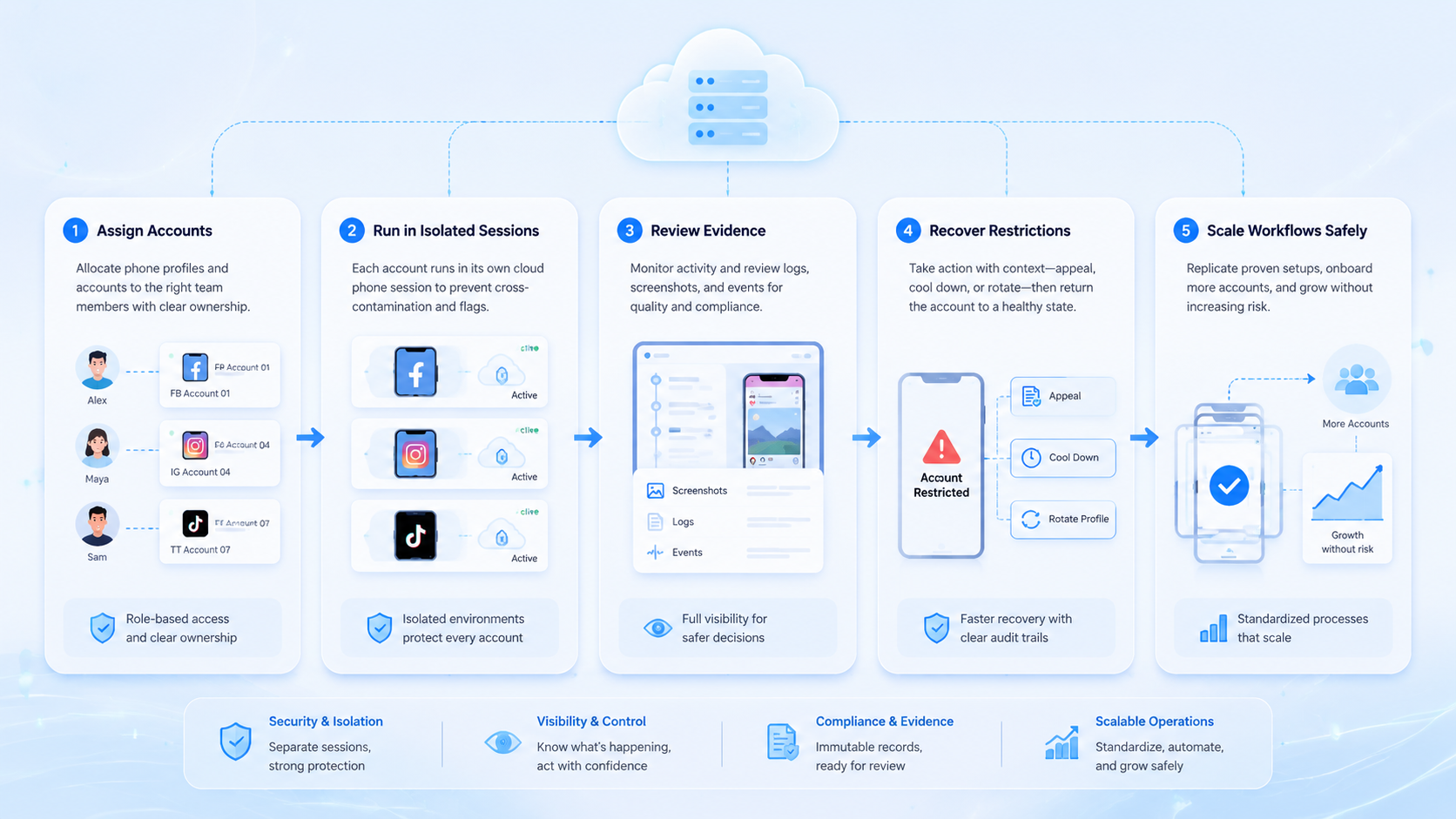
Cloud Phone Account Management for Teams With Multiple Accounts is mainly about control. The team needs account ownership, clean mobile lanes, visible proof, review gates, and recovery rules. Without those pieces, more phones only create more places for confusion to hide.
Start with a small pilot. Assign each account to one owner, one cloud phone, one reviewer, and one allowed task group. Track proof coverage, first-pass approval, recovery time, duplicate actions, and manual fallback. If those numbers are stable for two review cycles, expand carefully.
The next step is simple: choose one account group, define the route table, and run a 30-day pilot before adding more volume.



