
Content Type: comparison
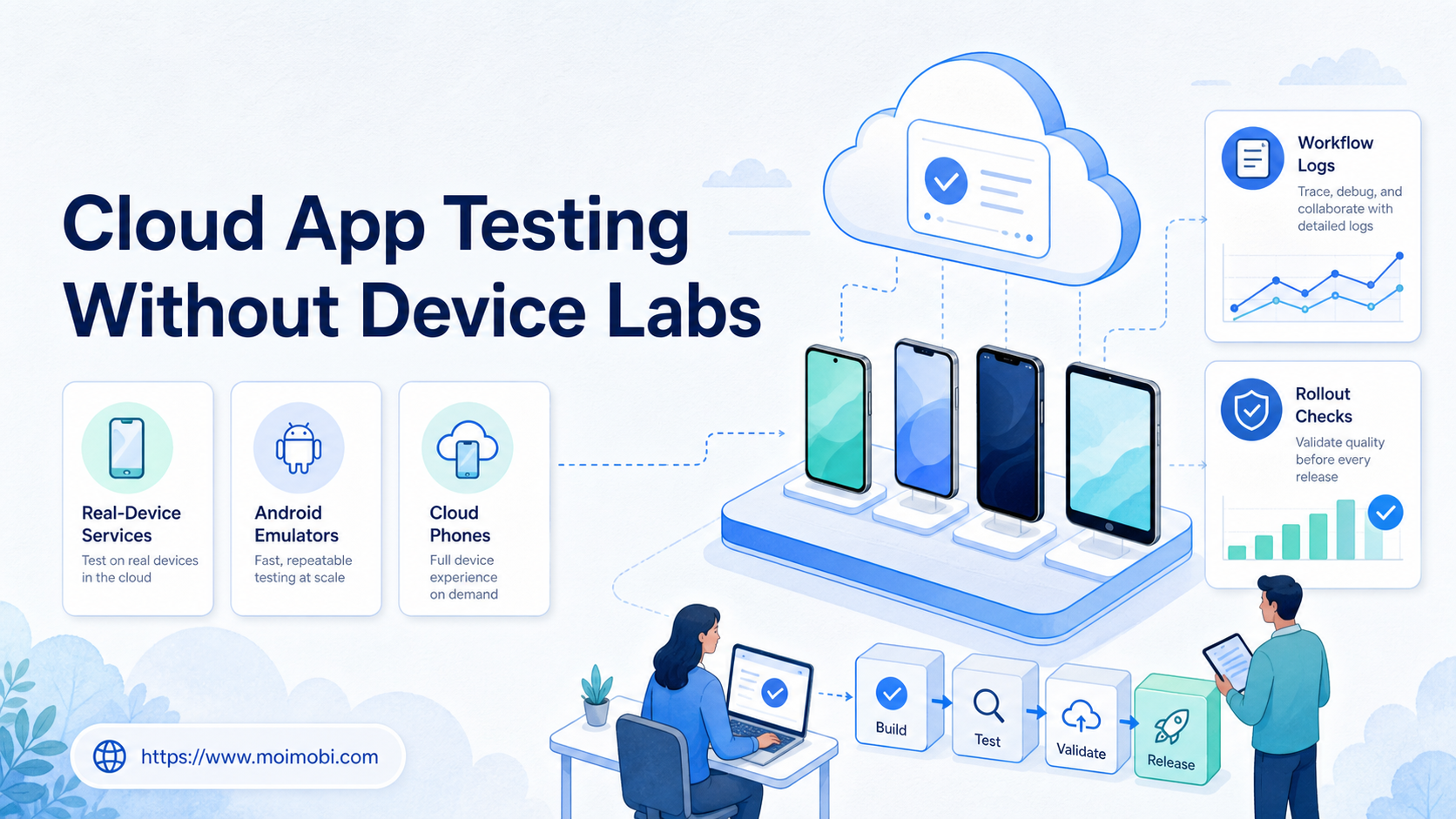
Cloud app testing without device labs means using cloud-hosted devices, emulators, managed mobile environments, or staged account workspaces instead of buying and maintaining a physical device room. For many teams, the right device lab alternative is not one tool. It is a testing workflow that matches coverage, cost, speed, and review needs.
Physical labs still have value when teams need direct hardware access, custom peripherals, or controlled local networks. They become harder to justify when a team only needs repeatable app checks, account workflows, compatibility review, or remote QA across a limited set of Android environments.
A cloud phone can support app-side workflow checks, but it should not be treated as the same thing as a full test lab. The better decision is to separate product QA, account operations, and mobile execution tasks before choosing infrastructure.
Key Takeaways
- A device lab alternative should be chosen by test goal, not by device count.
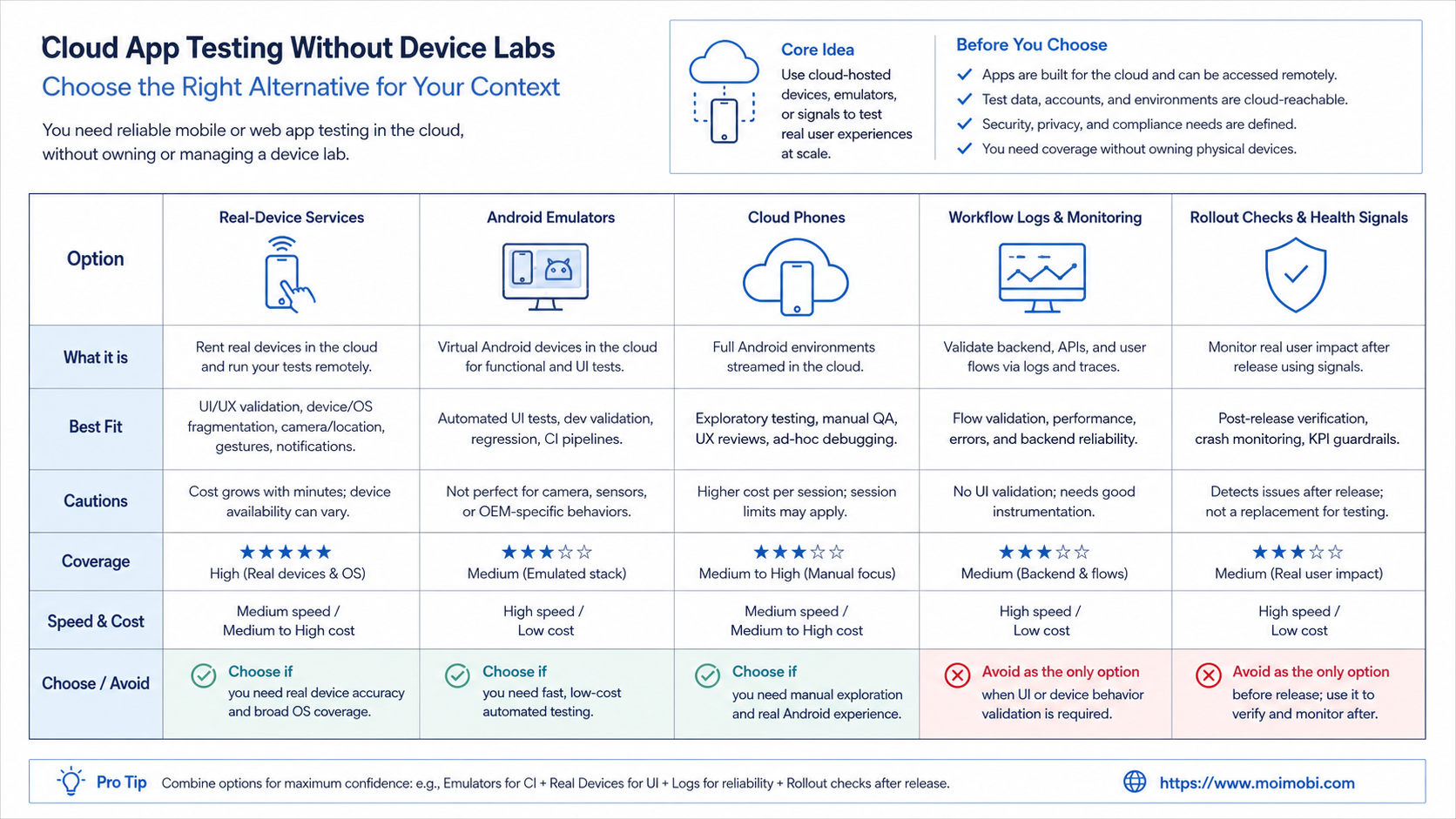
- Real-device testing services fit compatibility and QA coverage.
- Android emulators fit early development, repeatable checks, and local debugging.
- Cloud phones fit app-side workflow execution, account checks, and operations testing.
- Teams should pilot a small coverage matrix before replacing a physical lab.
The Core Idea Behind Cloud App Testing Without Device Labs and device lab alternative
A device lab alternative reduces the need to own every phone, tablet, cable, shelf, network setup, and maintenance process. Instead, the team uses remote devices, virtual Android environments, or managed execution workspaces for specific testing jobs.
AWS Device Farm describes testing on real mobile devices in the AWS Cloud. Firebase Test Lab also describes testing apps across devices and configurations hosted in Google's infrastructure. These official references show the main point: teams can validate mobile behavior without managing every device locally. See AWS Device Farm and Firebase Test Lab.
The decision starts with the type of test. Product teams may need automated regression checks across Android versions. Support teams may need to reproduce a customer issue. Growth teams may need to verify mobile account workflows inside app environments. Those are different jobs.
| Option | Best for | Watch out for |
|---|---|---|
| Physical device lab | Hardware-specific QA and controlled local tests | Maintenance, storage, access, and scheduling |
| Real-device cloud testing | Compatibility, automation, and broad device coverage | Provider limits, session access, and workflow fit |
| Android emulator | Development checks and repeatable local debugging | Not every real-device behavior is represented |
| Cloud phone workflow | App-side account operations and remote execution | Requires ownership, logs, and SOP controls |
Android Developers documents the Android Emulator as a tool for simulating Android devices on a computer. That makes it useful for development and repeatable checks, but teams should still decide where real-device behavior matters. See the Android Emulator documentation.
Why Teams Search for This Topic and device lab alternative
Teams search for this topic when a physical lab becomes a bottleneck. Devices are unavailable, remote testers cannot access them, or the team spends too much time charging, updating, labeling, and moving devices.
A cloud-first testing setup changes the operating model. The team can request environments, run checks, and store results without waiting for one local room. That is useful for distributed teams and service teams that support several customers.
The decision framework has four parts:
- Coverage: which devices, OS versions, regions, and app states matter?
- Control: who can start sessions, change accounts, or approve results?
- Evidence: what screenshots, logs, videos, or task records are saved?
- Recovery: what happens when a test fails or the app state is unclear?
Without those answers, a device lab alternative may only move confusion from one place to another. The team still needs test cases, owners, and review rules.
Fit and Not-Fit Guidance
The wrong move is replacing a lab just because cloud tools sound modern. The right move is matching each testing job to the environment that gives enough signal at a reasonable operating cost.
Good fit for cloud alternatives
- Remote QA teams need shared access.
- Regression tests run across common Android versions.
- Support needs app issue reproduction.
- Operations teams test account workflows.
- Device access is blocking release speed.
Keep a physical lab when
- Tests require accessories or local hardware.
- Network conditions must be physically controlled.
- Special sensors or device states matter.
- Compliance rules require direct device custody.
- Engineers need long manual sessions on the same unit.
MoiMobi fits the operations side of this choice. It is not positioned as a replacement for every QA lab. It is more relevant when teams need mobile execution workspaces for app-side account checks, repeated tasks, and reviewable workflows.
How to Evaluate Cloud App Testing Without Device Labs
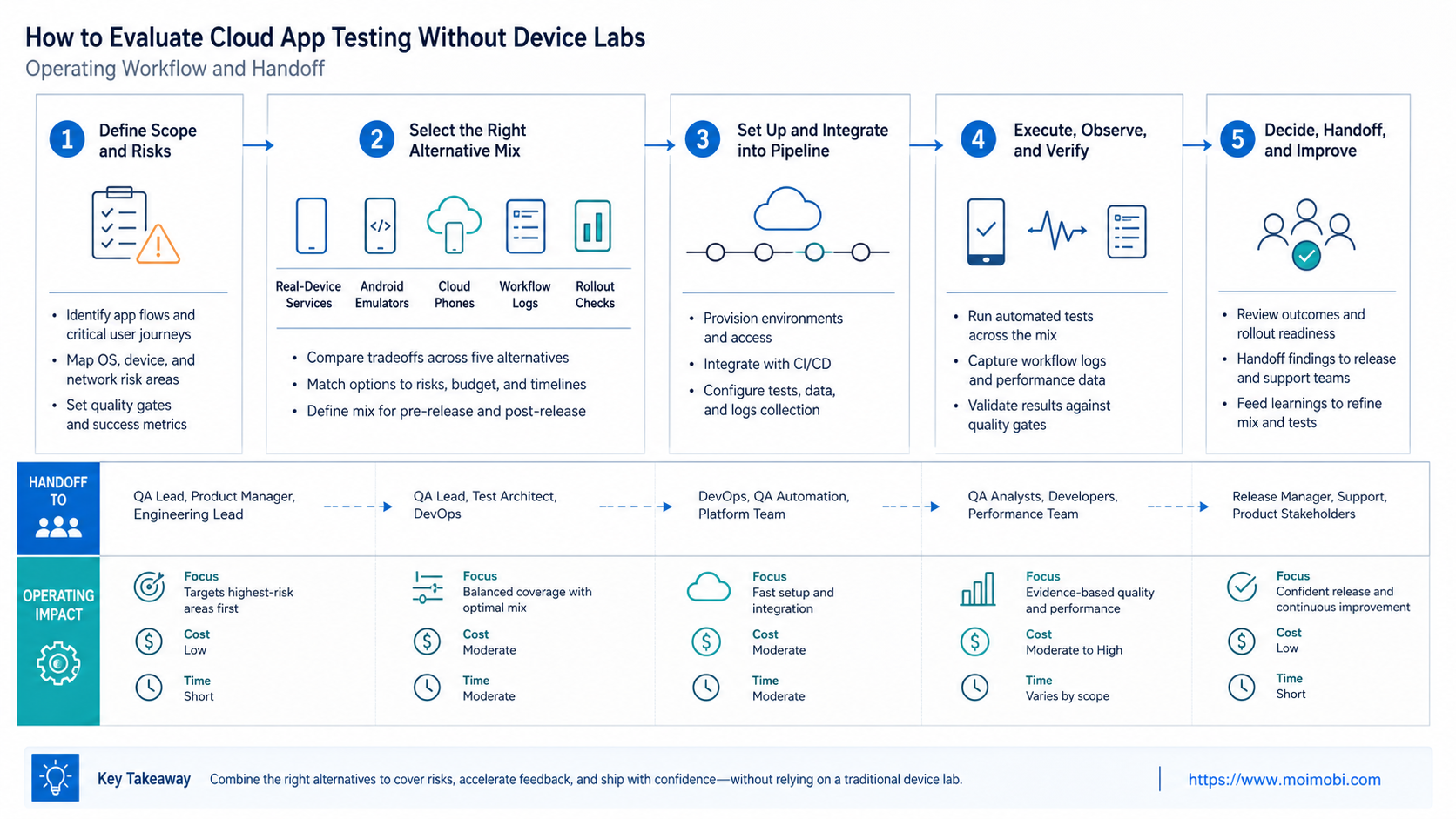
Start with the test inventory. List every mobile check the team runs in a normal month. Then separate them into product QA, release validation, customer support, and account operations.
- Define test purpose. Decide whether the task checks app quality, account workflow, customer issue, or operational readiness.
- Pick environment type. Use emulators for early checks, real-device cloud services for compatibility, and managed mobile environments for account workflows.
- Set evidence rules. Decide what screenshots, logs, recordings, or task records must be stored.
- Assign owners. QA, support, and operations should not share a vague queue.
- Pilot a coverage matrix. Start with the most common device and OS combinations.
- Review failures. Separate app defects from account state, network, setup, or workflow errors.
- Scale only useful coverage. Remove tests that do not change decisions.
Teams that need account separation should connect testing with device isolation for mobile workflows. A failed app-side check is easier to diagnose when account, device, task, and operator history stay together.
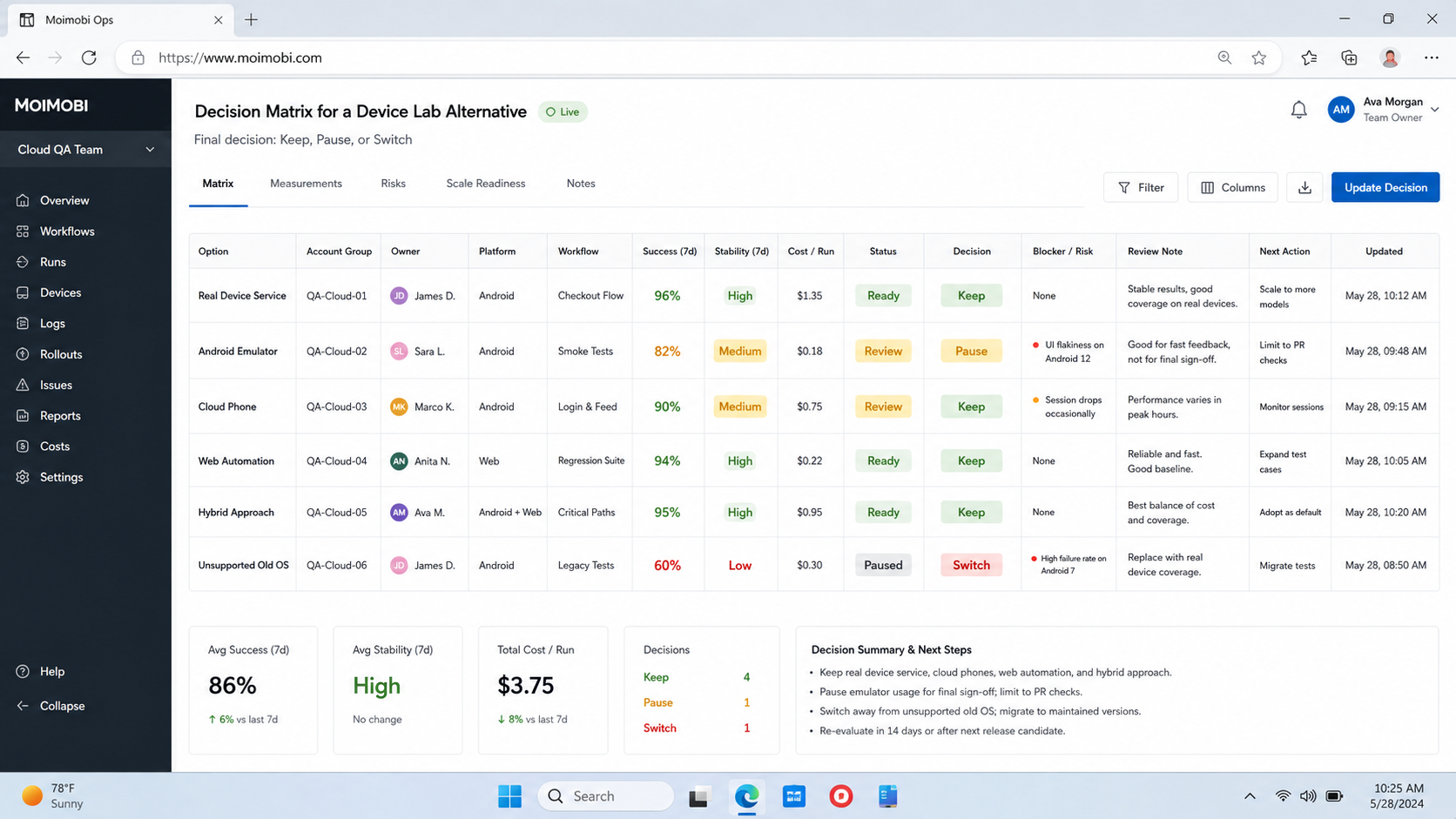
Decision Matrix for a Device Lab Alternative
Selection becomes clearer when the team scores each option against the work it actually performs. Avoid vendor-first evaluation. Start with workflow needs.
| Criteria | Physical lab | Real-device cloud | Android emulator | Cloud phone workflow |
|---|---|---|---|---|
| Broad coverage | Limited by owned devices | Stronger for device variety | Good for common virtual profiles | Focused on assigned environments |
| Remote access | Requires setup | Built for remote use | Easy for developers | Built for operations teams |
| App debugging | Strong for direct inspection | Depends on provider session | Strong during development | Better for workflow checks |
| Account operations | Manual unless tooled | Limited by test scope | Weak for real app accounts | Stronger fit with SOPs |
| Maintenance load | Higher | Lower locally | Lower | Lower locally |
The matrix should produce an operating decision. A product team may combine emulators and a real-device service. A social operations team may need fewer QA devices and more controlled mobile execution environments.
For teams comparing older device-farm setups, the cloud testing infrastructure trade-offs page is a useful next read because it explains infrastructure choices beyond a single app test.
Cost and Maintenance Questions Before Switching
Cost comparison should include more than the provider bill. A physical lab has device purchases, storage, repairs, charging, OS updates, access control, and scheduling overhead. A cloud setup moves some of that work to a provider, but the team still needs test design, account setup, result review, and failure triage.
Use a practical cost checklist:
- Which physical devices are still required for unique tests?
- Which tests can move to cloud sessions without losing signal?
- Who maintains device lists, OS coverage, and test data?
- How much time does the team spend waiting for devices?
- Which failures require screenshots, logs, or recordings?
- Which workflows need account history rather than clean test devices?
The last question is often missed. Product QA may prefer clean devices and repeatable app installs. Operations teams may need persistent account environments, saved app state, and review logs. Those needs can point to different tools, even inside the same company.
A phased plan usually works better than a full replacement. Keep a small physical set for tests that need direct hardware. Move repeatable compatibility checks into real-device cloud services. Move account workflows into managed mobile execution spaces. This split makes the migration easier to explain to finance, QA, and operations.
Evidence Standards for Remote Testing
Remote testing should produce evidence that other people can review. A pass or fail label is rarely enough. Teams should decide what evidence belongs to each test type before they move away from a device lab.
For release QA, evidence may include automated test output, screenshots, device model, OS version, and logs. For support reproduction, the record may include customer steps, app version, account state, and screen evidence. For operations checks, the record should include account, environment, operator, task result, and exception notes.
Good evidence standards reduce repeated testing. When the first tester captures enough context, the next person can diagnose instead of rerunning the same session from memory.
Mistakes That Reduce Results
The first mistake is comparing only device count. More devices do not automatically create better testing. A small, well-chosen coverage matrix can be more useful than a large unmanaged pool.
Another mistake is mixing QA and operations without labels. A regression test, a customer reproduction, and a social account workflow should not share the same success metric. Each task needs its own owner and evidence standard.
What not to do
- Do not replace a physical lab before listing what the lab is used for.
- Do not treat emulator results as full real-device coverage.
- Do not run account operations without logs and assigned environments.
- Do not keep cloud sessions without a failure review process.
- Do not buy coverage that nobody uses during release decisions.
If mobile testing touches customer-facing social workflows, connect the rollout to social media execution planning. Testing should feed real operating decisions.
Pilot and Review Checklist
A pilot should prove whether the new setup reduces delay without losing useful evidence. Start with one app, one workflow group, and one release cycle.
Check these items:
- The team knows which tests moved out of the physical lab.
- Every test has an owner and expected result.
- Screenshots, logs, or task records are saved.
- Failures are classified by app, device, account, network, or workflow.
- Operators can reproduce the same check again.
- Unused device coverage is removed from the plan.
- The team knows which physical devices still matter.
The result should be a smaller, clearer testing model. Keep the physical devices that add unique signal. Move repeatable remote checks into cloud or managed environments.
Frequently Asked Questions
What is a device lab alternative?
It is a replacement or supplement for a physical device room. It can include real-device cloud testing, emulators, or managed mobile environments.
Can cloud testing fully replace a physical device lab?
Sometimes, but not always. Hardware-specific, accessory-based, or local-network tests may still need physical devices.
Are Android emulators enough for app testing?
They are useful for development and repeatable checks. Real-device testing is still helpful when hardware behavior and device variation matter.
Where do cloud phones fit?
They fit app-side workflow execution, account checks, and operations testing. They are not the same as broad QA device farms.
What should teams compare first?
Compare test purpose, evidence needs, owner workflow, coverage requirements, and recovery steps before comparing provider features.
How should a pilot start?
Move one repeatable workflow out of the physical lab. Track time saved, failure clarity, and whether evidence remains useful.
How does MoiMobi help?
MoiMobi helps teams run mobile workflows in assigned environments, with account context, task records, and reviewable execution.
Conclusion
Cloud app testing without device labs works when the team chooses a device lab alternative by workflow. Use emulators for early checks, real-device cloud services for compatibility, and managed mobile environments for account operations.
The next step is a coverage audit. List the tests your lab actually supports, mark which ones need physical devices, and move only the repeatable remote work first. That keeps the transition practical and measurable.



