
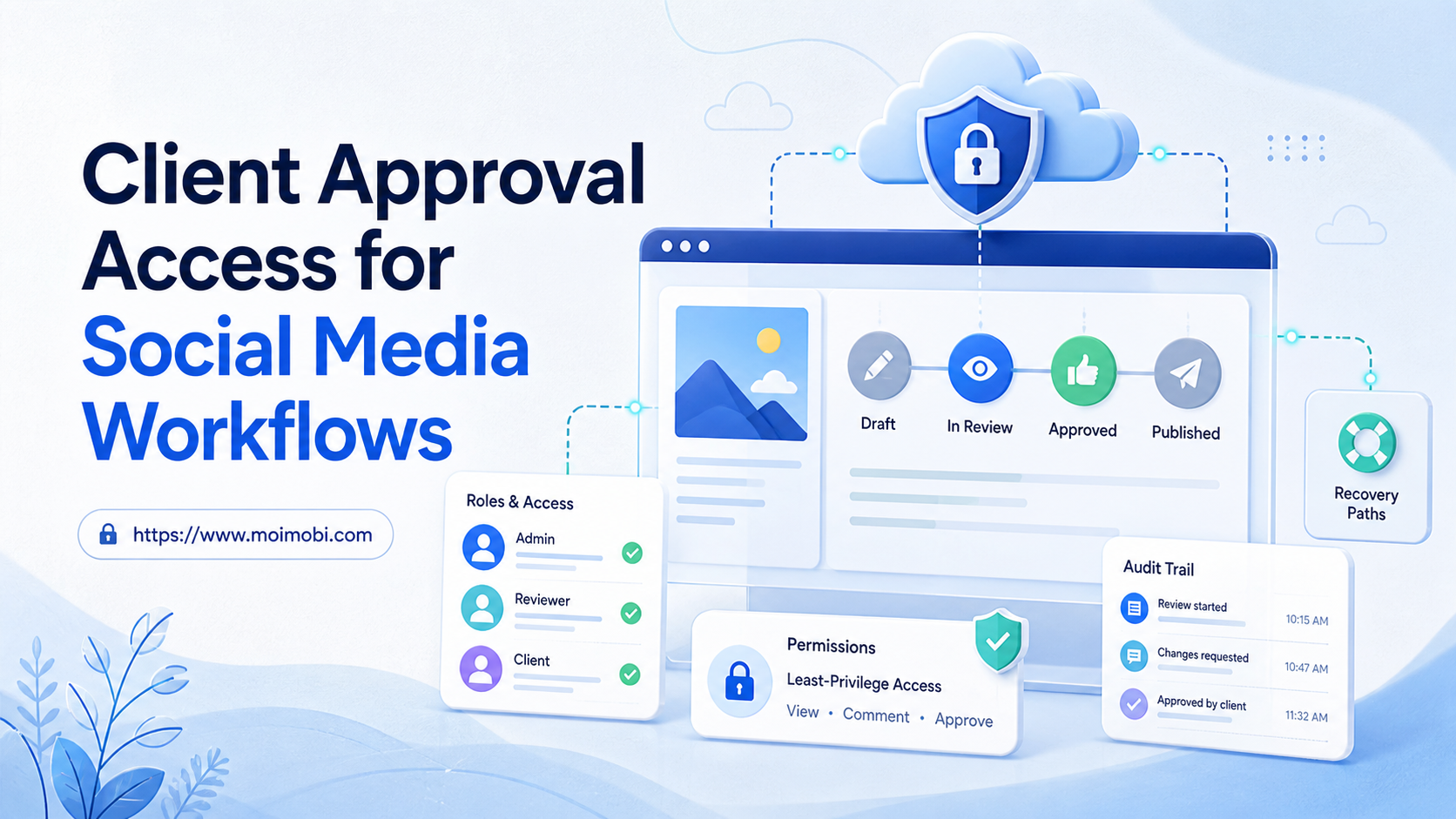
Client approval access for social media workflows is the rule set that determines who can prepare content, review it, authorize an external action, manage account access, and handle an exception. It is more than giving a client a login. A good model separates routine work from account administration and keeps every approval tied to a known account and task.
Teams need this separation because social work combines several decisions: content may be ready while publication is not approved; an operator may have task access without authority to change an account; a client may need to approve a campaign but not see unrelated internal operations. The workflow should make those differences visible before any external action occurs.
Key takeaways
- Separate client approval from account administration and daily execution.
- Give each role only the access needed for its task.
- Use explicit task states instead of approvals hidden in messages.
- Retain a short record of who approved what, when, and for which account lane.
Client Approval Access for Social Media Workflows: Core Model
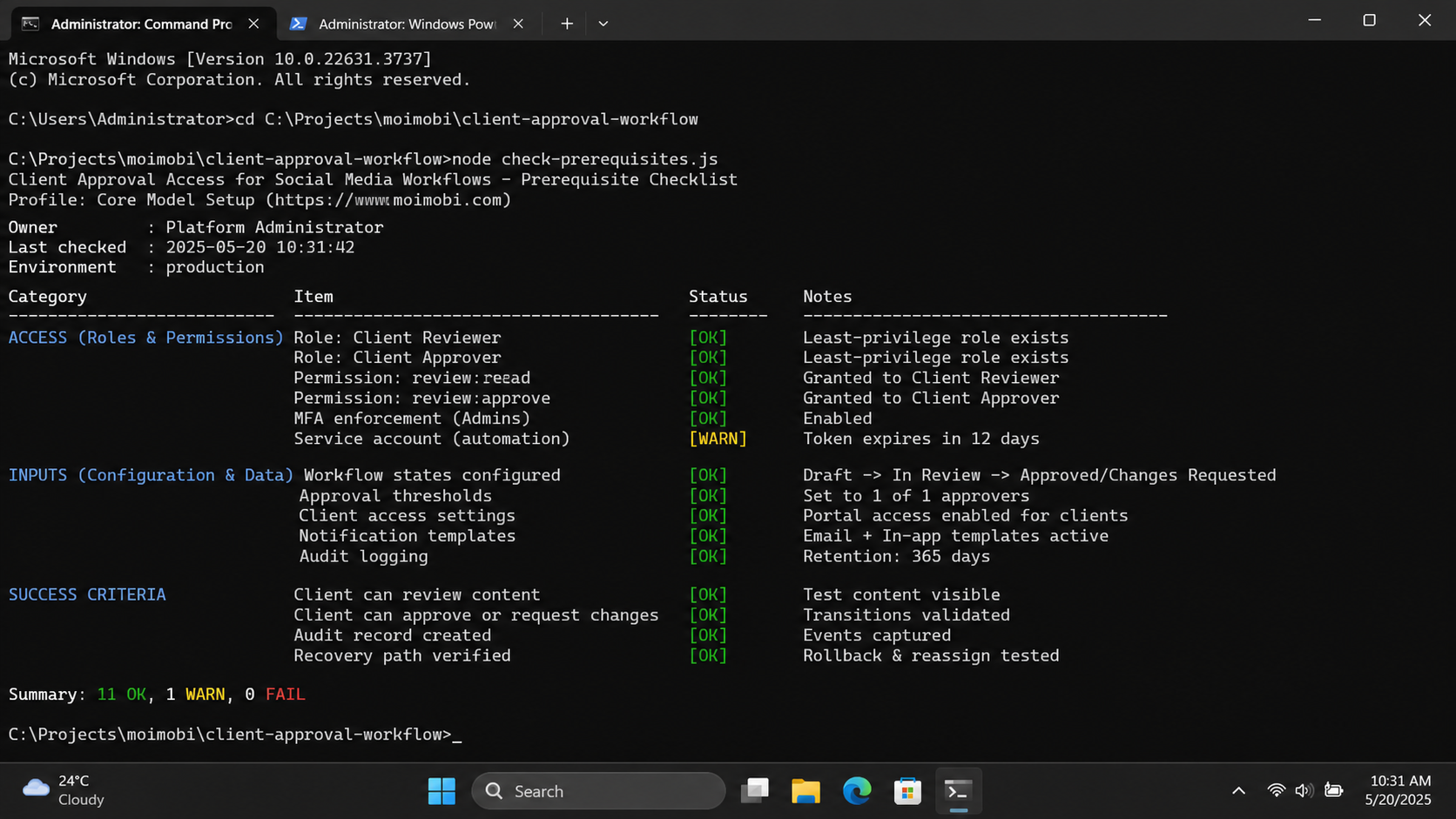
Start with four roles: client approver, account owner, operator, and workflow owner. The client approver decides whether campaign content or an external message aligns with the business objective. The account owner controls account-level changes and recovery. The operator completes approved work. The workflow owner maintains task rules and resolves repeated process issues.
One person can hold more than one role in a small team, but the record should still show which decision they made. This prevents a common agency problem: a task appears approved because someone involved in the project said “looks good,” but no one can confirm whether that person had authority to authorize the destination account.
| Role | Can decide | Should not decide by default |
|---|---|---|
| Client approver | Campaign fit, final copy, timing choice | Agency-wide account access or unrelated client work |
| Account owner | Access changes, recovery, connected tools | Every routine content decision |
| Operator | Execute the approved task and record result | Change account settings or override missing approval |
| Workflow owner | Task templates, routing, recurring exception fixes | Client strategy decisions without client approval |
Meta's Page access documentation distinguishes full control from task access. That platform-specific example illustrates a general operations rule: administrative authority and the ability to perform a daily task should not automatically be the same permission.
Permission Boundaries and Least Privilege
Use the smallest practical permission set for each role. A content reviewer needs the approved draft and context, not broad access to every account. An operator needs the environment and task scope required for the approved action, not the ability to change ownership or recovery settings. A client needs a clear approval surface, not a route into unrelated client lanes.
OWASP's authorization guidance recommends least privilege and default-deny access. In a social workflow, that means start with no broad access and grant the defined task scope intentionally. It is easier to approve a needed exception than to investigate a change made under a vague permission model.
Keep access and approval separate in the task record. Access answers “who can enter this account context?” Approval answers “who has authorized this external action?” A person may have both, but recording them as separate fields makes the workflow easier to audit and hand off.
For multi-client teams, an account ownership control model can make role boundaries visible before a task enters the queue. The operating goal is clear client context, not a larger collection of shared credentials.
How to Set Up Client Approval Access
Create the role model before connecting a campaign or publishing queue. Begin with one client lane and one recurring task type.
- Name the account owner. Record who can approve access, recovery, and account-level changes.
- Name the client approver. Define which content classes and decisions they may authorize.
- Define operator scope. State the accounts, environments, and task types that the operator may use.
- Create approval states. Use draft, ready for review, approved for a defined window, paused, and completed.
- Set a stop rule. Pause for missing inputs, changed copy, unclear account context, or expired approval.
- Record the result. Save the final content reference, approver, time, account lane, and outcome.
Avoid making a client approval permanent. An approval belongs to a defined content version, account, and publication window. If the copy or destination changes, send it back to review. This protects both the client and the team from a task carrying an old approval into a different action.
Approval States That Support Handoffs
Use a small state model that someone else can understand at a glance. Draft means the task is still being prepared. Ready for review means the required input is present. Approved means a named person has authorized the exact action for a stated window. Paused means work stopped for a specific reason. Completed means the outcome was recorded. Closed means no action will occur.
The pause reason matters. “Needs attention” does not tell a backup what to do. Use concise reasons such as client decision pending, input changed after approval, account access issue, environment unavailable, or action outside the approved scope. Those labels create useful operational data when a team reviews the workflow each week.
Where mobile account work is involved, bind the task to a dedicated client device lane before the operator starts. This adds an execution boundary to the approval boundary. The environment tells the operator where the task belongs; the approval state tells the operator whether the action may proceed.
Client Approval Access for Social Media Workflow Changes
Access is not a one-time setup action. Client teams change, campaigns end, agencies add operators, and account responsibilities move. Review access on a predictable schedule and whenever the account owner, client approver, connected tool, or campaign scope changes. The review should confirm that each active role still has a clear purpose.
Treat a role change as a workflow event. Record the former owner, the new owner, effective time, account scope, pending tasks, and recovery responsibility. Do not rely on a person simply “having access already.” A task can remain assigned to an outdated operator after a client handoff unless the queue and environment records are updated together.
Use a short change checklist:
- Confirm the client or account owner authorizing the change.
- Remove or narrow access that is no longer required.
- Transfer pending tasks to the new named owner.
- Check whether existing approvals remain valid after the change.
- Update the backup owner and escalation route.
- Run one handoff test before returning the lane to normal volume.
The checklist supports continuity without turning every role change into a large migration project. It also separates normal account administration from the approval of an individual post or reply. A client can approve campaign content while the account owner still controls access changes and recovery.
Approval Turnaround, SLA, and Escalation Rules
Approval speed matters only when it is paired with a clear decision. Set a response window for each content class, such as a same-day window for a routine scheduled post and a longer window for partnership or campaign material. When the window expires, the task should move to an explicit state: reschedule, escalate to the backup approver, or close without action.
Avoid using urgency to bypass a missing approval. A late post can often be rescheduled; an unapproved public action can create a harder recovery problem. The queue should show whether the delay came from incomplete inputs, an unavailable approver, a changed campaign, or an account issue. This lets the workflow owner fix the recurring cause instead of pushing operators to act faster without context.
Use a concise escalation note. It should identify the account lane, exact content version, decision needed, deadline, and available options. For example: approve the current version, request revision, move to the next window, or close the task. This reduces back-and-forth and gives the backup approver enough information to make a controlled decision.
Verification and Weekly Review
Review one approval lane each week. Check whether completed tasks contain the required approval record, whether paused tasks have a useful reason code, whether expired approvals were handled correctly, and whether a backup successfully continued at least one task. These checks are more useful than a total number of approved posts because they show whether the control model works under normal staffing changes.
Look for patterns rather than blaming individuals. Repeated expired approvals may mean the publication window is too short or the client lacks a backup approver. Repeated access pauses may mean the owner model is unclear. Repeated content revisions may mean briefs are missing required context. Turn the most common pattern into one small change, then measure it during the next week.
For teams coordinating approval across web and mobile workflows, a cross-channel approval operating model can keep the decision record connected to the execution task. The key requirement remains the same: another operator should be able to identify the current state and next owner without searching private messages.
Before closing the weekly review, select one upcoming task and verify the path end to end: the account lane is known, the named client approver can see the current version, the operator has only the required scope, and the result field is ready for evidence. This small rehearsal exposes missing ownership before a time-sensitive post reaches the queue. It also creates a concrete acceptance check for the next workflow revision and the next client handoff, including responsibility for any later exception, ownership transfer, or approval expiry.
Fit Boundaries and Common Mistakes
This model fits agencies, brands with outside partners, and internal teams where content, account ownership, and execution are shared across people. It is especially helpful when work must be reviewed across time zones or when a backup operator may need to continue a task.
It is not necessary to create a complex approval chain for every routine task. Over-control can make a queue slow without increasing quality. Use stricter review for new campaigns, public replies, account changes, partnership content, or changes after the initial approval. Keep a documented route for routine work that already has defined inputs and owner consent.
Common mistakes include granting a client full administrative access when they only need content approval, allowing operators to infer approval from an old conversation, and using a shared account without a named recovery owner. Each mistake creates uncertainty at the exact moment a task needs to be paused or handed off.
Pilot, Measurement, and Recovery Checks
Run a pilot for one client and one repeated task. Measure approval turnaround, tasks returned because copy changed, paused tasks by reason, completed records with a named approver, and successful backup handoffs. Do not judge the pilot only by the number of posts or replies completed.
NIST's log management guide describes logging as support for monitoring and analysis. Apply the same practical idea to the workflow: retain enough evidence to answer which account was involved, who approved the action, what version was used, when it happened, and what result was recorded.
When a task cannot proceed, stop it rather than moving it to another person with an unclear instruction. Capture the pause reason, notify the named owner, and wait for a visible next decision. This recovery path protects the team from duplicate work and protects the client from actions that no longer match the approved plan.
Frequently Asked Questions
Does client approval require full account access?
No. Content approval and account administration are different decisions. Give the client the narrowest access or review surface that supports their approval role.
Who should approve a changed post?
The person who owns that content decision should approve the changed version. Do not assume an old approval applies after the copy, asset, audience, or account changes.
Can an operator publish without an approval step?
Only when the workflow explicitly defines a routine approved path. The task record should still show why that action was permitted.
What should be logged for an approval?
Record the approver, account lane, content version or source, decision time, approval window, and final result.
How should a team handle an unavailable approver?
Use a named backup, a rescheduling rule, or a pause state. Do not silently route the decision to an unrelated operator.
Is this model useful for customer replies?
Yes. Define response categories, escalation conditions, account context, and the person who can approve sensitive replies.
What proves the workflow is ready to expand?
Another operator can locate the correct approval, account context, and next action from the shared record without relying on private messages.
Conclusion
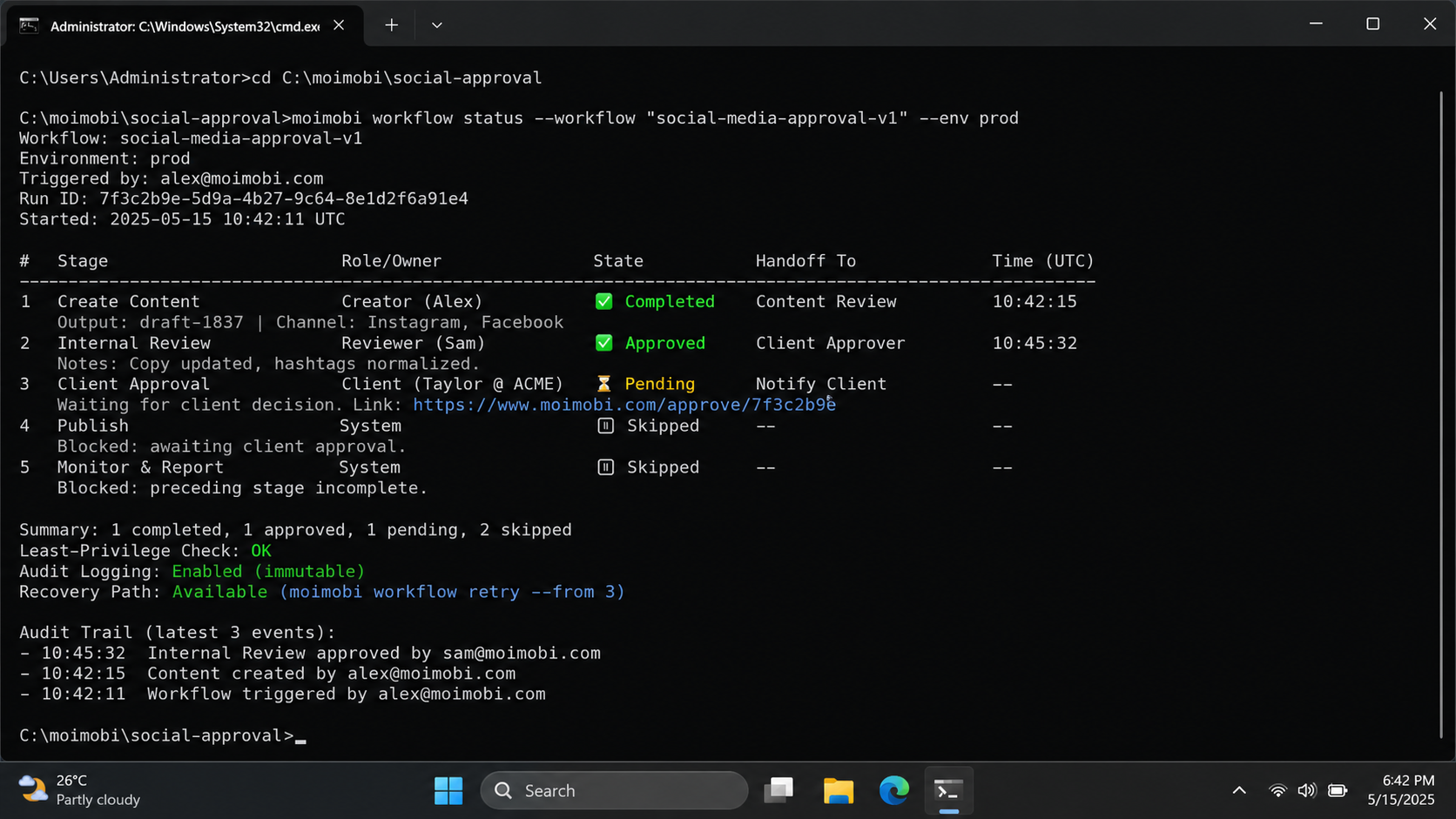
Client approval access for social media workflows works when approval, access, and execution are recorded as separate but connected controls. Begin with a small role model, one defined task lane, clear states, and a recovery path. Expand only after the team can show that approvals survive handoffs, exceptions, ownership changes, and scheduled review cycles.


