
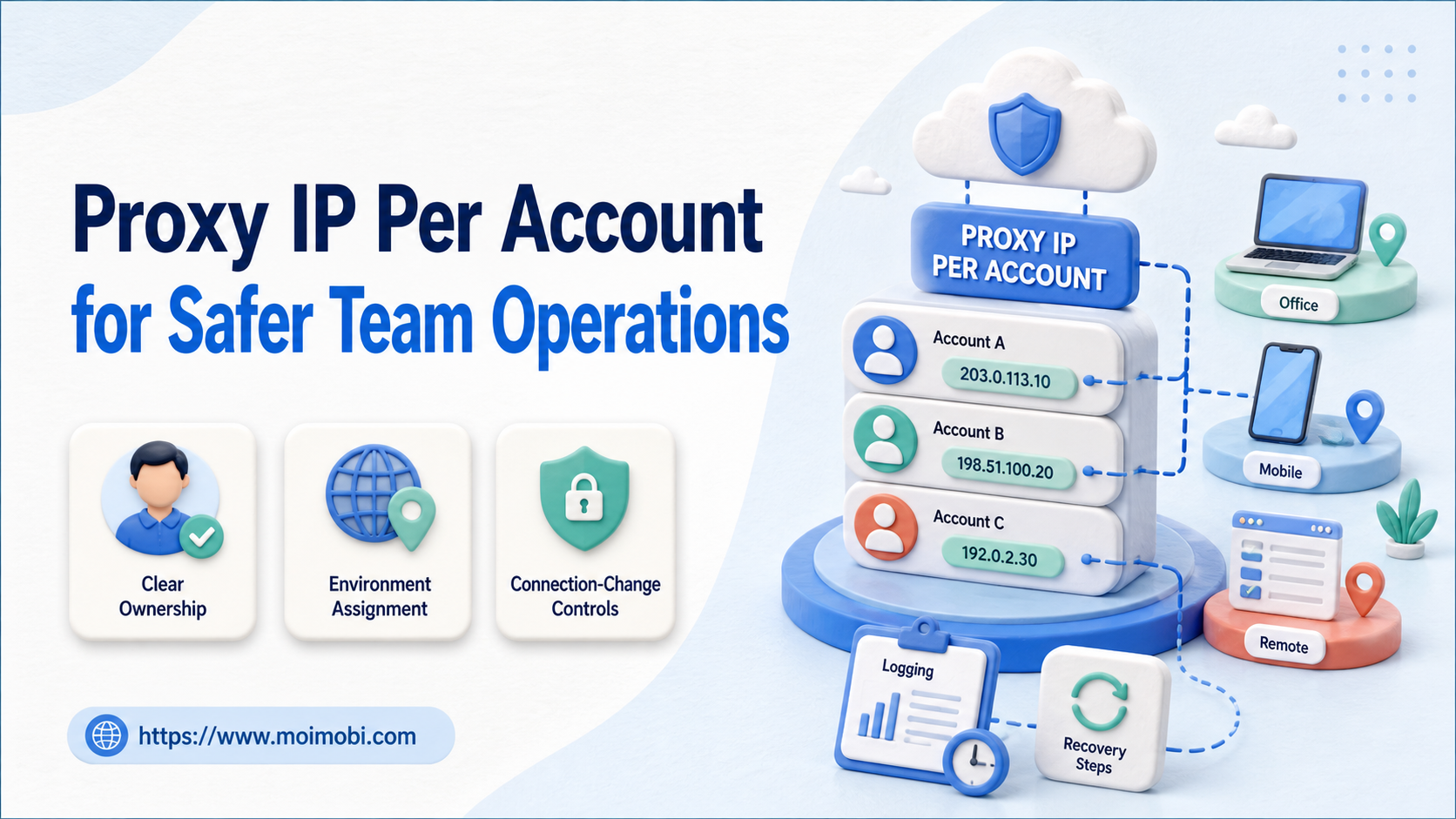
Proxy IP per account is an operating rule that assigns a documented network route to a defined account context and task environment. For teams, the purpose is consistent configuration, accountable changes, and recoverable operations. It is not a promise of account safety, a way to bypass a platform's rules, or a substitute for following platform terms and normal access controls.
The rule becomes useful when more than one person, device, or workflow touches account work. Without an assignment record, a team cannot easily answer which connection was used, who changed it, or whether an access issue followed a planned configuration change. A stable operating model records that context before a task runs.
Key takeaways
- Treat proxy assignment as an accountable infrastructure setting, not a growth tactic.
- Bind an account, environment, owner, and connection record together.
- Review connection changes before they affect a scheduled task.
- Pause and document access issues instead of repeatedly changing configuration.
Proxy IP Per Account: The Operating Principle
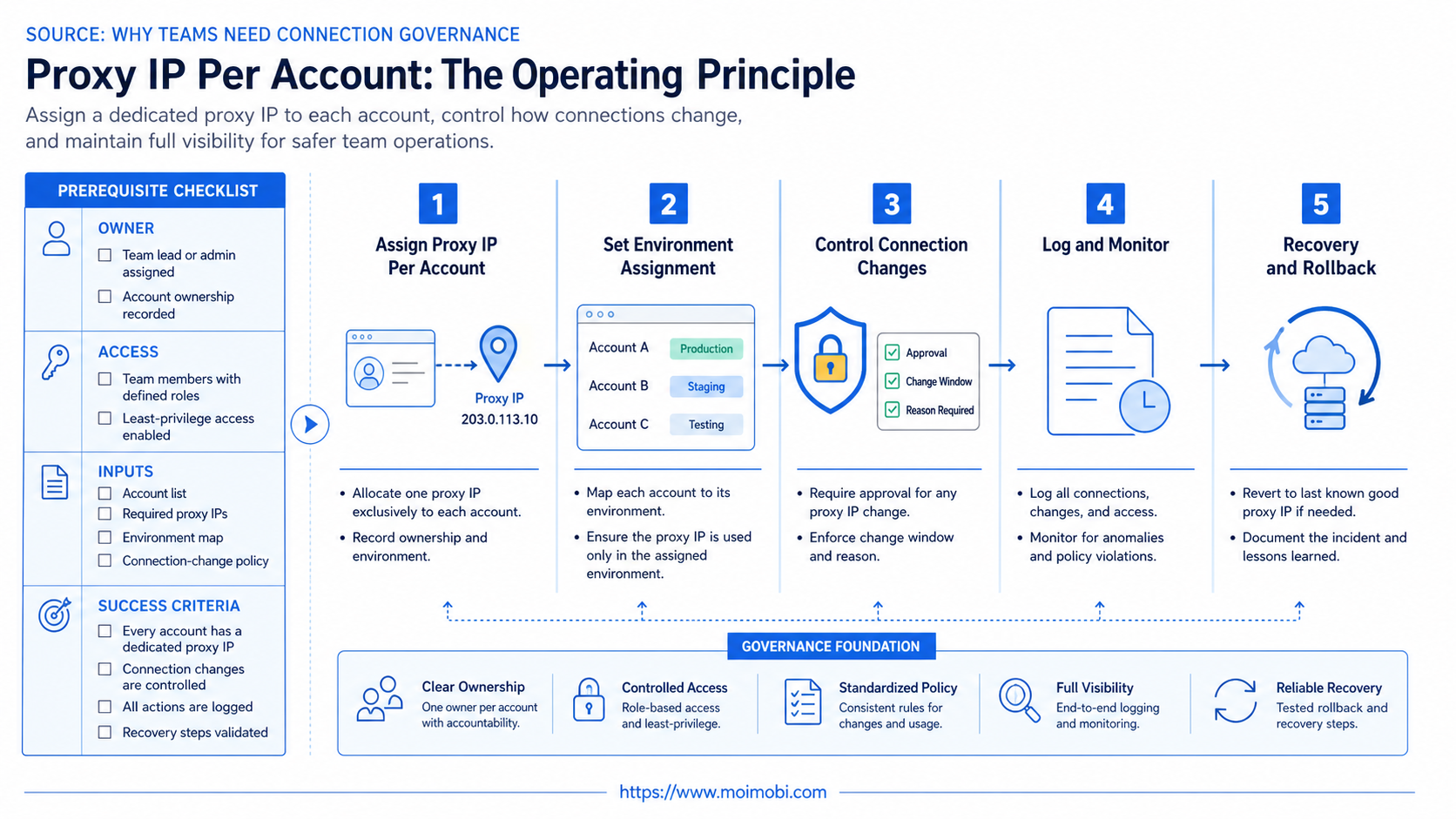
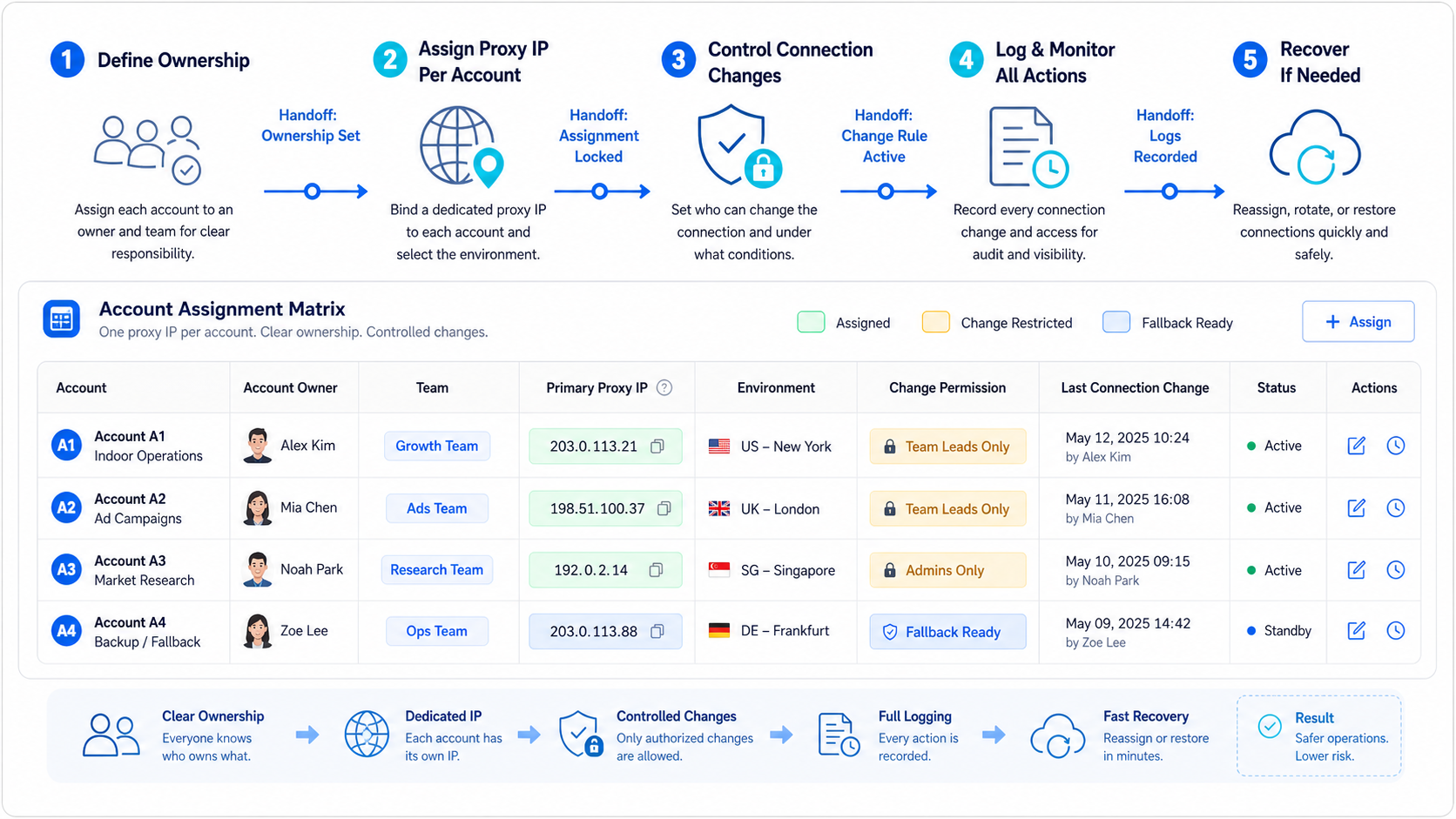
The basic unit is an account lane. Each lane includes the account or client context, assigned environment, primary owner, permitted task types, connection configuration reference, and change history. The lane should not contain passwords or raw credentials. It should contain enough operational context to let a backup understand the assignment and escalate an issue.
This design prevents two avoidable problems. First, operators do not need to guess which connection applies to a task. Second, a connection change does not disappear into an unrecorded browser or device setting. The result is clearer handoff, not a claim that any configuration removes platform or business risk.
| Record field | Why it exists | Example decision it supports |
|---|---|---|
| Account lane | Identifies the client and account context | Which task may use this configuration? |
| Environment ID | Connects browser or device to the lane | Where did the task run? |
| Connection reference | Records the approved route without exposing secrets | Was a planned change made? |
| Owner and backup | Defines who can authorize a change | Who resolves an access issue? |
| Change evidence | Preserves time, reason, and outcome | Can the next operator reconstruct the event? |
Why Teams Need Connection Governance
Connection settings are part of the task environment. When they are shared, changed informally, or left undocumented, a team may not know whether an account issue came from access, task input, platform state, or a recent infrastructure change. That ambiguity creates rework and makes handoffs slow.
Use a named owner for any configuration change. The owner can be an operations lead, infrastructure owner, or account owner depending on the team. The operator should be able to see that a route has been assigned, but should not need authority to alter it for convenience during a task.
An account-to-environment operating model is helpful because it keeps the connection rule attached to the broader account context. The proxy is one input to the environment. It does not decide the business purpose, permission scope, or compliance of the work performed through that environment.
Proxy IP Per Account Setup Checklist
Use this checklist before a new assignment enters normal operations:
- Define the account lane. Name the client or account context, owner, backup, and permitted task types.
- Assign the environment. Record the browser or mobile environment that belongs to the lane.
- Reference the connection configuration. Store a configuration identifier or approved reference, not secret values.
- Set change authority. Name who may change routing and which evidence must be recorded.
- Test a normal task. Confirm the operator can complete an approved, low-impact task in the assigned context.
- Test recovery. Have a backup locate the assignment, read the change history, and handle a paused task.
Keep the pilot narrow. Test one account lane and one task type before adding more routes or automating configuration changes. The first goal is a readable record, not maximum parallel capacity.
Change Controls and Incident Recovery
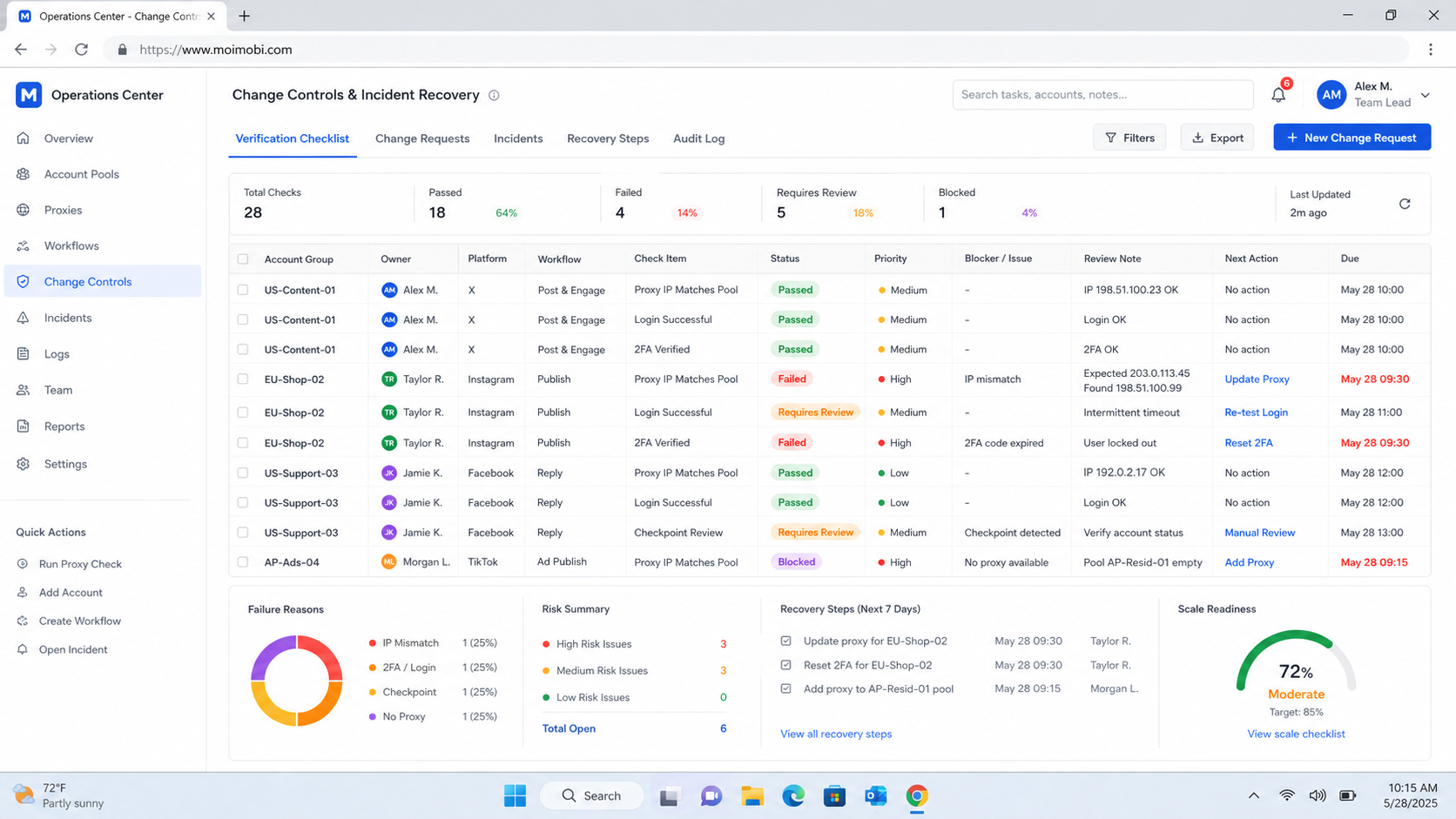
Every connection change should have a reason, owner, timestamp, and result. Reasons can include planned provider maintenance, environment replacement, a client-approved regional requirement, or a technical troubleshooting step. Avoid generic notes such as “fixed proxy.” They do not tell the next operator what changed or whether a task may safely resume.
When an account task encounters an access or connection issue, stop the active action first. Preserve the visible error and account lane. Check whether a recent configuration change exists. Then route the issue to the person who owns the connection decision. Do not keep changing settings during the same task without recording each attempt; that creates an incomplete history and makes the final cause harder to identify.
NIST's log management guide describes logging as a source for analysis and monitoring. Teams can apply that principle simply: retain enough task and configuration evidence to establish what changed, who made the change, when it happened, and what followed. This supports recovery without turning operational logs into secret stores.
Change Windows and Approval Rules
Plan non-urgent changes during a defined maintenance window. The request should identify the affected account lane, reason, owner, expected effect, rollback condition, and the tasks that must not run while the change is being checked. A small team may manage this in a shared task record; a larger team may use a change calendar. The important part is that the operator knows whether the current environment is stable for the assigned task.
Use a two-person check for material changes when practical: one person authorizes the configuration change and another verifies that the intended environment reflects the documented assignment. The verification does not need to expose sensitive proxy values. It can confirm the configuration reference, time, test task, and outcome. That separation reduces accidental changes and gives the team a better incident record.
If a change must be rolled back, record why it was reversed and which tasks were affected. Do not erase the original entry. A complete history helps a team distinguish a recurring environment problem from an unrelated account or content issue.
Proxy IP Per Account Data Handling
Keep operational identifiers separate from secrets. A task record can safely refer to a proxy configuration by an internal label, environment ID, or approved provider reference. It should not include authentication values, raw connection strings, passwords, or copied browser data. Limit who can view or change the underlying secrets through the team's normal infrastructure controls.
OWASP's logging vocabulary guidance notes that consistent event language makes logs easier to interpret. Use the same principle for connection events. Choose clear labels such as assignment created, planned change, test passed, task paused, rollback requested, and ownership transferred. Avoid labels that mix the cause and outcome into one vague word.
The CISA logging made easy guide provides another official reference for why organizations need usable logging practices. For a small operating team, the practical takeaway is modest: retain a clear, non-secret record that supports investigation, ownership, and recovery.
The data rule supports both security and operations. It gives a reviewer enough context to inspect a task without turning an activity log into a source of reusable credentials. It also gives a backup operator a concise view of what they can safely do next.
Verification Before Scale
Before adding a second account lane, run a structured verification. Confirm that the owner can find the current assignment, the operator can identify the intended environment, the task record uses a non-secret configuration reference, and the backup knows who can approve a change. Then test one normal task and one simulated pause.
The simulated pause should be simple: mark the environment unavailable, preserve the task state, and ask the backup to follow the documented recovery path. The objective is not to test a platform or conceal activity. It is to prove that the team's operational record contains enough information to avoid guesswork during a real interruption.
Review the result with the people who own the lane. If the backup needs verbal clarification, add the missing field or rule before expanding. If the same owner receives every escalation, create a backup path. These small corrections make the configuration model maintainable as teams, devices, and work schedules change.
Fit Boundaries and Common Mistakes
This approach fits teams with multiple account lanes, repeated browser or mobile tasks, and a need to separate operational responsibility. It is relevant to agencies, regional operations groups, and teams that must make environment changes visible across shifts.
It is not appropriate to use connection management as a claim that a platform will accept any activity. Platform terms, user consent, content quality, and account behavior still apply. A well-documented configuration does not authorize spam, duplicate activity, or actions outside a team's approved workflow.
Common mistakes include putting several unrelated accounts into one undocumented environment, allowing operators to change routing without owner approval, storing credentials in task notes, and treating repeated errors as a reason to keep retrying. Each mistake reduces the team's ability to determine what happened and make a controlled next decision.
Use a connection-governed execution environment only as part of an approved task lane. Combine it with narrow permissions, content and action rules, and a visible recovery path. The goal is operational clarity, not evasion.
Pilot Metrics and Weekly Review
Run a one-week pilot. Track the number of active lanes with a documented owner, completed tasks with a known environment, configuration changes with a recorded reason, pauses by category, and successful backup handoffs. These metrics show whether the operating model is visible enough to scale.
Review one normal task and one incident each week. For the normal task, check that the operator found the right configuration without extra clarification. For the incident, check whether the change history and ownership record were sufficient to decide the next action. Turn the largest recurring gap into one change to the lane template.
Where a mobile workflow needs a persistent environment, link the task to a cloud phone before execution and keep the connection record in the same lane. That keeps account context, environment, and evidence together instead of splitting them across separate tools.
Frequently Asked Questions
Does proxy IP per account promise account safety?
No. It is an operational assignment rule. Platform policies, authorized access, and responsible account behavior remain essential.
Should operators be able to change a proxy during a task?
Only when the workflow explicitly grants that authority. Otherwise pause the task and route the request to the connection owner.
What should a connection record contain?
Account lane, environment identifier, configuration reference, owner, backup, change time, reason, and outcome. Do not store secrets in the record.
How often should assignments be reviewed?
Review them when ownership, environment, provider, or client requirements change, plus on a regular operational schedule.
Can one connection serve several accounts?
The answer depends on the legitimate operating requirements and platform policies. The team should document any shared configuration and its owner rather than assuming it is interchangeable.
What should happen after a connection-related error?
Stop the task, preserve the error, check recent changes, and ask the assigned owner for a decision before resuming.
What shows that a pilot worked?
A backup can identify the assigned environment, understand a recent change, and recover a paused task from the shared record.
Conclusion
Proxy IP per account is useful when it gives teams a clear, accountable connection model for approved work. Start with one documented lane, separate change authority from task execution, and keep recovery evidence visible. Expand only after the team can explain each assignment and handle an exception without guesswork.
Review the lane after ownership, environment, provider, or task-scope changes. Keep its record aligned with daily operations, access rules, recovery responsibilities, and the evidence needed by the next operator. Make that review concise, assigned, repeatable, and documented across every active lane, shift change, and approved configuration change.


