
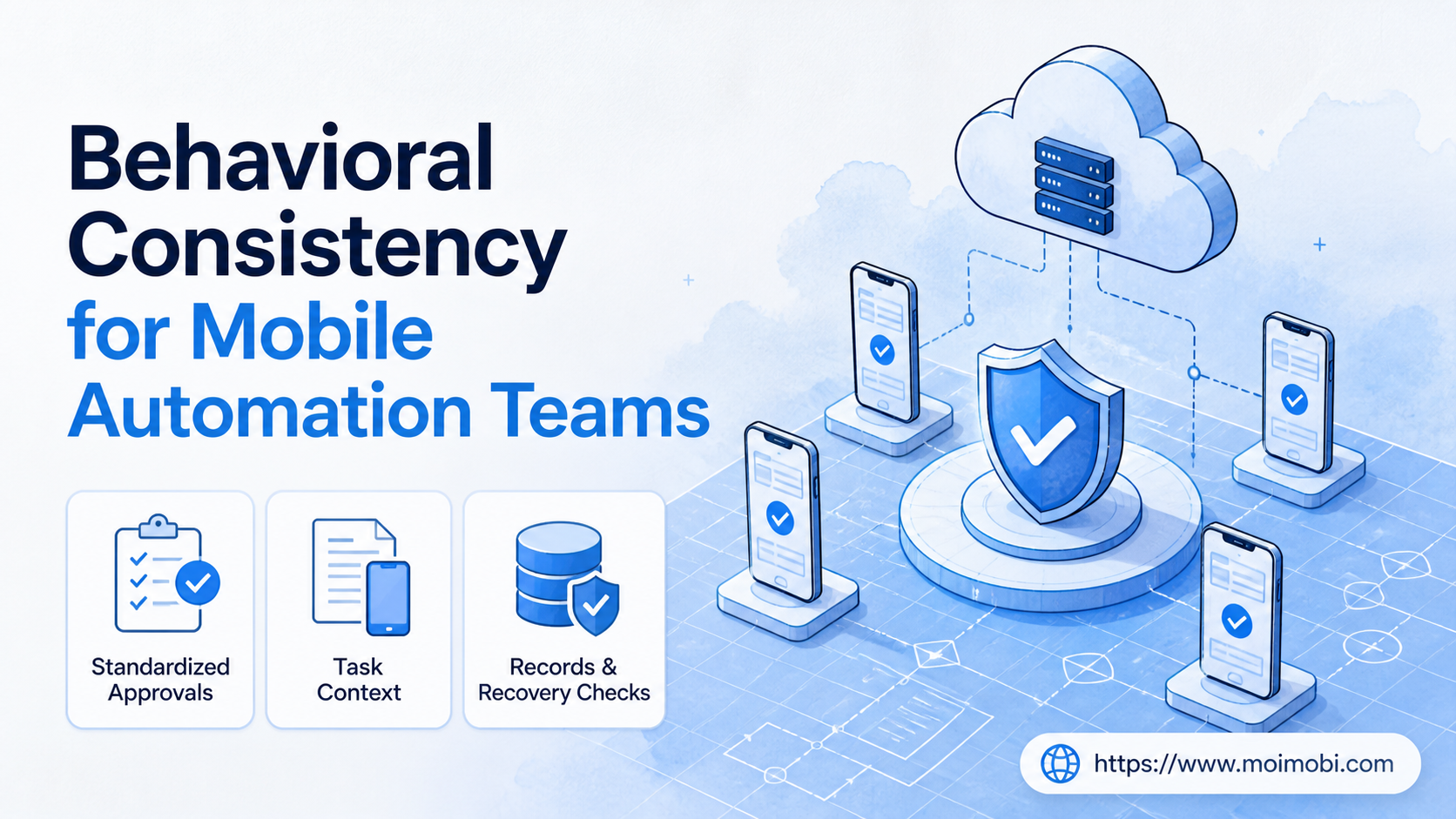
Behavioral consistency is the practice of making comparable mobile tasks follow the same approved operating rules, ownership model, and recovery path. For a team, it means a content handoff, customer reply, or monitoring task is handled from a known context rather than improvised differently by every operator.
The goal is not to imitate people or defeat platform controls. It is to make legitimate work easier to review. Teams gain a clearer answer to basic questions: who initiated the task, which account environment was assigned, what approval was required, and what happened when the task stopped.
Mobile work becomes difficult to govern when it moves across shared devices, chat instructions, and undocumented exceptions. A cloud phone can provide a durable mobile workspace, but the operating model still needs task ownership, clear stop rules, and an audit trail. This guide explains the practical pieces.
Key takeaways
- Consistency comes from repeatable decisions, not identical actions performed without judgment.
- Assign an owner, environment, approval state, and outcome to every material task.
- Begin with a small workflow and measure handoff quality before expanding capacity.
- Treat exceptions as signals for an SOP update, not as private operator knowledge.
What is behavioral consistency in a mobile team?
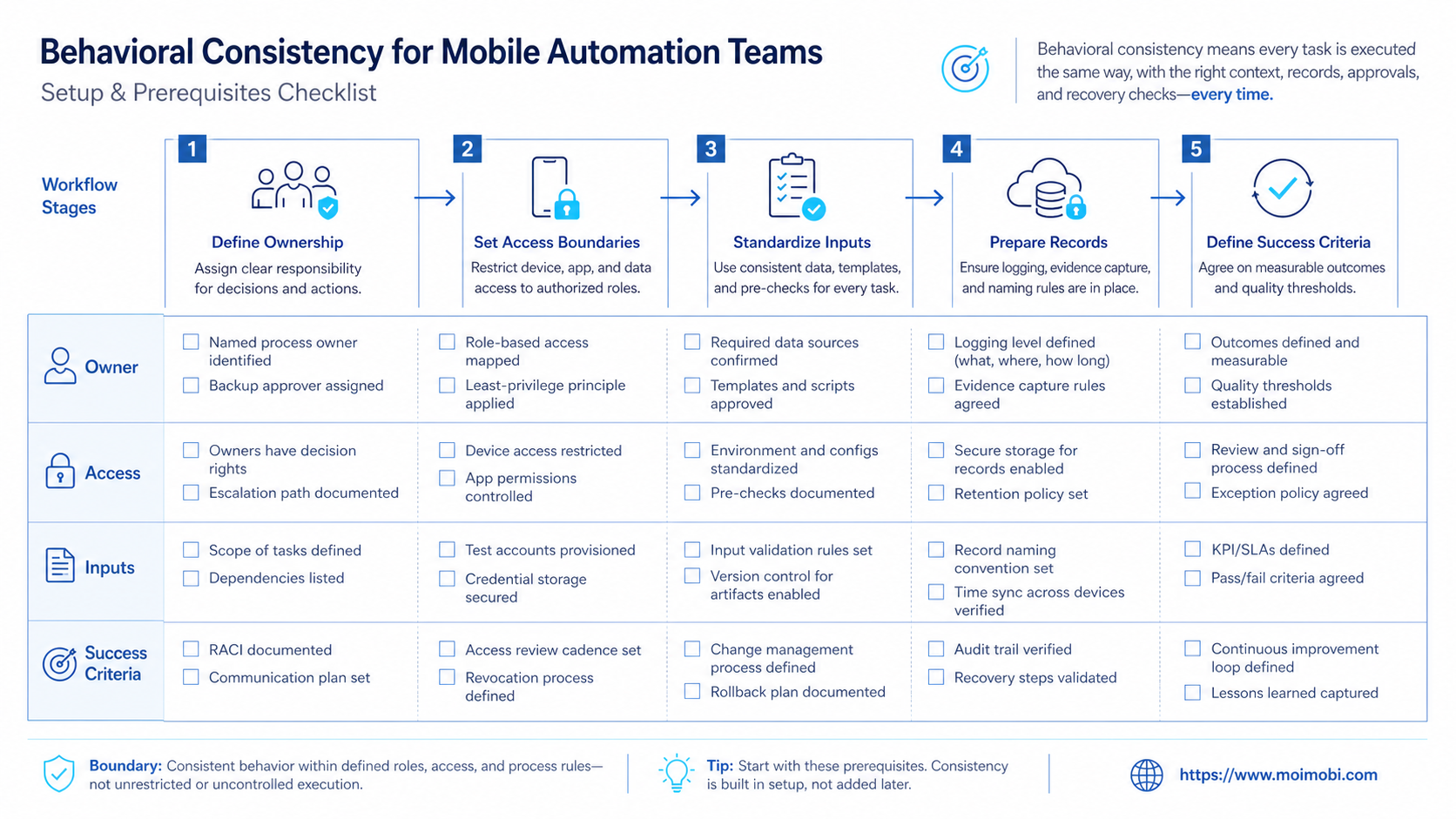
In an operations setting, behavioral consistency means the team applies the same decision framework to similar work. A reply task can still use different wording. The consistent part is the workflow: source is recorded, the account is assigned, the reviewer knows the allowed action, and the result is logged.
This distinction matters. A team does not need every task to look mechanically identical. It needs a stable basis for deciding whether the task is appropriate, who can perform it, and when it needs escalation. That leaves room for human judgment while reducing preventable confusion.
For example, a customer-support workflow may require a team member to classify the request, select a response category, receive approval for sensitive cases, and record the outcome. A content workflow may require a brief, a named account workspace, a review gate, and a post-publication check. Both are consistent because the control points are visible.
| Control point | What the team records | Why it matters |
|---|---|---|
| Task context | Source, objective, and allowed next action | Prevents a handoff from becoming guesswork |
| Environment | Assigned account and mobile workspace | Separates ownership from a shared device habit |
| Approval state | Approved, paused, or needs review | Makes exceptions visible before work continues |
| Outcome | Completed action, exception, and follow-up | Creates material for operational review |
NIST's guidance on event logging makes a related operational point: useful logs need defined events, consistent collection, and review processes rather than a pile of disconnected records. The same principle applies to a mobile team: record the actions that affect ownership, approvals, and recovery, then make those records usable during a review. See NIST SP 800-92, Guide to Computer Security Log Management for the broader logging framework.
Behavioral Consistency in Daily Mobile Execution
The immediate benefit is a cleaner handoff. When a shift changes or a client asks for an update, the next operator can see the task's context instead of reconstructing it from messages. That reduces duplicate work and makes paused tasks easier to resume deliberately.
Consistency also creates a practical boundary between routine and exceptional work. Routine actions can move through a short checklist. Requests involving a complaint, payment question, policy concern, or unclear customer intent should reach a named reviewer. Teams should define those boundaries before they automate reminders or task routing.
An account environment is part of the context, not merely a device choice. A dedicated structured app-work handoff lane can support the assigned task flow, while task records explain why that environment was selected and who was responsible for it. This is much more useful than asking operators to remember the last action from memory.
A preflight checklist before work starts
Start with a short preflight. It should take less time than recovering from a missing handoff.
- Name the task owner. One person owns the next decision, even when several people contribute.
- Confirm the account purpose. Record the account's role, client, or campaign boundary in the task.
- Assign the environment. Use a designated workspace rather than an informal shared login path.
- Set the approval rule. State whether the action is routine, review-required, or paused.
- Define the completion record. Decide which outcome, link, note, or exception must be saved.
The checklist should not be a long compliance ritual. Its job is to expose missing context early. If the team cannot name the owner or the allowed action, the task is not ready to enter a queue.
OWASP's authentication guidance similarly emphasizes accountable access controls, appropriate session handling, and auditable decisions. It is a useful reference when teams decide how permissions and approvals should work around shared operational systems. Review the OWASP Authentication Cheat Sheet when defining access and escalation controls.
How to build a consistent mobile workflow
Do not begin by documenting every possible scenario. Begin with one recurring workflow where missed context is already costly, such as approval-based content publishing or incoming-message triage. Map the actual sequence, including its pauses and exceptions.
- Choose one workflow. Use a repeatable task with a clear start and finish. Avoid a vague objective such as “manage the account.”
- Define task fields. Capture account, request source, owner, environment, approval state, and required evidence.
- Write stop rules. List the situations that must pause the task, such as unclear instructions or a sensitive customer request.
- Set the handoff format. A new owner should understand the task without asking for a verbal recap.
- Review one completed run. Compare the record with the SOP and identify the first missing control point.
Consider a social team with creators, reviewers, and support staff. A creator may prepare an item, but a reviewer confirms whether publication is in scope. The person assigned to the account workspace records the outcome. If the work crosses several accounts, a multi-account operating model helps the team keep roles and task histories separate.
The most common implementation mistake is treating consistency as a mandate to remove discretion. That produces a brittle process. Better SOPs separate the decisions that must be standardized from the decisions that require judgment. The task can say “escalate billing disputes” without attempting to script the final response.
Behavioral Consistency Mistakes That Break Handoffs
The first mistake is assigning work in chat without a durable task record. A message may be enough for a one-off request, but it does not reliably preserve account scope, approval status, or what happened next. The consequence is usually a delayed handoff, not an obvious system failure.
Another mistake is combining permissions, account context, and task instructions in one shared place. When these concepts are mixed, people can act with a valid login but an invalid task instruction. Keep access, task authorization, and execution evidence as separate fields.
Teams also fail when exceptions disappear into private notes. An exception should result in one of three outcomes: a task is paused, a reviewer decides, or the SOP is updated. Repeating the same workaround is evidence that the workflow needs a new rule.
Several people share a workflow, clients require updates, tasks change hands, or account history affects the next action.
A task is truly one-off, has no account impact, and can be completed by one accountable person without a handoff.
Who this approach fits
Behavioral consistency fits teams operating recurring mobile workflows across content, support, research, e-commerce, or community work. It is especially relevant when different people cover the same operating hours or when an agency has multiple client lanes.
It is not a substitute for product knowledge, customer-service training, or platform policy review. A consistent workflow can tell an operator when to pause. It cannot decide a sensitive business judgment on its own. Teams need named owners for that decision.
For a team working across mobile applications and web tools, separate environments can make responsibility easier to trace. Device isolation for team operations is useful where the operating model requires each task lane to retain clear account context. The next decision should still be driven by the SOP, not by the device alone.
Define roles before adding more mobile capacity
Consistency improves when the team distinguishes the person who prepares work from the person who authorizes it. In a small team, one person may hold both roles for routine work. The record should still state that the task was self-approved under an agreed rule. This keeps the exception visible when a client, manager, or specialist needs to review it later.
Use four practical roles where the workload calls for them. The request owner supplies the business context. The operator performs the approved task in the assigned workspace. The reviewer handles actions outside the routine lane. The workflow owner updates fields and stop rules after repeated exceptions. One person can fill more than one role, but the task record should never make that ambiguous.
This structure also prevents a common scaling problem. Teams sometimes add new devices or accounts before they define who can pause a task. Capacity then grows faster than accountability. Establish the decision rights first, then add the environments that support the approved operating lanes.
Pilot rollout, measurement, and recovery checks
Run a pilot with a small set of tasks and one accountable lead. The pilot should test whether the team can recover a task after a handoff or interruption. That is more revealing than measuring raw task volume.
Track a short set of operational signals: tasks missing an owner, tasks missing a completion record, approvals requested after work began, repeated exceptions, and handoffs that required verbal reconstruction. These are process signals, not performance scores for individuals.
Set a recovery check as well. Once a week, select a completed task and ask another qualified team member to explain its source, approval, environment, result, and next action from the record alone. If that is not possible, revise the fields or SOP before expanding the workflow.
Android Enterprise documentation describes managed Android as a system for separating work-related management from personal use, with policies and management choices tied to organizational needs. Its broader lesson is relevant here: define the management boundary first, then select the technical control that supports it. See the Android Enterprise overview for official background on managed mobile environments.
FAQ: Behavioral Consistency for Mobile Automation Teams
Is behavioral consistency the same as making every task identical?
No. It standardizes the control points: owner, context, approval, record, and escalation. The task details can still require judgment.
Does a small team need a formal SOP?
A short SOP is often enough. Start with the recurring task that most often changes hands or produces unclear follow-up.
What should trigger a pause?
Pause when the task lacks an owner, account scope, approved action, or clear next step. Sensitive customer and billing matters should also have explicit escalation rules.
How many fields should a task record include?
Use only the fields needed to resume and review the work. Most teams start with account, source, owner, status, approval, outcome, and exception note.
Can automation remove the need for reviewers?
No. Automation can route tasks, preserve context, and flag missing fields. A reviewer still owns decisions that fall outside the stated SOP.
How do we know the workflow is working?
Ask whether another qualified operator can resume a task from its record. Also inspect repeated exceptions and missing approval evidence.
Is this useful for agency client work?
Yes, when client work moves between roles. The record should make scope, approval, and delivery evidence clear without relying on a private conversation.
Conclusion
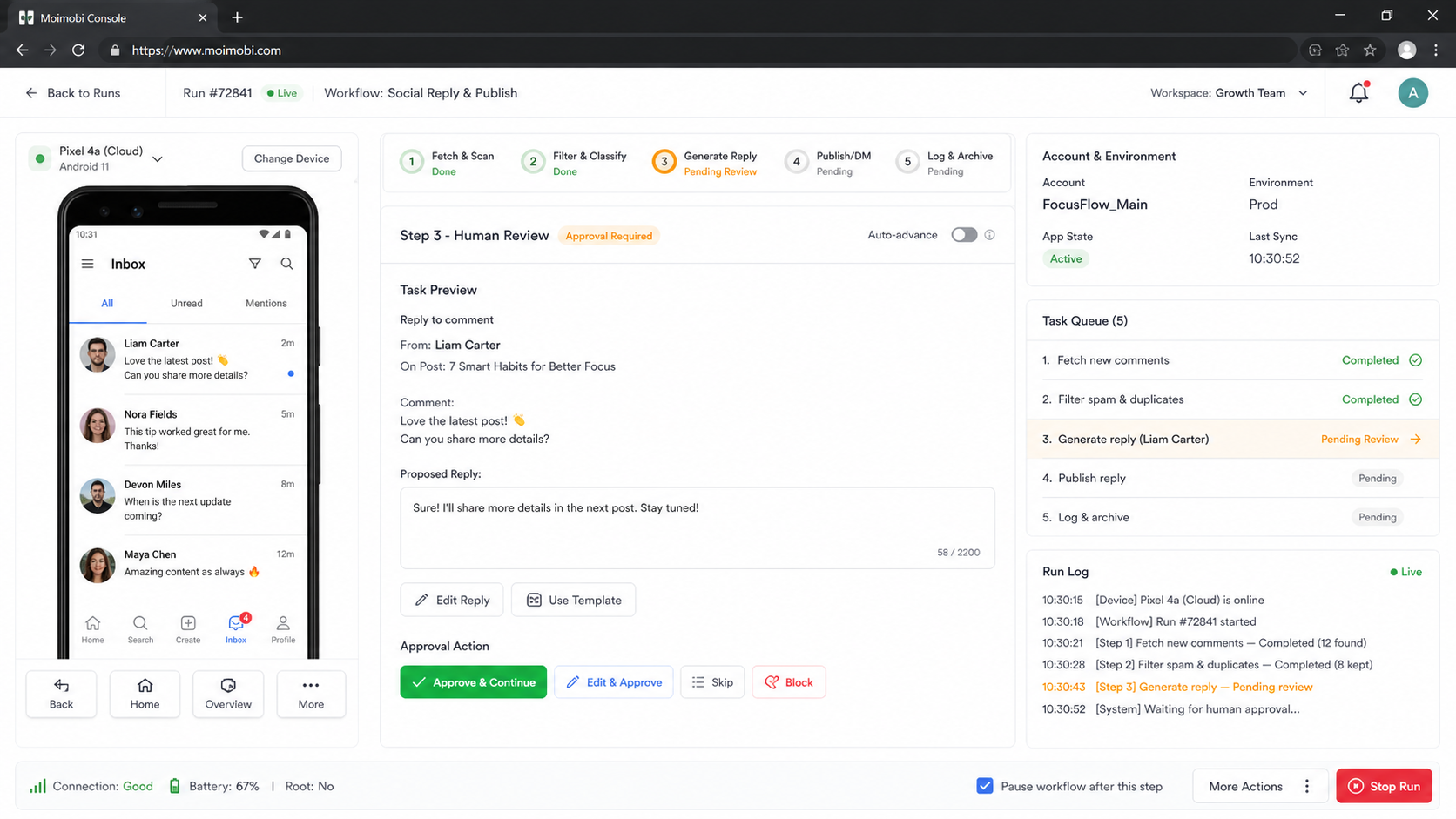
Behavioral consistency for mobile automation teams is an operating discipline. It makes repeat work reviewable by recording task context, named ownership, approval status, environment, outcome, and exceptions.
Choose one workflow this week and test whether a different operator can recover it from the record alone. If they cannot, improve the handoff before adding more automation or more accounts.


