
Key Takeaways
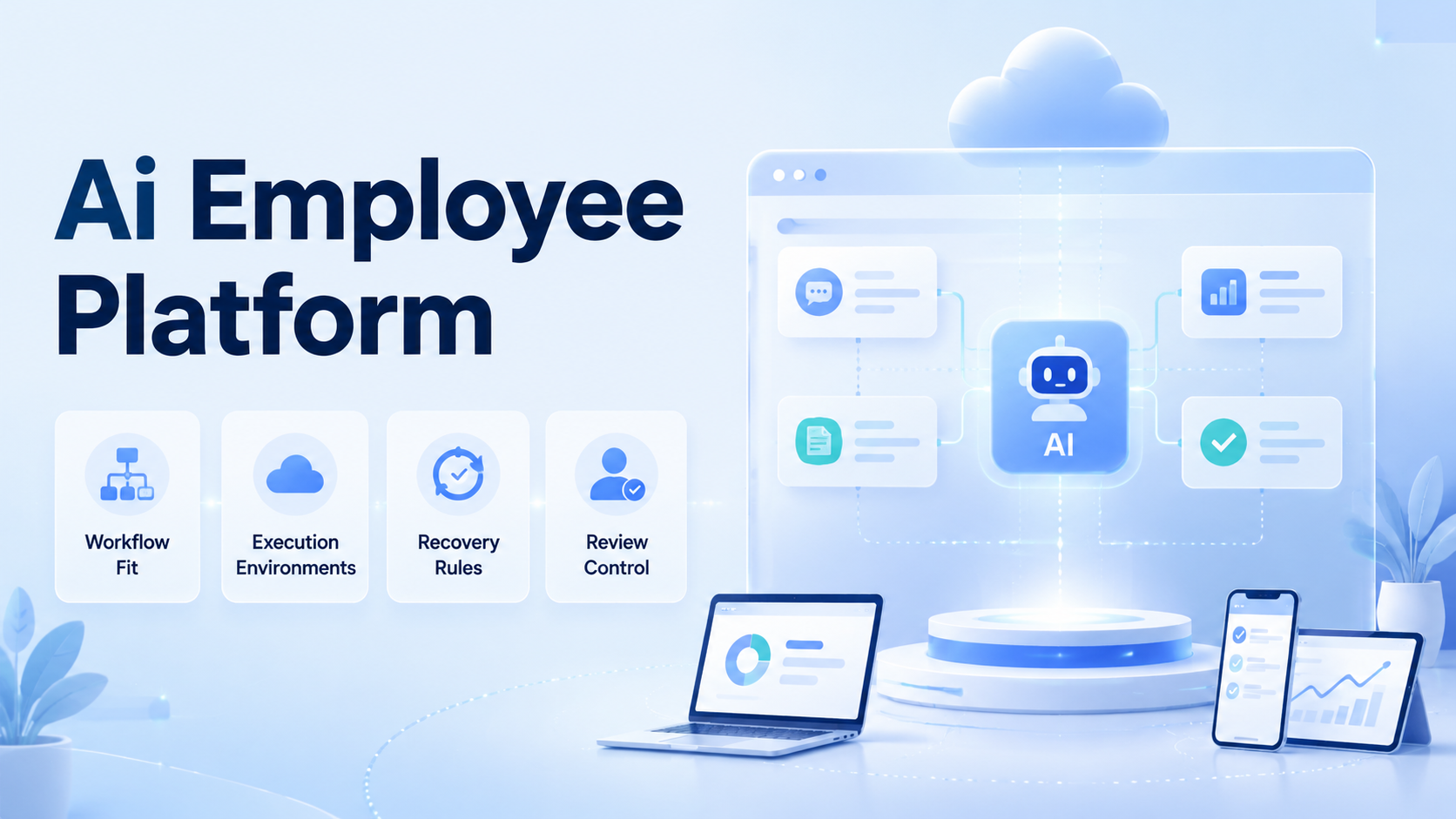
- The right AI employee platform should match your workflow shape before it promises scale.
- Browser, mobile, review, and recovery rules matter more than a polished demo.
- Teams should test one narrow workflow before expanding across departments.
- A good platform makes failures easier to inspect, not harder to hide.
How to choose an AI employee platform for online operations starts with one direct rule: choose the platform that can execute your real workflow in a controlled environment. The decision is not only about content generation or interface quality. It is about whether the system can run repeated work, pause when needed, and recover cleanly after interruptions.
This matters because online operations usually cross several surfaces. A browser may handle dashboards, forms, and inboxes. A mobile environment may handle app-native steps. A reviewer may need to approve exceptions before the workflow continues.
Primary sources support this operating view. W3C WebDriver defines browser automation around explicit sessions.1 Playwright uses isolated browser contexts.2 Android Enterprise treats managed device workspaces as separate operational environments.3 Those sources all point to the same selection rule: repeated execution gets easier to govern when state is separated.
What an AI Employee Platform Should Actually Do
Start by ignoring broad claims about "digital workers" or "fully autonomous agents." The useful question is narrower: can the platform assign work, select the right environment, and record what happened after each run?
A strong AI employee platform usually covers:
- workflow assignment
- browser or mobile runtime choice
- review checkpoints
- retry and recovery rules
- outcome logging
Without those controls, the platform becomes another planning layer instead of an execution layer.
Step 1: Map the Real Workflow Before You Compare Vendors
Do this before any product demo. If the workflow itself is vague, the comparison will also be vague.
List the steps that actually repeat each week. Mark which parts happen in browser dashboards, which parts happen in mobile apps, and which parts need a person to approve the result. That map turns an abstract product category into a measurable workflow.
This is also the point where many teams discover they do not need one giant system. They need one platform that can connect mobile automation, device isolation, and review logic around the same task lane.
Step 2: Check Environment Fit and State Control
The next filter is environment control. If the platform cannot reopen the same account state reliably, online operations will create cleanup work later.
Use these pass or fail questions:
| Check | Why it matters | Pass sign |
|---|---|---|
| Browser isolation | Prevents session confusion | Clear state separation |
| Mobile execution | Supports app-native steps | Defined device lane |
| Recovery path | Reduces manual rescue | Documented rerun flow |
| Review control | Keeps approvals explicit | Clear pause points |
An AI browser may cover the browser layer, but the broader platform should also support the account and device boundaries that your workflow needs.
Step 3: Check Whether the AI Employee Platform Fits Your Team Shape
Not every team needs the same product shape. A platform that fits a large operations group may be too heavy for a lean team. A tool designed for one-off experiments may be too loose for a structured operations team.
Teams with repeated workflows, shared review rules, and clear account boundaries.
Teams moving from manual checklists to more controlled execution.
Teams with irregular tasks and no stable process to repeat.
Choose a platform that matches the current team shape, not the team size you hope to have later.
Step 4: Evaluate the AI Employee Platform with One Pilot Workflow
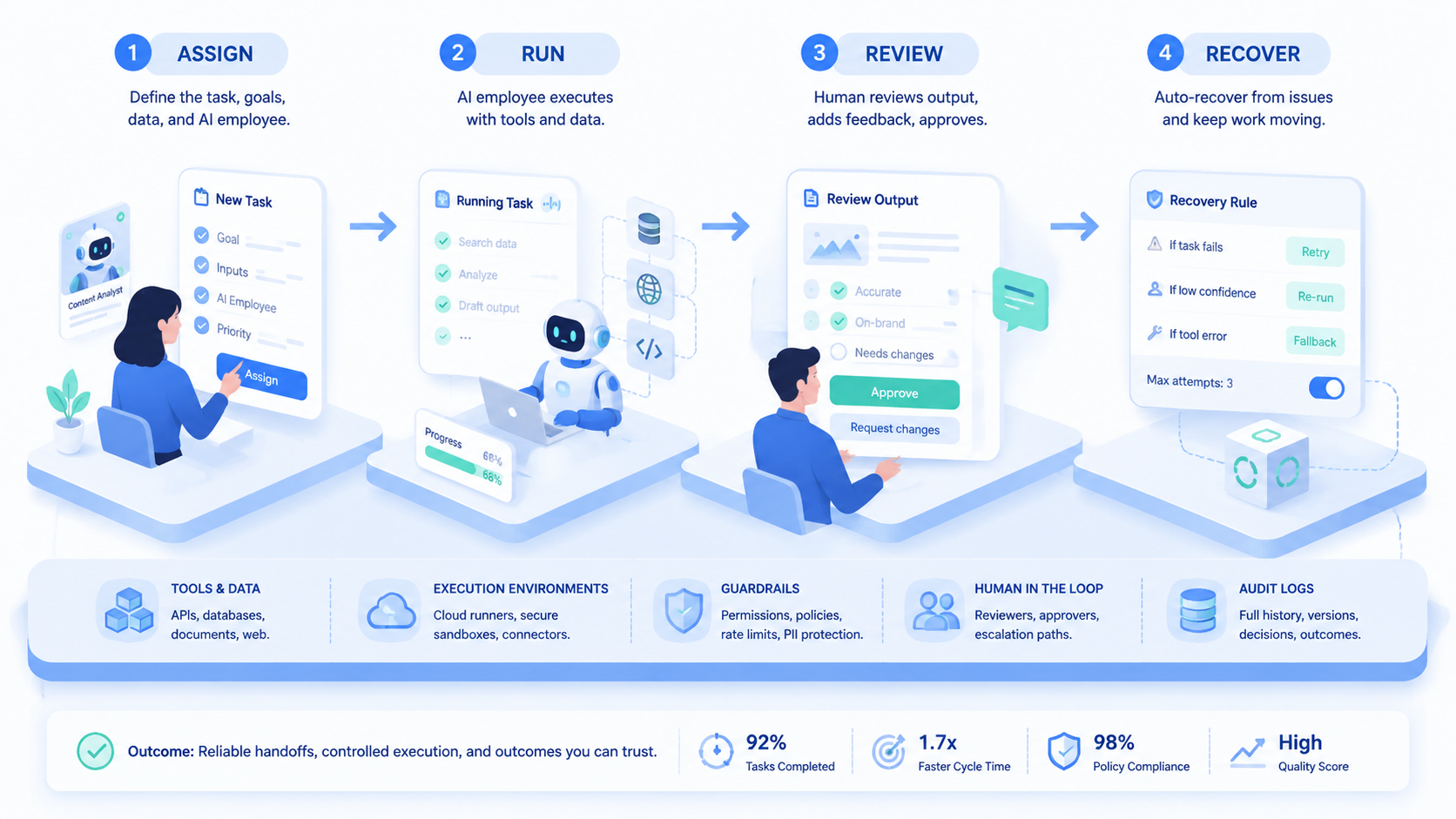
Never start by judging the platform across every use case. Pick one workflow that already repeats and has clear success, retry, and failure outcomes.
Use this sequence:
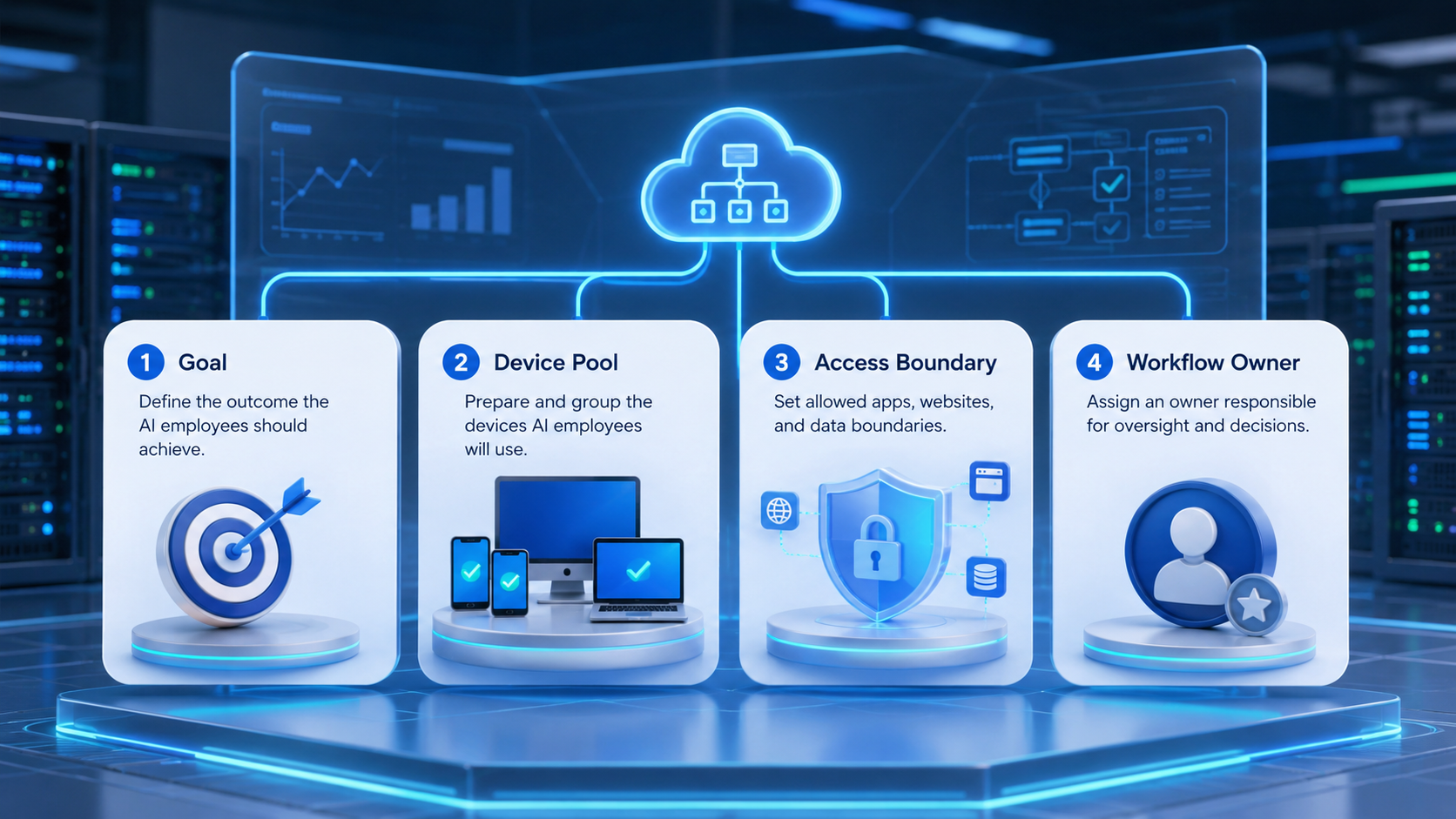
- Pick one narrow workflow.
- Assign one owner and one review owner.
- Choose the browser or mobile runtime for each step.
- Define the stop rule for approvals.
- Run enough cycles to include normal interruptions.
If the workflow depends on mobile-first tasks, compare the device design against cloud phone or phone farm infrastructure before rollout.
Step 5: Verify Recovery, Logging, and Manual Takeover
Selection should not stop at task completion. A platform that looks fast on a clean run may still fail under routine interruption.
Check these verification points:
- can the team reopen the same state after session expiry
- can a reviewer understand the run without chat history
- can a person take over at the right step
- can the system show success, retry, blocked, and manual states clearly
AWS Device Farm and BrowserStack App Automate both emphasize reproducible environments for repeated mobile work.4 5 Online operations need the same discipline even when the task is not formal testing.
Common Mistakes When Choosing an AI Employee Platform
Avoid these evaluation mistakes:
- buying from the demo instead of the workflow map
- assuming browser execution covers every task
- ignoring recovery because the happy path looks fine
- using one shared environment for unrelated accounts
- choosing a platform with vague ownership and review rules
The wrong platform usually creates more human rescue, not less.
Pilot Rollout, Measurement, and Recovery Checks
Once the shortlist is small, score the pilot with a simple review frame:
| Review area | What to measure | Good sign |
|---|---|---|
| Routing | Did work stay in the right lane? | Few manual reroutes |
| Review | Did approvals happen at the planned step? | Low surprise escalation |
| Recovery | Could the workflow resume cleanly? | Short resume time |
| Cleanup | How much rework followed each run? | Low correction cost |
If recovery is weak, do not scale. If routing is weak, redefine the account boundary. If review is weak, add a clearer pause rule before expansion.
Frequently Asked Questions
What is the most important buying check?
Workflow fit is the first check. A great demo is not enough.
Do all AI employee platforms need mobile execution?
No. Mobile execution matters only when your real workflow depends on it.
What should a first pilot include?
Use one repeated workflow with clear pass, retry, and review states.
Why does isolation matter so much?
Because shared state makes diagnosis and cleanup slower.
Should small teams buy the same platform as large teams?
Not always. Team shape and workflow repeatability matter more than headcount.
What is an early warning sign?
Frequent manual rescue during the pilot is a strong warning sign.
When should the team scale usage?
Scale after routing, review, and recovery stay stable through the pilot.
Conclusion
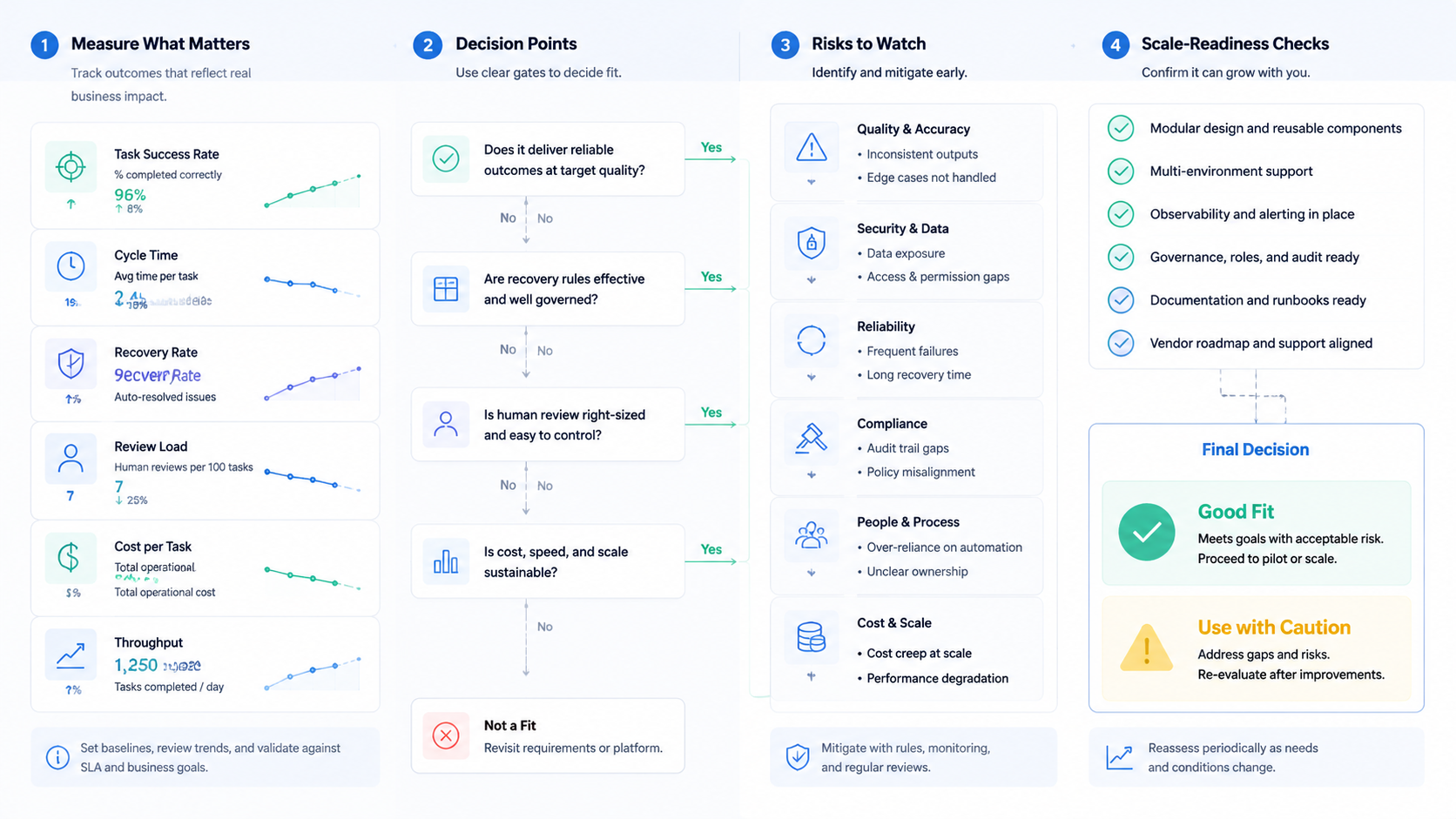
How to choose an AI employee platform for online operations comes down to a clear order: map the workflow, test the environment, validate recovery, and then scale. That order is more useful than feature shopping alone.
Before signing off on a platform, confirm three things: it fits the workflow, it controls the runtime, and it lowers correction cost. If any one of those is weak, keep evaluating.



