
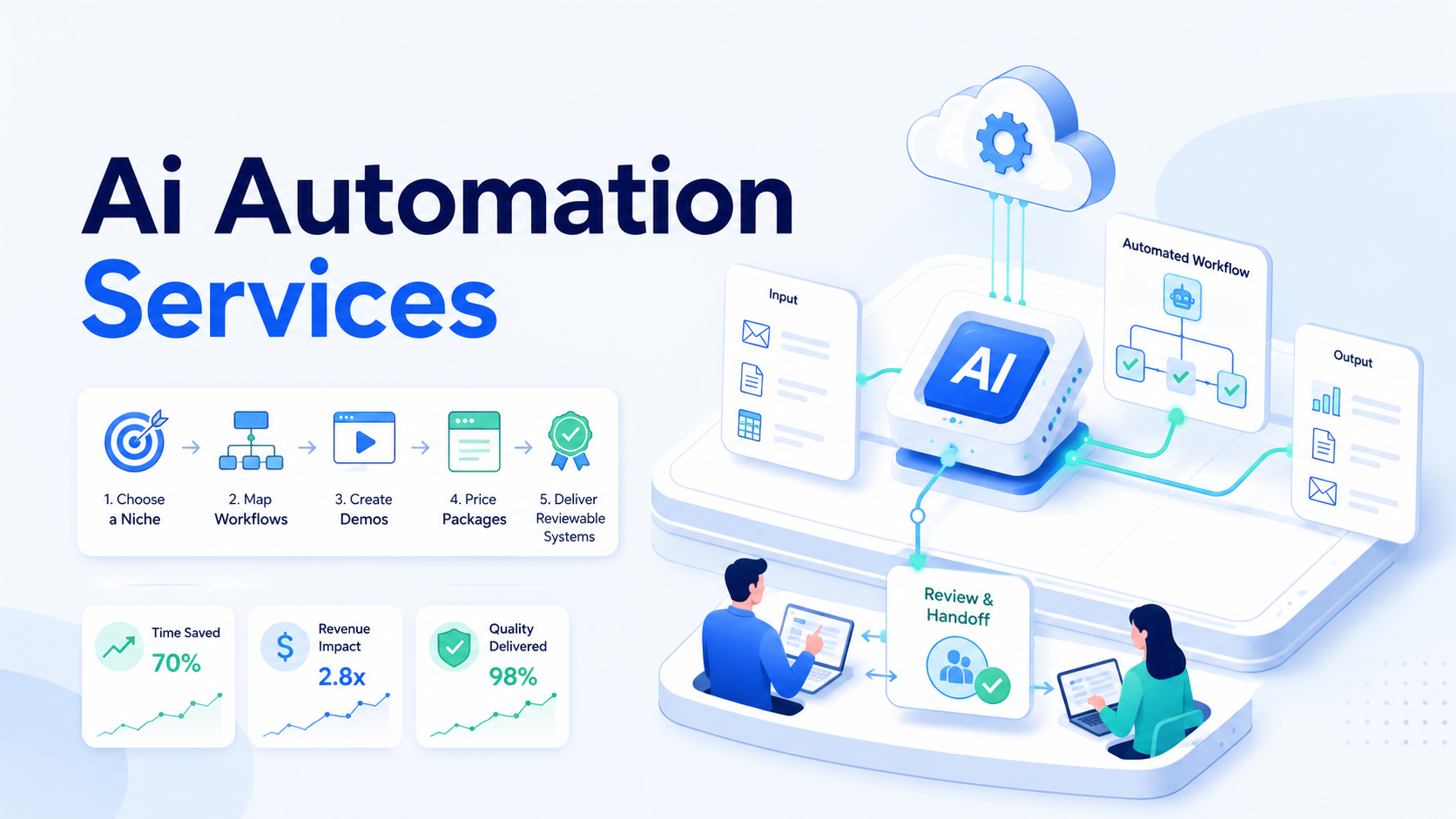
Paid AI automation services start with one painful workflow that a small team repeats every week. They do not require a giant product on day one. The opportunity is simple: many business owners know AI tools exist, but they do not know how to place them inside a real operating process.
The useful service is not “AI consulting” in the abstract. It is a bounded system that turns messy inputs into reviewable output, saves time, and leaves a human in control. That is where an ordinary operator can sell the first project.

Google’s guidance on helpful content is a good frame for this market. The work should solve a real problem for a real person. The same rule applies to automation. A workflow is only valuable if the client can understand, inspect, and use the result.
Key Takeaways
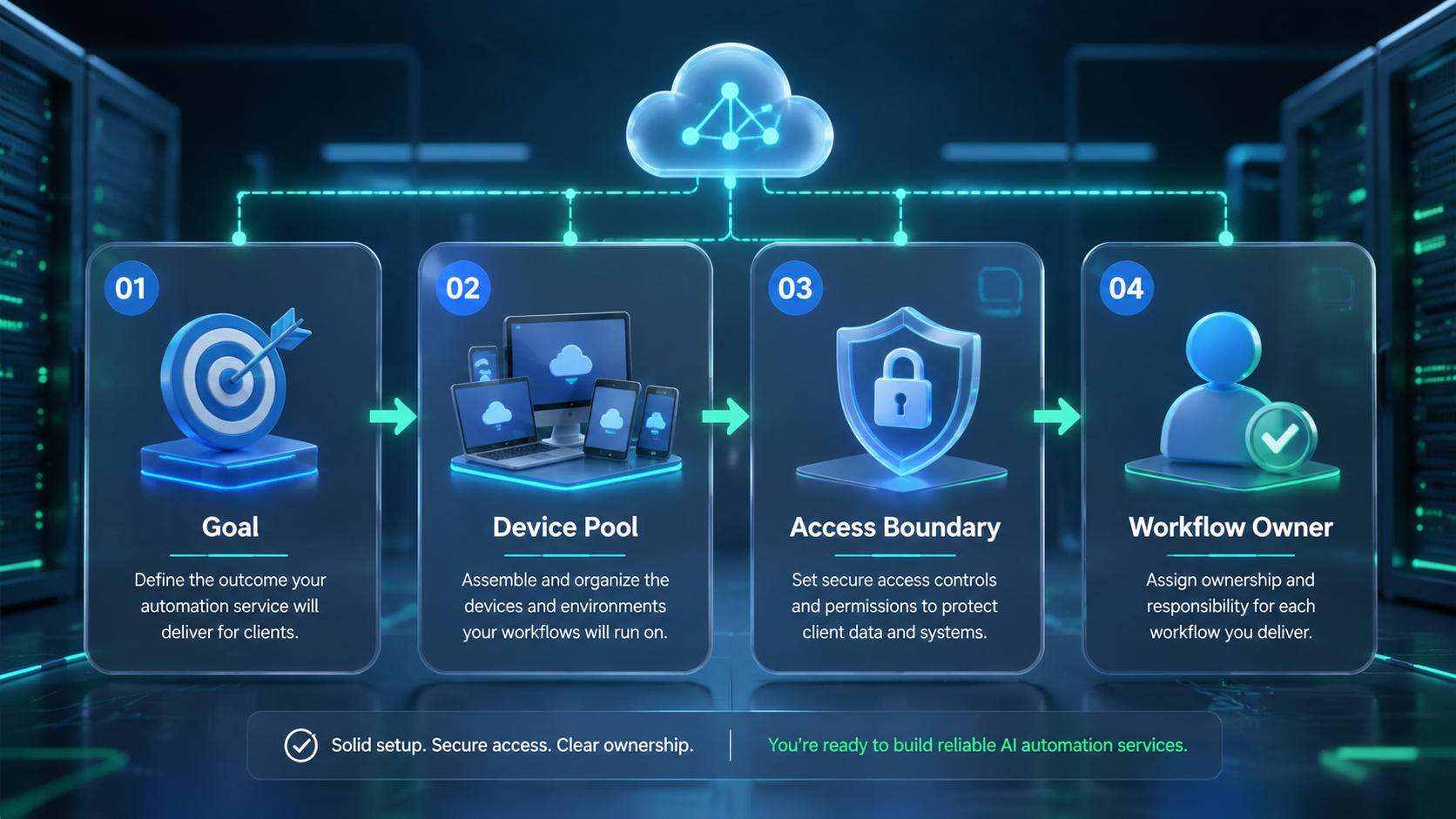
- Paid AI automation services work best when they target one niche and one repeated task
- Small businesses pay for saved time, fewer mistakes, and reliable handoff, not model names
- A first demo should use the client’s real input and show a before-and-after workflow
- Service packages are easier to sell than hourly AI help
- Delivery must include testing, documentation, training, and a follow-up review
Why Small Teams Pay for AI Automation Services
Small teams run on repeated manual work. Tiny tasks stack up.
A law office may summarize client files, a real estate agent may write property descriptions, and a marketing agency may turn one asset into many platform versions. An accounting firm may classify receipts and prepare reports. Simple work becomes costly when it repeats every week.
These tasks are not glamorous. They pull time from people who should be selling, reviewing, serving clients, checking edge cases, and keeping the business moving. More important, they follow patterns. That makes them good candidates for AI-assisted automation.
The client does not need a lecture about LLMs. The client needs a safer way to convert raw inputs into usable drafts, reports, replies, summaries, or task queues. If the output can be reviewed and corrected, the workflow can become a service.
For growth teams, execution context also matters. A practical ai browser can help connect prepared content, account state, task routing, and review surfaces. The value increases when AI output moves into a controlled workflow instead of staying in a chat window.
Step 1: Choose One Niche for AI Automation Services
The worst opening offer is “I can automate anything with AI.” It sounds flexible, but it gives the buyer no reason to care. A stronger offer names the niche, the workflow, and the business outcome.
Pick a niche where you can reach real operators. Good starting points include real estate agents, law firms, marketing agencies, ecommerce teams, accounting firms, recruiting teams, and local service businesses. Each has repetitive work that can be turned into templates and checklists.
Use three filters. Pick one.
Can you talk to three to five people in the niche, and can they show you a real task instead of only describing it from memory? Do they repeat text, data cleanup, reporting, or admin work every week? Does that work already cost paid staff time?
If the answer is yes, the niche is worth testing. Start small.
For ecommerce, that may be turning product notes into listing copy. For agencies, it may be repurposing a client article into a content calendar. For recruiters, it may be summarizing resumes into a structured shortlist.
Step 2: Map the Workflow Behind AI Automation Services
Avoid the vague question, “Do you want AI?” It invites vague answers. Ask about the work instead.
Use plain questions:
- What task do you repeat every week
- What takes longer than it should
- What do you hate doing but cannot skip
- Which outputs must follow a fixed format
- Who checks the work before it reaches a customer
You are looking for a task with four traits: high frequency, clear inputs, repeatable judgment, and reviewable output. A task that takes more than 30 minutes and happens every week is a good signal. A task that requires final human approval is also acceptable.
The interview should expose hidden steps. For example, a report may require data collection, cleanup, explanation, formatting, approval, and delivery. If you automate only the writing step, the client may still feel the workflow is broken. Map the whole path.
This is also where execution infrastructure becomes relevant. Some workflows stay inside documents. Others require dashboards, web accounts, mobile apps, uploads, or account-specific state. MoiMobi’s multi-account management and mobile automation pages show the kind of environment boundaries teams should consider before scaling automation.
Step 3: Build a Demo With Real Input
A first demo does not need to be a full product. It needs to prove the workflow. Take one real input from the client and show how the system produces a usable first draft.
For a real estate agent, use raw property data to create a listing description, a short video script, and a social post. For a marketing agency, turn a long article into LinkedIn, email, TikTok, and Instagram drafts. For an accounting firm, classify sample receipts and generate an exception list.
The demo should make the time difference visible. “This took two hours before. Now it produces a reviewable draft in five minutes.” That sentence is easier to buy than a technical explanation.
Keep the demo honest. Do not claim full autonomy if the workflow still needs review. A reviewable automation is often more valuable than a risky black box. The client wants confidence, not magic.
Step 4: Package the Service Around Outcomes
Hourly AI help is hard to sell because the buyer cannot picture the result. Packages are clearer. They set the scope, price, timeline, and handoff.
| Package | Best fit | Delivery | Typical range |
|---|---|---|---|
| Quick Win | A team testing one workflow | One automation, test examples, instructions | $500 to $1,000 |
| System Build | A team with several repeated tasks | Three to five workflows, templates, review rules, training | $2,000 to $5,000 |
| Managed Service | A team that wants monthly support | Maintenance, fixes, new workflows, optimization | $1,000 to $3,000 per month |
These ranges are not promises. They are a way to connect price to saved time and delivery complexity. If a workflow saves ten hours per week, the client can compare the fee with the labor cost and error reduction.
Be specific in the scope. Name the inputs, outputs, number of templates, review process, training session, support window, and change limits. A clear package protects both sides.
Step 5: Find the First Three Customers
Early customers usually come from direct outreach, personal networks, communities, or niche groups. Skip the broad AI pitch. Pitch a sample that matches the buyer’s work.
A useful message is concrete: “I noticed your team publishes similar updates each week. I built a small demo that turns a raw brief into platform-ready drafts. Would you look at it for ten minutes?” This works because it starts with their workflow.
Your first goal is not scale. It is three paying or pilot customers in 30 days. Each one teaches you the niche language, common inputs, pricing resistance, and delivery risk.
For social and marketplace teams, connect the demo to operations. Content may need to move from a content library into a browser account, a mobile surface, or an approval queue. MoiMobi’s social media marketing and cloud phone pages are useful next reads for teams that need controlled execution beyond text generation.
Use a simple prospect scorecard before you spend build time:
| Signal | Strong fit | Weak fit |
|---|---|---|
| Frequency | Weekly or daily task | Rare one-off request |
| Input | Clear source material | Scattered verbal context |
| Output | Template, report, reply, or draft | Undefined business result |
| Review | Named reviewer exists | Nobody owns approval |
| Budget logic | Time saved is visible | Value is hard to explain |
Step 6: Deliver AI Automation Services With Proof
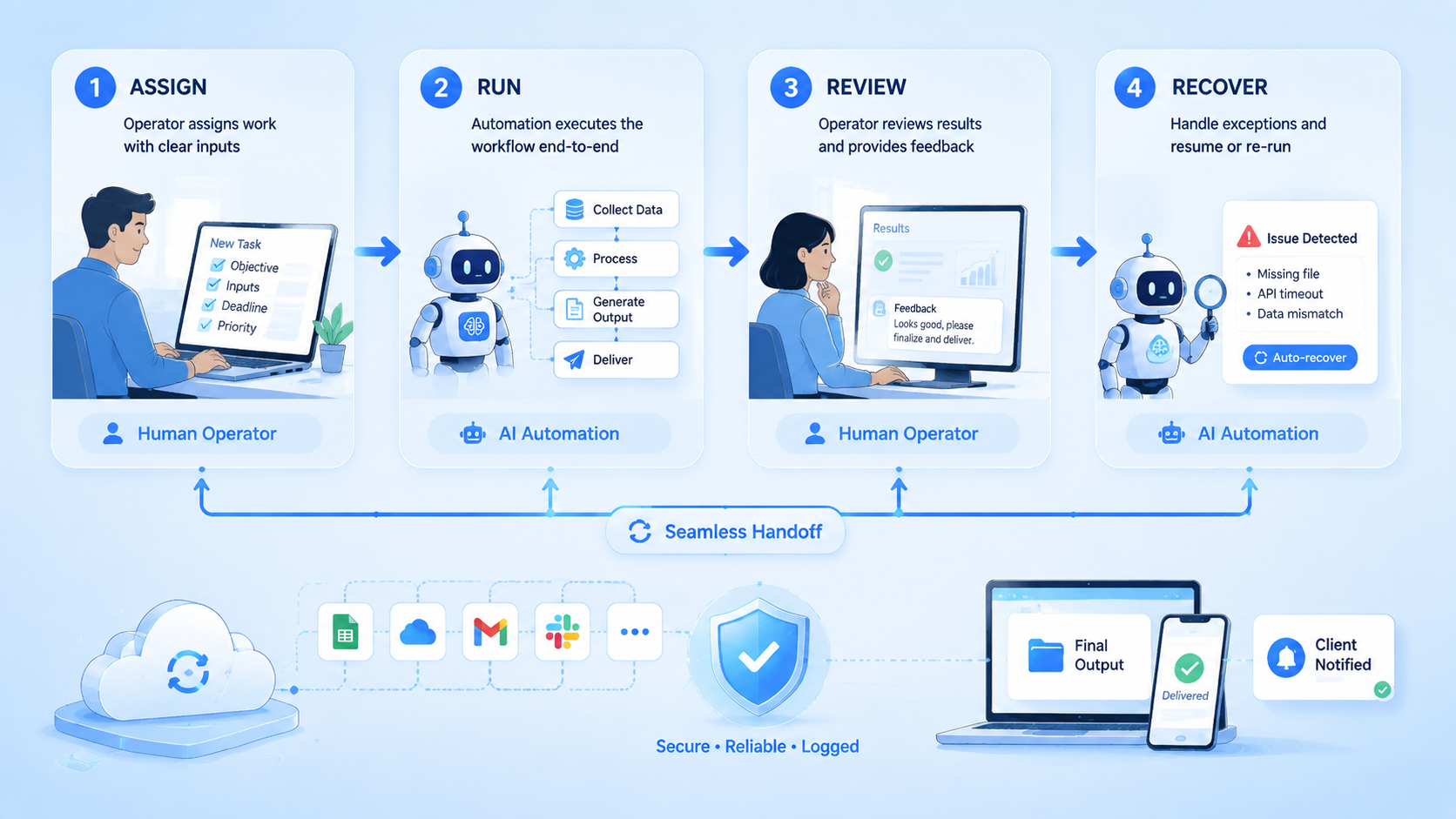
Delivery should be structured. Start with a workflow interview.
Then run a short build loop:
- Build the first version
- Test it with five to ten real examples
- Collect feedback
- Adjust prompts, templates, rules, or handoff steps
- Train the client for 30 minutes
Documentation matters. Write down what input the workflow expects, what output it creates, what the reviewer must check, and what to do when the result is wrong. If the client cannot run the process without you, the service is not finished.
Schedule a follow-up one week later. Ask what worked, where the output needed heavy editing, which edge cases appeared, and which workflow should be added next. This follow-up often creates the second sale.
For workflows that touch accounts or devices, keep a stricter boundary. Pause here.
Use separate environments, clear run records, and human approval for risky actions. Device isolation, browser routing, and review state are not optional once automation touches real accounts.
Operating Checklist Before You Sell the Second Project
The second sale should be easier than the first. That only happens if the first project creates reusable proof. Keep the notes simple and visible.
Use this checklist before you call the project finished:
- Input source is named and easy for the client to find
- Output format is shown with one good example
- Reviewer role is named, even if the reviewer is the owner
- Failure cases are listed in plain words
- Client knows when to edit, reject, or rerun the output
- Delivery doc includes screenshots or short steps
- Follow-up date is already booked
The checklist protects the service from becoming a loose prompt pack. It also helps the client trust the work. A small business owner may not care how the model works, but they do care who checks the result and what happens when the output is wrong.
Here is a simple pass/fail test for a new workflow:
| Test | Pass | Fail |
|---|---|---|
| Input clarity | The client can prepare the input alone | The provider must clean every input manually |
| Output use | The result can be reviewed and used | The result needs a full rewrite each time |
| Review path | A named person approves the work | Nobody owns approval |
| Error path | Bad output has a clear next step | Errors become long chat threads |
| Repeat value | The task repeats each week | The task is a one-off request |
If two or more checks fail, pause the build. Return to the interview. The workflow may still be useful, but it is not ready for a paid system package.
A Simple 30-Day Plan for AI Automation Services
Month one should stay narrow. The goal is not to build a large agency. The aim is to prove that one niche has a repeat pain, a clear workflow, and a buyer who will pay for time saved.
| Week | Main task | Output |
|---|---|---|
| Week 1 | Pick one niche and interview three operators | Workflow notes and pain list |
| Week 2 | Build one demo from real input | Before-and-after sample |
| Week 3 | Show the demo to five prospects | Objections and pricing feedback |
| Week 4 | Deliver one paid quick win | Case note and reusable template |
Keep the offer small during this period. A focused quick win reduces risk for the buyer. It also gives you a real case that can be shown to the next prospect.
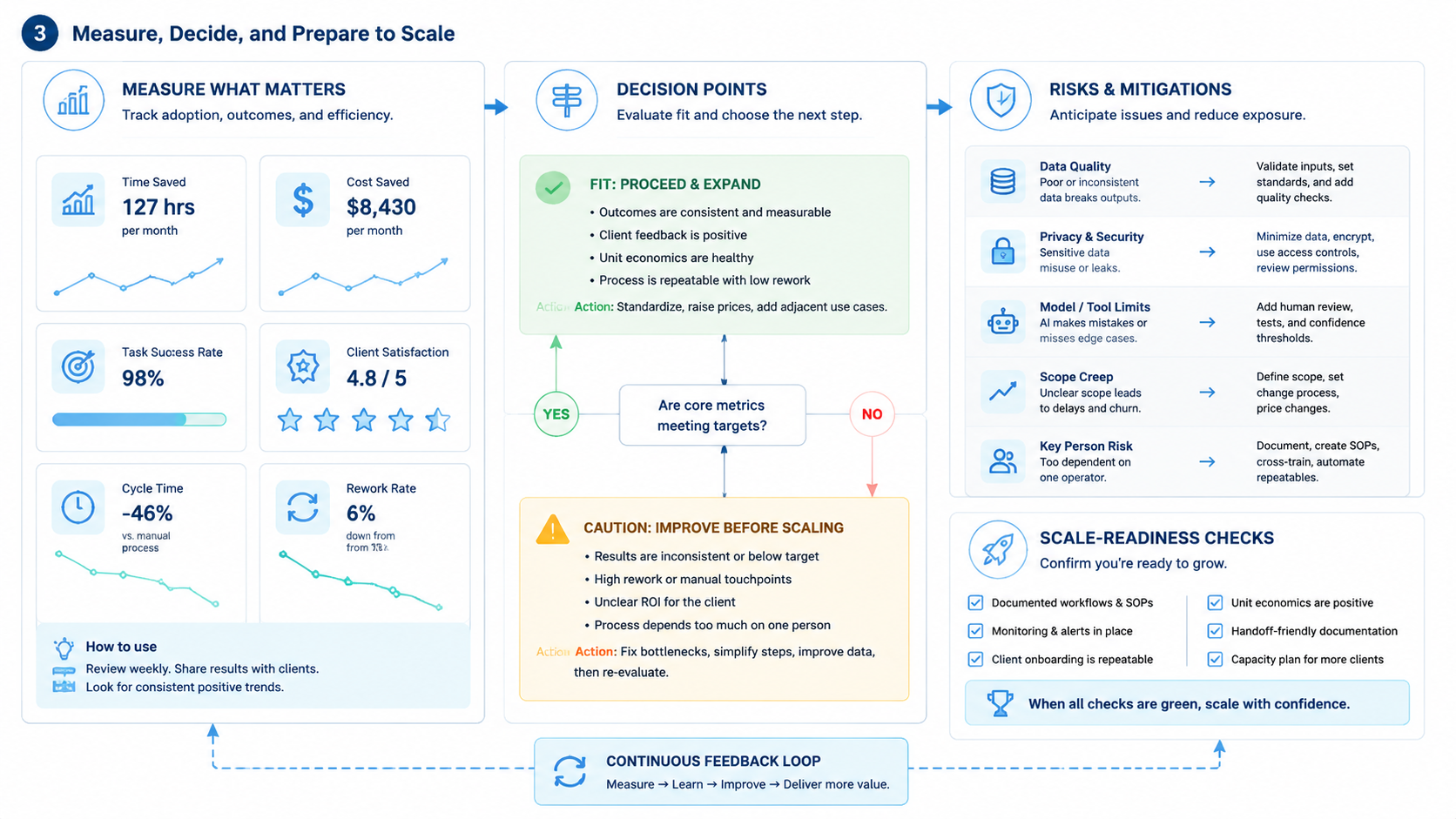
Track four numbers from day one:
- Minutes saved per run
- Number of drafts or reports created
- Share of outputs accepted with light edits
- Number of errors the reviewer had to fix
These numbers make the next sales call more concrete. Instead of saying “AI saves time,” you can say, “This workflow cut a weekly report from 90 minutes to 20 minutes, with one human review step.” That is easier to believe.
Five AI Automation Services That Are Easy to Explain
Use ideas that buyers can understand in one call.
| Service idea | Input | Output | Review rule |
|---|---|---|---|
| Client intake processing | Forms, emails, notes | Client summary and missing-information list | Owner checks before follow-up |
| Weekly reporting | Activity notes and metrics | Client-ready report with exceptions | Manager checks numbers |
| Content repurposing | Article, transcript, or meeting note | Drafts for several channels | Editor approves voice |
| Review reply drafting | Reviews and support notes | Reply drafts by issue type | Human approves public replies |
| Proposal generation | Needs, cases, pricing rules | First proposal draft | Seller owns price and promises |
This table also helps with sales. The buyer can see the input, output, and review rule before they ask for a custom build.
When You Should Not Take the Project
Some projects are bad fits. Walk away early.
Avoid clients who ask for passive-income claims, spam automation, rule evasion, or fully autonomous publishing without review. Those deals create operational and reputational risk.
Also avoid vague requests with no input, output, or owner. “Help me grow with AI” is not a workflow. It is a broad strategy problem. Early service providers should stay close to concrete tasks.
Use a one-page test. Can you define the input, output, processing rule, reviewer, success metric, and failure path? If not, keep interviewing before quoting a price.
Turning One Project Into a Repeatable Template
After the first delivery, convert the work into reusable assets. Save the input schema, prompt structure, review checklist, sample outputs, edge cases, onboarding script, and pricing notes. These assets reduce delivery time for the next client.
Templates should not erase industry differences. A content repurposing template may work across agencies, ecommerce, and education, but each niche needs its own tone, compliance checks, and channel logic.
Over time, the service becomes more than a prompt library. It becomes an operating system for repeated work: content preparation, account routing, review, execution, evidence, and reporting. That is where AI automation services become durable.
Frequently Asked Questions
Can a non-developer sell AI automation services?
Yes, with limits. Many early services can be built with prompts, spreadsheets, forms, documents, and manual review, especially when the work stays inside a clear review loop. Technical help becomes more important when the workflow touches APIs, accounts, devices, or long-term maintenance.
Which niche should I choose first?
Choose access. A good niche is one where you can talk to real operators, collect real samples, and hear the same pain more than once. Real estate, agencies, legal services, ecommerce, accounting, recruiting, and local services are good starting points.
How do I know a workflow is worth automating?
Use four checks. Look for high repetition, clear inputs, visible time cost, and reviewable output. If a task happens weekly and takes more than 30 minutes, it is worth investigating.
Should I promise full automation?
Usually no. Reviewable drafts are safer at the start. Full autonomy should come only after the workflow has enough tests, boundaries, logs, and exception handling.
How should I price the first project?
Use packaged outcomes instead of hourly help. Price the risk. A small quick win can be priced lower, while a system build with several workflows, training, and documentation should cost more.
What makes clients renew?
Clients renew when the workflow saves measurable time and keeps improving. Track usage, edits, errors, saved hours, and new workflow requests. Bring proof to the renewal call.
When should I add browser or mobile execution?
Add it when the workflow must act inside accounts, dashboards, web tools, or app-only surfaces. At that point, the automation needs environment isolation, account ownership, action evidence, and a clear review step.



