
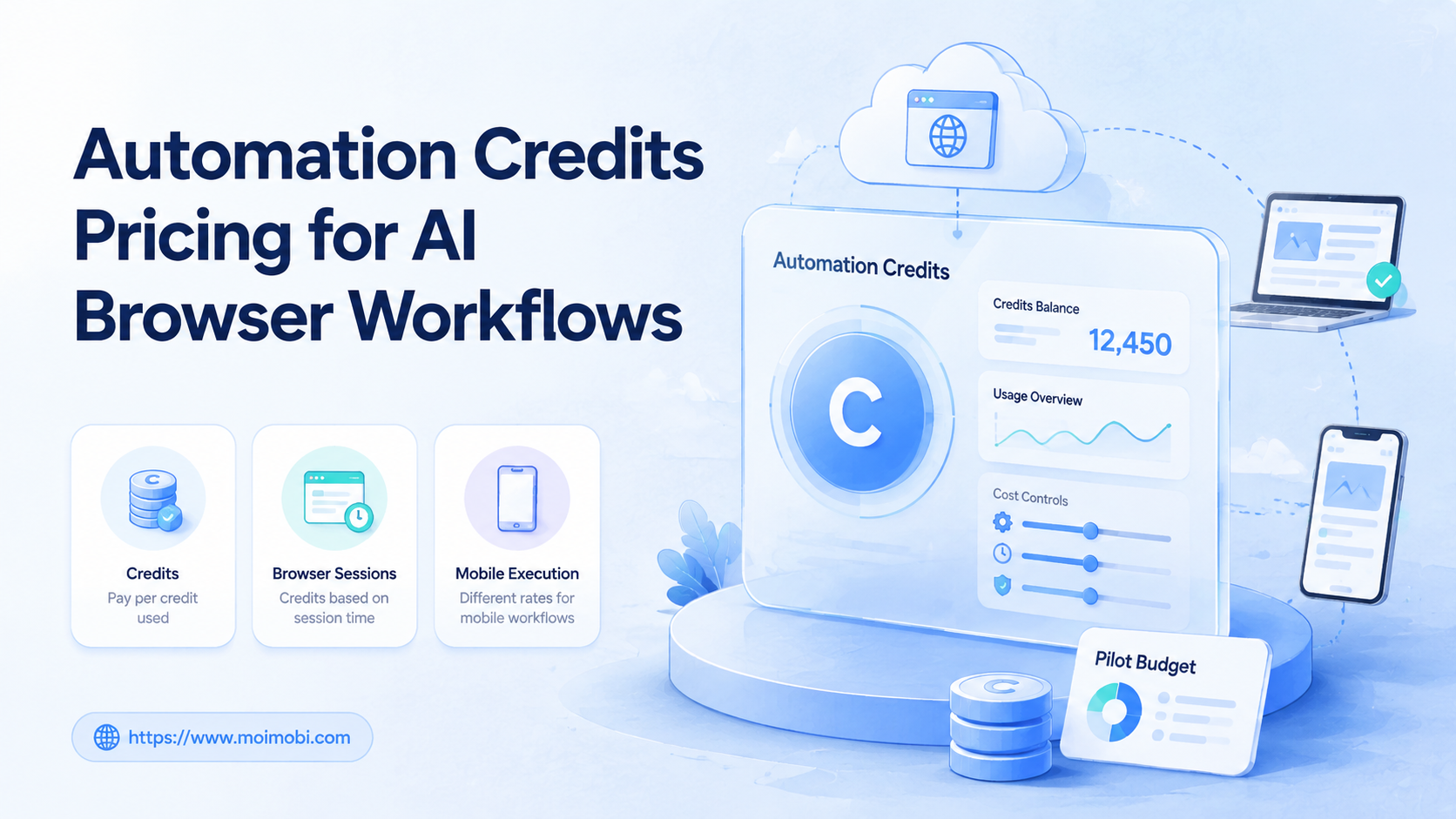
Automation credits pricing is a usage model where teams consume credits when AI, browser sessions, mobile environments, or workflow actions run. For AI browser workflows, it is usually better than judging cost by user seats alone, because the real cost depends on how often agents think, browse, wait, retry, upload, reply, and record results.
The decision is not only "how much is one credit?" A team should ask what consumes credits, which workflows are predictable, which tasks create retries, and how reporting turns usage into business value. Stripe's documentation on usage-based billing explains the general model: billing can depend on metered usage rather than only fixed subscriptions.
For MoiMobi, credits should be evaluated as part of an execution stack. An AI browser workflow may use browser profiles, cloud phones, Android devices, proxies, task memory, and human review. Credits should make that work measurable, not hide it.
Key Takeaways
- Automation credits pricing should map cost to AI calls, browser runtime, mobile execution, retries, and review steps.
- Seat-based pricing is easier to understand, but credits can be fairer when usage varies by workflow.
- Teams should compare cost per completed task, not only cost per credit.
- A pilot should measure successful runs, failed runs, retry rate, review time, and account coverage.
- Do not scale credits until the team knows which tasks consume them.
What Is Automation Credits Pricing for AI Browser Workflows?
Automation credits pricing is not the same as a flat monthly SaaS seat. A seat answers who can log in. Credits answer what work was executed. That distinction matters when AI agents run real browser and mobile tasks.
OpenAI's official API pricing shows one familiar part of this model: AI usage can be priced by tokens. Browser automation adds another cost layer. Playwright's documentation describes browser automation for pages, selectors, contexts, and tests, which means execution time and browser sessions can become operating resources.
Mobile execution adds a third layer. AWS Device Farm's pricing page uses device minutes as one way to price hosted device work. The exact vendor model may differ, but the lesson is useful: execution environments are not free background objects.
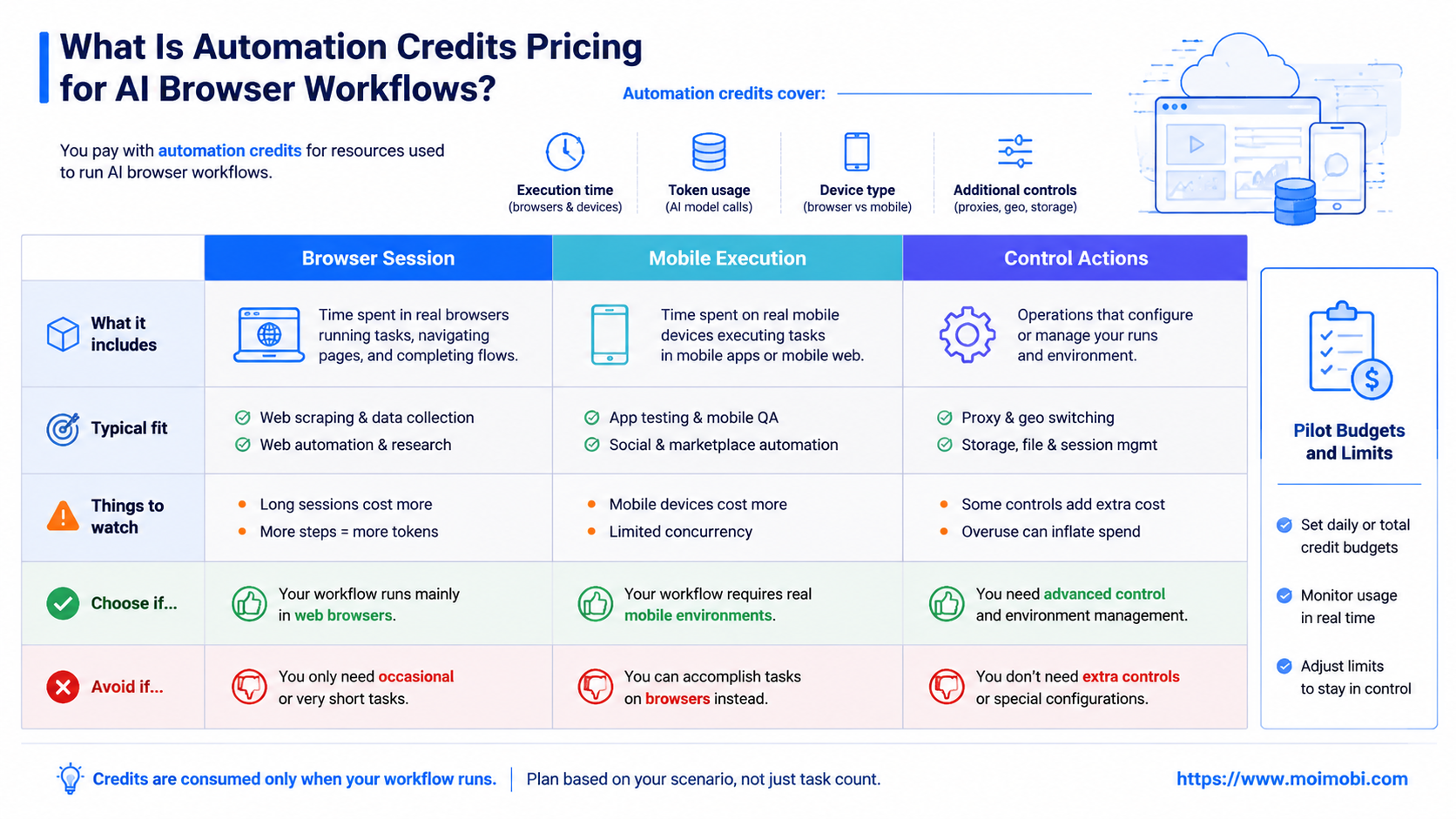
An AI browser workflow may consume credits for:
- AI planning and reasoning.
- Browser session launch and runtime.
- Mobile or cloud phone execution.
- Proxy or routing resources.
- Captcha-free human review, approval, or takeover time.
- Retries after failed steps.
- Logs, screenshots, exports, or task reports.
Credits make sense when those costs change by task. A one-step dashboard check should not be priced like a long social media workflow with login, content review, app verification, and reply handling.
Why Automation Credits Pricing Matters
The common mistake is comparing automation platforms only by monthly price. That hides the actual driver: completed work. A team with five users and thousands of short tasks has a different cost pattern from a team with twenty users and a few complex workflows.
Credits help teams connect budget to execution. They can show whether cost comes from AI reasoning, browser runtime, mobile app work, retries, or human review. Without that visibility, the team may blame the platform when the real issue is a fragile workflow.
This matters especially for social media and account operations. A task can fail because an app changed, an account needs review, a proxy route is wrong, or the agent chose the wrong path. A useful pricing model should make those failures visible, because repeated retries can become a hidden cost.
Use this decision matrix:
| Pricing Model | Best Fit | Main Risk |
|---|---|---|
| Seat-based | Stable teams with light automation usage | Heavy users may get underpriced or throttled |
| Credit-based | Teams with variable AI, browser, or mobile execution | Budget feels unclear without usage reports |
| Task-based | Simple repeatable workflows with clear outputs | Hard to price when task complexity changes |
| Hybrid | Teams needing seats plus usage controls | Requires clear billing and admin settings |
For teams evaluating an AI browser automation pricing page, the best question is not "which plan is cheapest?" It is "which plan shows where work is being consumed?"
Key Benefits and Use Cases
The first benefit is budget control. A team can set a monthly credit pool, assign it to workflows, and watch which tasks consume it. That is useful when multiple teams share the same automation system.
The second benefit is workflow comparison. A lead research task, a product listing task, and a TikTok reply task may all look like automation. Their cost profiles differ. Credits help the team compare them by completed output.
The third benefit is accountability. If one workflow spends more credits than expected, the team can inspect the run logs. The fix may be a clearer prompt, better task memory, a shorter browser path, or a human approval point.
Typical use cases include:
- Browser-based lead research across dashboards.
- Social media publishing checks and reply workflows.
- E-commerce product updates and marketplace monitoring.
- Customer support inbox review.
- Competitor monitoring with saved reports.
- Mobile app checks on cloud phone environments.
Credits are most useful when they connect to operations data. A social media automation pricing page should explain not only plans, but also what counts as work, how retries are handled, and how admins can track usage.
What Should Count as a Credit Event?
A credit event should be something the team can understand later. If the bill only says "automation used 4,000 credits," managers cannot improve the workflow. If the report shows AI planning, browser runtime, mobile execution, retries, and approvals separately, the team can make better choices.
Use a simple event model:
| Credit Event | Why It Exists | How to Control It |
|---|---|---|
| AI reasoning | The agent interprets instructions and chooses actions | Use clearer task templates and reusable skills |
| Browser runtime | The workflow opens profiles, dashboards, and pages | Shorten paths and reuse stable sessions when appropriate |
| Mobile execution | The task runs inside app or cloud phone environments | Assign each account to a known device workspace |
| Retry or recovery | The workflow repairs a failed step or reruns a task | Add retry caps and failure reason tracking |
This event model keeps pricing tied to behavior. A team can see whether cost comes from poor instructions, unstable pages, account issues, or normal execution volume.
How to Get Started with Automation Credits Pricing
Start with a pilot, not a full rollout. A credit model only becomes clear after real tasks run. Use one or two workflows and measure them before assigning a large budget.
Follow this sequence:
- Define the task output. Decide whether success means a report, a published draft, a reply suggestion, a saved screenshot, or a completed account check.
- Estimate execution steps. Count browser sessions, AI calls, mobile checks, human approvals, and possible retries.
- Set a pilot credit pool. Keep it small enough to expose waste without affecting the whole team.
- Track completed work. Measure credits per successful task, not just total credits spent.
- Classify failures. Separate AI reasoning errors, site changes, account issues, routing problems, and review delays.
- Tune before scaling. Improve prompts, task memory, account setup, and approval gates.
- Create admin limits. Add user, workflow, or account-level caps before more teams join.
For browser-heavy teams, this can sit inside mobile automation and browser execution workflows. For mobile-first operations, credits should also reflect device runtime, app-side work, and recovery checks.
The pilot should end with a simple cost statement: "This workflow used X credits to complete Y useful tasks, with Z failures that we can explain." If the team cannot say that, the pricing model is not yet operationally clear.
Common Mistakes to Avoid
The first mistake is buying credits before defining tasks. Credits are not a strategy. They are a meter. The workflow must define what useful work looks like first.
The second mistake is ignoring retries. A workflow that fails three times before success may look cheap in a demo and expensive in production. Retry visibility is part of pricing clarity.
The third mistake is mixing all workflows into one budget. Social media tasks, sales research, customer replies, and mobile app checks should have separate reporting. Otherwise, the team cannot see which area creates cost.
Avoid these patterns:
- Comparing plans only by credit volume.
- Ignoring browser runtime and mobile execution time.
- Letting failed tasks retry without a cap.
- Giving every user access to the full credit pool.
- Using credits for tasks that should be manual review.
For account-heavy teams, device isolation can reduce confusion by tying work to known environments. That does not remove the need for budget limits.
Another mistake is treating credits as a shared pile with no owner. Shared credits are easy to spend and hard to explain. Assign budgets by workflow, team, client, or account pool so the person responsible for outcomes can also see the cost.
Teams should also avoid pricing decisions based on perfect test runs. Real workflows have pauses, slow pages, approvals, unexpected UI changes, and account checks. Include those normal delays in the pilot instead of measuring only a clean demo path.
Who It Fits and When It Is a Strong Match
Automation credits pricing fits teams with variable work. Growth teams, agencies, social media operators, and e-commerce teams often run tasks with different complexity. A fixed seat model can hide that variation.
It is a strong match when:
- AI reasoning time changes by task.
- Browser sessions can be short or long.
- Mobile execution is part of the workflow.
- Some tasks require retries or human review.
- Managers need usage by account, client, or workflow.
It is not a strong match when every task is identical and predictable. In that case, simple task-based pricing may be easier to understand. It is also a poor fit when the platform cannot explain what consumes credits.
Agencies should pay special attention to reporting. Client A should not subsidize Client B's heavy retries. A multi-account management setup should connect credits to account groups, brands, regions, or client workspaces.
Pilot Rollout, Measurement, and Recovery Checks
A pricing pilot should test both workflow value and budget control. Pick one workflow with enough repetition to measure. Avoid starting with the most complex automation in the company.
Measure these fields:
- Credits per completed task.
- Credits spent on failed or retried runs.
- Average browser or mobile execution time.
- Number of human approvals.
- Accounts or environments touched.
- Outcome value, such as leads reviewed or replies drafted.
Run a weekly recovery check during the pilot. Look for tasks that spend credits without producing usable output. Then decide whether to improve the workflow, add a manual step, or stop automating that task.
For mobile workflows, compare the result with your cloud phone pricing page assumptions. The team should know whether cost comes from AI work, device runtime, account setup, or operational review.
The recovery check should produce one of three decisions. Keep the workflow if credits produce useful completed work. Redesign the workflow if retries or review delays consume too much budget. Stop the workflow if the task is cheaper and clearer when handled manually.
Document those decisions in the same place as usage reports. This prevents a common problem: the team remembers that credits were "too expensive" but forgets which task caused the issue. Good pricing operations keep both the number and the reason.
Frequently Asked Questions
What is automation credits pricing?
It is a usage model where credits are consumed when automation runs. Credits may represent AI use, browser runtime, mobile execution, retries, or task actions.
Is credit pricing better than seat pricing?
It depends on usage. Credit pricing fits variable execution. Seat pricing can be simpler when usage is light and predictable.
What should an AI browser automation pricing page explain?
It should explain what consumes credits, how usage is tracked, how retries are counted, and how teams can set limits.
Do cloud phones affect automation credits?
They can. Mobile execution may involve device runtime, app checks, routing, and recovery work. The pricing model should show how those resources are counted.
How should teams estimate monthly credits?
Start with a pilot. Measure credits per completed task, then multiply by expected task volume and add a buffer for retries.
What is the biggest pricing risk?
Uncontrolled retries are a common risk. A fragile workflow can spend credits without producing useful output.
Should every user share one credit pool?
Usually not. Teams should separate credits by workflow, client, account group, or department when accountability matters.
Can credits measure business value?
Credits measure usage, not value by themselves. Connect them to completed tasks, revenue actions, support outcomes, or time saved.
Conclusion
Automation credits pricing works when it turns execution cost into visible operating data. Start with task output, estimate the resources used, run a controlled pilot, and measure credits per successful workflow.
The priority order is simple: define useful work, measure real usage, cap retries, separate budgets, and review results before scaling. If the team can explain where credits went and what they produced, the pricing model is ready for broader AI browser and mobile execution workflows.



