
Key Takeaways
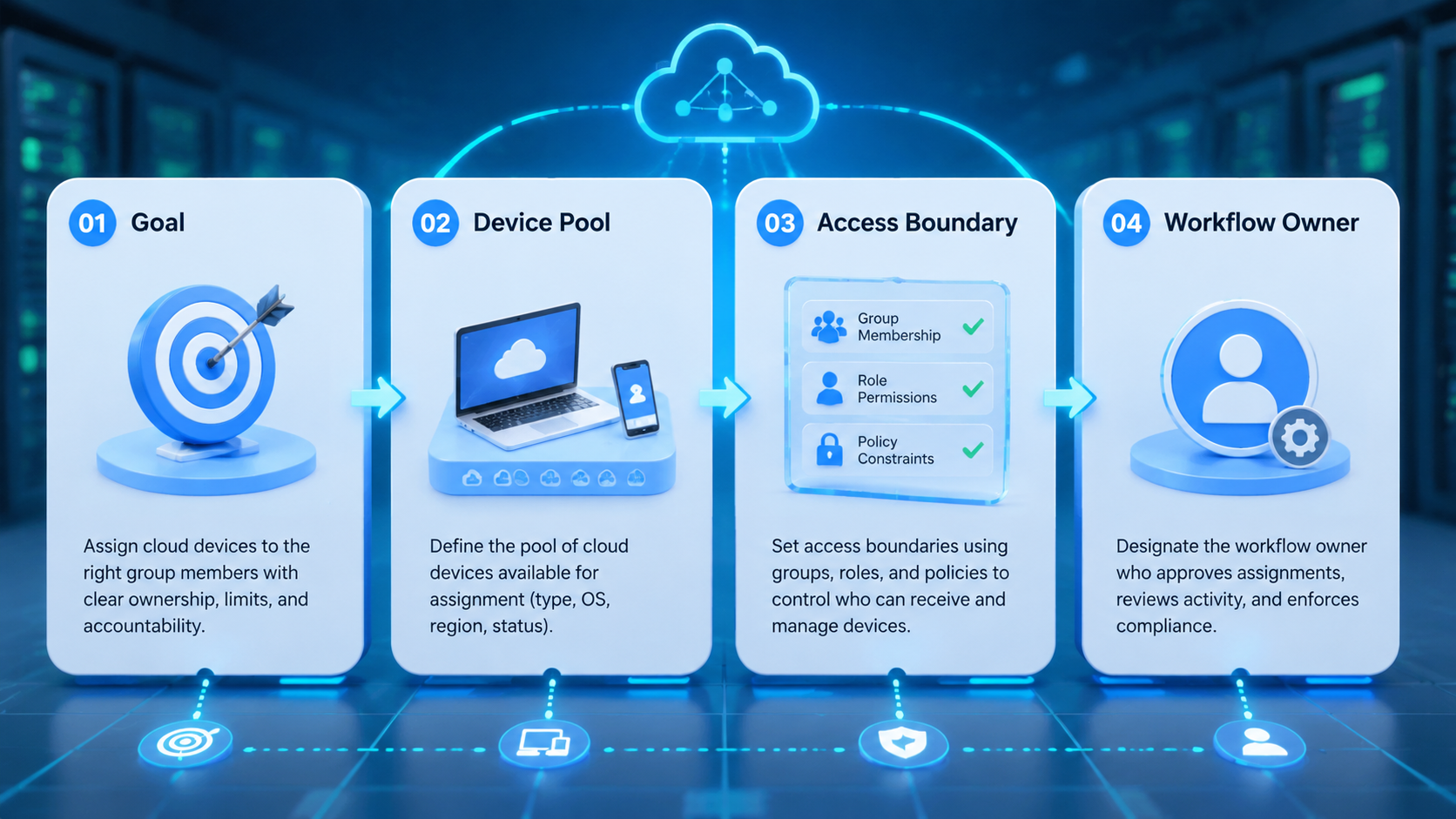
- To assign cloud devices to group members, map each device to a named owner, a task scope, and a review path
- Device access should follow role rules, not informal password sharing or one large team login
- Run a small pilot before adding more accounts, operators, or automation
- Moimobi teams can connect cloud phones, browser profiles, and account workspaces under one operating model
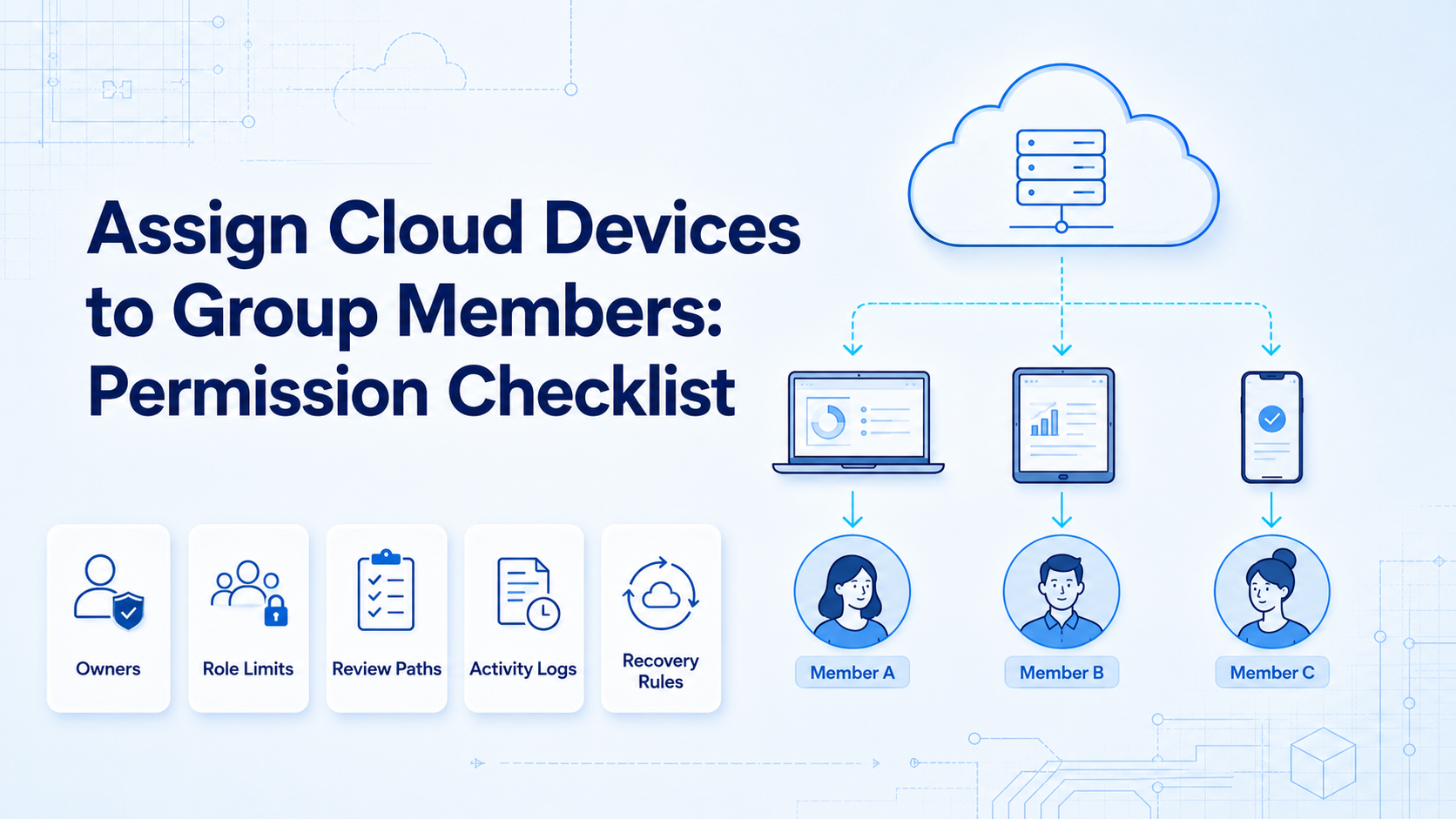
To assign cloud devices to group members is to give teammates controlled access to specific remote devices, accounts, and workflows. The important word is controlled. The team is not only deciding who can open a cloud phone. It is deciding who owns the account state, who can act, who must ask for review, and who recovers failed tasks.
This checklist is useful for social media teams, e-commerce operators, support teams, and growth agencies that share cloud phones or browser profiles across multiple people. Without clear rules, a device pool becomes noisy. With clear rules, every device has a purpose.
What Is Assign Cloud Devices to Group Members?
Assigning cloud devices to group members means linking each remote device to a user, group, account, and task boundary. A device might be a cloud phone, a fingerprint browser profile, or a mobile execution workspace used by a team.
AWS Device Farm describes remote access as a way to interact with hosted devices from a browser session (AWS Device Farm). That model shows the basic pattern behind cloud device work: the device is not local, but an operator can still use it through a controlled session.
Business teams need more than remote access. They need ownership, least-privilege access, logs, and recovery steps.
Microsoft Entra documentation explains how groups help manage access at scale instead of assigning every permission one by one (Microsoft Learn). The same principle applies to cloud device operations: put users into clear groups, then assign device access to the group that owns the work.
Why the Permission Checklist Matters
The common mistake is treating device access as an inventory task. A team buys devices, gives people access, and assumes the workflow will stay clean.
That breaks when the team grows. Operators publish content, reply to customers, review sensitive messages, and handle failed task states at different moments.
If the device is shared but the role is unclear, the team cannot tell who changed what.
Shopify's staff permission model separates the areas and actions that staff members can access (Shopify Help Center). That separation is useful outside Shopify too. A user who can run a routine task should not automatically own device settings, account recovery, or workspace configuration.
For Moimobi, the permission checklist connects multi-account management with real execution spaces. A group member receives access to the device needed for the assigned task, not the whole account system.
Key Benefits and Use Cases
The first benefit is cleaner handoff. A teammate should know which cloud device belongs to which account, what they can do inside it, and when they must stop.
| Use case | Device assignment rule |
|---|---|
| Social publishing | Assign each brand or client account to a named cloud phone |
| Customer replies | Give operators inbox access and route sensitive replies to review |
| E-commerce checks | Assign marketplace accounts to owners and backups |
| Shift work | Keep the same device state available for the next operator |
| Recovery review | Send failed prompts or account issues to a named recovery owner |
Atlassian's audit log documentation shows how activity records help teams inspect administrative events and security-relevant changes (Atlassian Support). Cloud device teams need the same habit. Record device, user, action, result, reviewer, and next step.
This also supports device isolation. When each account has a clear workspace, the team can separate daily operations from recovery and review.
How to Assign Cloud Devices to Group Members
Use a checkpoint path instead of a one-time setup. The checklist should be easy enough for an operator to follow during a busy shift.
| Checkpoint | Pass condition | Failure sign |
|---|---|---|
| Device purpose | The device has a business purpose such as Instagram Client A replies or marketplace support backup | Devices are named only by number |
| Group scope | Group members are tied to publishing, replies, monitoring, research, or recovery | Every member can open every device |
| Owner and backup | Each device has one owner and one backup | Everyone assumes someone else will fix prompts |
| Allowed actions | Operators know which actions can run without approval | Operators decide case by case |
| Stop rule | Sensitive prompts, identity checks, and failed login states move to review | Operators keep retrying without a recovery path |
| Activity log | The team records device, account, operator, task, result, and next step | The team relies on chat memory |
Moimobi teams can connect this checklist to mobile automation after the manual path is clear. Automation should follow the role model. It should not be used to hide unclear ownership.
Permission Matrix Before You Assign Cloud Devices to Group Members
Create a permission matrix before the first large rollout. The matrix should show what each person can do, what they cannot do, and who reviews edge cases.
| Access level | Who gets it | Typical actions | Review rule |
|---|---|---|---|
| Viewer | Manager, client lead, or auditor | Inspect status, notes, and activity history | No device action allowed |
| Operator | Publishing, reply, or monitoring teammate | Run assigned tasks inside named devices | Stop on sensitive prompts |
| Reviewer | Team lead or account owner | Approve risky replies, recovery steps, and workflow changes | Confirm before action continues |
| Recovery owner | Senior operator or admin | Handle failed login states, device prompts, and account handoff | Log the reason and outcome |
| Admin | System owner | Create groups, assign devices, update workspace settings | Use only for setup and exceptions |
This structure keeps access close to the work. A teammate who replies to comments may need operator access to a cloud phone, but that does not mean they should change device settings or assign the account to another group.
The same matrix should separate browser and mobile work. A web account may belong in a fingerprint browser profile. A mobile-first account may need a dedicated cloud phone. The control question is simple: which environment does this account need, and which role should touch it?
Keep the first version simple. Use five access levels, then remove any level that no one can explain. A permission model that is easy to train is better than a large model that operators ignore.
Pilot Rollout and Recovery Checks
Before the team scales, run a 7-day pilot with a small device set. Pick 3-5 devices, one platform, and one workflow such as publishing, comment replies, or customer follow-up.
Track these fields during the pilot:
- Device name
- Assigned group
- Account owner
- Last successful task
- Last failed or reviewed task
- Recovery owner
- Next action
At the end of the pilot, check whether every device has a clear owner and every failed task has a recovery note. If not, fix the permission model before adding more devices.
The pilot may reveal that the team has too many broad groups. If unrelated people need the same device, the group design may be hiding multiple workflows inside one workspace. Split that access before automation begins.
Start small. A workflow that is unclear by hand will not become clearer when it runs faster.
Common Mistakes When You Assign Cloud Devices to Group Members
Avoid assigning devices only by seniority. Assign them by task and account scope. A senior teammate may review work while a trained operator handles routine actions.
Separate device ownership from account recovery ownership. One person can keep a workspace ready, while another person handles account prompts or failed tasks.
Make group names specific. "Marketing team" is too broad for daily execution. Use names such as "TikTok reply operators," "Client A reviewers," or "Marketplace recovery owners."
Keep the logs. Without activity history, the team cannot learn from failure. One bad prompt, missed reply, or wrong handoff should create a better rule.
Use this stop rule before scaling:
- No device without an owner
- No account without a backup
- No sensitive action without a reviewer
- No failed task without a recovery note
- No broad group that can access every device
Fit and Not-Fit Boundaries
This checklist fits teams that share cloud devices across more than one person. It is especially useful for agencies, social media operators, customer support teams, and e-commerce teams.
Good fit:
- Multiple accounts run across browser and mobile spaces
- Operators work in shifts
- Managers need review records
- Cloud devices map to client, brand, or region groups
- Failed tasks need a named owner
Weak fit:
- One person uses one device
- No repeatable workflow exists yet
- All work happens inside a mature help desk tool
- The team is still testing product-market fit
When the work is mobile-first, use Moimobi's cloud phone product. When the work is web-first, begin with browser profiles and review rules.
Frequently Asked Questions
Should every group member access every device?
No. Give access from the account and task a person actually owns, then expand only when the workflow requires it. This keeps device access tied to real work instead of team-wide convenience.
What is the minimum permission model?
Use owner, operator, and reviewer as the first model. Add a recovery owner when failed tasks become common, because recovery work needs different judgment than routine publishing or replies.
Can one person own multiple devices?
Yes during a small pilot, especially when the team is still testing the workflow. Add backups before daily work depends on those devices, and log device, account, user, task, result, reviewer, and recovery note in the same format each time.
Can automation run before roles are clear?
It can, but it usually creates confusion. Define manual ownership first, then automate the stable path through Moimobi cloud phones, browser profiles, and execution spaces.
Conclusion
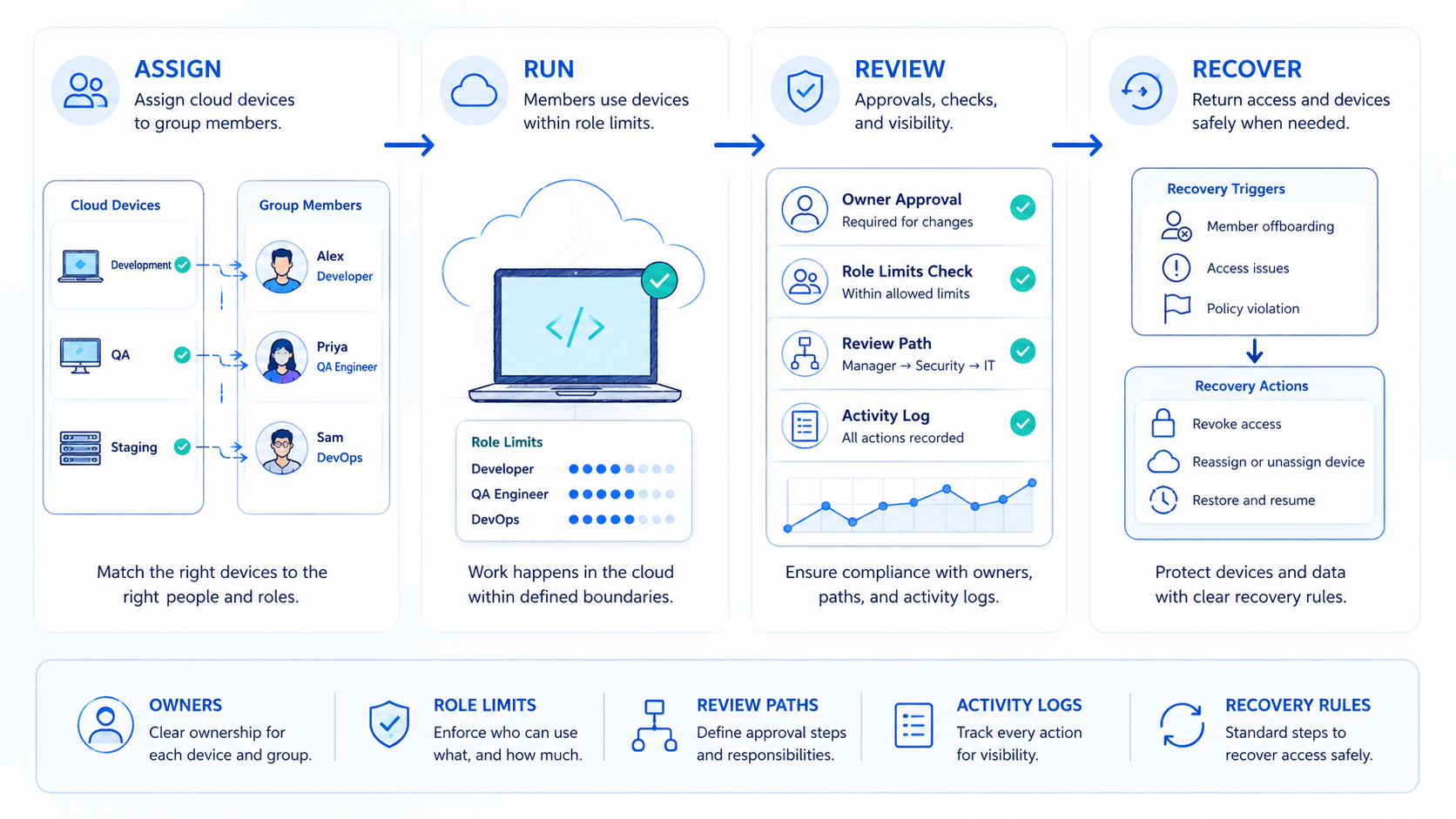
To assign cloud devices to group members is to build a control process, not a device list. The team should know who owns the device, which account it supports, what the operator can do, and who handles review.
Begin with a small pilot. Name a few devices, assign owners and backups, define stop rules, and review the logs after 7 days. Scale only when the team can explain every device, every account owner, and every recovery path.



