
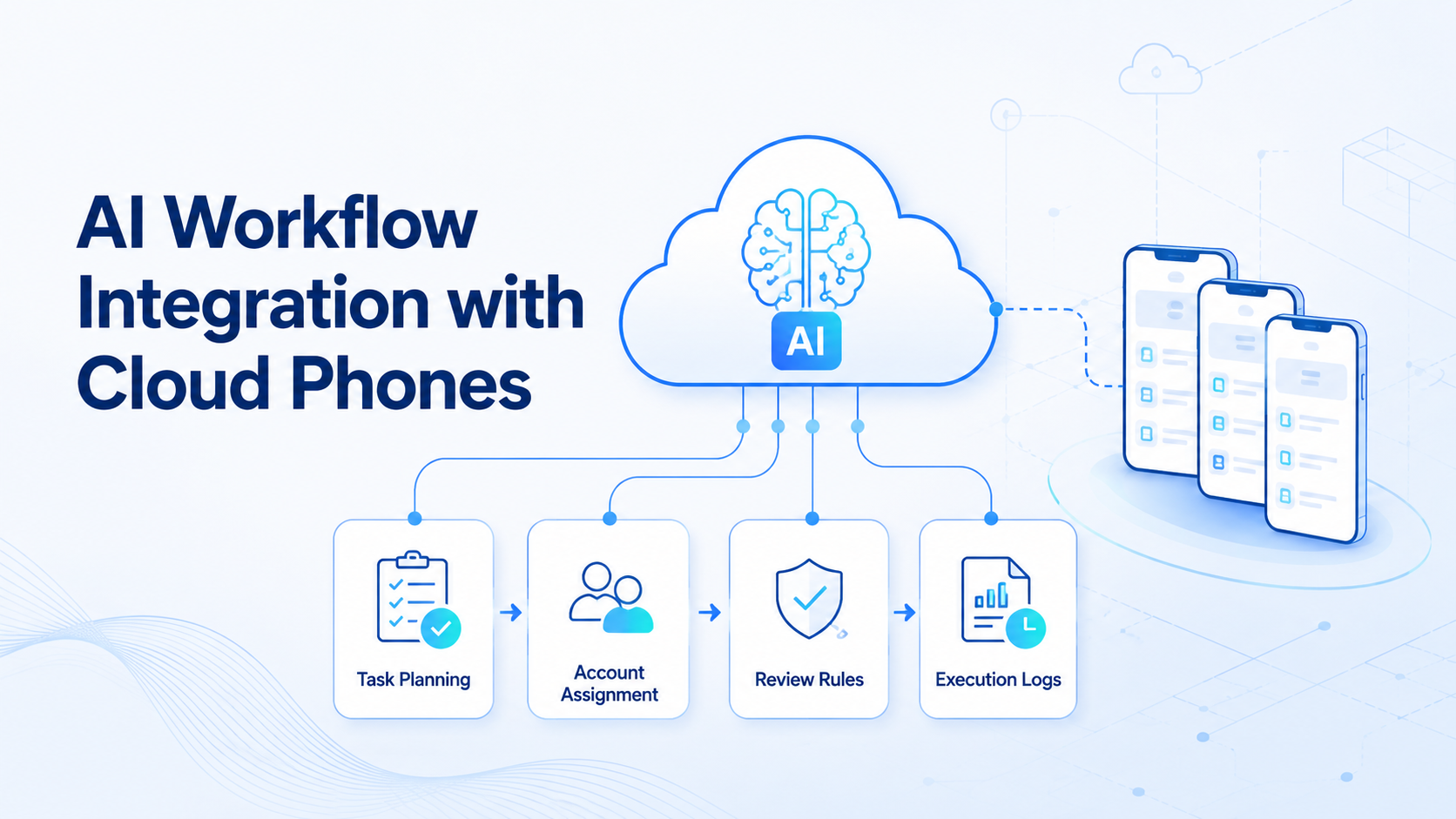
AI workflow integration with cloud phones matters because many operational tasks do not stop at a web form or a text output. Teams still need to open mobile apps, check account state, publish content, respond to messages, collect screenshots, confirm a result, and hand the task back to a manager with enough context to review what happened.
That is the gap between AI assistance and real execution. A chat assistant can draft a reply. A workflow tool can move data between APIs. A mobile automation stack can execute a device action. Teams often need all three to work together.
Moimobi is built around that execution layer. Instead of treating a cloud phone as a standalone remote device, the platform connects AI-assisted workflows with separated mobile environments, account workspaces, and multi-account operations.
What AI Workflow Integration Means in Mobile Operations
In practical terms, AI workflow integration means the AI system does not only generate instructions. It receives a task, decides which mobile environment should run it, executes or assists the execution path, records the result, and exposes enough data for review.
A simple workflow might look like this:
- A team creates a content publishing task for a social account.
- AI drafts the caption, checks the campaign context, and prepares a task plan.
- The system assigns the task to the right cloud phone or Android mobile environment.
- The operator or automation flow opens the target app and completes the action.
- The result is logged with account, device, timestamp, status, and notes.
- The next task uses that history to avoid repeating failed steps.
This is different from a generic mobile emulator setup. Official test infrastructure such as AWS Device Farm is useful for testing apps across real devices and browsers, but operations teams are solving a different problem: ongoing account work, repeated mobile workflows, and controlled execution across many accounts. They need the discipline of device assignment, review, and logging, not only a place to run an app.
Why Cloud Phones Fit AI Execution Workflows
Cloud phones are useful because many platforms and customer interactions are mobile-first. A web dashboard is not always enough. Messaging apps, short video apps, creator tools, marketplace apps, and support inboxes often behave differently on mobile.
A cloud phone gives teams a remote Android environment that can stay available, be assigned to an account, and be operated from a controlled workspace. When paired with AI workflow logic, that environment becomes more than a remote screen. It becomes the place where the task is executed.
For AI workflow integration, the useful properties are persistent state, account-to-device mapping, remote access, task status tracking, and reviewable execution records. This is why cloud phones should not be framed only as device rental. For teams running real operations, the higher-value use case is mobile execution.
Key Takeaways
- Treat each mobile task as a record with account, device, status, owner, and review rules.
- Use AI for planning, drafting, classification, and summaries, not for unchecked sensitive actions.
- Assign recurring account work to a known mobile environment instead of a random open device.
- Keep platform rules, task logs, and failure notes close to the workflow.
This model also lines up with broader guidance from the NIST Privacy Framework, which emphasizes identifying data processing activities, governance, and risk management across systems.
Where AI Should Help and Where Humans Should Review
AI is strongest when it handles drafting, classification, summarization, task planning, and repeated decision support. Humans should stay involved when the task affects customer relationships, platform policy, payments, sensitive account settings, or brand reputation.
For example, AI can prepare three reply options for a customer message, classify the message as complaint, refund request, partnership inquiry, or general question, and suggest the next SOP step. A human can still approve the final response before it is sent.
That human-in-the-loop design is important. The FTC guidance on AI claims warns companies not to overstate what AI can do. In operations content, that means avoiding claims that AI can safely replace all review. A better promise is more grounded: AI can reduce preparation time, make workflows more consistent, and help teams keep execution records, while managers define the approval rules.
Building a Cloud Phone Workflow Step by Step
Start with a narrow workflow. Choose one repeated task where the inputs, expected actions, and success criteria are clear.
A good first workflow might be daily inbox review, reply drafting, approved content publishing, post status checks, or screenshot collection for reporting.
Then map the workflow into five fields: trigger, AI role, mobile environment, review point, and output record. The task should be assigned to a specific cloud phone, not a random open session. This is where mobile automation and cloud phone management become part of the same workflow.
Account Isolation in AI Workflow Integration with Cloud Phones
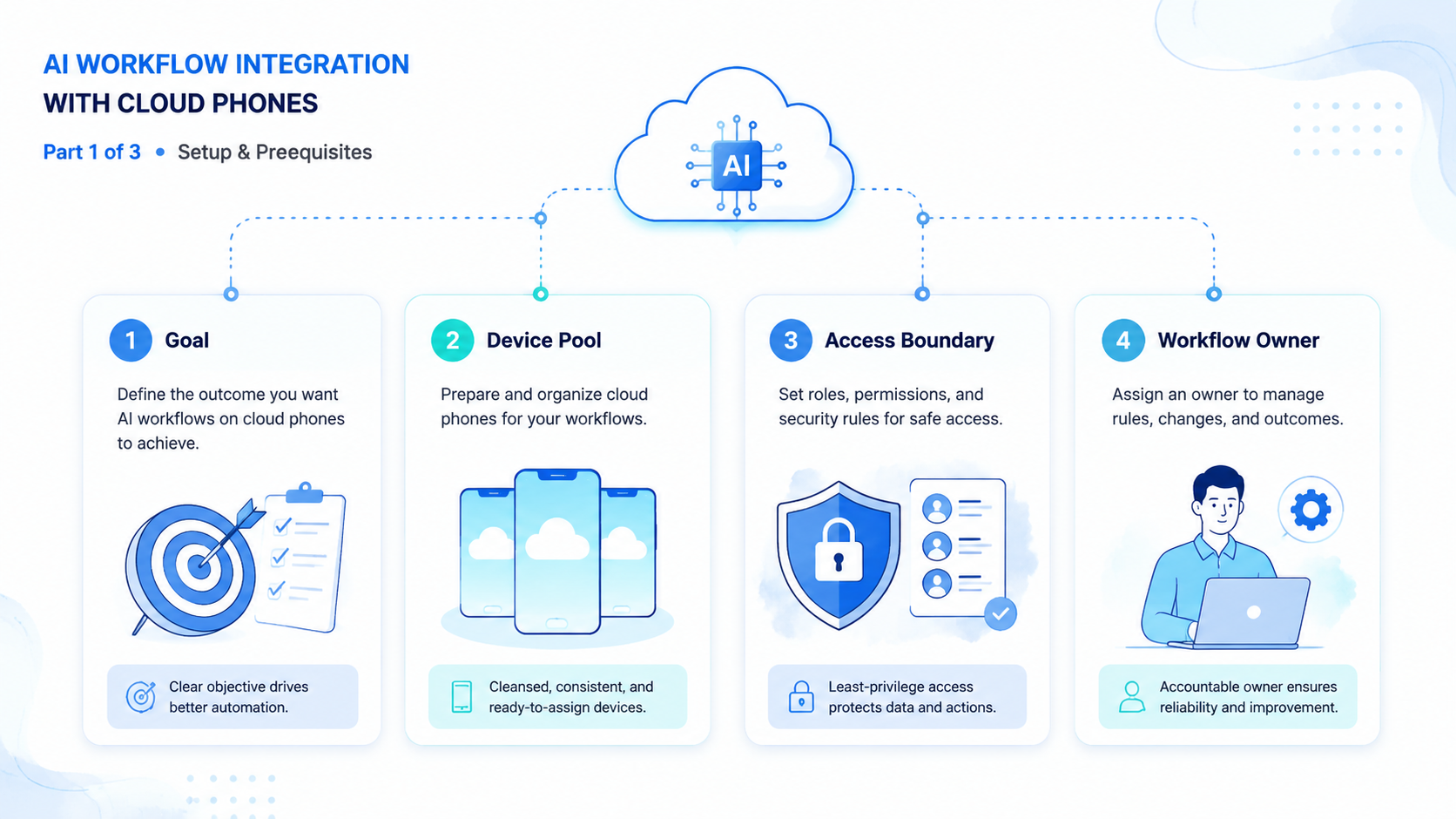
Cloud phone workflows become harder when many accounts share the same team. Without separation, teams can lose track of which device belongs to which account, which operator acted, and which task changed the account state. Account isolation is an operational reliability pattern, not only a security feature.
Moimobi's device isolation approach supports this model by treating each browser or mobile environment as a controlled workspace. For mobile workflows, that means the cloud phone is not just a screen. It is part of the account's operating context.
Teams should also respect platform rules. TikTok's Community Guidelines and Meta's Platform Terms show that platform use is governed by policy, not only technical possibility.
When to Use ADB or API-Based Control
Some teams need deeper technical integration. They may want to start sessions, collect device state, push files, or connect cloud phones to a scheduler. Moimobi's cloud phone API guide is useful for those cases. Keep the scope clear: allowed actions, eligible accounts, required logs, and failure review.
This keeps the workflow understandable as the team scales.
Metrics and Mistakes to Watch
Track completion rate, review rate, failure reason, time to completion, correction rate, environment assignment accuracy, and customer response time. Avoid four mistakes: treating cloud phones as a device pool, automating too broadly, skipping policy review, and failing to record results.
Frequently Asked Questions
What is AI workflow integration with cloud phones?
It connects AI-assisted task planning with cloud phone execution.
Is a cloud phone the same as an emulator?
No. A cloud phone is a remote mobile environment for ongoing work, while an emulator is often used for development or testing.
Can AI fully run mobile app tasks?
Some steps can be automated, but sensitive actions and customer communication should keep review rules.
Why does each account need its own mobile environment?
Separate environments reduce confusion and make account, task, and device history easier to review.
What teams benefit most from this setup?
Social media teams, e-commerce teams, agencies, support teams, and cross-border operators.
Should teams use ADB for every workflow?
No. ADB is useful for technical integrations, but many teams should start with assignment, review, and controlled execution.
What should managers review?
Managers should review failed tasks, unusual activity, sensitive replies, payment actions, and high-risk workflows.
Conclusion
AI workflow integration with cloud phones is about turning mobile work into a controlled execution loop. AI prepares and supports the task. The cloud phone provides the mobile environment. Account isolation keeps work organized. Logs and review make the system safer to scale.
For teams operating across apps and accounts, this turns remote devices into a real mobile execution workflow.



