
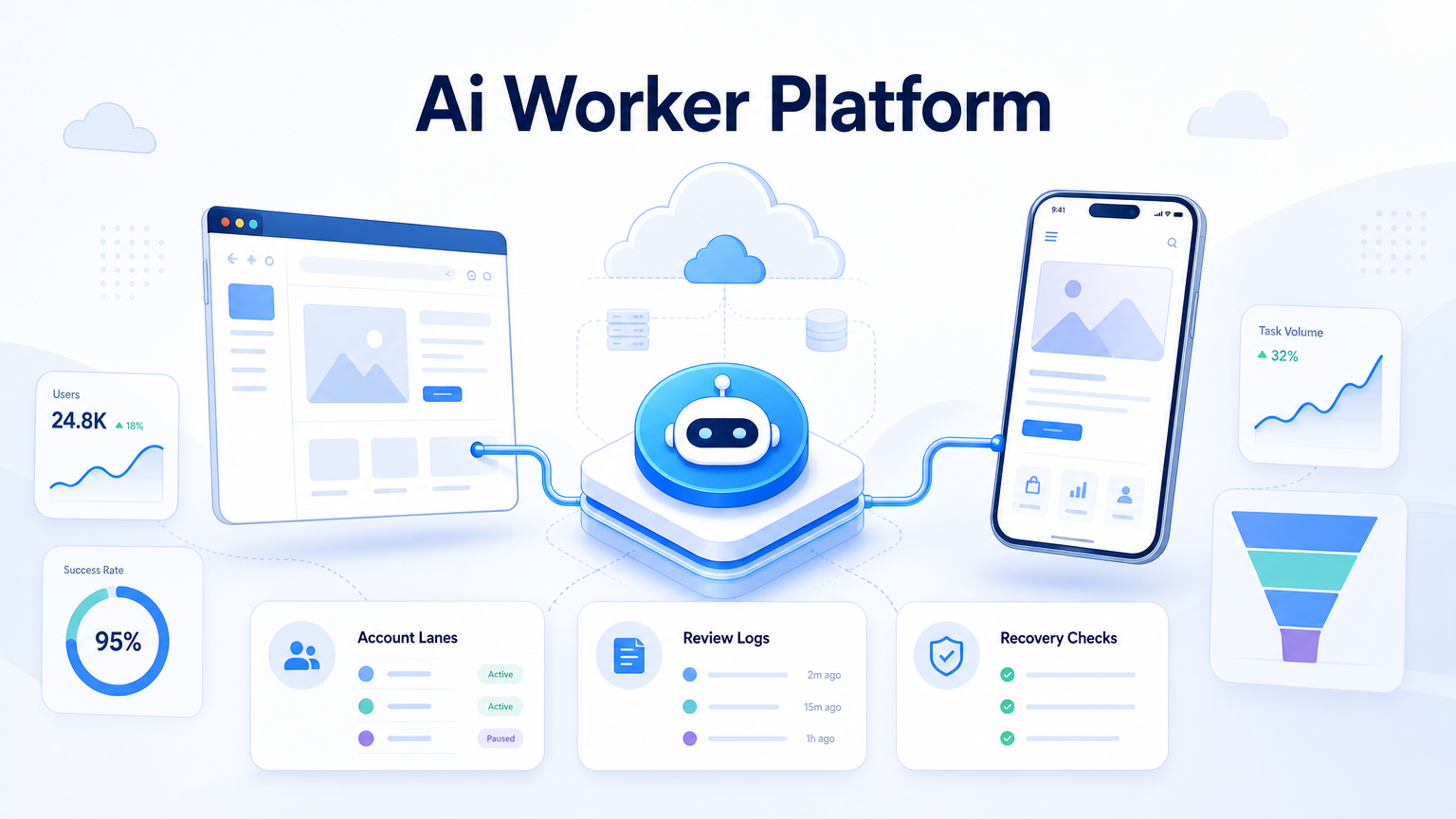
An AI worker platform is an execution system that lets software agents run defined work across browsers, mobile apps, accounts, and review queues. Real-world automation needs more than prompts. The platform must manage where work runs, which account is used, what the agent may do, and how a person reviews the result.
Teams search for this topic when browser-only automation is no longer enough. A task may begin in a web dashboard, continue inside an Android app, and end with a manager checking evidence. That workflow needs controlled execution, not just a model that can read a page.
That is the practical test.
Key Takeaways
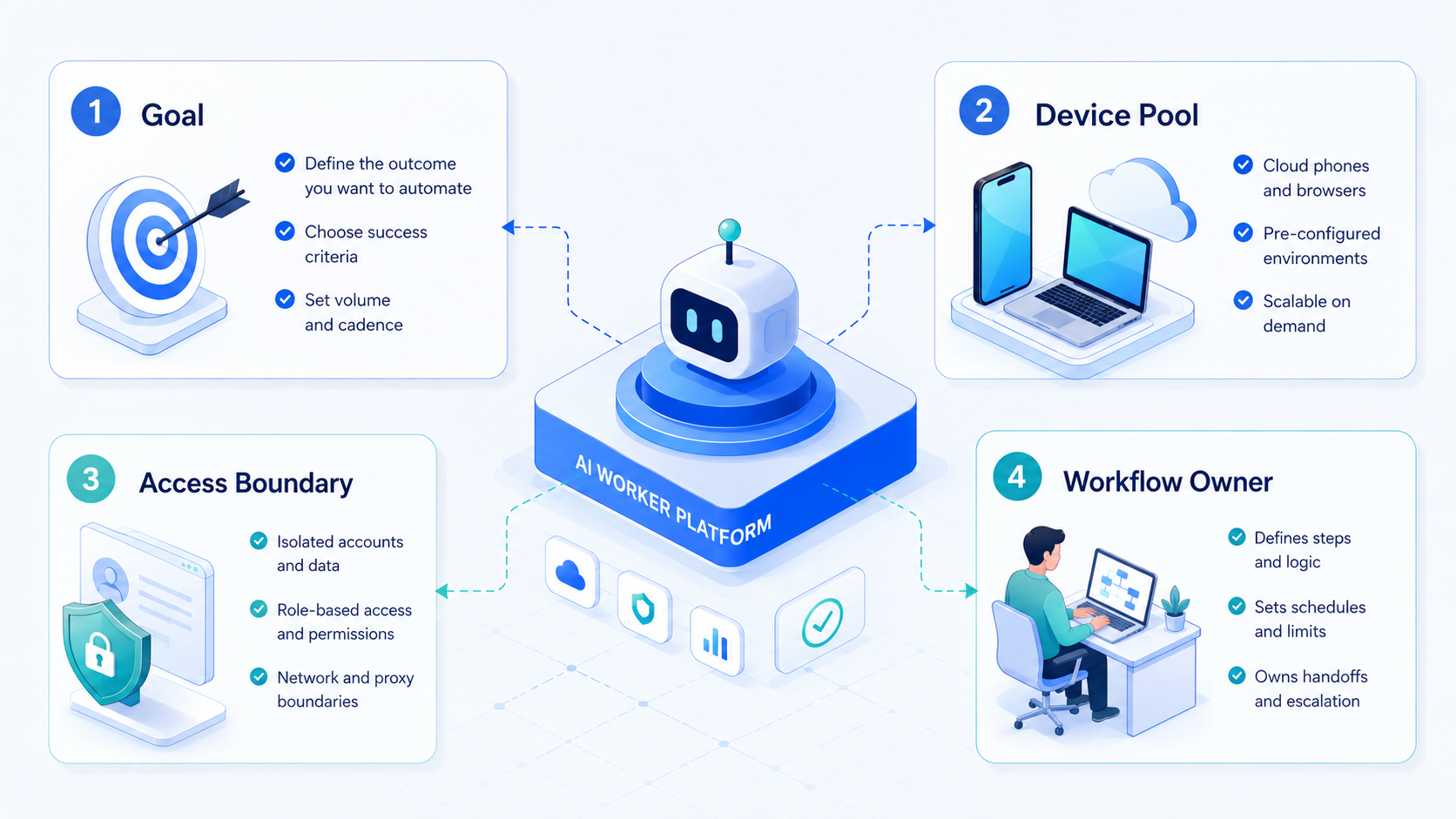
- An AI worker platform should connect task instructions, execution environments, account context, and review evidence.
- Real web and mobile automation needs browser access plus mobile device capacity.
- Cloud phones are useful when agents must operate Android app workflows.
- Account lanes, routing, and device isolation matter for multi-account operations.
- A pilot should measure completion rate, rescue rate, review time, and recovery quality.
The Core Idea Behind an AI Worker Platform
The core idea is simple: agents need a workplace, not only a chat box. A useful AI worker platform gives each agent a task, a tool boundary, an account lane, and a result format.
This matters because real operations rarely stay in one tab. A growth team may check a web dashboard, open a mobile app, capture a status screen, and pass an exception to a human. If those steps happen across unmanaged devices and personal accounts, review becomes slow and unclear.
For practical planning, split the platform into three layers:
- Planning layer: what task should run, when it should stop, and what output is expected.
- Execution layer: browser, phone, app, account, network route, and file context.
- Review layer: logs, screenshots, notes, approvals, and recovery status.
That separation keeps automation practical. It also makes it easier to improve a workflow after a failed run.
Why Teams Search for This Topic
Teams usually reach this point after simple automation stops scaling. One script can handle a narrow flow. A real operating team needs repeatable execution across accounts, devices, and roles.
An AI browser environment can handle many web tasks, especially dashboard checks, forms, monitoring, and data collection. The gap appears when the workflow touches mobile apps, account-specific device state, or cross-platform handoff.
Google Search Central's helpful content guidance recommends creating material that serves people first, not systems first. Source: Google Search Central.
The same idea applies to AI workers. Automation should make work easier to verify, not just produce more activity. Otherwise, the team may gain speed while losing clarity.
Calmer expectations help teams choose better. Workers can reduce repeated manual steps, but they should not hide policy decisions, sensitive approvals, or unclear errors. Strong platforms expose those boundaries.
Who Benefits Most and In What Situations
This type of execution system is a strong fit for teams with repeated, account-based workflows. It is weaker for tasks that require constant judgment or have unclear success criteria.
Strong fit
- Teams checking many dashboards or account states.
- Mobile operators repeating app-based workflows.
- Agencies managing account lanes for different clients.
- Managers who need logs and handoff evidence.
Weak fit
- Workflows with no written stop rules.
- Tasks that require sensitive judgment at each step.
- Teams using shared accounts without clear ownership.
- Projects expecting automation to replace policy review.
For mobile-heavy teams, cloud phone capacity is often part of the platform decision. A cloud phone gives workers a remote Android environment for app actions, testing, or account-specific mobile workflows.
How to Evaluate or Start Using an AI Worker Platform
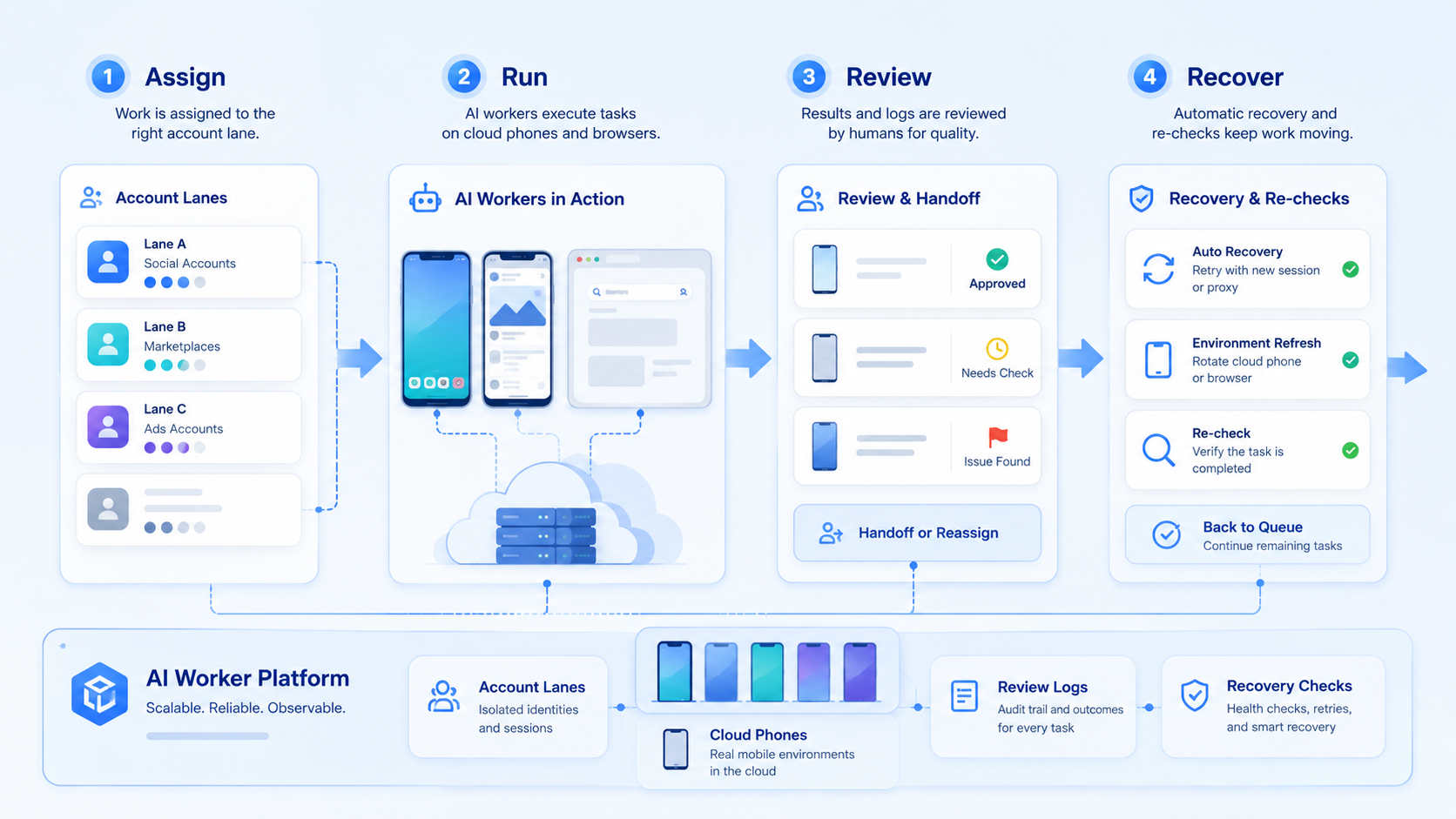
Begin with one workflow that has clear pass and fail states. Broad instructions like "manage this account" are too loose for a first rollout.
A short evaluation path keeps the first rollout grounded:
-
Define the task: name the start point, allowed actions, output, and stop conditions.
-
Map the surface: decide whether the task needs browser access, mobile access, or both.
-
Assign an account lane: connect the task to the right profile, device, owner, and route before the first run starts.
-
Require evidence: collect screenshots, logs, result fields, and error notes.
-
Test recovery: pause or break the run, then confirm a person can resume without guessing.
NIST's AI Risk Management Framework describes governance, measurement, and management as part of AI risk handling. Source: NIST AI RMF. For teams, that means rollout design should include owners, metrics, and escalation paths.
Mistakes That Reduce Results
One mistake is treating a mobile workflow like a web workflow. If the work happens inside Android apps, the platform needs device capacity and app execution support. Mobile automation should be tested with real task paths, not only screenshots.
Another mistake is mixing account lanes. Shared profiles and unclear routes may look simple during setup, but they make failures hard to trace. Teams handling many accounts should evaluate device isolation and routing boundaries early.
A third mistake is ignoring platform rules. If a workflow touches Android app behavior, teams should review relevant policy requirements before designing automation around app actions. Source: Google Play Policy Center.
Good systems do not remove judgment. They make the handoff point clear when judgment is needed.
AI Worker Platform Pilot Rollout, Measurement, and Recovery Checks
A pilot should be narrow enough to inspect every result. Choose one workflow, one account group, and one review owner. Run it for a fixed period before adding more accounts.
Track these measures:
| Metric | What it shows | Action if weak |
|---|---|---|
| Completion rate | Whether the worker finishes the defined task | Narrow the task or improve state handling |
| Rescue rate | How often a person must intervene | Add clearer stop rules or better prompts |
| Review time | Whether the evidence is useful | Improve screenshots, logs, or result fields |
| Lane errors | Whether account, device, or route context is mixed | Separate profiles, devices, or owner mapping |
Recovery checks should be intentional. Change a login state, interrupt a run, or trigger an unexpected page. A usable platform should report where it stopped and what a human should inspect next.
For multi-account teams, multi-account management should be part of the pilot design. Scale only after the first lane is measurable.
Frequently Asked Questions
What is an AI worker platform?
It is the operating layer for agents. The platform connects tasks, tools, accounts, permissions, and review logs so work can be inspected after execution.
How is it different from a simple automation script?
A script runs one path. A platform manages task scope, account context, execution environments, and human handoff across repeated runs.
When do teams need cloud phones?
Use them when Android is part of the job. Teams need cloud phones when workers must operate apps, mobile accounts, or device-specific states.
Can an AI worker platform replace operators?
No. It can reduce repeated manual work, but operators still handle approvals, exceptions, and sensitive decisions.
What should a first pilot include?
Keep it small. Use one repeatable task, one account group, defined stop rules, and clear review artifacts.
How do teams avoid account mix-ups?
They separate every lane by owner, profile, device, route, and allowed task list. Then they review logs after each run.
Does proxy routing matter?
Yes, when workflows need separate network context. A proxy network should be evaluated with account and device rules.
What is the biggest warning sign?
The biggest warning sign is poor recovery. If a person cannot understand a failed run, the workflow is not ready to scale.
Conclusion
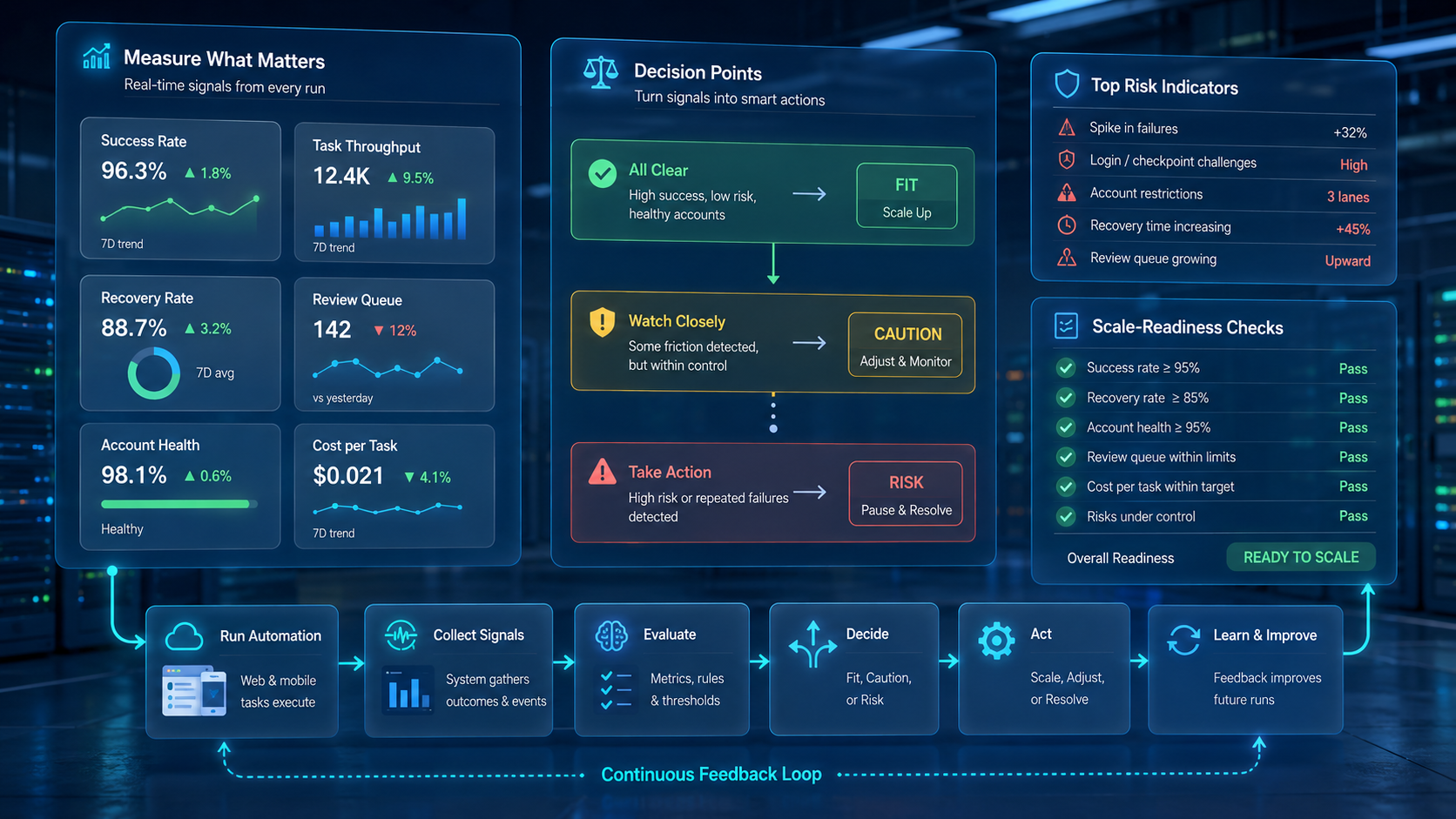
An AI worker platform is valuable when it turns real web and mobile work into controlled, reviewable execution. The strongest platforms make account lanes, device context, logs, and recovery paths visible.
Start with one workflow. Confirm the browser or mobile surface, assign the right account lane, define stop rules, and measure review quality before scaling.



