
Key Takeaways
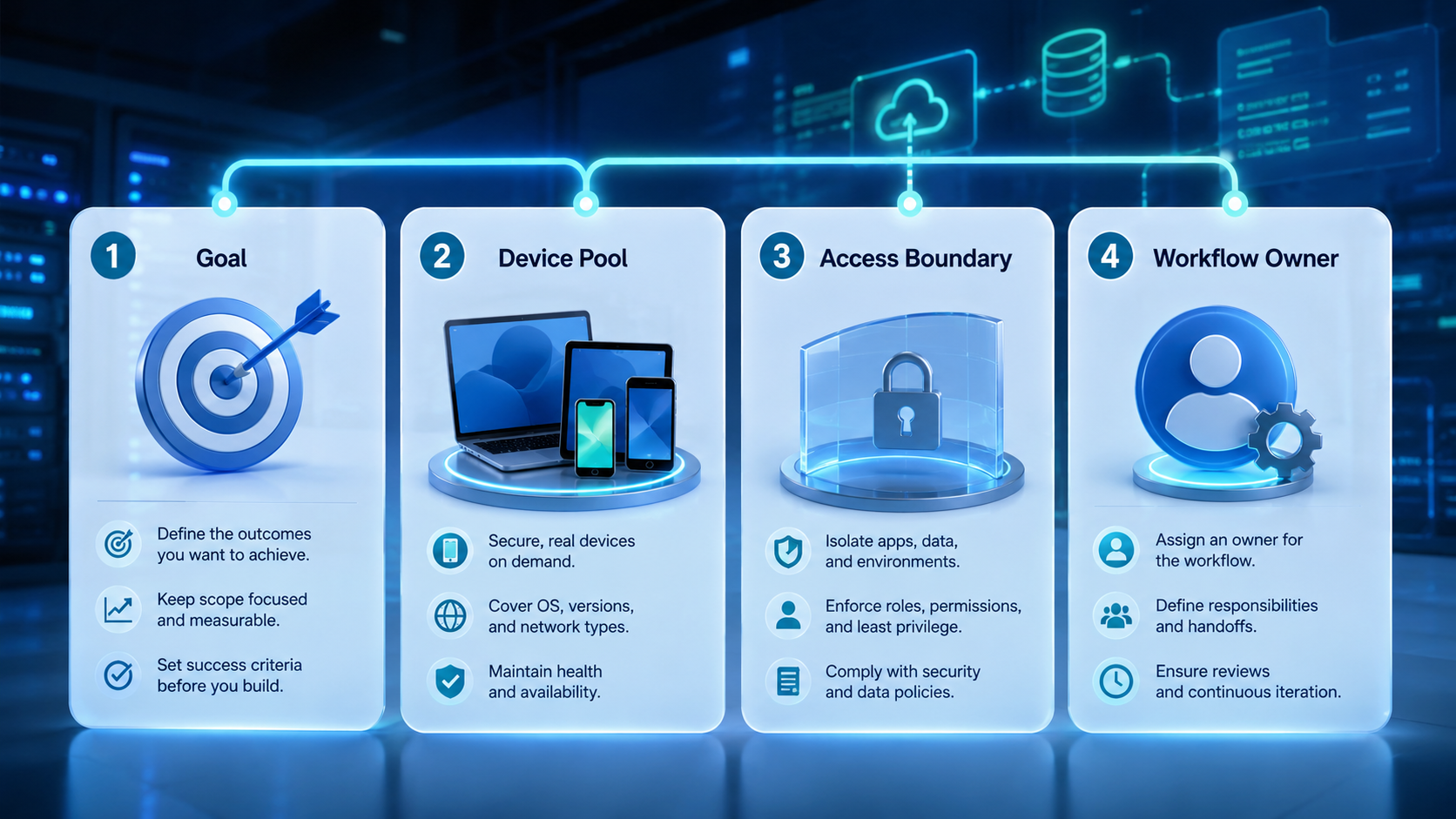
- An AI worker platform gives each workflow a runtime, owner, and stop rule.
- The useful model connects web apps and mobile apps without collapsing them into one vague worker.
- Teams should validate fit through one narrow pilot before adding more workers or more accounts.
- Stable execution depends on isolation, logging, and clean handoff.
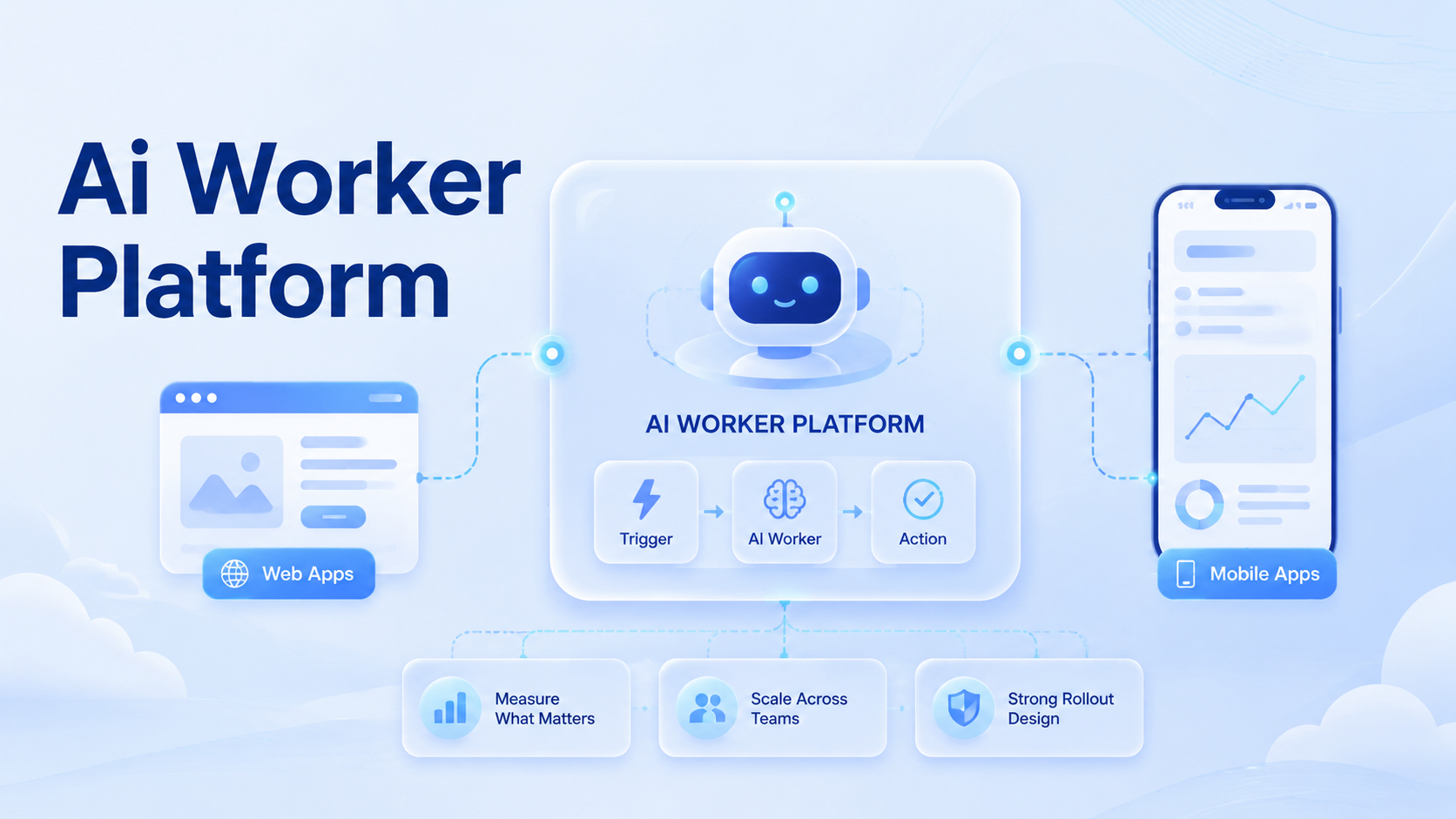
AI worker platform for web apps and mobile apps is a system that lets teams run repeatable work across browser-based software and app-based software with clear boundaries. The point is not to imitate a human in every channel. The point is to give each worker a defined job and a defined place to run it.
This matters because web apps and mobile apps do not behave the same way. Browser automation relies on explicit sessions and commands.1 Browser tools such as Playwright also isolate state through browser contexts.2 Mobile execution depends on device environments, permissions, and app state, which Android Enterprise treats as managed business workspaces.3
Once those differences show up in daily work, a loose agent model stops being enough. Teams need an operating layer that decides which worker runs where, what state may persist, and when a human should intervene.
What Is AI Worker Platform for Web Apps and Mobile Apps?
An AI worker platform is an execution layer that assigns a specific task to a specific runtime with a specific review rule. In plain terms, it gives web work and mobile work a shared control model without pretending they are identical.
That design matters when one workflow spans both channels. A worker may need to pull data from a browser dashboard, switch to a mobile app for an app-native step, then send the result back into another queue. Without sequence control, operators end up stitching it together manually.
The right model is narrower than most people expect. A worker should not be a general assistant for everything. It should be a role with:
- one workflow lane
- one runtime policy
- one ownership rule
- one escalation point
That is also why an AI worker platform should be judged by execution discipline, not by prompt quality alone.
Why AI Worker Platform for Web Apps and Mobile Apps Matters
The common misunderstanding is that the platform only saves labor. In practice, its first job is to reduce operational ambiguity.
Teams often start with one automation inside a web app. Then another task appears inside a mobile app. Soon the team has scripts, devices, sessions, and manual handoffs, but no single operating model. That is where errors start to compound.
The platform matters because it answers the questions ad hoc tools leave open:
- which worker owns the step
- whether the step belongs in a browser or phone lane
- how state is reopened after failure
- how the result returns to the next queue
This is especially relevant for account-based work. A cloud phone may be needed for mobile-native execution, while mobile automation or browser automation may fit the surrounding steps. The value comes from controlled coordination, not from any one component alone.
Key Benefits and Use Cases
The strongest benefit is role clarity. A good platform makes each worker easier to reason about.
Common use cases include:
- browser dashboards plus mobile app follow-up
- support inbox handling across web and app channels
- social media workflows that start on the web and finish in mobile apps
- multi-account management lanes that need clean separation
Another benefit is cleaner scale. When a worker has one lane and one environment rule, the team can add capacity without redesigning the whole system every week.
AWS Device Farm and BrowserStack both describe device execution in terms of repeatable test environments rather than unmanaged devices.4 5 The operational lesson is the same for business workflows. Stable runs depend on reproducible environments.
Who This Fits and Where It Does Not
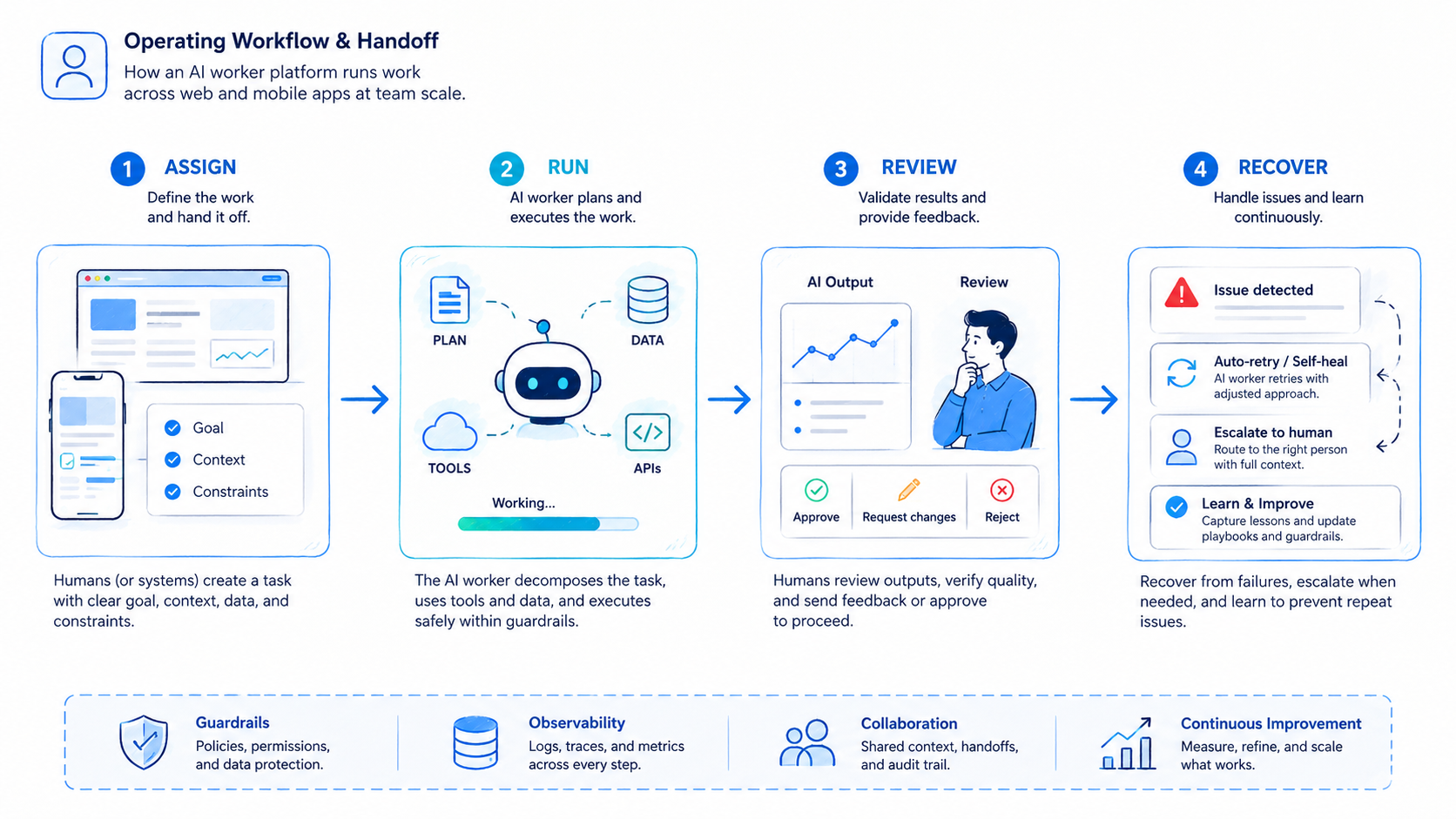
Not every team needs a full worker platform.
Repeated workflows move between web apps and mobile apps, and someone already spends time on handoff or cleanup.
The team has repeated work, but runtime choice and ownership are still unsettled.
The work is mostly exploratory, creative, or strategy-heavy with no stable execution path.
A weak-fit team often tries to automate broad judgment work first. That usually creates review debt. A better fit starts with tasks that have a clear pass or fail rule.
How to Get Started with AI Worker Platform for Web Apps and Mobile Apps
Do not begin by creating too many workers. Weak scoping is what breaks most early rollouts.
- Choose one narrow workflow. Pick a lane that already repeats every day.
- Map web and mobile boundaries. Mark which steps belong to web apps and which belong to mobile apps.
- Set one owner. A lane without an owner becomes a cleanup queue.
- Create one stop rule. Define when the worker pauses for a person.
- Log every run. Record result, failure reason, and takeover reason.
Playwright documents isolated browser contexts as separate sessions for different states.2 That is a useful template for web lanes. Android Enterprise offers the equivalent mindset for managed mobile workspaces.3
The workflow is not ready for scale when the worker cannot reopen the right state cleanly.
Common Mistakes to Avoid
The first mistake is combining unrelated tasks into one worker. A worker that researches, publishes, replies, and reports across different channels becomes difficult to verify.
Another mistake is keeping web and mobile ownership vague.
When the browser lane fails, someone should already own the takeover. When the mobile app blocks a step, someone should already own the retry decision. Teams that cannot answer those questions usually shift failure handling back to operators.
Isolation also gets ignored too often. Session separation in browsers and device separation in mobile lanes are not cosmetic details. They are part of the control model. That is why device isolation should be reviewed as early as worker design.
Avoid these patterns:
- one worker handling too many channels
- no run log for failures
- no clear browser versus mobile split
- scaling capacity before the review loop works
Pilot, Measurement, and Recovery Checks
Start with a pilot that the team can inspect run by run.
Use a small review table:
| Metric | What it shows | Early warning |
|---|---|---|
| Completion quality | Did the worker finish the right output? | Output needs manual correction |
| Takeover rate | How often did a person need to step in? | Frequent rescues |
| Runtime mismatch | Was the step placed in the wrong lane? | Browser steps pushed into mobile or the reverse |
| Recovery speed | How long did a failed run take to reopen? | Slow retries and repeated confusion |
Recovery matters more than early volume. Slow recovery turns extra workers into extra cleanup cycles. That is why a pilot should stay narrow until the review loop is predictable.
Frequently Asked Questions
Is an AI worker platform the same as workflow automation software?
Not exactly. Workflow software may route tasks. An AI worker platform also manages execution environments and review rules.
Do all workers need mobile execution?
No. Some workers only need browser lanes. The runtime should match the task.
What is a good first use case?
Pick a repeated lane with a clear output and a clear failure rule.
Can one worker use both web apps and mobile apps?
Yes, but only when the transition is well defined and easy to review.
What usually fails first?
Ownership, logging, and recovery rules usually fail before raw automation capacity.
Is a cloud phone always required?
No. It is useful when the lane depends on app-native execution or mobile state.
How should a team judge pilot success?
Judge it by correction rate, takeover rate, and recovery speed, not only by completed runs.
Conclusion
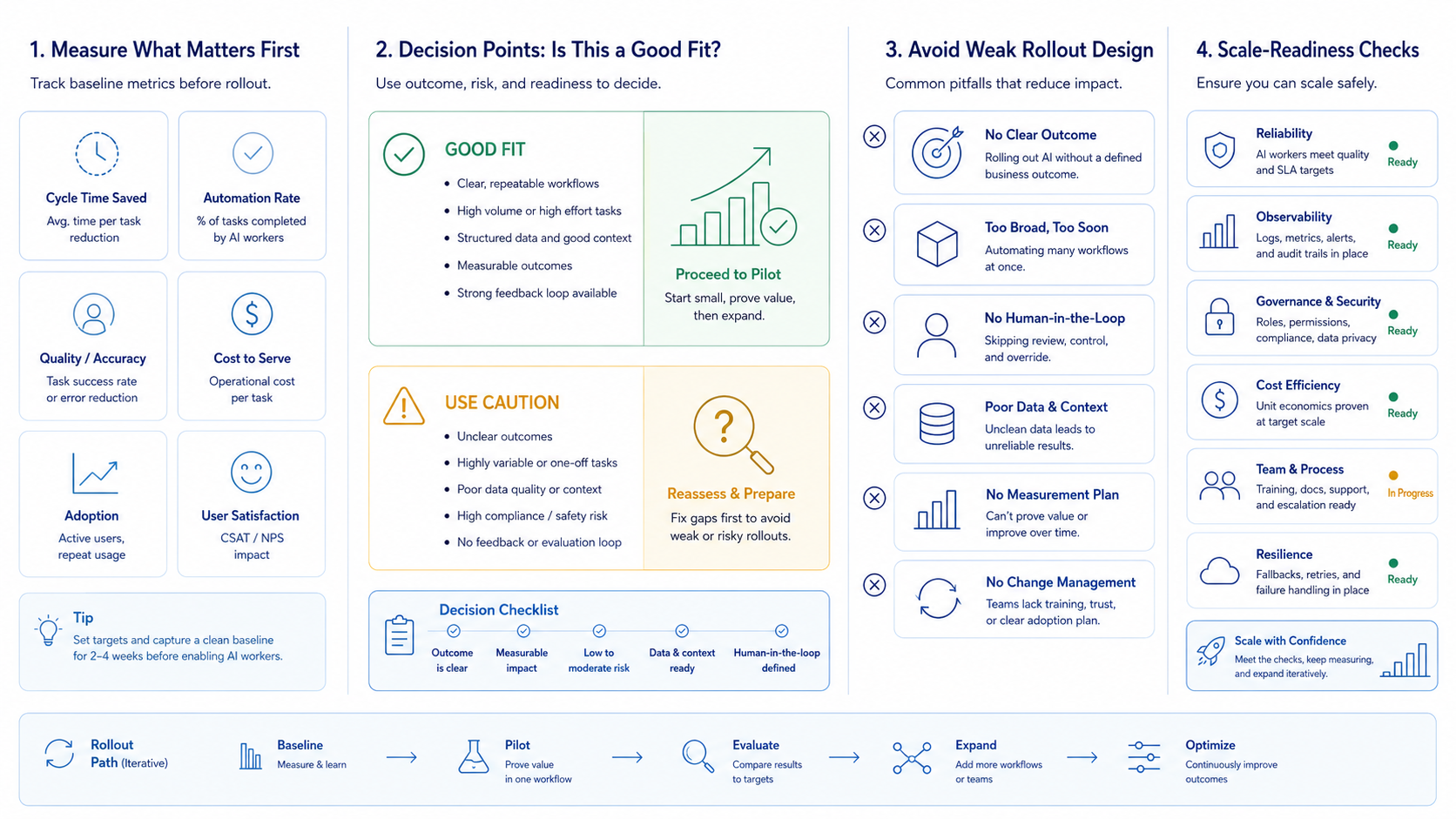
An AI worker platform for web apps and mobile apps becomes useful when it gives repeated work a stable operating model. Good platforms reduce ambiguity first and speed second.
Before rollout, check four items: narrow scope, runtime split, ownership, and recovery path. If those are clear, the team can expand with less cleanup and better control.



