
Key Takeaways
- An AI worker platform must connect planning to execution
- Real-world task automation needs accounts, sessions, environments, and review
- Browser and mobile workflows should be measured separately
- A narrow pilot is better than a broad, unclear worker role
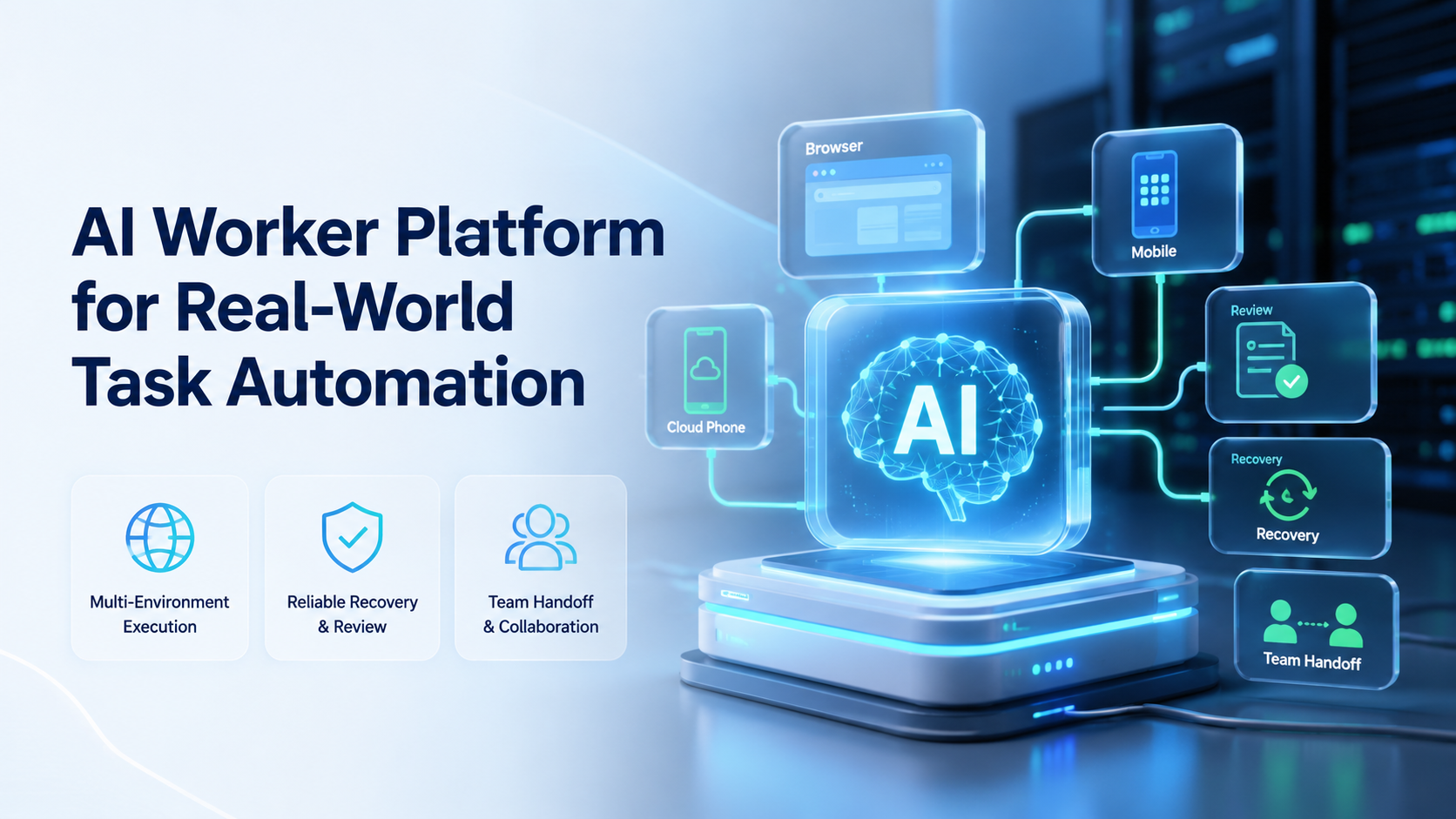
Teams use an AI worker platform to let AI workers perform repeatable tasks inside controlled digital environments. Real-world task automation goes beyond drafting.
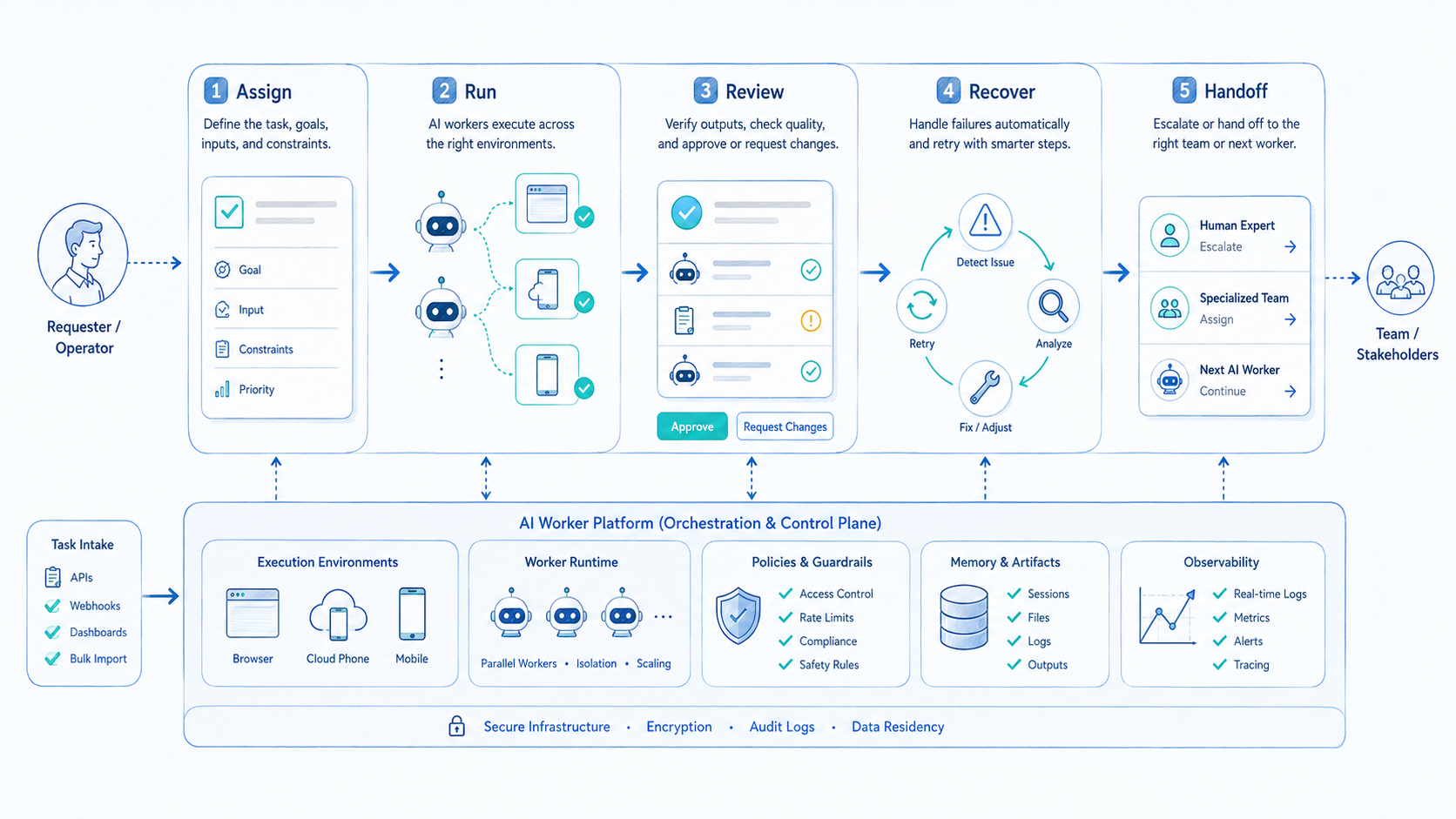
The worker opens the right workspace, performs the task, records the result, and pauses when the next step needs review. No record, no audit trail.
Web apps, dashboards, messaging apps, and mobile tools still carry the work. Moimobi handles the execution layer behind those surfaces: browser profiles, cloud phones, Android workspaces, and multi-account operations.
What Is an AI Worker Platform for Real-World Task Automation?
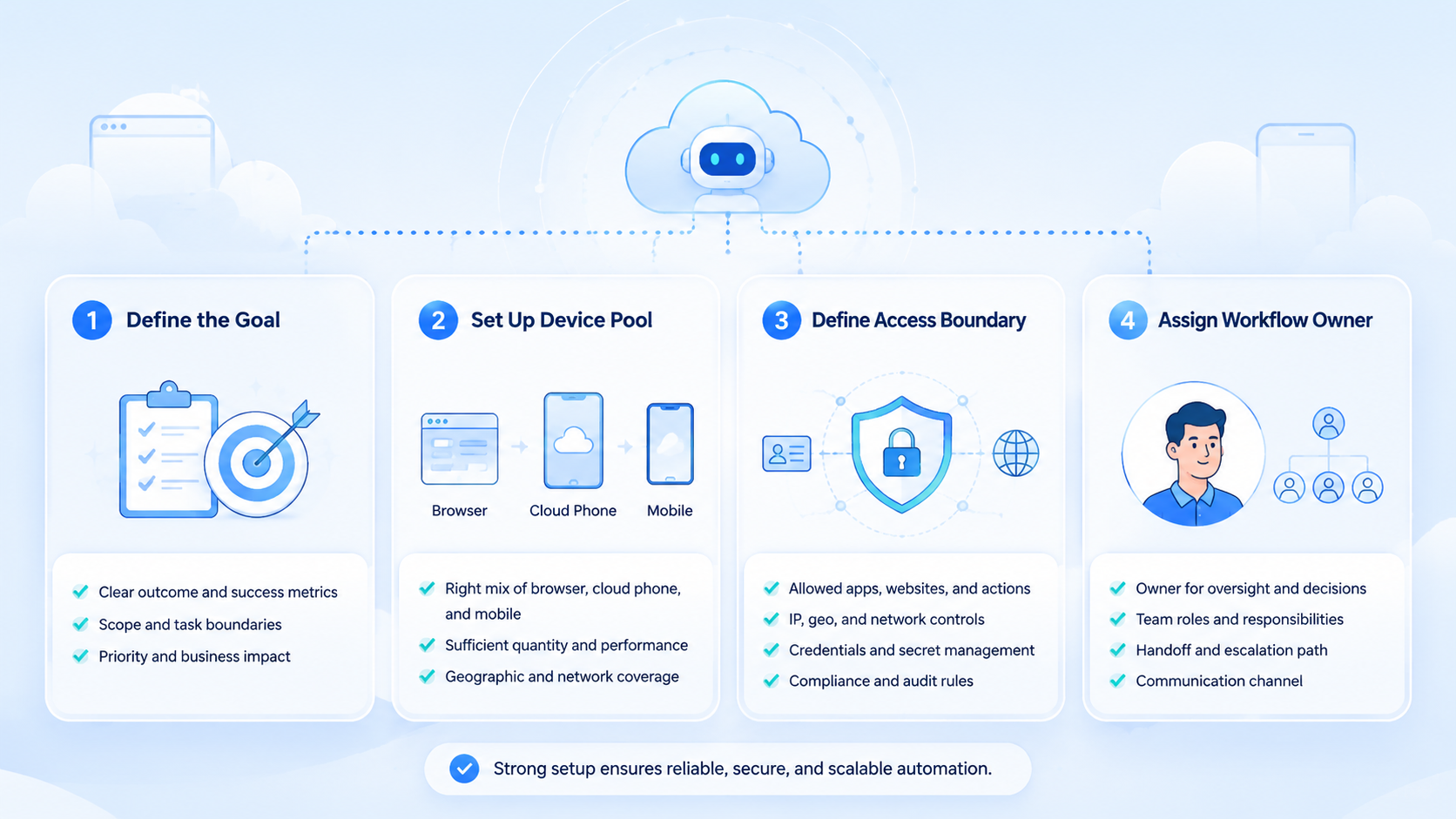
At its core, the platform combines task planning, execution tools, account context, and status tracking. It should answer four questions before work starts: what task, which account, which environment, and who reviews exceptions.
Real-world work is messy. A worker may need to read a page, generate a reply, open a mobile app, publish content, and then report the result. Not a chatbot.
Browser automation standards show why structure matters. W3C WebDriver defines a protocol for browser sessions and commands (W3C WebDriver).
AI worker systems need a similar discipline for web and mobile steps.
Why an AI Worker Platform Matters
The point is not to replace every operator. The point is to move repeated work into a system where steps and results are visible.
This platform model matters when:
- Tasks repeat often
- Several accounts are involved
- Work moves between browser and mobile apps
- Operators need handoff between shifts
- Managers need to review failed or sensitive steps
Playwright's documentation describes structured web automation with actions, assertions, and browser contexts (Playwright). That model is useful for AI worker design: execution must be testable, not just generated.
Key Benefits and Use Cases
The best early use cases are narrow. A worker that handles one repeated workflow is easier to improve than a worker asked to "do marketing."
Useful examples:
| Use case | Environment | Review need |
|---|---|---|
| Content publishing | Browser plus mobile app | Confirm post status |
| Customer replies | Inbox and messaging app | Review sensitive replies |
| Lead research | Browser workspace | Check list quality |
| Competitor monitoring | Web and mobile views | Summarize findings |
| Account recovery routing | Browser or cloud phone | Assign recovery owner |
Moimobi's multi-account management helps when the same team runs many accounts. The worker should follow the account map instead of opening any available session.
How to Get Started with an AI Worker Platform
Start with a task that already has an SOP. Do not use the first pilot to invent the process.
Use this path:
| Step | Setup decision |
|---|---|
| 1 | Pick one repeated task |
| 2 | Define the account group |
| 3 | Choose the environment: browser profile, cloud phone, or both |
| 4 | Set the stop conditions |
| 5 | Record the result after each run |
| 6 | Review failed steps at the end of each day |
AWS Device Farm remote access shows how teams can interact with hosted devices through a browser session (AWS Device Farm). Remote execution should still keep task context and state visible.
Common Mistakes to Avoid
The first mistake is giving the worker a job title instead of a task. "Run growth" is too broad. "Collect 20 qualified leads from this source and flag uncertain ones" is workable.
The second mistake is hiding human takeover. A good workflow names the pause points: unclear prompt, missing file, failed login, sensitive reply, or recovery action.
The third mistake is mixing accounts. Use device isolation when account context matters. The aim is cleaner ownership and fewer handoff conflicts.
Who It Fits and When It Is a Strong Match
The best fit is a team with recurring digital operations. That team should already know what good output looks like.
Strong fit:
- Daily or weekly repeated tasks
- Clear account ownership
- Browser or mobile execution needs
- Human review for exceptions
- A manager who owns recovery
Weak fit:
- One-off research projects
- High-judgment negotiations
- Work with no clear result
- Teams without a shared status system
For social workflows, Moimobi's social media marketing use case is a closer next step than a generic automation tool page.
Task Records an AI Worker Platform Should Keep
A real-world worker needs a small record for each task. The record should be short enough for operators to read, but structured enough for review.
Use these fields:
- Task name
- Account or account group
- Assigned worker
- Environment used
- Start time
- Last action
- Result
- Pause reason
- Recovery owner
This record gives the team a shared source of truth. It also prevents a common failure: the worker says a task is complete, but the operator cannot see which account, device, or step produced the result.
Keep notes short. Long notes become a second inbox. If a reviewer needs more context, attach evidence such as a screenshot note, result link, or task log reference.
How Browser and Mobile Work Should Connect
Some tasks start in a browser and finish on a phone. For example, a lead research workflow may use a web dashboard, then verify a mobile-first profile before saving the result.
A content workflow has a different path: prepare assets in a browser, publish from an app, and return the status to the task record. Do not ask operators to remember which browser step created the mobile action.
Store the source, account group, and next action together. Simple records beat memory.
Moimobi's execution model is useful here because mobile automation can sit beside browser and account workflows. The result is a set of smaller workers with clear handoff rules, not one giant worker.
Pilot Rollout, Measurement, and Recovery Checks
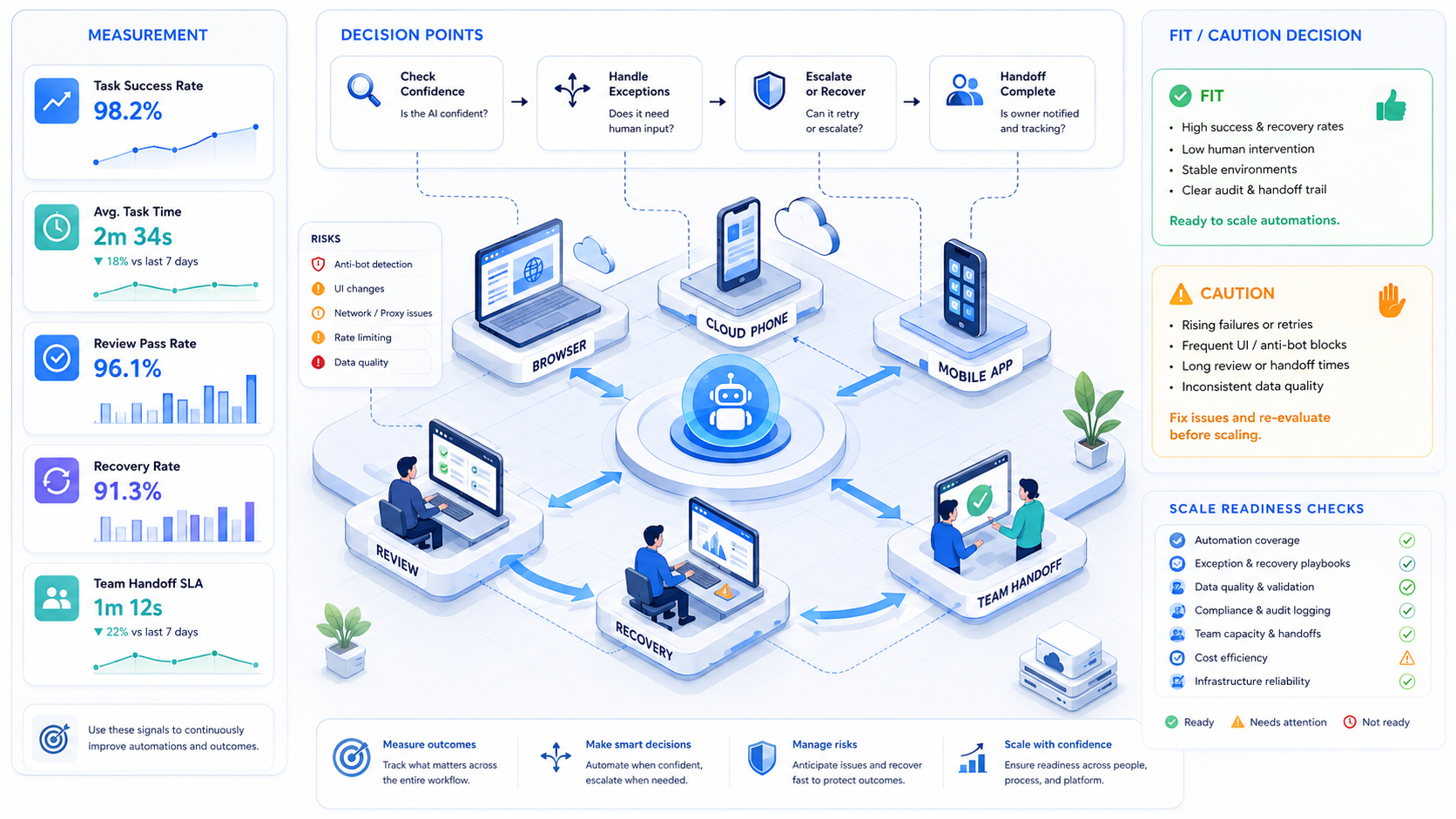
Treat the pilot as a control test. A worker is useful only if the team can see what happened.
Track:
- Task attempts
- Completed tasks
- Paused tasks
- Failed steps by environment
- Human takeover events
- Average recovery time
- Reopened tasks after review
NIST SP 800-53 describes accountability and audit event controls for organizational systems (NIST). Operations teams can apply the simpler lesson: task records need owners, timestamps, and outcomes.
Frequently Asked Questions
What is an AI worker platform?
It assigns work.
How is it different from chat tools?
Chat answers or drafts. A worker platform executes tasks, records outcomes, and exposes failure points inside the operating workflow.
What should a team automate first?
Start with a repeated task that has a clear pass or fail result, such as a reply queue, dashboard check, or publishing handoff.
Does the workflow need browser automation?
Yes, for web apps.
Browser context, login state, and visible task history become part of the worker's operating surface.
When does mobile automation matter?
Sometimes. Use it when the workflow must run in mobile apps or Android account environments, not when a web dashboard already covers the task.
Can one worker handle many accounts?
It can. Clear account groups are easier to review than open-ended access, and sensitive workflows usually benefit from one account group per worker.
What is the main success signal?
Fast review.
The team can explain task results and failures without searching private messages or asking the operator what happened.
Conclusion
Start with one workflow.
The platform becomes useful when it connects AI planning to controlled execution. The workflow needs an account map, an environment, a stop rule, and a recovery owner.
Start small. If one worker can complete a repeated task and leave a clear record, then add the next workflow. If not, improve the task design first.



