
Key Takeaways
- Separate publishing, reply, and monitoring workflows
- Keep account context visible before public actions
- Measure rescue events before scaling
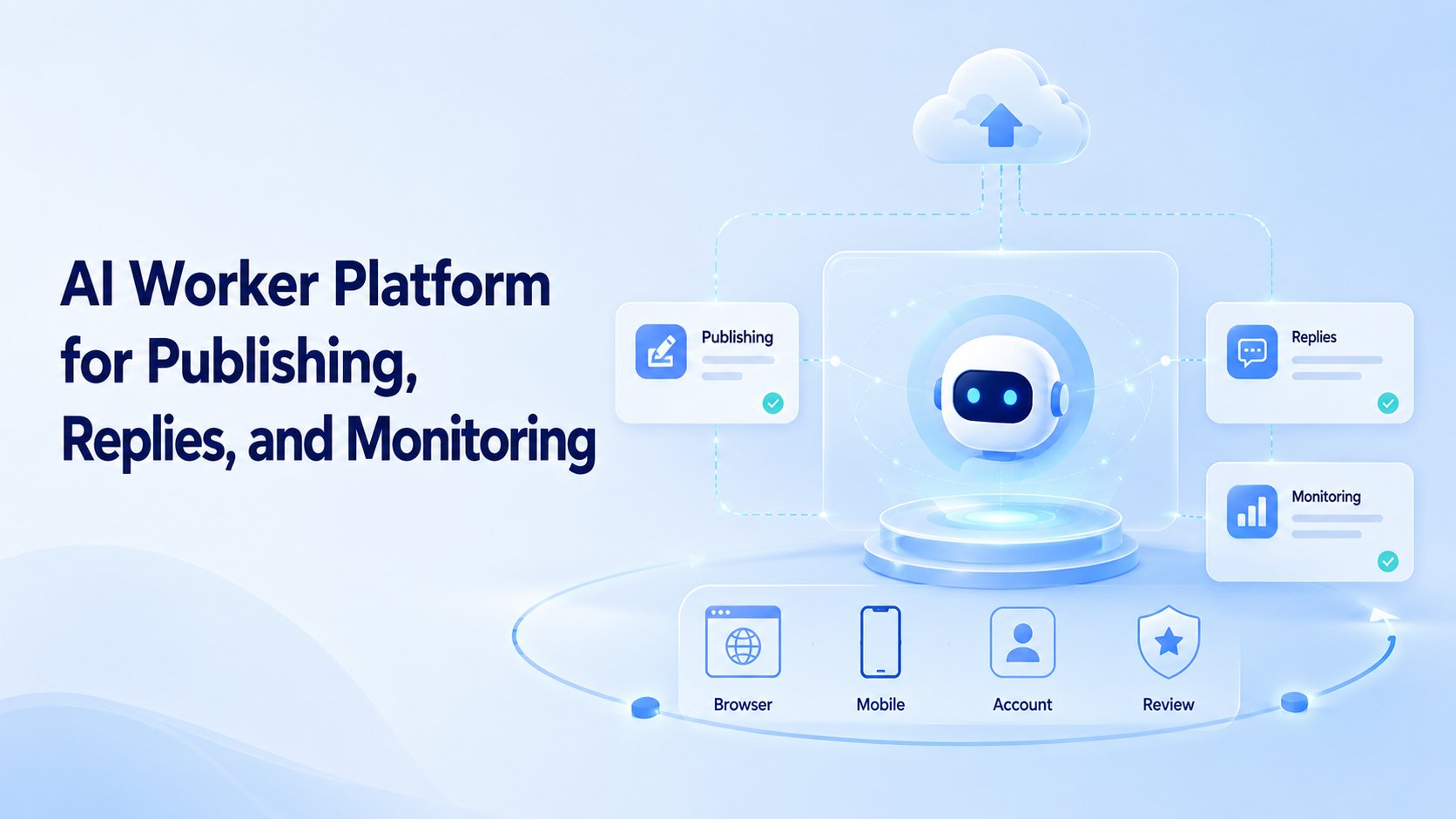
An AI worker platform is a system that lets AI workers run defined tasks in controlled execution environments. For publishing, replies, and monitoring, it connects content generation with the browser or mobile places where work actually happens.
This matters because social and customer workflows rarely end inside a document. A team may draft a post, open an account workspace, check recent comments, prepare replies, and review competitor activity.
Start controlled.
A launch owner checks account, source, draft, and result before another batch enters the queue.
The platform should make those steps repeatable without removing human judgment.
The goal is not to let AI post everywhere without control. The goal is to reduce repeated manual work while keeping review, account separation, and recovery visible.
Control first.
Key Takeaways
- An AI worker platform should combine task instructions, execution environments, and review logs.
Map handoffs.
One review note should name the workspace, owner, route, action, and final status for later repair.
- Publishing, replies, and monitoring need different approval rules.
-
Browser and mobile environments matter when accounts live inside real web apps or mobile apps.
-
Teams should track completion, correction, and rescue events.
- Account isolation helps teams understand which worker acted in which workspace.
How an AI Worker Platform Handles Publishing
Publishing work starts before the final click.
Keep scope tight.
The first workflow earns trust by finishing a small queue before more accounts or channels join.
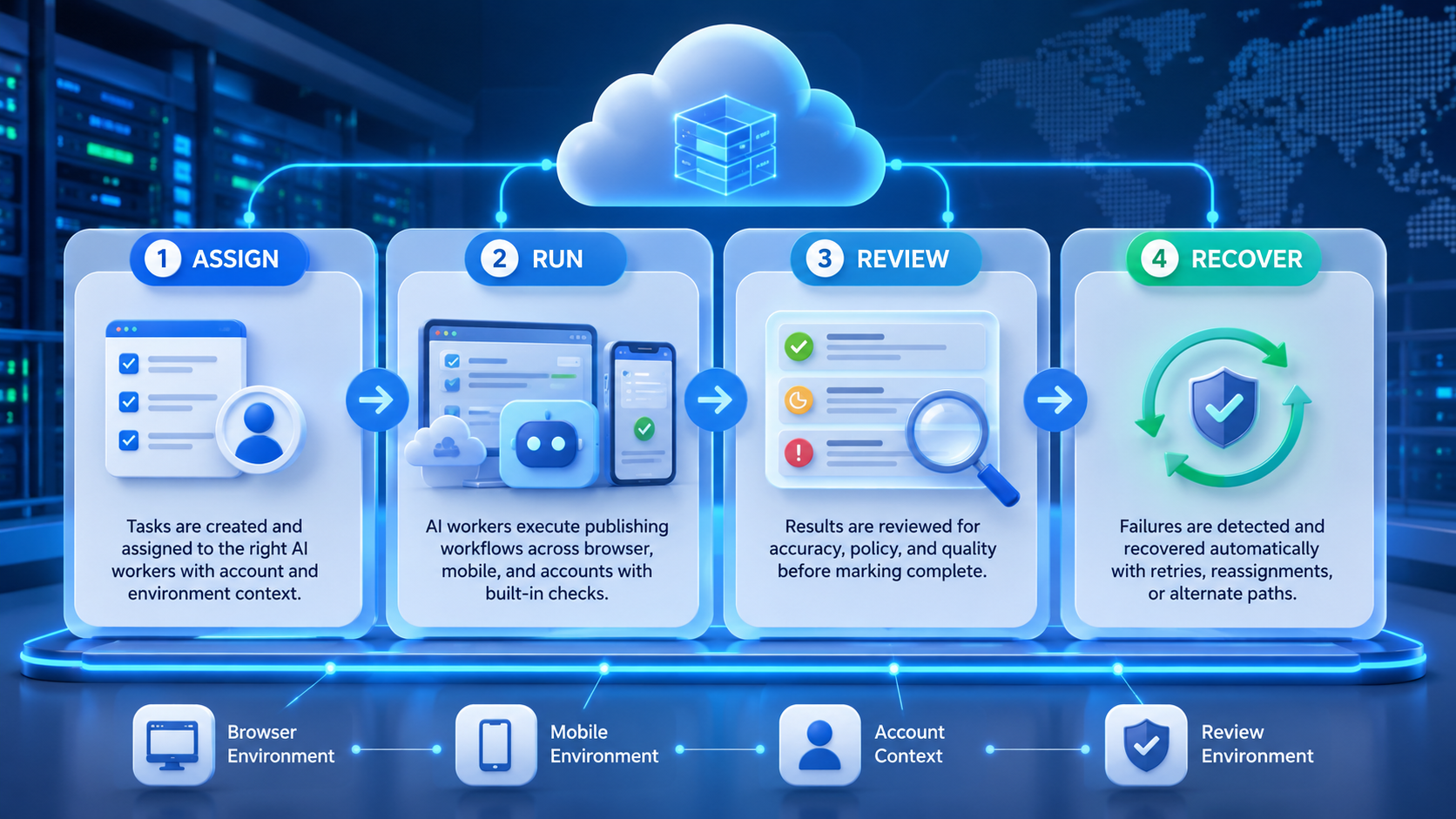
A worker may generate captions, adapt drafts for a channel, check a content calendar, prepare assets, and queue posts for review.
The execution layer matters when the final workflow happens inside a platform dashboard or mobile app. A simple text generator cannot confirm page state, account context, or whether a required field is missing.
An AI browser execution platform gives the worker a controlled place to prepare the task.
For teams running multiple channels, connect publishing to social media marketing workflows.
Watch rescue.
A rescue event tells the team which instruction, screen, account state, or review rule needs repair.
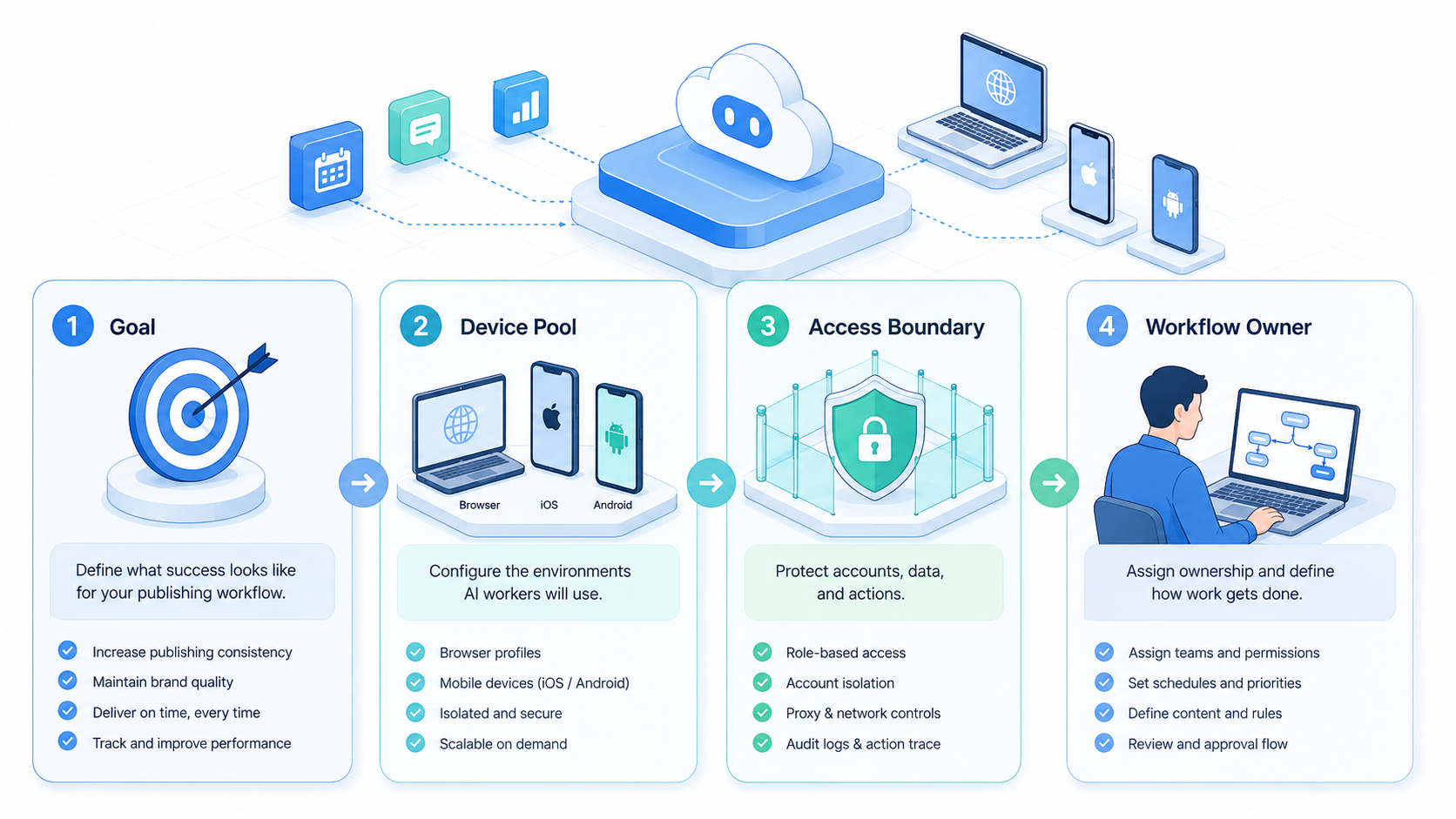
Each account should have a clear lane. That lane may include a browser profile, a cloud phone, a proxy rule, and a human owner.
Publishing should usually stop before public release. A digital operator can draft, format, check requirements, and queue the post.
A person should approve public posts until the team has enough evidence that the workflow is stable.
Name the lane.
Every account group needs a visible owner so failed runs do not disappear into chat history.
Queue before send.
How It Supports Replies
Reply workflows are different from publishing workflows. They involve customer tone, context, urgency, and sometimes private information. The AI worker should help classify and draft, not blindly send.
A practical reply workflow has four stages:
Save evidence.
Source links, screenshots, and task notes help the next operator continue without reopening every tool.
Read the newest messages or comments.
2. Classify intent, priority, and risk.
3. Draft a reply using approved guidance.
Delay scale.
Expansion should follow completion data, low correction rates, and clear exception handling across several runs.
Stop for review or send only within approved boundaries.
Customer-facing work benefits from logs. Reviewers need to know what the worker saw, which context it used, and why it suggested a reply. Without that trail, the team spends time checking the same page again.
Protect review.
Public actions stay safer when drafts, replies, and setting changes pause before the final step.
If replies happen in mobile-first apps, a cloud phone or Android execution environment may be required. This is where mobile automation extends the workflow beyond browser-only tools.
Mobile matters.
How It Improves Monitoring
Monitoring is a strong early use case because it is repeatable and reviewable. A worker can check competitor pages, account dashboards, social mentions, customer feedback, or marketplace signals.
Use batches.
Small batches reveal login issues, missing fields, and unclear stop rules before volume hides the cause.
The output should not be a vague summary. It should produce a structured report:
| Field | Example | Why it matters |
|---|---|---|
| Source | Account, page, dashboard, or thread | Helps reviewers verify the finding |
| Change | New post, new comment, trend, or alert | Shows what changed since the last run |
| Priority | Low, review, urgent | Supports triage |
| Next action | Reply, save, escalate, ignore | Turns monitoring into work |
Monitoring also needs repetition rules. Define what counts as new, what has already been reviewed, and which signals deserve escalation.
Define new.
Fit Boundaries and Common Mistakes
This kind of AI worker platform fits teams that already repeat publishing, reply, or monitoring tasks.
Check ownership.
A single operator should decide when the workflow is ready for another account or task type.
It is less useful when the process is undefined or every task needs deep strategic judgment.
Common mistakes include:
- sending public replies without review;
- mixing several accounts in one shared environment;
- measuring only output volume;
- ignoring failed runs;
- treating AI-generated drafts as final content.
The safer pattern is assisted execution. AI prepares the task and captures evidence.
The person reviews exceptions, public actions, and sensitive replies.
Keep records.
Logs connect the worker, environment, account, and result into one trail that managers can inspect.
Account-based teams should also use device isolation when workflows move across many accounts. Separate workspaces make review and troubleshooting easier.
Separate lanes.
Governance Notes for an AI Worker Platform
Publishing and reply workflows need lightweight governance. A worker may touch customer messages, public content, or account dashboards.
Pause exceptions.
Unexpected screens need a stop rule so automation does not continue with weak context.
The team should decide what data it may read, what actions require review, and what evidence must be saved.
Three references are useful when setting boundaries. The NIST AI Risk Management Framework gives a practical model for mapping and monitoring AI risk. The OWASP LLM Top 10 helps teams think about tool use, prompt injection, and data exposure. Google’s helpful content guidance is relevant when workers support content operations.
Limit access.
Permission boundaries keep the worker focused on the task instead of the whole account workspace.
For a small pilot, governance can stay compact:
- keep public actions in a review queue;
- save source links or screenshots for monitoring findings;
- separate account environments by brand, client, or channel;
- define the stop rule for page changes;
- review failures before expanding the workflow.
These rules make the platform easier to scale. They also give operators a common language for deciding whether a workflow is ready for more accounts.
Scale after proof.
AI Worker Platform Pilot Metrics
Start with one workflow and one account group.
Review samples.
A manager can inspect ten finished tasks and decide which rule deserves the next improvement pass.
A pilot should be small enough to inspect but large enough to expose operational friction.
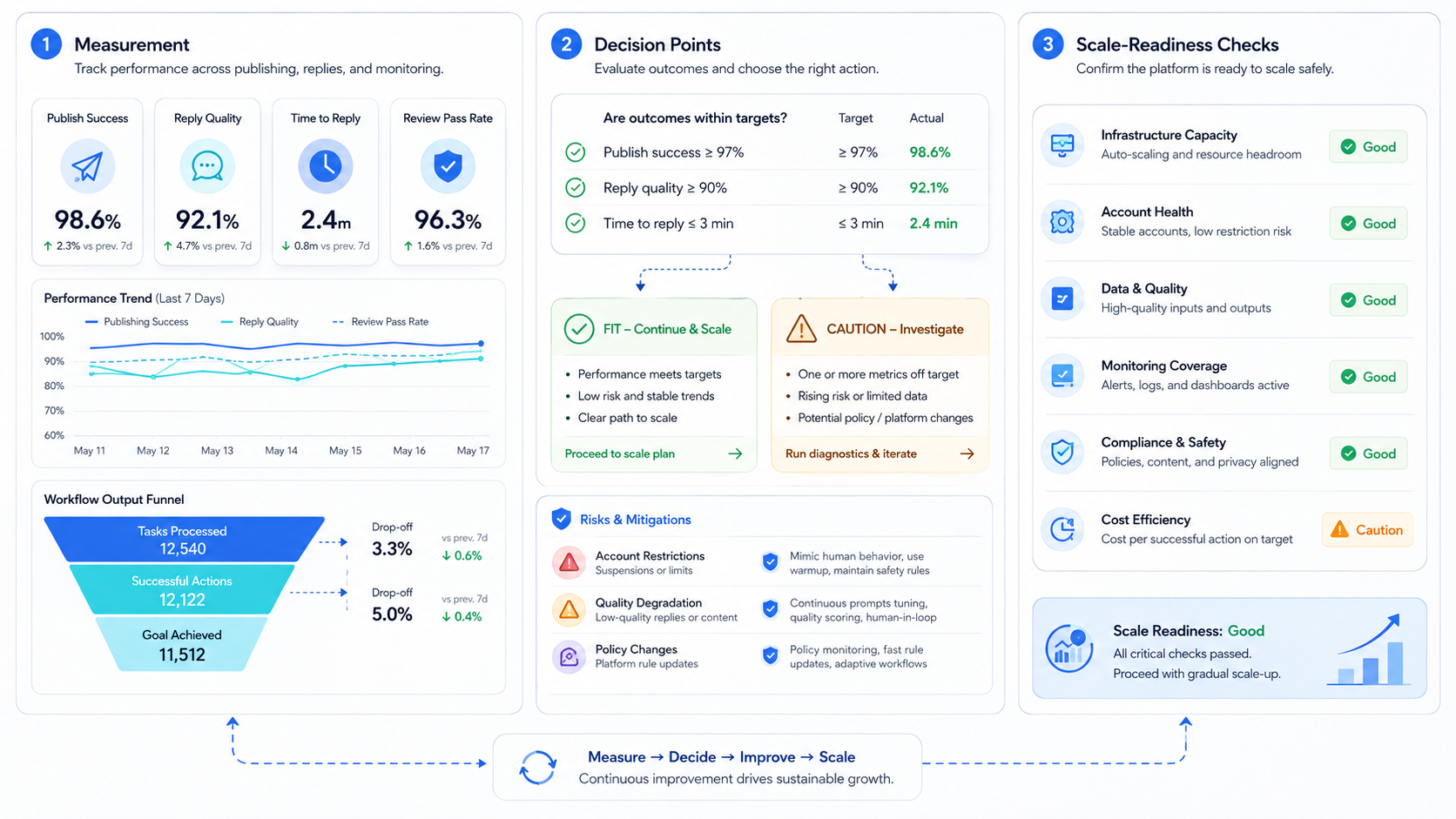
Track these metrics:
-
Completion rate: how many runs reached the expected output?
-
Correction rate: how often did a reviewer rewrite the result?
- Rescue rate: how often did a person need to take over?
- Review time: how long did approval take?
Mark failures.
Repeated errors should point to one repair owner rather than a vague note about automation quality.
- Repeat failure: which page state or instruction failed more than once?
These metrics turn automation into an operating system. The team can improve prompts, account environments, stop rules, and review steps based on evidence.
Evidence wins.
Frequently Asked Questions
What is an AI worker platform?
It is software that gives digital workers tasks, environments, permissions, and review flows so they can execute repeatable work.
Each run should leave enough context for a manager to inspect the source, output, account, and next step without starting over.
Can it publish content automatically?
It can prepare and queue publishing workflows. Teams should keep approval for public posts until the workflow is proven and bounded.
Approve first.
Can it reply to customers?
It can classify messages and draft replies. Sending should depend on channel risk, policy, and review rules.
For live customer channels, the safer first setup is a draft queue with a clear owner and a visible reason for each suggestion.
Why do browser and mobile environments matter?
Many platforms require logged-in browser or mobile sessions. The task needs access to the same environment where the work happens.
Context matters.
What is a good first workflow?
Monitoring is often a practical start. It produces reviewable outputs and has lower downside than direct public actions.
A team can compare source, finding, priority, and next action before it lets the worker touch replies or publishing queues.
How does account isolation help?
It keeps sessions, cookies, routing, and task history separate. That makes multi-account work easier to audit.
Keep lanes clean.
What should teams measure?
Measure completion, corrections, rescue events, review time, and repeated failures. These show whether the workflow is improving.
The most useful review is short: what worked, what needed rescue, what rule changed, and which account should run next.
Conclusion
An AI worker platform for publishing, replies, and monitoring should be judged by execution quality, not output volume. Each task should run in the right environment, use the right account, and stop at the right review point.
Begin with one repeatable workflow.
Add browser profiles, multi-account management, cloud phones, or mobile devices only where the task requires them. The platform becomes valuable when the team can run, inspect, and improve the workflow every week.



