
Key Takeaways
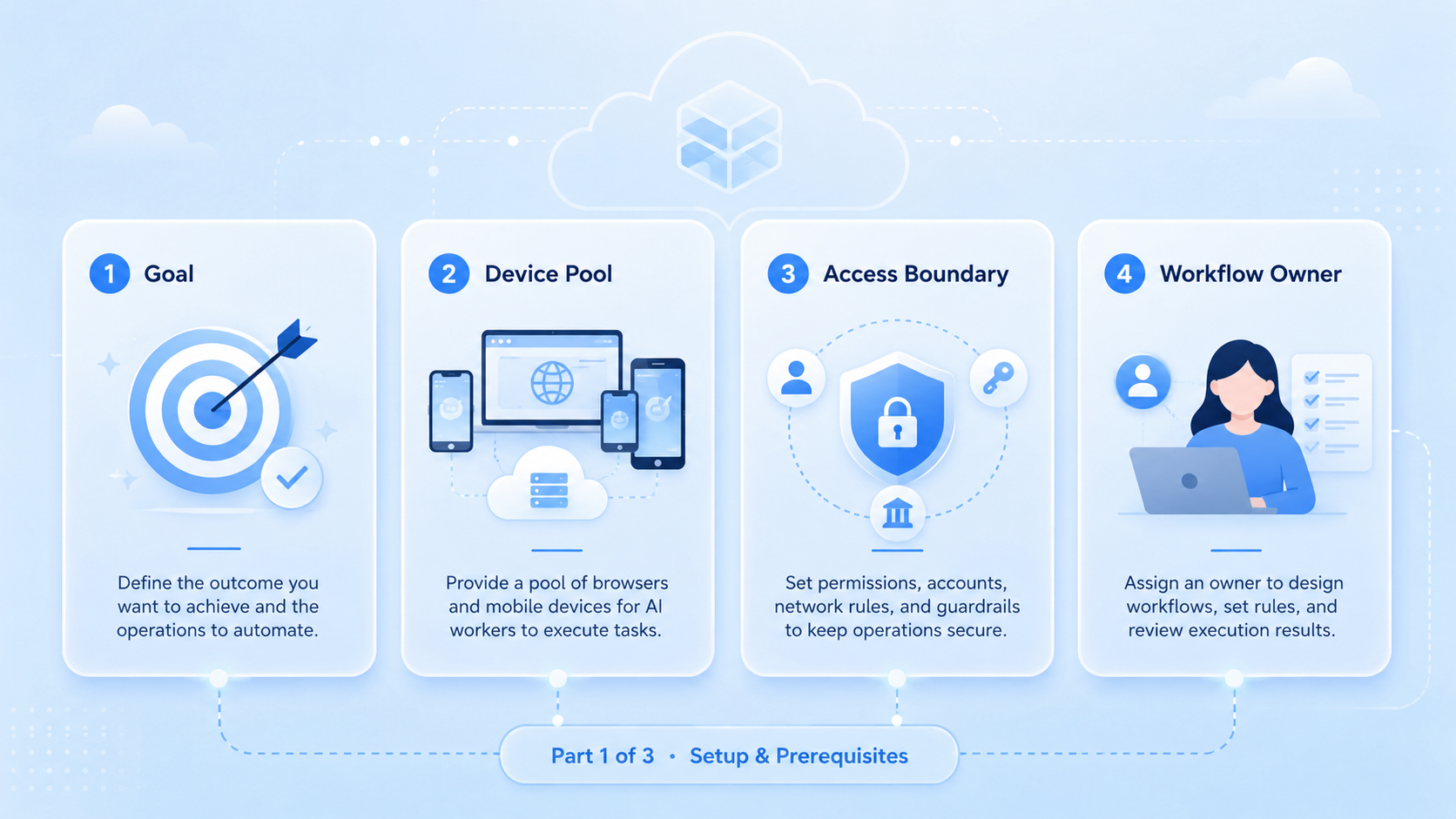
- An AI worker platform is useful when teams need execution capacity, not only AI answers
- The main value is repeatable work across browser, mobile, account, and review workflows
- Teams should define ownership, approvals, and recovery paths before scaling automation
- A small pilot is safer than moving every recurring task into automation at once
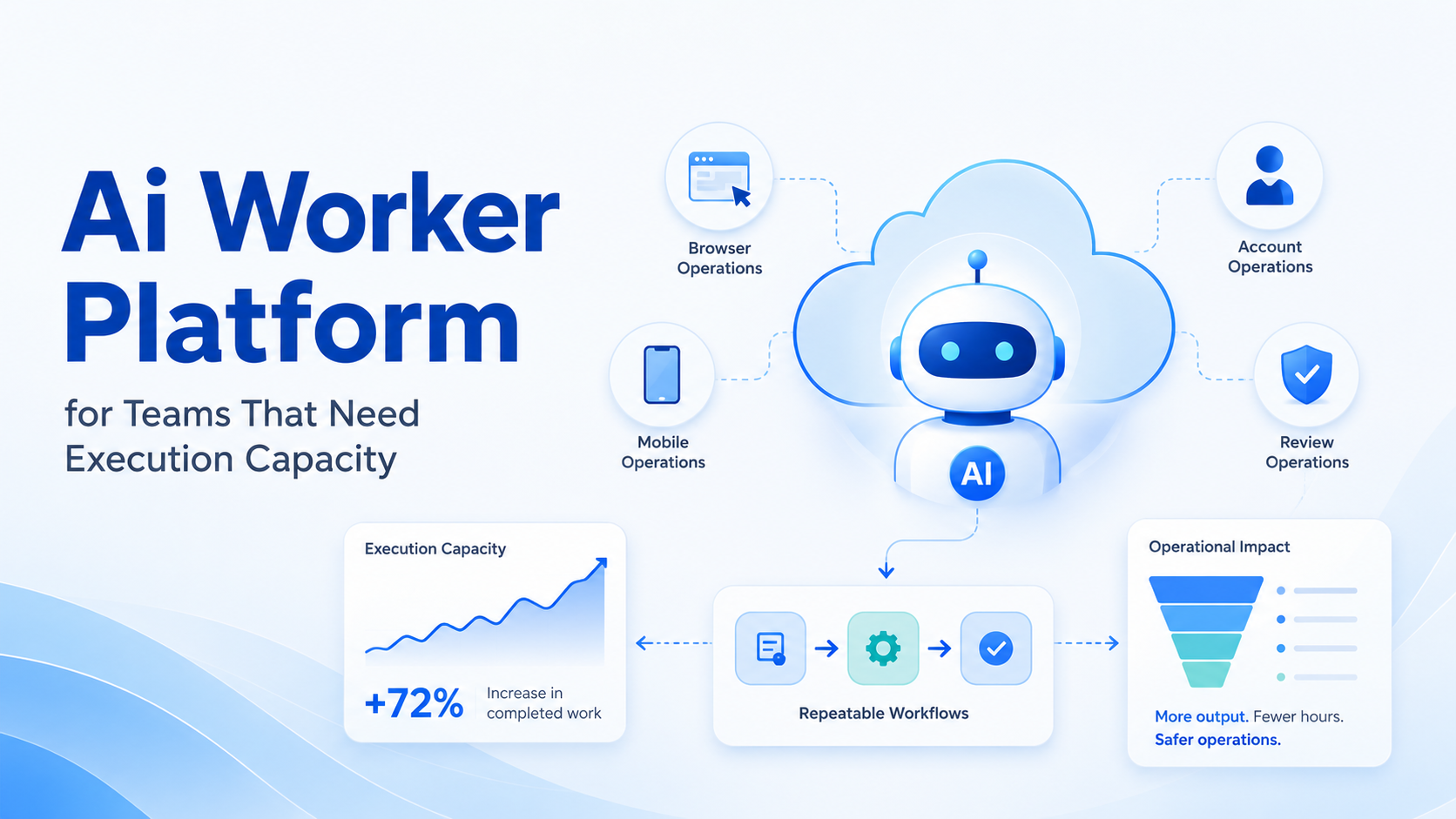
An AI worker platform is software that lets AI workers perform structured tasks inside controlled execution environments.
For teams, the phrase "execution capacity" means more than faster content generation. It means the team can assign repeatable work, run it in the right browser or mobile environment, review the result, and recover when a task needs human judgment.
Moimobi is built around that execution view. It connects AI workers with AI browser workflows, cloud phones, Android mobile environments, and multi-account management. The goal is not to replace every operator. The goal is to give teams a controlled way to run more online work without losing visibility.
The Core Idea Behind an AI Worker Platform
The core idea is simple: AI becomes more useful when it has a place to work. A chat interface can help with language. An execution platform gives the worker a browser, account lane, mobile device, task rule, review path, and recovery record.
This matters for online teams because much of their work lives inside tools. Operators open dashboards, check messages, publish updates, collect leads, update spreadsheets, and review account status. The work is repetitive, but it still needs context.
Use three layers:
| Layer | What It Does |
|---|---|
| Instruction layer | Defines the task, role, and expected output |
| Execution layer | Gives the worker a browser, phone, or app environment |
| Control layer | Tracks ownership, approvals, errors, and results |
Without the execution layer, the AI can only advise. Without the control layer, the team may not know what happened. A real AI worker platform needs both.
Why Teams Search for an AI Worker Platform
Teams usually search for this topic after manual work becomes hard to scale. The first pain is volume. One person can check a few accounts, reply to a few messages, or collect a few leads. The same work becomes difficult when it repeats across many accounts or clients.
The second pain is handoff. A task may start with research, move to a draft, wait for approval, and finish inside a web or mobile app. If every step lives in a different tool, the team spends time explaining status instead of completing work.
The third pain is inconsistency. Two operators may follow the same SOP in slightly different ways. AI workers can reduce that drift when the workflow is defined clearly. Boundary rules still matter, especially when customer-facing actions are involved.
Google's guidance on creating helpful content is about publishing, but the operating principle applies here too. Public output needs review.
Who Benefits Most and In What Situations
The best fit is not every team with an AI budget. Look for repeated digital work and enough structure to define what the AI worker should do before the task starts.
Good-fit teams include:
- Social media teams handling publishing checks, comments, DMs, and trend research
- E-commerce teams checking stores, orders, listings, messages, and marketplace status
- Agencies running similar workflows across client accounts
- Support teams triaging messages before human review
- Growth teams collecting leads, researching prospects, and updating CRM fields
- Operations teams that need browser and mobile execution in the same workflow
Moimobi fits teams that need environments as part of the worker model. A worker may need a browser profile today and a mobile app tomorrow. That is why mobile automation and account isolation matter for this category.
Not every team needs this depth. A solo creator who only wants captions may be better served by a writing assistant. A developer team building custom internal automation may prefer scripts first, especially when engineers already own testing, monitoring, and maintenance. Execution infrastructure becomes valuable when the work repeats, crosses accounts, or requires review.
How to Evaluate an AI Worker Platform
Skip the flashy demo first. Start with the failure points that would break your workflow.
Use this checklist:
| Step | Decision |
|---|---|
| Pick the task | Choose one recurring task that currently wastes operator time |
| Define the environment | Name the account, browser, or mobile workspace needed for the task |
| Set action limits | List what the AI can do without review |
| Add approval rules | Mark what must pause for human approval |
| Plan recovery | Decide how errors, prompts, and unclear results will be logged |
| Measure the pilot | Track completion rate, edit rate, and recovery time |
For example, a social team might start with comment triage. The AI worker can classify comments, draft suggested replies, and flag sensitive messages. A human reviewer approves replies before anything is posted.
The strongest evaluation question is not "Can the AI do it once?" The better question is "Can the team repeat this workflow for a week and still understand every outcome?"
Mistakes That Reduce Results
One common mistake is automating before the SOP is clear. If humans cannot agree on the correct task steps, an AI worker will inherit the confusion. Write the workflow first.
Another mistake is skipping ownership. Every worker should have a task owner, account lane, and review rule. Otherwise, the team may create more output without knowing who is responsible for it.
A third mistake is treating mobile and browser work as the same problem. Browser dashboards and Android apps behave differently. Teams that need both should evaluate a platform that can support device isolation, mobile execution, and browser work without mixing account context.
For governance, NIST's AI Risk Management Framework is a useful reference. It encourages measurement, monitoring, and risk controls. Those ideas fit AI worker rollouts because execution creates operational consequences.
Pilot Plan for Execution Capacity
A small pilot should prove that the worker adds capacity without hiding problems. Choose one workflow, one owner, and one review cycle.
- Task steps are repeatable
- Reviewers can inspect output
- Exceptions are visible
- Operators trust the handoff
- Tasks need constant rescue
- Ownership is unclear
- Errors are hard to trace
- Review takes longer than manual work
Track the first week with simple numbers. Count tasks completed, tasks edited, tasks rejected, and tasks that needed manual recovery. The result will show whether the AI worker platform is adding capacity or only moving work into a different queue.
The W3C's accessibility standards also point to a practical lesson for automation: structured interfaces are easier for both people and systems to use. When workflows depend on messy screens, recovery planning becomes more important.
Frequently Asked Questions
What is an AI worker platform?
It is software that lets AI workers perform structured tasks inside controlled browser, mobile, or workflow environments.
How is it different from a chatbot?
A chatbot answers or drafts. An AI worker platform gives the AI a place to execute tasks and report outcomes.
When does a team need one?
Use one when recurring work crosses accounts, apps, dashboards, reviewers, or mobile environments.
Can it replace human operators?
It should be treated as execution support, not a full replacement for operators. Humans still define tasks, review sensitive output, and handle exceptions.
What should the first pilot include?
Start with one repeated task, one owner, one account group, and a clear review rule that decides what can proceed.
What metrics matter most?
Track completion rate, edit rate, rejection rate, issue count, and recovery time.
Where does Moimobi fit?
Moimobi fits teams that need AI workers connected to browser profiles, cloud phones, Android devices, and account workflows.
Conclusion
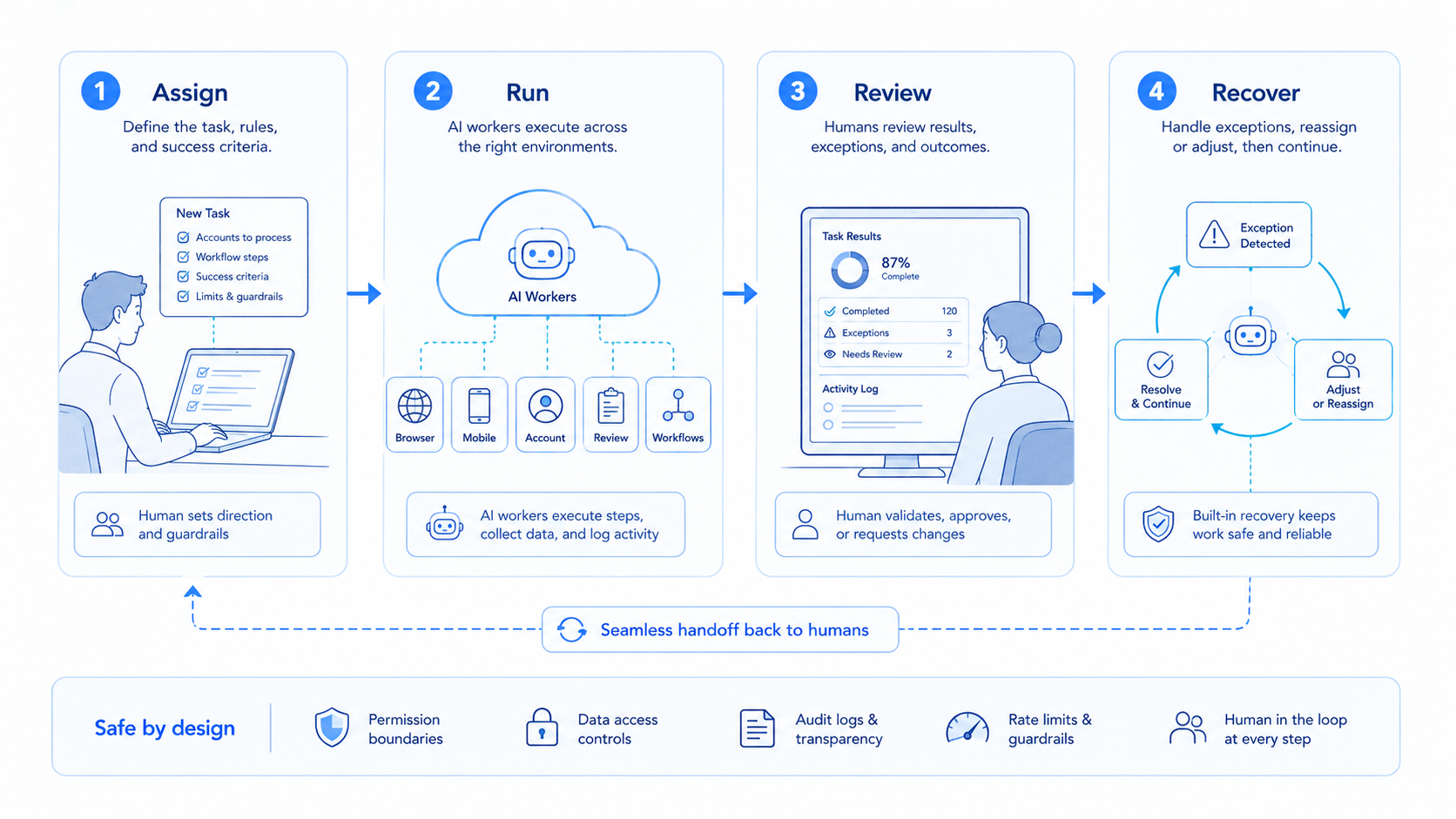
An AI worker platform is most useful when a team needs repeatable execution capacity. Start with the workflow, then evaluate environment support, review controls, ownership, and recovery visibility.
The best next step is a narrow pilot. Pick one recurring task, define what the worker may do, decide what needs approval, and measure the first week. If the team can repeat the process and explain every exception, the platform is ready for a larger rollout.



