
Key Takeaways
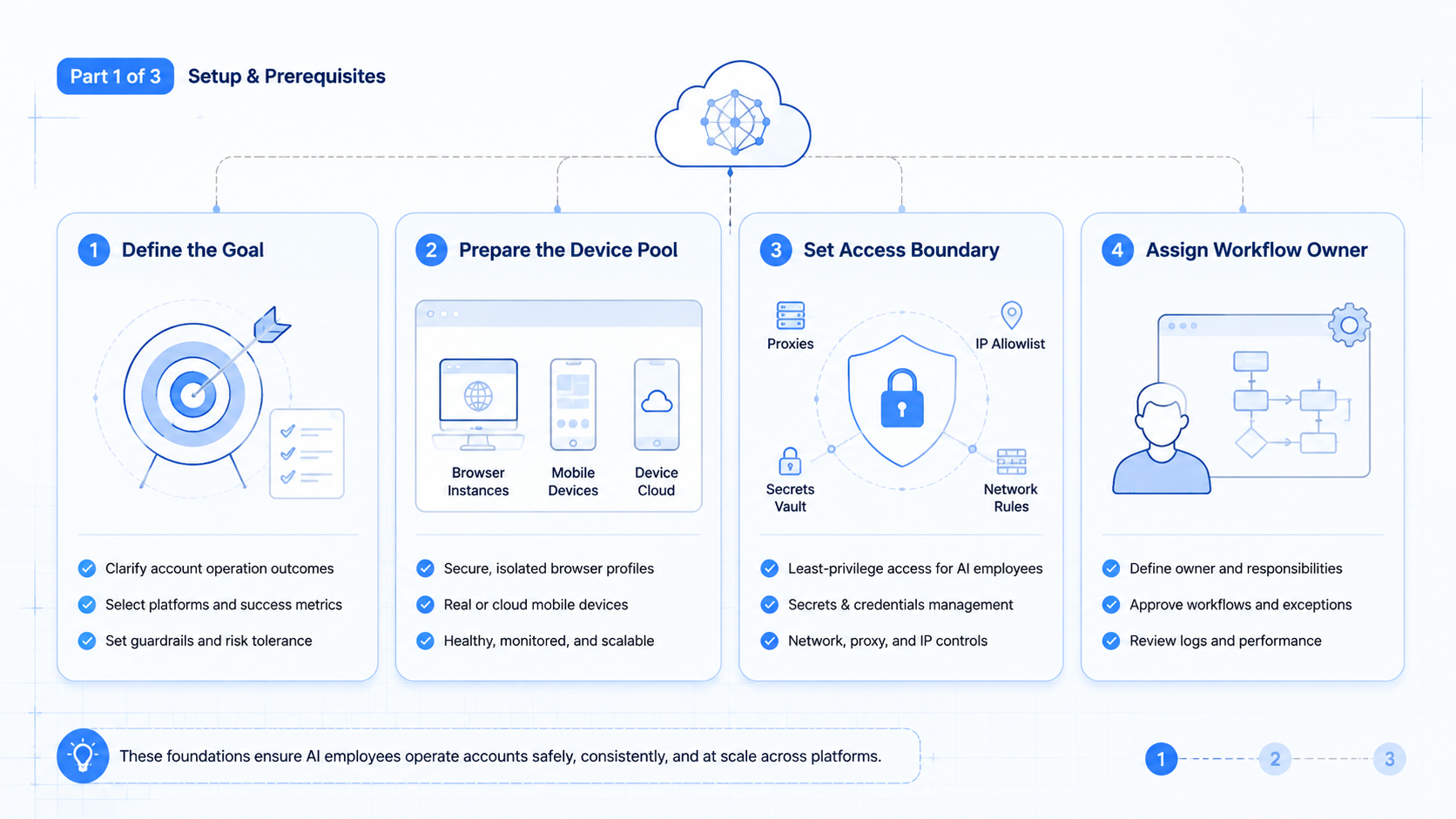
- An AI employee platform gives account operations a runtime, ownership rule, and review loop.
- Multi-platform work needs separated browser and mobile environments, not one broad agent.
- Teams should evaluate role clarity before adding more accounts or more workers.
- Good pilots track correction rate, takeover speed, and account-state conflicts.
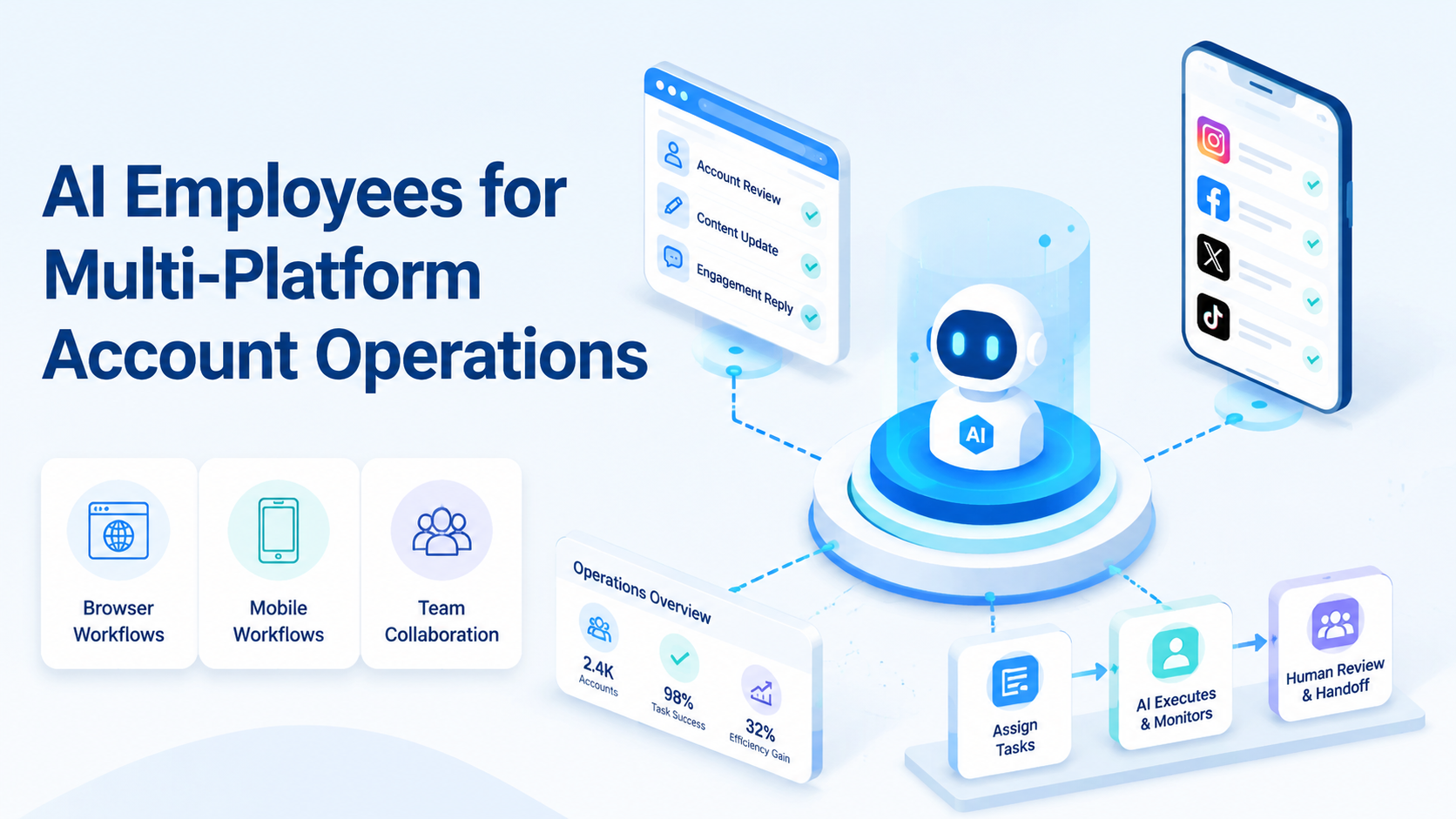
AI Employees for Multi-Platform Account Operations describes a model where repeatable account work is assigned to controlled browser and mobile environments. An AI employee platform is useful when it turns account operations into narrow, reviewable lanes instead of broad operator improvisation.
This matters because platform work rarely stays inside one interface. A team may review a browser dashboard, switch to a mobile app, then return to another web queue. The hard part is not only execution. The hard part is keeping account state, ownership, and recovery consistent.
Official sources point to the same need for explicit boundaries. WebDriver defines browser automation through formal sessions.1 Playwright isolates browser contexts for separate states.2 Android Enterprise frames managed Android devices as policy-controlled workspaces.3 Those sources support a simple rule: account operations get easier to trust when environments stay explicit.
The Core Idea Behind AI Employees for Multi-Platform Account Operations
The weak model is “one smart worker for every account task.” That usually fails quickly.
An AI employee platform works better when each employee owns one narrow lane. One employee may monitor a browser dashboard. Another may handle a mobile follow-up step. A third may move outputs into the next review queue. The point is not to make the worker look general. The point is to keep the lane predictable.
This is why the platform matters more than the prompt. The platform decides:
- which environment opens
- which account state may persist
- who owns the lane
- when the task pauses for a person
- how failed work is resumed
That design is what turns “AI employee” from a label into an operating model.
Why Teams Search for AI Employees for Multi-Platform Account Operations
Teams usually search this topic when account work starts spreading across too many places.
One account workflow may touch a web dashboard, a mobile app, and a shared queue. Another may require account-specific context that must not leak into the next run. The immediate problem looks like manual overhead. The deeper issue is the lack of a clean system for account ownership.
An AI employee platform becomes relevant when the team needs:
- better account isolation
- clearer owner-to-account mapping
- repeatable handoff between browser and mobile lanes
- lower rescue cost when a run fails
That need often shows up first in multi-account management work, but the same rule applies to many multi-platform workflows.
Who Benefits Most and In What Situations
This model fits account operations that repeat and that rely on stored state.
Teams run repeated account workflows across browser and mobile environments with frequent handoff.
The workflow repeats, but ownership is still shared informally across operators.
The work is mostly campaign strategy or ad hoc research with no stable account lane.
Good fit examples include customer engagement teams, social operations teams, and support teams that switch across dashboards, app inboxes, and account-specific queues. A weak fit is broad research work that changes shape every day.
How to Evaluate or Start Using AI Employees for Multi-Platform Account Operations
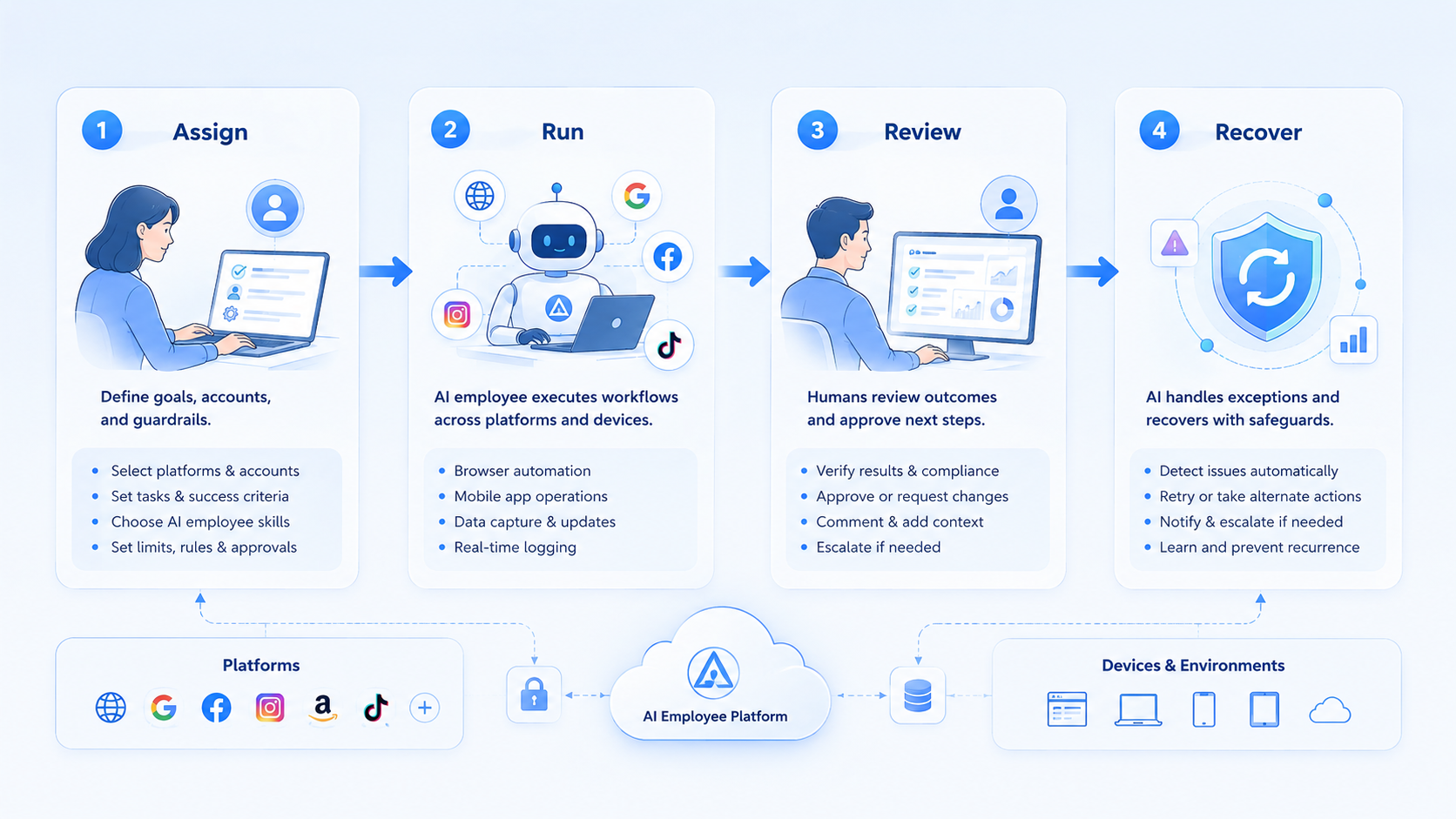
Start with one account lane, not a full employee pool.
- Choose one repeated account workflow. Pick a lane with clear outputs and clear failure points.
- Map the environments. Mark which steps belong to browser work and which belong to mobile work.
- Assign one owner. Every account lane needs one responsible operator or queue owner.
- Set one stop rule. Decide when the employee pauses for review.
- Track one review log. Record failure reason, takeover time, and account-state issues.
Playwright browser contexts are useful here because they make session separation explicit.2 Android Enterprise brings the same discipline to managed mobile environments.3 If the team cannot explain where one account lane starts and ends, the platform is not ready for scale.
Teams evaluating mobile-heavy account work should also review cloud phone and device isolation together, not as separate purchases.
Mistakes That Reduce Results
The first mistake is assigning one employee to too many account types. That makes review noisy and ownership vague.
Another mistake is assuming more accounts should come before tighter control. More volume only amplifies weak routing rules. A team that cannot reopen the right state quickly will spend the gain on cleanup.
State mixing is another common failure mode. Playwright contexts exist to separate browser state.2 Managed mobile workspaces exist to separate device state.3 When teams blur those boundaries, account operations become harder to trust.
Avoid these patterns:
- one employee serving unrelated account lanes
- no owner for failed runs
- no rule for browser versus mobile transitions
- scaling accounts before measuring correction rate
Pilot Rollout, Measurement, and Recovery Checks
The first pilot should stay small enough to inspect account by account.
Use a short scorecard:
| Review area | What to inspect | Healthy signal |
|---|---|---|
| Account ownership | Does one lane have one owner? | Clear handoff path |
| State conflicts | Did any session or device overlap appear? | Few or no conflicts |
| Recovery speed | How fast can the team resume after failure? | Short reopen time |
| Correction cost | How much cleanup follows a run? | Low manual rework |
AWS Device Farm and BrowserStack both frame controlled device execution around reproducible environments.4 5 That is relevant here because recovery depends on predictable state, not just available devices.
The safest expansion path is to add new account lanes only after one lane has stable recovery and low correction cost.
Frequently Asked Questions
Is an AI employee platform only for large account teams?
No. Small teams often benefit first because unclear handoff costs them more.
Does every AI employee need a mobile environment?
No. Some account lanes are mostly browser-based and should stay that way.
What is a good first use case?
Pick a repeated account workflow with clear ownership and a clear stop rule.
Why is account isolation so important?
Because mixed state makes recovery harder and account-level review less reliable.
Can one employee handle several accounts?
Yes, but only if those accounts follow the same workflow and review standard.
What should a pilot measure first?
Measure correction rate, takeover time, and state conflict frequency before throughput.
When should a team add more AI employees?
After one lane proves stable recovery and clear ownership.
Conclusion
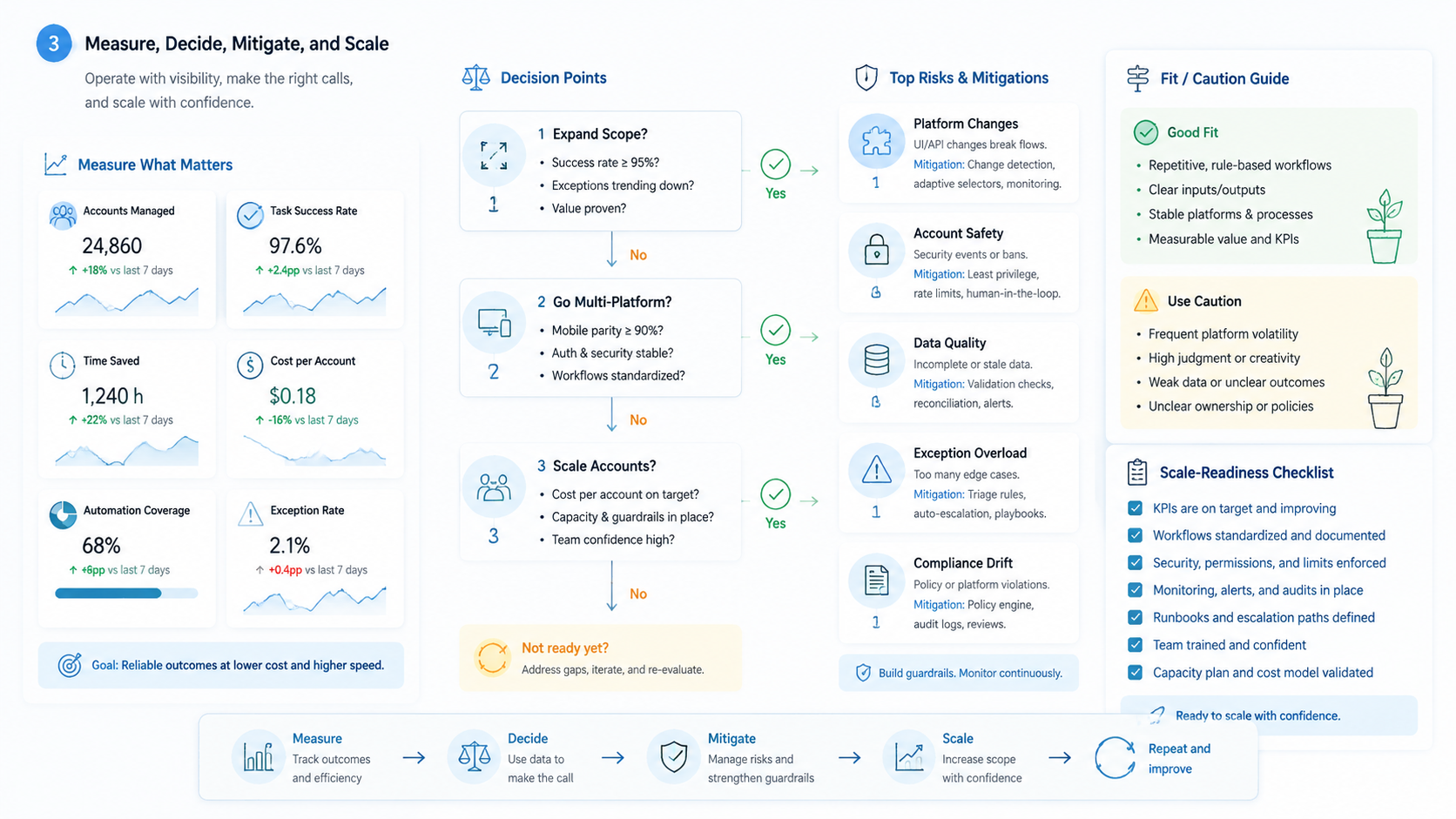
AI employees become useful in multi-platform account operations when the platform gives each lane a clear environment, a clear owner, and a clear recovery path. The main value is operational control, not just automated activity.
Before scaling, test one account lane closely. If state stays separated, recovery stays fast, and correction cost stays low, the team has a stronger base for expansion.



