
Key Takeaways
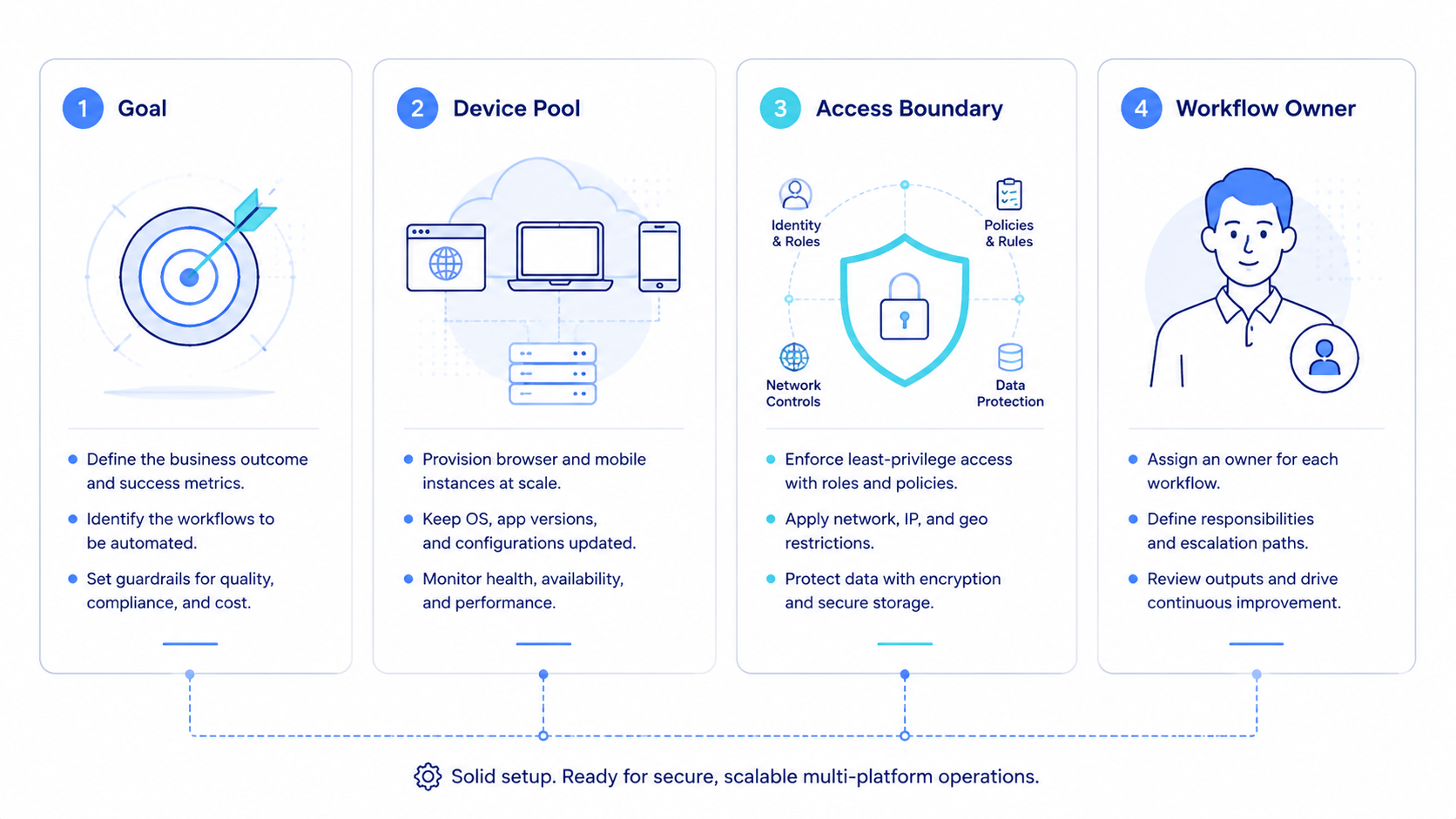
- AI employee software is useful when it gives teams repeatable execution across browser and mobile environments
- Multi-platform operations need clear runtime rules, account boundaries, and review ownership
- Teams should pilot one narrow lane before they scale worker coverage
- Correction cost and handoff quality matter more than raw task volume
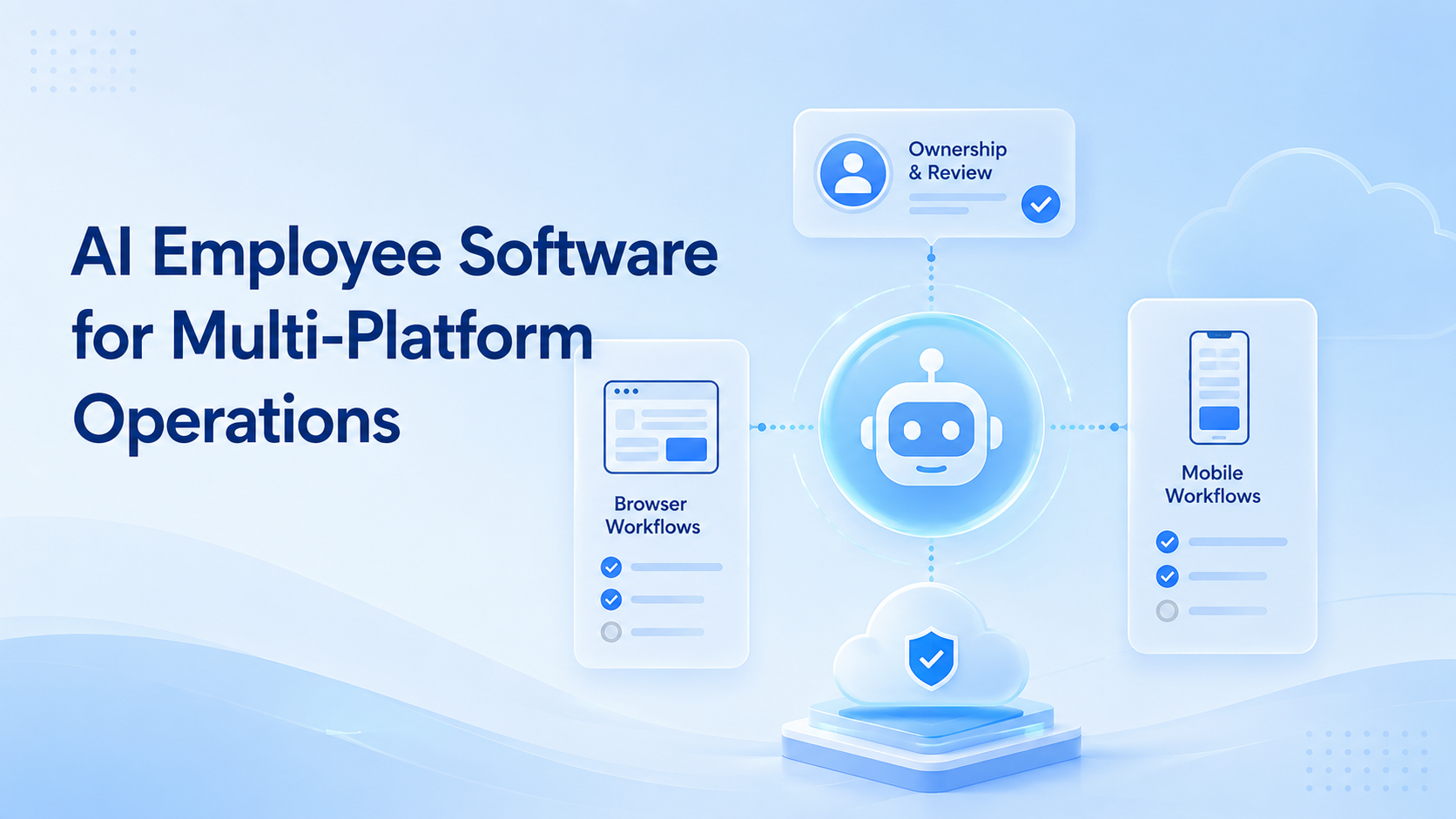
AI Employee Software for Multi-Platform Operations is a system that helps teams run repeatable tasks across web tools, mobile apps, and account-based workflows. The useful version is not a chat assistant with a task list. It is execution software with clear runtime, ownership, and review rules.
Many operations teams already use several systems at once. They may publish in one tool, review in another, update a dashboard, and confirm outcomes in a mobile app. AI can help with planning and content, but the workflow still needs a stable execution layer.
That is why an AI browser and mobile execution stack should be evaluated as operations infrastructure. The real value comes from how the software handles repeated work under real conditions.
The Core Idea Behind AI Employee Software for Multi-Platform Operations
The core idea is role-based execution. Each digital worker should have:
- one task lane
- one runtime rule
- one ownership path
- one recovery path
Browser-based work still depends on explicit session handling. The W3C WebDriver standard defines browser automation through commands and sessions. Playwright browser contexts extend the same idea through separate logged-in states.
Mobile work adds another layer. Some steps depend on app state, Android permissions, or mobile-only interaction paths. Android Enterprise frames Android devices as controlled business workspaces, which fits the idea of a managed execution lane.
That is why mobile automation, device isolation, and multi-account management belong in the same product conversation.
Why Teams Search for This Topic and AI Browser Execution
Most teams search this topic after manual coordination starts slowing them down. A few repetitive tasks become dozens. A few accounts become many. The team can still finish the work, but the path is harder to control.
Common pain points include:
- browser tasks split across several people
- app-based actions with no stable owner
- repeated admin work across platforms
- weak recovery when a workflow fails halfway
AI browser execution matters here because many workflows still start in logged-in web tools. The search intent is usually practical. Teams want a way to turn scattered digital work into a stable lane.
Who Benefits Most and In What Situations
This model fits teams with repeated cross-platform work and clear SOPs.
Strong-fit teams include:
- social media operations teams
- e-commerce operations teams
- support teams with repeated reply and follow-up work
- agencies managing client account tasks
It is a weaker fit when the work is mostly one-off, highly strategic, or constantly changing. In those cases, software should reduce routine load rather than pretend to replace human judgment.
Use this fit boundary:
Repeated browser and mobile work with clear owners and review rules.
The tasks repeat, but runtime choice or role design is still vague.
The work is mostly custom, strategic, or too fluid for a stable lane.
How to Evaluate or Start Using AI Employee Software for Multi-Platform Operations
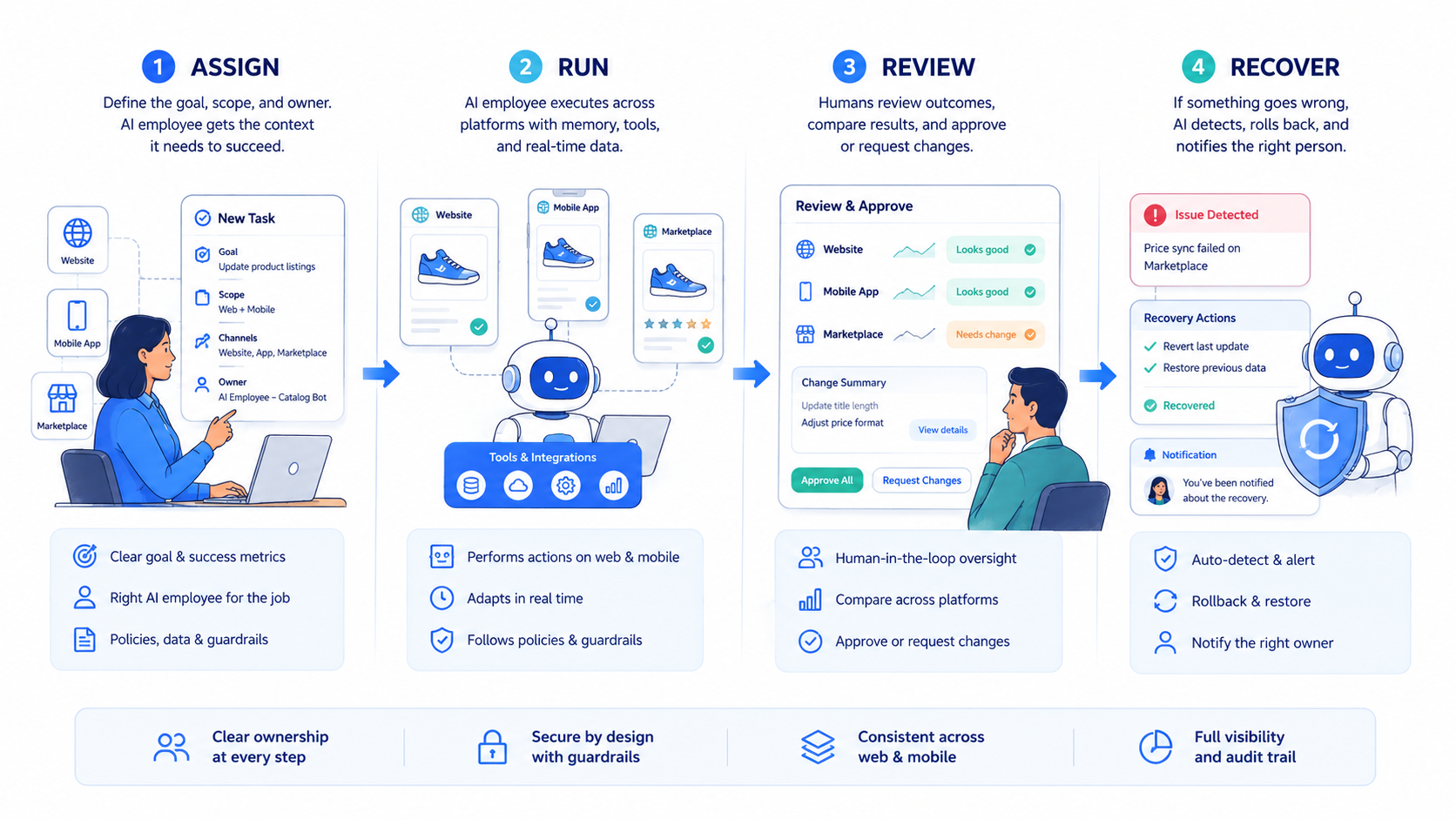
Do not start with many workers across every platform. That usually hides process gaps instead of fixing them.
- Choose one lane. Start with publishing, monitoring, triage, or follow-up work.
- Mark the runtime split. Decide which steps stay in browser sessions and which need mobile execution.
- Assign one owner. Each lane needs a named operator for review and escalation.
- Separate account scope. Keep unrelated account states apart from the start.
- Track correction cost. Measure repair effort, not only throughput.
- Expand only after review is easy. Scale the system when the pilot is simple to inspect.
If the workflow later needs more mobile coverage, a cloud phone layer usually becomes the next natural step.
Common Mistakes That Reduce Results
The first mistake is treating AI employee software as a generic assistant. The software needs clear task boundaries or it turns into a broad queue with weak accountability.
The second mistake is mixing browser and mobile steps without a runtime map. That increases friction, cleanup work, and failed handoffs.
The third mistake is using too many shared accounts in early pilots. When the environment is not separated, review becomes harder and mistakes become harder to trace.
Avoid these patterns:
- one worker touching unrelated platforms and accounts
- no stop rule when a step fails
- no clear owner for reruns or recovery
- scaling based on speed instead of cleanup cost
Pilot Rollout, Measurement, and Recovery Review
The first pilot should stay small enough to inspect run by run. One task family is enough to reveal whether the workflow design is strong.
Track a short signal set:
| Signal | Why it matters |
|---|---|
| Completion rate | Shows whether the lane finishes reliably |
| Correction rate | Shows how much manual cleanup is still needed |
| Handoff failure count | Shows whether role design is weak |
| Escalation time | Shows whether recovery ownership works in practice |
AWS Device Farm and BrowserStack App Automate both frame automated execution around repeatability and observability. That is the right standard here as well. A digital worker lane should be easy to inspect, rerun, or stop.
AI Employee Software for Multi-Platform Operations in Daily Use
The software becomes useful when it reduces recurring operational drag. Common examples include:
- publish in a browser, verify in a mobile app
- update a dashboard, then confirm result in an account view
- monitor an account lane, then route follow-up work to the right operator
This is also where social media marketing and MoiMobi resources fit naturally. Teams often need infrastructure and workflow design together.
Frequently Asked Questions
What is AI employee software in simple terms?
It is execution software that helps teams run repeated digital work with clearer ownership and runtime control.
Is this only for enterprise teams?
No. Small teams often benefit quickly because routine digital work consumes a large share of their time.
Why do multi-platform operations need both browser and mobile runtimes?
Because some tasks happen naturally in web tools while others depend on app-native behavior or device state.
What should a first pilot automate?
Start with one repeated lane that has a clear owner and a clear review path.
What matters more than throughput?
Correction cost usually matters more because it shows whether the workflow is dependable.
When should a team add cloud phone execution?
Add it when app-based steps are frequent enough that manual device handling becomes the bottleneck.
How do teams know they are ready to scale?
They are usually ready when the pilot has stable completion, low repair cost, and a clear recovery owner.
Conclusion
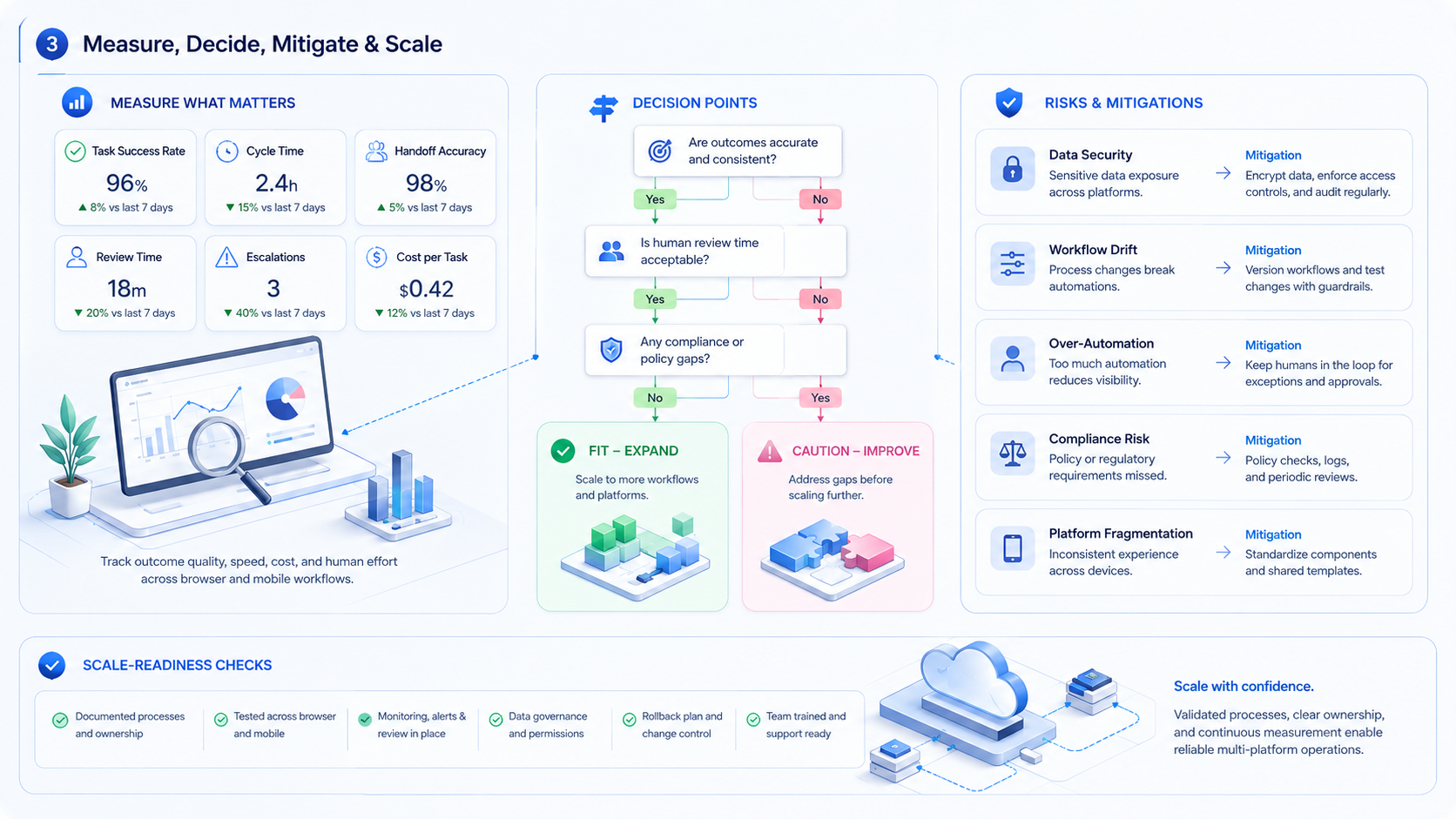
AI Employee Software for Multi-Platform Operations is most useful when it turns repeated work into managed execution lanes. The value comes from runtime control, ownership clarity, and recoverable workflows across browser and mobile surfaces.
The next practical step is to choose one lane, define its browser-mobile split, and inspect ten to twenty runs before you widen the rollout.



